1
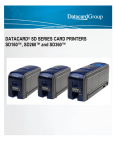
DATACARD® SERVICE ANNOUNCEMENT To Datacard Service and Authorized Service Channels (outside of North America) From Cassy O’Neil, Global Services Marketing Date February 28, 2014 Subject Datacard SD460™ Card Printer ® Introduction Datacard Group recently announced the release of the Datacard® SD460™ card printer. The SD460 printer offers a rich set of standard features and maximum flexibility to meet the growing needs of customer card programs. The printer combines direct to card printing, encoding and single lamination as standard with optional tactile impression and second laminator to meet the needs of the end customers and provide them the end product which is the card/credential. The information provided in this announcement is designed to provide Datacard service personnel and authorized service channels with key service information regarding this new instant issuance system. Additional information is available in the product announcement and product data sheet on PartnerPageSM. Global Service Support Information Information on the Datacard Group service offerings for the SD460 printer is contained below, including the following topics: • Product Highlights • Service Guidelines • Product Installation • Technical Training • Technical Documentation • Spare Parts • Warranty • Frequently Asked Questions Product Overview Features and information on the SD460 printer that are of interest to service personnel are: 1 DATACARD® SERVICE ANNOUNCEMENT Modular design –makes it easy to setup printer and laminator and connect cables; each component (i.e. SD460 printer and SLM (standard lamination module)) may be tested and serviced separately Lamination Station- Laminator Station 1 (L1) has single sided lamination capabilities with option for Laminator Station 2 (L2) which provides the ability to apply two different types of laminate material to meet the changing needs of the customer; easy to disassemble; LED light on laminator which shows status (i.e. warming up, up to temperature etc,) Optional Tactile Impression feature- inline generic impression feature imbedded into the substrate of a card with optional custom die. Datacard offers five generic impressions and can customize impressions as well Debow feature- easy to adjust settings in printer manager Printer manager- Web-based printer manager is used for printer and laminator configuration and diagnostics Easy driver installation- Uses Microsoft Windows 7 & 8 OS driver and is compatible with Datacard® IDWorks® software Unique laminate cores – this prevents the material from being loaded improperly; the SD460 system laminates are not compatible with the SP75 Plus printers Preventative maintenance- Preventative maintenance is performed by the operator using a cleaning sleeve and cleaning card; it is recommended under normal operating conditions that the cleaning sleeve is replaced and a cleaning card is run through the system after 500 cards are produced. A sticky cleaning card is used to clean the laminator. Both the printer and laminator cleaning cycles can be initiated via the front LCD panel of the printer. Service Guidelines There are several service options for the SD460 system. Service guidelines for each option are provided below. 2 DATACARD® SERVICE ANNOUNCEMENT The following service options are available in the US and in some countries where Datacard Group has a direct service presence (US, Canada, Japan, United Kingdom, France, Spain, Germany, Mexico, Australia and New Zealand). Please contact your Datacard Group regional service support team for a list of the specific services that are offered in your region. On-Site Repair (on-call) - In order for a technician to repair the system, a workspace that is at least three times the footprint of the SD460 system should be available to provide adequate access to components. It is highly recommended that the servicing technician have the recommended parts and tools from the full RSPL in order to efficiently repair the system. Depot or Service Center Repair – If a depot repair option is selected; the customer needs to consider whether they can be without their SD460 system during the repair time. Two options may be considered. In each scenario the repair center should have an inventory of all parts and tools listed in the RSPL. Standard Depot Service (Repair with no temporary system) - The defective system is shipped to a depot/service center for repair. Upon completion of the repair, the system is returned to the customer. The customer will need to retain the original shipping container or order a new one so that no damage occurs during shipment. The customer will not be able to issue cards for up to two weeks as their system is repaired and returned so a backup unit may be necessary for customers who cannot be without a system. Rapid Replacement Service (Permanent replacement system) – If a quantity of SD460 systems are located in the same general geographic area, the service provider may retain an inventory of SD460 systems. When a system needs to be repaired, a permanent replacement system is shipped to the customer and the defective system is shipped to the designated repair center. In this scenario, the asset tracking number/serial number will need to be updated with the replacement system asset tracking number/serial number. Note Rapid Replacement is only offered on the SD460 printer with a tactile impresser if the customer has 15 or more systems covered under the contract. See the SD460 Printer Service Price Pages for more details. Depot repair considerations when shipping for repair – Prior to shipping an SD460 system that has been in production, the supply ribbons and card stock must be removed. Do not include power cords and power supplies when shipping the unit for depot repair. If the original shipping container has not been saved, a new shipping kit must be ordered that contains the shipping carton with foam inserts and appropriate packing material (SLM/CLM w/impression feature part number 508529-002; SLM/CLM w/o impression feature part number 508529-001 and printer part number 503680-001). Installation The person doing the install should be able to lift a minimum of 33 lbs (15.0 kgs). To configure the system an IT administrator should provide the IP address of the network. For network requirements refer to the site preparation section in the User Guide. 3 DATACARD® SERVICE ANNOUNCEMENT Following the instructions of the Quick Install Guide, the installer should expect to unpack, install, test and conduct basic operator training in less than an hour. The SD460 system is easy to install using the visual step-by-step installation guide. The product specifications are contained in the SD460 system data sheet located on PartnerPageSM. Some key information that may be helpful for installation is contained below: Dimensions/Weights: - Dimensions: o Single/Dual Laminator 23.2 in. x 10.6 in. x 20.2 in. (589 mm x 270 mm x 513 mm) o Laminator w/ Tactile 26.2 in x 10.6 in. x 20.2 in. (675 mm x 270 mm x 513 mm) - Weight: o Single Laminator 29.92 lbs (13.6 kg) o Dual Laminator 32.78 lbs (14.9 kg) o Laminator w/ Tactile 36.96 lbs (16.8 kg) Input voltage: 100V – 240V, 50-60 Hz Power cables – Power cables are supplied with the printer Technical Training Printer Maintenance Course Two maintenance courses are required for the SD460 printer – TE1524 and TE1157. The SD/CD series printer maintenance training class (TE1524) provides the knowledge necessary to install, operate, maintain and troubleshoot the SD/CD Series card printers including the SD460 printer. For customers ordering an SD460 printer, TE1157 which focuses on the laminator is also required. To request this printer maintenance training, please contact the Technical Education department through PartnerPageSM at www.partnerpage.com or email [email protected]. Please refer to course descriptions, day schedules and the training schedule posted on PartnerPageSM for up-to-date information. SD/CD Series Card Printer Maintenance Training – TE1524 Course Identifier TE1524 Intended Audience Datacard Group customer engineers, channel partners or repair technicians responsible for the installation, operation, and maintenance of the CD/SD Series printer. The entire course is approximately 14 hours. Course Length Delivery The self-study course is available online and on DVD. Slides with narration and video clips are used to present material including removal/replacement procedure for all components. Online: Enroll online by logging onto PartnerPageSMTrainingDesktop Card PrintersSD460Online Course and select „Register Now‟ Prerequisites Recommended Skill set DVD: Order part number 539946-001 Students must have access to an SD460 printer, a basic tool kit, and a PC with speakers. General knowledge of the plastic card industry, a general understanding of networks, working knowledge of computers and Windows OS. Must possess a 4 DATACARD® SERVICE ANNOUNCEMENT SD/CD Series Card Printer Maintenance Training – TE1524 Class Size Major Topics/Activities Certification strong electrical and mechanical aptitude along with experience relating to electromechanical systems. Student to system ratio is 1 to 1. Introduction/Overview Printer installation Printer activation Operation Printer manager Card feeding, transporting and printing Advancing the ribbon Encoding the magnetic stripe Duplex module Smart card option Lock option Multi-hopper option SD Series base and enclosures & SD Series differences CD Series base and enclosures & CD Series differences Note: Training on the CLM Laminator Option is not part of this course. View the CLM/SLM Laminator Maintenance Training, TE1157 for training on the CLM Laminator Option. A 50-question exam is given at the end of the course. The student must get at least 80% of the questions correct to pass and will receive a certificate in the mail. If the student is taking the course via DVD, please send the Training Coordinator your completed test by mail or via email ([email protected]) CLM/SLM Laminator Maintenance Training – TE1157 Course Identifier TE1157 Intended Audience Datacard Group customer engineers, channel partners or repair technicians responsible for the maintenance of the CLM/SLM Laminators. Course Length This self-paced course is approximately 5 hours. Delivery The self-study course is available online and on DVD. Slides with narration and video clips are used to present material including removal/replacement procedure for all components. Online: enroll online by logging onto PartnerPageSMTrainingDesktop Card Printers SLM/CLM Laminator and select „Register Now‟ DVD: order part number 509213-001 Prerequisites Certification on the SD/CD Series Printers. Students must have access to a SD460, a basic tool kit, and a PC with speakers. Recommended Skill set General knowledge of the plastic card industry, a general understanding of networks, working knowledge of computers and the Windows XP OS. Must possess a strong electrical and mechanical aptitude along with experience relating to electromechanical systems. Class Size Student to system ratio is 1 to 1. Major Topics/Activities Introduction Overview Installation Operation Diagnostics Theory of Operation and Adjustments Base and Enclosures 5 DATACARD® SERVICE ANNOUNCEMENT CLM/SLM Laminator Maintenance Training – TE1157 Certification Removal Procedures Replacement Procedures A 20-question exam is given at the end of the course. The student must get at least 80% of the questions correct to pass and will receive a certificate in the mail. If the student is taking the course via DVD, please send the Training Coordinator your completed test by mail or via email ([email protected]) Technical Documentation Owner‟s Library CD (527399-001- Rev A) - Each SD460 system is shipped with this CD containing the following: o User Guide (527400-001 Rev A) - contains an introduction to the printer, instructions for loading supplies, description of the various operations that are performed using the Operation Panel and basic troubleshooting o Installation and Administrator‟s Guide (527445-001 Rev A) – contains full installation instructions, administrator tasks and troubleshooting o Quick Install Guide (see below) o XPS Printer Driver Guide (527280-001 Rev D) – outlines driver installation and use o Repackaging Instructions (527403-001 Rev A and 527404-001 Rev A)– Illustrates repackaging of the printer and laminator Quick Install Guide (527247-001 Rev E and 527442-001 Rev A) - Besides being provided on the Owners Library CD, this information is provided in printed form in the shipping container. Service Library CD (527882-001 Rev D) - This CD is available as part of the SD460 system maintenance training class. It includes the following technical information: o Printer Service Manual (527269-001 Rev B) o Printer Illustrated Parts Guide (527287-001 Rev B) o Laminator Service Manual (527408-001 Rev A) o Laminator Illustrated Parts Guide (527409-001 Rev A) The Owner‟s Library CD, Quick Install Guide and Service Library CD are all available on PartnerPageSM under Service & Support. Spare Parts The SPL (Spare Parts List) which included the RSPL (Recommended Spare Parts List) for the SD460 system is available on PartnerPageSM. The majority of the printer components are the same as the SD Series card printer components Warranty The SD460 system warranty is thirty (30) months after installation. Complete warranty details for the SD460 system are available on PartnerPageSM under: Sales Info Desktop Card Printers SD460 Contracts & Warranties 6 DATACARD® SERVICE ANNOUNCEMENT Frequently Asked Questions Q: A: Does the SD460 printer use the same ribbons as the SD Series printers? Yes, the SD460 printers use the same ribbons (with the addition of a few new ribbons) as the SD Series printers. Q: A: Q: A: Does the SD460 printer use the same laminates as the SP75/SP75 Plus printers? No, the SD460 printers have unique laminates that are not compatible or interchangeable with the SP75/SP75 Plus printers. Can I use my SP75/SP75 Plus laminator cleaning card in my SD460 printer? Yes, the cleaning card on both printers is the same for the laminator. Q: A: What are the power requirements? The SD460 system requires 100-240V, 50/60 Hz. Q: A: Does IDWorks® software work on the SD460? Yes, there is a new plug-in for IDWorks software which supports the laminator feature. Q: A: Can the CLM (Commercial Lamination Module) be used on the SD460 printer? No, if you try and connect the CLM (Commercial Lamination Module) to the SD460 printer you will get “mismatch error”, the SLM (Standard Lamination Module) is the only lamination module that will work on the SD460 printer. The CLM (Commercial Lamination Module) is only compatible with the CD800 printer. Datacard Group Contact Information If you have any questions regarding the SD460 system, please contact your Datacard Group regional service manager 7