1
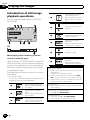
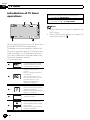
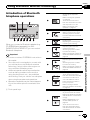
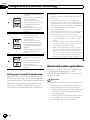
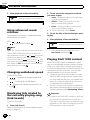
Operation Manual
DVD AV RECEIVER
AVH-P4250DVD
AVH-P3250DVD
AVH-P3250BT
English
Contents
Thank you for purchasing this PIONEER product.
To ensure proper use, please read through this manual before using this product. It
is especially important that you read and observe WARNINGs and CAUTIONs in
this manual. Please keep the manual in a safe and accessible place for future reference.
Be sure to read this
! DVD video disc region numbers 6
! Handling guideline 83
Precautions
IMPORTANT SAFEGUARDS 4
To ensure safe driving 4
To avoid battery exhaustion 5
Before You Start
About this unit 6
Operating environment 6
About this manual 6
In case of trouble 6
Visit our website 6
Resetting the microprocessor 6
Feature demo mode 7
Use and care of the remote control 7
Adjusting the response positions of the
touch panels (Touch Panel Calibration) 8
What’s what
Head unit 9
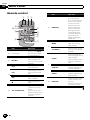
Remote control 10
Basic Operations
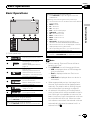
Basic Operations 11
Operating the scroll bar and the scrubber
bar 12
Activating the touch panel keys 12
Common operations for menu settings/
lists 13
Adjusting the LCD panel angle 13
Ejecting a disc 13
Ejecting a disc 13
Ejecting an SD 13
Ejecting an SD 14
Setting the clock 14
Tuner
Introduction of tuner operations 15
2
En
Playing moving images
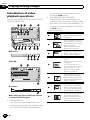
Introduction of video playback
operations 16
Playing audio
Introduction of sound playback
operations 19
Playing still images
Introduction of still image playback
operations 22
Introduction of still image playback as a
slideshow operations 23
Bluetooth Telephone
Introduction of Bluetooth telephone
operations 24
TV tuner
Introduction of TV tuner operations 26
Using Bluetooth wireless technology
Introduction of Bluetooth telephone
operations 27
Bluetooth audio operations 28
Detailed instructions
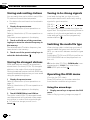
Storing and recalling stations 30
Storing the strongest stations 30
Tuning in to strong signals 30
Switching the media file type 30
Operating the DVD menu 30
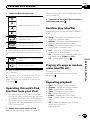
Operating this unit’s iPod function from your
iPod 31
Random play (shuffle) 31
Playing all songs in random order (shuffle
all) 31
Repeating playback 31
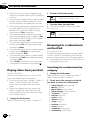
Playing videos from your iPod 32
Browsing for a video/music on the iPod 32
Resume playback (Bookmark) 33
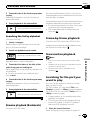
Frame-by-frame playback 33
Slow motion playback 33
Searching for the part you want to play 33
Contents
Changing audio language during playback
(Multi-audio) 34
Changing the subtitle language during
playback (Multi-subtitle) 34
Changing the viewing angle during playback
(Multi-angle) 34
Return to the specified scene 34
Selecting audio output 35
PBC playback 35
Selecting tracks from the track title list 35
Selecting files from the file name list 35
Using advanced sound retriever 36
Changing audiobook speed 36
Displaying lists related to the currently
playing song (Link Search) 36
Playing DivXÒ VOD content 36
Capture an image in JPEG files 37
Changing the wide screen mode 37
Calling a number in the phone book 38
Selecting a number by alphabet search
mode 38
Using the missed, received and dialed call
lists 39
Using the missed, received and dialed call
lists 39
Setting automatic answering 39
Adjusting the other party’s listening
volume 39
Switching the ring tone 40
Using the preset dial lists 40
Making a call by entering phone number 40
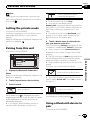
Setting the private mode 41
Pairing from this unit 41
Using a Bluetooth device to pair 41
Connecting to a Bluetooth device
automatically 42
Switching visible unit 42
Displaying BD (Bluetooth Device)
address 42
Entering PIN code for Bluetooth wireless
connection 43
Using a cellular phone to initiate a
connection 43
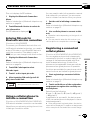
Registering a connected cellular phone 43
Voice recognition 44
Connecting a Bluetooth audio player 44
Connecting to a Bluetooth device
automatically 44
Displaying BD (Bluetooth Device)
address 44
Menu operations
Introduction of menu operations 45
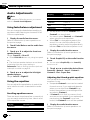
Audio Adjustments 46
Digital Signal Processor 49
Setting up the DVD player 59
System settings 63
Entertainment settings 70
Customizing menus 71
Other Functions
Changing the picture adjustment 72
Setting rear monitor output 72
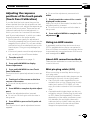
Adjusting the response positions of the
touch panels (Touch Panel
Calibration) 73
Using an AUX source 73
Using an external unit 74
Additional Information
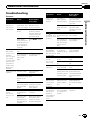
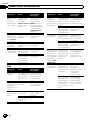
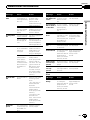
Troubleshooting 75
Error messages 77
Understanding auto EQ/auto TA and EQ error
messages 80
Understanding messages 81
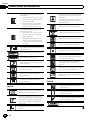
Indicator list 81
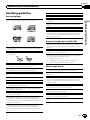
Handling guideline 83
Compressed audio compatibility (disc, USB,
SD) 85
iPod compatibility 86
Sequence of audio files 87
Using the display correctly 87
Copyright and trademark 88
Language code chart for DVD 91
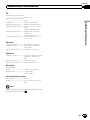
Specifications 92
En
3
Section
01
Precautions
IMPORTANT SAFEGUARDS
Please read all of these instructions regarding
your display and retain them for future reference.
1 Read this manual fully and carefully before operating your display.
2 Keep this manual handy as a reference for
operating procedures and safety information.
3 Pay close attention to all warnings in this
manual and follow the instructions carefully.
4 Do not allow other persons to use this system until they have read and understood
the operating instructions.
5 Do not install the display where it may (i)
obstruct the driver’s vision, (ii) impair the
performance of any of the vehicle’s operating systems or safety features, including air bags, hazard lamp buttons or (iii)
impair the driver’s ability to safely operate the vehicle.
6 Do not operate this display if doing so in
any way will divert your attention from
the safe operation of your vehicle. Always
observe safe driving rules and follow all
existing traffic regulations. If you experience difficulty in operating the system or
reading the display, park your vehicle in a
safe location and make necessary adjustments.
7 Please remember to wear your seat belt at
all times while operating your vehicle. If
you are ever in an accident, your injuries
can be considerably more severe if your
seat belt is not properly buckled.
8 Never use headphones while driving.
9 To promote safety, certain functions are
disabled unless the parking brake is on,
and the vehicle is not in motion.
10 Never set the volume of your display so
high that you cannot hear outside traffic
and emergency vehicles.
4
En
WARNING
! Do not attempt to install or service your
display by yourself. Installation or servicing of the display by persons without
training and experience in electronic
equipment and automotive accessories
may be dangerous and could expose you
to the risk of electric shock or other
hazards.
To ensure safe driving
WARNING
! LIGHT GREEN LEAD AT POWER CONNECTOR IS DESIGNED TO DETECT
PARKED STATUS AND MUST BE CONNECTED TO THE POWER SUPPLY SIDE
OF THE PARKING BRAKE SWITCH. IMPROPER CONNECTION OR USE OF
THIS LEAD MAY VIOLATE APPLICABLE
LAW AND MAY RESULT IN SERIOUS INJURY OR DAMAGE.
! To avoid the risk of damage and injury and the
potential violation of applicable laws, this unit
is not for use with a video screen that is visible
to the driver.
! To avoid the risk of accident and the potential
violation of applicable laws, the front DVD or
TV (sold separately) feature should never be
used while the vehicle is being driven. Also,
rear displays should not be in a location
where they are visibly distracting to the driver.
! In some countries or states the viewing of
images on a display inside a vehicle even by
persons other than the driver may be illegal.
Where such regulations apply, they must be
obeyed and this unit’s DVD features should
not be used.
When you attempt to watch a video image
while driving, the warning Viewing of front
seat video source while driving is strictly
prohibited. will appear on the front display.
Section
Precautions
When using a display
connected to V OUT
Passengers in the rear seat can also watch
DVDs or the TV if you connect this unit to a
display using the V OUT.
WARNING
NEVER install the rear display in a location
where the driver can watch a DVD or TV while
driving.
To avoid battery exhaustion
Keep the vehicle engine running when using
this unit to avoid draining the battery power.
! When no power is supplied to this unit,
such as when the vehicle battery is being
replaced, the microcomputer of this unit returns to its initial condition. We recommend that you transcribe the audio
adjustment data.
Precautions
To watch a video image on the front display,
park your vehicle in a safe place and apply the
parking brake.
01
WARNING
Do not use with vehicles that do not feature an
ACC position.
When using the rear view camera
With an optional rear view camera, this unit
can be used as an aid to keep an eye on trailers, or when backing into a tight parking spot.
WARNING
! SCREEN IMAGE MAY APPEAR REVERSED.
! USE INPUT ONLY FOR REVERSE OR
MIRROR IMAGE REAR VIEW CAMERA.
OTHER USE MAY RESULT IN INJURY
OR DAMAGE.
CAUTION
! The rear view camera function is to be used
as an aid to keep an eye on trailers, or while
backing up. Do not use for entertainment purposes.
! Please note that the edges of the rear view
camera images may differ slightly according
to whether full screen images are displayed
when backing up, and whether the images are
used for checking the rear when the vehicle is
moving forward.
En
5
Section
02
Before You Start
About this unit
CAUTION:
USE OF CONTROL OR ADJUSTMENT OR
PERFORMANCE OF PROCEDURES
OTHER THAN THOSE SPECIFIED HEREIN
MAY RESULT IN HAZARDOUS RADIATION
EXPOSURE.
CAUTION:
THE USE OF OPTICAL INSTRUMENTS
WITH THIS PRODUCT WILL INCREASE
EYE HAZARD.
CAUTION
! Do not allow this unit to come into contact
with liquids. Electrical shock could result.
Also, damage to this unit, smoke, and overheating could result from contact with liquids.
! Keep this manual handy for future reference.
! Always keep the volume low enough to hear
outside sounds.
! Avoid exposure to moisture.
! If the battery is disconnected or discharged,
any preset memory will be erased.
DVD video disc region numbers
Only DVD video discs with compatible region
numbers can be played on this player. You can
find the region number of the player on the
bottom of this unit and in this manual (refer to
Specifications on page 92).
Operating environment
This unit should be used within the temperature ranges shown below.
Operating temperature range: -10 °C to +60 °C
EN300328 ETC test temperature: -20 °C and
+55 °C
About this manual
This unit features a number of sophisticated
functions ensuring superior reception and operation. All the functions have been designed
for the easiest possible use, but many are not
self-explanatory. This operation manual will
help you benefit fully from this unit’s potential
and to maximize your listening enjoyment.
We recommend that you familiarize yourself
with the functions and their operation by reading through the manual before you begin
using this unit. It is especially important that
you read and observe WARNINGs and CAUTIONs in this manual.
In case of trouble
Should this product fail to operate properly,
please contact your dealer or nearest authorized Pioneer Service Station.
Visit our website
Visit us at the following site:
http://pioneer.jp/group/index-e.html
! We offer the latest information about
Pioneer Corporation on our website.
Resetting the microprocessor
By pressing RESET, you can reset the microprocessor to its initial settings without changing the bookmark information.
The microprocessor must be reset in the following situations:
! Before using this unit for the first time after
installation
! If the unit fails to operate properly
! When strange or incorrect messages appear on the display
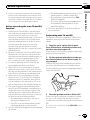
1
6
En
Turn the ignition switch OFF.
Section
Before You Start
2 Press RESET with a pen tip or other
pointed instrument.
02
Important
RESET button
(AVH-P4250DVD)
Use and care of the remote
control
Installing the battery
Before You Start
Failure to connect the red lead (ACC) of this unit
to a terminal coupled with ignition switch on/off
operations may lead to battery drain.
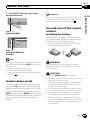
Slide the tray on the back of the remote control out and insert the battery with the plus (+)
and minus (–) poles aligned properly.
! When using for the first time, pull out the
film protruding from the tray.
RESET button
(AVH-P3250DVD/AVHP3250BT)
Note
Switch your engine ON or set the ignition switch
to ACC ON before pressing RESET in the following situations:
! After completing connections
! When erasing all stored settings
! When resetting the unit to its initial (factory)
settings
Feature demo mode
The feature demo automatically starts when
you select Off for the source and continues
while the ignition switch is set to ACC or ON.
To cancel the feature demo, press and hold
MUTE. Press and hold MUTE again to restart.
Operating the feature demo while the car engine is turned off it may drain the battery
power.
WARNING
Keep the battery out of the reach of children.
Should the battery be swallowed, consult a doctor immediately.
CAUTION
! Use one CR2025 (3 V) lithium battery.
! Remove the battery if the remote control is not
used for a month or longer.
! There is a danger of explosion if the battery is
incorrectly replaced. Replace only with the
same or equivalent type.
! Do not handle the battery with metallic tools.
! Do not store the battery with metallic objects.
! If the battery leaks, wipe the remote control
completely clean and install a new battery.
! When disposing of used batteries, comply
with governmental regulations or environmental public institutions’ rules that apply in your
country/area.
En
7
Section
02
Before You Start
Using the remote control
Point the remote control in the direction of the
front panel to operate.
! The remote control may not function properly in direct sunlight.
Important
! Do not store the remote control in high temperatures or direct sunlight.
! Do not let the remote control fall onto the
floor, where it may become jammed under the
brake or accelerator pedal.
Adjusting the response
positions of the touch panels
(Touch Panel Calibration)
If you feel that the touch panel keys on the
screen deviate from the actual positions that
respond to your touch, adjust the response positions of the touch panel. Refer to Adjusting
the response positions of the touch panels
(Touch Panel Calibration) on page 73.
8
En
Section
What’s what
03
Head unit
Part
4
d
a
3
6
SRC/OFF
7
MUTE
USB port
When connecting,
open the USB connector lid.
c
AUX input jack (3.5
mm stereo/video
jack)
Use to connect an
auxiliary device.
d
Auto EQ microphone input jack
Use to connect an
auto EQ microphone.
CAUTION
! (AVH-P3250DVD/AVH-P3250BT)
Use an optional Pioneer USB cable (CD-U50E)
to connect the USB audio player/USB memory as any device connected directly to the
unit will protrude out from the unit and may
be dangerous.
! Do not use unauthorized products.
! When inserting an SD card into the card slot,
make sure that the label is facing the left.
(AVH-P4250DVD)
2
1
c/d (TRACK/
SEEK)
b
What’s what
5
+/– (VOLUME/
VOL)
Part
3
4
5
76
8
9
a
b
cd
(AVH-P3250DVD/AVH-P3250BT)
Part
1
RESET
Part
8
MODE
Turning the information display off.
2
h (eject)
9
MENU
Displaying the
menu.
Returning to the
normal display.
3
Disc loading slot
a
SD memory card
slot
En
9
Section
03
What’s what
Remote control
Part
Operation
BAND/ESC
Press to select the
tuner band when
tuner is selected as a
source. Also used to
cancel the control
mode of functions.
Press to switch between modes when
playing discs with
compressed audio
and audio data (CDDA) such as CDEXTRA and MIXEDMODE CDs.
MENU
Press to display the
DVD menu during
DVD playback.
TOP MENU
Press to return to the
top menu during DVD
playback.
AUDIO
Press to change the
audio language during
DVD playback.
Press to switch audio
output for Video CD/
DivX.
i
j
Part
Operation
e
Thumb pad
Click to recall Menu.
Use to select a menu
on the DVD menu.
f
RETURN
Press to display the
PBC (playback control) menu during PBC
playback.
f
Press to pause or resume playback.
SUBTITLE
Press to change the
subtitle language during DVD playback.
o
Press to return to the
previous track (chapter).
ANGLE
Press to change the
viewing angle during
DVD playback.
p
Press to go to the next
track (chapter).
g
Press to stop playback.
REAR SRC
a/b(FOLDER/P.CH)
Press to select the
next/previous disc/
folder.
Press to recall radio
station frequencies assigned to preset tuning keys.
Press to cycle through
all the available rear
sources.
Press and hold to turn
the rear source off.
k
g
h
10
En
l
Section
Basic Operations
04
Basic Operations
1
2
Wed 28 may
12:45 PM
4
Radio
Rear
Front
5
6
Rear
View
Disc
iPod
SD
SD
AUX
Basic Operations
3
Selecting a source using the buttons
1 Press SRC/OFF to cycle through the sources
listed below:
Selecting a source using the touch panel keys
1 Touch the source icon and then touch the desired
source name.
! Radio – Radio
! TV – Television
! AV – AV input
! Disc – Built-in DVD player
! USB/iPod – USB/iPod
! SD – SD memory card
! EXT1 – External unit 1
! EXT2 – External unit 2
! AUX – AUX
! TEL/Audio – Bluetooth telephone/audio
(Function of AVH-P4250DVD/AVH-P3250DVD)
! When the source icon is not displayed, it can be
displayed by touching the screen.
! While operating the menu, you cannot select a
source by touching the source icon.
Adjusting the volume
1 Press +/– (VOLUME/VOL) to adjust the volume.
1 Touch panel keys
1
Displaying the source menu.
2
Switching to clock adjustment display.
Refer to Setting the clock on
page 14.
Notes
Wed 28 may
12:45 PM
3
4
5
6
Rear
Radio
Source icon
Selecting a favorite source.
When the source icon is not
displayed, it can be displayed
by touching the screen.
Front
Switching the output source
for the rear monitor.
Refer to Setting rear monitor
output on page 72.
Rear
View
Switching the rear view
image on or off.
Turning the unit off.
Turning the unit on using the buttons
1 Press SRC/OFF to turn the unit on.
Turning the unit off using the buttons
1 Press SRC/OFF and hold until the unit turns off.
! In this manual, iPod and iPhone will be referred to as “iPod”.
! The USB/iPod icon will change as follows:
— USB is displayed when a USB storage device is connected.
— iPod is displayed when an iPod is connected.
— USB/iPod is displayed when no device is
connected.
! When appropriately set up, the image from
the rear view camera can be displayed automatically. For details, refer to Setting the rear
view camera (back up camera) on page 66.
! An external unit refers to a Pioneer product,
such as those which will be available in the future. Although incompatible as a source, the
basic functions of up to two external units can
be controlled with this unit. When two external units are connected, the external units are
automatically allocated to external unit 1 or
external unit 2.
En
11
Section
04
Basic Operations
Operating the scroll bar
and the scrubber bar
Activating the touch panel
keys
1
1
1
Audio
Fader/Balance
F/R 0 L/R 0
Graphic EQ
Super Bass
Wed 28 may
12:45 PM
01
Sonic Center Control
L+R
01
L/R:0
Loudness
8
Subwoofer
01
Abcdeabcdeabcdeabcdeab
On
Auto EQ
12
Off
01:45
21
1
-02:45
:45
45
2
1
Wed 28 may
12:45 PM
01
01
Return
L+R
01
3
Abcdeabcdeabcdeabcdeab
8
12
01:45
-02:45
2
1 Scroll icon
Appears when selectable items are hidden.
2 Scrubber bar
Appears when the playback point can be specified or set by dragging.
1 Touch panel keys
Perform various operations by touching the
panel.
2 Open/close keys
Control the touch panel key area by touching
these keys.
1
Turning the display to simplified display.
Returning to the normal display by touching the screen
when playing moving
images.
Returning to the normal display by touching same icon
when playing audio.
2
Viewing the hidden touch
panel keys.
3
Shorten the touch panel
area.
Viewing the hidden items
1 Touch the scroll icon or drag the scrubber bar to
view any hidden items.
Specifying the playback point
1 Drag the scrubber bar on the screen.
(Not available when the scrubber bar is grayed
out.)
12
En
Section
Basic Operations
Common operations for
menu settings/lists
04
2 Adjust the LCD panel to an easily viewable angle.
(AVH-P3250BT only)
Starting the Bluetooth telephone
menu.
Refer to Introduction of Bluetooth telephone operations on page 24.
Displaying the menu.
Refer to Introduction of menu operations on page 45.
Displaying still images as a slide
show when listening to another
source.
Viewing slide shows
Refer to Introduction of still image
playback operations on page 22.
Returning to the previous display
Returning to the previous list/category (the folder/category one level
higher)
Returning the panel to the upright
position.
# As the set angle is saved, the LCD panel will
automatically be adjusted to the same position
the next time the LCD panel is opened.
Ejecting a disc
Basic Operations
Displaying the list menu.
Starting the search function.
Laying the panel down.
(AVH-P4250DVD)
1 Press h(eject) to display the ejecting
menu.
2
Eject a disc
Ejecting a disc
! Press and hold MENU to display
Picture Adjustment.
Refer to Changing the picture adjustment
on page 72.
Ejecting a disc
Adjusting the LCD panel angle
(AVH-P3250DVD/AVH-P3250BT)
(Function of AVH-P4250DVD)
% Press h (eject).
CAUTION
Keep hands and fingers clear of the unit when
opening, closing, or adjusting the LCD panel. Be
especially cautious of children’s hands and fingers.
1 Press h(eject) to display the ejecting
menu.
Ejecting an SD
(AVH-P4250DVD)
1 Press h(eject) to display the ejecting
menu.
2
Eject an SD
Ejecting an SD.
3
Press an SD to eject.
En
13
Section
Basic Operations
04
Ejecting an SD
(AVH-P3250DVD/AVH-P3250BT)
% Press an SD to eject.
Setting the clock
1 Switch to Clock Adjustment display.
Refer to Basic Operations on page 11.
2
Select the item to set.
3 Touch a or b to set the correct date
and time.
14
En
Section
Tuner
05
Introduction of tuner
operations
1
Radio
Local
2
Note
3
Wed 28 may
12:45 PM
Listening AM radio while an iPod is charged from
this unit may generate noise. In this case, disconnect the iPod from this unit.
Tuner
87.50MHz
P 2
P.CH
Band:
FM1
87.50 MHz
4
5
1 Touch panel keys
1
Turning local seek tuning on
and off.
Refer to Tuning in to strong
signals on page 30.
2
Switching the equalizer
curves.
Refer to Using the equalizer
on page 46.
Touch and hold for more
than two seconds to turn the
auto-equalizer on or off.
Refer to Using the autoequalizer on page 47.
3
Displaying the preset channel list.
Refer to Storing and recalling
stations on page 30.
Refer to Storing the strongest
stations on page 30.
Refer to Storing and recalling
stations on page 30.
4
5
Band:
Selecting a band (FM1, FM2,
FM3 for FM or AM).
Recalling radio station frequencies assigned to preset
tuning keys.
Refer to Storing and recalling
stations on page 30.
Manual tuning (step by step) using the buttons
1 Press c or d (TRACK/SEEK).
Seek tuning using the buttons
1 Press and hold c or d (TRACK/SEEK).
En
15
Section
06
Playing moving images
Introduction of video
playback operations
You can view DVD/DVD-R/DVD-RW/CD/CD-R/
CD-RW/USB/SD/iPod.
Wed 28 may
12:45 PM
01
01
1 Touch panel keys
L+R
01
you can enjoy the video contents of the
iPod as an iPod source.
! (AVH-P3250DVD/AVH-P3250BT)
If an iPod with video capabilities is connected to this unit using an interface cable
such as the CD-IU50V (sold separately), you
can enjoy the video contents of the iPod as
an iPod source.
Abcdeabcdeabcdeabcdeab
8
12
01:45
1
Selecting the repeat range.
Refer to Repeating playback
on page 31.
2
During playback, touch the
point at which you want to resume playback the next time
the disc is loaded.
Refer to Resume playback
(Bookmark) on page 33.
3
Changing the screen mode.
Refer to Changing the wide
screen mode on page 37.
4
Switching the equalizer
curves.
Refer to Using the equalizer
on page 46.
Touch and hold for more
than two seconds to turn the
auto-equalizer on or off.
Refer to Using the autoequalizer on page 47.
5
Switching between audio
languages during playback.
Refer to Changing audio language during playback (Multiaudio) on page 34.
6
Switching between subtitle
languages during playback.
Refer to Changing the subtitle language during playback
(Multi-subtitle) on page 34.
7
Switching among viewing
angles during playback.
Refer to Changing the viewing angle during playback
(Multi-angle) on page 34.
-02:45
45
Return
DVD video
Return
Video CD
iPod
S.Rtrv
ALL
Songs
g
Wed 28 may
12:45 PM
Abcdeabcdeabcdeabcdeab
Abcdeabcdeabcdeabcdeab
Abcdeabcdeabcdeabcdeab
2067/12345
01:45
-02:45
iPod video
01:45
-02:45
When playing a disc containing a mixture
of various media file types
! (AVH-P4250DVD)
If an iPod with video capabilities is connected to this unit using an interface cable
such as the CD-IU200V (sold separately),
16
En
Section
Playing moving images
8
a
Starting the search function.
Refer to Searching for the part
you want to play on page 33.
Refer to Selecting files from
the file name list on page 35.
Displaying iPod menus.
Refer to Playing videos from
your iPod on page 32 and
Browsing for a video/music
on the iPod on page 32.
g
Moving ahead one frame at a
time during playback.
Refer to Frame-by-frame playback on page 33.
Touch and hold for more
than two seconds to slow
down playback speed.
Speeding up the playback
speed in four steps during
slow motion playback on
DVD video/Video CD.
h
Speeding down the playback
speed in four steps, during
slow motion playback on
Video CD.
i
Returning to the specified
scene to which the DVD currently being played has been
preprogrammed to return.
Refer to Return to the specified scene on page 34.
Returning to normal playback during paused, slow
motion, or frame-by-frame
playback.
j
Playing the video on your
iPod in a random order.
Refer to Random play (shuffle) on page 31.
k
Switching the Advanced
sound retriever function setting when playing a video on
your iPod.
Refer to Using advanced
sound retriever on page 36.
l
Conducting operation from
your iPod and listening to it
using your car’s speaker’s.
Refer to Operating this unit’s
iPod function from your iPod
on page 31.
m
Switching between media
file types to play on DVD/CD/
USB/SD.
Refer to Switching the media
file type on page 30.
Pausing playback
b
Displaying the DVD menu
during DVD playback.
Refer to Operating the DVD
menu on page 30.
c
Returning to the top menu
during DVD playback.
d
Stopping playback.
Stopping playback at the
point set in Resume playback.
Touch one more time to stop
playback completely.
Refer to Resume playback
(Bookmark) on page 33.
e
Displaying arrow keys to operate the DVD menu.
Refer to Using the arrow keys
on page 30.
f
Skipping to another title.
Selecting a folder during
DivX file playback.
Return
En
Playing moving images
9
Switching the audio output,
when playing video discs recorded with LPCM audio.
Refer to Selecting audio output on page 35.
Switching between stereo
and monaural audio output,
when playing Video CD
discs.
06
17
Section
06
Playing moving images
Playing back videos
1 Insert the disc into the disc loading slot with the
label side up.
Playback will automatically start.
! If you are playing a DVD or Video CD, a menu
may appear. Refer to Operating the DVD menu on
page 30 and PBC playback on page 35.
! When the automatic playback function is on, the
unit will skip the DVD menu and automatically
start playback from the first chapter of the first
title. Refer to Automatic playback of DVDs on page
62.
1 If a disc has already been inserted, press SRC/
OFF or touch the source icon to select the source.
! While an iPod is connected to this unit, PIONEER,
Accessory Attached or (check mark) is displayed on the iPod.
! When the source icon is not displayed, it can be
displayed by touching the screen.
! Disconnect headphones from the iPod before
connecting to this unit.
! Depending on the iPod model and the amount of
data stored in the iPod, it may take some time for
playback to begin.
! Use the touch panel keys to select the iPod after
connecting it to this unit.
! No Device is displayed when disconnecting the
iPod.
1 If a message is displayed after loading a disc containing DivX VOD content, touch Play.
Refer to Playing DivXÒ VOD content on page 36.
Ejecting a disc
1 Refer to Ejecting a disc on page 13 or Ejecting an
SD on page 13.
Selecting a chapter using the buttons
1 Press c or d (TRACK/SEEK).
Fast forwarding or reversing using the buttons
1 Press and hold c or d (TRACK/SEEK).
! Fast forward/fast rewind may not always be possible on some discs. In such cases, normal playback will automatically resume.
Notes
! This DVD player can play back a DivX file recorded on CD-R/RW or DVD-R/RW. (Please
see the following section for files that can be
played back. Refer to page 85.)
! Do not insert anything other than a DVD (-R/RW) or CD (-R/-RW) into the disc loading slot.
18
En
! If the bookmark function is on, DVD playback
resumes from the selected point. For more details, refer to Resume playback (Bookmark) on
page 33.
! Some operations may not be available while
watching a DVD due to the programming of
the disc. In such cases, the icon appears
on the screen.
! To ensure proper operation, connect the dock
connector cable from the iPod directly to this
unit.
! If the ignition switch is set to ACC or ON, the
iPod battery will be charged while connected.
However, the iPod battery is not charged when
you select an SD as the source.
! While the iPod is connected to this unit, the
iPod cannot be turned on or off.
However, the iPod can be turned on or off
when you select an SD as the source.
Section
Playing audio
07
Introduction of sound
playback operations
You can listen to DVD-R/DVD-RW/CD/CD-R/
CD-RW/USB/SD/iPod sound files.
1 2
3 4
S.Rtrv
ROM
ALL
Songs
g
5
Displaying a list of track
titles/file names to select
songs on a CD.
Refer to Selecting tracks
from the track title list on
page 35.
Displaying the file name
list to select the files.
Refer to Selecting files
from the file name list on
page 35.
Displaying iPod menus.
Refer to Browsing for a
video/music on the iPod
on page 32.
6
Pausing and starting
playback
7
Switching the text information to display on this
unit when playing MP3/
WMA/AAC files.
8
Selecting a folder.
9
Switching between
media file types on a
DVD/CD/USB/SD.
Refer to Switching the
media file type on page
30.
a
Playing songs on the
iPod in random order.
Refer to Random play
(shuffle) on page 31.
5
Wed 28 may
12:45 PM
Abcdeabcdeabcdeabcdeab
Abcdeabcdeabcdeabcdeab
Abcdeabcdeabcdeabcdeab
87
125
01:45
-02:45
6
7
8
9
CD
f
1 a b 3 4i
iPod
S.Rtrv
ALL
Songs
5
Wed 28 may
12:45 PM
Abcdeabcdeabcdeabcdeab
Abcdeabcdeabcdeabcdeab
Abcdeabcdeabcdeabcdeab
Playing audio
4
Switching the equalizer
curves.
Refer to Using the equalizer on page 46.
Touch and hold for more
than two seconds to turn
the auto-equalizer on or
off.
Refer to Using the autoequalizer on page 47.
2067/12345
01:45
6
-02:45
h
g c d e
iPod audio
You can control an iPod with this unit by using
a cable such as the CD-IU50 (sold separately).
1 Touch panel keys
1
Selecting the repeat
range.
Refer to Repeating playback on page 31.
2
Playing songs in random
order.
Refer to Random play
(shuffle) on page 31.
3
Switching the Advanced
sound retriever function
setting when playing
audio.
Refer to Using advanced
sound retriever on page
36.
En
19
Section
07
Playing audio
b
Changing the speed of
audiobook playback on
the iPod.
Refer to Changing audiobook speed on page 36.
c
Switching to Link Search
mode to play songs related to the currently
playing song on the iPod.
Refer to Displaying lists
related to the currently
playing song (Link Search)
on page 36.
d
Playing all songs on the
iPod in random order.
Refer to Playing all songs
in random order (shuffle
all) on page 31.
e
Conducting operation
from your iPod and listening to it using your car’s
speaker’s.
Refer to Operating this
unit’s iPod function from
your iPod on page 31.
2 Text information
Displaying the Songs list
on the iPod.
Refer to Searching for a
video/music by category
on page 32.
f
g
Displaying the Artists list
on the iPod.
Refer to Searching for a
video/music by category
on page 32.
h
Displaying the Albums
list on the iPod.
Refer to Searching for a
video/music by category
on page 32.
3 Artwork display
i
20
En
Starting Album Link Search on your iPod
when you touch the artwork display.
Refer to Displaying lists related to the currently playing song (Link Search) on page 36.
Playing back sound
1 Insert the disc into the disc loading slot with the
label side up.
Playback will automatically start.
1 If a disc has already been inserted, press SRC/
OFF or touch the source icon to select the source.
! While an iPod is connected to this unit, PIONEER,
Accessory Attached or (check mark) is displayed on the iPod.
! When the source icon is not displayed, it can be
displayed by touching the screen.
! Disconnect headphones from the iPod before
connecting to this unit.
! Depending on the iPod model and the amount of
data stored in the iPod, it may take some time for
playback to begin.
! Use the touch panel keys to select the iPod after
connecting it to this unit.
! No Device is displayed when disconnecting the
iPod.
Ejecting a disc
1 Refer to Ejecting a disc on page 13 or Ejecting an
SD on page 13.
Selecting a track using the buttons
1 Press c or d (TRACK/SEEK).
Fast forwarding or reversing using the buttons
1 Press and hold c or d (TRACK/SEEK).
Notes
! When playing back files recorded as VBR
(variable bit rate) files, the play time will not be
correctly displayed if fast forward or reverse
operations are used.
! To ensure proper operation, connect the dock
connector cable from the iPod directly to this
unit.
! If the ignition switch is set to ACC or ON, the
iPod battery will be charged while connected.
However, the iPod battery is not charged when
you select an SD as the source.
! While the iPod is connected to this unit, the
iPod cannot be turned on or off.
However, the iPod can be turned on or off
when you select an SD as the source.
! If the characters recorded on the disc are not
compatible with this unit, those characters
will not be displayed.
Section
Playing audio
07
Playing audio
! Text information may not be correctly displayed depending on the recorded environment.
! USB storage device that can be charged via
USB will be recharged when plugged in and
the ignition switch is set to ACC or ON.
However, the USB storage device that can be
charged via USB will not be recharged when
you select an SD as the source.
! Disconnect the USB portable audio player/
USB memory when you are done using it.
! When you select Clock or Speana on Selecting the background display on page 70, the artwork is not displayed.
En
21
Section
08
Playing still images
Introduction of still image
playback operations
4
Displaying the file name
list to select the files.
Refer to Selecting files from
the file name list on page
35.
5
Starting or pausing the slideshow.
6
Rotating the displayed picture 90° clockwise
7
Capturing an image in
JPEG files.
Refer to Capture an image
in JPEG files on page 37.
8
Selecting a folder.
9
Switching between media
file types.
Refer to Switching the
media file type on page 30.
You can view still images saved in CD-R/CDRW/USB/SD.
1 2 3
4
Wed 28 may
Photo
Off
12:45 PM
Full
Abcdeabcdeabcde
Abcdeabcdeabcde
2
2
Capture
5
6 7
8
CD
01:45
-02:45
When playing a disc containing a mixture
of various media file types
When loading a CD-R/RW/USB/SD containing
JPEG picture files, this unit starts a slideshow
from the first folder/picture on the disc/device.
The player displays the pictures in each folder
in alphabetical order.
The table below shows the controls for viewing
a slideshow.
1 Touch panel keys
Touch any of the following touch panel keys to
select the function to be adjusted.
1
Selecting the repeat range.
Refer to Repeating playback
on page 31.
Ejecting a disc
1 Refer to Ejecting a disc on page 13 or Ejecting an
SD on page 13.
2
Playing files in a random
order.
Refer to Random play (shuffle) on page 31.
Selecting a file using the buttons
1 Press c or d (TRACK/SEEK).
3
22
Playing still images
1 Insert the disc into the disc loading slot with the
label side up.
Playback will automatically start.
1 If a disc has already been inserted, press SRC/
OFF or touch the source icon to select the source.
! When the source icon is not displayed, it can be
displayed by touching the screen.
En
Changing the screen mode
Refer to Changing the wide
screen mode on page 37.
Fast file searching
1 Press and hold c or d (TRACK/SEEK).
! You can search 10 JPEG files at a time.
Section
Playing still images
08
Notes
! This unit can play back a JPEG file recorded
on CD-R/RW/ROM/SD/USB storage device.
(Please see the following section for files that
can be played back. Refer to page 85.)
! Files are played back in file number order and
folders are skipped if they contain no files. (If
folder 01 (ROOT) contains no files, playback
commences with folder 02.)
You can view still images saved in CD-R/CDRW/USB/SD as a slideshow when listening to
another source.
1 2 3
Off
4
5
Selecting a folder.
5
Selecting a file.
6
Starting or pausing the slideshow.
7
Rotating the displayed picture 90° clockwise
8
Capturing an image in
JPEG files.
Refer to Capture an image
in JPEG files on page 37.
Full
1 Start slideshow when listening to another source.
Refer to Common operations for menu settings/lists on page 13.
Playing still images
Introduction of still image
playback as a slideshow
operations
4
Capture
6
Displaying still images as a slide
show.
7 8
The table below shows the controls for viewing
a slideshow.
1 Touch panel keys
Touch any of the following touch panel keys to
select the function to be adjusted.
1
Selecting the repeat range.
Refer to Repeating playback
on page 31.
2
Playing files in a random
order.
Refer to Random play (shuffle) on page 31.
3
Changing the screen mode
Refer to Changing the wide
screen mode on page 37.
2 Select the device containing the files
that you want to display.
! Disc – Built-in DVD player
! USB – USB
! SD – SD memory card
# To cancel searching, touch Cancel.
Note
When the USB or SD source is selected, this unit
cannot view still images on USB/SD as a
slideshow.
En
23
Section
09
Bluetooth Telephone
Introduction of Bluetooth
telephone operations
1
Wed 28 may
Radio
12:45 PM
1
! Be sure to park your vehicle in a safe place
and apply the parking brake when performing
this operation.
1 Incoming call notice
Indicates that an incoming call has been received and has not been checked yet.
ABCDEHGHI 01
! Not displayed for calls made when your
cellular phone is disconnected from this
unit.
012345678901
P.CH 2
Off
2 Touch panel keys
On
Band:
FM1
87.50 MHz
4 5 7
1 2 6 3
1
Switching the mode to enter
the phone number directly.
Refer to Making a call by entering phone number on page
40.
2
Switching to the call history
list.
Refer to Using the missed, received and dialed call lists on
page 39.
3
Switching to the phone book
mode.
Refer to Calling a number in
the phone book on page 38.
Refer to Selecting a number
by alphabet search mode on
page 38.
4
Turning automatic answering
on or off.
Refer to Setting automatic answering on page 39.
5
Turning the ring tone for incoming calls on or off.
Refer to Switching the ring
tone on page 40.
6
Displaying the preset dial
screen.
Refer to Using the preset dial
lists on page 40.
7
Displaying the Bluetooth
connection menu.
Refer to the instructions
from page 41 to page 43.
8
Turning private mode on or
off.
Refer to Setting the private
mode on page 41.
Telephone standby display
Wed 28 may
12:45 PM
1
2
3
4
5
6
7
8
9
*
0
#
1
ABCDEHGHI 01
012345678901
+
Off
C
8 a 9b
When switching to the entering
phone number mode
You can use Bluetooth telephone (AVH-P3250BT
only).
Important
! Since this unit is on standby to connect with
your cellular phone via Bluetooth wireless
technology, using it without the engine running can drain the battery power.
! Advanced operations that require attention
such as dialing numbers on the monitor, etc.,
are prohibited while driving. Park your vehicle
in a safe place when using these advanced
operations.
! Operations available may be limited depending on the cellular phone connected to this
unit.
24
En
Section
Bluetooth Telephone
9
Adjusting the other party’s
listening volume.
Refer to Adjusting the other
party’s listening volume on
page 39.
a
Accepting an incoming call.
Making a phone call, when
selecting a phone number.
Switching between callers on
hold.
b
Ending a call.
Rejecting an incoming call.
Canceling call waiting.
Accepting an incoming call
Ending a call
1 Press MUTE.
! Private mode can only be operated while you
are talking on the phone.
! To end the call, both you and the other caller
must hang up your phones.
Setting up for hands-free phoning
Before you can use the hands-free phoning
function you must set up the unit for use with
your cellular phone. This entails establishing a
Bluetooth wireless connection between this
unit and your phone, registering your phone
with this unit, and adjusting the volume level.
1 Connection
First, you need to connect a Bluetooth telephone
to this unit.
For detailed instructions on connecting your
phone to this unit via Bluetooth wireless technology, see following section. Using a Bluetooth device to pair on page 41 and Pairing from this unit
on page 41.
! You may also need to enter a PIN code into
this unit. If your telephone requires a PIN
code to establish a connection, look for the
code on the telephone or in its accompanying
documentation. Refer to Entering PIN code for
Bluetooth wireless connection on page 43.
2 Volume adjustment
Adjust the earpiece volume of your cellular phone
to your preference. The unit will record the adjusted volume level as the default setting.
! The volume of the caller’s voice and ring tone
may vary depending on the type of cellular
phone.
! If there is a large volume difference between
the ring tone and caller’s voice, the overall volume level may become unstable.
! Make sure to adjust the volume to a proper
level before disconnecting the cellular phone
from the unit. If the volume is muted (zero
level) on your cellular phone, the volume level
of your cellular phone remains muted even
after the cellular phone is disconnected.
En
Bluetooth Telephone
Notes
09
25
Section
10
TV tuner
Introduction of TV tuner
operations
1
TV
2
3
Manual tuning (step by step) using the buttons
1 Press c or d (TRACK/SEEK).
Seek tuning using the buttons
1 Press and hold c or d (TRACK/SEEK).
Wed 28 may
12:45 PM
Notes
Band:
TV1
! Refer to Setting the TV signal on page 66 to set
the TV signal.
! Refer to Selecting the area group on page 67 to
select the area group.
CH12 P.
P CH12
4
5
You can use this unit to control a TV tuner, such
as the GEX-P5700TVP (sold separately).
For details concerning operation, refer to the
TV tuner’s operation manual. This section provides information on TV operations with this
unit, which differs from that described in the
TV tuner’s operation manual.
1 Touch panel keys
1
Changing the screen mode.
Refer to Changing the wide
screen mode on page 37.
2
Switching the equalizer
curves.
Refer to Using the equalizer
on page 46.
Touch and hold for more
than two seconds to turn the
auto-equalizer on or off.
Refer to Using the autoequalizer on page 47.
3
Displaying the preset screen.
Refer to Storing and recalling
stations on page 30.
Refer to Storing the strongest
stations on page 30.
4
5
26
En
Band:
Selecting a band.
Recalling radio station frequencies assigned to preset
tuning keys.
Refer to Storing and recalling
stations on page 30.
Section
Using Bluetooth wireless technology
Introduction of Bluetooth
telephone operations
2
3
1
1
Switching the equalizer
curves.
Refer to Using the equalizer
on page 46.
Touch and hold for more
than two seconds to turn the
auto-equalizer on or off.
Refer to Using the autoequalizer on page 47.
2
Accepting an incoming call.
Making a phone call, when
selecting a phone number
from the dialed and received
call history.
3
Ending a call.
Rejecting an incoming call.
Canceling call waiting.
4
Displaying the received/
missed call history.
Selecting a phone number
from the call history.
Refer to Using the missed, received and dialed call lists on
page 39.
5
Displaying the dialed call history.
Selecting a phone number
from the call history.
Refer to Using the missed, received and dialed call lists on
page 39.
6
Scrolling the phone number.
Touch and hold for more
than two seconds to activate
connection mode on this
unit and establish a Bluetooth wireless connection
from your phone.
Refer to Using a cellular
phone to initiate a connection
on page 43.
Wed 28 may
TEL
11
12:45 PM
Abcdeabc
T
Text
Scroll
REG
4 5 6 7 8 9 a
When you connect a Bluetooth adapter (e.g.
CD-BTB200)(sold separately) to AVHP4250DVD/AVH-P3250DVD, you can control
Bluetooth telephone.
Important
1 Touch panel keys
7
Text
Scroll
Registering connected cellular phone to take full advantage of the features available
with Bluetooth wireless technology.
Refer to Registering a connected cellular phone on
page 43.
Touch and hold for more
than two seconds to terminate the Bluetooth wireless
connection.
En
Using Bluetooth wireless technology
! In some countries, CD-BTB200 is not sold on
the market.
! Since this unit is on standby to connect with
your cellular phone via Bluetooth wireless
technology, using it without the engine running can drain the battery power.
! Advanced operations that require attention
such as dialing numbers on the monitor,
using the phone book, etc., are prohibited
while driving. Park your vehicle in a safe place
when using these advanced operations.
! Operations available may be limited depending on the cellular phone connected to this
unit.
27
Section
11
Using Bluetooth wireless technology
8
Turning automatic answering
on or off.
Refer to Setting automatic answering on page 39.
Touch and hold for more
than two seconds to connect
to a Bluetooth telephone
automatically.
Refer to Connecting to a Bluetooth device automatically on
page 44.
9
Turning the ring tone for incoming calls on or off.
Refer to Switching the ring
tone on page 40.
Touch and hold for more
than two seconds to display
the BD address of your cellular phone and the Bluetooth
adapter.
Refer to Displaying BD (Bluetooth Device) address on
page 44.
a
Switching between Bluetooth
telephone and Bluetooth
audio.
Touch and hold for more
than two seconds to start
voice recognition.
Refer to Voice recognition on
page 44.
Setting up for hands-free phoning
Before you can use the hands-free phoning
function you must set up the unit for use with
your cellular phone. This entails establishing a
Bluetooth wireless connection between this
unit and your phone, registering your phone
with this unit, and adjusting the volume level.
28
En
1 Connection
First, you need to connect a Bluetooth telephone
to this unit.
For detailed instructions on connecting your
phone to this unit via Bluetooth wireless technology, see following section. Using a cellular phone
to initiate a connection on page 43 and Registering
a connected cellular phone on page 43.
2 Volume adjustment
Adjust the earpiece volume of your cellular phone
to your preference. The unit will record the adjusted volume level as the default setting.
! The volume of the caller’s voice and ring tone
may vary depending on the type of cellular
phone.
! If there is a large volume difference between
the ring tone and caller’s voice, the overall volume level may become unstable.
! Make sure to adjust the volume to a proper
level before disconnecting the cellular phone
from the unit. If the volume is muted (zero
level) on your cellular phone, the volume level
of your cellular phone remains muted even
after the cellular phone is disconnected.
Bluetooth audio operations
When you connect a Bluetooth adapter (e.g.
CD-BTB200)(sold separately) to AVHP4250DVD/AVH-P3250DVD, you can control
Bluetooth audio.
Important
! Depending on the Bluetooth audio player connected to this unit, the available operations
will be limited to the following two levels:
— A2DP profile (Advanced Audio Distribution
Profile): You can only playback songs on
your audio player.
— AVRCP profile (Audio/Video Remote Control Profile): You can perform playback,
pause playback, select songs, etc.
Section
Using Bluetooth wireless technology
1 Touch panel keys
Switching between Bluetooth telephone and Bluetooth audio.
Setting the action for c and d
icons.
Auto
Switching the equalizer curves.
Refer to Using the equalizer on
page 46.
Touch and hold for more than two
seconds to turn the auto-equalizer
on or off.
Refer to Using the auto-equalizer
on page 47.
Setting up for Bluetooth audio
Before you can use the Bluetooth audio function you must set up the unit for use with your
Bluetooth audio player. This entails establishing a Bluetooth wireless connection between
this unit and your Bluetooth audio player, and
pairing your Bluetooth audio player with this
unit.
1 Connection
First, you need to connect a Bluetooth audio to
this unit.
For detailed instructions on connecting your
Bluetooth audio to this unit via Bluetooth wireless
technology, see Connecting a Bluetooth audio
player on page 44.
Skipping back or forward to another track when Auto is set for
the Auto/manual setting.
Performing fast forward or rewind
when Manual is set for the Auto/
manual setting.
F1
Pausing a song.
Touch and hold for more than two
seconds to activate connection
mode on this unit and establish a
Bluetooth wireless connection
from your player.
Refer to Connecting a Bluetooth
audio player on page 44.
F2
Playback starts.
Touch and hold for more than two
seconds to terminate the Bluetooth wireless connection.
En
Using Bluetooth wireless technology
! Since there are a number of Bluetooth audio
players available on the market, available operations will vary extensively. When operating
your player with this unit, refer to the instruction manual that came with your Bluetooth
audio player as well as this manual.
! Information related to a song (such as the
elapsed playing time, song title, song index,
etc.) cannot be displayed on this unit.
! As the signal from your cellular phone may
cause noise, avoid using it when you are listening to songs on your Bluetooth audio
player.
! When a call is in progress on the cellular
phone connected to this unit via Bluetooth
wireless technology, the sound of the Bluetooth audio player connected to this unit is
muted.
! When the Bluetooth audio player is in use,
you cannot connect to a Bluetooth telephone
automatically.
! Playback continues even if you switch from
your Bluetooth audio player to another source
while listening to a song.
11
29
Section
12
Detailed instructions
Storing and recalling stations
Tuning in to strong signals
You can easily store up to six(for tuner)/12(for
TV) stations for each band as presets.
! Six stations for each band can be stored in
memory.
Local seek tuning lets you tune in to only
those radio stations with sufficiently strong
signals for good reception.
1 Display the preset screen.
Refer to Introduction of tuner operations on
page 15.
Refer to Introduction of TV tuner operations on
page 26.
The preset screen appears in the display.
2 Touch and hold one of the preset tuning keys to store the selected frequency in
the memory.
The selected radio/TV station frequency has
been stored in the memory.
3 Touch one of the preset tuning keys to
select the desired station.
Storing the strongest stations
BSM (best stations memory) automatically
stores the six (for tuner)/12 (for TV) strongest
stations in the order of their signal strength.
Storing broadcast frequencies with BSM may
replace broadcast frequencies you have saved
using the preset tuning keys.
1 Display the preset screen.
Refer to Introduction of tuner operations on
page 15.
Refer to Introduction of TV tuner operations on
page 26.
The preset screen appears in the display.
2 Touch BSM/BSSM to turn BSM on.
The six(for tuner)/12(for TV) strongest broadcast frequencies will be stored under preset
tuning keys in order of their signal strength.
# To cancel the storage process, touch
Cancel.
30
En
—
—
FM: off — —
AM: off — —
The larger the setting number, the higher the
signal level. The highest level setting allows reception of only the strongest stations; while
lower settings let you receive progressively
weaker stations.
Switching the media file type
When playing a disc containing a mixture of
various media file types, such as DivX and
MP3, you can switch between media file types
to play.
Audio data (CD-DA) and JPEG picture files on
DVD-R/RW/ROM cannot be played back on
this unit.
CD (audio data (CD-DA))—ROM-Audio (compressed audio)—DivX (DivX video files)—
JPEG (JPEG picture files)
Operating the DVD menu
(Function for DVD video)
Some DVDs allow you to make a selection
from the disc contents using a menu.
Using the arrow keys
1 Display arrow keys to operate the DVD
menu.
Refer to Playing moving images on page 16.
Section
Detailed instructions
2
Select the desired menu item.
12
Refer to Introduction of sound playback operations on page 19.
2 Operate the connected iPod to select a
video/song and play.
Selecting the desired menu item.
Random play (shuffle)
Videos/songs can be played back in random
order.
Starting playback from the selected menu item.
Operating the DVD menu by directly touching the menu item.
# When operating the DVD menu by directly
touching the menu item, touch the icon to operate.
Displaying arrow keys.
# Ways to display the menu will differ depending on the disc.
# Depending on the contents of the DVD disc,
this function may not work properly. In such
cases, use the touch panel keys to operate the
DVD menu.
Operating this unit’s iPod
function from your iPod
! While this function is in use, the iPod will
not turn off even if the ignition key is turned
off. Operate the iPod to turn off the power.
! When the control mode is set to iPod, the
signal can be changed between PAL and
NTSC from the iPod.
Playing all songs in random
order (shuffle all)
(Function for iPod)
This method plays all songs on the iPod
randomly.
Repeating playback
Detailed instructions
Returning to the normal DVD video
display.
! Songs – Play back videos/songs in the selected list in random order.
! Albums – Play back videos/songs from a
randomly selected album in order.
! Folder – Play back songs/tracks in the selected folder in random order.
! Disc – Play back songs/tracks in the selected disc in random order.
! On – Play back files in random order within
the repeat range, Folder and Disc.
! Off – Cancel random play.
!
!
!
!
!
!
!
Disc – Play through the current disc
Chapter – Repeat the current chapter
Title – Repeat the current title
Track – Repeat the current track
File – Repeat the current file
Folder – Repeat the current folder
One – Repeat just the current video/song/
track
! All – Repeat all videos/songs in the selected list on the iPod
Repeat all files
1 Switch the control mode to iPod.
Refer to Playing moving images on page 16.
En
31
Section
12
Detailed instructions
! This function cannot be operated during
Video CD playback featuring PBC (playback
control).
! If you perform chapter search, fast forward/
reverse, frame-by-frame playback or slow
motion playback, the repeat play will stop.
! When playing discs with compressed audio
and audio data (CD-DA), playback is repeated within the type of data currently
playing even if Disc is selected.
! If you select another folder during repeat
play, the repeat play range changes to Disc.
If you select USB or SD source, the repeat
play range changes to All.
! If you perform track search or fast forward/
reverse during File, the repeat play range
changes to Folder.
! If you perform track search or fast forward/
reverse during Chapter, the repeat play
range changes to Title.
! If you perform track search or fast forward/
reverse during Track, the repeat play range
changes to Disc.
! When Folder is selected, it is not possible
to play back a subfolder of that folder.
Playing videos from your iPod
(Function for iPod)
Videos can be played on this unit if an iPod
with video capabilities is connected.
! This unit can play back “Movies”, “Music videos”, “Video Podcast” and “TV show”
which are downloaded from the iTunes
store.
! Before you display the video screen, be
sure to change the video setting on the
iPod so that the iPod can output the video
to an external device.
1 Display the iPod menus.
Refer to Playing moving images on page 16.
32
En
2
Switch to iPod video mode.
Video
3
Switching to iPod video mode.
Play the video from the iPod.
# If you want to switch to iPod music mode,
touch the icon.
Music
Switching to iPod music mode.
Browsing for a video/music
on the iPod
(Function for iPod)
To make operating and searching easy, operations to control an iPod with this unit are designed to be as similar to the iPod as possible.
! Incompatible text saved on the iPod will not
be displayed by the unit.
Searching for a video/music by
category
1 Display the iPod menus.
Refer to Playing moving images on page 16.
Refer to Playing audio on page 19.
2 Touch one of the categories in which
you want to search for a video/music.
!
!
!
!
!
!
!
!
!
!
!
!
!
Video Playlists (video playlists)
Movies (movies)
Music Videos (music videos)
Video Podcasts (video podcasts)
TV Shows (TV shows)
Playlists (playlists)
Artists (artists)
Albums (albums)
Songs (songs)
Podcasts (podcasts)
Genres (genres)
Composers (composers)
Audiobooks (audiobooks)
Section
Detailed instructions
3 Touch the title of the list that you want
to play.
Repeat this operation until you find the desired video/music.
4
Start playback of the selected list.
Starting playback of the selected list.
Searching the list by alphabet
(Function for iPod)
1 Select a category.
Refer to Searching for a video/music by category on the previous page.
2
12
By using the Bookmark function, you can resume playback from a selected scene the next
time the disc is loaded.
The selected scene will be bookmarked so that
playback resumes from that point next time.
! To clear the bookmark on a disc, touch and
hold the button during playback.
! The oldest bookmark is replaced by the
new one.
Frame-by-frame playback
(Function for DVD video/video CD/DivX file)
Images during frame-by-frame playback may
be unclear for some discs.
Switch to alphabet search mode.
Slow motion playback
Switching to alphabet search mode.
3 Touch the first letter of the title of the
video/song you are looking for.
While searching, touch panel key operation is
not available.
# To refine the search with a different letter,
touch Cancel.
4 Touch the title of the list that you want
to play.
Repeat this operation until you find the desired song/video.
5
Start playback of the selected list.
Starting playback of the selected list.
Resume playback (Bookmark)
(Function for DVD video)
Searching for the part you
want to play
Detailed instructions
Alphabet search mode is displayed.
Notes
! There is no sound during slow motion playback.
! Images during slow motion playback may be
unclear for some discs.
! Reverse slow motion playback is not
available.
You can use the search function to find the
part you want to play.
For DVD videos, you can select Title (title),
Chapter (chapter) or 10key (numeric keypad).
For video CDs, you can select Track(track) or
10key(numeric keypad).
! Chapter search is not available when disc
playback is stopped.
! This function cannot be operated during
some DVD videos or Video CD playback
featuring PBC (playback control).
1 Start the search function.
Refer to Playing moving images on page 16.
En
33
Section
Detailed instructions
12
2 Touch the desired search option (e.g.,
Chapter).
3 Touch 0 to 9 to input the desired number.
# To cancel the entered numbers, touch C.
4
Start playback from the selected part.
Registering the numbers and starting playback.
Note
With discs featuring a menu, you can also use
the DVD menu to make your selection.
Refer to Playing moving images on page 16.
Changing audio language
during playback (Multi-audio)
With DVDs/DivX files that provides audio playback in different languages and different
audio systems (Dolby Digital, DTS, etc.), you
can switch between languages/audio systems
during playback.
Notes
! With some DVDs, switching between languages/audio systems may only be possible
using a menu display.
! You can also switch between languages/audio
systems using DVD setup menu. For details,
refer to Setting the audio language on page 59.
! Only digital output of DTS audio is possible. If
the unit’s optical digital outputs are not connected, select an audio setting other than
DTS.
! Depending on the setting, the video may not
be played back with the audio system used to
record the DVD.
! You will return to normal playback if you
change the Audio during fast forward/fast rewind, pause or slow motion playback.
34
En
Changing the subtitle
language during playback
(Multi-subtitle)
With DVDs/DivX files featuring multi-subtitle
recordings, you can switch between subtitle
languages during playback.
Notes
! With some DVDs, switching between subtitle
languages may only be possible using a menu
display.
! You can also switch between subtitle languages using DVD setup menu. For details,
refer to Setting the subtitle language on page
59.
! You will return to normal playback if you
change the Subtitle during fast forward/fast
rewind, pause or slow motion playback.
Changing the viewing angle
during playback (Multi-angle)
With DVDs featuring multi-angle (scenes shot
from multiple angles) recordings, you can
switch among viewing angles during playback.
! During playback of a scene shot from multiple angles, the angle icon is displayed.
Use the DVD setup menu to turn the
angle icon display on or off. For details,
refer to Setting the multi-angle DVD display
on page 60.
Note
You will return to normal playback if you change
the viewing angle during fast forward/fast rewind,
pause or slow motion playback.
Return to the specified scene
(Function for DVD video)
Section
Detailed instructions
This function cannot be used if a specified
scene has not been preprogrammed on the
DVD disc.
Selecting audio output
When playing DVD video discs recorded with
LPCM audio, you can switch the audio output.
When playing video CDs, you can switch between stereo and monaural audio output.
! This function is not available when disc
playback is stopped.
! If you select Linear PCM, you can operate
this function when playing a disc recorded
on a dual mono mode. (Refer to Setting for
digital output on page 62.)
!
!
!
!
L+R – left and right
Left – left
Right – right
Mix – mixing left and right
PBC playback
(Function for Video CDs)
During playback of Video CDs featuring PBC
(Playback Control), PBC ON is displayed.
1 Start the search function.
Refer to Playing moving images on page 16.
2 Touch 10key to display the numeric
keypad.
3 Touch 0 to 9 corresponding to a menu
number.
4
Start playback from the selected part.
Registering the numbers and starting playback.
Notes
! You can display the menu by touching Return
during PBC playback. For details, refer to the
instructions provided with the disc.
! PBC playback of a Video CD cannot be canceled.
! During playback of Video CDs featuring PBC
(Playback Control), you cannot select the repeat play range or use the search function.
Selecting tracks from the
track title list
You can select tracks to playback using the
track title list which is a list of the tracks recorded on a disc.
1 Display the track title list.
Refer to Playing audio on page 19.
2 Touch your favorite track title.
Playback begins.
Selecting files from the file
name list
(Function for USB/SD/DivX)
File name list is a list of file names (or folder
names) from which you can select a file (or
folder) to play back.
Detailed instructions
You may not be able to select or use this function depending on the disc and the playback
location.
12
1 Display the file (or folder) name list.
Refer to Playing audio on page 19.
Refer to Introduction of still image playback operations on page 22.
2 Touch your favorite file (or folder)
name.
# When you have selected a folder, a list of the
names of the files (or the folders) in it can be
viewed. Repeat this operation to select the desired file name.
# If folder 01 (ROOT) contains no files, playback
commences with folder 02.
En
35
Section
Detailed instructions
12
3
Start playback of the selected list.
Starting playback of the selected list.
Using advanced sound
retriever
Automatically enhances compressed audio
and restores rich sound.
Off —
!
—
is more effective than
2 Touch one of the categories in which
you want to play.
! Artist – Displays an album list of the artist
currently being played.
! Album – Displays a song list from the
album currently being played.
! Genre – Displays an album list from the
genre currently being played.
# To cancel searching, touch Cancel.
3 Touch the title of the list that you want
to play.
4
Start playback of the selected list.
.
Starting playback of the selected list.
Note
When you use this unit with a multi-channel processor (DEQ-P7650) and switch the advanced
, the volume
sound retriever function to or
will become slightly lower. The volume will bethan it will for . Take
come much lower for
and
care when you increase the volume for
then switch to Off, because the volume will suddenly seem much louder.
Changing audiobook speed
(Function for iPod)
– Playback at a speed faster than
!
normal
!
– Playback at normal speed
!
– Playback at a speed slower than normal
Displaying lists related to
the currently playing song
(Link Search)
(Function for iPod)
1 Start Link Search.
Refer to Introduction of sound playback operations on page 19.
36
En
! If no related albums/songs are found,
Not Found is displayed.
Playing DivXÒ VOD content
Some DivX VOD (video on demand) content
may only be playable a fixed number of times.
When you load a disc containing this type of
content, the remaining number of times it can
be played is shown on-screen. You can then
decide whether or not to play the disc.
! If there is no limit to the number of times
the DivX VOD content can be viewed, then
you may load the disc into your player and
play the content as often as you like, and
no message will be displayed.
! You can confirm the number of times that
the content can be played by checking the
number displayed after Remaining Views:.
Important
! In order to play DivX VOD content on this unit,
you first need to register the unit with your
DivX VOD content provider. For details on your
registration code, refer to Displaying the DivXÒ
VOD registration code on page 62.
Section
Detailed instructions
! DivX VOD content is protected by a DRM (Digital Rights Management) system. This restricts playback of content to specific,
registered devices.
% If a message is displayed after loading
a disc containing DivX VOD content, touch
Play.
Playback of the DivX VOD content will start.
# To skip to the next file, touch Next Play.
# If you do not want to play the DivX VOD content, touch Stop.
12
Changing the wide screen
mode
You can select a desired mode for enlarging a
4:3 picture to a 16:9 picture.
1 Display the screen mode.
Refer to Introduction of video playback operations on page 16.
Refer to Introduction of still image playback operations on page 22.
Refer to Introduction of still image playback as
a slideshow operations on page 23.
Capture an image in JPEG files
2
You can capture image data and use it as wallpaper. Images can be stored and recalled easily in this unit.
! Only one image can be stored on this unit.
Old images are overwritten with the new
ones.
Full (full screen)
The 4:3 picture is enlarged in the horizontal direction only, giving you a 4:3 TV picture (normal picture) without any omissions.
2 Capture the image.
Refer to Introduction of still image playback operations on page 22.
Refer to Introduction of still image playback as
a slideshow operations on page 23.
3 When Do you save this image? is displayed, touch Yes.
While storing the image to this unit, Saving
the image Don't switch off the battery. is
displayed. When the process is finished,
Image saved. is displayed.
# To cancel the storage process, touch No.
Just (just)
The picture is enlarged slightly at the center and
the amount of enlargement increases horizontally
toward the edges of the screen, enabling you to
enjoy a 4:3 picture without sensing any disparity
even when viewing on a wide screen.
Cinema (cinema)
The picture is enlarged by the same proportion as
Full or Zoom in the horizontal direction and by
an intermediate proportion between Full and
Zoom in the vertical direction; ideal for a cinemasized picture (wide screen picture) where captions lie outside the picture.
Detailed instructions
1 Pause the slideshow when the desired
image is displayed.
Refer to Introduction of still image playback operations on page 22.
Refer to Introduction of still image playback as
a slideshow operations on page 23.
Touch the desired wide mode setting.
Zoom (zoom)
The 4:3 picture is enlarged in the same proportion
both vertically and horizontally; ideal for a cinema
sized picture (wide screen picture).
Normal (normal)
The 4:3 picture is displayed as it is, giving you no
sense of disparity since its proportions are the
same as that of the normal picture.
Notes
! You cannot operate this function while driving.
En
37
Section
Detailed instructions
12
! Different settings can be stored for each video
source.
! When a video is viewed in a wide screen mode
that does not match its original aspect ratio, it
may appear different.
! Remember that using the wide mode feature
of this system for commercial or public viewing purposes may constitute an infringement
on the author’s rights protected by the Copyright Law.
! The video image will appear coarser when
viewed in Cinema or Zoom mode.
Calling a number in the
phone book
(Function of AVH-P3250BT)
The phone book in your cellular phone will be
transferred automatically when the phone is
connected to this unit.
After finding the number you want to call in
the phone book, you can select the entry and
make the call.
1 Switch to phone book mode.
Refer to Introduction of Bluetooth telephone operations on page 24.
The phone book display appears.
2 Select the phone number list.
The detailed phone number list of the selected
entry is displayed.
3
Select the phone number.
# If you want to store the phone number, touch
and hold the list.
4 Make the call.
Refer to Introduction of Bluetooth telephone operations on page 24.
5 End the call.
Refer to Introduction of Bluetooth telephone operations on page 24.
38
En
Note
Depending on the cellular phone, the phone book
may not be transferred automatically. In this
case, operate your cellular phone to transfer the
phone book. The visibility of this unit should be
on. Refer to Switching visible unit on page 42.
Selecting a number by
alphabet search mode
(Function of AVH-P3250BT)
If a lot of numbers are registered in the phone
book, you can search for the phone number by
alphabet search mode.
1 Switch to phone book mode.
Refer to Introduction of Bluetooth telephone operations on page 24.
The phone book display appears.
2 Touch ABC to switch to alphabet search
mode.
3 Touch the first letter of the entry you
are looking for.
The Phone Book entries starting with that letter (e.g. “Ben”, “Brian” and “Burt” when “B” is
selected) will be displayed.
# If you want to change the character to Russian, touch the icon. To return to English, touch
the icon again.
Changing the character to Russian.
# The order of the first name and last name may
be different from that of the cellular phone.
4 Touch the list to display the phone
number list of the selected entry.
# If several phone numbers are included in an
entry, select one by touching the list.
# If you want to switch to the call history list,
touch the icon.
Section
Detailed instructions
Switching to the call history list.
5 Make the call.
Refer to Introduction of Bluetooth telephone operations on page 24.
6 End the call.
Refer to Introduction of Bluetooth telephone operations on page 24.
Using the missed, received
and dialed call lists
(Function of AVH-P3250BT)
The 80 most recent calls dialed, received, and
missed are stored in the memory. You can
browse them and call numbers from these
lists.
2 Select Missed Calls, Dialed Calls or
Received Calls.
Displaying the received call list.
Displaying the dialed call list.
Displaying the missed call list.
3 Touch the list number to select a phone
number.
Name and phone number are displayed in the
detailed list.
# If you want to store the phone number, touch
and hold the list.
4 Make the call.
Refer to Introduction of Bluetooth telephone operations on page 24.
5 End the call.
Refer to Introduction of Bluetooth telephone operations on page 24.
Using the missed, received
and dialed call lists
(Function of AVH-P4250DVD)
The 80 most recent calls dialed, received, and
missed are stored in the memory. You can
browse them and call numbers from these
lists.
1 Switch to the call history list.
Refer to Introduction of Bluetooth telephone operations on page 27.
2 Touch a phone number or name (if entered) you want to call.
3 Make the call.
Refer to Introduction of Bluetooth telephone operations on page 27.
4 End the call.
Refer to Introduction of Bluetooth telephone operations on page 27.
Setting automatic answering
If this function is on, this unit automatically
answers all incoming calls.
Detailed instructions
1 Switch to the call history list.
Refer to Introduction of Bluetooth telephone operations on page 24.
12
% Turn automatic answering on or off.
(AVH-P4250DVD/AVH-P3250DVD)
Refer to Introduction of Bluetooth telephone operations on page 27.
(AVH-P3250BT)
Refer to Introduction of Bluetooth telephone operations on page 24.
Adjusting the other party’s
listening volume
(Function of AVH-P3250BT)
En
39
Section
12
Detailed instructions
To maintain the good sound quality, this unit
can adjust the other party’s listening volume.
If the volume is not loud enough for the other
party, use this function.
% Select Far end Volume.
Refer to Introduction of Bluetooth telephone operations on page 24.
1—2—3
# This function can be performed even while
talking on the phone.
# Settings can be stored for each device.
3 Make the call.
Refer to Introduction of Bluetooth telephone operations on page 24.
4 End the call.
Refer to Introduction of Bluetooth telephone operations on page 24.
Making a call by entering
phone number
(Function of AVH-P3250BT)
Wed 28 may
Switching the ring tone
You can select whether or not to use this
unit’s ring tone. If this function is set to on,
the ring tone for this unit will sound.
12:45 PM
1
2
3
4
5
6
7
8
9
*
0
#
012345678901
2 Turn ring tone on or off.
(AVH-P4250DVD/AVH-P3250DVD)
Refer to Introduction of Bluetooth telephone operations on page 27.
(AVH-P3250BT)
Refer to Introduction of Bluetooth telephone operations on page 24.
Using the preset dial lists
(Function of AVH-P3250BT)
You can easily store up to six phone numbers
as presets.
1 Display the preset screen.
Refer to Introduction of Bluetooth telephone operations on page 24.
2 Touch one of preset dial keys to select
the desired phone number.
# If you want to delete a preset phone number,
touch and hold the preset dial key.
40
En
Off
C
+
1 Connect your cellular phone to this
unit.
1
ABCDEHGHI 01
Important
Be sure to park your vehicle in a safe place and
apply the parking brake when performing this operation.
1 Switch to the entering phone number
mode.
Refer to Introduction of Bluetooth telephone operations on page 24.
2 Touch the number icons to input the
numbers.
# Up to 24 digits can be entered.
3 Make the call.
Refer to Introduction of Bluetooth telephone operations on page 24.
4 End the call.
Refer to Introduction of Bluetooth telephone operations on page 24.
Section
Detailed instructions
Note
Entering phone number mode cannot be operated unless a Bluetooth telephone is connected
to this unit.
Setting the private mode
(Function of AVH-P3250BT)
During a conversation, you can switch to private mode (talk directly on your cellular
phone).
Refer to Introduction of Bluetooth telephone operations on page 24.
Pairing from this unit
(Function of AVH-P3250BT)
Connection
1 Display the Bluetooth Connection
Menu.
Refer to Introduction of Bluetooth telephone operations on page 24.
2
Touch Connection to select a device.
3
Start to search.
Starting to search.
Switching between the device
names and BD addresses.
# To cancel searching, touch Stop.
# If five devices are already paired,
Memory Full is displayed and pairing cannot be
performed. In such cases, delete a paired device
first. Refer to Deleting a paired device. on this
page.
# If no device can be found, Not Found is displayed. In such cases, check the status of the
Bluetooth device and search again.
4 Touch a device name to select the device you want to connect to.
While connecting, Pairing is displayed. If the
connection is established, Paired is displayed.
# If the connection fails, Connection Error is
displayed. In such cases, try again from the beginning.
# The PIN code is set to 0000 as the default, but
can be changed. Refer to Entering PIN code for
Bluetooth wireless connection on page 43.
# When establishing connection, the icon is displayed.
Touch the icon to disconnect the device.
Disconnecting a Bluetooth device.
# If you want to delete a paired Bluetooth telephone, display Delete OK?. Touch Yes to delete
the device.
Detailed instructions
01: Phone1
02: Phone2
03: Phone3
04: Phone4
05: Phone5
12
Deleting a paired device.
While searching,
is displayed and when
available devices are found, the device names
or BD addresses (if names cannot be obtained) are displayed.
# Never turn the unit off while the paired Bluetooth telephone is being deleted.
# If you want to switch between the device
names and BD addresses, touch the icon.
Using a Bluetooth device to
pair
(Function of AVH-P3250BT)
En
41
Section
12
Detailed instructions
If you cannot open the connection between
your Bluetooth device and this unit from your
Bluetooth device, you can use this function to
establish a connection.
1 Display the Bluetooth Connection
Menu.
Refer to Introduction of Bluetooth telephone operations on page 24.
2 Touch Special Device to select the special device.
# Bluetooth devices that are difficult to establish
a connection with are called special devices. If
your Bluetooth device is listed as a special device,
select the appropriate one.
3 Touch the special device list to open the
connection.
This unit is now on standby for a connection
with the Bluetooth device.
# If five devices are already paired,
Memory Full is displayed and pairing cannot be
performed. In such cases, delete a paired device
first. Refer to Deleting a paired device. on the previous page.
4 Use your Bluetooth device to establish
a connection.
The connection method is different depending
on the Bluetooth device. Refer to the manual
for your Bluetooth device to establish a connection.
While connecting, Pair your phone is displayed. If the connection is established,
Paired is displayed.
# If the connection fails, Connection Error is
displayed. In such cases, try again from the beginning.
# The PIN code is set to 0000 as the default, but
can be changed. Refer to Entering PIN code for
Bluetooth wireless connection on the next
page.
Connecting to a Bluetooth
device automatically
(Function of AVH-P3250BT)
If this function is set to on, a connection between your Bluetooth device and this unit will
take place automatically as soon as the two
devices are less than a few meters apart.
Initially, this function is set to on.
1 Display the Bluetooth Connection
Menu.
Refer to Introduction of Bluetooth telephone operations on page 24.
2 Touch Auto Connect to turn automatic
connection on.
If your Bluetooth device is ready for a Bluetooth wireless connection, a connection to
this unit will automatically be established.
# To turn automatic connection off, touch
Auto Connect again.
3 Turn your vehicle's ACC switch off and
on.
Switching visible unit
(Function of AVH-P3250BT)
This function sets whether or not to make this
unit visible to the other device.
Initially, this function is set to on.
1 Display the Bluetooth Connection
Menu.
Refer to Introduction of Bluetooth telephone operations on page 24.
2
Touch Visibility to select visibility off.
! To turn visibility on, touch Visibility
again.
Displaying BD (Bluetooth
Device) address
(Function of AVH-P3250BT)
42
En
Section
Detailed instructions
This unit displays its BD address.
1 Display the Bluetooth Connection
Menu.
Refer to Introduction of Bluetooth telephone operations on page 24.
2 Touch Bluetooth Version to select device information.
The BD address is displayed.
Entering PIN code for
Bluetooth wireless connection
(Function of AVH-P3250BT)
To connect your Bluetooth device to this unit
via Bluetooth wireless technology, you need to
enter a PIN code on your Bluetooth device to
verify the connection. The default code is
0000, but you can change it with this function.
2 Touch PIN Code Input to select
PIN code input.
3
Touch 1 to 0 to input pin code.
4 After inputting PIN code (up to 8 digits), store in this unit.
Storing the PIN code in this unit.
Using a cellular phone to
initiate a connection
(Function of AVH-P4250DVD/AVH-P3250DVD)
A Bluetooth wireless connection can be established from your phone by putting the unit into
initiating a connection mode.
You may need to refer to the operation manual
that came with your phone if you are unsure
how to initiate a connection from your phone.
1 Put the unit in initiating a connection
mode.
Refer to Introduction of Bluetooth telephone operations on page 27.
2 Use a cellular phone to connect to this
unit.
# Operation varies depending on the type of cellular phone.
# You may need to enter the link code on your
cellular phone to complete the connection.
Registering a connected
cellular phone
(Function of AVH-P4250DVD/AVH-P3250DVD)
You can register a phone that is temporarily
connected to this unit in order to take full advantage of the features available with Bluetooth wireless technology. A total of five
phones can be registered: three user cellular
phones and two guest phones. All possible
functions are available for user phones, while
some functions are limited for guest phones.
1 Start registering a connected cellular
phone.
Refer to Introduction of Bluetooth telephone operations on page 27.
Detailed instructions
1 Display the Bluetooth Connection
Menu.
Refer to Introduction of Bluetooth telephone operations on page 24.
12
2 Touch and hold one of the registration
assignments to register the currently connected phone.
Select from the following:
1 (user 1)—2 (user 2)—3 (user 3)—G (guest 1)
— G (guest 2)
If registration is successful, the device name
of the connected phone is displayed in the selected assignment.
# If the assignment is already taken, the device
name will be displayed. To replace an assignment
with a new phone, first delete the current assignment.
En
43
Section
Detailed instructions
12
# If registration failed, the device name of the
connected phone will not be displayed in the selected assignment. In such cases, return to step
1 and try again.
If this function is set to on, a connection between your Bluetooth device and this unit will
take place automatically as soon as the two
devices are less than a few meters apart.
Initially, this function is set to on.
Voice recognition
1 Touch Auto Connect to turn automatic
connection on.
Refer to Introduction of Bluetooth telephone operations on page 27.
If your Bluetooth device is ready for a Bluetooth wireless connection, a connection to
this unit will automatically be established.
(Function of AVH-P4250DVD/AVH-P3250DVD)
If your cellular phone features voice recognition technology, you can make a call by voice
commands.
! Operation varies depending on the type of
cellular phone. Refer to the instruction
manual that came with your cellular phone
for detailed instructions.
1 Start voice recognition.
Refer to Introduction of Bluetooth telephone operations on page 27.
2
Say the name of your contact aloud.
Connecting a Bluetooth
audio player
(Function of AVH-P4250DVD/AVH-P3250DVD)
A Bluetooth wireless connection can be established by putting the unit into initiating a connection mode.
% Put the unit in initiating a connection
mode.
Refer to Bluetooth audio operations on page
28.
This unit is now on standby for connection
from Bluetooth audio player.
If your Bluetooth audio player is set ready for
Bluetooth wireless connection, connection to
this unit is automatically established.
Connecting to a Bluetooth
device automatically
(Function of AVH-P4250DVD/AVH-P3250DVD)
44
En
# To turn automatic connection off, touch
Auto Connect again.
2 Turn your vehicle's ACC switch off and
on.
Displaying BD (Bluetooth
Device) address
(Function of AVH-P4250DVD/AVH-P3250DVD)
This unit displays its BD address.
% Touch Bluetooth Version to select device information.
Refer to Introduction of Bluetooth telephone operations on page 27.
The BD address is displayed.
Section
Menu operations
13
21
Audio
Fader/Balance
F/R 0 L/R 0
Graphic EQ
Super Bass
Auto EQ
On
Sonic Center Control
L/R:0
Loudness
High
Subwoofer
Off
cessor’s audio menu. For details, refer to Introduction of DSP adjustments on page 49.
! You can display the DVD setup menu when a
Disc, USB or SD source is selected.
! If you start the DVD setup menu, playback is
stopped.
! You cannot display the Audio/DSP function
menu when the mute function is on or a JPEG
file is playing.
Menu operations
Introduction of menu
operations
34 5
1 Display menus.
Refer to Common operations for menu settings/lists on page 13.
2 Touch any of the following touch panel
keys to select the menu to be adjusted.
1 Touch panel keys
1
Video Setup Menu
Refer to Setting up the DVD
player on page 59.
2
Audio function menu
Refer to Audio Adjustments on
the next page.
DSP function menu
Refer to Introduction of DSP adjustments on page 49.
3
System menu
Refer to System settings on
page 63.
4
Entertainment menu
Refer to Entertainment settings
on page 70.
5
Custom menu
You can choose menus within
each menu (Audio function
menu, etc.) and register them
to this custom menu.
Refer to Customizing menus
on page 71.
Notes
! If the multi-channel processor (DEQ-P7650) is
connected to this unit, the audio function will
change according to the multi-channel proEn
45
Section
13
Menu operations
Audio Adjustments
Note
When selecting FM as the source, you cannot
switch to Source Level Adjuster.
Using fader/balance adjustment
You can change the fader/balance setting to
provide an ideal listening environment for all
of the occupied seats.
1 Display the audio function menu.
Refer to Introduction of menu operations on
the previous page.
2 Touch Fader/Balance on the audio function menu.
3 Touch a or b to adjust the front/rear
speaker balance.
Range: Front:15 to Rear:15
# Select FR: 0/LR: 0 when only using two speakers.
# The front/rear speaker balance cannot be adjusted when the rear output setting is
Subwoofer. Refer to Setting the rear output and
subwoofer controller on page 63.
4 Touch c or d to adjust the left/right
speaker balance.
Range: Left:15 to Right:15
Using the equalizer
You can adjust the equalization to match the
car’s interior acoustic characteristics as desired.
Recalling equalizer curves
There are seven stored equalizer curves which
you can easily recall at any time. Here is a list
of the equalizer curves.
46
Display
Equalizer curve
Powerful
Powerful
Natural
Natural
En
Display
Equalizer curve
Vocal
Vocal
Custom1
Custom 1
Custom2
Custom 2
Flat
Flat
Super Bass
Super bass
! The equalizer curves for Custom1 and
Custom2 can be adjusted.
! You cannot select Custom1 and Custom2
when using the auto-equalizer.
! When Flat, no changes are made to the
sound. You can check the effects of the
equalizer curves by switching alternatively
between Flat and another equalizer curve.
1 Display the audio function menu.
Refer to Introduction of menu operations on
the previous page.
2 Touch Graphic EQ on the audio function
menu.
# You can select Graphic EQ when Auto EQ
function is off.
3 Touch c or d to select the desired item.
Powerful—Natural—Vocal—Custom1—
Custom2—Flat—Super Bass
Adjusting the 8-band graphic equalizer
You can adjust the level of each band for the
equalizer curves.
! A separate Custom1 curve can be created
for each source. If you make adjustments
when a curve other than Custom2 is selected, the equalizer curve settings will be
recorded in Custom1.
! A Custom2 curve that is common for all
sources can be created. If you make adjustments when the Custom2 curve is selected, the Custom2 curve will be updated.
1 Display the audio function menu.
Refer to Introduction of menu operations on
the previous page.
Section
Menu operations
3 Touch c or d to select the desired item.
Powerful—Natural—Vocal—Custom1—
Custom2—Flat—Super Bass
4
Touch the Equalizer band to adjust.
5 Touch a or b to adjust the level of the
equalizer band.
Range: +12dB to -12dB
Adjusting loudness
Loudness compensates for deficiencies in the
low- and high-frequency ranges at low volume.
1 Display the audio function menu.
Refer to Introduction of menu operations on
page 45.
2 Touch Loudness on the audio function
menu.
# You can then select another band and adjust
the level.
3 Touch c or d to select a desired level.
Off (off)—Low (low)—Mid (mid)—High
(high)
Using the auto-equalizer
Using subwoofer output
The auto-equalizer is an equalizer curve created by auto EQ (refer to Auto EQ (auto-equalizing) on page 67).
You can turn the auto-equalizer on or off.
If you connect an optional microphone to this
unit, you can use this function.
This unit is equipped with a subwoofer output
which can be turned on or off.
! The cut-off frequency and output level can
be adjusted when the subwoofer output is
on.
1 Display the audio function menu.
Refer to Introduction of menu operations on
page 45.
2 Touch Auto EQ to turn the auto-equalizer on or off.
1 Display the audio function menu.
Refer to Introduction of menu operations on
page 45.
2 Touch Subwoofer on the audio function
menu.
# You cannot use this function if auto EQ has
not been carried out.
3 Touch On or Off next to Subwoofer to
turn the subwoofer output on or off.
Using sonic center control
4 Touch Normal or Reverse next to Phase
to select the phase of subwoofer output.
Sound that is suited for the listening position
can easily be created with this function.
1 Display the audio function menu.
Refer to Introduction of menu operations on
page 45.
2 Touch Sonic Center Control on the
audio function menu.
3 Touch c or d to select a listening position.
Range: Left:7 to Right:7
Menu operations
2 Touch Graphic EQ on the audio function
menu.
13
5 Touch c or d next to Level to adjust
the output level of the subwoofer.
Range: +6 to -24
6 Touch c or d next to Frequency to select the cut-off frequency.
50Hz—63Hz—80Hz—100Hz—125Hz
Only frequencies lower than those in the selected range are outputted from the subwoofer.
En
47
Section
13
Menu operations
Boosting the bass
You can boost the bass level.
1 Display the audio function menu.
Refer to Introduction of menu operations on
page 45.
1 Display the audio function menu.
Refer to Introduction of menu operations on
page 45.
2 Compare the FM volume level with the
level of the source you wish to adjust.
2 Touch Bass Booster on the audio function menu.
3 Touch Source Level Adjuster on the
audio function menu.
3 Touch c or d to select a desired level.
Range: 0 to +6
4 Touch a or b to adjust the source volume.
Range: +4 to –4
Using the high pass filter
When you do not want low sounds from the
subwoofer output frequency range to play
from the front or rear speakers, turn on the
HPF (high pass filter). Only frequencies higher
than those in the selected range are output
from the front or rear speakers.
1 Display the audio function menu.
Refer to Introduction of menu operations on
page 45.
2 Touch High Pass Filter on the audio
function menu.
3 Touch c or d next to Frequency to select cut-off frequency.
Off (off)—50Hz—63Hz—80Hz—100Hz—
125Hz
Only frequencies higher than those in the selected range are output from the front or rear
speakers.
Adjusting source levels
With SLA (source level adjustment), the volume levels of each source can be adjusted to
prevent significant differences between
sources.
! Settings are based on the FM volume level,
which remains unchanged.
48
En
Notes
! The AM volume level can also be adjusted
with this function.
! Video CD, CD, compressed audio and DivX
are automatically set to the same source level
adjustment volume.
! iPod and USB storage device are automatically set to the same source level adjustment
volume.
! External unit 1 and external unit 2 are automatically set to the same source level adjustment
volume.
Section
Menu operations
13
Using the position selector
Introduction of DSP adjustments
One way to assure a more natural sound is to
optimize the stereo image and place you right
in the center of the sound field. With the position selector function, you can automatically
adjust the speaker output levels and insert a
delay time to match the number and position
of the occupied seats. When used in conjunction with the SFC, this feature will make the
sound image more natural and offer a panoramic sound that envelops you.
You can use this unit to control a DEQ-P7650
multi-channel processor (sold separately).
By carrying out the following settings/adjustments in the order shown, you can effortlessly
create a finely-tuned sound field.
1 Setting the speaker setting
2 Using the position selector
3 Auto TA and EQ (auto-time alignment and autoequalizing)
4 Adjusting time alignment
5 Adjusting the speaker output levels using a
test tone
6 Selecting a cross-over frequency
7 Adjusting the speaker output levels
8 Adjusting the 3-band parametric equalizer
Notes
! You cannot use the audio functions when
playing discs recorded at a sampling frequency higher than 96 kHz. The equalizer
curve setting, Position, Auto EQ and
Auto TA will also be canceled.
! Sound is only emitted from front speakers
when playing discs recorded at a sampling
frequency higher than 96 kHz.
! When selecting FM as the source, you cannot
switch to Source Level Adjuster.
! You can only switch to
Dynamic Range Control when you are playing DVD discs.
! You can only switch to Time Alignment when
either Front-L or Front-R is selected in
Position.
! When the speaker setting for both the center
and rear speakers are set to OFF, you cannot
switch to Dolby Pro Logic II.
! When the multi-channel processor (DEQP7650) is connected to this unit, you cannot
use MUTE function.
Menu operations
Digital Signal Processor
1 Display the DSP function menu.
Refer to Introduction of menu operations on
page 45.
2 Touch Position on the DSP function
menu.
3 Touch c/d/a/b to select a listening position.
Key
Display
Position
c
Front-L
Left front seat
d
Front-R
Right front seat
a
Front
Front seats
b
All
All seats
# To cancel the selected position, touch the
same key again.
Note
When adjustments are made to the listening position, the speaker outputs are automatically set
to the appropriate levels. To tailor the levels more
precisely, refer to Adjusting the speaker output levels using a test tone on page 54 or Adjusting the
speaker output levels on page 53.
Using fader/balance adjustment
You can change the fader/balance setting to
provide an ideal listening environment for all
of the occupied seats.
En
49
Section
13
Menu operations
1 Display the DSP function menu.
Refer to Introduction of menu operations on
page 45.
2 Touch Fader/Balance on the DSP function menu.
3 Touch a or b to adjust the front/rear
speaker balance.
Range: Front:25 to Rear:25
# Select FR: 0/LR: 0 when only using two speakers.
4 Touch c or d to adjust the left/right
speaker balance.
Range: Left:25 to Right:25
Using sound field control
The SFC function creates the sensation of a
live performance.
! The acoustics of performance spaces differ
depending on the extent and contour of
space through which sound waves can
move and on how the created sounds
bounce off the stage, walls, floors and ceilings. At a live performance you hear music
in three stages: direct sound, early reflections, and late reflections, or reverberations. These factors are programmed into
the SFC circuitry to recreate the acoustics
of various performance settings.
1 Display the DSP function menu.
Refer to Introduction of menu operations on
page 45.
2 Touch SFC on the DSP function menu to
select the setting.
Musical(Musical)—Drama(Drama)—Action
(Action)—Jazz(Jazz)—Hall(Hall)—Club(Club)
—Off(Off)
Note
If the source is a 2-channel LPCM or Dolby Digital
audio source, we recommend turning Dolby Pro
Logic II on when selecting SFC effects that are
most suitable for 5.1-channel audio sources
50
En
(such as Musical, Drama or Action).
On the other hand, when selecting SFC effects
that are suitable for 2-channel audio sources
(such as Jazz, Hall or Club), we recommend turning Dolby Pro Logic II off.
Adjusting source levels
With SLA (source level adjustment), the volume levels of each source can be adjusted to
prevent significant differences between
sources.
! Settings are based on the FM volume level,
which remains unchanged.
1 Compare the FM volume level with the
level of the source you wish to adjust.
2 Display the DSP function menu.
Refer to Introduction of menu operations on
page 45.
3 Touch Source Level Adjuster on the DSP
function menu.
4 Touch a or b to adjust the source volume.
Notes
! The AM volume level can also be adjusted
with this function.
! Video CD, CD, compressed audio and DivX
are automatically set to the same source level
adjustment volume.
! External unit 1 and external unit 2 are automatically set to the same source level adjustment
volume.
! AUX (auxiliary input) and AV (AV input) are
automatically set to the same source level adjustment volume.
Section
Menu operations
The dynamic range refers to the difference between the smallest and largest sounds
emitted. Dynamic range control compresses
this difference so that the sounds can be
heard clearly even at low volume levels.
! The dynamic range control is only effective
for Dolby Digital sound.
! You can only switch to
Dynamic Range Control when you are
playing DVD discs.
1 Display the DSP function menu.
Refer to Introduction of menu operations on
page 45.
2 Touch Dynamic Range Control on the
DSP function menu.
3 Touch d to turn dynamic range control
on.
# To turn dynamic range control off, touch c.
Using the down-mix function
Multi-channel audio can be played back in 2
channels with the down-mix function.
1 Display the DSP function menu.
Refer to Introduction of menu operations on
page 45.
2 Touch Down Mix on the DSP function
menu.
3
Touch c or d to select the desired level.
! Lo/Ro – Stereo mixing the original audio
data that does not contain channel modes
such as surround sound components.
! Lt/Rt – Down mixing so that the surround
sound components can be restored (decoded).
! When direct control is on, all audio functions except VOLUME/VOL and
Dolby Pro Logic II are locked.
1 Display the DSP function menu.
Refer to Introduction of menu operations on
page 45.
2 Touch Digital Direct on the DSP function menu.
3
Menu operations
Using dynamic range control
13
Touch d to turn the direct control on.
# To turn direct control off, touch c.
Using Dolby Pro Logic II
Dolby Pro Logic II creates five full-bandwidth
output channels from two-channel sources to
achieve high-purity matrix surround sound.
! Dolby Pro Logic II supports stereo sources
with a sampling rate of up to 48 kHz and
has no effect on other types of sources.
! When the speaker setting for both the center and rear speakers are set to OFF, you
cannot switch to Dolby Pro Logic II.
1 Display the DSP function menu.
Refer to Introduction of menu operations on
page 45.
2
Touch Dolby Pro Logic II.
3 Touch any of the following touch panel
keys to select the desired mode.
! Movie – Suitable for movie playback
! Music – Suitable for music playback
! Matrix – Suitable when FM radio reception
is weak
! Music Adjust – Enables adjusting the
Music mode
! Off – Turns Dolby Pro Logic II off
# You can only operate Music Adjust when
Music has been selected.
Using direct control
Adjusting the Music mode
You can override the audio settings to check
their effectiveness.
You can adjust the Music mode with the following three controls.
En
51
Section
Menu operations
13
! Panorama (Panorama) extends the front
stereo image to include the surround
speakers for an exciting “wraparound” effect.
! Dimension (Dimension) gradually adjusts
the sound field either towards the front or
rear.
! Center Width Control (Center Width) positions center-channel sounds between the
center, left and right speakers. It improves
the left-center-right stage presentation for
both the driver and front passenger.
1 Display the DSP function menu.
Refer to Introduction of menu operations on
page 45.
2
Touch Dolby Pro Logic II.
3 Touch Music and then touch
Music Adjust.
# You can only operate Music Adjust when
Music has been selected.
4 Touch a or b to select Panorama (panorama).
Panorama (panorama)—Dimension (dimension)—Center Width (center width)
5
Touch d to turn panorama control on.
# To turn panorama control off, touch c.
6 Touch b to select Dimension and then
touch c or d to adjust the front/rear
speaker balance.
Range: +3 to -3
7 Touch b to select Center Width and
then touch c or d to adjust the center
image.
Range: 0 to 7
The default setting is 3 and is recommended
for most recordings. When set to 0, all center
sound is placed in the center speaker. When
set to 7, center sound is equally placed in the
left and right speakers.
52
En
Setting the speaker setting
Be sure to adjust the speaker settings, such
as size (bass capacity), according to the
speakers installed. Set the size to Large
(large) if the speaker is capable of reproducing
sounds of about 100 Hz and below. Otherwise,
select Small (small)
! Low frequency sound is not emitted if the
subwoofer is set to Off and the front and
rear speakers are set to Small or Off.
! It is imperative that speakers that are not
installed be set to Off.
! Set the front or rear speaker to Large if the
speaker is capable of reproducing bass
content, or if no subwoofer is installed.
1 Display the DSP function menu.
Refer to Introduction of menu operations on
page 45.
2
Touch Speaker Setting.
3 Touch a or b to select the speaker to
be adjusted.
Front (front speakers)—Center (center speaker)—Rear (rear speakers)—Subwoofer (subwoofer)—Phase (subwoofer setting)
# You can only switch to Phase when the subwoofer has been set to On.
4 Touch c or d to select the correct size
for the selected speaker.
Off (off)—Small (small)—Large (large)
# You cannot select Off when Front (front
speakers) has been selected.
# You can select On or Off when Subwoofer
(subwoofer) has been selected.
# You can switch Reverse (reverse phase) or
Normal (normal phase) when Phase (subwoofer
setting) has been selected.
Correcting the subwoofer’s phase
If boosting the bass output from the subwoofer is not effective or you feel that the bass is
becoming less clear, the subwoofer output
and bass content emitted from the other
speakers may be canceling each other out.
Section
Menu operations
2
Touch Speaker Setting.
Rear-R (right rear speaker)—Rear-L (left rear
speaker)—Subwoofer (subwoofer)
# Speakers with the size set to Off cannot be selected. (Refer to Setting the speaker setting on the
previous page.)
3 Touch a or b to select Subwoofer (subwoofer).
Front (front speakers)—Center (center speaker)—Rear (rear speakers)—Subwoofer (subwoofer)—Phase (subwoofer setting)
4 Touch c or d to adjust the speaker output level.
Range: +10 to –10
4
You will get the same results whether you adjust
the speaker output levels with this mode or with
Test Tone.
Touch d to turn subwoofer output on.
# To turn subwoofer output off, touch c.
5 Touch b and then touch c or d to select the phase of subwoofer output.
Reverse—Normal
Note
When playing a 2-channel mono source with
Dolby Pro Logic II turned on:
! No sound is emitted if the center speaker setting is Small or Large and no center speaker
is installed.
! Sound is only emitted through the center
speaker if it is installed and set to Small or
Large.
Adjusting the speaker output
levels
Fine adjustments of the speaker output level
can be made by listening to audio output.
First, use the test tone to adjust the speaker to
an approximate level, and then use this function to make fine adjustments.
1 Display the DSP function menu.
Refer to Introduction of menu operations on
page 45.
2
Menu operations
1 Display the DSP function menu.
Refer to Introduction of menu operations on
page 45.
13
Note
Selecting a cross-over frequency
The frequency under which sounds are reproduced through a subwoofer can be selected.
For example, if the size of one of the installed
speakers is set to Small, you can select the frequency under which sounds will be reproduced through a speaker set to Large or a
subwoofer.
1 Display the DSP function menu.
Refer to Introduction of menu operations on
page 45.
2
Touch Cross Over.
3 Touch a or b to select the speaker to
be adjusted.
Front (front speakers)—Center (center speaker)—Rear (rear speakers)—Subwoofer (subwoofer)
4 Touch c or dto select the cross-over
frequency.
63Hz—80Hz—100Hz—125Hz—160Hz—
200Hz
Touch Speaker Level.
3 Touch a or b to select the speaker to
be adjusted.
Front-L (left front speaker)—Center (center
speaker)—Front-R (right front speaker)—
En
53
Section
Menu operations
13
Note
When you select a cross-over frequency, you are
setting the cross-over frequency for the subwoofer’s L.P.F. (low-pass filter) and the Small speaker’s H.P.F. (high-pass filter). The cross-over
frequency setting has no effect if the subwoofer
is set to Off and other speakers are set to Large
or Off.
! If necessary, select speakers and adjust their
‘absolute’ output levels. (Refer to Adjusting
the speaker output levels on the previous
page.)
! You will get the same results whether you adjust the speaker output levels with this mode
or with Speaker Level.
Adjusting the speaker output
levels using a test tone
Using time alignment
You can easily get the right overall balance
among the speakers with this function.
The distance between the listening position
and each speaker can be adjusted with this
function.
1 Display the DSP function menu.
Refer to Introduction of menu operations on
page 45.
1 Display the DSP function menu.
Refer to Introduction of menu operations on
page 45.
2
2
Touch Test Tone.
3 Touch Start to start test tone output.
The test tone is emitted from each speaker in
the following sequence at intervals of about
two seconds. The current settings for the
speaker emitting the test tone will be shown
on the display.
Front-L (left front speaker)—Center (center
speaker)—Front-R (right front speaker)—
Rear-R (right rear speaker)—Rear-L (left rear
speaker)—Subwoofer (subwoofer)
Check each speaker output level. If no adjustments are needed, perform step 5 to stop the
test tone.
# The settings for speakers with the size set to
Off will not be displayed. (Refer to Setting the
speaker setting on page 52.)
4 Touch c or d to adjust the speaker output level.
Range: +10 to –10
# The test tone will be emitted from the next
speaker after about two seconds after the last operation.
5
54
Notes
Touch Stop to end test tone output.
En
Touch Time Alignment.
3 Touch any of the following touch panel
keys to select the time alignment.
! Initial – Initial time alignment (factory setting)
! Auto TA – Time alignment created by auto
TA and EQ. (Refer to Auto TA and EQ (autotime alignment and auto-equalizing) on
page 56.)
! Custom – Adjusted time alignment that
you can create
! Adjustment – Enables adjusting the time
alignment as desired
! Off – Turns Time Alignment off
# You cannot select Auto TA if auto TA and EQ
have not been carried out.
# Adjustment can only be selected when either
Front-L or Front-R is selected in Position.
Adjusting time alignment
The distance between the selected position
and each speaker can be adjusted.
! The adjusted time alignment is stored in
Custom.
Section
Menu operations
2 Touch Time Alignment and then touch
Adjustment.
# Adjustment can only be selected when either
Front-L or Front-R is selected in Position.
3 Touch a or b to select the speaker to
be adjusted.
Front-L (left front speaker)—Center (center
speaker)—Front-R (right front speaker)—
Rear-R (right rear speaker)—Rear-L (left rear
speaker)—Subwoofer (subwoofer)
# Speakers with the size set to Off cannot be selected. (Refer to Setting the speaker setting on
page 52.)
4 Touch c or d to adjust the distance between the selected speaker and the listening position.
Range: 0.0cm to 500.0cm
Using the equalizer
You can adjust the equalization to match the
car’s interior acoustic characteristics as desired.
Recalling equalizer curves
There are seven stored equalizer curves which
you can easily recall at any time. Here is a list
of the equalizer curves.
Display
Equalizer curve
Powerful
Powerful
Natural
Natural
Vocal
Vocal
Flat
Flat
Custom1
Custom 1
Custom2
Custom 2
Super Bass
Super bass
! The equalizer curves for Custom1 and
Custom2 can be adjusted.
! When Flat, no changes are made to the
sound. You can check the effects of the
equalizer curves by switching alternatively
between Flat and another equalizer curve.
! When Digital Direct is on, the equalizer
curve is fixed to Flat.
Menu operations
1 Display the DSP function menu.
Refer to Introduction of menu operations on
page 45.
13
1 Display the DSP function menu.
Refer to Introduction of menu operations on
page 45.
2
Touch Parametric EQ.
3 Touch a or b to select the EQ(equalizer).
4 Touch d to select the equalizer.
Powerful—Natural—Vocal—Flat—Custom1
—Custom2—Super Bass
Adjusting the 3-band parametric
equalizer
For Custom1 and Custom2 equalizer curves,
you can adjust the front, rear and center
equalizer curves separately by selecting a center frequency, an equalizer level and a Q factor
for each band.
! A separate Custom1 curve can be created
for each source.
! A Custom2 curve that is common for all
sources can be created.
! The center speaker largely determines the
sound image and getting the balance right
is not easy. We recommend that you first
adjust the balance among all of the speakers except the center speaker, by playing 2channel audio (a CD, for example). Then,
play 5.1-channel audio (Dolby Digital or
DTS) and adjust the center speaker output
to match the balance already created
among the other speakers.
1 Display the DSP function menu.
Refer to Introduction of menu operations on
page 45.
En
55
Section
Menu operations
13
2
Touch Parametric EQ.
3 Touch a or b to select the desired item.
EQ (equalizer)—SP-Select (speakers)—Band
(bands)—Frequency (center frequency)—
Level (equalizer level)—Q. Factor (Q factor)
4 Touch d to select the equalizer.
Powerful—Natural—Vocal—Flat—Custom1
—Custom2—Super Bass
5 Touch b and then touch c or d to select the speaker to be adjusted.
Rear (rear speakers)—Center (center speaker)
—Front (front speakers)
# Speakers with the size set to Off cannot be selected. (Refer to Setting the speaker setting on
page 52.)
6 Touch b and then touch c or d to select the equalizer band to be adjusted.
Low (low)—Mid (mid)—High (high)
7 Touch b and then touch c or d to select the center frequency of selected band.
40Hz—50Hz—63Hz—80Hz—100Hz—125Hz
—160Hz—200Hz—250Hz—315Hz—400Hz
—500Hz—630Hz—800Hz—1kHz—1.25kHz
—1.6kHz—2kHz—2.5kHz—3.15kHz—4kHz
—5kHz—6.3kHz—8kHz—10kHz—12.5kHz
8 Touch b and then touch c or d to adjust the equalizer level.
Range: +12 to -12
9 Touch b and then touch c or d to select the desired Q factor.
Narrow (narrow)—Wide (wide)
# Adjust the parameters of each band for the
other speakers in the same way.
Note
A center frequency can be selected for each
band and can be changed in 1/3-octave steps.
However, the interval between the selected center
frequencies cannot be shorter than 1 octave.
56
En
Using the auto-equalizer
The auto-equalizer is the equalizer curve created by auto TA and EQ (refer to Auto TA and
EQ (auto-time alignment and auto-equalizing)
on this page) on this page).
You can turn the auto-equalizer on or off.
1 Display the DSP function menu.
Refer to Introduction of menu operations on
page 45.
2
Touch Auto EQ.
# You cannot use this function if auto TA and
EQ have not been carried out.
3
Touch d to turn the auto-equalizer on.
# To turn the auto-equalizer off, touch c.
Auto TA and EQ (auto-time
alignment and auto-equalizing)
Auto-time alignment automatically adjusts the
time alignment according to the distance between the listening position and each speaker.
The auto-equalizer automatically measures
the car’s interior acoustic characteristics, and
then creates an auto-equalizer curve based on
that information.
WARNING
As a loud tone (noise) may be emitted from the
speakers when measuring the car's interior
acoustic characteristics, never perform auto TA
or auto EQ while driving.
CAUTION
! Thoroughly check the conditions before performing auto TA and EQ as the speakers may
be damaged if these functions are performed
when:
— The speakers are incorrectly connected.
(For example, when a rear speaker is connected as a subwoofer output.)
— A speaker is connected to a power amp delivering output higher than the speaker’s
maximum input power capability.
Section
Menu operations
Before operating the auto TA and EQ
function
! Perform auto TA and EQ in a quiet place,
with both the car engine and air conditioning switched off. Also turn off any car
phones or portable telephones in the car, or
remove them from the car. Sounds other
than the measurement tone (such as surrounding sounds, engine sound, telephones ringing) may prevent correct
measurement of the car’s interior acoustic
characteristics.
! Be sure to perform auto TA and EQ using
the optional microphone. Using another
microphone may prevent measurement, or
result in incorrect measurement of the
car’s interior acoustic characteristics.
! In order to perform auto TA and EQ, the
front speaker must be connected.
! When this unit is connected to a power
amp with input level control, auto TA and
EQ may not be possible if the power amp’s
input level is set below the standard level.
! When this unit is connected to a power
amp with an LPF, turn this LPF off before
performing auto TA and EQ. Also set the
cut-off frequency for the built-in LPF of an
active subwoofer to the highest frequency.
! The time alignment value resulting from
auto TA and EQ has been calculated by a
computer and is the optimum delay time
that will give accurate results. Be sure to
use the resulting value although it may differ from the actual distance when:
— The reflected sound within the car is
strong and delays occur.
— The LPF on active subwoofers or external amps delay the lower sounds.
! Auto TA and EQ changes the audio settings
as follows:
— The fader/balance settings return to the
center position. (Refer to page 49.)
— The equalizer curve switches to Flat.
(Refer to page 46.)
— The front, center and rear speakers will
automatically be adjusted to a high
pass filter setting.
! Pervious settings for auto TA and EQ will
be overwritten.
Menu operations
! If the microphone is placed in an unsuitable
position the measurement tone may become
loud and measurement may take a long time,
resulting in battery drainage. Be sure to place
the microphone in the specified location.
13
Performing auto TA and EQ
For details concerning operation, refer to the
operation manual for the multi-channel processor.
1 Stop the car in a place that is quiet,
close all the doors, windows and sun roof,
and then turn the engine off.
If the engine is left running, engine noise may
prevent correct auto EQ.
2 Fix the optional microphone in the center of the headrest of the driver’s seat, facing forward.
The auto EQ may differ depending on where
you place the microphone. If desired, place
the microphone on the front passenger seat to
carry out auto EQ.
3 Turn the ignition switch to ON or ACC.
If the car’s air conditioner or heater is turned
on, turn it off. Noise from the fan in the air
conditioner or heater may prevent correct auto
EQ.
# If this unit is turned off, press SRC/OFF to turn
the source on.
En
57
Section
Menu operations
13
4 Select the position for the seat on
which the microphone is placed.
Refer to Using the position selector on page
49.
# If no position is selected before you start auto
EQ, Front-L is selected automatically.
5 Turn the unit off.
Refer to Basic Operations on page 11.
6 Display the system menu.
Refer to Introduction of menu operations on
page 45.
7 Touch Auto EQ&TA Measurement to
enter auto EQ and TA measurement mode.
8 Plug the microphone into the microphone input jack on this unit.
9
Touch Start to start auto EQ.
10 When the 10-second countdown starts,
get out of the car and close the door within
10 seconds.
A measurement tone (noise) is emitted from
the speakers, and auto EQ measurement begins.
When auto EQ is completed, Complete is displayed.
When the car’s interior acoustic characteristics cannot be measured correctly, an error
message will be displayed. (Refer to Understanding auto EQ/auto TA and EQ error messages on page 80.)
58
En
# It takes about nine minutes for auto EQ measurement to be completed when all the speakers
are connected.
# To stop auto EQ, touch Stop.
# To cancel auto EQ measurement mode during
this procedure, touch the following touch panel
key.
Canceling auto EQ measurement
mode.
11 Store the microphone carefully in the
glove compartment or another safe place.
If the microphone is subjected to direct sunlight for an extended period, high temperatures may cause distortion, color change or
malfunction.
Section
Menu operations
13
Setting the audio language
Setting the subtitle language
You can set the preferred audio language.
You can set a desired subtitle language. When
available, the subtitles will be displayed in the
selected language.
1 Display the Video Setup Menu.
Refer to Introduction of menu operations on
page 45.
1 Stop playback.
Refer to Introduction of video playback operations on page 16.
2 Touch Audio Language on the Video
Setup menu.
An audio language menu is displayed.
2 Display the Video Setup Menu.
Refer to Introduction of menu operations on
page 45.
3 Touch the desired language.
The audio language is set.
3 Touch Subtitle Language on the Video
Setup menu.
A subtitle language menu is displayed.
4 Touch the desired language.
The subtitle language is set.
# If you have selected Others, refer to When you
select Others on this page.
Notes
! If the selected language is not available, the
language specified on the disc is displayed.
! You can also switch the subtitle language by
touching the icon during playback. (Refer to
Playing moving images on page 16.)
! The setting made here will not be affected
even if the subtitle language is switched during playback using Subtitle.
When you select Others
A language code input display is shown when
Others is selected. Refer to Language code
chart for DVD on page 91.
1 Touch 0 to 9 to input the language
code.
# To cancel the entered numbers, touch C.
2
Registering the code.
Registering the code.
Menu operations
Setting up the DVD player
# If you have selected Others, refer to When you
select Others on this page.
Notes
! If the selected language is not available, the
language specified on the disc is used.
! You can also switch the audio language by
touching Audio during playback. (Refer to
Playing moving images on page 16.)
! The setting made here will not be affected
even if the audio language is switched during
playback using Audio.
Setting the menu language
You can set the preferred language in which
the menus recorded on a disc are displayed.
1 Display the Video Setup Menu.
Refer to Introduction of menu operations on
page 45.
2 Touch Menu Language on the Video
Setup menu.
A menu language menu is displayed.
3 Touch the desired language.
The menu language is set.
# If you have selected Others, refer to When you
select Others on this page.
Note
If the selected language is not available, the language specified on the disc is displayed.
En
59
Section
13
Menu operations
Setting the multi-angle DVD
display
The angle icon can be set so it appears on
scenes where the angle can be switched.
1 Display the Video Setup Menu.
Refer to Introduction of menu operations on
page 45.
2 Touch Multi Angle on the Video Setup
menu to turn angle icon display on or off.
Setting the aspect ratio
There are two kinds of display: a wide screen
display that has a width-to-height ratio (TV aspect ratio) of 16:9, and regular display that has
a TV aspect of 4:3. Be sure to select the correct
TV aspect for the display connected to V OUT.
! When using regular display, select either
Letter Box or Pan Scan. Selecting 16 : 9
may result in an unnatural picture.
! If you select the TV aspect ratio, the unit’s
display will change to the same setting.
1 Display the Video Setup Menu.
Refer to Introduction of menu operations on
page 45.
2 Touch TV Aspect on the Video Setup
menu to select the TV aspect ratio.
Touch TV Aspect repeatedly until the desired
aspect ratio appears.
! 16 : 9 – Wide screen picture (16:9) is displayed as is (initial setting)
! Letter Box – The picture is the shape of a
letterbox with black bands on the top and
bottom of the screen
! Pan Scan – The picture is cut short on the
right and left sides of the screen
Notes
! When playing discs that do not specify
Pan Scan, the disc is played back in
Letter Box display even if you select the
Pan Scan setting. Confirm whether the disc
package bears the 16 : 9 LB mark.
60
En
! The TV aspect ratio cannot be changed for
some discs. For details, refer to the disc’s instructions.
Setting the slide show interval
JPEG files can be viewed as a slide show on
this unit. In this setting, the interval between
each image can be set.
1 Display the Video Setup Menu.
Refer to Introduction of menu operations on
page 45.
2 Touch Slide Show on the Video Setup
menu to select the slide show interval.
Touch Slide Show repeatedly until the desired
setting appears.
! 5sec – JPEG images switch at intervals of 5
seconds
! 10sec – JPEG images switch at intervals of
10 seconds
! 15sec – JPEG images switch at intervals of
15 seconds
! Manual – JPEG images can be switched
manually
Setting parental lock
Some DVD video discs let you use parental
lock to restrict children from viewing violent
and adult-oriented scenes. You can set parental lock to the desired level.
! When you have a parental lock level set
and play a disc featuring parental lock,
code number input indications may be displayed. In such cases, playback will begin
when the correct code number is entered.
Section
Menu operations
13
details, refer to the instruction manual that
came with the disc.
A code number must be registered in order to
play back discs with parental lock.
1 Display the Video Setup Menu.
Refer to Introduction of menu operations on
page 45.
2 Touch Parental on the Video Setup
menu.
3 Touch 0 to 9 to input a four digit code
number.
# To cancel the entered numbers, touch C.
4
Registering the code.
Changing the level
You can change the set parental lock level.
1 Display the Video Setup Menu.
Refer to Introduction of menu operations on
page 45.
Menu operations
Setting the code number and level
2 Touch Parental on the Video Setup
menu.
3 Touch 0 to 9 to input the registered
code number.
4
Registering the code.
Registering the code.
Registering the code.
The code number is set, and the level can now
be set.
5
Touch 1 to 8 to select the desired level.
6 Touch Enter.
The parental lock level is set.
! 8 – Playback of the entire disc is possible
(initial setting)
! 7 to 2 – Playback of discs for children and
non-adult-oriented discs is possible
! 1 – Playback of discs for children only is
possible
Notes
! We recommend to keep a record of your code
number in case you forget it.
! The parental lock level is stored on the disc.
Look for the level indication written on the
disc package, included literature or on the
disc itself. Parental lock of this unit is not possible if a parental lock level is not stored on
the disc.
! With some discs, the parental lock may be active only for certain levels of scenes. The playback of those scenes will be skipped. For
This sets the code number, and the level can
now be changed.
# If you enter an incorrect code number, the
icon is displayed. Touch C and enter the correct
code number.
# If you forget your code number, refer to If you
forget your code number on this page.
5
Touch 1 to 8 to select the desired level.
6 Touch Enter.
The new parental lock level is set.
If you forget your code number
Press RESET.
Setting the DivX subtitle file
You can select whether or not to display DivX
external subtitles.
! The DivX subtitles will be displayed even
when Custom is selected if no DivX external subtitle files exist.
1 Display the Video Setup Menu.
Refer to Introduction of menu operations on
page 45.
En
61
Section
13
Menu operations
2 Touch DivX Subtitle on the Video Setup
menu to select the desired subtitle setting.
! Original – Display the DivX subtitles
! Custom – Display the DivX external subtitles
Notes
! Up to 42 characters can be displayed on one
line. If more than 42 characters are set, the
line breaks and the characters are displayed
on the next line.
! Up to 126 characters can be displayed on one
screen. If more than 126 characters are set,
the excess characters will not be displayed.
Displaying the DivXÒ VOD
registration code
In order to play DivX VOD (video on demand)
content on this unit, the unit must first be registered with a DivX VOD content provider. For
registration, generate a DivX VOD registration
code and submit it to your provider.
! Keep a record of the code as you will need
it when you register your unit to the DivX
VOD provider.
1 Display the Video Setup Menu.
Refer to Introduction of menu operations on
page 45.
2 Touch DivX VOD on the Video Setup
menu.
Registration Code and Deactivation Code
appear.
3 Touch Registration Code.
Your registration code is displayed.
Displaying the deactivation code
If your device is already activated, deactivate it
by entering the deactivation code.
1 Display the Video Setup Menu.
Refer to Introduction of menu operations on
page 45.
62
En
2 Touch DivX VOD on the Video Setup
menu.
3
Touch Deactivation Code.
# To cancel deactivation, touch Cancel.
4 Touch OK.
The deactivation completed.
Setting for digital output
Audio which is outputted from digital output
of this unit can be selected. Normally, set to
Stream. If this unit’s digital output is not used,
there is no need to change settings.
! Selecting Linear PCM enables you to
switch the output channel if playing the following type of discs. (Refer to Selecting
audio output on page 35.)
— Dual mono mode DVD video discs
1 Display the Video Setup Menu.
Refer to Introduction of menu operations on
page 45.
2 Touch Digital Output on the Video
setup menu to select the desired digital
output setting.
! Stream – The Dolby Digital/DTS signal is
output as it is (initial setting)
! Linear PCM – The Dolby Digital/DTS signal
is converted to and output as a linear PCM
signal
Automatic playback of DVDs
When a DVD disc with a DVD menu is inserted, this unit will cancel the menu automatically and start playback from the first chapter
of the first title.
! Some DVDs may not operate properly. If
this function is not fully operated, turn this
function off and start playback.
1 Display the Video Setup Menu.
Refer to Introduction of menu operations on
page 45.
Section
Menu operations
# To turn automatic playback off, touch
DVD Auto Play again.
System settings
Switching the auxiliary setting
Activate this setting when using an auxiliary
device connected to this unit.
1 Display the system menu.
Refer to Introduction of menu operations on
page 45.
Menu operations
2 Touch DVD Auto Play to turn automatic
playback on.
13
2 Touch AUX Input on the system menu
to turn AUX Input on or off.
Setting AV input
Activate this setting when using an external
video component connected to this unit.
1 Display the system menu.
Refer to Introduction of menu operations on
page 45.
2 Touch AV Input on the system menu to
turn AV Input on or off.
Setting the rear output and
subwoofer controller
This unit’s rear output (rear speaker leads output and RCA rear output) can be used for fullrange speaker (Full) or subwoofer
(Subwoofer) connection. If you switch the
rear output setting to Subwoofer, you can
connect a rear speaker lead directly to a subwoofer without using an auxiliary amp.
Initially, the unit is set for a rear full-range
speaker connection (Full).
! (AVH-P4250DVD only)
When the DEQ-P7650 multi-channel processor is connected to this unit, you cannot
operate this function.
1 Turn the unit off.
Refer to Basic Operations on page 11.
2 Display the system menu.
Refer to Introduction of menu operations on
page 45.
En
63
Section
13
Menu operations
3 Touch Rear Speaker on the system
menu to switch the subwoofer output or
full-range speaker.
# When no subwoofer is connected to the rear
output, select Full (full-range speaker).
# When a subwoofer is connected to the rear
output, select Subwoofer (subwoofer).
# When the rear output setting is Subwoofer,
you cannot operate the following procedure.
Notes
! Even if you change this setting, there is no
output unless you turn the subwoofer output
on (refer to Using subwoofer output on page
47).
! If you change this setting, subwoofer output
in the audio menu will return to the factory
settings.
! Both rear speaker lead outputs and RCA rear
output are switched simultaneously in this
setting.
! When Mute is displayed, the sound is turned
off and no audio adjustments can be made.
! When ATT is displayed, the sound is attenuated and only the volume can be adjusted.
(No other audio adjustments can be made.)
! Operation returns to normal when the phone
connection is ended.
Selecting the menu language
Sound from this system is automatically
muted or attenuated when a signal from
equipment with a mute function is received.
! Sound from this system returns to normal
when the muting or attenuation is canceled.
The menu language can be selected from four
languages.
If text information such as the title name, artist
name or a comment is embedded in a European language or Russian, they can also be
displayed on this unit.
! The language can be changed for the following:
— System menu
— Video Setup
— On-screen display
— Multi language setting for DivX
! If the embedded language and the selected
language setting are not the same, text information may not be displayed properly.
! Some characters may not be displayed
properly.
! To complete this operation, switch the ignition key off and on after you set this setting.
1 Display the system menu.
Refer to Introduction of menu operations on
page 45.
1 Display the system menu.
Refer to Introduction of menu operations on
page 45.
2 Touch Mute/ATT until the desired setting appears.
Touch Mute/ATT until the desired setting appears in the display.
2 Touch System Language on the system
menu to select the desired language.
Switching sound muting/
attenuation
! Mute – Muting
! ATT -20dB – Attenuation (ATT -20dB has a
stronger effect than ATT -10dB)
! ATT -10dB – Attenuation
! Off – Turns the sound muting/attenuation
off
64
Notes
En
3 Touch the desired language.
English (English)—Español (Spanish)—
Português (Portuguese)—Русский (Russian)
Section
Menu operations
The FM tuning step employed by seek tuning
can be switched between 100 kHz, the preset
step, and 50 kHz.
% Touch FM Step on the initial menu to
select the FM tuning step.
Touching FM Step will switch the FM tuning
step between 50 kHz and 100 kHz. The selected FM tuning step will appear.
# If seek tuning is performed in 50 kHz steps,
stations may be tuned in imprecisely. Tune in the
stations with manual tuning or use seek tuning
again.
4 Touch Clear.
After selecting a desired item, a confirmation
display appears. Touch OK to delete the memory.
# If you do not want to clear the selected memory, touch Cancel.
Updating Bluetooth connection
software
(AVH-P3250BT only)
This function is used to update this unit with
the latest software. For information on the software and updating, refer to our website.
Important
Setting the AM tuning step
The AM tuning step can be switched between
9 kHz, the preset step, and 10 kHz. When
using the tuner in North, Central or South
America, reset the tuning step from 9 kHz (531
kHz to 1 602 kHz allowable) to 10 kHz (530 kHz
to 1 640 kHz allowable).
% Touch AM Step on the initial menu to
select the AM tuning step.
Touching AM Step will switch the AM tuning
step between 9 kHz and 10 kHz. The selected
AM tuning step will appear in the display.
Clearing Bluetooth memory
(AVH-P3250BT only)
Important
Never turn the unit off while the Bluetooth memory is being cleared.
1 Turn the unit off.
Refer to Basic Operations on page 11.
2 Display the system menu.
Refer to Introduction of menu operations on
page 45.
3 Touch Bluetooth Memory Clear on the
system menu.
Menu operations
Setting the FM tuning step
13
Never turn the unit off and never disconnect the
phone while the software is being updated.
1 Display the system menu.
Refer to Introduction of menu operations on
page 45.
2
Touch Bluetooth Software Update.
3 Touch Start to display the data transfer
mode.
# Follow the on-screen instructions to finish updating the software.
Displaying the Bluetooth
system version
(AVH-P3250BT only)
If this unit fails to operate properly, you may
need to consult your dealer for repair. In such
cases, you may be asked to specify the system
version. Perform the following procedure to
check the version on this unit.
1 Turn the unit off.
Refer to Basic Operations on page 11.
2 Display the system menu.
Refer to Introduction of menu operations on
page 45.
En
65
Section
13
Menu operations
3 Touch Bluetooth Version Information to
display to the version of the Bluetooth
module of this unit.
Setting the rear view camera
(back up camera)
CAUTION
Pioneer recommends the use of a camera
which outputs mirror-reversed images.
Otherwise, the screen image will appear reversed.
This unit features a function that automatically
switches to the rear view camera video (V IN)
when a rear view camera is installed on your
car and the gear shift is moved to the REVERSE (R) position.(For more details, consult your dealer.)
! After you set up the rear view camera setting, move the gear shift to REVERSE (R)
and confirm that the rear view camera
video is shown on the display.
! Change this setting if the display switches
to the rear view camera video by error while
you are driving forward.
! To stop watching the rear view camera
video and return to the source display,
press and hold MUTE.
! Touch the RearView source icon to display
the rear view camera image while driving.
Touch the source icon again to turn the
rear view camera off. For details, refer to Selecting a source using the touch panel keys
on page 11.
1 Display the system menu.
Refer to Introduction of menu operations on
page 45.
2 Touch Camera Polarity on the system
menu to select the appropriate setting.
! Battery – When the polarity of the connected lead is positive while the gear shift
is in REVERSE (R) position
66
En
! Ground – When the polarity of the connected lead is negative while the gear shift
is in REVERSE (R) position
! Off – When a rear view camera is not connected to this unit
Selecting the video format
You can switch the video output format of V
OUT between NTSC and PAL.
1 Display the system menu.
Refer to Introduction of menu operations on
page 45.
2 Touch Video Output Format on the system menu to select the video output format.
NTSC—PAL
Note
You can switch the video output format only for
the source from this unit.
Setting the TV signal
When you connect this unit to a TV tuner, be
sure to adjust the TV signal setting to one that
is suitable for your country.
! As this function is initially set to Auto, the
unit will automatically adjust the TV signal
setting.
However, the screen may turn black or
images may not be displayed properly
when Auto has been selected and the reception is weak. Normally, select the appropriate TV signal.
! About your country TV signal, consult with
your nearest Pioneer dealer.
! Only when a Pioneer TV tuner (e.g. GEXP5700TVP) is connected to this unit, you
can operate this function.
1 Display the system menu.
Refer to Introduction of menu operations on
page 45.
Section
Menu operations
Selecting the area group
1 Display the system menu.
Refer to Introduction of menu operations on
page 45.
2 Touch TV Country Group on the function menu.
3 Touch c or d until the desired area
group appears.
Country1 (CCIR channel)—Country2 (IN
channel)—Country3 (CHN channel)—
Country4 (U.K. channel)—Country5 (OIRT
channel)—Country6 (AUSTRALIA channel)—
Country7 (SAF channel)
Auto EQ (auto-equalizing)
The auto-equalizer automatically measures
the car’s interior acoustic characteristics, and
then creates an auto-equalizer curve based on
that information.
WARNING
As a loud tone (noise) may be emitted from the
speakers when measuring the car's interior
acoustic characteristics, never perform auto TA
or auto EQ while driving.
CAUTION
! Thoroughly check the conditions before performing auto EQ as the speakers may be damaged if these functions are performed when:
— The speakers are incorrectly connected.
(For example, when a rear speaker is connected as a subwoofer output.)
— A speaker is connected to a power amp delivering output higher than the speaker’s
maximum input power capability.
! If the microphone is placed in an unsuitable
position the measurement tone may become
loud and measurement may take a long time,
resulting in battery drainage. Be sure to place
the microphone in the specified location.
Before operating the auto EQ function
! Carry out auto EQ in as quiet a place as
possible, with the car engine and air conditioning switched off. Also cut power to car
phones or portable telephones in the car, or
remove them from the car before carrying
out auto EQ. Sounds other than the measurement tone (surrounding sounds, engine sound, telephones ringing etc.) may
prevent correct measurement of the car interior acoustic characteristics.
! Be sure to carry out auto EQ using the optional microphone. Using another microphone may prevent measurement, or result
in incorrect measurement of the car interior acoustic characteristics.
! In order to perform auto EQ, the front
speaker must be connected.
! When this unit is connected to a power
amp with input level control, auto EQ may
not be possible if the power amp’s input
level is set below the standard level.
! When this unit is connected to a power
amp with an LPF, turn this LPF off before
performing auto EQ. Also set the cut-off frequency for the built-in LPF of an active subwoofer to the highest frequency.
! The distance has been calculated by computer to be the optimum delay to give accurate results for the circumstances, so
please continue to use this value.
— The reflected sound within the car is
strong and delays occur.
— The LPF on active subwoofers or external amps delay the lower sounds.
! Auto EQ changes the audio settings as follows:
— The fader/balance settings return to the
center position. (Refer to Using fader/
balance adjustment on page 46.)
— The equalizer curve switches to Flat.
(Refer to page 46.)
En
Menu operations
2 Touch TV Signal on the system menu to
select the appropriate TV signal.
Auto—PAL—NTSC—PAL-M—SECAM
13
67
Section
13
Menu operations
— The front, center and rear speakers will
automatically be adjusted to a high
pass filter setting.
! Previous settings for auto EQ will be overwritten.
6 Plug the microphone into the microphone input jack on this unit.
Performing auto EQ
1 Stop the car in a place that is quiet,
close all the doors, windows and sun roof,
and then turn the engine off.
If the engine is left running, engine noise may
prevent correct auto EQ.
(AVH-P4250DVD)
2 Fix the optional microphone in the center of the headrest of the driver’s seat, facing forward.
The auto EQ may differ depending on where
you place the microphone. If desired, place
the microphone on the front passenger seat to
carry out auto EQ.
(AVH-P3250DVD/AVH-P3250BT)
7
3 Turn the ignition switch to ON or ACC.
If the car’s air conditioner or heater is turned
on, turn it off. Noise from the fan in the air
conditioner or heater may prevent correct auto
EQ.
4 Display the system menu.
Refer to Introduction of menu operations on
page 45.
5 Touch Auto EQ Measurement to enter
auto EQ measurement mode.
Touch Start to start auto EQ.
8 When the 10-second countdown starts,
get out of the car and close the door within
10 seconds.
A measurement tone (noise) is emitted from
the speakers, and auto EQ measurement begins.
When auto EQ is completed, Complete is displayed.
When the car’s interior acoustic characteristics cannot be measured correctly, an error
message will be displayed. (Refer to Understanding auto EQ/auto TA and EQ error messages on page 80.)
# It takes about nine minutes for auto EQ measurement to be completed when all the speakers
are connected.
# To stop auto EQ, touch Stop.
# To cancel auto EQ measurement mode during
this procedure, touch the following touch panel
key.
Canceling auto EQ measurement
mode.
68
En
Section
Menu operations
# To cancel this function on the way, touch
Cancel.
4 Touch Reset again.
The reset end was carried out. appears in
the display and audio functions are reset.
10 Press h(eject) to close the panel.
(AVH-P4250DVD only)
Menu operations
9 Store the microphone carefully in the
glove compartment or another safe place.
If the microphone is subjected to direct sunlight for an extended period, high temperatures may cause distortion, color change or
malfunction.
13
Note
(AVH-P4250DVD)
Do not press h (eject) to open or close the panel
when you are using the microphone.
Correcting distorted sound
When listening to a CD or other source on
which the recording level is high, setting the
level of each frequency to high may result in
distortion. You can switch the digital attenuator to low to reduce distortion.
! Sound quality is better at the high setting
so this setting is usually used.
1 Display the system menu.
Refer to Introduction of menu operations on
page 45.
2
Touch Digital ATT.
3 Touch Digital ATT on the system menu
to select the digital attenuator level.
High—Low
Resetting the audio functions
You can reset all audio functions.
1 Display the system menu.
Refer to Introduction of menu operations on
page 45.
2
Touch Audio Reset.
3 Touch Reset .
Ready to reset. Are you sure? appears in the
display.
En
69
Section
Menu operations
13
Entertainment settings
Selecting the illumination color
This unit is equipped with multiple-color illumination.
Direct selection from preset
illumination colors
You can select an illumination color from the
color list.
1 Display the entertainment menu.
Refer to Introduction of menu operations on
page 45.
2
Touch Appearance.
3 Touch Illumination and then touch a
color on the list.
Customizing the illumination color
1 Display the entertainment menu.
Refer to Introduction of menu operations on
page 45.
2
Display the customizing menu.
Displaying the customizing menu.
5 Touch the color bar to customize the
color.
6
Touch c or d to fine-tune the color.
7 Touch the icon and hold to store the
customized color in the memory.
Memo
70
Selecting the OSD color
The OSD color can be changed.
1 Display the entertainment menu.
Refer to Introduction of menu operations on
page 45.
2
Touch Appearance.
3
Touch Screen.
4
Touch one of the colors on the list.
Selecting the background display
You can switch the background that is displayed when listening to a source.
1 Display the entertainment menu.
Refer to Introduction of menu operations on
page 45.
Touch Appearance.
3 Touch Illumination and then touch
Custom.
4
The customized color has been stored in the
memory.
The set color will be recalled from the memory
the next time you touch the same icon.
En
Storing the customized color in
the memory.
2
Touch Background.
3
Touch the desired setting.
# If no JPEG images are stored in this unit, you
cannot select photo. To store a JPEG image to
this unit, refer to Capture an image in JPEG files
on page 37.
Section
Menu operations
13
Menu operations
Customizing menus
1 Display menu columns to register.
Refer to Introduction of menu operations on
page 45.
You can customize menus except
DVD setup menu.
2 Touch and hold the menu column to
register it.
# To cancel registration, touch and hold the
menu column again.
3 Display the custom menu and choose a
registered menu.
Refer to Introduction of menu operations on
page 45.
Notes
! You can register up to 12 columns.
! If you register a column from the Audio function menu, the registration will be cancelled
when a DEQ-P7650 multi-channel processor
is connected.
! If you register a column from the DSP menu,
the registration will be canceled when the
DEQ-P7650 multi-channel processor is disconnected.
En
71
Section
14
Other Functions
Changing the picture
adjustment
You can adjust the Brightness (brightness),
Contrast (contrast), Color (color) ,Hue (hue),
Dimmer (dimmer), Temperature (temperature), Black Level (black level) and
RGB Dot ADJ (RGB dot clock adjustment) for
each source and rear view camera.
! You cannot adjust Color, Hue, Contrast
and Black Level for the audio source.
1 Press and hold MENU to display
Picture Adjustment.
The adjustment function names are displayed.
2 If you are adjusting the
Picture Adjustment, select the unit.
NAVI
Adjusting the Picture Adjustment
for the Navigation unit.
# You cannot adjust the picture adjustment for
the rear view camera when Camera Polarity is
set to Off. (Refer to Setting the rear view camera
(back up camera) on page 66.)
# If the color system is set to PAL/PAL-M/
SECAM, you cannot adjust Hue.
# With some rear view cameras, picture adjustment may not be possible.
4 Touch c or d to adjust the selected
item.
Each time you touch c or d, the level of the
selected item increases or decreases.
# Dimmer can be adjusted from +1 to +48.
# Temperature can be adjusted from +3 to –3.
5 Touch Black Level and RGB Dot ADJ to
adjust.
# Black Level can be set on or off.
# RGB Dot ADJ can be set to 1 or 2.
Notes
Rear
View
Adjusting the Picture Adjustment
for the rear view camera.
Source
Adjusting the Picture Adjustment
for the source.
3 Touch any of the following touch panel
keys to select the function to be adjusted.
Picture Adjustment items are displayed.
!
!
!
!
!
!
!
!
72
En
Brightness – Adjusts the black intensity
Contrast – Adjusts the contrast
Color – Adjusts the color saturation
Hue – Adjusts the tone of color (red or
green is emphasized)
Dimmer – Adjusts the brightness of the display
Temperature – Adjusts the color temperature, resulting in a better white balance
Black Level – Emphasizes the dark portions
of images making the difference between
bright and dark more distinct
RGB Dot ADJ – Adjusts phase shifting by
dot clock when a Navigation unit is connected
! You cannot operate this function while driving.
! Different Brightness/Contrast/Dimmer settings can be set for when the illumination
switch is on and when it is off.
Setting rear monitor output
The output source for the rear monitor can be
switched to the following:
! Front – The source on the front screen of
this unit
Disc – The video and sound from the DVD
AV – The video and sound from AV input
AUX– The source for AUX input
Off– No source
Note
You cannot play DivX files on the rear and front
monitors at the same time.
Section
Other Functions
If you feel that the touch panel keys on the
screen deviate from the actual positions that
respond to your touch, adjust the response positions of the touch panel. There are two adjustment methods: 4-point adjustment, in
which you touch four corners of the screen;
and 16-point adjustment, in which you make
fine-adjustments on the entire screen.
! Touch the screen gently for adjustment.
Forcefully pressing the touch panel may damage the touch panel. Do not use a sharp
pointed tool such as a ballpoint pen or mechanical pen. Doing so may damage the
screen.
! If the touch panel cannot be adjusted properly, consult your local Pioneer dealer.
1 Turn the unit off.
Refer to Basic Operations on page 11.
2 Press and hold MENU to display
Picture Adjustment.
3 Press and hold MENU to start Touch
Panel Calibration.
The 4-point touch panel adjustment screen appears.
4 Touch each of the arrows on the four
corners of the screen.
# To cancel the adjustment, press and hold
MENU.
5 Press MENU to complete 4-point adjustment.
Data for the adjusted position is saved.
# Do not turn off the engine while the data is
being saved.
6 Press MENU to proceed to 16-point adjustment.
The 16-point touch panel adjustment screen
appears.
# To cancel the adjustment, press and hold
MENU.
7 Gently touch the center of the + mark
displayed on the screen.
After you touch all the marks, the data for the
adjusted position is saved.
# Do not turn off the engine while the data is
being saved.
8 Press and hold MENU to complete the
adjustment.
Other Functions
Adjusting the response
positions of the touch panels
(Touch Panel Calibration)
14
Using an AUX source
A separately sold auxiliary device such as a
VCR or portable device can be connected to
this unit. When connected, the auxiliary device
is automatically recognized as an AUX source
and is assigned to AUX.
About AUX connection methods
There are two methods to connect auxiliary devices to this unit.
Mini pin plug cable (AUX)
When connecting an auxiliary device using a
mini plug cable
iPods and portable audio/video players can be
connected to this unit via mini plug cable.
! If an iPod with video capabilities is connected to this unit via 3.5mm plug (4 pole)
cable (such as the CD-V150M), you can
enjoy the video contents of the connected
iPod.
! A portable audio/video player can be connected by using a 3.5mm plug (4 pole) with
an RCA cable (sold separately). However,
depending on the cable, a reverse connection between the red (right side audio)
cable and yellow (video) cable may be required in order for the sound and video
image to be reproduced correctly.
En
73
Section
14
Other Functions
% Insert the stereo mini plug into the
AUX input jack on this unit.
Refer to the installation manual.
Refer to What’s what on page 9.
Switching the equalizer curves.
Refer to Using the equalizer on
page 46.
Touch and hold for more than two
seconds to turn the auto-equalizer
on or off.
Refer to Using the auto-equalizer
on page 47.
Using an external unit
An external unit refers to a Pioneer product,
such as those which will be available in the future. Although incompatible as a source, the
basic functions of up to two external units can
be controlled with this unit. When two external
units are connected, the external units are
automatically allocated to external unit 1 or external unit 2.
The basic operations of the external unit are
explained below. The allocated functions will
differ depending on the connected external
unit. For details concerning these functions,
refer to the owner’s manual for the external
unit.
Basic operations
The functions allocated to the following operations will differ depending on the connected
external unit. For details concerning these
functions, refer to the owner’s manual for the
connected external unit.
Auto
Audio
Switching to auto or manual.
Switching to video and audio.
Video
Changing the screen mode.
Refer to Changing the wide screen
mode on page 37.
74
En
Actions will differ depending on
the connected external unit.
F1
F2
F3
Function 1 to 4
Actions will differ depending on
the connected external unit.
F4
Using the functions allocated to 1
to 6 keys.
Actions will differ depending on
the connected external unit.
Appendix
Additional Information
Troubleshooting
Common
Cause
The power will
not turn on.
The unit will
not operate.
Confirm once more
Leads and connectors are incor- that all connecrectly connected. tions are correct.
The fuse is
blown.
Action (Reference page)
Rectify the cause
and then replace
the fuse. Be sure to
install a fuse with
the same rating.
Press RESET. (Page
Noise and/or
other factors are 9)
causing the builtin microprocessor to operate incorrectly.
Operation with
the remote
control is not
possible.
The unit does
not operate
correctly even
when the appropriate remote control
buttons are
pressed.
Battery power is
low.
Load a new battery.
Some operations Try operating with
another disc.
are prohibited
with certain
discs.
Action (Reference page)
There is no
image displayed.
The parking
brake cable is
not connected.
Connect the parking brake cable,
and apply the parking brake.
The parking
brake is not applied.
Connect the parking brake cable,
and apply the parking brake.
The
icon is The operation is
displayed, and prohibited for the
operation is not disc.
possible.
The operation is
not compatible
with the configuration of the
disc.
The disc loaded
is not compatible
with this video
system.
Change the disc to
one that is compatible with your
video system.
Cables are not
connected correctly.
Connect the cables
correctly.
The unit is performing still,
slow motion or
frame-by-frame
playback.
There is no sound
during still, slow
motion or frameby-frame playback.
This operation is
not possible.
Stop playback
The data could
once, and start
no longer be
read during play- playback again.
back.
There is no
sound.
The volume
level is low.
The volume level
is low.
Adjust the volume
level.
The attenuator is Turn the attenuator
on.
off.
Firmly secure the
unit.
File size and
transmission rate
are above recommended rates.
Create a DivX file
that is within the
recommended size
and transmission
rate.
The aspect
ratio is incorrect and the
image is
stretched.
The aspect ratio
setting is incorrect for the display.
Select the appropriate setting for
your display. (Page
60)
The motor
sounds when
the ignition
switch is
turned ON (or
is turned to
ACC).
The unit is confirming whether
or not a disc is
loaded.
This is a normal
operation.
Clean the disc.
(Page 83)
The type of disc Check the disc
loaded cannot be type.
played on this
unit.
This operation is
not possible.
The image displayed stops
(pauses) and
the unit cannot
be operated.
The sound and The unit is not
video skip.
firmly secured.
Playback is not The disc is dirty.
possible.
There is no
sound.
The volume
level will not
rise.
Cause
Additional Information
Symptom
Symptom
En
75
Appendix
Additional Information
Symptom
Cause
Action (Reference page)
Symptom
Cause
Action (Reference page)
Nothing is displayed.
The touch
panel keys cannot be used.
The rear view
camera is not
connected.
Camera Polarity
is at incorrect
setting.
Connect a rear
view camera.
Press and hold
MENU to return to
the source display
and then select the
correct setting for
Camera Polarity.
(Page 66)
Dialog language (and
subtitle language) cannot
be switched.
The DVD being
played does not
feature multiple
language recordings.
The language cannot be switched if
they are not recorded on the disc.
Switch the display
or play another
track/file.
No subtitles
are displayed.
There is no text
No xxxx apinformation empears when a
display is chan- bedded.
ged (No Title,
for example).
Sub-folders
cannot be
played back.
Track search or
fast forward/reverse was performed during
file repeat play.
Select the repeat
range again.
DVD
Cause
Action (Reference page)
Playback is not The loaded disc
possible.
has a different region number
from this unit.
Replace the disc
with one featuring
the same region
number as this
unit.
A parental lock Parental lock is
message is dis- activated.
played and
playback is not
possible.
Turn parental lock
off or change the
level. (Page 60)
The code number Enter the correct
Parental lock
code number.
cannot be can- is incorrect.
(Page 60)
celed.
You have forgotten your code
number.
76
En
Press RESET. (Page
61)
Subtitles are not
The DVD being
played does not displayed if they
feature subtitles. are not recorded
on the disc.
Switch the lanYou can only
switch between guage using the
items indicated disc menu.
in the disc menu.
Select the repeat
Folder repeat
play has been se- range again.
lected.
Select the repeat
Another folder
The repeat
range changes was selected dur- range again.
automatically. ing repeat play.
Symptom
Switch the lanYou can only
switch between guage using the
items indicated disc menu.
in the disc menu.
Playback is not
performed with
the audio language and subtitle language
settings selected in DVD
setup menu.
The DVD being
played does not
feature dialog or
subtitles in the
selected language.
The language cannot be switched if
the selected language is not recorded on the disc.
The viewing
angle cannot
be switched.
The DVD being
played does not
feature scenes
shot from multiple angles.
The viewing angle
cannot be
switched if the
DVD does not feature scenes recorded from
multiple angles.
You are trying to
switch to multiangle viewing for
a scene that was
not recorded
from multiple angles.
Switch between
multiple angles
when watching
scenes recorded
from multiple angles.
Appendix
Additional Information
Cause
Action (Reference page)
The image is
extremely unclear/distorted
and dark during playback.
Some discs fea- Since this unit is
compatible with
ture a signal to
prohibit copying. the analog copy
generation management system,
when playing a
disc that has a signal prohibiting
copying, horizontal
stripes or other imperfections may
appear when
viewed on some
displays. This is
not a malfunction.
Bluetooth
Symptom
Cause
Action
The sound
from the Bluetooth audio
source is not
played back.
There is a call in
progress on a
Bluetooth-connected cellular
phone.
The sound will be
played back when
the call is terminated.
A Bluetooth-con- Do not operate the
cellular phone at
nected cellular
this time.
phone is currently being operated.
A call was made
with a Bluetoothconnected cellular phone and
then immediately
terminated. As a
result, communication between
this unit and the
cellular phone
was not terminated properly.
Video CD
Symptom
Cause
Action
The PBC (playback control)
menu cannot
be called up.
The Video CD
being played
does not feature
PBC.
This operation is
not available for
Video CDs that do
not feature PBC.
Repeat play
and track/time
search are not
possible.
This operation is
The Video CD
being played fea- not available for
Video CDs that features PBC.
ture PBC.
iPod
Symptom
Cause
The iPod does
not operate
correctly.
The cables are in- Disconnect the
cable from the
correctly coniPod. Once the
nected.
iPod's main menu
is displayed, reconnect the iPod and
reset it.
The iPod version
is old.
Action
Update the iPod
version.
Reconnect the
Bluetooth connection between this
unit and the cellular phone.
Additional Information
Symptom
Error messages
When you contact your dealer or your nearest
Pioneer Service Center, be sure to note the
error message.
DVD
Message
Cause
Action
Different Region Disc
The disc does not
have the same
region number
as this unit.
Replace the DVD
with one bearing
the correct region
number.
Error-02-XX/
FF-FF
The disc is dirty.
Clean the disc.
The disc is
scratched.
Replace the disc.
The disc is
loaded upside
down.
Check that the disc
is loaded correctly.
There is an elec- Press RESET.
trical or mechanical error.
En
77
Appendix
Additional Information
Message
Cause
Unplayable
Disc
This type of disc Replace the disc
cannot be played with one that can
be played on this
on this unit.
unit.
Action
The inserted disc Replace the disc.
does not contain
any playable
files.
Protect
Skipped
TEMP
Rental Expired.
Replace the disc.
All the files on
the inserted disc
are embedded
with DRM.
The inserted disc
contains DRM
protected WMA
files.
Play an audio file
not embedded with
Windows Media
DRM 9/10.
The temperature
of the unit is outside the normal
operating range.
Wait until the unit
returns to a temperature within the
normal operating
limits.
The inserted disc Select a file that
contains expired can be played.
DivX VOD content.
The inserted disc Select a file that
Unplayable
File-High Defi- contains a high can be played.
definition DivX
nition
file.
Message
Cause
Video frame
rate not supported.
DivX file’s frame Select a file that
rate is more than can be played.
30 fps.
Audio format
not supported.
This type of file is Select a file that
not supported on can be played.
this unit.
External storage device (USB, SD)
Message
Cause
Unplayable
File
Select a file that
This type of file
cannot be played can be played.
on this unit.
78
Register this unit
to the DivX VOD
contents provider.
(Page 36)
Unplayable
File
Select a file that
This type of file
cannot be played can be played.
on this unit.
Format Read
Sometimes there
is a delay between the start of
playback and
when you start to
hear any sound.
En
Wait until the message disappears
and you hear
sound.
Action
There are no
songs.
Transfer the audio
files to the USB
portable audio
player/USB memory and connect.
Security for the
connected USB
memory is enabled.
Follow the USB
memory instructions to disable security.
Format Read
Sometimes there
is a delay between the start of
playback and
when you start to
hear any sound.
Wait until the message disappears
and you hear
sound.
Skipped
The connected
USB portable
audio player/
USB memory
contains WMA
files that are protected by
Windows Mediaä DRM 9/10.
Play an audio file
not embedded with
Windows Media
DRM 9/10.
Protect
All the files on
the connected
USB portable
audio player/
USB memory are
protected by
Windows Media
DRM 9/10.
Transfer audio files
not protected by
Windows Media
DRM 9/10 to the
USB portable
audio player/USB
memory and connect.
It is not possi- This unit’s flash Select a file that
ble to write it memory used as can be played.
the temporary
in the flash.
storage area is
full.
Authorization This unit’s DivX
Error
registration code
has not been
authorized by the
DivX VOD contents provider.
Action
Appendix
Additional Information
Cause
Action
Message
The USB device
connected to is
not supported by
this unit.
Connect a USB
portable audio
player or USB
memory that is
USB Mass Storage
Class compliant.
The inserted disc Select a file that
Unplayable
File-High Defi- contains a high can be played.
definition DivX
nition
file.
The USB device
is not formatted
with FAT16 or
FAT32.
Incompatible
SD
The connected
USB device should
be formatted with
FAT16 or FAT32.
Unsupported SD Use the surpported
card is inserted. SD card.
Not compatible
SD storage device
Remove your device and replace it
with a compatible
SD storage device.
The USB connector or USB cable
has shortcircuited.
Check that the
USB connector or
USB cable is not
caught in something or damaged.
The connected
USB portable
audio player/
USB memory
consumes more
than maximum
allowable current.
Disconnect the
USB portable
audio player/USB
memory and do
not use it. Turn the
ignition switch to
OFF, then to ACC
or ON and then
connect a compliant USB portable
audio player/USB
memory.
Error-02-9X/DX
Communication
failed.
Perform one of the
following operations.
–Turn the ignition
switch OFF and
back ON.
–Disconnect the
USB portable
audio player/USB
memory.
–Change to a different source.
Then, return to the
USB portable
audio player/USB
memory.
Rental Expired.
The inserted disc Select a file that
contains expired can be played.
DivX VOD content.
Check USB
Cause
Action
It is not possi- This unit’s flash Select a file that
ble to write it memory used as can be played.
the temporary
in the flash.
storage area is
full.
Authorization This unit’s DivX
Error
registration code
has not been
authorized by the
DivX VOD contents provider.
Register this unit
to the DivX VOD
contents provider.
(Page 36)
Unplayable
File
Select a file that
This type of file
cannot be played can be played.
on this unit.
Format Read
Sometimes there
is a delay between the start of
playback and
when you start to
hear any sound.
Video frame
rate not supported.
DivX file’s frame Select a file that
rate is more than can be played.
30 fps.
Audio format
not supported.
This type of file is Select a file that
not supported on can be played.
this unit.
Additional Information
Message
Incompatible
USB
Wait until the message disappears
and you hear
sound.
iPod
Message
Cause
Action
Format Read/
Ready
Sometimes there
is a delay between the start of
playback and
when you start to
hear any sound.
Wait until the message disappears
and you hear
sound.
En
79
Appendix
Additional Information
Message
Cause
Action
Error-02-6X/9X/-DX
Communication
failed.
Disconnect the
cable from the
iPod. Once the
iPod's main menu
is displayed, reconnect the iPod and
reset it.
iPod failure
Disconnect the
cable from the
iPod. Once the
iPod's main menu
is displayed, reconnect the iPod and
reset it.
Error-02-67
Update the iPod
The iPod firmware versions are version.
old.
Stop
There are no
songs.
Transfer songs to
the iPod.
Select a list that
There are no
songs in the cur- contains songs.
rent list.
how it may be corrected. After checking, try
again.
Message
Cause
Error. Please
check MIC.
The microphone Plug the optional
is not connected. microphone securely into the
jack.
Error. Please
check xxxx
speaker.,
Error. Please
check Subwoofer.
The microphone
cannot pick up
the measuring
tone of a speaker.
! Confirm that the
speakers are connected correctly.
! Correct the input
level setting of the
power amp connected to the
speakers.
! Plug the microphone securely
into the jack.
Error. Please
check noise.
The surrounding
noise level is too
high.
! Stop your car in
a place that is
quiet, and switch
off the engine, air
conditioner and
heater.
! Set the microphone correctly.
Bluetooth
Message
Cause
Action
Error-10
The power failed
for the Bluetooth
module of this
unit.
Turn the ignition
switch OFF and
then to ACC or ON.
If the error message is still displayed after
performing the
above action,
please contact
your dealer or an
authorized Pioneer
Service Station.
Understanding auto EQ/
auto TA and EQ error
messages
When correct measurement of the car’s interior acoustic characteristics is not possible
using auto TA and EQ, an error message may
appear on the display. In such cases, refer to
the table below to see what the problem is and
80
En
Error. Please
Power is not
check battery. being supplied
from the battery
to this unit.
Action
! Connect the battery correctly.
! Check the battery
voltage.
Appendix
Additional Information
Understanding messages
Translation
CAUTION: Screen
image may appear reversed.
Pioneer recommends
the use of a camera
which outputs mirrorreversed images.
Otherwise, the screen
image will appear reversed.
Area 1
Area 2
Additional Information
Messages
Indicator list
Area 3
Area 1
Indicates that the selected frequency is being broadcast in
stereo.
Indicates that a Bluetooth telephone is connected.
Indicates that the digital format is
Dolby Digital.
Indicates that the digital format is
MPEG Audio.
Indicates that the digital format is
Linear PCM.
Indicates the sampling frequency.
Indicates that the digital format is
DTS.
1+1ch
Indicates the audio channel.
2 ch
Mch
Indicates that a disc with PBC On
is being played.
En
81
Appendix
Additional Information
Shows the artist name of the track/
song currently being played for CD
text discs.
Shows the artist name of the artist
currently being played for MP3/
WMA/AAC files.
Indicates that a cellular phone is
connected.
! Indicates that an incoming call
has been received and has not
been checked yet.
! Not displayed for calls made
when your cellular phone is
disconnected from this unit.
Shows cellular phone information.
Indicates the battery strength of
the cellular phone.
! The level shown on the indicator may differ from the actual
battery strength.
! If the battery strength is not
available, nothing is displayed
in the battery strength indicator area.
Shows general phone information.
Shows home phone information.
Shows office phone information.
Indicates the signal strength of the
cellular phone.
Shows other phone information.
Indicates that Dolby Pro Logic II is
on.
Shows the folder name of the folder
containing the MP3/WMA/AAC file
currently being played.
Indicates that Auto EQ is on.
Shows which audio language has
been selected.
Shows the file name of the MP3/
WMA/AAC file currently being
played.
Shows which subtitle language
has been selected.
Shows the preset number of the station currently being tuned in to.
Shows which viewing angle has
been selected.
Shows which audio output has
been selected.
Shows the disc title of the CD text
disc currently being played.
Shows the track title of the track currently being played for CD text discs.
Shows the song title of the song currently being played for MP3/WMA/
AAC files.
Shows the comment currently being
played.
En
Shows the channel currently being
tuned in to.
Area 3
Shows the title number currently
being played.
Area 2
82
CH
Shows the chapter number currently being played.
Shows the genre of the track/song
currently being played.
Indicates that the feature demo is
on.
Appendix
Additional Information
Handling guideline
Road shocks may interrupt disc playback.
Discs and player
Read the precautions for discs before using them.
Use only discs featuring any of following logos.
Certain functions may not be available for some DVD
video discs.
It is not possible to play back DVD-RAM discs.
This unit is not compatible with discs recorded in
AVCHD (Advanced Video Codec High Definition) format. Do not insert AVCHD discs as you may not be
able to eject the disc.
External storage device (USB, SD)
Use 12-cm disc. Do not use 8-cm disc or an adapter
for 8-cm disc.
Use only conventional, fully circular discs. Do not use
shaped discs.
Do not insert anything other than a DVD (-R/-RW) or
CD (-R/-RW) into the disc loading slot.
Address any questions you have about your external
storage device (USB, SD) to the manufacturer of the
device.
Do not leave the external storage device (USB, SD) in
places with high temperatures.
Depending on the external storage device (USB, SD),
the following problems may occur.
! Operations may vary.
! The storage device may not be recognized.
! Files may not be played back properly.
USB storage device
Do not use cracked, chipped, warped, or otherwise
damaged discs as they may damage the player.
Connections via USB hub are not supported.
Unfinalized CD-R/CD-RW disc playback is not possible.
Do not connect anything other than a USB storage
device.
Do not touch the recorded surface of the discs.
Firmly secure the USB storage device when driving.
Do not let the USB storage device fall onto the floor,
where it may become jammed under the brake or accelerator pedal.
Store discs in their cases when not in use.
Avoid leaving discs in excessively hot environments
including under direct sunlight.
Do not attach labels, write on or apply chemicals to
the surface of the discs.
To clean a disc, wipe the disc with a soft cloth outward from the center.
Condensation may temporarily impair the player’s
performance. Leave it to adjust to the warmer temperature for about one hour. Also, wipe any damp
discs with a soft cloth.
Additional Information
It may not be possible to play back some DVD video
discs.
Depending on the USB storage device, the device
may cause noise to occur on the radio.
Copyright protected files that are stored in the USB
devices cannot be played back.
You cannot connect a USB portable audio player/USB
memory to this unit via USB hub.
Partitioned USB memory is not compatible with this
unit.
Playback of discs may not be possible because of
disc characteristics, disc format, recorded application, playback environment, storage conditions, and
so on.
En
83
Appendix
Additional Information
Depending on the kind of USB portable audio player/
USB memory you use, the device may not be recognized or audio files may not be played back properly.
Do not leave the USB portable audio player/USB
memory in direct sunlight for extended amounts of
time. Doing so may cause the device to malfunction
from the extreme rise in temperature.
SD memory card
This unit supports only the following types of SD
memory cards.
! SD
Keep the SD memory card out of the reach of children. Should the SD memory card be swallowed, consult a doctor immediately.
Do not touch the connectors of the SD memory card
directly with your fingers or with any metal device.
Do not insert anything other than an SD memory card
into the SD card slot. If a metal object (such as a
coin) is inserted into the slot, the internal circuits may
break and cause malfunctions.
Do not insert a damaged SD memory card (e.g.
warped, label peeled off) as it may not be ejected
from the slot.
Do not try to force an SD memory card into the SD
card slot as the card or this unit may be damaged.
When ejecting an SD memory card, press it and hold
it until it clicks. It is dangerous to release your finger
immediately after pressing the card as it may shoot
out of the slot and hit you in the face, etc. If the card
shoots out of the slot, it may be lost.
iPod
Do not leave the iPod in direct sunlight for extended
amounts of time. Doing so may cause the iPod to
malfunction from the extreme rise in temperature.
Do not leave the iPod in places with high temperatures.
To ensure proper operation, connect the dock connector cable from the iPod directly to this unit.
Firmly secure the iPod when driving. Do not let the
iPod fall onto the floor, where it may become jammed
under the brake or accelerator pedal.
84
En
For details, refer to the manuals for the iPod.
About iPod settings
! When an iPod is connected, this unit changes the
EQ (equalizer) setting of the iPod to off in order to
optimize the acoustics. When you disconnect the
iPod, the EQ returns to the original setting.
! You cannot set Repeat to off on the iPod when
using this unit. Repeat is automatically changed
to All when the iPod is connected to this unit.
DVD-R/DVD-RW discs
Unfinalized DVD-R/-RW discs which have been recorded in the Video format (video mode) cannot be
played back.
Playback of DVD-R/DVD-RW discs may not be possible, due to disc characteristics, scratches or dirt on
the disc, or dirt, condensation, etc. on the lens of this
unit.
Depending on the application settings and the environment, playback of discs recorded on a personal
computer may not be possible. (For details, contact
the manufacturer of the application.)
CD-R/CD-RW discs
When CD-R/CD-RW discs are used, playback is possible only for discs which have been finalized.
Playback of CD-R/CD-RW discs recorded on a music
CD recorder or a personal computer may not be possible due to disc characteristics, scratches or dirt on
the disc, or dirt, condensation, etc., on the lens of this
unit.
Depending on the application settings and the environment, playback of discs recorded on a personal
computer may not be possible. (For details, contact
the manufacturer of the application.)
Playback of CD-R/CD-RW discs may become impossible in case of direct exposure to sunlight, high temperatures, or the storage conditions in the vehicle.
Titles and other text information recorded on a CD-R/
CD-RW disc may not be displayed by this unit (in the
case of audio data (CD-DA)).
DualDiscs
DualDiscs are two-sided discs that have a recordable
CD for audio on one side and a recordable DVD for
video on the other.
Playback of the DVD side is possible with this unit.
However, since the CD side of DualDiscs is not physically compatible with the general CD standard, it may
not be possible to play the CD side with this unit.
Appendix
Additional Information
JPEG picture files
JPEG is short for Joint Photographic Experts Group
and refers to a still image compression technology
standard.
Files are compatible with Baseline JPEG and EXIF 2.1
still images up to a resolution of 8 192 × 7 680. (EXIF
format is used most commonly with digital still cameras.)
Playback of EXIF format files that were processed by a
personal computer may not be possible.
There is no progressive JPEG compatibility.
! This unit plays back files with these filename
extensions (.jpg, .jpeg, .jpe or .jfif) as a JPEG
image file. To prevent malfunctions, do not
use these extensions for files other than JPEG
image files.
Compressed audio
compatibility (disc, USB, SD)
WMA
File extension: .wma
Bit rate: 5 kbps to 320 kbps (CBR), VBR
Sampling frequency: 8 kHz to 48 kHz
Additional Information
Frequent loading and ejecting of a DualDisc may result in scratches on the disc. Serious scratches can
lead to playback problems on this unit. In some
cases, a DualDisc may become stuck in the disc loading slot and will not eject. To prevent this, we recommend you refrain from using DualDisc with this unit.
Please refer to the information from the disc manufacturer for more detailed information about DualDiscs.
Windows Media Audio Professional, Lossless, Voice/
DRM Stream/Stream with video: No
MP3
File extension: .mp3
DivX video files
Depending on the composition of the file information,
such as the number of audio streams or file size,
there may be a slight delay when playing back discs.
Some special operations may be prohibited due to
the composition of the DivX files.
Only DivX files downloaded from a DivX partner site
are guarantee for proper operation. Unauthorized
DivX files may not operate properly.
DRM rental files cannot be operated until playback is
started.
Recommended file size: 2 Mbps or less with a transmission rate of 2 GB or less.
Bit rate: 8 kbps to 320 kbps
Sampling frequency: 8 kHz to 48 kHz (32 kHz, 44.1
kHz, 48 kHz for emphasis)
Compatible ID3 tag version: 1.0, 1.1, 2.2, 2.3 (ID3 tag
Version 2.x is given priority over Version 1.x.)
M3u playlist: No
MP3i (MP3 interactive), mp3 PRO: No
AAC
Compatible format: AAC encoded by iTunes
File extension: .m4a
The ID code of this unit must be registered to a DivX
VOD provider in order to playback DivX VOD files. For
information on ID codes, refer to Displaying the DivXÒ
VOD registration code on page 62.
Sampling frequency: 8 kHz to 44.1 kHz
For more details about DivX, visit the following site:
http://www.divx.com/
AAC file bought on the iTunes Store (.m4p file extension): No
Important
! When naming a JPEG image file, add the corresponding filename extension (.jpg, .jpeg, .
jpe or .jfif).
Bit rate: 8 kbps to 320 kbps
Apple Lossless: No
DivX compatibility
Compatible format: DivX video format implemented in
relation to DivX standards
File extensions: .avi or .divx
En
85
Appendix
Additional Information
DivX Ultra format: No
DivX HD format: No
There is no compatibility for Multi Media Cards
(MMC).
DivX files without video data: No
Compatibility with all SD memory cards is not guaranteed.
DivX plus: No
This unit is not compatible with SD-Audio/SD-Video.
Compatible audio codec: MP2, MP3, Dolby Digital
LPCM: No
Bit rate: 8 kbps to 320 kbps (CBR), VBR
Sampling frequency: 8 kHz to 48 kHz
Compatible external subtitle file extension: .srt
CAUTION
Pioneer accepts no responsibility for data lost on
the USB memory/USB portable audio player/SD
memory card even if that data is lost while using
this unit.
Supplemental information
Some characters in a file name (including the file extension) or a folder name may not be displayed.
This unit may not operate correctly depending on the
application used to encode WMA files.
There may be a slight delay when starting playback of
audio files embedded with image data.
Disc
Playable folders: up to 700
Playable files: up to 999 for CD-R/CD-RW
Playable files: up to 3 500 for DVD-R/DVD-RW
File system: ISO 9660 Level 1 and 2, Romeo, Joliet,
UDF 1.02 (DVD-R/DVD-RW)
Multi-session playback: Yes
Packet write data transfer: No
Regardless of the length of blank section between the
songs of the original recording, compressed audio
discs play with a short pause between songs.
External storage device (USB, SD)
Playable folders: up to 6 000
This unit supports only the following iPod models.
Supported iPod software versions are shown below.
Older versions may not be supported.
! iPod nano 5th generation (software version 1.0.2)
! iPod nano 4th generation (software version 1.0.3)
! iPod nano 3rd generation (software version 1.1.3)
! iPod nano 2nd generation (software version 1.1.3)
! iPod nano 1st generation (software version 1.3.1)
! iPod touch 2nd generation (software version 3.0)
! iPod touch 1st generation (software version 3.0)
! iPod classic 120GB (software version 2.0.1)
! iPod classic (software version 1.1.2)
! iPod 5th generation (software version 1.3.0)
! iPhone 3GS (software version 3.0)
! iPhone 3G (software version 3.0)
! iPhone (software version 3.0)
Depending on the generation or version of the iPod,
some functions can not be operated.
Operations may vary depending on the software version of iPod.
When using an iPod, iPod Dock Connector to USB
Cable is required.
Pioneer CD-IU50 interface cable is also available. For
details, consult your dealer.
Playable files: up to 65 535, up to 255 for one folder
About the file/format compatibility, refer to iPod manuals.
Playback of copyright protected files: No
Audio Book, Podcast: Yes
Partitioned external storage device (USB, SD): Only
the first playable partition can be played.
There may be a slight delay when starting playback of
audio files on an external storage device (USB, SD)
with numerous folder hierarchies.
86
iPod compatibility
En
CAUTION
Pioneer accepts no responsibility for data lost on
the iPod even if that data is lost while using this
unit.
Appendix
Additional Information
Sequence of audio files
The user cannot assign folder numbers and
specify playback sequences with this unit.
01
02
03
04
05
Level 1 Level 2 Level 3 Level 4
: Folder
: Compressed
audio file
01 to 05: Folder
number
1 to 6: Playback
sequence
Disc
Folder selection sequence or other operation
may differ depending on the encoding or writing software.
External storage device (USB, SD)
Playback sequence is the same as recorded
sequence in the external storage device (USB,
SD).
To specify the playback sequence, the following method is recommended.
1 Create the file name including numbers that
specify the playback sequence (e.g., 001xxx.
mp3 and 099yyy.mp3).
2 Put those files into a folder.
3 Save the folder containing files on the external
storage device (USB, SD).
However, depending on the system environment, you may not be able to specify the playback sequence.
For USB portable audio players, the sequence
is different and depends on the player.
Using the display correctly
CAUTION
! If liquid or foreign matter should get inside
this unit, turn off the power immediately and
consult your dealer or the nearest authorized
PIONEER Service Station. Do not use the unit
Additional Information
Example of a hierarchy
in this condition because doing so may result
in fire, electric shock, or other failure.
! If you notice smoke, a strange noise or smell,
or any other abnormal signs from the display,
turn off the power immediately and consult
your dealer or the nearest authorized
PIONEER Service Station. Using this unit in
this condition may result in permanent damage to the system.
! Do not disassemble or modify this unit, as
there are high-voltage components inside
which may cause electric shock. Be sure to
consult your dealer or the nearest authorized
PIONEER Service Station for internal inspection, adjustments, or repairs.
Handling the display
! Never touch the screen with anything besides your finger when operating the touch
panel function. The screen can scratch easily.
! When the display is subjected to direct sunlight for a long period of time, it will become very hot resulting in possible
damage to the LCD screen. You should
avoid exposing the display unit to direct
sunlight as much as possible.
! The display should be used within the temperature range of -10°C to +60°C.
At temperatures higher or lower than this
operating temperature range, the display
may not operate normally.
! The LCD screen is exposed in order to increase its visibility within the vehicle. Do
not press it strongly on it as this may damage it.
! Do not push the LCD screen forcefully as
this may scratch it.
Liquid crystal display (LCD) screen
! Heat from the heater may damage the LCD
screen, and cool air from the cooler may
cause moisture to form inside the display
resulting in possible damage.
En
87
Appendix
Additional Information
! Small black dots or white dots (bright dots)
may appear on the LCD screen. These are
due to the characteristics of the LCD
screen and do not indicate a malfunction.
! When using a cellular phone, keep the antenna away from the display to prevent disruption of the video image by the
appearance of spots, colored stripes, etc.
Corporation and other rights owners. Use of
this copyright protection technology must be
authorized by Macrovision Corporation, and is
intended for home and other limited viewing
uses only unless otherwise authorized by
Macrovision Corporation. Reverse engineering
or disassembly is prohibited.
Bluetooth
LED (light-emitting diode)
backlight
! At low temperatures, using the LED backlight may increase image lag and degrade
the image quality due to the characteristics
of the LCD screen. Image quality will improve with an increase in temperature.
! To protect the LED backlight, the display
will darken in the following environments:
— In the direct sunlight
— Near the heater vent
! The product lifetime of the LED backlight is
more than 10 000 hours. However, it may
decrease if used in high temperatures.
! If the LED backlight reaches the end of its
product lifetime, the screen will become
dark and the image will no longer be projected. In such cases, please consult your
dealer or the nearest authorized PIONEER
Service Station.
Keeping the display in good
condition
! When removing dust from the screen or
cleaning the display, first turn the system
power off, then wipe with a soft dry cloth.
! When wiping the screen, take care not to
scratch the surface. Do not use harsh or
abrasive chemical cleaners.
Copyright and trademark
This product incorporates copyright protection
technology that is protected by method claims
of certain U.S. patents and other intellectual
property rights owned by Macrovision
88
En
The BluetoothÒ word mark and logos are registered trademarks owned by Bluetooth SIG, Inc.
and any use of such marks by Pioneer
Corporation is under license. Other trademarks and trade names are those of their respective owners.
! Bluetooth is a short-range wireless radio
connectivity technology that is developed
as a cable replacement for mobile phones,
handheld PCs and other devices. Bluetooth
operates in 2.4 GHz frequency range and
transmits voice and data at speeds up to 1
megabit per second. Bluetooth was
launched by a special interest group (SIG)
that comprises of Ericsson Inc., Intel Corp.,
Nokia Corp., Toshiba and IBM in 1998, and
it is currently developed by nearly 2 000
companies worldwide.
DVD video
is a trademark of DVD Format/Logo
Licensing Corporation.
Appendix
Additional Information
iTunes
Apple and iTunes are trademarks of Apple
Inc., registered in the U.S. and other countries.
WMA
Windows Media and the Windows logo are trademarks or registered trademarks of Microsoft
Corporation in the United States and/or other
countries.
This product includes technology owned by
Microsoft Corporation and cannot be used or
distributed without a license from Microsoft
Licensing, Inc.
SD memory card
iPod is a trademark of Apple Inc., registered in
the U.S. and other countries.
“Made for iPod” means that an electronic accessory has been designed to connect specifically to iPod and has been certified by the
developer to meet Apple performance standards.
Apple is not responsible for the operation of
this device or its compliance with safety and
regulatory standards.
Additional Information
MP3
Supply of this product only conveys a license
for private, non-commercial use and does not
convey a license nor imply any right to use
this product in any commercial (i.e. revenuegenerating) real time broadcasting (terrestrial,
satellite, cable and/or any other media), broadcasting/streaming via internet, intranets and/
or other networks or in other electronic content distribution systems, such as pay-audio or
audio-on-demand applications. An independent license for such use is required. For details, please visit
http://www.mp3licensing.com.
iPod
iPhone
iPhone is a trademark of Apple Inc.
“Works with iPhone” means that an electronic
accessory has been designed to connect specifically to iPhone and has been certified by
the developer to meet Apple performance
standards.
Apple is not responsible for the operation of
this device or its compliance with safety and
regulatory standards.
Dolby Pro Logic II
SD Logo is a trademark.
En
89
Appendix
Additional Information
Manufactured under license from Dolby
Laboratories. Dolby, Pro Logic, and the doubleD symbol are trademarks of Dolby
Laboratories.
DTS Digital Out
Manufactured under license under U.S. Patent
#: 5,451,942 & other U.S. and worldwide patents issued & pending. DTS and the Symbol
are registered trademarks and DTS Digital Out
and the DTS logos are trademarks of DTS, Inc.
Product includes software.ã DTS, Inc. All
Rights Reserved.
DivX
DivXÒ is a registered trademark of DivX, Inc.,
and is used under license.
ABOUT DIVX VIDEO: DivXÒ is a digital
video format created by DivX, Inc. This is an official DivX Certified device that plays DivX
video. Visit www.divx.com for more information and software tools to convert your files
into DivX video.
ABOUT DIVX VIDEO-ON-DEMAND: This
DivX CertifiedÒ device must be registered in
order to play DivX Video-on-Demand (VOD)
content. To generate the registration code, locate the DivX VOD section in Menu operations.
Go to vod.divx.com with this code to complete
90
En
the registration process and learn more about
DivX VOD.
Appendix
Additional Information
Language code chart for DVD
Kurdish (ku), 1121
Komi (kv), 1122
Cornish (kw), 1123
Kirghiz, Kyrgyz (ky), 1125
Latin (la), 1201
Luxembourgish (lb), 1202
Ganda (lg), 1207
Limburgan (li), 1209
Lingala (ln), 1214
Lao (lo), 1215
Lithuanian (lt), 1220
Luba-Katanga (lu), 1221
Latvian (lv), 1222
Malagasy (mg), 1307
Marshallese (mh), 1308
Maori (mi), 1309
Macedonian (mk), 1311
Malayalam (ml), 1312
Mongolian (mn), 1314
Marathi (mr), 1318
Malay (ms), 1319
Maltese (mt), 1320
Burmese (my), 1325
Nauru (na), 1401
Bokmal (nb), 1402
Ndebele, North (nd), 1404
Nepali (ne), 1405
Ndonga (ng), 1407
Nynorsk (nn), 1414
Norwegian (no), 1415
Ndebele, South (nr), 1418
Navajo, Navaho (nv), 1422
Chichewa (ny), 1425
Occitan (oc), 1503
Ojibwa (oj), 1510
Oromo (om), 1513
Oriya (or), 1518
Ossetian (os), 1519
Panjabi, Punjabi (pa),
1601
Pali (pi), 1609
Polish (pl), 1612
Pashto, Pushto (ps), 1619
Quechua (qu), 1721
Romansh (rm), 1813
Corsican (co), 0315
Kikuyu, Gikuyu (ki), 1109
Cree (cr), 0318
Czech (cs), 0319
Church Slavic (cu), 0321
Chuvash (cv), 0322
Welsh (cy), 0325
Kuanyama (kj), 1110
Kazakh (kk), 1111
Kalaallisut (kl), 1112
Central Khmer (km), 1113
Kannada (kn), 1114
Danish (da), 0401
Kanuri (kr), 1118
Rundi (rn), 1814
Divehi (dv), 0422
Kashmiri (ks), 1119
Romanian (ro), 1815
Kinyarwanda (rw), 1823
Sanskrit (sa), 1901
Sardinian (sc), 1903
Sindhi (sd), 1904
Northern Sami (se), 1905
Sangho (sg), 1907
Sinhala (si), 1909
Slovak (sk), 1911
Slovenian (sl), 1912
Samoan (sm), 1913
Shona (sn), 1914
Somali (so), 1915
Albanian (sq), 1917
Serbian (sr), 1918
Swati (ss), 1919
Sotho, Southern (st), 1920
Sundanese (su), 1921
Swahili (sw), 1923
Tamil (ta), 2001
Telugu (te), 2005
Tajik (tg), 2007
Thai (th), 2008
Tigrinya (ti), 2009
Turkmen (tk), 2011
Tagalog (tl), 2012
Tswana (tn), 2014
Tonga (to), 2015
Turkish (tr), 2018
Tsonga (ts), 2019
Tatar (tt), 2020
Twi (tw), 2023
Tahitian (ty), 2025
Uighur, Uyghur (ug), 2107
Ukrainian (uk), 2111
Urdu (ur), 2118
Uzbek (uz), 2126
Venda (ve), 2205
Vietnamese (vi), 2209
Additional Information
Language (code), input code
Japanese (ja), 1001
Dzongkha (dz), 0426
English (en), 0514
Ewe (ee), 0505
French (fr), 0618
Esperanto (eo), 0515
Spanish (es), 0519
Estonian (et), 0520
German (de), 0405
Basque (eu), 0521
Italian (it), 0920
Persian (fa), 0601
Chinese (zh), 2608
Fulah (ff), 0606
Dutch, Flemish (nl), 1412
Finnish (fi), 0609
Portuguese (pt), 1620
Fijian (fj), 0610
Swedish (sv), 1922
Faroese (fo), 0615
Russian (ru), 1821
Western Frisian (fy), 0625
Korean (ko), 1115
Irish (ga), 0701
Greek (el), 0512
Gaelic (gd), 0704
Afar (aa), 0101
Galician (gl), 0712
Abkhazian (ab), 0102
Guarani (gn), 0714
Avestan (ae), 0105
Gujarati (gu), 0721
Afrikaans (af), 0106
Manx (gv), 0722
Akan (ak), 0111
Hausa (ha), 0801
Amharic (am), 0113
Hebrew (he), 0805
Aragonese (an), 0114
Hindi (hi), 0809
Arabic (ar), 0118
Hiri Motu (ho), 0815
Assamese (as), 0119
Croatian (hr), 0818
Avaric (av), 0122
Haitian (ht), 0820
Aymara (ay), 0125
Hungarian (hu), 0821
Azerbaijani (az), 0126
Armenian (hy), 0825
Bashkir (ba), 0201
Herero (hz), 0826
Belarusian (be), 0205
Interlingua (ia), 0901
Bulgarian (bg), 0207
Indonesian (id), 0904
Bihari (bh), 0208
Interlingue (ie), 0905
Bislama (bi), 0209
Igbo (ig), 0907
Bambara (bm), 0213
Sichuan Yi (ii), 0909
Bengali (bn), 0214
Inupiaq (ik), 0911
Tibetan (bo), 0215
Ido (io), 0915
Breton (br), 0218
Icelandic (is), 0919
Bosnian (bs), 0219
Inuktitut (iu), 0921
Catalan (ca), 0301
Javanese (jv), 1022
Chechen (ce), 0305
Georgian (ka), 1101
Chamorro (ch), 0308
Kongo (kg), 1107
Volapük (vo), 2215
Walloon (wa), 2301
Wolof (wo), 2315
Xhosa (xh), 2408
Yiddish (yi), 2509
Yoruba (yo), 2515
Zhuang, Chuang (za),
2601
Zulu (zu), 2621
En
91
Appendix
Additional Information
Specifications
General
Rated power source ............... 14.4 V DC
(allowable voltage range:
12.0 V to 14.4 V DC)
Grounding system ................... Negative type
Maximum current consumption
..................................................... 10.0 A
Dimensions (W × H × D):
D
Chassis ..................... 178 mm × 100 mm × 165
mm
Nose ........................... 171 mm × 97 mm × 18 mm
(AVH-P4250DVD)
Nose ........................... 171 mm × 97 mm × 7 mm
(AVH-P3250DVD/AVH-P3250BT)
Weight .......................................... 2.9 kg
(AVH-P4250DVD)
Weight .......................................... 1.8 kg
(AVH-P3250DVD/AVH-P3250BT)
Display
Screen size/aspect ratio ....... 6.95 inch wide/16:9
(effective display area: 156.4
× 81.7 mm)
(AVH-P4250DVD)
Screen size/aspect ratio ....... 5.8 inch wide/16:9
(effective display area: 128.4
× 70.9 mm)
(AVH-P3250DVD/AVH-P3250BT)
Pixels ............................................. 345 600 (1 440 × 240)
Display method ........................ TFT active matrix, driving
type
Color system .............................. NTSC/PAL/PAL-M/SECAM
compatible
Durable temperature range (power off)
..................................................... -20 °C to +80 °C
Audio
Maximum power output ....... 50 W × 4
70 W × 1/2 W (for subwoofer)
Continuous power output ... 22 W × 4 (50 Hz to 15 000
Hz, 5 % THD, 4 W load, both
channels driven)
Load impedance ...................... 4 W (4 W to 8 W (2 W for 1
ch) allowable)
Preout maximum output level
..................................................... 4.0 V
Equalizer (8-Band Graphic Equalizer):
Frequency .......................... 40/80/200/400/1k/2.5k/8k/
10k Hz
Gain ...................................... ±12 dB
92
En
HPF:
Frequency .......................... 50/63/80/100/125 Hz
Slope .................................... –12 dB/oct
Subwoofer (mono):
Frequency .......................... 50/63/80/100/125 Hz
Slope .................................... –18 dB/oct
Gain ...................................... +6 dB to –24 dB
Phase .................................. Normal/Reverse
Bass boost:
Gain ...................................... +12 dB to 0 dB
DVD Player
System .......................................... DVD video, Video CD, CD,
WMA, MP3, AAC, DivX,
JPEG system
Usable discs .............................. DVD video, Video CD, CD,
CD-R/RW, DVD-R/RW/RDL
Region number ........................ 4
Frequency response ............... 5 Hz to 44 000 Hz (with DVD,
at sampling frequency 96
kHz)
Signal-to-noise ratio ............... 96 dB (1 kHz) (IEC-A network) (RCA level)
Output level:
Video .................................... 1.0 Vp-p/75 W (±0.2 V)
Number of channels .............. 2 (stereo)
MP3 decoding format ........... MPEG-1 & 2 Audio Layer 3
WMA decoding format ......... Ver. 7, 7.1, 8, 9, 10, 11 (2ch
audio)
(Windows Media Player)
AAC decoding format ............ MPEG-4 AAC (iTunes encoded only) (.m4a)
(Ver. 8.2 and earlier)
DivX decoding format ............ Home Theater Ver. 3, 4, 5.2,
6 (.avi, .divx)
USB
USB standard specification
..................................................... USB 1.1, USB 2.0 full speed
Maximum current supply .... 500 mA
USB Class ................................... MSC (Mass Storage Class)
File system .................................. FAT16, FAT32
MP3 decoding format ........... MPEG-1 & 2 Audio Layer 3
WMA decoding format ......... Ver. 7, 7.1, 8, 9, 10, 11 (2ch
audio)
(Windows Media Player)
AAC decoding format ............ MPEG-4 AAC (iTunes encoded only)
(Ver. 8.2 and earlier)
DivX decoding format ............ Home Theater Ver. 3, 4, 5.2,
6 (.avi, .divx)
Appendix
Additional Information
SD
Additional Information
Compatible physical format
..................................................... Version 1.10
Maximum memory capacity
..................................................... 2 GB
File system .................................. FAT12, FAT16, FAT32
MP3 decoding format ........... MPEG-1 & 2 Audio Layer 3
WMA decoding format ......... Ver. 7, 7.1, 8, 9, 10, 11 (2ch
audio)
(Windows Media Player)
AAC decoding format ............ MPEG-4 AAC (iTunes encoded only)
(Ver. 8.2 and earlier)
DivX decoding format ............ Home Theater Ver. 3, 4, 5.2,
6 (.avi, .divx)
FM tuner
Frequency range ...................... 87.5 MHz to 108.0 MHz
Usable sensitivity ..................... 9 dBf (0.8 µV/75 W, mono,
S/N: 30 dB)
Signal-to-noise ratio ............... 72 dB (IEC-A network)
AM tuner
Frequency range ...................... 531 kHz to 1 602 kHz (9 kHz)
530 kHz to 1 640 kHz (10
kHz)
Usable sensitivity ..................... 25 µV (S/N: 20 dB)
Signal-to-noise ratio ............... 62 dB (IEC-A network)
Bluetooth
(AVH-P3250BT)
Version .......................................... Bluetooth 2.0 certified
Output power ............................ +4 dBm Max.
(Power class 2)
Infrared remote control
Wavelength ................................. 945 nm
Output ........................................... typ; 10 mw/sr per Infrared
LED
Note
Specifications and the design are subject to modifications without notice.
En
93
94
En
En
95
PIONEER CORPORATION
4-1, MEGURO 1-CHOME, MEGURO-KU
TOKYO 153-8654, JAPAN
PIONEER ELECTRONICS (USA) INC.
P.O. Box 1540, Long Beach, California 90801-1540, U.S.A.
TEL: (800) 421-1404
PIONEER EUROPE NV
Haven 1087, Keetberglaan 1, B-9120 Melsele, Belgium/Belgique
TEL: (0) 3/570.05.11
PIONEER ELECTRONICS ASIACENTRE PTE. LTD.
253 Alexandra Road, #04-01, Singapore 159936
TEL: 65-6472-7555
PIONEER ELECTRONICS AUSTRALIA PTY. LTD.
178-184 Boundary Road, Braeside, Victoria 3195, Australia
TEL: (03) 9586-6300
PIONEER ELECTRONICS OF CANADA, INC.
300 Allstate Parkway, Markham, Ontario L3R 0P2, Canada
TEL: 1-877-283-5901
TEL: 905-479-4411
PIONEER ELECTRONICS DE MEXICO, S.A. de C.V.
Blvd.Manuel Avila Camacho 138 10 piso
Col.Lomas de Chapultepec, Mexico, D.F. 11000
TEL: 55-9178-4270
先鋒股份有限公司
總公司:台北市中山北路二段44號13樓
電話: (02) 2521-3588
先鋒電子(香港)有限公司
香港九龍尖沙嘴海港域世界商業中心
9樓901-6室
電話: (0852) 2848-6488
Published by Pioneer Corporation.
Copyright ã 2009 by Pioneer Corporation.
All rights reserved.
Printed in Thailand
<KOMZX> <09L00000>
<CRB3276-A/N> RD