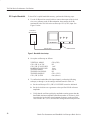
Download "Bench Test Instruments and Handheld Oscilloscopes Basic Service
Transcript
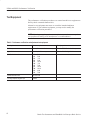
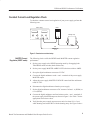
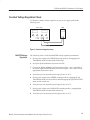
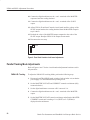
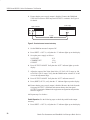
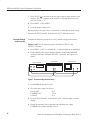
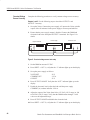
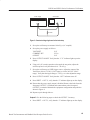
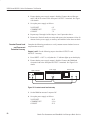
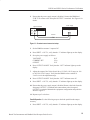
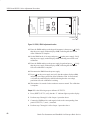
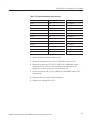
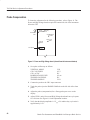
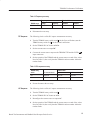
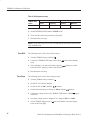
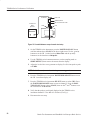
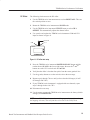
PS2520 and PS2521 Series Performance Verification 8. Press OUTPUT ON/OFF. Verify that the “OUT” indicator turns off; then disable the electronic load. 9. Press SHIFT → PARA/INDEP to reconfigure the outputs for independent operation. Verify that the “PARA” indicator turns off. Output 3. Use the following steps to check the OUTPUT 3 accuracy. 1. Press SHIFT → OUT 3; verify that the “3” indicator lights up on the display. 2. Ensure that the power supply output is disabled. Connect the DMM and electronic load to the front panel OUTPUT 3 terminals. Maintain the equipment configuration and polarities shown in Figure 3. 3. Set up the power supply as follows: VOLTS SET CURRENT SET OVP SET 6V 5.1 A 7V 4. Press OUTPUT ON/OFF. Verify that the “OUT” indicator lights up on the display. 5. Enable the electronic load. Adjust the load until the power supply CURRENT (A) readout indicates 5.000 A. 6. Adjust the output of the Variac from 108 to 132 VAC (120 V range) or 198 to 242 VAC (220 V range). Verify that the DMM readout changes ≤0.003 volts over the adjustment range. 7. Press OUTPUT ON/OFF; then disable the electronic load. 8. Disconnect the DMM and electronic load from the instrument. Constant Voltage Ripple and Noise Accuracy Complete the following procedures to verify constant voltage ripple and noise accuracy. Outputs 1 and 2. Use the following steps to check the OUTPUT 1 and OUTPUT 2 accuracy. 1. Press SHIFT → OUT 1; verify that the “1” indicator lights up on the display. 2. Ensure that the power supply output is disabled. Connect the oscilloscope and 27 W 75 W resistor to the front panel OUTPUT 1 terminals. See Figure 4 for details. 48 Bench Test Instruments and Handheld Oscilloscopes Basic Service