1
To Purchase This Item, Visit BMI Gaming | www.bmigaming.com | 1-800-746-2255 | + 1-561-391-7200
1
To Purchase This Item, Visit BMI Gaming | www.bmigaming.com | 1-800-746-2255 | + 1-561-391-7200
Table of Contents
Game Set Up…………………………………………………………………………………….3-4
General Game Play……………………………………………………………………………….5
Payout Percentage………………………………………………………………………….…....6
Troubleshooting Guide………………………………………………………………………..6-9
Truck will not dump when dump lever is hit……………………………………………..6
Bonus Target not paying out……………………………………………………………...7
Bonus Target Display not working………………………………………………………..7
Dump Lever hit too easily………………………………………………………………....8
Coins are too low to enter Bonus Targets……………………………………….………8
Tickets pay out on complete misses………………………………………………..……9
Service Instructions…………………………………………………………………………10-13
Removing Top Glass…………………………………………………………………….. 10
Replacing Playfield Light Bulbs………………………………………………………… 10
Replacing a Dump Motor………………………………………………………………... 11
Adjusting Coin Ramp Height……………………………………………………………. 11
Changing a Bonus Display Board……………………………………………………… 12
Changing a Bonus Opto Sensor………………………………………………………... 13
Programming Procedure……………………………………………………………………… 13
Programming Options…………………………………………………………………………. 14
Error Codes……………………………………………………………………………………….15
Wiring Diagrams and Schematics………………………………………………………...16-25
2
To Purchase This Item, Visit BMI Gaming | www.bmigaming.com | 1-800-746-2255 | + 1-561-391-7200
Game Set Up
1. Bolt games together
a. Remove top glass from game (see Removing Top Glass in Service Instructions section
for directions).
b. Remove (2) U-Channels1 from back of game.
c. Remove (2) Back Panels2 from game by removing (12) Back Panel Screws3.
d. Set games together aligning (3) bolt holes.
e. Use supplied (3) Cabinet Bolts4 to bolt sides together. Two bolts are accessible from
the front and one from the back of the game.
f. Connect left and right cabinet harnesses5 together.
2. Mount Marquee
a. Use supplied bolts and U-channel Brackets1 to mount Marquee Box2 to the back of
the game.
b. Fasten marquee harness with Harness Clips3 inside U-channel Brackets1 and through
hole in back of game and connect to the main harness.
3
To Purchase This Item, Visit BMI Gaming | www.bmigaming.com | 1-800-746-2255 | + 1-561-391-7200
3. Mount Speaker Box
a. Mount Speaker Bracket1 to the back of the Marquee Box2.
b. Connect speaker harness.
c. Mount Speaker Box3 to Speaker Bracket1 leaving the connector inside the box so it is
not accessible.
4. Seed Trucks
a. Add 15 coins to each of the eight Truck Beds.
4
To Purchase This Item, Visit BMI Gaming | www.bmigaming.com | 1-800-746-2255 | + 1-561-391-7200
General Game Play
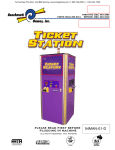
Big Rig Trucking is a fast coin roll down game. It is a two-player game and each side of the game
plays independently. The player times his coin drop, aiming to score. The coin ramp moves back and
forth continuously. There are four trucks, and three bonus targets. Each Bonus Target contains a
display, which shows the ticket value of that target. There will always be one target with a larger
value than the other two. This value randomly moves among the three targets. The large target
value builds to the maximum Bonus Target Value and then rolls over to the minimum value before
building again. This roll over is not a result of a win as would be the case with a standard progressive
style jackpot. The value constantly scrolls up in value until the maximum value is reached and then
returns to the minimum value.
The player can score one of three ways with each coin:
1. Fill the truck-Each time a coin lands in one of the trucks, the player is awarded a
programmable number of tickets (5 tickets default).
2. Dump the Truck-When a coin hits one of the four dump levers, the corresponding truck is
dumped. The player is awarded a programmable value per coin (10 tickets default). Note:
The dump lever must be completely pushed back for the player to score a dump.
3. Hit a Bonus Target-When the coin rolls through one of the three bonus targets, the player is
awarded the number of tickets displayed on that target at that moment.
Payout Percentage
Before adjusting the payout percentage, several weeks of payout average should be realized. It is
normal to see large swings in payout percentage within short collection periods. A long-term average
should be looked at before adjusting.
The payout percentage for the Big Rig can be adjusted by changing programmable values. For
maximum revenue we recommend leaving the default settings. We Programming Procedure section
for programming options.
5
To Purchase This Item, Visit BMI Gaming | www.bmigaming.com | 1-800-746-2255 | + 1-561-391-7200
Troubleshooting Guide
Please note that the Benchmark Games circuit boards are very reliable and electrically well protected. If there
is a problem with the game, it is likely not a pcb. Verify connections, switches, mechanical operation, etc.,
before assuming a pcb problem.
Problem:
Truck Will Not Dump When dump lever is hit
Narrow the problem down:
•
•
•
•
•
If the dump switch is hit and you get a “stand clear”
sound, the switch is good, you have another problem
None of the four trucks within one side of the cabinet
dump
o The dump motors and switches are probably OK.
This symptom indicates that there is probably a
loss of 5 Volts to the motors or a problem with a
connection between the dump motor harness and
the main controller board. Less likely, but
possible is a bad main controller board. First
check for 5 volts to all of the motors. If OK, check
the dump motor switch signal at the board. If you
do not get a good signal there, work up through
the harness until you find the open connection. If
you are getting a good signal at the controller
board, the controller board is probably bad.
One of the four trucks does not dump, but the
corresponding dump motor runs
o If a dump switch is hit and the motor runs but the
truck does not dump, the switch and wiring are
OK. The problem is either the Dump Linkage1
or a bad Dump Motor Assembly2. Check to see if the Dump Linkage1 is properly connected.
If the linkage seems OK, the problem is the Dump Motor Assembly2. A motor assembly can be
destroyed if there is something “jammed”,
preventing the dump bed from dumping.
Before replacing the motor, remove the
linkage at the Motor Cam3 and check to
make sure the Dump Bed4 moves freely.
One of the four trucks does not dump and the
corresponding dump motor does not run
o The Main Controller PCB is probably OK. This
problem is probably a result of loss of 5 Volts
to the motor or a bad Dump Switch5 or the
wiring for the associated Dump Motor Switch.
First check for 5 Volts between the red wire on
the motor and ground. If OK, check the switch
and the wire from the switch to the main
harness. If the switch and wiring seem OK, it could be the motor. You can do a quick motor
check by switching the connection from the bad Dump Motor Assembly2 or to the main harness
with a main harness connection to a working motor.
One of the trucks dumps continuously
o This symptom is the result of a bad Cam Switch6 or the associated wiring. It could also be that
the switch is good, but for some reason it is not switching in the Cam Detent7. Check the Cam
Switch6 and the wiring. Make sure the switch is electrically switching in the Cam Detent7.
6
To Purchase This Item, Visit BMI Gaming | www.bmigaming.com | 1-800-746-2255 | + 1-561-391-7200
Bonus Target not paying out
• Check to be sure the Opto Sensor Board1 is
working by positioning an opaque material through
the Target Slot2 and within the ‘horseshoe’ of the
sensor and look for the Opto LED3 to come on.
You can use a mirror behind the Target
Assembly4 to look for the Opto LED3.
o If the LED comes on, there is probably a bad
signal connection between the Opto Sensor
Board1 and the main controller board or a
bad Opto Sensor Board. Check for a low
transition at the main output of the Opto
Sensor Board1 when the Opto LED3 on the
Opto Sensor Board1 is on. If you get a low
signal here, trace the signal to the main
controller board looking for an open in the
harness. If you get a low signal all of the way
to the main controller board, the main
controller board is probably bad
o If the Opto LED3 does not come on, check
voltage and ground to the Opto Sensor
Board1. If voltages look OK, you probably
have a bad Opto Sensor Board1.
Bonus Target Display not working
• Check voltages and wiring at the Target Display Board1. If OK, try to plug another display
into the same connector to verify a bad board.
• Verify Correct dip switch setting. See “Changing a Bonus Display Board” in the Service
Instructions section for details.
Rear View of Bonus Target
7
To Purchase This Item, Visit BMI Gaming | www.bmigaming.com | 1-800-746-2255 | + 1-561-391-7200
Dump lever hit too easily
• Check the height of the coin when it rolls off of the Coin Ramp1 and past the Dump Lever
Flag2. It should not be possible for the coin to contact the Dump Lever Flag2. To dump the
truck, the coin must hit the Dump Lever Mast3, under the Dump Lever Flag2.
o If it is possible for the coin to hit the Dump Lever Flag2, the Coin Ramp Bracket needs
to be be adjusted. See Adjusting Coin Ramp Height in the Service Instructions section.
Coins are too low to enter the Bonus Targets
• Either the Bonus Target(s)4 are bent back out of range of the coin, or the Coin Ramp Bracket
needs adjustment.
o Refer to Adjusting Coin Ramp Height in the Service Instructions section to verify that the
coin ramp is set at the proper height. If the problem still exists, try carefully bending the
Bonus Targets4 forward toward the front of the game.
8
To Purchase This Item, Visit BMI Gaming | www.bmigaming.com | 1-800-746-2255 | + 1-561-391-7200
Tickets pay out on complete misses
• Mercy ticket option is active or
• Problem with Coin Chute Sensor Assembly1.
Note: it may be necessary to remove the Coin
Chute Sensor Assembly1 in order to perform all
of the troubleshooting tips.
1. Check for Mechanical Problem
• Push the Coin Plate2 back toward the
front of the game. The Opto LED3
should light up. If it does not, check if the
screw mounted to the coin plate is
breaking the opto beam. If it is not, check
the coin plate to make sure it is mounted
properly and moving freely. Check the
screw position to be sure it is centered in
the opto path. You
can adjust the alignment between the
Opto Screw4 and the Opto Sensor
Board5 by loosening the two sensor
mount screws6 and moving the Opto
Sensor Board5 up or down vertically
before retightening.
2. Check for Electrical Problem
• Check to see if the Opto Sensor
Board5 is working by interrupting
the opto by positioning something
opaque in the “Horseshoe”7 part of
the sensor and watch to see if the
Opto LED3 goes on.
i. If it does not, check ground
and voltage to the board. If
ground and voltage are good,
the board is probably bad.
ii. If the Opto LED3 goes on,
check to see if the output of
the Opto Sensor Board5 is
transitioning low when the
opto is interrupted.
If it is not going low, the board
is bad. If it is transitioning
low, you have a bad
connection between the Opto
Sensor Board5 and the main
controller board or the main
controller board is bad.
9
To Purchase This Item, Visit BMI Gaming | www.bmigaming.com | 1-800-746-2255 | + 1-561-391-7200
Service Instructions
Removing Top Glass
1. Open front door of cabinet
2. Remove Playfield Cover1
3. Reach up and slide Release Knob2 to the
right
4. Pull Glass Capture Bracket3 back to
remove.
5. Remove Top Glass.
Replacing Playfield Light Bulbs
1. Power game OFF.
2. Reach underneath Instruction Plate1 to
access light bulbs-Replace with 30 Watt
screw in fluorescent bulbs.
10
To Purchase This Item, Visit BMI Gaming | www.bmigaming.com | 1-800-746-2255 | + 1-561-391-7200
Replacing a Dump Motor
1. Remove the Dump Linkage Nut1to free the Dump Linkage Arm2
2. Remove (2) Motor Assembly Mounting Nuts3 and remove the Motor Assembly4
3. Remove the Dump Cam5by removing (2) Cam Mount Screws6
4. Replace the Dump Cam5on the new Motor Assembly4o that the Cam Switch Roller7 sits in
the Cam Detent8. If the Cam Switch Roller7 does not sit in the detent, remove the Dump
Cam5 and reinstall it turned 180 degrees. Do not attempt to turn the cam while it is
assembled on the motor as you will destroy the assembly.
5. Install new Motor Assembly4 leaving mount screws loose and reconnect Dump Linkage
Arm2.
6. Adjust motor location.
a. Locate the Dump Bed on the truck in the down position.
b. Tighten the Motor Assembly Mounting Nuts3 in position so that there is no slack in the
Dump Linkage Arm2 while the dump bed is in the down position.
View looking in from front door
Worms-Eye View
Motor Assembly out of game
Adjusting Coin Ramp Height
• Bend Ramp Bracket1 so that the tip of the coin ramp is
3-3/4” above the Playfield2. Verify that the coin rolls off
of the ramp high enough to enter the Bonus Targets3,
and low enough to go under the Dump Lever Flags4.
o Note: For the game to play properly, the coin
must hit the Dump Lever Mast5 under the Dump
Lever Flag4 in order to dump the truck. The coin
should never hit the Dump Lever Flag4.
11
To Purchase This Item, Visit BMI Gaming | www.bmigaming.com | 1-800-746-2255 | + 1-561-391-7200
Changing a Bonus Display Board
1. Remove Instruction Plate1 by removing (4) Instruction Plate Mount Screws2.
2. Disconnect harness.
3. Replace Bonus Display Board3
a. Important: Each display contains a Dipswitch4 and a terminating connector. If you
are replacing a display it is important to set the Dipswitches to the correct positions and
locate a Shunt5 across the Termination Connector6 on the proper Bonus Display
Board3. Each display has a different setting. See Bonus Display Dipswitch Chart for
correct settings. Only the ‘A’ display should contain the Shunt5.
4. Reinstall Instruction Plate and reconnect harness.
Rear View of Bonus Displays
Display #
A (shunt)
B
C
D
E
F
1
ON
OFF
ON
OFF
ON
OFF
2
ON
OFF
OFF
OFF
OFF
ON
Switch Number
3
4
OFF
OFF
ON
OFF
ON
OFF
OFF
OFF
OFF
OFF
OFF
OFF
5
OFF
OFF
OFF
OFF
OFF
OFF
6
OFF
OFF
OFF
OFF
OFF
OFF
12
To Purchase This Item, Visit BMI Gaming | www.bmigaming.com | 1-800-746-2255 | + 1-561-391-7200
Changing Bonus Opto Sensor
1. Remove (3) Opto Assembly Mount Screws1.
2. Detach harness at connector and remove (2) Opto Mount Screws2.
3. Replace Opto Sensor Board3, Reconnect Harness, and mount screws.
Opto Assembly removed from game
Programming Procedure for Big Rig
Press and hold Programming Button #1 1 located next to the main controller board. After two
seconds Bonus Display D2 will display a 1. At this time release Programming Button #1 1. You are
now in programming mode. Bonus Display 1 will display the programming option number and the
value for that option will be shown on Bonus Display E3. Depressing Programming Button #1 1 will
change to the next programming option, and depressing the Programming Button #2 4 will change
the value of the option.
13
To Purchase This Item, Visit BMI Gaming | www.bmigaming.com | 1-800-746-2255 | + 1-561-391-7200
Programming Options
Option 1: Mercy Ticket
This option sets whether or not a ticket is paid for a miss.
0 = No Mercy Ticket
1 = One Mercy Ticket
Option 2: Coin Value Dumped Truck
This option sets the amount of tickets paid per coin when a truck is dumped. Values are from 1 ticket
to 12 tickets per coin. Depressing the Black Programming Button will change the value from 1 to 12,
then back to 5 again. Default is 5 tickets.
Option 3: Attraction Mode Volume
This option sets the volume for sound effects generated during Attraction Mode (no play activity). The
range is from 0 (Off) to 64 (Max). When this option is entered the background music will begin to play.
Depressing and holding the Black Programming Button will increase the volume all the way to the
Max and then reverse and decrease the volume all the way to Off. Depress and hold the Black
Programming Button until the desired volume is reached.
Option 4: Play Mode Volume
This option sets the volume for sound effects generated during Play Mode. The range is from 0 (Off)
to 64 (Max). When this option is entered the background music will begin to play. Depressing and
holding the Black Programming Button will increase the volume all the way to the Max and then
reverse and decrease the volume all the way to off. Depress and hold the Black Programming Button
until the desired volume is reached.
Option 5: Attraction Mode Frequency
This option sets the frequency with which Attraction Mode takes place. The range is from every 5 to
30 minutes. Depressing the Black Programming Button will increase the value from 5 to 30 minutes,
and then return to 5 minutes.
Option 6: Maximum Bonus Target Value
This option sets the maximum bonus allowed. Settings are 300, 500, 700, 900, and 1000 tickets.
Depressing the Black Programming Button will increase the value to 1000, then return to 300.
Option 7: Bonus Target Increment Frequency
The Max Bonus value increases (in increments determined by Option 8) until it reaches the Maximum
Bonus set in Programming Option 6. It then returns to a value of 200 tickets and starts incrementing
again. Increasing the Bonus ticket value can be programmed with this option to occur every 1, 2, 3, 4,
or 5 plays. Depressing the Black Programming Button will increase the value from 1 to 5 plays, then
return to 1.
Option 8: Bonus Target Increment Value
This option sets the amount that the Bonus value increases each time that it progresses.
Depressing the Black Programming Button will increase the value in increments of 10 from 20 to 100,
then return to a value of 20.
Option 9: Empty Truck Dumped Value
This option sets the number of tickets paid if an empty truck is dumped. The values are 50, 100, and
150 tickets. Depressing the Black Programming Button will increase the value to 150, then return to
50.
14
To Purchase This Item, Visit BMI Gaming | www.bmigaming.com | 1-800-746-2255 | + 1-561-391-7200
Option 10: Coin Value in the Truck
This option sets the number of tickets paid if a coin lands in a truck. The values are from 1 to 12
tickets. Depressing the Black Programming Button will increase the value to 12, then return to 1.
Option 11: Reset Seed Values
This option resets the amount of coins present in the trucks. Depressing the Black Programming
Button will reset all of the values to 15 coins per truck. When the Black Programming Button is
depressed, the values will be reset and Programming Option 12 will be displayed. At this time release
the Black Programming Button.
Option 12: Clear Tickets Owed.
This option resets the log of tickets that have been won but not dispensed. Depressing the Black
Programming Button will set the log to zero and Programming Option 13 will be displayed. At this time
release the Black Programming Button.
Option 13: Free Play
This option sets Free Play Mode. In this mode, the game action is normal, however no tickets are
dispensed. If this mode is enabled, it will stay active until the power is reset. Note: Every time the
Programming Mode is entered, this option will have to again be set to 1 if Free Play is desired.
0 = Free Play Mode Off
1 = Free Play Mode On
Option 14:
When Option 14 is displayed, depressing the Red Programming Button will return to Option 1 of the
Programming Mode. Depressing the Black Programming Button will end Programming Mode and
return to Normal Mode.
DEFAULT VALUES
The following are the recommended default values:
1. Mercy Ticket = 0, No Mercy Ticket
2. Coin Value Dumped Truck = 5 Tickets per Coin
3. Attraction Mode Volume = 42
4. Play Mode Volume = 42
5. Attraction Mode Frequency = every 5 minutes
6. Maximum Bonus Target Value = 500
7. Bonus Target Increment Frequency = every play
8. Bonus Target Increment Value = 50
9. Empty Truck Dumped Value = 100
10. Coin Value in the Truck = 10
Error Codes
E1= Coin ramp sensor error-Machine does not see pulse from the opto sensor mounted in the coin
ramp
E3= Ticket error-Game is out of tickets or has a ticket jam
15
To Purchase This Item, Visit BMI Gaming | www.bmigaming.com | 1-800-746-2255 | + 1-561-391-7200
16
To Purchase This Item, Visit BMI Gaming | www.bmigaming.com | 1-800-746-2255 | + 1-561-391-7200
ac power 115 volt / 220 volt
POWER INPUT BOX
ON/OFF SWITCH
5 AMP. FUSE
BLACK
COMPUTER
POWER CORD
115/ 230 ac
50/60 hz
WHITE
5 AMP. FUSE
GREEN/YELLOW
16 GA.
EARTH GROUND CONNECTSTO ALL
BONDED METAL PARTS
AC OUTLET
300 WATT
POWER
SUPPLY
AC OUTLET
AC OUTLET
COMPUTER
POWER CORD
MOLEX
CONNECTOR
HEADER
LAMP 25
WATT
AC OUTLET
BLACK -WHITE
CABLE
HEADER
LAMP 25
WATT
BLACK -WHITE
CABLE
CABINET 1
LAMP 25
WATT
CABINET 1
LAMP 25
WATT
MOLEX
CONNECTOR
CABINET 2
LAMP 25
WATT
BLACK -WHITE
CABLE
CABINET 2
LAMP 25
WATT
1- FOR 230 VOLT CHANGE THE 6 LAMPS TO 230 VOLT MODEL
2- SWITCH POWER SUPPLY TO 230 VOLT SETTING
17
To Purchase This Item, Visit BMI Gaming | www.bmigaming.com | 1-800-746-2255 | + 1-561-391-7200
right side cabinet wire harness
c- is smybol for connector
playfield assy.
truck 1
truck 2
truck 3
truck 4
c-17
c-18
c-19
c-20
dump motor
assy. 1
dump motor
assy. 2
dump motor
assy. 3
dump motor
assy. 4
c-13
c-14
c-15
c-16
main playf ield
connector 8 pin
bonus
display 1
thru 3
bonus
opto 1
thru 3
speaker
assy.
coin
ramp 1
motor
spotlight
2
ticket
dispenser
1
coin
acceptor
1
coin
meters
c-8
c-9
c-10
c-11
c-12
c-2
coin miss
sensor 1
c-6
c-5
c-4
c-7
C-1
connects left and right cabinets together
to left cabinet
cpu and power
suppy
18
To Purchase This Item, Visit BMI Gaming | www.bmigaming.com | 1-800-746-2255 | + 1-561-391-7200
right side playfield dump motors
C-13
home position sw. 1
main cpu
black
n.o.
C-13
yel.
dump
motor
1
blue
C-13
white-orange
C-2
white-orange
j2- 11
d
c
C-14
home position sw. 2
black
n.o.
C-14
yel.
dump
motor
2
blue
C-14
blue orange
C-2
blue orange
j2- 6
d
c
C-15
home position sw. 3
black
n.o.
C-15
yel.
dump
motor
3
blue
C-15
orange-white
C-2
orange-white
j2- 15
d
c
C-16
home position sw. 4
black
n.o.
C-16
yel.
dump
motor
4
blue
C-16
green -red
C-2
green -red
j2- 4
yel.
d
c
C-2
black
5 v (+)red to power out pcb.
C-2
grd.
to power out pcb.
19
To Purchase This Item, Visit BMI Gaming | www.bmigaming.com | 1-800-746-2255 | + 1-561-391-7200
right side cabinet
dump sw. 1
C-13
C-17
black
blue
C-17
orange
C-13
C-2
brown
brown
cpu j3 -11
dump sw. 2
C-14
C-18
C-15
C-19
C-16
C-20
blue
black
C-18
orange
C-14
dump sw. 3
black
blue
C19
orange
C15
dump sw. 4
black
blue
C-20
orange
C-16
C-2
ticket
dispenser
C-10
blue
notch
ground
12 volt (+)
black
C-10
white
motor
white-blue
C-10
black
grey-orange
C-10
red
black
yellow
grd. power output pcb
cpu j3-2
grd. to power out pcb.
cpu j2-2
12v(+)to power out pcb.
coin mech
C-11
red
12 volt (+)
enable
black
output
white
C-11
C-11
spotlight
20 watt
high flex cable
high flex cable
black
ticket
meter
black
black
coin
meter
black
C-9
C-9
C-12
C-12
C-12
yel
white-violet
yel-white-brown
black
yellow
white-violet-yel
brown-white
yellow
power output pcb.
cpu j2-8
cpu j3-10
grd. to power out pcb.
12v(+)to power out pcb.
cpu-j2-20
cpu-j2-9
12v(+)to power out pcb.
20
To Purchase This Item, Visit BMI Gaming | www.bmigaming.com | 1-800-746-2255 | + 1-561-391-7200
right side cabinet
ramp
stepper
motor 1
phase 1
phase 1
phase 2
phase 2
dual stepper drive
C8-1
pink
C8-2
yel
C8-3
blue
C8-4
green
pink-white
J4-10
485 comm
1
violet
cpu 485 comm. 1
yel-black
J4-9
485 comm
2
grey
cpu 485 comm. 2
white-blue
J4-11
j1-
yel.-green
J4-12
j1-
yel
12v(+) to power out pcb.
black
grd. to power out pcb.
red
j1-
5v(+) to power out pcb.
bonus target assy.
to left cabinet c-21
C-1
C-1
C-1
C-1
to left cabinet c-21
C-1
C-1
C-1
C-1
black
red
white-red
green white
black
red
grey
violet
C-4
C-4
C-4
black
red
white-red
bonus
opto D
bonus
opto E
bonus
opto F
ground
ground
ground
5 volt (+)
5 volt (+)
5 volt (+)
output
output
output
C-4
C-4
C-4
C-4
C-4
black
red
white-red
red
grey
violet
black
C-5
C-5
red
white-red
C-5
green white
green white
black
C-5
bonus
display D
bonus
display E
bonus
display F
ground
ground
ground
5 volt (+)
5 volt (+)
5 volt (+)
comm. a
comm. a
comm. a
comm. b
comm. b
comm. b
black
red
grey
violet
C-5
black
C-5
red
C-5
grey
C-5
violet
grd. to power out pcb.
5v(+) to power out pcb.
cpu j3-1
cpu j3-5
grd. to power out pcb.
5v(+) to power out pcb.
cpu rs-485-1
cpu rs-485-2
coin miss
sensor 1
ground
output
5 volt (+)
black
white-red-blue
red
black
white-red-blue
red
grd. to power out pcb.
cpu-j3-7
5v(+)to power out pcb.
21
To Purchase This Item, Visit BMI Gaming | www.bmigaming.com | 1-800-746-2255 | + 1-561-391-7200
RIGHT SIDE CABINET
speaker-header assy.
yel-grey
speaker
25 watt
blue-white-yel
header
flasher 1
white-blk-yel
C-6
C-6
C-6
grey-violet
blue-grey
white-blk-yel
C-7
C-7
C-7
grey-violet
?
blue-grey
white-blk-yel
?
j2-1
# 161 lamp
header
flasher 2
white- oran-blue
C-6
white- oran-blue
C-7
white- oran-blue
j2-12
# 161 lamp
yellow
C-6
yellow
C-7
yellow
12v(+)to power out pcb.
22
To Purchase This Item, Visit BMI Gaming | www.bmigaming.com | 1-800-746-2255 | + 1-561-391-7200
right side cabinet wire harness
c- is smybol for connector
playfield assy.
truck 1
truck 2
truck 3
truck 4
c-17
c-18
c-19
c-20
dump motor
assy. 1
dump motor
assy. 2
dump motor
assy. 3
dump motor
assy. 4
c-13
c-14
c-15
c-16
main playfield
connector 8 pin
bonus
display 1
thru 3
bonus
opto 1
thru 3
speaker
assy.
coin
ramp 1
motor
spotlight
2
ticket
dispenser
1
coin
acceptor
1
coin
meters
c-8
c-9
c-10
c-11
c-12
c-2
coin miss
sensor 1
c-6
c-4
c-5
c-7
C-1
connects left and right cabinets together
to left cabinet
cpu and power
suppy
23
To Purchase This Item, Visit BMI Gaming | www.bmigaming.com | 1-800-746-2255 | + 1-561-391-7200
left side playfield dump motors
C-27
home position sw. 1
black
main cpu
n.o.
C-27
yel.
dump
motor
1
blue
C-27
grey-white
C-3
C-1
grey-white
j2- 16
d
c
C-28
home position sw. 2
black
n.o.
C-28
yel.
dump
motor
2
blue
C-28
green-white
C-3
C-1
green-white
j2- 5
d
c
C-29
home position sw. 3
black
n.o.
C-29
yel.
dump
motor
3
blue
C-29
violet- yel
C-3
C-1
violet- yel
j2-3
d
c
C-30
home position sw. 4
black
n.o.
C-30
yel.
dump
motor
4
blue
C-30
red-white
C-3
C-1
red-white
j2- 17
d
C-3
c
C-1
5 v (+)
RED
to power out pcb.
C-3
C-1
grd. to power out pcb.
black
24
To Purchase This Item, Visit BMI Gaming | www.bmigaming.com | 1-800-746-2255 | + 1-561-391-7200
left side cabinet
dump sw. 1
C-31
C-27
C-31
blue
black
C-27
orange
C-3
orange
C-1
orange
cpu j3 -15
dump sw. 2
C-28
C-32
C-29
C-33
C-30
C-34
black
C-32
blue
C-28
orange
dump sw. 3
black
C-33
blue
C29
orange
dump sw. 4
black
C-34
blue
C-30
orange
C-3
black
ticket
dispenser 2
notch
ground
motor
12 volt (+)
C-24
blue
C-24
black
C-24
white
C-24
red
black
C-1
red-white
C-1
black
C-1
yel.-violet
C-1
yellow
C-1
black
red-white
grd. power output pcb
cpu j3-6
black
grd. to power out pcb.
yel.-violet
yellow
cpu j2-13
12v(+)to power out pcb.
coin
acceptor 2
red
12 volt (+)
enable
black
output
white
spotlight
20 watt
C-25
C-25
C-25
high flex cable
high flex cable
coin miss
sensor 2
ground
output
5 volt (+)
black
black-yel-red
red
C-1
yel
C-1
orange-blue
C-1
white
C-23
C-23
black
yellow
C-1
C-1
C-1
C-1
C-1
yel
power output pcb.
orange-blue
white
black
yellow
black
black-yel-red
red
cpu j2-19
cpu j3-14
grd. to power out pcb.
12v(+)to power out pcb.
grd. to power out pcb.
cpu-j3-13
12v(+)to power out pcb.
note C-1 connects right side to left side
25
To Purchase This Item, Visit BMI Gaming | www.bmigaming.com | 1-800-746-2255 | + 1-561-391-7200
left side cabinet
bonus target assy. left cabinet
bonus
display C
ground
ground
ground
5 volt (+)
5 volt (+)
5 volt (+)
comm. a
comm. a
comm. a
comm. b
comm. b
comm. b
bonus
opto A
bonus
opto B
bonus
opto C
ground
ground
ground
5 volt (+)
5 volt (+)
5 volt (+)
output
output
output
black
red
violet
grey
phase 1
phase 2
phase 2
black
C-21
green-white
C-21
violet
C-1
grey
C-21
red
C-1
violet
C-21
black
C-1
red
C-21
red
C-1
black
C-21
black
red
green-white
grey
C-1
black
C-1
red
C-1
green-white
left side cabinet
ramp
stepper
motor 2
phase 1
C-21
to C-4 right cabinet
bonus
display B
to C-4 right cabinet
bonus
display A
dual stepper drive
pink
yel
blue
green
C-22
C-22
C-22
C-22
pink
violet-pink
blue-white-yel
green- org
C-1
C-1
C-1
C-1
pink
violet-pink
blue-white-yel
green- org
J4-23
485 comm
1
violet
cpu 485 comm. 1
J4-24
485 comm
2
grey
cpu 485 comm. 2
J4-21
j1-
J4-22
j1j1-
yel
black
red
12v(+) to power out pcb.
grd. to power out pcb.
5v(+) to power out pcb.
C-1 IS CONNECTOR FOR LEFT AND RIGHT CABINET
26