1
PROJECTOR
Service Manual
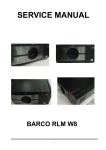
BARCO RLM W12
Rev.01
1 of 123
DLP DIGITAL PROJECTOR rev.00
Revision
Description
Date
Rev.00
Preliminary
12/06/2011
Rev.01
Modify the Chapter 8 – Barco Spare Parts Number
06/21/2012
2 of 123
CONTENTS
1,COMPLIANCE OF SAFE REPAIR .......................................................................... 5
1-1. Cautions during disassembling and assembling ................................................ 6
1-2. Lamp ........................................................................................................................ 6
1-3. Lens ......................................................................................................................... 6
2. SPECIFICATIONS .............................................................................................. 7
2-1. Optical Specifications ............................................................................................ 7
2-2 Electrical Specifications. ........................................................................................ 8
2-3 Mechanical Specifications .................................................................................... 10
2-4 Block Diagram…………………………….….…………………………………………...11
2-5 Fan Location. ......................................................................................................... 13
3,TROUBLESHOOTING ........................................................................................ 15
3-1 RS-232 Protocol Command..……………………………………………….…………..15
3-2 Troubleshooting & Error Code...……………………………………………………….30
4,KEY PART REPLACEMENT & WIRE DRESSING…………………………….…………...…36
4-1 Top Cover ……..………..…………………………………………….……………….…..36
4-2 W2 Board………………………………………………… ……….……………….………37
4-3 Main Formatter Board…………………………………………….. ……….……………38
4-4 Fan E Board & Slave Board & RJ-45 Board..………………………………………...39
4-5 Video Board & DUAL Link DVI (3D) Board………………………..……………….…41
4-6 Fan C Board & Bracket Plate…………………………………….……………..……....42
4-7 Fan B Board & Filter & Lamp 1 & Lamp 2 & Fan 2 & Fan 3….……………….…….44
4-8 Back cover & Keypad & Rear IR Board…………………….…………………………47
4-9 Fan 20 & Fan 21 & Fan 22 & Fan23……………………………………………..……..48
4-10 Left Cover & Fan 1……………..….…………………………………………………….50
4-11 Ballast & DC-DC Board & AC Filter Board & Power Board & Fan 8 & Fan 9….51
4-12 Front Cover & Front IR Board…………………………………..…………….……….56
4-13 Right Cover & Fan 0………………………..……………………………………….…..57
4-14 Motor Driver Board & Lens Mount……..…………………………………………….59
4-15 Prism Flow Channel & Light Shutter & FIP……………………………...………….60
4-16 Illumination & Fan 6 & Fan 7 & Fan 10 & Fan 11…………………….…….….……62
4-17 All Module Layout……………………………..…………………………………….…..65
5. PROGRAM SETTING AND SOFTWARE DOWNLOAD……………………………………..66
5-1 Firmware Downloads Procedure for Main Formatter Board…………..…….66
3 of 123
5-2 Firmware Downloads procedure for sxW2 Board…………..………….….…...78
5-3 Firmware downloads procedure for RJ-45 Board……………………………...84
5-4 Firmware Download Procedure for Ballast.……………………..……………………86
6. ADJUSTING……………..…………………………….…………..………..….……….89
6-1 FIP Convergence (CG) Adjusting….……………………….…………………………..89
6-2 Folding Mirror Adjust……………..………………………….…………………………..94
7. MAINTENANCE………………………..…………………………………………..……………...95
7-1 Cleaning the projector………………………………….….…….…………………….…95
7-1-1 Cleaning the cabinet.….………………….……….…………..………...…..95
7-1-2 Cleaning the Lens.……...……….……….…….…….………….……......…95
7-1-3 Cleaning the filters.…………..………….…….…….…….…………….…..95
7-1-4 Cleaning the optical parts………………….….….…………….……..……96
7-2 Replacing Consumable Parts………………………….……….…………………..…..97
7-3 Replacing the Lamp……….…………………………….……….……….………….…..98
7-4 Replacing the Filter……….….………………………….……….…………….…….…100
8. SPART PARTS LIST & SPARE PARTS PHOTO………..…………………………………..102
9. PRODUCT PACKAGING…………………..……………………………………….…………..117
9-1 Full Set Unit Packaging….…..………………………….……….……….………….…117
9-2 Model Accessory Part..………………………………….……….……….………….…118
9-3 Carton…………………………..………………………….……….……….………….….119
9-4 Serial NO. Label Explanation……...………………….……….……….…..……….…120
9-5 AIR Shipping Packaging………….…………………….……………….…..……….…121
9-6 SEA shipping Packaging……………………………….……………….…..……….…122
APPENDIX
TIMING TABLE…………………………………….………….…….…..……….…123
4 of 123
BARCO RLM W12 Projector
PLEASE NOTE
The information contained herein is based on the experience and knowledge relating
to the subject matter gained by Barco prior to publication. No patent license is granted
by this information.
Barco reserves the right to change this information without notice, and makes no
warranty, express or implied, with respect to this information. Barco shall not be liable
for any loss or damage, including consequential or special damages, resulting from
any use of this information, even if loss or damage is caused by Barco’s negligence or
other fault.
This equipment includes parts and assemblies sensitive to damage from
electrostatic discharge. Use caution to prevent damage during all service
procedures.
5 of 123
1. COMPLIANCE OF SAFE REPAIR
Be sure to read this Service Manual before providing services.
In the projector, full consideration is taken to ensure the safety for fire, electric shock, injury, harmful radiation,
and substance. Therefore, observe the notice described in this Service Manual so that safety is kept when
providing services. Moreover, be sure to observe the notice described in the Instruction Manual.
Pay attention to the following during service inspection.
1-1 Cautions during disassembling and assembling
1.
This equipment contains parts under high voltage. When making repairs, etc. Be sure to pull out the power
plug beforehand to insure safety.
2.
Parts may be very hot immediately after use. Make sure the equipment has cooled off sufficiently before
carrying out repairs.
3.
Make sure that parts and screws and wiring, etc. are returned to their original positions. Tube, tape and
other insulation materials have been used for safety reasons. The internal wiring has been designed to
avoid direct contact with hot parts or parts under high voltage when using clamps or other tools.
4.
The parts used in this device have special safety features such as flame-resistance and anti-voltage
properties. When replacing parts, always use parts supplied from the factory.
5.
After finishing operations make sure that all parts and wires have been returned to their original position and
that there has been no deterioration of the area around the location that was worked on.
6.
Be sure to use an earth band (wrist band) during repair and inspection.
1-2 Lamp
During current conduction, the lamp is in the high-temperature state. In this case, pay careful attention
because a high voltage is used. When replacing a lamp, replace it after confirming that the lamp has cooled
sufficiently.
1-3 Lens
Do not look into the lens during projection. This damages your eyes.
6 of 123
2. SPECIFICATIONS
This section provides technical information about the projector's performance.
2-1 Optical Specifications
*Item
Description
TM
Projection system
It is designed with DMD LVDS 0.96" 1920*1200 DC3 DLP
3-chips channel high-definition
images projector.
Resolution
WUXGA 1200P (1920 x 1200) pixels
Lamp
Dual Lamp System - LAMP UHP 400W Philips E21.9
Normal Mode: 9180 ANSI Lumen (Dual Lamp) min ; Normal Mode: 3833 ANSI Lumen (Single Lamp)
Brightness
Brightness Uniformity
Contrast Ratio
Focus
Echo Mode: 6977 ANSI Lumen (Dual Lamp) min; Echo Mode: 3488 ANSI Lumen (Single Lamp)
Normal Mode: >80%; Normal Mode: ~ (Single Lamp)
Echo Mode: >80% (Dual Lamp); Echo Mode: >70% (Single Lamp)
> 1500:1 min
Balance focus over the entire image area with Barco 2~ 2.8 Lens (wide) at 100 inch screen, and
check the white “ME” text of center and four corners must be visible.
Center <= 1.5 pixel (not include pixel itself)
Flare
Corner<=2 pixel (not include pixel itself)
with Barco 2~ 2.8 Lens (wide) at 100 inch screen by 0.5 m
Dust & Blemish
No visible dust and blemish @ 100% Black & Full white image by 2.5 m
Color Band
No visible color band around 4 edges and corners @ 100% Black & Full white image
Flicker
No visible flicker around 4 edges and corners @ 100% Black & Full white image
Vertical Lens Shift: Lens shift (Up) >110% ; Lens shift (Down) > 70%
Lens shift
Horizontal Lens Shift: Lens shift (Right) >30% ; Lens shift (Left) >30%
7 of 123
R9862000-TLD+ (0.73:1)
R9840775-TLD+ (1.2:1)
R9862010-TLD+ (1.5 - 2.0:1)
R9862020-TLD+ (2.0 – 2.8:1)
Projection Lens
R9862030-TLD+ (2.8 – 4.5:1)
R9862040-TLD+ (4.5 – 7.5 :1)
R9829997-TLD+ (7.5 – 11.2:1)
R9862005-TLD+ Ultra (1.25 – 1.6)
8 of 123
2-2 Electrical Specifications
Item
Description
●HDMI input
●SDI Input
●SDI Output
●D-SUB 15 input (RGBHV)
●Video Input (Composite Video)
●S-Video Input
Inputs / Outputs
●5-BNC Input (RGBHV)
●3-RCA Input (YPbPr)
●RS-232 input (Support RS-232 standard, Firmware download, Switch on & off, RS-232
commands)
●IR input x 2 (Front-IR & Back-IR)
●Triggers Input
●RJ-45 (LAN) input (Provide Ethernet Connectivity & Web Server)
●DVI-3D Input (DVI-D Dual Link)
Inlet NTC x 1
Thermal Sensor
FIP NTC x 1
Audible Noise
ECO mode < 37 dB ; Normal mode < 42 dB
Power Requirement
90 ~264 V AC; 50/60 Hz
Input Current
15 A Max
Temperature
Altitude
Humidity
Non- Operating : -20~ 60 °C
Operating : 0~ 40 °C
Non-Operating : no definition
Operating : up to 3,000 m @ 25°C
Non-Operating : 90%
Operating : 90%
9 of 123
2-3 Mechanical Specifications
Item
Dimensions
Weight
Description
19.7" (W) x 10.6" (H) x 24.8" (D)
500 mm (W) x 270 mm (H) x 631 mm (D)
72 lbs/32 kg
10 of 123
2-4 Block Diagram
W12 WUXGA 3D ALL Boards' Function Block Diagram
11 of 123
12 of 123
2-5 Fan Location
Fan. No
Connector
TYPE
Function
Normal
Eco
FAN0
FANS E BD(CN635)
3PIN AFB0612HC-F00
RDMD cooling
3500 RPM 2900 RPM
FAN1
FANS E BD(CN635)
4PIN AFB1212H-SM09
Exhaust
1500 RPM 1200 RPM
FAN2
FANS E BD(CN635)
5PIN AFB1212H-SM09
Exhaust
1600 RPM 1300 RPM
FAN3
FANS E BD(CN635)
6PIN AFB1212H-SM09
Exhaust
1600 RPM 1300 RPM
FAN4
FANS B BD(CN636)
3PIN BFB1212L-SZ57
Prism cooling
1200 RPM
900 RPM
FAN5
FANS B BD(CN636)
4PIN BFB1212L-SZ57
Engine flow inlet
1200 RPM
900 RPM
FAN6
FANS B BD(CN636)
5PIN AFB0812HD-AF00 GDMD cooling
2100 RPM 1800 RPM
FAN7
FANS B BD(CN636)
6PIN BFB0612HB-SE13 RDMD front cooling
2500 RPM 2500 RPM
FAN8
FANS C BD(CN637)
3PIN AFB1212H-SM09
Power/ballast cooling
1500 RPM 1200 RPM
FAN9
FANS C BD(CN637)
4PIN AFB1212H-SM09
Power/ballast cooling
1500 RPM 1200 RPM
FAN10
FANS C BD(CN637)
5PIN AFB0812HD-AF00 BDMD cooling
2300 RPM 2000 RPM
FAN11
FANS C BD(CN637)
6PIN BFB0612HB-SE13 BDMD front cooling
2500 RPM 2500 RPM
FAN20
CN646(PWM)OnBoard
4PIN BFB0712HD-SP01 Lamp burner
4000 RPM 3300 RPM
FAN21
CN647(PWM)OnBoard
5PIN BFB0712HD-SP01 Lamp burner
2000 RPM 2000 RPM
FAN22
CN648(PWM)OnBoard
6PIN BFB0712HD-SP01 Lamp burner
4000 RPM 3300 RPM
FAN23
CN649(PWM)OnBoard
7PIN BFB0712HD-SP01 Lamp burner
2000 RPM 2000 RPM
FAN-R1
BFB0712LD-SE00
13 of 123
FPGA cooling
12V
12V
14 of 123
3. TROUBLESHOOTING
3-1. RS-232 Protocol Command
The RS-232 Commands use only ASCII characters which can be entered using a typical
terminal emulator like Windows HyperTerminal with the following setting:
Bits per second: 115200
Data bits: 8
Parity: None
Stop bits: 1
Flow control: None
Note that each input character will be echoed on the terminal by MCU and there is no
need to set the local echo “ON” with the terminal setting.
System Operation commands.
The Operation commands tell the projector what to do. All commands start with 2 letters:
, and a space [SP] then following a control command then
finally the value wants to read, set, increase or decrease. All commands must end with a
carriage return (ASCII hex 0D), shown as [CR] below. The syntax for operations
commands is as follows:
op[SP]<operation command>[SP]<Setting Value>[CR]
Execute functions the response will be the same command. All responses will be in
CAPS. Please refer to the following table for command list and examples:
System Operation command:
Operation
Commands
Values
Set
= <value>
Makes the unit take that value.
Get
?
Asks what the current value is.
Increment
+
Adds 1 to the current value.
Decrement
-
Subtracts 1 from the current value.
(none)
Performs an action such as a reset.
Execute
15 of 123
Motor operation command:
For motor control like lens shift, focus and zoom, the parameters + and - are defined
as follows.
Command item
focus
command
+ -
System Action
+ => Focus Near,
- => Focus Far
Zoomio
+ -
+ => Zoom out
- => Zoom in
Vert.offset
+ -
+ => Up
- => Down
horiz.offset
+ -
+ => Right
- => Left
Lens.center
(execute)
Midposition shift
Get operations command example:
Input: op bright ? [CR]
System Response: OP BRIGHT = 100
Increase & Decrease operations command examples:
Input: op bright + [CR]
System Response: OP BRIGHT = 101
Input: op bright - [CR]
Response: OP BRIGHT = 126
Set operations command example:
Input: op bright = 127 [CR]
System Response: OP BRIGHT = 127
Execute command example:
Input: op auto.img [CR]
Response: OP AUTO.IMG
The list of valid operations commands for Barco W12 are shown in below Table.
16 of 123
Barco RLM W12 Operation Commands
Command
Operation
Commands
Values
Notes
Item
1-1
input.sel
=?
0 = HDMI 1
Note1; Note3
1 = HDMI 2
2 = RGB D-15
3 = YUV 1
4 = RGBHV/YUV2
5 = Composite Video
6 = S-Video
7 = RGB-S
8 = SDI/HDSDI/3G
9 = STEREO DVI
1-2
input.lock
=?
0 = Auto
Note2
1 = 48 Hz
2 = 50 Hz
3 = 60 Hz
1-3
auto.powoff
=?
0 = Off
Note1
1 = On
1-4
auto.powon
=?
0 = Off
1 = On
1-5
no.signal
=?
0 = Logo
Note1
1 = Blue
2 = Black
3 = White
1-6
vid.std
=?
0 = Auto
Note2; Note4
1 = PAL
2 = SECAM
3 = NTSC
1-7
auto.imgadj
= ?
0 = Off
Note2
1 = Auto
2 = Always
2-1
contrast
= ?+-
0 - 200
Note2
2-2
bright
= ?+-
0 - 200
Note2
2-3
saturat
= ?+-
0 - 200
Note2; Note4
2-4
tint
= ?+-
0 - 200
Note2; Note4
2-5
sharp
= ?+-
0 - 200
Note2
17 of 123
Barco RLM W12 Operation Commands
Command
Operation
Commands
Values
Notes
Item
2-6
nr
= ?+-
0 - 200
Note2
2-7
color.temp
= ?
0 = 3200K
Note2;
1 = 5400K
Note8
2 = 6500K
3 = 9300K
4 = Native
2-8
red.offset
= ?+-
0-200
Note2
2-9
green.offset
= ?+-
0-200
Note2
2-10
blue.offset
= ?+-
0-200
Note2
2-11
red.gain
= ?+-
0-200
Note2
2-12
green.gain
= ?+-
0-200
Note2
2-13
blue.gain
= ?+-
0-200
Note2
2-14
aspect
=?
0 = 5:4
Note2;
1 = 4:3
Note5
2 = 16:10
3 = 16:9
4 = 1.88
5 = 2.35
6 = Letterbox
7 = Native
8 =Unscaled
2-15
h.total
= ?+-
0-200
Note2 ; Note7
2-16
h.pos
= ?+-
0-200
Note2
2-17
h.phase
= ?+-
0-200
Note2; Note7
2-18
v.pos
= ?+-
0-200
Note2
2-19
auto.img
(execute)
2-20
Color.space2
=?
Note2
0 = Auto
Note2
1 = YUV HD
2 = YUV STD
3 = RGB-PC(0-255)
4 = RGB-Video(16-255)
3-1
zoom
=?
0 = Off
1 = Crop
2 = Zoom
18 of 123
Note2; Note6
Barco RLM W12 Operation Commands
Command
Operation
Commands
Values
Notes
Item
3-2
pip.sel
=?
1 = HDMI 1
Note1;
2 = HDMI 2
Note9;
3 = RGB D-15
Please refer to appendix 1
4 = YUV 1
for the valid main/pip
5 = RGBHV/YUV2
source selection
6 = Composite Video
7 = S-Video
8 = RGB-S
9 = SDI/HDSDI/3G
3-3
pip.pos
=?
0 = Top left
Note1;
1 = Top right
Note10
2 = Bottom left
3 = Bottom right
4 = Split L-R
3-4
pip
=?
0 = Off
Note1
1 = On
4-1
lamp.mode
=?
0 = Economy
Note2
1 = Standard
2 = Dimming
4-2
4-3
lamps
altitude
=?
=?
0 = Single
Note1;
1 = Dual
Note11
0 = Off
Note1
1 = On
4-4
lamp.pwr
=?
0-26
( 79.6 % ~100.0 % )
4-5
lamp1.stat
?
0 = Off
Note2
Note1
1 = On
4-6
lamp2.stat
?
0 = Off
Note1
1 = On
5-1
rear.proj
=?
0 = front
Note1
1 = rear
5-2
ceil.mode
=?
0 = floor
Note1
1 = ceiling
5-3
zoomio
+-
+ = Zoom out
Motor command;
- = Zoom in
Note1
19 of 123
Barco RLM W12 Operation Commands
Command
Operation
Commands
Values
Notes
Item
5-4
5-5
5-6
5-7
focus
vert.offset
horiz.offset
dyna.cont
+-
+-
+-
=?
+ = Focus Near
Motor command;
- = Focus Far
Note1
+ = Up
Motor command;
- = Down
Note1
+ = Right
Motor command;
- = Left
Note1
0 = Off
Note2
1 = On
5-8
gamma
=?
0 = 1.8
Note2
1 = 2.0
2 = 2.2
3 = 2.35
4 = 2.5
5-9
int.ptrn
=?
0 = Off
Note1
1 = Color Bars
2 = Hatch
3 = Burst
4 = Red
5 = Green
6 = Blue
7 = White
8 = Black
9 = TI-Red
10 = TI-Green
11 = TI-Blue
12 = TI-Ramp
5-10
color.space
=?
0 = Native
Note2
1 = EBU
2 = SMPTE
3 = Custom
5-10a
Lens.center
(execute)
Note1
5-11
h.keystone
= ?+-
-350~+350
Note1; Note15
5-12
v.keystone
= ?+-
-200~+200
Note1; Note15
5-13
warp.rotat
=?+-
-20 ~ +20 (in ¼∘unit)
Note1
20 of 123
Barco RLM W12 Operation Commands
Command
Operation
Commands
Values
Notes
Item
5-14
warp.pinbrl
=?+-
-100 ~ +100
Note1
5-16
warp.tlc.x
=?+-
‘x: -192 ~ +192
Note1
‘y: -120 ~ +120
warp.tlc.y
5-17
warp.trc.x
=?+-
warp.blc.x
=?+-
warp.brc.x
‘x: -192 ~ +192
Note1
‘y: -120 ~ +120
warp.blc.y
5-19
Note1
‘y: -120 ~ +120
warp.trc.y
5-18
‘x: -192 ~ +192
=?+-
‘x: -192 ~ +192
Note1
‘y: -120 ~ +120
warp.brc.y
5-19a
warp.reset
(execute)
Note1
5-19b
w2.recover
(execute)
Note1
5-20
blank.top
=?+-
0 ~ 360
Note1
5-21
blank.btm
=?+-
0 ~ 360
Note1
5-22
blank.left
=?+-
0 ~ 534
Note1
5-23
blank.right
=?+-
0 ~ 534
Note1
5-23a
blank.rst
(execute)
5-24
scen.stat
=?
Note1
0 = Off
Note1
1 = On
5-25
scen.wht.top
=?+-
0 ~ 500
Note1 ; Note 16
=?+-
0 ~ 800
Note1 ; Note 16
=?+-
0 ~ 32
Note1; Note 17 multiple
scen.wht.btm
5-26
scen.wht.left
scen.wht.right
5-27
scen.blk.top
scen.blk.btm
of 8;the adjustable range
and 8-multiple
restrictions are per Geo
Semi’specification.
5-28
scen.blk.left
=?+-
0 ~ 32
scen.blk.right
Note1 ; Note 17 multiple
of 4;the adjustable range
and 4-multiple
restrictions are per Geo
Semi’specification.
5-29
scen.red
=?+-
0 ~ 32
21 of 123
Note1
Barco RLM W12 Operation Commands
Command
Operation
Commands
Values
Notes
Item
5-30
scen.green
=?+-
0 ~ 32
Note1
5-31
scen.blue
=?+-
0 ~ 32
Note1
5-32
scen.all
=?+-
0 ~ 32
Note1;Note18
5-33
scen.reset
(execute)
5-34
scen.adl
=?
Note1
0 = Off
Note1
1 = On
6-1
ir.addr
=?
0 = remote code 1
1 = remote code 2
6-2
eco.net.pow
=?
0 = Off (RJ45 Power On)
1 = On (RJ45 Power Off)
6-3
proj.ctrl
=?
0 = rs232
Note12
1 = network
6-4
net.ipaddr
=?
<string>
6-5
net.subnet
=?
<string>
6-6
net.gateway
=?
<string>
6-7
net.dhcp
=?
0 = Off
1 = On
6-8
menu.pos
=?
0 = Top left
1 = Top right
2 = Bottom left
3 = Bottom right
4 = center
6-9
startup.logo
=?
0 = Off
1 = On
6-10
startup.chime
=?
0 = Off
1 = On
22 of 123
Note1
Barco RLM W12 Operation Commands
Command
Operation
Commands
Values
Item
6-11
btn.1
=?
0 = HDMI 1
1 = HDMI 2
2 = RGB D-15
3 = YUV 1
4 = RGBHV/YUV2
5 = Composite Video
6 = S-Video
7 = RGB-S
8 = SDI/HDSDI/3G
9 = STEREO DVI
6-12
btn.2
=?
0 = HDMI 1
1 = HDMI 2
2 = RGB D-15
3 = YUV 1
4 = RGBHV/YUV2
5 = Composite Video
6 = S-Video
7 = RGB-S
8 = SDI/HDSDI/3G
9 = STEREO DVI
6-13
btn.3
=?
0 = HDMI 1
1 = HDMI 2
2 = RGB D-15
3 = YUV 1
4 = RGBHV/YUV2
5 = Composite Video
6 = S-Video
7 = RGB-S
8 = SDI/HDSDI/3G
9 = STEREO DVI
23 of 123
Notes
Barco RLM W12 Operation Commands
Command
Operation
Commands
Values
Notes
Item
6-14
btn.4
=?
0 = HDMI 1
1 = HDMI 2
2 = RGB D-15
3 = YUV 1
4 = RGBHV/YUV2
5 = Composite Video
6 = S-Video
7 = RGB-S
8 = SDI/HDSDI/3G
9 = STEREO DVI
6-15
btn.5
=?
0 = HDMI 1
1 = HDMI 2
2 = RGB D-15
3 = YUV 1
4 = RGBHV/YUV2
5 = Composite Video
6 = S-Video
7 = RGB-S
8 = SDI/HDSDI/3G
9 = STEREO DVI
6-16
trig.1
=?
0 = 5:4
1 = 4:3
2 = 16:10
3 = 16:9
4 = 1.88
5 = 2.35
6 = Letterbox
7 = Native
8 = Unscaled
9 = Auto
24 of 123
Note1
Barco RLM W12 Operation Commands
Command
Operation
Commands
Values
Notes
Item
6-17
trig.2
=?
0 = 5:4
Note1
1 = 4:3
2 = 16:10
3 = 16:9
4 = 1.88
5 = 2.35
6 = Letterbox
7 = Native
8 = Unscaled
9 = Auto
6-18
auto.src
=?
0 = Off
Note1
1 = On
6-19
lang
=?
0 = English
1 = French
2 = Spanish
3 = German
4 = Portuese
5 = Chinese Simplified
6 = Chinese Traditional
7 = Japanese
8 = Korean
7-1
model
?
<string>
7-2
ser.no
?
<string>
7-3
sw.ver
?
<string>
Note13
7-4
act.src
?
0 = HDMI 1
Note1
1 = HDMI 2
2 = RGB D-15
3 = YUV 1
4 = RGBHV/YUV2
5 = Composite Video
6 = S-Video
7 = RGB-S
8 = SDI/HDSDI/3G
9 = STEREO DVI
25 of 123
Barco RLM W12 Operation Commands
Command
Operation
Commands
Values
Notes
Item
7-5
pip.src
?
0 = Off
Note1
1 = HDMI 1
2 = HDMI 2
3 = RGB D-15
4 = YUV 1
5 = RGBHV/YUV2
6 = Composite Video
7 = S-Video
8 = RGB-S
9 = SDI/HDSDI/3G
7-6
pixel.clock
?
<string>
In MHz ;
Note2
7-7
signal
?
<string>
Note2
7-8
h.refresh
?
<string>
Note2
7-9
v.refresh
?
<string>
Note2
7-10
lamp1.hours
?
<string>
7-11
lamp2.hours
?
<string>
7-12
lamp1.reset
(execute)
7-13
lamp2.reset
(execute)
7-14
proj.runtime
7-15
blue.only
?
=?
<string>
0 = Off
Note1
1 = On
7-16
fact.reset
(execute)
8-1
CS_cust_Rx
=?
000 ~ 999
P7 Command; Note1
8-2
CS_cust_Ry
=?
000 ~ 999
P7 Command; Note1
8-3
CS_cust_Gx
=?
000 ~ 999
P7 Command; Note1
8-4
CS_cust_Gy
=?
000 ~ 999
P7 Command; Note1
8-5
CS_cust_Bx
=?
000 ~ 999
P7 Command; Note1
8-6
CS_cust_By
=?
000 ~ 999
P7 Command; Note1
8-7
CS_cust_Wx
=?
000 ~ 999
P7 Command; Note1
8-8
CS_cust_Wy
=?
000 ~ 999
P7 Command; Note1
8-9
CS_cust_Cx
=?
000 ~ 999
P7 Command; Note1
8-10
CS_cust_Cy
=?
000 ~ 999
P7 Command; Note1
26 of 123
Barco RLM W12 Operation Commands
Command
Operation
Commands
Values
Notes
Item
8-11
CS_cust_Mx
=?
000 ~ 999
P7 Command; Note1
8-12
CS_cust_My
=?
000 ~ 999
P7 Command; Note1
8-13
CS_cust_Yx
=?
000 ~ 999
P7 Command; Note1
8-14
CS_cust_Yy
=?
000 ~ 999
P7 Command; Note1
0.1
picture.mute
=?
0 = Off
1 = On
0.2
power.on
(execute)
0.3
power.off
(execute)
0.4
text.mode
=?
0 = Off
1 = On
0.5
status
?
0 = standby
1 = warm up
2 = imaging
3 = cooling
4 = warning
27 of 123
Note14
Barco RLM W12 Operation Commands
Command
Operation
Commands
Values
Item
0.6
errcode
?
0=ErrMsgOverTempInlet:
1=ErrMsgOverTempDMD:
2=ErrMsgOverTempLamp1:
3=ErrMsgOverTempLamp2:
4=ErrMsgOverTempBallast1:
5=ErrMsgOverTempBallast2:
6=ErrMsgFanInitError:
7=ErrMsgFan0RotateError:
8=ErrMsgFan1RotateError:
9=ErrMsgFan2RotateError:
10=ErrMsgFan3RotateError:
11=ErrMsgFan4RotateError:
12=ErrMsgFan5RotateError:
13=ErrMsgFan6RotateError:
14=ErrMsgFan7RotateError:
15=ErrMsgDMDInitFail:
16=ErrMsgLampInitFail:
17=ErrMsgLampLitFail:
18=ErrMsgBallastUartError:
19=ErrMsgExGpioFail:
20=ErrMsgInterLockOpen:
21=ErrMsgGF9450NoResponse:
22=ErrMsgSystemI2cFail:
23=ErrMsgSoftwareI2cFail:
24=ErrMsgEepromFail:
25=ErrMsgEdidFail:
26=ErrMsgEepVersionFail:
27=ErrMsgRstGennum:
28=ErrMsgFan8RotateError:
29=ErrMsgFan9RotateError:
30=ErrMsgFan10RotateError:
31=ErrMsgFan11RotateError:
32= ErrMsgLamp2LitFail:
33= ErrMsgBallast2UartError:
34=ErrMsgGtInletTp:
35=ErrMsgGtDmdTp,
36=ErrMsgInletTempSensorFail,
37=ErrMsgDMDTempSensorFail,
38=ErrMsgGeoSystemFail
39=ErrMsgNormalFail
40=ErrMsgFan12RotateError:
41=ErrMsgFan13RotateError:
42=ErrMsgFan14RotateError:
43=ErrMsgFan15RotateError:
44=ErrMsgFan16RotateError:
45=ErrMsgFan17RotateError:
46=ErrMsgFan18RotateError:
47=ErrMsgFan19RotateError:
48=ErrMsgFan20RotateError:
49=ErrMsgFan21RotateError:
50=ErrMsgFan22RotateError:
51=ErrMsgFan23RotateError:
0.7
f.search
=?
0 = F1 Search
1 = F2 Search (default)
0.8
sdi.3gccir
=?
0 = TRS
1 = CCIR
28 of 123
Notes
Barco RLM W12 Operation Commands
Command
Operation
Commands
Values
Notes
Item
0.9
darkTm.sel
=?
0 = 650 us
Note 19
1 = 1300 us
2 = 1950 us
0.10
3dsync.inv
=?
0 = off
Note 19
1 = on
0.11
3dsync.dly
=?+-
-32768 ~ 32767
Note 19
In microseconc
REMARK: An input command will get back with “NA” when the input command is “Not Applicable”
in some specific conditions.
Note1: Not applicable in standby mode.
Note2: Not applicable in standby mode or without signal locked.
Note3: Not applicable when picture mute is on.
Note4: Only valid when source is one of Composite, S-Video and RGB-S.
Note5: Native aspect ratio is not applicable when zoom is set to “Zoom”; Letterbox aspect ratio is not
applicable when the input format is one of formats as listed in appendix 2.
Note6: Selection “Zoom” is not applicable when aspect ratio is set to Native.
Note7: Only applicable when source is one of RGB D-15, YUV1 and RGBHV/YUV2.
Note8: Not applicable when color space is set to custom.
Note9: pip.sel can NOT be set to 0.
Note10: Not applicable when pip is off.
Note11: Not applicable when lamp is cooling.
Note12: Not applicable when eco.net.pow is on.
Note13: Only MCU version number will be read back in standby mode.
Note14: Not applicable when the internal pattern is displayed.
Note15: The summation of the absolute value of h.keystone and v.keystone should not be greater
than 350.
Note16: Per Geo Semi’s specification, the minimum blend size is 200, values in the range 1~199 are
not allowed
Note17: Per Geo Semi’s specification, black level (position) adjustment will only work with an active
white level setting on the corresponding side.
Note18: When scen.red, scen.green, scen.blue values are not equal, the command will get back “NA”
in reading.
Note19: Only available when “STEREO DVI” source is active
29 of 123
3-2. Troubleshooting & Error Code
Error Code Definition
In RS232 debug mode, the Main formatter board & Slave MCU will response with error code in
case of system error like lamp fail, or thermal situation failure, etc. They are defined as below
table.
Table1: Error code definition
Error code
Definition
Error code
Definition
0
ErrMsgOverTempInlet
11
ErrMsgFan4RotateError
1
ErrMsgOverTempDMD
12
ErrMsgFan5RotateError
2
ErrMsgOverTempLamp1
13
ErrMsgFan6RotateError
3
ErrMsgOverTempLamp2
14
ErrMsgFan7RotateError
4
ErrMsgOverTempBallast1
15
ErrMsgDMDInitFail
5
ErrMsgOverTempBallast2
16
ErrMsgLampInitFail
6
ErrMsgFanInitError
17
ErrMsgLampLitFail
7
ErrMsgFan0RotateError
18
ErrMsgBallastUartError
8
ErrMsgFan1RotateError
19
ErrMsgExGpioFail
9
ErrMsgFan2RotateError
20
ErrMsgInterLockOpen
10
ErrMsgFan3RotateError
21
ErrMsgGF9450NoResponse
Table2: Error code definition (continued)
Error code Definition
Error code Definition
22
ErrMsgSystemI2cFail
33
ErrMsgBallast2UartError
23
ErrMsgSoftwareI2cFail
34
ErrMsgGtInletTp
24
ErrMsgEepromFail
35
ErrMsgGtDmdTp
25
ErrMsgEdidFail
36
ErrMsgInletTempSensorFail
26
ErrMsgEepVersionFail
37
ErrMsgDMDTempSensorFail
27
ErrMsgRstGennum
38
ErrMsgGeoSystemFail
28
ErrMsgFan8RotateError
39
ErrMsgNormalFail
29
ErrMsgFan9RotateError
40
ErrMsgFan12RotateError
30
ErrMsgFan10RotateError
41
ErrMsgFan13RotateError
31
ErrMsgFan11RotateError
42
ErrMsgFan14RotateError
32
ErrMsgLamp2LitFail
43
ErrMsgFan15RotateError
30 of 123
Table3: Error code definition (continued)
Error code Definition
Error code Definition
44
ErrMsgFan16RotateError
45
ErrMsgFan17RotateErro
46
ErrMsgFan18RotateError
47
ErrMsgFan19RotateError
48
ErrMsgFan20RotateError
49
ErrMsgFan21RotateError
50
ErrMsgFan22RotateError
51
ErrMsgFan23RotateError
Error Code Message – Troubleshooting and what parts need to replace
–Temp.
is over spec. Check if there is anything
blocks in inlet or replace Inlet thermal sensor.
0
ErrMsgOverTempInlet:
1
ErrMsgOverTempDMD – Temp.
is over spec. Check or replace DMD thermal
sensor.
2
ErrMsgOverTempLamp1– Check
3
ErrMsgOverTempLamp2– Check
or replace Lamp 1 thermal sensor state.
4
or replace Lamp 2 thermal sensor state.
ErrMsgOverTempBallast1–Check and replace Ballast1 thermal state.
5
ErrMsgOverTempBallast2 –Check
6
ErrMsgFanInitError–Anyone fan
7
ErrMsgFan0RotateError – Fan0
and replace Ballast2 thermal state.
could be error when power on. Thus, check
and replace error fan you find out. And, try to replace fan board.
gets error during projector working. Check
and replace fan 0.
8
ErrMsgFan1RotateError – Fan1
gets error during projector working. Check
and replace fan 1.
9
ErrMsgFan2RotateError – Fan2
gets error during projector working. Check
and replace fan 2.
10
ErrMsgFan3RotateError – Fan3
gets error during projector working. Check
and replace fan 3.
11
ErrMsgFan4RotateError – Fan4
gets error during projector working. Check
and replace fan 4.
12
ErrMsgFan5RotateError – Fan5
gets error during projector working. Check
31 of 123
and replace fan 5.
13
ErrMsgFan6RotateError – Fan6
gets error during projector working. Check
and replace fan 6.
14
ErrMsgFan7RotateError –Fan7
gets error during projector working. Check and
replace fan 7.
15
ErrMsgDMDInitFail –Check
and replace DMD board and DMD chip.
16
ErrMsgLampInitFail –Check
and replace ballast 1.
17
ErrMsgLampLitFail –Check
and replace Lamp 1.
18
ErrMsgBallastUartError –Check
19
ErrMsgExGpioFail –Check
20
ErrMsgInterLockOpen–Check
21
ErrMsgGF9450NoResponse –Check
22
ErrMsgSystemI2cFail –Check
23
ErrMsgSoftwareI2cFail –Reserved & None
24
ErrMsgEepromFail –Check
25
ErrMsgEdidFail–Check
26
ErrMsgEepVersionFail–Reserved & None for
27
ErrMsgRstGennum –Reserved & None
28
ErrMsgFan8RotateError –Fan8
and replace ballast 1 and power board.
and replace video or main formatter board.
and confirm Interlock.
and replace video board.
and replace all board.
for this model.
and replace main formatter board.
and replace video board.
this model.
for this model.
gets error during projector working. Check and
replace fan 8.
29
ErrMsgFan9RotateError –Fan9
gets error during projector working. Check and
replace fan 9.
30
ErrMsgFan10RotateError –Fan10
gets error during projector working. Check
and replace fan 10.
31
ErrMsgFan11RotateError –Fan11
gets error during projector working. Check
and replace fan 11.
32
ErrMsgLamp2LitFail ––Check
33
ErrMsgBallast2UartError ––Check
34
ErrMsgGtInletTp ––Reserved & None
and replace Lamp 2.
and replace ballast 2 and power board.
35
for this model.
ErrMsgGtDmdTp –Reserved & None for this model.
36
ErrMsgInletTempSensorFail––Reserved & None for this
37
ErrMsgDMDTempSensorFail –Reserved & None for
38
ErrMsgGeoSystemFail – Check
39
ErrMsgNormal ––It
40
ErrMsgFan12RotateError –– Reserved & None for this
model.
41
ErrMsgFan13RotateError –– Reserved & None for this
model.
42
ErrMsgFan14RotateError –– Reserved & None for this
model.
model.
this model.
and replace the W2 board.
represent everything is normal.
32 of 123
43
ErrMsgFan15RotateError –– Reserved & None for this
model.
44
ErrMsgFan16RotateError –– Reserved & None for this
model.
45
ErrMsgFan17RotateError –– Reserved & None for this
model.
46
ErrMsgFan18RotateError –– Reserved & None for this
model.
47
ErrMsgFan19RotateError –– Reserved & None for this
model.
48
ErrMsgFan20RotateError ––Fan20
gets error during projector working. Check
and replace fan 20.
49
ErrMsgFan21RotateError ––Fan21
gets error during projector working. Check
and replace fan 21.
50
ErrMsgFan22RotateError –Fan22
gets error during projector working. Check
and replace fan 22.
51
ErrMsgFan23RotateError –Fan23
gets error during projector working. Check
and replace fan 23.
33 of 123
34 of 123
35 of 123
4. KEY PART REPLACEMENT & WIRE DRESSING
4-1 Top Cover
Loosen 3 screws on the front of top cover.
Loosen 3 screws on the back of top cover.
Loosen 4 screws on the right of top cover.
Loosen 4 screws on the left of top cover.
Open the top cover.
Take out the top cover.
36 of 123
4-2 W2 Board
Loosen 3 screws and unplug 4 connectors Loosen 1 screw under the top of W2 board.
on the W2 board.
Loosen 2 screws under the bottom of W2
module.
37 of 123
Take out the W2 module.
Take out the cover and loosen 5 screws on
the W2 board.
Take out the W2 board.
4-3 Main Formatter Board
Unplug 1 connector on the Main formatter Unplug other 8 connectors on the Main
board.
formatter board.
Loosen 3 screws on the left side of Main Loosen 3 screws on the right side of Main
formatter board.
formatter board.
38 of 123
Loosen 3 screws on the top right side of
Take out the Main formatter board.
Main formatter board.
4-4 Fan E Board & Slave Board & RJ-45 Board
Loosen 2 screws and unplug 5
connectors on the Fan E board.
Take out the Fan E board.
39 of 123
Loosen 6 screws on the I/O terminal of
the slave board on the left cover.
Unplug 10 connectors on the top right of
Slave board.
Unplug 5 connectors on the top left of
Unplug 5 connectors on the top left of Slave
Slave board.
board.
Unplug 4 connectors on the bottom left of
Slave board.
40 of 123
Loosen 3 screws on the Slave board.
Take out the Slave board.
Loosen 1 screw and unplug 1 connector on the
RJ-45 board, and then take out it.
Loosen 1 screw on the RJ-45 terminal of
left cover.
Take out the RJ-45 board.
4-5 Video Board & DUAL Link DVI (3D) Board
41 of 123
Loosen 1 screw under the right of the brace Loosen 1 screw under the left of the brace of
of video board.
video board.
Take out the brace.
Loosen 2 screws on the DVI terminal of left
cover.
Unplug 1 connector on the DUAL Link DVI
(3D) board.
Take out the DUAL Link DVI (3D) board.
Loosen 9 screws on the I/O terminal of the
Unplug 1 connector on the video board.
video board on the left cover.
42 of 123
Loosen 3 screws on the right side of the
Loosen 2 screws on the left side of the video
video board.
board.
Remove the video board from projector.
Take out the video board.
4-6 Fan C Board & Bracket Plate
43 of 123
Unplug the 5 connectors and loosen 2 screws
on the Fan C board.
Loosen 6 screws on the FIP signal cable in
the bracket.
Take out the Fan C board.
Take out the 2 group cables from concave
space in the bracket.
Take out the bracket.
Take out the 2 group cables from fasten tie and 1
group cables concave space in the bracket.
4-7 Fan B Board & Filter & Lamp 1 & Lamp 2 & Fan 2 & Fan 3
44 of 123
Unplug the 5 connectors, and loosen 2
screws on the Fan B board.
Take out the Fan B board.
Loosen 2 screws on the ventilation slot of rear
cover. Then, open the cover.
Take out the filter.
Loosen 2 screws on the ventilation slot of
front cover. Then, open the cover.
Take out the filter.
45 of 123
Loosen 4 screws on the Fan 2 & Fan 3
Take out the Fan 3 module. And, loosen 4
module of back cover.
screws on it and open the cover, then loosen 4
plastic pin.
Open Fan 3 module.
Loosen 2 screws on the Fan 3, and then take
off Fan 3.
Loosen 3 screws on Lamp 2 module.
Take out the Lamp 2 module.
46 of 123
Take out the Fan 2 module. And, loosen 4
screws on it and open the cover, then
Open Fan 2 module.
loosen 4 plastic pin.
Loosen 2 screws on the Fan 2, and then
take off Fan 2.
Loosen 3 screws on Lamp 1 module.
Take out the Lamp 1 module.
Take off the Lamp1 & Lamp 2 module.
47 of 123
4-8 Back Cover & Keypad & Rear IR Board
Loosen 4 screws on the right and bottom
side of cover.
Take off the back cover.
Loosen 8 screws on the left side of cover and
two Fan modules.
Loosen 4 screws and unplug 1 connector on
the rear cover.
48 of 123
Loosen 1 screw and unplug 1 connector on
the rear cover.
Take off the Keypad & Rear IR Board.
4-9 Fan 20 & Fan 21 & Fan 22 & Fan 23
Loosen 3 screws on the Fan 20.
Loosen 2 screws on the Fan 20. Then, take off
Fan 20.
Loosen 2 screws on the Fan 21.
Loosen 2 screws on the Fan 21. Then, take off
Fan 21.
49 of 123
Loosen 3 screws on the Fan 22.
Loosen 2 screws on the Fan 22. Then, take off
Fan 22.
Loosen 2 screws on the Fan 23.
Loosen 2 screws on the Fan 23. Then, take off
Fan 23.
50 of 123
4-10 Left Cover & Fan 1
Loosen 5 screws on the bottom side of left
cover.
Take off the left cover.
Loosen 7 screws on the left side of left cover.
Loosen 4 screws on the Fan 1 module of left
cover.
Loosen 4 plastic pin on the Fan 1 module of Unplug the cable from bracket and take off the
left cover.
Fan 1.
51 of 123
4-11 Ballast & DC-DC Board & AC Filter Board & Power Board & Fan 8 & Fan 9
Loosen 4 screws on the ballast module
cover and then take off it.
Unplug 3 connectors and Loosen 4 screws on
ballast. Then, take off it.
Unplug 3 connectors and Loosen 4 screws
on ballast. Then, take off it.
Take out the two ballasts.
Loosen 3 screws and unplug 4 connectors Unplug 1 connector and 2 group cables fasten
on the power module and DC-DC board.
tie on the power module and DC-DC board.
52 of 123
Loosen 2 screws on the top of power
module
Loosen 1 screw on the left bottom of power
module.
Loosen another 1 screw on the right bottom
of power module
Raise the power module.
Take off the power module.
Open the power module.
53 of 123
Unplug 1 connector from AC filter board.
Unplug 2 connectors and loosen 4 screws
on the AC filter board.
Take off the AC filter board.
Loosen 4 screws on the DC-DC board.
Take off the DC-DC board.
Loosen 2 screws on the inside bracket from
power module.
54 of 123
Take off the bracket.
Loosen 2 screws on the top left side of power
board.
Loosen 3 screws on the bottom left side of Loosen 3 screws on the left side of power
power board.
board.
Unplug 1 connector on power board and
cable from concave of power module.
Unplug 1 connector on power board and cable
from concave of power module.
55 of 123
Unplug 1 connector on power board and
cable from fasten tie of power module.
Take off the power board.
Loosen 4 plastic pin on the Fan 8 of power
module.
Take off the Fan 8.
Loosen 4 plastic pin on the Fan 9 of power
module.
Take off the Fan 9.
56 of 123
4-12 Front Cover & Front IR Board
Loosen 1 screw on right bottom side of
front cover.
Loosen 4 screws on the right side of right
cover.
Take off the front cover.
Front Cover
Unplug 1 connector and loosen 1 screw
on front IR board.
Take off the front IR Board.
57 of 123
4-13 Right Cover & Fan 0
Loosen 6 screws on the right bottom and Loosen 4 screws on the left bottom side of
middle side of right cover.
right cover.
Take off the right cover.
Right Cover
Loosen 2 screws on the bracket of Fan 0. Loosen 4 plastic pin on the bracket of Fan 0,
then take off the Fan0.
58 of 123
Loosen 4 screws on the cover of Fan 4.
Take off the Fan 4 cover.
Loosen 3 screws on the Fan 4.
Take off the Fan 4.
Loosen 3 screws on the Fan 5.
Take off the Fan 5.
59 of 123
4-14 Motor Driver Board & Lens Mount
Loosen 4 screws and unplug 10
connectors on the Motor Driver board.
Take off the Motor Driver board.
Loosen 2 screws on the left side of Lens Loosen other 2 screws on the right side of
Mount.
Lens Mount.
Take off the Lens Mount
Lens Mount
60 of 123
4-15 Prism Flow Channel & Light Shutter & FIP
Loosen 1 screw on the prism flow
channel.
Take off the prism flow channel.
Loosen 2 screws on the Light shutter.
Take off the Light shutter.
Light shutter.
Use T-type tool to screw up the FIP tightly.
61 of 123
Loosen first screw on the bottom side of
FIP.
Loosen second screw on the bottom side of
FIP.
Loosen third screw on the bottom side of
FIP.
FIP
62 of 123
Take off the FIP.
4-16 Illumination & Fan 6 & Fan 7 & Fan 10 & Fan 11
Loosen first screw on the bottom side of
Fan 11 bracket.
Take off the Fan 11 module.
Loosen second screw on the bottom side of
Fan 11 bracket.
Loosen 2 plastic pins on the Fan 11 bracket.
And, take off the Fan11.
Loosen 1 screw on the left bottom side of Loosen 3 screws on the right bottom side of
the illumination.
the illumination.
63 of 123
Take off the illumination.
Illumination
Loosen 2 screws on the bottom side of
the Fan 7 bracket.
Loosen 2 plastic pins on the Fan 7
bracket. And, take off the Fan 7.
Take off the Fan 7 module.
Loosen 2 screws on the bottom side of the
Fan 6 & Fan 10 bracket.
64 of 123
Take off the Fan 6 & Fan 10 module.
Unplug the cable from Fan 6 location of
yellow concave.
Loosen eight plastic pins on the Fan 6 &
Fan 10 bracket.
Fan 6 & Fan 10 from bracket.
Fan 6 & Fan 10
65 of 123
4-17 All Module Layout
66 of 123
5. PROGRAM SETTING AND SOFTWARE DOWNLOAD
5-1. Firmware Downloads Procedure for Main Formatter Board:
5-1-1. Connect the AC power of the projector and have the projector in standby mode.
5-1-2. Connect the RS-232 cable between the projector and the PC.
5-1-3. Open the Firmware Upgrade Tool accompanied with the firmware release.
5-1-4. Click the RS232 from menu to select the correct COM port number corresponding to the
connection.
67 of 123
5-1-5. Click the “Projector communication test” button for testing the communication with the
projector. If everything is OK, the following status bar will be shown.
5-1-6. Click the “Open File” button to activate the file selection dialog box and select
BarcoW12.txt (or BarcoW112.txt) file under the same folder of the firmware release.
68 of 123
5-1-7. Click “Upgrade SW” to start the firmware upgrades process. Prior to the firmware
upgrade process, you will be prompted with a warning dialog box for confirmation and click
“Yes” to proceed the firmware upgrade process.
st
5-1-8. The firmware upgrade process indicator of Micro-Control board (The 1 part of this
firmware upgrade process) will be shown as follows.
69 of 123
st
5-1-9. After finishing the firmware upgrade of the Micro-Control board (1 part), the firmware
nd
upgrade process of the video board (2 part) will be shown as follows.
5-1-10. Depending on the file size of the firmware, it may take about 12 ~ 25 minutes before the
firmware upgrading can be finished. The following dialog box will be shown after finishing the
firmware upgrade process. Click “OK” button and “Exit” from the menu to exit from the whole
firmware upgrade process.
OK
5-1-11. After finishing the firmware upgrade process, please recycle the AC power.
70 of 123
5-2. Firmware Downloads Procedure for sxW2 Board:
5-2-1. Connect the AC power of the projector and have the projector in standby mode.
5-2-2. Connect the RS-232 cable between the projector and the PC.
5-2-3. Open a terminal program (e.g. Tera Term) with the following setting, baud rate 115200,
Databit: 8, Parity: none, Stop: 1 bit, Flow control: none.
5-2-4. Input the command “op dlw2” on the terminal
71 of 123
5-2-5. Close and Exit the terminal program.
5-2-6. Activate the sxW2 firmware Updater program for the firmware upgrade of sxW2 chip.
And select “UART” in the “Targets on”
5-2-7. Click “Search” button, the available COM port (likes COM:1) will be listed after
searching and shown as follows
5-2-8. Click on the available COM port (e.g. COM: 1 in this example) and select the target
firmware (Image File) by clicking the “Browse …” button.
72 of 123
5-2-9. After selecting the firmware file, press the “Update Firmware” to start the firmware
upgrade process.
5-2-10. The firmware upgrade status will be shown on the status bar of the firmware updater to
indicate the progress of this firmware download.
5-2-11. After finishing the firmware download, please recycle the AC switch to finish the overall
firmware download process of sxW2.
73 of 123
5-3. Firmware Downloads Procedure for RJ-45 Board:
5-3-1. Connect the AC power of the projector and have the projector in standby mode.
5-3-2. Connect the RJ-45 cable between the projector and the PC. And make sure that the two
LEDs of the RJ-45 module are lit after connecting the RJ-45 cable between the PC and the
projector. If the LEDs are not lit, please send the RS command “eco.net.pow = 0” on the
terminal to turn on the RJ-45 module.
5-3-3. Properly setup the IP for the PC and make sure that the PC and the projector are in the
same subnet. For example, the default IP of the projector is 192.168.0.100. So the IP of the PC
should be set as 192.168.0.99 for example.
5-3-4. Key in the projector IP on the web browser (the recommended web browser is IE 6.0 or
later version, the default IP is 192.168.0.100) to see the embedded webpage. The IP can be
accessed via the RS command “op net.ipaddr ?” with a terminal program.
5-3-5. Make sure the DHCP is “Disable”, if current state is “Enable”, switch it to “Disable” and
click “Save” button to save the setting.
74 of 123
5-3-6. Key in the IP address and followed by “/firmwareUpdate.htm” on the URL box as below
to activate the firmware update procedure
http://192.168.0.100/firmwareUpdate.htm
And click the “Update” button to start the firmware upgrade process.
75 of 123
5-3-7. The following message will be shown on the display, click “Continue” button to proceed
5-3-8. Press the “Browse” button and locate the firmware (binary code) to be upgraded. Then
press the “Upgrade” button to proceed the download process.
Browse
76 of 123
5-3-9. Wait until the firmware upgrade process finished.
Browse
5-3-10. The following message will be shown after the firmware upgrade procedure. Just press
the “Re Login” button to finish the whole firmware upgrade process of RJ-45 module.
77 of 123
RJ-45 Test procedures
Key in your Projector IP to web browser
Information
78 of 123
5-4. Firmware Download Procedure for Ballast
Ballast Firmware upgrade procedure:
1.
2.
3.
Before proceeding the following ballast firmware upgrade procedure, please download and install
Osram Unishape tool.
Connect the AC power of the projector and have the projector in standby mode.
Connect the RS-232 cable between the projector and the PC and make sure that the “Projector
Control” is configured as “RS232”, if not, please use the hotkey to switch the “Projector Control”
as “RS232”.
4.
Open a terminal program (e.g. Tera Term) with the following setting, baud rate 115200, Databit:8,
Parity: none, Stop:1 bit, Flow control: none.
5.
Power on the projector and wait for the completion of the powering on sequence. It takes about
90 seconds for the completion of the powering on sequence.
Input the command “op dlba1” on the terminal and then disconnect the connection and close the
6.
terminal program.
7.
Activate DPL Wave Flasher, build tool and press the “Auto-detect” button to find the
communication port with the ballast. As shown in the following diagram, Check COM PORT is
setting as the communication port to talk to the ballast.
79 of 123
8.
Press “Browse” button and then locate and select the new ballast firmware to be flashed.
9. Press “Flash” button to start the ballast firmware update.
10. Wait until the firmware update process finished as follows,
80 of 123
11. Switch off the AC power of the projector.
12. Repeat the above steps #2 ~ #11 for the firmware upgrade of the other ballast and in step #6, please
input the command “op dlba2” to specify ballast2 as the target ballast to be updated. The other
steps are the same.
81 of 123
After finishing downloading all software in projector, please go to OSD to check your
revision confirmation or go to RS-232 to command for confirmation.
(A). OSD
(B). RS-232
Please key in “op sw.ver ?” And, you can get all software revision.
Or, please key in “op soft.version ?” And, you can get more detail software revision.
82 of 123
6. ADJUSTMENT
6-1. FIP Convergence (CG) Adjusting
Before CG Adjust, please loose 1
pcs M3 screw.
Then, please loose 2 M3 screw to
remove the fan module.
83 of 123
To take the B DMD Channel as the base to adjust G DMD Channel for example:
Step1. Prepare 3 kinds of hexagonal wrenches
Step2. Use hexagonal wrenches to loosen 4 fixed screws.
Step3. Use hexagonal wrenches to adjust first adjusting screw.
84 of 123
Movement from top left to bottom right
Step4. Use hexagonal wrenches to adjust second adjusting screw.
85 of 123
Movement from bottom left to top right
Step5. Use hexagonal wrenches to adjust third adjusting screw.
86 of 123
Movement from bottom left to top right
Step6. After CG already finished adjusting, please screw up 4 fixed screws
slowly backward and forward.
87 of 123
Note: If you feel the adjusting screw is too tight or too loosing when you
adjust, please try to adjust spring screw.
88 of 123
6-2. Folding Mirror Adjusting
1.
2.
3.
Use 7 mm Hex-Sleeve screwdriver to adjust.
Check the full-white image where color band is, and slight adjust fixed-nut to
remove it.
When finish adjusted, add TB1401B glue on the nuts to fix it.
B
C
A
(1) To adjust nut A to move the image vertically
(2) To adjust nut B to move the image horizontally
(3) Nut C is to confirm the reflector default position (The distance from bracket to top of
screw is 8.6 ± 0.2)
89 of 123
7. MAINTENANCE
7-1 Cleaning the projector
7-1-1 Cleaning the Cabinet
Refer to the following guide to clean the projector cabinet.
a. Wipe off dust with a clean dampened cloth.
b. Moisten the cloth with warm water and mild detergent and wipe the cabinet.
c.
Rinse all detergent from the cloth and wipe the projector again.
CAUTION
To prevent discoloration or fading of the case, do not use abrasive
alcohol-based cleaners.
7-1-2 Cleaning the Lens
Refer to the following guide to clean the projector lens.
a.
Apply a little optic lens cleaner to a clean, lint free cloth (do not apply the cleaner directly to the lens).
b.
Lightly wipe the lens in a circular motion.
CAUTION
Do not use abrasive cleaners or solvents.
To prevent discoloration or fading, avoid getting cleaner on the projector
case.
7-1-3 Cleaning the Filters
The projector uses filters to keep the fans free of dust and other particles, and should be cleaned every 500
hours of operation. In dustier environments, it is recommended to clean the filters more frequently. If the filter
is dirty or clogged, your projector may overheat. When the message below is displayed the filters must be
cleaned.
90 of 123
7-1-4 Cleaning the Optical Parts
91 of 123
Carry out cleaning of the main unit and interior when replacing
the lamp or making inspections.
The glass cleaner used with the following parts is as follows.
(a)
a)
Cleaning the Projection Lens:
*When dust and fingerprints, etc. are on the lens surface, use
the designated glass cleaner to remove as shown in the figure
at the right. For fingerprints and other soiling that are difficult
to remove with a dry cloth, use a designated glass cleaner
which has been moistened in water and then use a dry cloth
to dry it off.
*The projection lens surface has a special coating. Do not use
detergents or solvents on the surface.
b)
Cleaning the DMD:
*The DMD surface is glass and can be cleaned. However, avoid
scratches as these can have a direct influence on the image.
*In case of dust on the DMD surface use an air cleaner ( with a (b)
device to prevent static, if possible) to clean off the surface.
*In case of fingerprints, etc., add a small amount of water to the
designated glass cleaner and wipe off in one direction. Then
use the designated dry glass cleaner to wipe off in the same
direction.
*Do not use absolute alcohol or other substances that could
leave streaks after drying.
c)
Cleaning the Reflecting Mirror:
*Be careful not to touch the reflecting mirror. The surface is
composed of vapor deposition silver and touching it directly
with the hands can lead to burnishing.
*Do not clean other than with air.
d)
(c)
Cleaning the Main Unit:
*Clean with a soft fuzz-free cloth. In case of severe soiling, use
a well-wrung cloth dipped in a neutral agent to remove soiling
and then finish with a dry cloth.
*Do not clean with thinner, benzene or similar agents as this
could lead to deterioration or peeling of paint.
*In case of dust in suction or exhaust holes or the interior,
disassemble the main unit and use air to remove the dust from
the inside.
(d)
92 of 123
7-2 Replacing Consumable Parts
During the course of normal usage, consumable parts become worn out resulting in reduced performance. The
following guides detail how to replace the various consumable parts within the projector quickly and safely.
Before replacing any of the parts, please take note of the following:
a. Ensure that the projector is turned off and disconnected from the power supply.
b. Ensure that the projector is in a clean, stable position before replacing parts.
c. Allow at least one hour after shutdown for the projector to cool before attempting to replace any
consumable parts.
d. Do not interchange Lamp 1 and Lamp 2 after the projector has been used once.
e. Doing so will not allow the projector to display the correct lamp usage hours.
93 of 123
7-3 Replacing the Lamp
94 of 123
95 of 123
7-4 Replacing the Filter
96 of 123
97 of 123
8. SPART PARTS LIST & SPARE PARTS PHOTO
Spare part list for RLM W12
ITEM TYPE
DESCRIPTION
Barco P/N
Cover
1
Cover
BME K RLM W12
TOP COVER
R5001041K
2
Cover
BME K RLM W12
FRONT COVER
R5001039K
3
Cover
BME K RLM W12
REAR COVER
R5001040K
98 of 123
Photo
4
Cover
BME K RLM W12
SIDE COVER R
R5001038K
5
Cover
BME K RLM W12
SIDE COVER L
R5001037K
6
Cover COVER AL BASE
Filter
1
Filter
BME K RLM W12 HD
FLTR SPARE
R9801105
Foot
99 of 123
1
Foot
FOOT BOTTOM
PC+ABS 94HB GRAY
2
Foot
ADJ FOOT R
PC+ABS 94V0 GRAY
3
Foot
ADJ FOOT L
PC+ABS 94V0 GRAY
Fan
1
Fan 7
& BME K RLM W12
Fan FAN 7/11-R/B DMD
11
R5001055K
2
Fan 6
BME K RLM W12
&
FAN 6/10-G/B DMD
Fan10
R5001068K
100 of 123
3
Fan20
BME K RLM W12
FAN 20 - LAMP
R5001064K
4
Fan22
BME K RLM W12
FAN 22 - LAMP
R5001065K
5
Fan21
BME K RLM W12
FAN 21 - LAMP
R5001066K
6
Fan23
BME K RLM W12
FAN 23 - LAMP
R5001067K
7
Fan 8
BME K RLM W12
FAN 8 - PWR/BALL
R5001042K
101 of 123
8
Fan 2
BME K RLM W12
&
FAN 2/3 - EXH
Fan 3
R5001049K
9
Fan 1
BME K RLM W12
&
FAN 1/9-EXH/PWR
Fan 9
R5001050K
10
Fan 4
BME K RLM W12
FAN 4 - PRISM
R5001051K
11
Fan 5
BME K RLM W12
FAN 5-ENGINE IN
R5001052K
12
Fan 0
BME K RLM W12
FAN 0 - R DMD
R5001056K
102 of 123
Fan–R1
BME K RLM W12
FAN-R1 - FPGA
1
Board
BME K RLM W HORZ
R5001080K
SENSOR BD
2
Board
BME K RLM W VERT
SENSOR BD
R5001081K
3
Board
BME K RLM W12
MAIN FMT BD
R5001105K
4
Board
PWB ASSY G
FORMATTER BD
13
R5001057K
PCBA
103 of 123
5
Board
PWB ASSY R
FORMATTER BD
6
Board
PWB ASSY B
FORMATTER BD
7
Board
BME K RLM W12 TTL
R5001101K
LVL MOTOR BD
8
Board
BME K RLM W FAN
DRIVER B
R5001082K
9
Board
BME K RLM W FAN
DRIVER C
R5001084K
104 of 123
10
Board
BME K RLM W12
MAIN POWER BD
R5001103K
11
Board
BME K RLM W12
DC-DC BD
R5001098K
12
Board
BME K RLM
W KEYPAD BOARD
R5001089K
13
Board BME K RLM W IR BD
R5001087K
105 of 123
14
Board
BME K RLM W12
FAN DRIVER E
R5001094K
15
Board
BME K RLM W12
SLAVE UC
R5001102K
16
Board
BME K RLM W12
RJ-45 BOARD
R5001106K
17
Board
BME K RLM W12
DUAL LINK DVI BD
R5001107K
106 of 123
18
Board
BME K RLM W12 AC
FILTER BD
R5001099K
19
Board
BME K RLM W12
SLIDE SWITCH
R5001100K
20
Board
BME K RLM W12
W2_TDMS BOARD
R5001108K
21
Board
BME K RLM W12
VIDEO BOARD
R5001104K
107 of 123
22
Board
BME K RLM W12
LAMP DRIVER 400W
R5001031K
Optic Module
1
2
Optic BME K RLM W12
engine ENGINE ASSY
FIP
R5001078K
FIP ASSY WUXGA
108 of 123
3
4
5
6
Lens BME K RLM W12
Holder LENS HOLDER
Illumination
ILLUMINATION
ASSY
Light BME K RLM W12
Shutter SHUTTER ASSY
LAMP
MODULE
R5001079K
BME P RLM W12
LMP 400W
R5001077K
R9801087
109 of 123
ACCESSORIES
END BLOCK EPE
695*191*138 WHT
(Top Front)
1
2
3
Package
END BLOCK EPE
694*256*138 WHT
(Top Back)
END BLOCK EPE
694*191*120 WHT
(Bottom Front)
110 of 123
4
END BLOCK EPE
694*256*120 WHT
(Bottom Back)
5
SHEET EPE
2400*1000*1 WHT
6
BAG PE 1300*750
CLR
7
CARTON CRGD
PAPER 877*705*429
111 of 123
8
AC POWER CORD
3P 3*2.08mm^2
L2500 BLK (USA)
9
AC POWER CORD
Power
3P 3G*1.5mm^2
Cord
L2500 BLK (China)
10
AC POWER CORD
2P 3G*1.5mm^2
L2500 BLK (EUR)
112 of 123
9. PRODUCT PACKAGING
9-1. Full set unit packaging
113 of 123
9-2. Model Accessory Part
114 of 123
115 of 123
9-3. Carton
116 of 123
9-4. Serial NO. & Label Explanation
117 of 123
9-5. AIR Shipping Packaging
118 of 123
119 of 123
9-6. SEA Shipping Packaging
120 of 123
APPENDIX. TIMING TABLE
A . SIGNAL REQUIREMENT
ALL SIGNAL MUST BE AVAILABLE WITH CHROMA
SIGNAL A
FULL WHITE PATTERN, CHROMA PATTERN #41
SIGNAL B
FULL BLACK PATTERN,CHROMA PATTERN #11
SIGNAL C
COLOR BARS: EIGHT 100 PIXEL WIDE BARS.
SIGNAL D
CROSSHATCH, CHROMA PATTERN #1.
B . TIMING OF INPUT SIGNALS
NOMINAL INPUT LEVE SPECIFICATION.
SIGNAL A.
DATA VGA INPUT LEVEL
ANALOG VIDEO RGB : 0.7Vpp 75 ohm. POSITIVE.
SEPARATE SYNC : LOW =0V MIN.~0.65V MAX.
HIGH= 2.8V MIN.~5.5V MAX.
POSITIVE/NEGATIVE. 1K ohm.
121 of 123
COMPOSITE SYNC: LOW=0~0.65Vpp
HIGH=2.8~5.5Vpp
NEGATIVE. 1K ohm.
SIGNAL B.
DVI-D (T.M.D.S) INPUT : T.M.D.S HIGH LEVEL, 1K ohm
POSITIVE.
SIGNAL C.
COMPOSITE VIDEO : 1Vpp 75 ohm POSITIVE.
SIGNAL D.
S-VIDEO (NTSC)
: Y = 1Vpp, 75 ohm, POSITVE.
SYNC = 0.3Vpp, NEGATIVE
C = 0.286Vpp 75 ohm. POSITIVE
SIGNAL E.
S-VIDEO (PAL)
: Y = 1Vpp , 75 ohm, POSITIVE.
SYNC=0.3Vpp, NEGATIVE.
C = 0.3Vpp. POSITIVE
SIGNAL F.
Components VIDEO : Y = 1Vpp, 75 ohm, POSITIVE.
SYNC = 0.3Vpp, NEGATIVE.
Cb = 0.7Vpp,75 ohm, POSITIVE.
Cr = 0.7Vpp 75 ohm. POSITIVE
TIMING OF INPUT SIGNALE
VIDEO
C
E
D
B
A
VERTICAL
VIDEO
Q
R
S
P
O
122 of 123
A : H-TOTAL TIME
O : V-TOTAL TIME
B : H-SYNC PULSE WIDTH P :
P:
C : H-BACK PORCH
Q : V-BACK PORCH
D : H-DISPLAY TIME
R : V-DISPLAY TIME
E:
S:
H-FRONT PORCH
V-SYNC PULSE WIDTH
V-FRONT PORCH
PC
640x480
59.94
x
x
x
800x600
60.32
x
x
x
848x480
47.95
x
x
x
848x480
59.94
x
x
x
1024x768
60
x
x
x
1024x768
85.03
x
x
x
1280x720
47.95
x
x
x
1280x768
59.870
x
x
x
1280x800
59.810
x
x
x
1280x960
60
x
x
x
1280x1024
60.02
x
x
x
1366x768
59.790
x
x
x
1440x900
59.887
x
x
x
1600x1200
60
x
x
x
123 of 123
(EIA Timing)
YUV 8-bit
HDMI
(EIA Timing)
RGB
YUV
HDMI -
HD15 -
RGBHV
HD15 -
YUV
RGBHV
BNC -
Y-Pr-Pb
SCART
rate
S-video
Resolution
Video
Frame
Signal Type
BNC -
C . TIMING TABLE
1920x1080
47.95
x
x
x
1680x1050
59.94
x
x
x
1920X1200RB
60
x
x
x
1920X1200
50
x
x
x
1400X1050
60
x
x
x
640x480
66.59
x
x
x
832x624
74.54
x
x
x
NTSC
NTSC (M, 4.43)
59.94
x
x
PAL
PAL (B,G,H,I)
50
x
x
PAL (N)
50
x
x
PAL (M)
59.94
x
x
SECAM
SECAM (M)
50
x
x
SDTV
RGBS
50
1440x480i
60
x
x
1440x576i
50
x
x
480i
59.94
x
576i
50
x
480p
59.94
x
x
x
x
x
x
x
576p
50
x
x
x
x
x
x
x
1035i
60
x
x
x
x
x
x
x
1080i
50
x
x
x
x
x
x
x
1080i (Aus)
50
x
x
x
x
x
x
x
1080i
59.94
x
x
x
x
x
x
x
1080i
60
x
x
x
x
x
x
x
720p
50
x
x
x
x
x
x
x
720p
59.94
x
x
x
x
x
x
x
720p
60
x
x
x
x
x
x
x
1080p
23.98
x
x
x
x
x
x
x
1080p
24
x
x
x
x
x
x
x
1080p
25
x
x
x
x
x
x
x
1080p
29.97
x
x
x
x
x
x
x
1080p
30
x
x
x
x
x
x
x
1080p
50
x
x
x
x
x
x
x
1080p
59.94
x
x
x
x
x
x
x
1080p
60
x
x
x
x
x
x
x
Apple Mac
EDTV
HDTV
x
124 of 123
SDI Timing table:
Timing
SDI Link
mode
Signal Standards
Color
Encode
Sampling
Structure
Bit
Depth
YCbCr
4:2:2
10
YCbCr
4:2:2
10
SMPTE 259M-C 270Mbps
NTSC
SD
SD
SMPTE 259M-C 270Mbps
PAL
SD
SD
1035i60 HD
SMPTE 292M 1.5Gbps HD
YCbCr
4:2:2
10
1080i59 HD
SMPTE 292M 1.5Gbps HD
YCbCr
4:2:2
10
1080i60 HD
SMPTE 292M 1.5Gbps HD
YCbCr
4:2:2
10
1080P30 HD
SMPTE 292M 1.5Gbps HD
YCbCr
4:2:2
10
1080P25 HD
SMPTE 292M 1.5Gbps HD
YCbCr
4:2:2
10
1080i50 HD
SMPTE 292M 1.5Gbps HD
YCbCr
4:2:2
10
1080P24 HD
SMPTE 292M 1.5Gbps HD
YCbCr
4:2:2
10
720P60
HD
SMPTE 292M 1.5Gbps HD
YCbCr
4:2:2
10
720P50
HD
SMPTE 292M 1.5Gbps HD
YCbCr
4:2:2
10
1080Sf25 HD
SMPTE 292M 1.5Gbps HD
YCbCr
4:2:2
10
1080Sf30 HD
SMPTE 292M 1.5Gbps HD
YCbCr
4:2:2
10
YCbCr
4:2:2
10
1080P50 3G Level A SMPTE 424M 3Gbps
125 of 123
1080P59 3G Level A SMPTE 424M 3Gbps
YCbCr
4:2:2
10
1080P60 3G Level A SMPTE 424M 3Gbps
YCbCr
4:2:2
10
1080P50 3G Level B SMPTE 424M 3Gbps
YCbCr
4:2:2
10
1080P59 3G Level B SMPTE 424M 3Gbps
YCbCr
4:2:2
10
1080P60 3G Level B SMPTE 424M 3Gbps
YCbCr
4:2:2
10
High Definition TV (HDTV) support
The projector shall be capable of displaying the following HDTV display modes via either
the digital DVI connectors.
640 x 480, progressive (60p), up to 60Hz. (SMPTE 293M-1996)
1280 x 720, progressive (60p), up to 60Hz. (SMPTE 296M-1997)
1920 x 1080, interlaced (30i), up to 60Hz. (SMPTE 274M-1998)
720 x 576 , progressive (50p),up to 50Hz.(HDTV ATV7250)
1920 x 1080, interlaced (60p), up to 60Hz. (SMPTE 274M-1998)
Video Timing Mode :
NTSC :
PAL :
PAL-M :
NTSC M :
SECAM :
Hsync
Hsync
Hsync
Hsync
Hsync
15734Hz +- 10Hz
15625Hz +- 10HZ
15734Hz +- 10Hz
15625Hz +- 10HZ
15625Hz +- 10Hz
Vsync
Vsync
Vsync
Vsync
Vsync
59.94 Hz +- 1Hz
50Hz +-1Hz
59.94 Hz +- 1Hz
60Hz +-1Hz
50Hz +-1Hz
480i :
576i :
Hsync 15734Hz +- 10HZ Vsync
Hsync 15625Hz +-10Hz Vsync
59.9Hz +- 1Hz
50Hz +-1Hz
Detail of timing chart
Timing name
Freq.
Freq.
Clock
H(KHz)
V(Hz)
(M Hz)
H period
H display H Sync
H backp
V Total
V display V Sync
V backp
640*480-60
31.47
59.93
25.175
800
640
96
40
525
480
2
25
800*600-60
37.88
60.32
40
1056
800
128
88
628
600
4
23
848*480-47.95
23.674
47.95
25
1056
848
80
104
497
480
5
9
848*480-59.94
29.83
59.94
31.5
1056
848
80
104
500
480
5
12
126 of 123
1024*768-60
48.36
60
65
1344
1024
136
160
806
768
6
29
1024-768-85
68.88
85.03
94.5
1376
1024
96
208
808
768
3
36
1280*720-47.95
35.531
47.95
57.987
1632
1280
128
176
741
720
3
17
1280*768-60
47.776
59.870
79.5
1664
1280
128
192
798
768
7
20
1280*800-60
49.702
59.810
83.500
1680
1280
128
200
831
800
6
22
1280*960-60
60
60
108
1800
1280
112
312
1000
960
3
36
1280*1024-60
63.98
60.02
108
1688
1280
112
248
1066
1024
3
38
1366*768-60
47.712
59.790
85.5
1792
1366
143
213
798
768
3
24
1440*900-60
55.935
59.887
106.5
1904
1440
152
232
934
900
6
25
1600*1200-60
75
60
162
2160
1600
192
304
1250
1200
3
46
1920*1080-47.95
53.225
47.95
135.403
2544
1920
200
312
1110
1080
3
26
1680*1050-59.94
65.179
59.94
146
2240
1680
176
280
1089
1050
6
30
35
66.67
30.24
864
640
64
96
525
480
3
39
832*624-74.5
49.72
74.55
57.28
1152
832
64
224
667
624
3
39
NTSC ( M)
15.734
59.94
13.5
─
─
─
─
─
─
─
─
NTSC ( 4.43 )
15.734
59.94
13.5
─
─
─
─
─
─
─
─
PAL ( B,G,H,I)
15.625
50
13.5
─
─
─
─
─
─
─
─
PAL ( N )
15.625
50
13.5
─
─
─
─
─
─
─
─
PAL ( M )
15.734
60
13.5
─
─
─
─
─
─
─
─
SECAM ( M )
15.625
50
13.5
─
─
─
─
─
─
─
─
640*480-66
RGBS
50
1440x480i
15.73
60
27
1716
1440
124
114
262
240
3
16
480i
15.734
59.94
13.5
858
712
63
63
262
242
3
14
1440x576i
15.62
50
27
1728
1440
126
138
312
288
3
20
576i
15.625
50
13.5
864
702
63
79
312
287
2.5
20
480p
31.47
59.94
27
858
720
62
60
525
480
6
30
576p
31.25
50
27
864
720
64
68
625
576
5
39
1920X1200RB
74.04
59.95
154
2080
1920
32
80
1235
1200
6
26
1920X1200
61.816
49.93
158.25
2560
1920
200
320
1238
1200
6
29
1400X1050
65.517
59.98
121.75
1864
1400
144
232
1089
1050
4
32
1035i
33.75
60
74.25
2200
1920
44
148
562
517
5
35
1080i
28.13
50
74.25
2640
1920
44
148
562
540
5
15
1080i (Aus )
31.25
50
72
2304
1920
168
184
625
540
5
57
1080i
33.75
59.94
74.176
2200
1920
44
148
562
540
5
15
1080i
33.75
60
74.25
2200
1920
44
148
562
540
5
15
127 of 123
720p
37.5
50
74.25
1980
1280
40
220
750
720
5
20
720p
44.96
59.94
74.176
1650
1280
40
220
750
720
5
20
720p
45
60
74.25
1650
1280
40
220
750
720
5
20
1080p
26.97
23.98
74.175
2750
1920
44
148
1125
1080
5
36
1080p
27
24
74.25
2750
1920
44
148
1125
1080
5
36
1080p
28.13
25
74.25
2640
1920
44
148
1125
1080
5
36
1080p
33.72
29.97
74.175
2200
1920
44
148
1125
1080
5
36
1080p
33.75
30
74.25
2200
1920
44
148
1125
1080
5
36
1080p
56.25
50
148.5
2640
1920
44
148
1125
1080
5
36
1080p
67.43
59.94
148.352
2200
1920
44
148
1125
1080
5
36
1080p
67.5
60
148.5
2200
1920
44
148
1125
1080
5
36
128 of 123