1
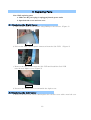
3.3 Replacing Rear Cover
a. Take off the left and right covers.
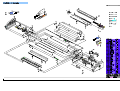
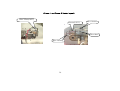
b. Take out the four screws from frames,two screws of each side(Figure 4,Figure 5
Figure 5
Figure 4
3.4 Replacing the Main PCB
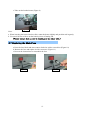
a. Remove the rear cover and label all the wires before unplugging from the Main PCB.
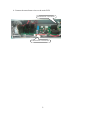
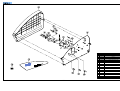
b. Detach the Main PCB from 6 white plastic holders ( Figure 6).
c. Replace the board with new PCB and connect all the wires.
Figure 6
3.5 Replacing the Sub-PCB
a. Refer to “Replacing Right Cover”.
3.6 Replacing the Heaters
Note: Cotton or surgical gloves are recommended while handling the heater assembly.
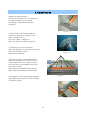
a. Disassemble Right and Left Covers (Refer to “ Replacing Right Cover” and “ Replacing Left Cover”).
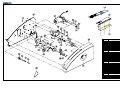
b. Take out the heater brackets on each side by loosening screws (Figure 7, Figure 8).
Figure7
Figure8
11