1
430-95215-003.book Page i Tuesday, December 13, 2005 2:10 PM
System Operating Manual
3
For Infusion Systems with v11.6 Software
For use with Lists: 12391-04, 12618-04,
12348-04, & 11971-04
Back
Prime
A
B
Options/
Vol Inf
430-95215-003 (Rev. 10/05)
430-95215-003.book Page ii Tuesday, December 13, 2005 2:10 PM
Change History
Change History
Description of
Change
Pages
Affected
430-95215-001
(Rev. 04/05)
First Release
All
430-95215-002
(Rev. 07/05)
Second Release
Added IEC/EN 60601-1
Information
All
Section 1
430-95215-003
(Rev. 10/05)
Third Release
All
Title
430-95215-003 (Rev. 10/05)
430-95215-003.book Page i Tuesday, December 13, 2005 2:10 PM
Plum A+ Infusion Systems
i
Contents
1) DESCRIPTIVE INFORMATION. . . . . . . . . . . . . . . . 1-1
1.1 PRODUCT DESCRIPTION . . . . . . . . . . . . . . . . . . . . . . . . 1-2
1.2 INDICATIONS FOR USE . . . . . . . . . . . . . . . . . . . . . . . . . 1-3
user qualification . . . . . . . . . . . . . . . . . . . . . . . . . . . . 1-3
1.3 CONVENTIONS . . . . . . . . . . . . . . . . . . . . . . . . . . . . . . . 1-4
warnings, cautions, and notes . . . . . . . . . . . . . . . . . . 1-5
1.4 PRECAUTIONS . . . . . . . . . . . . . . . . . . . . . . . . . . . . . . . 1-6
artifacts . . . . . . . . . . . . . . . . . . . . . . . . . . . . . . . . . . . 1-6
guidance on emc compatibility . . . . . . . . . . . . . . . . . . 1-7
healthcare professionals and patient related . . . . . . . 1-7
concurrent flow . . . . . . . . . . . . . . . . . . . . . . . . . . . . 1-10
epidural administration . . . . . . . . . . . . . . . . . . . . . . 1-11
battery operation . . . . . . . . . . . . . . . . . . . . . . . . . . . 1-12
sets and accessories . . . . . . . . . . . . . . . . . . . . . . . . 1-12
backpriming . . . . . . . . . . . . . . . . . . . . . . . . . . . . . . . 1-13
general . . . . . . . . . . . . . . . . . . . . . . . . . . . . . . . . . . . 1-13
cleaning . . . . . . . . . . . . . . . . . . . . . . . . . . . . . . . . . . 1-13
2) PRINCIPLES OF OPERATION . . . . . . . . . . . . . . . . 2-1
2.1 FEATURES . . . . . . . . . . . . . . . . . . . . . . . . . . . . . . . . . .
programs . . . . . . . . . . . . . . . . . . . . . . . . . . . . . . . . . .
line programming options . . . . . . . . . . . . . . . . . . . . .
plumset capabilities . . . . . . . . . . . . . . . . . . . . . . . . . .
air management . . . . . . . . . . . . . . . . . . . . . . . . . . . . .
battery . . . . . . . . . . . . . . . . . . . . . . . . . . . . . . . . . . . .
biomedical . . . . . . . . . . . . . . . . . . . . . . . . . . . . . . . . .
options . . . . . . . . . . . . . . . . . . . . . . . . . . . . . . . . . . . .
other features . . . . . . . . . . . . . . . . . . . . . . . . . . . . . .
2.2 DEFINITIONS . . . . . . . . . . . . . . . . . . . . . . . . . . . . . . . . .
2-1
2-1
2-1
2-2
2-2
2-2
2-2
2-2
2-3
2-3
430-95215-003 (Rev. 10/05)
430-95215-003.book Page ii Tuesday, December 13, 2005 2:10 PM
ii
Contents
3) EQUIPMENT DESCRIPTION . . . . . . . . . . . . . . . . . 3-1
3.1 OPERATING KEYS . . . . . . . . . . . . . . . . . . . . . . . . . . . . . 3-2
3.2 INDICATORS . . . . . . . . . . . . . . . . . . . . . . . . . . . . . . . . . 3-5
3.3 REAR CASE CONTROLS . . . . . . . . . . . . . . . . . . . . . . . . . 3-6
3.4 ADMINISTRATION SETS . . . . . . . . . . . . . . . . . . . . . . . . . 3-8
preparing the administration set . . . . . . . . . . . . . . . . . 3-8
priming the administration set . . . . . . . . . . . . . . . . . . . 3-9
loading the cassette . . . . . . . . . . . . . . . . . . . . . . . . . 3-10
preparing the secondary line . . . . . . . . . . . . . . . . . . 3-10
3.5 DISCONTINUING ELECTRONIC FLOW CONTROL & SETTING
GRAVITY FLOW . . . . . . . . . . . . . . . . . . . . . . . . . . . . . . 3-12
3.6 DISCONTINUING FLUID ADMINISTRATION . . . . . . . . . . . . 3-13
4) BASIC OPERATION . . . . . . . . . . . . . . . . . . . . . . . 4-1
4.1 GETTING STARTED . . . . . . . . . . . . . . . . . . . . . . . . . . . . 4-1
unpacking . . . . . . . . . . . . . . . . . . . . . . . . . . . . . . . . . . 4-1
tandem carrier instructions . . . . . . . . . . . . . . . . . . . . . 4-2
system self-tests . . . . . . . . . . . . . . . . . . . . . . . . . . . . . 4-2
data retention . . . . . . . . . . . . . . . . . . . . . . . . . . . . . . . 4-4
4.2 POWER ON . . . . . . . . . . . . . . . . . . . . . . . . . . . . . . . . . . 4-4
4.3 SIMPLE DELIVERY . . . . . . . . . . . . . . . . . . . . . . . . . . . . . 4-6
4.4 TITRATION . . . . . . . . . . . . . . . . . . . . . . . . . . . . . . . . . . 4-9
4.5 PIGGYBACK DELIVERY . . . . . . . . . . . . . . . . . . . . . . . . . 4-11
4.6 CONCURRENT DELIVERY . . . . . . . . . . . . . . . . . . . . . . . 4-14
4.7 STOP AND START WITH ONLY 1 LINE PUMPING . . . . . . . 4-17
4.8 STOP AND START WITH BOTH LINES PUMPING . . . . . . . 4-18
4.9 BACKPRIMING . . . . . . . . . . . . . . . . . . . . . . . . . . . . . . . 4-20
4.10 CLEARING PROGRAM SETTINGS . . . . . . . . . . . . . . . . . 4-21
5) THERAPIES . . . . . . . . . . . . . . . . . . . . . . . . . . . . . . 5-1
5.1 DOSE CALC (MCG/KG/MIN ON A) . . . . . . . . . . . . . . . . . . 5-2
5.2 DOSE CALC (MG/MIN ON B) . . . . . . . . . . . . . . . . . . . . . . 5-8
5.3 LOADING DOSE . . . . . . . . . . . . . . . . . . . . . . . . . . . . . . 5-14
5.4 MULTISTEP PROGRAMMING . . . . . . . . . . . . . . . . . . . . . 5-21
430-95215-003 (Rev. 10/05)
430-95215-003.book Page iii Tuesday, December 13, 2005 2:10 PM
Plum A+ Infusion Systems
iii
6) ADDITIONAL FEATURES . . . . . . . . . . . . . . . . . . . 6-1
6.1 SIMPLE DELIVERY USING DRUG LIST . . . . . . . . . . . . . . 6-1
6.2 SIMPLE DELIVERY USING DELAYED START . . . . . . . . . . 6-4
6.3 PIGGYBACK WITH NURSE CALLBACK . . . . . . . . . . . . . . . 6-5
6.4 POSSIBLE NON-DELIVERY PROGRAMMED . . . . . . . . . . . 6-7
6.5 USING THE STANDBY FEATURE . . . . . . . . . . . . . . . . . . . 6-7
6.6 SELECT OPTION- VOLUMES INFUSED, PRESSURE/POST
INFUSION RATE, AND LIGHTING/CONTRAST . . . . . . . . . . 6-9
6.7 VARIABLE RATE CAP . . . . . . . . . . . . . . . . . . . . . . . . . . 6-13
6.8 EXAMPLES OF AUTOMATIC CALCULATION . . . . . . . . . . 6-13
at startup . . . . . . . . . . . . . . . . . . . . . . . . . . . . . . . . . 6-13
while running (titration) . . . . . . . . . . . . . . . . . . . . . . 6-13
at KVO . . . . . . . . . . . . . . . . . . . . . . . . . . . . . . . . . . . 6-14
7) ALARMS AND TROUBLESHOOTING . . . . . . . . . 7-1
7.1 WARNING MESSAGES . . . . . . . . . . . . . . . . . . . . . . . . . .
7.2 RESPONSE TO ALARMS . . . . . . . . . . . . . . . . . . . . . . . .
general alarms . . . . . . . . . . . . . . . . . . . . . . . . . . . . . .
line a alarms . . . . . . . . . . . . . . . . . . . . . . . . . . . . . . .
line b alarms . . . . . . . . . . . . . . . . . . . . . . . . . . . . . . .
malfunctions . . . . . . . . . . . . . . . . . . . . . . . . . . . . . . .
7-1
7-2
7-3
7-5
7-7
7-8
8) MAINTENANCE AND STORAGE . . . . . . . . . . . . . 8-1
8.1 CLEANING, MAINTENANCE, AND STORAGE . . . . . . . . . . .
cleaning and sanitizing . . . . . . . . . . . . . . . . . . . . . . .
battery maintenance . . . . . . . . . . . . . . . . . . . . . . . . .
storage . . . . . . . . . . . . . . . . . . . . . . . . . . . . . . . . . . . .
service . . . . . . . . . . . . . . . . . . . . . . . . . . . . . . . . . . . .
8-1
8-1
8-3
8-4
8-4
430-95215-003 (Rev. 10/05)
430-95215-003.book Page iv Tuesday, December 13, 2005 2:10 PM
iv
Contents
9) SPECIFICATIONS . . . . . . . . . . . . . . . . . . . . . . . . . 9-1
physical . . . . . . . . . . . . . . . . . . . . . . . . . . . . . . . . . . . . 9-1
electrical . . . . . . . . . . . . . . . . . . . . . . . . . . . . . . . . . . . 9-1
vtbi range . . . . . . . . . . . . . . . . . . . . . . . . . . . . . . . . . . 9-2
environment . . . . . . . . . . . . . . . . . . . . . . . . . . . . . . . . 9-2
delivery rate range . . . . . . . . . . . . . . . . . . . . . . . . . . . 9-2
air-in-line alarm . . . . . . . . . . . . . . . . . . . . . . . . . . . . . . 9-3
occlusion alarm and limits . . . . . . . . . . . . . . . . . . . . . 9-3
time to detect downstream occlusions . . . . . . . . . . . . 9-4
bolus volume released after downstream occlusions are
corrected . . . . . . . . . . . . . . . . . . . . . . . . . . . . . . . . . . . 9-4
delivery accuracy . . . . . . . . . . . . . . . . . . . . . . . . . . . . 9-4
enteral & high viscosity fluids effects. . . . . . . . . . . . . . 9-5
trumpet curves . . . . . . . . . . . . . . . . . . . . . . . . . . . . . . 9-6
example . . . . . . . . . . . . . . . . . . . . . . . . . . . . . . . . . . . 9-6
10) SUPPLIES AND ACCESSORIES . . . . . . . . . . . . 10-1
10.1 ADMINISTRATION FLUIDS . . . . . . . . . . . . . . . . . . . . . . 10-1
administration fluids . . . . . . . . . . . . . . . . . . . . . . . . . 10-1
enteral and high viscosity fluids . . . . . . . . . . . . . . . . 10-1
containers . . . . . . . . . . . . . . . . . . . . . . . . . . . . . . . . . 10-1
10.2 ACCESSORIES . . . . . . . . . . . . . . . . . . . . . . . . . . . . . . 10-2
11) WARRANTY . . . . . . . . . . . . . . . . . . . . . . . . . . . . . 11-1
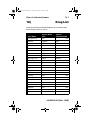
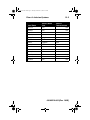
12) DRUG LIST . . . . . . . . . . . . . . . . . . . . . . . . . . . . . . 12-1
© Hospira, Inc.
All Rights Reserved
This document and the subject matter disclosed herein are proprietary
information. Hospira retains all the exclusive rights of dissemination,
reproduction, manufacture and sale. Any party using this document
accepts it in confidence, and agrees not to duplicate it in whole or in
part nor disclose it to others without the written consent of Hospira.
430-95215-003 (Rev. 10/05)
430-95215-003.book Page 1 Tuesday, December 13, 2005 2:10 PM
Plum A+ Infusion Systems
1)
1- 1
Descriptive Information
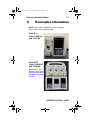
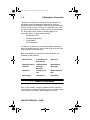
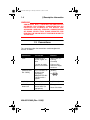
NOTE: In this manual, references to Plum A+ apply to
both systems unless otherwise noted.
Plum A+®
Lists # 12391-04
and 11971-04
Plum A+®3
Lists # 12618-04
and 12348-04
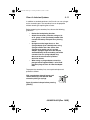
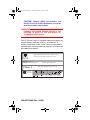
CAUTION: THIS
DEVICE IS TO BE USED
WITH AN IV POLE WITH
A 6-WHEEL BASE AND
A SHELF.
430-95215-003 (Rev. 10/05)
430-95215-003.book Page 2 Tuesday, December 13, 2005 2:10 PM
1- 2
1) Descriptive Information
The Plum A+ and Plum A+3 Volumetric Infusion Systems are
designed to meet the fluid delivery requirements of today’s
evolving healthcare environments. Both are cassette based multifunction infusion systems. The Plum A+ allows two lines in and
one line out while the Plum A+3 allows six lines in and three lines
out. Each pump can be used for standard, piggyback, or
concurrent delivery. Therapy modes include:
•
Standard Infusions
•
Multistep Programming
•
Loading Dose
•
Dose Calculation
The Plum A+ and Plum A+3 are designed to deliver parenteral,
enteral, or epidural infusions over a broad range of infusion rates
from multiple fluid container types.
Both are designed to be used in most areas of patient care,
including, but not limited to:
•General Floor
•Labor/Delivery/
Post Partum
•Burn Unit
•Medical/Surgical
•OR/Anesthesia
•Hemodialysis
•ICU/CCU
•Post Op/
Recovery
•Oncology
•Pediatrics
•Cardiac Cath
Lab
•Mobile Intensive
Care
•Neonatolgy
•Emergency
•Nutritional
1.1 Product Description
Each system includes a pumping module (hereafter called the
infuser) and an assortment of disposable IV sets (hereafter called
a set), optional accessories, and this operator’s manual.
430-95215-003 (Rev. 10/05)
430-95215-003.book Page 3 Tuesday, December 13, 2005 2:10 PM
Plum A+ Infusion Systems
1- 3
A computer dataport is also provided to interface with a host
computer.
Accessory equipment connected to the analog and digital
interfaces must be certified according to the respective IEC
Standards (e.g. IEC 60950 for data processing equipment and
IEC 60601-1 for Medical Equipment). Furthermore, all
configurations shall comply with the system standard IEC 606011-1. Any person who connects additional equipment to the signal
input or output part configures a medical system, and is therefore
responsible for ensuring that the system complies with the
requirements of the system Standard IEC 60601-1-1. If in doubt,
consult the technical service department or your local
representative.
NOTE: Do not connect dataport while infusing.
1.2 Indications for Use
USER QUALIFICATION
The Plum A+ is intended for use at the direction or under the
supervision of licensed physicians or certified healthcare
professionals who are trained in the use of the infuser and the
administration of parenteral, enteral, and epidural fluids and
drugs and whole blood or red blood cell components. The training
should emphasize preventing related IV complications, including
appropriate precautions to prevent accidental infusion of air. The
epidural route can be used to provide anesthesia or analgesia.
430-95215-003 (Rev. 10/05)
430-95215-003.book Page 4 Tuesday, December 13, 2005 2:10 PM
1- 4
1) Descriptive Information
WARNING
ADMINISTER ONLY ANESTHETICS/ANALGESICS
APPROVED FOR EPIDURAL ADMINISTRATION (AS
INDICATED OR ALLOWED BY THE DRUGS’ FDA
APPROVED LABELING). EPIDURAL ADMINISTRATION
OF DRUGS OTHER THAN THOSE INDICATED FOR
EPIDURAL USE COULD RESULT IN SERIOUS INJURY TO
THE PATIENT.
1.3 Conventions
This section describes the conventions used throughout this
manual, as follows:
CONVENTION
APPLICATION
EXAMPLE
Italic
Reference to a
section, figure, or
table
(See Figure 3-1,
Priming
Cassette)
Function or mode
specific instructions
Primary Only:
Attach an empty
container.
Keys or buttons on
the device are
displayed in
[BRACKETED ALL
CAPS] or with a
graphic.
[START]
[BRACKETED
ALL CAPS]
[Italic]
Initial Caps
lowercase
Softkey Options
Screen displays and
device labels (as
appropriate)
430-95215-003 (Rev. 10/05)
or
[Choose]
Therapy
Dose Calculation
430-95215-003.book Page 5 Tuesday, December 13, 2005 2:10 PM
Plum A+ Infusion Systems
1- 5
CONVENTION
APPLICATION
EXAMPLE
Bold
Emphasis
...sets are
supplied Sterile
and are for....
WARNINGS, CAUTIONS, AND NOTES
Alert messages used throughout this manual are described
below. Pay particular attention to these messages.
WARNING
A WARNING MESSAGE CONTAINS SPECIAL SAFETY
EMPHASIS AND MUST BE OBSERVED AT ALL TIMES.
FAILURE TO OBSERVE A WARNING MESSAGE IS
POTENTIALLY LIFE THREATENING.
CAUTION: A CAUTION USUALLY APPEARS IN FRONT OF
A PROCEDURE OR STATEMENT. IT CONTAINS INFORMATION
THAT COULD PREVENT IRREVERSIBLE PRODUCT DAMAGE OR
HARDWARE FAILURE. FAILURE TO OBSERVE A CAUTION
COULD RESULT IN SERIOUS PATIENT OR USER INJURY.
NOTE: A Note highlights information that helps explain a
concept or procedure.
This symbol directs the user to consult accompanying
documents.
NOTE: Figures are rendered as graphic representations
to approximate the actual product. Therefore, figures
may not exactly reflect the product.
430-95215-003 (Rev. 10/05)
430-95215-003.book Page 6 Tuesday, December 13, 2005 2:10 PM
1- 6
1) Descriptive Information
1.4 Precautions
The Plum A+ has been designed and manufactured to be safe,
reliable, and easy to use. This section details precautions and
possible hazards.
For safe operation of the Plum A+, observe the following
precautions and hazards.
ARTIFACTS
•
Nonhazardous, low-level electrical potentials are
commonly observed when fluids are administered using
infusion devices. These potentials are well within
accepted safety standards, but may create artifacts on
voltage-sensing equipment such as ECG, EMG, and
EEG machines. These artifacts vary at a rate that is
associated with the infusion rate. If the monitoring
machine is not operating correctly or has loose or
defective connections to its sensing electrodes, these
artifacts may be accentuated so as to simulate actual
physiological signals. To determine if the abnormality in
the monitoring equipment is caused by the infusion
device instead of some other source in the environment,
set the infusion device so that it is temporarily not
delivering fluid. Disappearance of the abnormality
indicates that it was probably caused by the electronic
noise generated by the infusion device. Proper setup and
maintenance of the monitoring equipment should
eliminate the artifact. Refer to the appropriate monitoring
equipment system documentation for setup and
maintenance instructions.
•
The Plum A+ system is designed to operate normally in
the presence of most encountered electromagnetic
interference (EMI) conditions. In the event of extreme
levels of interference, such as encountered next to an
electrosurgical generator, it is possible that the normal
operation of a sensor or microcomputer might be
430-95215-003 (Rev. 10/05)
430-95215-003.book Page 7 Tuesday, December 13, 2005 2:10 PM
Plum A+ Infusion Systems
1- 7
disrupted. Even in this event, the outcome would likely be
a false alarm or detected system malfunction and would
not result in a hazard to patient or operator.
•
Use of radio frequency emitting devices such as cellular
telephones and 2-way radios in close proximity of this
device may affect its operation.
HEALTHCARE PROFESSIONALS AND PATIENT
RELATED
•
Setting the primary rate greater than the secondary rate
will result in a more rapid infusion of any residual
secondary drug remaining in the line and the cassette.
•
Consult drug labeling to confirm drug compatibility,
concentration, delivery rates, and volumes are all
suitable for secondary, concurrent and piggyback
delivery modes.
•
Arrange tubing, cords, and cables to minimize the risk of
patient strangulation or entanglement.
•
Before opening the door, close clamp on the primary line
or remove the secondary container from the secondary
port to prevent mixing of primary and secondary fluids.
•
Although unlikely, failure of certain robust mechanical
components such as the anti-free flow mechanism or
valve control springs could cause fluid delivery limited to
the contents of the fluid container. Single fault failure of
certain electronic/motor control components would result
in no more than 5 mL of unexpected fluid delivery.
•
A small amount of fluid is expelled from the set (less than
0.05 ml) each time the door is opened or closed with a
set installed. If potent drugs are being used, take
appropriate action to guard against overmedication of the
patient.
•
Before disconnecting a syringe from the cassette, pull up
the plunger slightly to avoid spilling the fluid. For rigid
containers, close the upper slide clamp, open the
cassette door, then remove and invert the cassette (ports
down).
430-95215-003 (Rev. 10/05)
430-95215-003.book Page 8 Tuesday, December 13, 2005 2:10 PM
1- 8
1) Descriptive Information
•
Air bubbles may form distal to the cassette as result of
normal out-gassing of dissolved air in the fluid. This may
occur if chilled solution is in use, if the infuser is mounted
significantly above the patient, or when using certain
fluids known to routinely outgas. In these cases, an air
eliminating filter may be used.
•
Repeated opening and closing of the door may defeat the
proximal air-in-line alarm and may cause a distal air-inline alarm, requiring repriming.
•
In vitro studies have suggested that packed red blood
cells with unusually high hematocrit be diluted with bloodcompatible fluids, such as 0.9% sodium chloride
injection, to decrease hemolysis and increase flow rate.
•
The screen displays the VTBI (volume to be infused) in
integers when value is above 99.9. Any fraction of a
milliliter delivered is not displayed, but is retained in
memory.
•
For Plum A+3 users, be aware that changing the weight
on one device does NOT change the weight on the other
two devices. Patient weight must be changed on each
device when delivering weight-based therapy dependent
on medication requirements.
CONCURRENT FLOW
GUIDELINES
When delivering short half-life critical drugs (see Critical Drugs,
this section) using the Plum A+ in the Concurrent mode, the
following delivery rate guidelines should be observed:
•
If the critical drug (with half-life less than 6 minutes)
is to be infused at less than 2 mL/hr, the other
infusion should be no faster than 5 times the critical
drug’s rate. Dopamine, for example, delivered at 1.5
mL/hr should not be accompanied by an infusion
programmed any faster than 7.5 mL/hr.
•
If the critical drug (with half-life less than 6 minutes)
is to be infused at 2 to 5 mL/hr the other infusion
430-95215-003 (Rev. 10/05)
430-95215-003.book Page 9 Tuesday, December 13, 2005 2:10 PM
Plum A+ Infusion Systems
1- 9
should be no faster than ten times the critical drug’s
rate. Dopamine, for example, delivered at 3.5 ml/hr
should not be accompanied by an infusion
programmed any faster than 35 mL/hr.
•
If the critical drug (with half-life less than 6 minutes)
is to be infused at 5.1 mL/hr or greater, the other
infusion can be programmed at any desired rate.
NOTE: The total of the primary rate plus the secondary
rate cannot exceed 500 mL/hr.
430-95215-003 (Rev. 10/05)
430-95215-003.book Page 10 Tuesday, December 13, 2005 2:10 PM
1- 10
1) Descriptive Information
These guidelines apply only when infusing short half-life critical
drugs in Concurrent mode. Individual patient responses may vary
requiring adjustment of delivery rates.
DELIVERY RATE GUIDELINES
SHORT HALF-LIFE (LESS
THAN 6 MINUTES) CRITICAL
DRUG INFUSION RATE
MAXIMUM RATE OF
ACCOMPANYING INFUSION
0.5 - 1.9 mL/hr
5 Times the Critical Drug Rate
2 - 5 mL/hr
10 Times the Critical Drug Rate
5.1 or Greater
Any Desired Ratio
CRITICAL DRUGS
Examples of drugs with a short half-life (approximately 6 minutes
or less when given IV) include:
Dobutamine
Dopamine
Epinephrine
Epoprostenol
Esmolol
Isoproterenol
Lidocaine
Nitroglycerin
Nitroprusside
Norepinephrine
Oxytocin
Procainamide
For these drugs, the concurrent flow guidelines should be
followed when the infusion rate of the drug will be 5 mL/hr or less.
NOTE: This list of critical drugs is not intended to be allinclusive of critical drugs or drugs with a short half-life.
The clinician should become familiar with the pharmacodynamics
of any critical drug before administration.
This information is presented to inform clinicians of a rare
situation that could be misinterpreted if they are unfamiliar with
this phenomenon.
430-95215-003 (Rev. 10/05)
430-95215-003.book Page 11 Tuesday, December 13, 2005 2:10 PM
Plum A+ Infusion Systems
1- 11
EPIDURAL ADMINISTRATION
•
Recommended use of the epidural route is to provide
anesthesia or analgesia for periods up to 96 hours.
•
This device can be used to administer only those
anesthetics/analgesics approved for epidural
administration (as indicated or allowed by the drugs’ FDA
approved labeling). Epidural administration of drugs
other than those indicated for epidural use could result in
serious injury to the patient.
•
For epidural administration, the use of Hospira catheters,
Plum sets without Y-sites, and "epidural" stickers
indicating ongoing epidural administration are
recommended.
•
Administration of drugs via the epidural route should be
limited to personnel familiar with associated techniques
and patient management problems. Proper epidural
placement of the catheter is essential since catheter
migration could result in intravascular or intrathecal
administration. Facilities practicing epidural
administration must be equipped with resuscitative
equipment, oxygen, naloxone, and other resuscitative
drugs. Adequate monitoring equipment (e.g., Oximetry)
is recommended for continuous monitoring of the patient
during epidural administration. Patients must be
observed frequently for side effects in a fully-equipped
and staffed environment for at least 24 hours following
completion of drug administration by the epidural route.
DELAYED RESPIRATORY DEPRESSION FOLLOWING
CONTINUOUS EPIDURAL ADMINISTRATION OF
PRESERVATIVE-FREE MORPHINE SULFATE HAS
BEEN REPORTED.
•
The epidural space has 58 openings through which fluid
can exit. Pressure buildup during administration is
transient. However, if a large volume of fluid is
administered over a short time period, the pressure will
take longer to return to normal. If overdelivery occurs
during administration, observe the patient closely for
430-95215-003 (Rev. 10/05)
430-95215-003.book Page 12 Tuesday, December 13, 2005 2:10 PM
1- 12
1) Descriptive Information
signs of spinal cord compression (disorientation,
headache, transient neuralgias) and drug overdose.
BATTERY OPERATION
•
Do not operate the Plum A+ on patients when the battery
is removed. Use of a properly maintained and charged
battery helps confirm proper operation.
•
The battery may not be fully charged upon receipt.
Connect the infuser to AC power for at least six hours.
•
Use AC power whenever possible. Connect to AC power
during storage to ensure a fully charged battery for
emergencies. If quality earth grounding source is in
doubt, use battery power.
•
If the low-battery alarm sounds, connect the infuser to AC
power immediately.
SETS AND ACCESSORIES
•
Only compatible LifeCare Plum Sets can be used with
the Plum A+. See individual set instructions for additional
information.
•
Administration sets should be changed per CDC
guidelines or healthcare provider policy. Discard after
use.
•
LifeCare IV infusion sets with integral nonblood filters are
not for use in the administration of blood, blood products,
emulsions, suspensions, or any medications not totally
soluble in the solution being administered. These
medications may be administered through the lower Yinjection site, below the filter.
•
When infusing at low delivery rates (5 mL/hr or less) the
use of thick-walled microbore Plum sets is
recommended. This will reduce the amount of the fluid
bolus that may be delivered when a distal line occlusion
is released.
•
Syringes must be larger than 3 cc. Use syringe adapter
(List 11986-48) when using syringes smaller than 10cc.
Some 10cc syringes may require use of a syringe
430-95215-003 (Rev. 10/05)
430-95215-003.book Page 13 Tuesday, December 13, 2005 2:10 PM
Plum A+ Infusion Systems
1- 13
adapter. Syringes larger than 10cc may be attached
directly to the secondary port of the cassette. Use of a
syringe adapter may decrease the occurrence of
proximal occlusion alarms.
•
Use a 19-gauge or larger needle or catheter at the
venipuncture site for viscous fluids if operating at rates
greater than 500 ml/hr.
See Section 10 for information on sets and accessories.
BACKPRIMING
•
Backpriming is not recommended for reconstituting
secondary containers containing dry powders.
•
To avoid pressurization when backpriming into a
syringe, the user must confirm there is sufficient
empty space to accept the backprimed fluid.
GENERAL
•
Possible explosion hazard exists if used in the
presence of flammable anesthetics.
•
Do not place Plum A+ in service if it fails the self-test.
•
Do not operate the Plum A+ with the case opened.
•
Keep the cassette door securely closed while the
infuser is not in use, to avoid cassette door damage.
•
The Plum A+3 is to be used with an IV pole with a 6wheel base and a shelf.
CLEANING
For more information on cleaning the infuser, see Section 8.
•
To avoid mechanical or electronic damage, do not
immerse the Plum A+ in any fluids or cleaning solutions.
•
Do not spray cleaning solutions toward any opening in
the instrument.
•
Certain cleaning and sanitizing solutions may slowly
degrade components made from some plastic materials.
430-95215-003 (Rev. 10/05)
430-95215-003.book Page 14 Tuesday, December 13, 2005 2:10 PM
1- 14
1) Descriptive Information
Using abrasive cleaners or cleaning solutions not
recommended by Hospira may result in product damage.
Do not use compounds containing combinations of
isopropyl alcohol and dimethyl benzyl ammonium
chloride.
•
Never use sharp objects such as fingernails, paper clips,
or needles to clean any part of the infuser.
•
Do not sterilize by heat, steam, ethylene oxide (ETO), or
radiation.
•
To avoid infuser damage, cleaning solutions should only
be used as directed. The disinfecting properties of
cleaning solutions vary; consult the manufacturer for
specific information.
Use the following procedure to avoid the administration of a bolus
following a distal occlusion (i.e., a closed distal clamp):
•
If a secondary container is in use, clamp proximal
tubing before opening cassette door.
•
Open cassette door and remove the cassette.
•
Open the flow regulator briefly to dissipate the
pressure and then close it.
•
Eliminate the source of occlusion (closed clamp).
•
Reinsert the cassette and close the cassette door.
•
Open all clamps and resume infusion.
NOTE: When troubleshooting an occlusion where all
clamps are in the OPEN position, use care to avoid
delivery of a bolus by opening the flow regulator to
release any built-up pressure. Close the clamp between
the cassette and the patient before opening the flow
regulator to relieve the pressure. See Section 7, Alarms
and Troubleshooting, for more information.
430-95215-003 (Rev. 10/05)
430-95215-003.book Page 1 Tuesday, December 13, 2005 2:10 PM
Plum A+ Infusion Systems
2)
2- 1
Principles of Operation
2.1 Features
The Plum A+ is a dual-line volumetric infusion system designed
to meet the growing demand for hospital-wide, as well as
alternate site and home healthcare, standardization. With it’s
primary line, secondary line, and piggyback fluid delivery
capability, the Plum A+ is suited for a wide range of medical/
surgical and critical care applications. Full compatibility with
LifeCare Plum Series administration sets and accessories and
the LifeShield® and CLAVE® needleless protection systems,
makes the Plum A+ a convenient and cost-effective infusion
system.
PROGRAMS
•
Dose Calculation
•
Loading Dose
•
Multistep Programming
LINE PROGRAMMING OPTIONS
•
Drug List
•
Nurse Call Back
•
Delayed Start Setting
•
Concurrent delivery
•
Titration
•
Micro 0.1-99.9 mL/hr (in 0.1 mL increments) flow
rate range for both lines
•
Macro 100-999 mL/hr (in 1 mL increments) flow
rate range for both lines
•
Automated Secondary drug delivery (Piggyback)
•
Standby Setting
430-95215-003 (Rev. 10/05)
430-95215-003.book Page 2 Tuesday, December 13, 2005 2:10 PM
2- 2
2) Principles of Operation
PLUMSET CAPABILITIES
•
Anti Free-Flow Protection
•
Direct Connection for syringe delivery
AIR MANAGEMENT
•
Air Trap
•
Air Removal/Backpriming
•
Air Detection-Proximal
•
Air Detection-Distal
BATTERY
NOTE: The Plum A+3 utilizes three batteries.
•
Battery Gauge
•
Six Hour Battery Recharge Time
•
Long battery life (6 hours) for emergency backup
and temporary portable operation
BIOMEDICAL
•
Serial Communication
•
Upgradability (Field- for List 12391 only)
•
Variable Rate Cap
•
Alarm History
•
Nurse Call Relay Connector
OPTIONS
•
Volumes Infused (A, B, Total Volume)
•
KVO at dose end (1 ml/hr or less depending on
delivery rate) or Continue Rate (CR) to continue
at the current rate
•
Variable Distal Pressure Settings
430-95215-003 (Rev. 10/05)
430-95215-003.book Page 3 Tuesday, December 13, 2005 2:10 PM
Plum A+ Infusion Systems
2- 3
OTHER FEATURES
•
Nonpulsatile volumetric accuracy
•
Microprocessor control
•
Large liquid crystal display (LCD) screen
•
Panel back illumination on mains power
•
Lockout switch
•
Standard syringe use
•
Parenteral and nonparenteral (enteral) fluid
delivery
•
Blood and blood products delivery
•
Wide range of Standard and Specialty
administration sets
•
Password protected keypad lock
2.2 Definitions
TERM
DEFINITION
Administration
Set
The sterile, disposable assembly with
flexible tubing that connects to a
source fluid container for input to the
Cassette pumping chamber and to
some output device for administration
to the patient.
Alarm
A condition requiring operator
intervention that invokes both audible
and visible alarm indicators.
Confirmation of the condition usually
is required.
Alert
While entering a program, a visual
warning that informs the clinician of
the violation of a hospital-defined rule
set, e.g., a dose limit for a specific
drug.
430-95215-003 (Rev. 10/05)
430-95215-003.book Page 4 Tuesday, December 13, 2005 2:10 PM
2- 4
2) Principles of Operation
TERM
DEFINITION
Alternate Units
Dose Rate units that may be selected.
Alternate Units are any units other than
mL/hr.
Alternate Units
Parameters
Drug Amount, Diluent, Patient Weight
(if applicable), and Dose Rate.
Backpressure
Resistance to fluid flow on the Distal or
output portion of the Administration
Set, usually expressed as mmHg.
Backprime
Removal of air or fluid from the
proximal tubing and Cassette air trap
by rapid pumping of fluid from Line A
to an output receptacle on Line B. No
fluid delivered distal to the cassette
during a Backprime.
Basic Delivery
A single-step delivery specifying rate,
VTBI, and duration only. Drug name
may or may not be specified.
Biomed Mode
The name for the non-delivery or
service mode of Infuser operation.
Bolus
A single uninterrupted discrete volume
of fluid delivered over a discrete period
of time.
Cassette
A Hospira standard Plum Macro
Cassette that contains the actual
pumping chamber with inlet and outlet
valves. It also contains access ports to
diaphragms for proximal and distal line
pressure sensing and chambers for air
trapping and air quantity
measurement.
Caution
Contains information which could
prevent hardware failure, irreversible
damage to equipment, or loss of data.
Channel
Distal Line output to the patient.
430-95215-003 (Rev. 10/05)
430-95215-003.book Page 5 Tuesday, December 13, 2005 2:10 PM
Plum A+ Infusion Systems
2- 5
TERM
DEFINITION
Cleared
Program
Same as Cleared Settings, but
restricted to the program delivery
settings for an individual line.
Cleared
Settings
Programmed delivery settings for both
lines and the general control
parameters are at their default values.
Concentration
For Dose Calculation based Line A or B
delivery programming of premixed
drugs, the concentration consists of
Drug Amount (in micrograms [mcg],
milligrams [mg], grams,
milliequivalents [mEq], millimols
[mmols], or units [USP Units]) and
Diluent (Volume in milliliters [mL]).
Abbreviated on screen displays as
“Conc”.
Concurrent
Delivery
Simultaneous delivery of two fluids at
independent flow rates.
Concurrent
Mode
The Line B control selection mode that
allows either Line A or Line B (or both)
of the Mechanism to be programmed
for delivery that completes with KVO or
CR. Line A operation is unaffected by
Line B delivery.
Continue Rate
(CR)
An option used to provide fluid
delivery at the current fluid delivery
rate when the VTBI becomes zero.
Default Drug
Library (DDL)
A drug list of 99 drug names, default
units and default concentrations, plus
‘No Drug Selected’.
Deliver
Together
A Biomed Delivery option setting,
which selects default of Piggyback or
Concurrent delivery mode.
430-95215-003 (Rev. 10/05)
430-95215-003.book Page 6 Tuesday, December 13, 2005 2:10 PM
2- 6
2) Principles of Operation
TERM
DEFINITION
Delivery Mode
The normal operational mode for the
Infuser, either Concurrent or
Piggyback, during which fluid delivery
may occur.
Delivery Rate
The delivery rate (as Volume/Time)
assigned by the operator or calculated
from other delivery parameters.
Device
The Plum A+ IV Infusion Device
(Infuser), not including the disposable
administration sets.
Diluent
(Volume)
The volume of fluid used with the
Diluent Unit (e.g., 250 mL), which
dilutes the drug to be infused.
Distal
Downstream (output) from the
Cassette portion of the Administration
Set.
Door
The lever-operated, bottom-hinged,
Cassette holder on the front of the
Mechanism.
Dose (Rate)
Delivery rate times drug concentration.
Dose
Calculation
Allows programming Dose Rates in
alternative units of measure. Dose
Calculation can be used in Simple
Delivery, Loading Dose, and Multistep.
Drug Amount
The mass or quantity of the drug
premixed with a Diluent to express the
Concentration for the Line being
programmed.
Duration
The time period used to deliver a VTBI
at an existing Delivery Rate or as set by
the operator.
Enteral
Delivery via an intestinal route.
430-95215-003 (Rev. 10/05)
430-95215-003.book Page 7 Tuesday, December 13, 2005 2:10 PM
Plum A+ Infusion Systems
2- 7
TERM
DEFINITION
Error
A condition resulting in an audible
warning and often an accompanying
message, such as an invalid key press,
resulting from an operator attempt to
make an input that is not valid for the
current operational context. Not a
Malfunction.
Filling Head
Height (FHH)
The gravity induced Proximal Line
pressure due to fluid height in source
container above the Distal Line output
level.
Flow Rate
The resulting rate of fluid flow. (See
Rate and Dose.)
Fluid Delivery
Begin
The time required, measured from the
initial start of a keypad press, for a
digit in the third decimal place of a
scale measuring grams to change
when pumping water, the delivery tube
is fluid filled, and the end of the
delivery tube is immersed.
Infuser
A Plum A+ device, not including the
disposable administration set.
Initialized
Position
The plunger is in the Plunger Park
Position, and each valve is in the Valve
Home Position.
Key
Any of the marked locations on the
front panels intended for user input via
a pressing action.
KVO
(Keep Vein Open) Internally selected
minimal delivery rate, the lesser of 1.0
mL/Hr or actual Rate, intended to
provide sufficient fluid flow to
decrease the potential for clotting at
the IV infusion site.
430-95215-003 (Rev. 10/05)
430-95215-003.book Page 8 Tuesday, December 13, 2005 2:10 PM
2- 8
2) Principles of Operation
TERM
DEFINITION
Line A
Inlet tubing on the top center of
Cassette when viewed after it has been
loaded in Mechanism Door.
Line B
Inlet connector on the top right of
Cassette when viewed after it has been
loaded in Mechanism Door.
Loading Dose
Allows programming of an initial
infusion rate for a specific volume,
followed automatically by a
maintenance rate from the same
container (e.g., a fluid challenge). If
Dose Calc is used, the Loading Dose
and Maintenance Dose are in the same
unit of measure, over the same period
of time (mcg/min), from the same
container.
Macro Cassette
The Plum Cassette as part of an
Administration Set whose attainable
delivery performance is for general
purpose uses.
Malfunction
One of a number of conditions that
indicate a failure of the Infuser. These
conditions usually require a repair
action.
Mechanism
The provider of the physical activities
of: 1) valve control for Line selection
and inlet to or outlet from the Cassette;
2) Plunger extension and retraction for
changing fluid volume of the Cassette
pumping chamber.
430-95215-003 (Rev. 10/05)
430-95215-003.book Page 9 Tuesday, December 13, 2005 2:10 PM
Plum A+ Infusion Systems
2- 9
TERM
DEFINITION
Multistep
Allows a sequential program to deliver
up to 10 steps; fluid volumes and
delivery rates may be programmed for
each step. The program may be
entered based on Rate and Volume or
Volume and Time. If Dose Calc is used,
the delivery steps are in the same unit
of measure, over the same period of
time, from the same container.
Note
A Note explains something new, gives
tips on performing an activity, or
provides a reminder of necessary
preparations.
Parenteral
Delivery via other than an intestinal
route, such as intravenous (IV)
injection.
Patient Weight
The Alternate Units Parameter whose
value entry is required with Dose rates
(quantity/time) having the third
parameter of weight, such as mcg/kg/
min.
Piggyback
Delivery
Infusion will stop Line A and infuse
Line B until VTBI completes.
Piggyback
Mode
The Line B control selection mode that
requires Line A delivery suspension
while Line B delivers and then its
resumption when Line B VTBI
completes. If Line A is not programmed
and started, Line B delivery just stops
when its VTBI completes. Line A
operation is delayed for duration of its
interruption by Line B.
Plunger Park
Position
The position of the pumping plunger
that allows the cassette to be
withdrawn from the Infuser without
restriction, with an opened Door.
430-95215-003 (Rev. 10/05)
430-95215-003.book Page 10 Tuesday, December 13, 2005 2:10 PM
2- 10
2) Principles of Operation
TERM
DEFINITION
POST
Power On Self Tests. Startup
initialization and test of critical
hardware modules and software
functions, to determine Infuser
readiness for its Intended Use.
Power On
When the power is first applied to the
Infuser processor. It occurs when
Infuser is in the off condition and the
AC power is applied or during battery
operation when the ON/OFF key is
pressed.
Pressure
The measured fluid pressure for
Proximal Line A, Proximal Line B, or
the Distal line when a fully primed
administration set is loaded into a
Mechanism with the Cassette Door
closed.
Programs
A Concentration-based extension to
basic Volume/Rate delivery for Dose
Rate applications. Softkey-selected
types are: 1) Standard Program for
single rate delivery; 2) Loading Dose
for up to two steps of delivery at
differing rates; 3) Multistep for up to
ten steps of delivery at differing rates.
Loading Dose and Multistep include
the basic Delivery Rate option.
Protocol
In the medical field, hospital-approved
procedures. For devices with an
electronic communications interface,
the format and content of messages
being exchanged.
Proximal
Upstream (input, as Line A and/or B)
with respect to the Cassette portion of
the Administration Set.
Rate
See Delivery Rate
430-95215-003 (Rev. 10/05)
430-95215-003.book Page 11 Tuesday, December 13, 2005 2:10 PM
Plum A+ Infusion Systems
2- 11
TERM
DEFINITION
Rounding
To round-off to the closest whole
number (e.g., 25.5 would round to 26,
but 25.4 would round to 25).
Screen
That active portion of the LCD
assigned to a delivery or other user
interactive display operation.
Softkey
A front panel key whose function label
is on the bottom portion of the display
screen just above its location, so that
label may be changed to indicate
differing key functions within the
operational context of the defined
screens.
Standard
Programming
(see Basic Delivery)
Standby
A delivery program state that
resembles a delayed start for a line in
all respects, but status display of
STANDBY instead of DELAYED. A
press of the START key (and a Start
Softkey if necessary) will begin the
programmed delivery.
System
The Plum A+ Infuser system with its
associated accessories and
Administration Sets.
Truncate
To round-down to the last whole
number (e.g., 103.7 would be 103).
Units
A Drug Amount (without a quantity of
mass referent) adopted as the United
States Pharmacopoeia (USP) standard
of measure for use in a Concentration.
VI
Volume Infused.
430-95215-003 (Rev. 10/05)
430-95215-003.book Page 12 Tuesday, December 13, 2005 2:10 PM
2- 12
2) Principles of Operation
TERM
DEFINITION
VTBI
Volume To Be Infused – The volume of
fluid or IV solution (remaining) for
delivery by a program or Therapy step
from a Line.
Warning
Audible indication at the defined
Warning sound level, often
accompanied by a brief message, to
advise operator that: 1. Input was
attempt to use a function in wrong
sequence, with wrong values, or at
wrong time (resulting in an Invalid Key
Warning); 2. Input was properly related
to a function (resulting in a Valid Key
Warning). (The Low Battery Warning is
an exception, using the Alarm
Indication sound level.)
Weight
The Alternate Units Parameter whose
value entry is required with Alternate
Units for Dose that include /kg/.
430-95215-003 (Rev. 10/05)
430-95215-003.book Page 1 Tuesday, December 13, 2005 2:10 PM
Plum A+ Infusion Systems
3)
3- 1
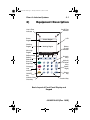
Equipment Description
Line B Flow
Indicator
Line A Flow
Indicator
LCD
Status
Region
Status Region
Working
Region
Working Region
Message
Region
Softkey Label
Softkey
Selector
Start and
Stop Keys
Charging/
Line
Indicator
Battery
Charge
Indicator
Message Region
Back
Prime
A
B
Options/
Vol Inf
Numeric
Keys
(Up/Left)
Direction
Keys
(Down/
Right)
Silence
Key
ON/OFF
Key
Numeric Field
Clear Key
Decimal Key
Basic Layout of Front Panel Display and
Keypad
430-95215-003 (Rev. 10/05)
430-95215-003.book Page 2 Tuesday, December 13, 2005 2:10 PM
3- 2
3) Equipment Description
3.1 Operating Keys
NOTE: For Plum A+3, all
three pumps act as
individual Plum A+’s.
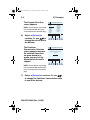
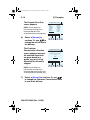
The [ON/OFF] key is
used to control the
power of the Plum A+.
NOTE: All deliveries must
be stopped in order to turn
the power off.
NOTE: To confirm proper
shutdown of infuser, do
not unplug until “double
beep” is heard
(approximately 5
seconds). If “double beep” is not heard, the infuser will
turn itself back ON sensing the AC power was lost and
revert to battery back-up power.
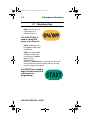
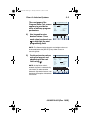
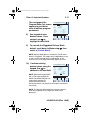
The [START] key is used to
begin infusion and as final
confirmation of
programming.
430-95215-003 (Rev. 10/05)
430-95215-003.book Page 3 Tuesday, December 13, 2005 2:10 PM
Plum A+ Infusion Systems
3- 3
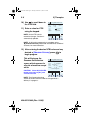
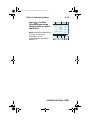
The [STOP] key is used to
stop the current delivery
on one line; used in
conjunction with soft keys
to stop delivery on both
lines.
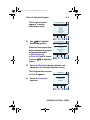
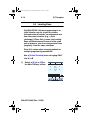
The [SILENCE] key is used
to silence an audible alarm
during actions to correct
its cause.
The [SELECT] keys
(or
) are used to
move the highlighting
cursor between the
programming fields.
430-95215-003 (Rev. 10/05)
430-95215-003.book Page 4 Tuesday, December 13, 2005 2:10 PM
3- 4
3) Equipment Description
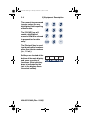
The numeric keys are used
to enter values for any
highlighted field requiring
numeric data.
The [CLEAR] key will
cause a highlighted
numeric field to be cleared
in preparation for data
entry.
.
The [Decimal] key is used
to manually enter numbers
other than whole numbers
(i.e., 1.2 mL).
Softkeys are located at the
bottom of the main display
and serve a variety of
functions. What each key
does is indicated by the
text in the display above
the actual softkey.
430-95215-003 (Rev. 10/05)
Drug
List
Standby
Enter
Cancel/
Back
430-95215-003.book Page 5 Tuesday, December 13, 2005 2:10 PM
Plum A+ Infusion Systems
3- 5
3.2 Indicators
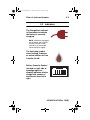
The Charge/Line Indicator
is illuminated to indicate
the battery is currently
charging.
NOTE: If the device is plugged
into AC power, with a battery
installed, and the Charge
Indicator is not illuminated,
contact technical support.
The fluid drop symbol,
when flashing, indicates
an active infusion on Line
A and/or Line B.
Battery Capacity Symbol
(located on right side of
message region on
display) indicates relative
charge with number of
white boxes from left to
right.
430-95215-003 (Rev. 10/05)
430-95215-003.book Page 6 Tuesday, December 13, 2005 2:10 PM
3- 6
3) Equipment Description
3.3 Rear Case Controls
NOTE: For Plum A+3, each control applies to all three
pumps
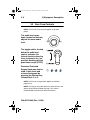
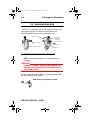
The audio level rotary
knob, located on the back,
adjusts the alarm audio
level.
The toggle switch, located
below the audio level
control, activates the
lockout function when the
lever is placed in the “up”
position, disabling all front
panel keys except [STOP].
Password Protected
Keypad Lock may also be
used. It both locks and
unlocks the keypad by
pressing the Decimal key,
followed by 9, 6, & 3.
.
NOTE: For Plum A+3, keypad lock applies to individual
pump in use.
NOTE: Pressing of a key while lockout is active results in the
display of the lockout enabled message. This action is
recommended to confirm each lockout activation.
430-95215-003 (Rev. 10/05)
430-95215-003.book Page 7 Tuesday, December 13, 2005 2:10 PM
Plum A+ Infusion Systems
3- 7
NOTE: If the lockout switch is put in the “Locked” position
while the infuser is off, the [ON/OFF] key allows the unit to
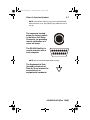
turn on.
The connector located
below the lockout switch
is the Nurse Call Relay
Connector, for providing
remote notification of a
nurse call event.
The RS-232 DataPort is
used to interface with a
host computer.
NOTE: Do not connect dataport while infusing.
The Equipotential Post
(located on the back of
Plum A+3) is a terminal for
connection of an
equipotential conductor.
430-95215-003 (Rev. 10/05)
430-95215-003.book Page 8 Tuesday, December 13, 2005 2:10 PM
3- 8
3) Equipment Description
3.4 Administration Sets
The Plum A+ is compatible with a wide range of LifeCare Plum
series administration sets. Become familiar with the set
components before preparing the administration set.
Primary Line
Secondary
Inlet Port
(Capped)
Finger Grip
Flow Regulator
Patient Line
Pumping Chamber
Air Trap
PREPARING THE ADMINISTRATION SET
NOTE: For detailed instructions, see administration set
packaging.
WARNING
ARRANGE TUBING, CORDS, AND CABLES TO
MINIMIZE THE RISK OF PATIENT STRANGULATION
OR ENTANGLEMENT.
Use the aseptic technique to prepare the administration set for
priming, then proceed as follows:
Make sure flow regulator is closed.
430-95215-003 (Rev. 10/05)
430-95215-003.book Page 9 Tuesday, December 13, 2005 2:10 PM
Plum A+ Infusion Systems
3- 9
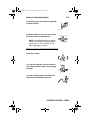
Insert piercing pin into container outlet with
a twisting motion.
Fill Drip chamber to about 1/2 full or to the
score mark. Do not completely fill.
NOTE: To avoid getting Distal Air Alarms,
confirm the fluid bag is positioned higher
than the infuser. This should be set up
prior to priming the cassette.
PRIMING THE ADMINISTRATION SET
Invert the cassette.
Turn the flow regulator counter-clockwise
until a drop of fluid is seen in the pumping
chamber.
Turn the cassette upright, then prime the
remainder of the administration set.
430-95215-003 (Rev. 10/05)
430-95215-003.book Page 10 Tuesday, December 13, 2005 2:10 PM
3- 10
3) Equipment Description
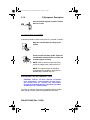
Push in the flow regulator to close. Confirm
there is no flow.
LOADING THE CASSETTE
To load the primed cassette into the plum A+, proceed as follows.
Open the cassette door by lifting up the
handle.
Insert cassette into door guides. Close the
cassette door. Confirm there is no flow and
no kinks appear in tubing.
NOTE: If flow is observed, close the tubing
clamps and replace the administration set.
NOTE: The administration set should be
changed per CDC guidelines or healthcare
provider policy. Discard after use.
PREPARING THE SECONDARY LINE
CAUTION: CONSULT THE DRUG LABELING TO CONFIRM
DRUG COMPATIBILITY, CONCENTRATION, DELIVERY RATES,
AND VOLUMES ARE ALL SUITABLE FOR CONCURRENT
DELIVERY OR PIGGYBACK DELIVERY (SECONDARY FOLLOWED
AUTOMATICALLY BY PRIMARY) MODES.
The Plum A+ features concurrent or piggyback delivery modes
when therapy requires administering more than one fluid.
430-95215-003 (Rev. 10/05)
430-95215-003.book Page 11 Tuesday, December 13, 2005 2:10 PM
Plum A+ Infusion Systems
3- 11
In addition to standard containers, the Plum A+ can use syringes
on the secondary port. The secondary line can be prepared
without removing or repriming the cassette.
Before preparing the secondary line, observe the following
guidelines:
•
Review the backpriming function.
•
Attach the secondary container using an 18or 19- gauge, 31 mm (or shorter) needle, if the
cassette secondary inlet port has a piercing
reseal.
•
Syringes must be larger than 3 cc. Use
syringe adapter (List 11986-48) when using
syringes smaller than 10cc. Some 10cc
syringes may require use of a syringe
adapter. Syringes larger than 10cc may be
attached directly to the secondary port of the
cassette. Use of a syringe adapter may
decrease the occurrence of proximal
occlusion alarms.
•
When using a syringe adapter, retract the
plunger to draw approximately 1 mL of fluid
into the syringe to clear air from the adapter
filter.
To prepare the secondary line, use aseptic technique and
proceed as follows:
With cassette door closed: Loosen and
remove white cap, then discard. Add
secondary tubing or syringe.
Open all proximal clamps before pressing
[START].
430-95215-003 (Rev. 10/05)
430-95215-003.book Page 12 Tuesday, December 13, 2005 2:10 PM
3- 12
3) Equipment Description
Set up per operating instructions. (See
Sections 4 - 6 of this manual.)
Syringe: Secure the container to the
cassette door using the optional container
support arm (List 12095-03).
3.5 Discontinuing Electronic Flow Control
& Setting Gravity Flow
CAUTION: BEFORE OPENING DOOR, CLOSE CLAMP ON
PRIMARY OR SECONDARY SET OR REMOVE SECONDARY
CONTAINER FROM SECONDARY PORT TO PREVENT MIXING OF
PRIMARY AND SECONDARY FLUIDS.
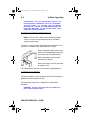
If electronic flow needs to be stopped, the precision flow regulator
on the cassette can be used to manually set and maintain fluid
flow in a gravity mode (see the following graphics).
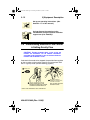
1 PRESS STOP
STOP
2 OPEN DOOR & REMOVE CASSETTE
NOTE: FLOW REGULATOR CLOSES
AUTOMATICALLY WHEN DOOR IS OPENED
TO PREVENT ACCIDENTAL FREE FLOW
NOTE: IF DOOR OPEN ALARM OCCURS, TURN PUMP OFF
430-95215-003 (Rev. 10/05)
3 SET GRAVITY RATE BY
TURNING FLOW REGULATOR
COUNTER-CLOCKWISE
NOTE: CASSETTE SHOULD BE
IN UPRIGHT POSITION
430-95215-003.book Page 13 Tuesday, December 13, 2005 2:10 PM
Plum A+ Infusion Systems
3- 13
3.6 Discontinuing Fluid Administration
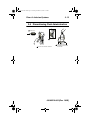
1 PRESS STOP
STOP
3 CLOSE DOOR
4
2 OPEN DOOR, REMOVE CASSETTE
DISCARD SET AND FLUID
CONTAINER PER HOSPITAL
PROCEDURE
430-95215-003 (Rev. 10/05)
430-95215-003.book Page 14 Tuesday, December 13, 2005 2:10 PM
3- 14
3) Equipment Description
NOTES
430-95215-003 (Rev. 10/05)
430-95215-003.book Page 1 Tuesday, December 13, 2005 2:10 PM
Plum A+ Infusion Systems
4)
4- 1
Basic Operation
4.1 Getting Started
UNPACKING
CAUTION: P RODUCT DAMAGE MAY OCCUR UNLESS
PROPER CARE IS EXERCISED DURING UNPACKING AND
INSTALLATION. DO NOT USE THE PLUM A+ IF IT APPEARS
DAMAGED IN ANY WAY. THE BATTERY MAY NOT BE CHARGED
UPON RECEIPT.
Inspect the Plum A+ packaging for possible shipping damage. If
damage is found, contact the delivery company immediately.
Use care when unpacking the infuser. Retain the packing slip and
save all packing material in case the infuser is damaged or fails
the infuser self-test and has to be returned to Hospira.
Inspect thoroughly for damage.
CAUTION: IF THE PLUM A+ APPEARS TO BE DAMAGED,
HOSPIRA.
CONTACT
To set up, connect the AC (mains) cord to a properly grounded
receptacle, unless temporary battery operation is desired.
NOTE: Use AC (mains) power whenever possible. Store
the infuser connected to AC (mains) to confirm a fully
charged battery for emergencies.
NOTE: If the quality of the earth grounding source is in
doubt, use battery power.
CAUTION:
T HE P LUM A+ SYSTEM IS DESIGNED TO
O PE R A T E N O R M A L L Y I N T H E P R E S EN C E O F M O S T
ENCOUNTERED ELECTROMAGNETIC INTERFERENCE (EMI)
CONDITIONS . I N THE EVENT OF EXTREME LEVELS OF
430-95215-003 (Rev. 10/05)
430-95215-003.book Page 2 Tuesday, December 13, 2005 2:10 PM
4- 2
4) Basic Operation
INTERFERENCE , SUCH AS ENCOUNTERED NEXT TO AN
ELECTROSURGICAL GENERATOR, CELLULAR TELEPHONES,
OR 2-WAY RADIOS, IT IS POSSIBLE THAT THE NORMAL
OPERATION OF A SENSOR OR MICROCOMPUTER MIGHT BE
DISRUPTED. OPERATION OF THE INFUSER UNDER THESE
CONDITIONS SHOULD BE AVOIDED.
TANDEM CARRIER INSTRUCTIONS
NOTE: The Plum A+3 is NOT to be used with the tandem
carrier. It is only to be used with the Plum A+ and other
single-channel devices.
The Plum A+ may be safely and conveniently mounted on an IV
stand or on a tandem carrier mounted on an IV stand.
Always mount the tandem carrier (List#
12270-01) to the pole before attaching
the infuser(s) to the tandem carrier.
Make sure tandem carrier clamp is
attached firmly to pole.
Make sure infusers are firmly attached
to tandem carrier.
This section details the Plum A+ instrument setup procedures.
SYSTEM SELF-TESTS
The infuser performs a suite of System Self-Tests when power is
applied to confirm readiness for use.
Failure during the Self-Tests is reported as a Malfunction
Condition.
CAUTION: DO NOT PLACE THE PLUM A+ IN SERVICE IF IT
FAILS THE SYSTEM SELF-TESTS.
430-95215-003 (Rev. 10/05)
430-95215-003.book Page 3 Tuesday, December 13, 2005 2:10 PM
Plum A+ Infusion Systems
4- 3
Connect the AC power (mains) cord to an AC power receptacle,
then confirm that the Charging/Line indicator illuminates (above
the [ON/OFF] key on the front panel).
A systematic self-testing of the processing, delivery, and safety
systems is performed whenever the Plum A+ is turned on, to
verify readiness for operation.
NOTE: If the quality of earth grounding source is in doubt,
use battery power.
Press the [ON/OFF] key to turn the power on. Check screen
display and listen for a beep to indicate the audio is working. Wait
for the self-tests to complete. If successful, put a fully primed
macro cassette into the cassette door and close the door. See
Loading Cassette in Section 3 for details of correct procedure.
When the Charging/Line indicator is off and the battery symbol on
the display is flashing, this indicates that the Plum A+ is operating
on low battery power and should be recharged.
CAUTION:
DO NOT OPERATE THE PLUM A+ ON PATIENTS
WITH THE BATTERY REMOVED . U SE OF A PROPERLY
MAINTAINED AND CHARGED BATTERY HELPS CONFIRM
PROPER OPERATION.
To confirm battery is fully charged, connect the Plum A+ to AC
(mains) power for a minimum of six hours while in the OFF mode.
If an alarm occurs during the power on self-test, identify the alarm
message, then take corrective action (see Section 7, Alarms and
Troubleshooting).
Turn infuser OFF, then back ON. If the self-test alarm recurs,
remove the infuser from service and contact the local Hospira
representative.
The infuser performs a suite of System Self-Tests when power is
applied to confirm readiness for use.
430-95215-003 (Rev. 10/05)
430-95215-003.book Page 4 Tuesday, December 13, 2005 2:10 PM
4- 4
4) Basic Operation
Failure during the Self-Tests is reported as a Malfunction
Condition.
DATA RETENTION
Delivery program settings and programming option selections are
retained in non-volatile memory. If the Plum A+ has been turned
off for longer than four hours, all delivery settings are cleared and
programming option selections are restored to their default
selections for next use.
4.2 Power On
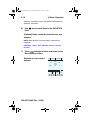
1)
Press
to turn on the
Plum A+ and you will see
the System Self-Tests
screen.
HOSPIRA Plum A+
Release XX.XX
Copyright Hospira
2005
System Self Test
In Progress
CAUTION: THE INFUSER MUST BE
INITIALLY STARTED ON AC POWER,
OTHERWISE THE DATAPORT MAY NOT
OPERATE PROPERLY.
After self-testing
**SCREENS SHOWN IN THIS MANUAL
ARE EXAMPLES ONLY AND DON’T
successfully completes,
NECESSARILY REFLECT ACTUAL
the display will proceed to
CLINICAL PRACTICE**
the next screen.
Programming the infuser may begin during the
cassette check phase of the start-up testing.
NOTE: If battery is missing or defective, a “Battery not
installed” message with a “Continue without battery” prompt
will appear (AC power only).
430-95215-003 (Rev. 10/05)
430-95215-003.book Page 5 Tuesday, December 13, 2005 2:10 PM
Plum A+ Infusion Systems
4- 5
CAUTION: DO NOT OPERATE THE PLUM A+ ON PATIENTS
WITH THE BATTERY REMOVED . U SE OF A PROPERLY
MAINTAINED AND CHARGED BATTERY HELPS CONFIRM
PROPER OPERATION.
2)
To set up the Plum A+,
insert selected Plum Set
and close cassette holder
door lever.
SETUP
Insert PLUM Set
Close Lever
NOTE: If cassette is already
inserted, this screen is skipped.
Example of Clear Settings
Screen
3)
The on-screen message
“Clear Settings?” may
appear. Select [YES] to
clear all settings.
A
SETUP
B
Clear Settings?
Yes clears ALL settings
Yes
No
Clear ALL settings when
changing patients or
multiple programming
parameters.
NOTE: This clears all delivery parameters, such as Rate and
VTBI on both lines, as well as setting items, such as the KVO
and Nurse Callback options, to their default values.
NOTE: If no settings currently exist or all settings are zero,
this screen will be bypassed.
430-95215-003 (Rev. 10/05)
430-95215-003.book Page 6 Tuesday, December 13, 2005 2:10 PM
4- 6
4) Basic Operation
4.3 Simple Delivery
Example of Main Delivery
screen (with cleared
settings).
**SCREENS SHOWN IN THIS
MANUAL ARE EXAMPLES ONLY AND
DON’T NECESSARILY REFLECT
ACTUAL CLINICAL PRACTICE**
A STOPPED STOPPED B
0
Rate
mL/hr
0
0
Vol Inf
mL
0
Back
Prime
A
B
Options/
Vol Inf
NOTE: For clarity, whole number
font sizes will appear larger than partial number font sizes
(numbers on the right-side of the comma).
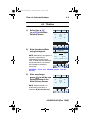
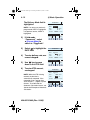
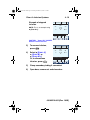
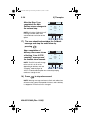
1)
To Program a delivery rate, select
2)
To enter delivery rate, use
numeric keypad.
3)
Use
key to move
down to the VTBI field.
A
[A].
PROGRAM
Rate
0
mL/hr
VTBI
0
mL
Duration
00:00
hr : min
Enter Value using keypad
Program
Options
430-95215-003 (Rev. 10/05)
Therapy
Cancel/
Back
430-95215-003.book Page 7 Tuesday, December 13, 2005 2:10 PM
Plum A+ Infusion Systems
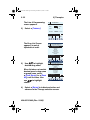
4)
To enter VTBI amount,
use keypad.
NOTE: While the VTBI is being
entered, the duration is
automatically computed. If the
computed value is greater than
99:59, dashes (- -) appear in place
of hours.
4- 7
A
VTBI
0
00:00
mL/hr
mL
hr : min
Enter Value using keypad
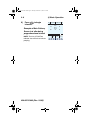
6)
Use keypad to change the
hours part of duration if
desired.
Use
5.5
Program
Options
Use
key to move
down to the DURATION field.
7)
Rate
Duration
5)
NOTE: When all parameters are
displayed, changing any one
parameter will result in other
parameters automatically being
computed. To understand the
Automatic Calculation feature, see
Section 6.8 Examples of Automatic
Calculation.
PROGRAM
A
Therapy
Cancel/
Back
PROGRAM
Rate
5.5
mL/hr
VTBI
0.5
mL
Duration
00:05
hr : min
Enter Value using keypad
Program
Options
Therapy
Cancel/
Back
to move from hours to minutes.
NOTE: The maximum hours allowed is 99 and the maximum
minutes is 59.
8)
Use keypad to change minutes.
CAUTION:
VERIFY ALL VALUES BEFORE STARTING
INFUSION.
430-95215-003 (Rev. 10/05)
430-95215-003.book Page 8 Tuesday, December 13, 2005 2:10 PM
4- 8
9)
4) Basic Operation
Press
infusion.
to begin
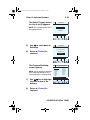
Example of Main Delivery
Screen just after being
programmed and started.
NOTE: The Line A Fluid Flow
Indicator also will flash to indicate
pumping.
430-95215-003 (Rev. 10/05)
A PUMPING STOPPED B
5.5
Rate
mL/hr
0
0.1
Vol Inf
mL
0
A
B
Options/
Vol Inf
430-95215-003.book Page 9 Tuesday, December 13, 2005 2:10 PM
Plum A+ Infusion Systems
4- 9
4.4 Titration
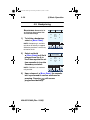
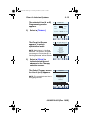
1)
Select Line [A]
(or [B]) at the Main
Delivery Screen.
A PUMPING PUMPING B
25
Rate
mL/hr
50
41
Vol Inf
mL
20
2)
Enter the desired Rate
using the keypad.
NOTE: When Rate is changed, the
duration is automatically
recomputed using the current
VTBI. To understand the Automatic
Calculation feature, see Section
6.8 Examples of Automatic
Calculation.
CAUTION:
A
Options/
Vol Inf
B
A
PROGRAM
Rate
15
mL/hr
VTBI
50
mL
03:20
Duration
hr : min
Enter Value using keypad
Program
Options
Therapy
Cancel/
Back
VERIFY ALL VALUES BEFORE STARTING
INFUSION.
3)
After any change,
press
to initiate new
Rate and return to the
Main Delivery Screen.
NOTE: Volume Infused is an
incrementing value which is
cleared in [OPTIONS/VOL INF].
A PUMPING PUMPING B
15
Rate
mL/hr
50
41.6
Vol Inf
mL
20
A
B
Options/
Vol Inf
430-95215-003 (Rev. 10/05)
430-95215-003.book Page 10 Tuesday, December 13, 2005 2:10 PM
4- 10
4) Basic Operation
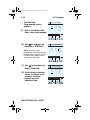
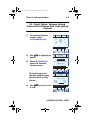
The following 3 screens are examples of
changed values.
Example of changed rate.
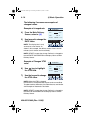
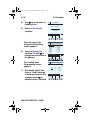
4)
5)
From the Main Delivery
Screen, select [A].
Use keypad to change the
RATE value.
A
PROGRAM
Rate
15
mL/hr
VTBI
50
mL
Duration
03:20
hr : min
Enter Value using keypad
Program
Options
Therapy
Cancel/
Back
NOTE: The display time is only
accurate to ± one minute. As
shown in this example, the delivery shows 3 hours and 20
minutes (not 3 minutes and 20 seconds).
NOTE: [START] accepts the change. Delivery is changed to
the new RATE and DURATION and display returns to Main
Delivery Screen.
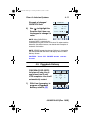
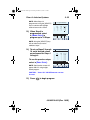
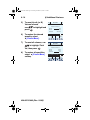
Example of Changed VTBI
value.
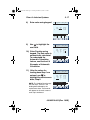
6)
Use
key to highlight
the VTBI field.
A
PROGRAM
Rate
15
VTBI
100
Duration
06:40
mL/hr
mL
hr : min
Enter Value using keypad
7)
Use the keypad to change
the VTBI value.
Program
Options
Therapy
Cancel/
Back
NOTE: When the VTBI is changed,
the Duration is recomputed with respect to the current Rate.
To understand the Automatic Calculation feature, see Section
6.8 Examples of Automatic Calculation.
NOTE: [START] accepts the change. Delivery is changed to
the new VTBI and DURATION and display returns to Main
Delivery Screen.
430-95215-003 (Rev. 10/05)
430-95215-003.book Page 11 Tuesday, December 13, 2005 2:10 PM
Plum A+ Infusion Systems
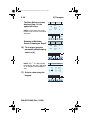
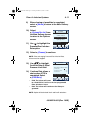
Example of changed
DURATION field.
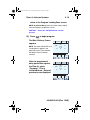
8)
4- 11
A
Use
to highlight the
Duration field, then use
the keypad to change it’s
value.
PROGRAM
Rate
15
VTBI
100
00:40
Duration
mL/hr
mL
hr : min
Enter Value using keypad
Program
Options
Therapy
Cancel/
Back
NOTE: When DURATION is
changed, RATE is automatically
recomputed using the current VTBI value. To understand the
Automatic Calculation feature, see Section 6.8 Examples of
Automatic Calculation.
NOTE: [START] accepts the change. Delivery is changed to
the new DURATION and RATE and display returns to Main
Delivery Screen.
CAUTION:
VERIFY ALL VALUES BEFORE STARTING
INFUSION.
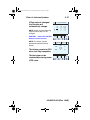
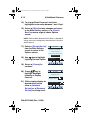
4.5 Piggyback Delivery
PIGGYBACK DELIVERYInfusion will stop Line A
and infuse Line B until
VTBI completes. Line A will
automatically restart.
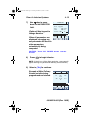
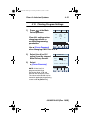
1)
With Line A pumping, to
program a Piggyback
delivery, select [B].
A PUMPING STOPPED B
5.5
Rate
mL/hr
5
20
Vol Inf
mL
0
A
B
Options/
Vol Inf
430-95215-003 (Rev. 10/05)
430-95215-003.book Page 12 Tuesday, December 13, 2005 2:10 PM
4- 12
4) Basic Operation
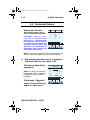
The Delivery Mode field is
highlighted.
Mode
NOTE: If an entry was previously
programmed, RATE is highlighted.
If no previous entries, MODE is
highlighted.
2)
If field reads
“Concurrent”, select
[CHANGE MODE] to
switch to “Piggyback”.
3)
Select
to highlight the
RATE field.
Piggyback
Rate
VTBI
Duration
To enter delivery rate, use
numeric keypad.
0
0
00:00
mL/hr
mL
hr : min
Change using Change Mode
Program Change
Therapy
Options
Mode
Cancel/
Back
B
PROGRAM
Mode
4)
B
PROGRAM
Piggyback
Rate
VTBI
Duration
200
0
00:00
mL/hr
mL
hr : min
Enter value using keypad
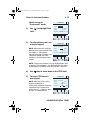
5)
Use
key to move
down to the VTBI field.
6)
To enter VTBI amount,
use keypad.
Program
Options
Therapy
430-95215-003 (Rev. 10/05)
B
PROGRAM
Mode
NOTE: While the VTBI is being
entered, the duration is
automatically computed. If the
computed value is greater than
99:59, dashes (- -) appear in place
of hours. To understand the
Automatic Calculation feature, see
Section 6.8 Examples of Automatic
Calculation.
Cancel/
Back
Rate
VTBI
Duration
Piggyback
200
100
00:30
mL/hr
mL
hr : min
Enter value using keypad
Program
Options
Therapy
Cancel/
Back
430-95215-003.book Page 13 Tuesday, December 13, 2005 2:10 PM
Plum A+ Infusion Systems
7)
4- 13
Use
key to move
down to the DURATION
field.
(Optional) Use keypad to
change duration.
When all parameters are
displayed, changing any
one parameter will result in
other parameters
automatically being
computed.
CAUTION:
B
PROGRAM
Mode
Piggyback
133
100
00:45
Rate
VTBI
Duration
mL/hr
mL
hr : min
Enter value using keypad
Program
Options
Therapy
Cancel/
Back
VERIFY ALL VALUES BEFORE STARTING
INFUSION.
8)
Press
to begin infusion.
NOTE: If Line A has a Delay Start remaining, a message will
appear warning of a possible non-delivery (see section 6.4).
9) Select
[YES] to continue.
Example of Main Delivery
Screen just after being
programmed and started.
A DELAYED PUMPING B
5.5
Rate
mL/hr
133
20
Vol Inf
mL
0.1
A
B
Options/
Vol Inf
430-95215-003 (Rev. 10/05)
430-95215-003.book Page 14 Tuesday, December 13, 2005 2:10 PM
4- 14
4) Basic Operation
4.6 Concurrent Delivery
CONCURRENT DELIVERYSimultaneous delivery of two
fluids at independent flow rates.
CAUTION: CONSULT DRUG
LABELING TO CONFIRM DRUG
COMPATIBILITY , CONCENTRATION ,
DELIVERY RATES, AND VOLUME ARE
ALL SUITABLE FOR CONCURRENT AND
PIGGYBACK DELIVERY MODES. SEE
SECTION 8 FOR INFORMATION ON
CONCURRENT FLOW, SEE SECTION 9
FOR DELIVERY RATE RANGES.
A PUMPING STOPPED B
5.5
Rate
mL/hr
0
0.1
Vol Inf
mL
0
A
B
Options/
Vol Inf
NOTE: In concurrent mode with certain alarm conditions, one
line may stop while the other line may continue to deliver.
1)
With pumping started on line A, to program a
Concurrent delivery rate, select [B].
The Delivery Mode field is
highlighted.
Mode
NOTE: If an entry was previously
programmed, RATE is highlighted.
If no previous entries, MODE is
highlighted.
If field reads “Piggyback”,
select [CHANGE MODE] to
switch to “Concurrent”.
430-95215-003 (Rev. 10/05)
B
PROGRAM
Rate
VTBI
Duration
Piggyback
0
0
00:00
mL/hr
mL
hr : min
Change using Change Mode
Program Change
Therapy
Options
Mode
Cancel/
Back
430-95215-003.book Page 15 Tuesday, December 13, 2005 2:10 PM
Plum A+ Infusion Systems
4- 15
Verify change to
“Concurrent” mode.
B
PROGRAM
Mode Concurrent
2)
Use
field.
to highlight Rate
Rate
VTBI
Duration
0
0
00:00
mL/hr
mL
hr : min
Change using Change Mode
Program Change
Therapy
Options
Mode
3)
To enter delivery rate, use
numeric keypad.
Cancel/
Back
B
PROGRAM
Mode Concurrent
NOTE: When Rate for Line A plus
Rate for Line B is greater than valid
rate ranges, a “Concurrency
violation” message will explain why
second line did not start. See
Section 9.3 for valid delivery rate
ranges.
Rate
VTBI
Duration
10
0
00:00
mL/hr
mL
hr : min
Enter value using keypad
Program
Options
Therapy
Cancel/
Back
NOTE: “Concurrency violation” may not be displayed if unit is
displaying “VTBI Complete”. The device will not start and an
invalid keypress sound will occur when START is pressed.
4)
Use
key to move down to the VTBI field.
5)
To enter VTBI amount,
use keypad.
B
PROGRAM
Mode Concurrent
NOTE: While the VTBI is being
entered, the duration is
automatically computed. While the
computed value is greater than
99:59, dashes (- -) appear in place
of hours. To understand the
Rate
VTBI
Duration
10
100
10:00
mL/hr
mL
hr : min
Enter value using keypad
Program
Options
Therapy
Cancel/
Back
430-95215-003 (Rev. 10/05)
430-95215-003.book Page 16 Tuesday, December 13, 2005 2:10 PM
4- 16
4) Basic Operation
Automatic Calculation feature, see Section 6.8 Examples of
Automatic Calculation.
6)
Use
field.
key to move down to the DURATION
(Optional) Enter values for desired hours and
minutes.
NOTE: When Duration is entered, Rate is automatically
computed.
CAUTION:
VERIFY ALL VALUES BEFORE STARTING
INFUSION.
7)
Press
to begin infusion and return to the
Main Delivery screen.
Example of a concurrent
delivery.
A PUMPING PUMPING B
5.5
Rate
mL/hr
10
20.4
Vol Inf
mL
1
A
430-95215-003 (Rev. 10/05)
B
Options/
Vol Inf
430-95215-003.book Page 17 Tuesday, December 13, 2005 2:10 PM
Plum A+ Infusion Systems
4- 17
4.7 Stop and Start with only 1 Line
Pumping
1)
Press
at the Main
Delivery Screen.
NOTE: If [A] (or [B]) is
selected prior to [STOP], the line is
stopped, the display will show the
programming screen. Select
[CANCEL/BACK] to return to the
Main Delivery screen.
Example of STOPPED
delivery.
2)
To discontinue infusion,
press
.
3)
Clamp secondary tubing
if connected.
4)
Open door, remove set
and close door. Or, press
infusion.
A PUMPING STOPPED B
100
Rate
mL/hr
0
8.5
Vol Inf
mL
0
Back
Prime
B
A
Options/
Vol Inf
A STOPPED STOPPED B
100
Rate
mL/hr
0
8.5
Vol Inf
mL
0
Back
Prime
A
B
Options/
Vol Inf
to resume
430-95215-003 (Rev. 10/05)
430-95215-003.book Page 18 Tuesday, December 13, 2005 2:10 PM
4- 18
4) Basic Operation
4.8 Stop and Start with Both Lines
pumping
1)
Press
at the Main
Delivery screen.
A PUMPING PUMPING B
25
Rate
mL/hr
50
3
Vol Inf
mL
20.4
B
A
2)
Select [STOP A],
[STOP B], or
[STOP ALL].
NOTE: If [A] (or [B]) is
selected prior to [STOP], the
display will show the programming
screen. Select [CANCEL/BACK]
to return to the Main Delivery
screen.
430-95215-003 (Rev. 10/05)
Options/
Vol Inf
A PUMPING PUMPING B
25
Rate
mL/hr
50
3
Vol Inf
mL
20.4
Choose line(s) to stop:
Stop
All
Stop
A
Stop
B
Cancel
430-95215-003.book Page 19 Tuesday, December 13, 2005 2:10 PM
Plum A+ Infusion Systems
Example of stopped
infusion.
4- 19
A STOPPED STOPPED B
NOTE: This is an example using
[STOP ALL].
25
Rate
mL/hr
50
3
Vol Inf
mL
20.4
Back
Prime
A
B
Options/
Vol Inf
CAUTION:
VERIFY ALL VALUES
BEFORE STARTING INFUSION.
3)
4)
To resume infusion,
press
.
Select [START A],
[START B], or
[START ALL].
Or, to discontinue
infusion, press
.
A STOPPED STOPPED B
25
Rate
mL/hr
50
3
Vol Inf
mL
20.4
Choose line(s) to start:
Start
All
Start
A
Start
B
5)
Clamp secondary tubing if connected.
6)
Open door, remove set and close door.
Cancel
430-95215-003 (Rev. 10/05)
430-95215-003.book Page 20 Tuesday, December 13, 2005 2:10 PM
4- 20
4) Basic Operation
4.9 Backpriming
BACKPRIMING- Removal of air
or fluid from the proximal line
and cassette airtrap.
1)
To initiate a backprime,
select [BACK PRIME].
NOTE: Backpriming is available
only when all delivery is stopped.
Secondary container is necessary
to receive the air.
2)
A STOPPED STOPPED B
Select and hold
[BACK PRIME] until fluid
pumped from line A to
line B has expelled the air
from cassette air trap into
Secondary container.
5.5
Rate
mL/hr
0
8.9
Vol Inf
mL
0
Back
Prime
A
A
B
Options/
Vol Inf
B
BACKPRIMING
5.5
Rate
mL/hr
0
8.9
Vol Inf
mL
0
Release Backprime to Stop
NOTE: Fluid flow is at maximum
rate possible.
3)
Back
Prime
A
B
Options/
Vol Inf
Upon release of [BACK PRIME], the cassette
test is performed to confirm readiness for
pumping. Pressing
will resume
programmed delivery.
430-95215-003 (Rev. 10/05)
430-95215-003.book Page 21 Tuesday, December 13, 2005 2:10 PM
Plum A+ Infusion Systems
4- 21
4.10 Clearing Program Settings
1)
Press
at the Main
Delivery Screen.
A PUMPING STOPPED B
Clear ALL settings when
changing patients or
multiple programming
parameters.
5.5
Rate
mL/hr
0
0.1
Vol Inf
mL
0
A
B
Options/
Vol Inf
Use [CLEAR PROGRAM]
when changing ONLY Line A or B.
2)
3)
Select Line A (or B if
active) from the stopped
Main Delivery Screen.
Select
[CLEAR PROGRAM].
A
PROGRAM
Rate
5.5
mL/hr
VTBI
22
mL
Duration
03:20
hr : min
Enter Value using keypad
NOTE: If Line A or B is
programmed with Dose
Calculation, Rate, VTBI and
Duration will not display values.
The values to be cleared may be
viewed in applicable programming
screen under [DRUG LIST].
Program Clear
Therapy
Options Program
Cancel/
Back
430-95215-003 (Rev. 10/05)
430-95215-003.book Page 22 Tuesday, December 13, 2005 2:10 PM
4- 22
4)
Select
4) Basic Operation
[YES].
A
PROGRAM
Clear ALL settings when
changing patients or
multiple programming
parameters.
Clear Line A Settings?
Yes
Use [CLEAR PROGRAM]
when changing ONLY Line
A or B.
Example screen of
“Cleared Program”.
5)
Select [CANCEL/BACK] to
return to the Main
Delivery screen or
program new settings.
430-95215-003 (Rev. 10/05)
A
No
PROGRAM
Rate
0
mL/hr
VTBI
0
mL
Duration
00:00
hr : min
Enter Value using keypad
Program
Options
Therapy
Cancel/
Back
430-95215-003.book Page 1 Tuesday, December 13, 2005 2:10 PM
Plum A+ Infusion Systems
5)
Dose
Calculation
Loading
Dose
Multistep
5- 1
Therapies
Allows programming Dose Rates in
alternative units of measure. Dose
Calculation can be used in Simple Delivery,
Loading Dose, and Multistep.
Allows programming of an initial infusion
rate for a specific volume, followed
automatically by a maintenance rate from
the same container (e.g., a fluid challenge). If
Dose Calc is used, the Loading Dose and
Maintenance Dose are in the same unit of
measure, over the same period of time
(mcg/min), from the same container.
Allows a sequential program to deliver up to
10 steps; fluid volumes and delivery rates
may be programmed for each step. The
program may be entered based on Rate and
Volume or Volume and Time. If Dose Calc is
used, the delivery steps are in the same unit
of measure, over the same period of time,
from the same container.
NOTE: During programming, user must identify desired drug
with softkey drug list prior to setting program parameters.
Use drug manufacturer recommendations for IV
administration when using the Plum A+ infuser.
430-95215-003 (Rev. 10/05)
430-95215-003.book Page 2 Tuesday, December 13, 2005 2:10 PM
5- 2
5) Therapies
5.1 Dose Calc (mcg/kg/min on A)
DOSE CALCULATION- Allows programming
Dose Rates in alternative units of measure.
Dose Calculation can be used in Simple
Delivery, Loading Dose, and Multistep.
Clear ALL values when changing patients or
multiple programming parameters.
Use [CLEAR PROGRAM] when changing ONLY
Line A or B.
1)
Select [A] at the Main
Delivery screen.
A STOPPED STOPPED B
**SCREENS SHOWN IN THIS
MANUAL ARE EXAMPLES ONLY AND
DON’T NECESSARILY REFLECT
ACTUAL CLINICAL PRACTICE**
The Line A Programming
screen appears.
2)
Select [THERAPY] for
Dose Calculation
programming.
0
Rate
mL/hr
0
0
Vol Inf
mL
0
Back
Prime
A
A
B
Options/
Vol Inf
PROGRAM
Rate
0
mL/hr
VTBI
0
mL
Duration
00:00
hr : min
Enter Value using keypad
Program
Options
430-95215-003 (Rev. 10/05)
Therapy
Cancel/
Back
430-95215-003.book Page 3 Tuesday, December 13, 2005 2:10 PM
Plum A+ Infusion Systems
The Drug List screen
appears, in mainly
alphabetical order.
NOTE: Default entry is “No Drug
Selected”. This selection may be
used later to remove an incorrect
or unwanted drug name from the
display.
3)
Use
to highlight
desired drug name.
When list does not contain
desired generic drug name
or group name select
[PAGE DOWN] (or [PAGE
UP]) until it shows, then
use
choice.
4)
A
Program Drug List
No Drug Selected
Abciximab
Acyclovir
Albumin
Aldesleukin
Alfentanil
Alteplase (rt-PA)
Amikacin
Select, then Enter
Page
Up
Page
Down
A
Enter
Cancel/
Back
Program Drug List
Dexmedetomidine HCI
Diltiazem
Dobutamine
Docetaxel
Dopamine
Doxorubicin
Epinephrine
Epoprostenol
Select, then Enter
Page
Up
Page
Down
Enter
Cancel/
Back
to highlight
Select [ENTER] to indicate selection and
advance to the Program Selection screen.
The Program Selection
screen for Line A appears.
5)
5- 3
Select [CHOOSE] to
select Dose Calculation
and continue.
A
PROGRAM
Dopamine
Dose Calculation
Loading Dose
Multistep
Select, then Choose
Choose
Back
430-95215-003 (Rev. 10/05)
430-95215-003.book Page 4 Tuesday, December 13, 2005 2:10 PM
5- 4
5) Therapies
The Program Dose Calc
screen appears.
NOTE: Cursor defaults to package
insert recommended dose units
associated with the selected drug.
Program Dose Calc
A
Dopamine
mL/hr
mcg/kg/min
mcg/kg/hr
mcg/min
mcg/hr
mg/kg/hr
mg/min
mg/hr
grams/hr
ng/kg/min
units/kg/hr
units/min
units/hr
mUn/min
mEq/hr
Select, then Choose
6)
Select
[CHOOSE] to
Choose
Back
continue. Or, use
to
change the units to use in
the delivery.
The Container
Concentration Selection
screen appears whenever
the selected Dose Units
are gram-based (e.g.,
grams, mg, mcg, or ng)
otherwise this screen is
skipped.
Program Dose Calc
A
Dopamine
Drug Conc in Container
mcg
mg
grams
Select, then Choose
Choose
Back
NOTE: Cursor defaults to package
insert recommended concentration
units associated with the selected
drug.
7)
Select [CHOOSE] to continue. Or, use
to change the Container Concentration units
to use in the delivery.
430-95215-003 (Rev. 10/05)
430-95215-003.book Page 5 Tuesday, December 13, 2005 2:10 PM
Plum A+ Infusion Systems
The next page of the
Program Dose Calc screen
appears to provide for
entry of delivery program
parameters.
8)
Use keypad to enter
desired values. Once
each value is entered, use
to highlight the next
programming field.
5- 5
A
Program Dose Calc
Dopamine
400 mg
Conc
Weight
250 mL
70 kg
Dose
VTBI
Duration
Rate
0
0
00: 00
0
mcg/kg/min
mL
hr : min
mL/hr
Enter value using keypad
Program
Options
Cancel/
Back
NOTE: The Concentration elements and weight value must
be entered before the [SELECT] keys allow access to
remaining fields.
9)
Continue to enter values
using the keypad, and
advancing to the next
field using
.
NOTE: As the Dose value is
entered, the Rate is automatically
calculated. To understand the
Automatic Calculation feature, see
Section 6.8 Examples of Automatic
Calculation.
A
Program Dose Calc
Dopamine
Conc
Weight
Dose
VTBI
Duration
Rate
400 mg
70 kg
10
0
00: 00
26.3
250 mL
mcg/kg/min
mL
hr : min
mL/hr
Enter value using keypad
Program
Options
Cancel/
Back
430-95215-003 (Rev. 10/05)
430-95215-003.book Page 6 Tuesday, December 13, 2005 2:10 PM
5- 6
10) Use
to scroll down to
the VTBI field.
11) Enter a value for VTBI
using the keypad.
NOTE: As the VTBI value is
entered or changes, Duration is
automatically updated.
5) Therapies
A
Program Dose Calc
Dopamine
Conc
Weight
400 mg
70 kg
Dose
VTBI
Duration
Rate
10
250
09: 30
26.3
250 mL
mcg/kg/min
mL
hr : min
mL/hr
Enter value using keypad
Program
Options
Cancel/
Back
NOTE: At this point, programming is complete unless
[PROGRAM OPTIONS] are desired. See Section 6, Additional
Features, for more information.
12) After entering the desired VTBI value and any
desired [PROGRAM OPTIONS], press
to
begin program.
This will bring up the
PROGRAM CONFIRMATION
screen which appears for
all units of measure except
mL/hr.
VERIFY ALL VALUES
BEFORE SELECTING
[YES] AND
STARTING INFUSION.
A
Program Dose Calc
Delivery will be:
Dose
10 mcg/kg/min
Dopamine
Drug
Conc
400 mg
250 mL
Weight
70 kg
Confirm Program?
CAUTION:
Yes
NOTE: The Concentration drug
amount or Diluent volume cannot be changed while a
delivery is in progress.
430-95215-003 (Rev. 10/05)
No
430-95215-003.book Page 7 Tuesday, December 13, 2005 2:10 PM
Plum A+ Infusion Systems
The Main Delivery screen
appears displaying the
information just entered.
NOTE: The Therapy Type and
Drug are displayed as well as the
Dose Rate and Dose Units.
5- 7
A PUMPING STOPPED B
Dopamine
Dose Calculation
26.3
Rate
mL/hr
0
0
Vol Inf
mL
0
10
mcg/kg/min
A
B
Options/
Vol Inf
430-95215-003 (Rev. 10/05)
430-95215-003.book Page 8 Tuesday, December 13, 2005 2:10 PM
5- 8
5) Therapies
5.2 Dose Calc (mg/min on B)
DOSE CALCULATION- Allows programming
Dose Rates in alternative units of measure.
Dose Calculation can be used in Simple
Delivery, Loading Dose, and Multistep.
Clear ALL values when changing patients or
multiple programming parameters.
Use [CLEAR PROGRAM] when changing ONLY
Line A or B.
1)
Select [B] at the Main
Delivery screen.
A PUMPING STOPPED B
Dopamine
Dose Calculation
26.3
Rate
mL/hr
0
0
Vol Inf
mL
0
10
mcg/kg/min
A
The Line B Programming
screen appears.
Select
[THERAPY].
Options/
Vol Inf
B
PROGRAM
Mode
2)
B
Rate
VTBI
Duration
Piggyback
0
0
00:00
mL/hr
mL
hr : min
Change using Change Mode
Program Change
Therapy
Options
Mode
430-95215-003 (Rev. 10/05)
Cancel/
Back
430-95215-003.book Page 9 Tuesday, December 13, 2005 2:10 PM
Plum A+ Infusion Systems
The Drug List screen
appears, in mainly
alphabetical order.
5- 9
Program Drug List
B
No Drug Selected
Abciximab
Acyclovir
Albumin
Aldesleukin
Alfentanil
Alteplase (rt-PA)
Amikacin
Select, then Enter
Page
Up
3)
Use
to highlight
desired drug name.
When list does not contain
desired generic drug name
or group name select
[PAGE DOWN] (or
[PAGE UP]) until it shows,
then use
choice.
4)
Cancel/
Back
Enter
Program Drug List
B
Leucovorin
Levofloxacin
Lidocaine
Lipids
Lorazepam
Magnesium Infusion
Mannitol
Mesna
Select, then Enter
Page
Up
Page
Down
Cancel/
Back
Enter
to highlight
Select [ENTER] to indicate selection and
advance to the Therapy Selection screen.
The Program Select screen
for Line B appears.
5)
Page
Down
Select [CHOOSE] to
continue.
PROGRAM
B
Lidocaine
Dose Calculation
Loading Dose
Multistep
Select, then Choose
Choose
Back
430-95215-003 (Rev. 10/05)
430-95215-003.book Page 10 Tuesday, December 13, 2005 2:10 PM
5- 10
5) Therapies
The Program Dose Calc
screen appears.
NOTE: Cursor defaults to
manufacturer package insert
recommended dose units
associated with the selected drug.
Program Dose Calc
mL/hr
mcg/kg/min
mcg/kg/hr
mcg/min
mcg/hr
mg/kg/hr
mg/min
mg/hr
grams/hr
ng/kg/min
units/kg/hr
units/min
units/hr
mUn/min
mEq/hr
Select, then Choose
Choose
6)
Select
B
Lidocaine
Back
[CHOOSE] to
continue. Or, use
to
change the units to use in
the delivery.
The Container
Concentration Selection
screen appears whenever
the selected Dose Units
are gram-based (e.g.,
grams, mg, mcg, or ng)
otherwise this screen is
skipped.
Program Dose Calc
B
Lidocaine
Drug Conc in Container
mcg
mg
grams
Select, then Choose
Choose
Back
NOTE: Cursor defaults to
manufacturer package insert
recommended concentration units
associated with the selected drug.
7)
Select [CHOOSE] to continue. Or, use
to change the Container Concentration units
to use in the delivery.
430-95215-003 (Rev. 10/05)
430-95215-003.book Page 11 Tuesday, December 13, 2005 2:10 PM
Plum A+ Infusion Systems
The next page of the
Program Dose Calc screen
appears to provide for
entry of delivery program
parameters.
5- 11
Program Dose Calc
B
Lidocaine
Conc
Mode
Dose
VTBI
Duration
Rate
0 grams
0 mL
Piggyback
0
0
00: 00
0
mg/min
mL
hr : min
mL/hr
Enter value using keypad
8)
Use keypad to enter
desired values. Once
entered, use
to
highlight the next field.
9)
To override the Piggyback Delivery Mode
default, scroll down to Mode using
, then
select [CHANGE MODE].
Program
Options
Cancel/
Back
NOTE: Delivery Mode option is available on Line B and its
default is Piggyback. The weight field is independent of Line
A unless Line A selected drug is weight-based. In that
scenario, the Line A weight information applies to Line B.
10) Continue entering
desired values using the
keypad. Use
to
advance to the next field.
Program Dose Calc
B
Lidocaine
Conc
Mode
Dose
VTBI
Duration
Rate
2 grams
500 mL
Concurrent
2
500
16 : 40
30
mg/min
mL
hr : min
mL/hr
NOTE: When entering the RATE,
Enter value using keypad
with a VTBI value entered, the
Program
Cancel/
DOSE and DURATION fields are
Options
Back
automatically updated. To
understand the Automatic
Calculation feature, see Section 6.8 Examples of Automatic
Calculation.
NOTE: The Duration field temporarily changes to dashes
when the computed value is larger than what can be
displayed.
430-95215-003 (Rev. 10/05)
430-95215-003.book Page 12 Tuesday, December 13, 2005 2:10 PM
5- 12
5) Therapies
11) Continue entering the RATE value, if desired.
NOTE: As Rate is entered, the Duration and Dose are
automatically adjusted as individual numbers are entered.
NOTE: If the Duration value is changed, the Rate and Dose
are automatically adjusted.
NOTE: At this point, programming is complete unless
[Program Options] are desired. See Section 6, Additional
Features, for more information.
12) Press
program.
to begin
This will bring up the
PROGRAM CONFIRMATION
screen which appears for
all units of measure except
mL/hr.
Program Dose Calc
Dose
2 mg/min
Lidocaine
Drug
Conc
2 grams 500 mL
Weight
70 kg
Confirm Program?
Yes
CAUTION:
VERIFY ALL VALUES
BEFORE SELECTING
[YES] AND
STARTING INFUSION.
NOTE: The Concentration drug
amount or Diluent volume cannot be changed while a
delivery is in progress.
430-95215-003 (Rev. 10/05)
B
Delivery will be:
No
430-95215-003.book Page 13 Tuesday, December 13, 2005 2:10 PM
Plum A+ Infusion Systems
Upon
, the Main
Delivery screen shows
delivery status for both A
and B lines.
NOTE: See Delivery Rate Range
in Section 9. The ratio of
concurrent rates has
recommendations specified in
Section 1.4.
5- 13
A STOPPED PUMPING B
Dopamine
Dose Calculation
Lidocaine
Dose Calculation
26.3
Rate
mL/hr
30
1
Vol Inf
mL
0.1
2
Dose
mcg/kg/min
A
mg/min
B
Options/
Vol Inf
430-95215-003 (Rev. 10/05)
430-95215-003.book Page 14 Tuesday, December 13, 2005 2:10 PM
5- 14
5) Therapies
5.3 Loading Dose
LOADING DOSE- Allows programming of an
initial infusion rate for a specific volume,
followed automatically by a maintenance rate
from the same container (e.g., a fluid
challenge). If Dose Calc is used, the Loading
Dose and Maintenance Dose are in the same
unit of measure, over the same period of time
(mcg/min), from the same container.
Clear ALL values when changing patients or
multiple programming parameters.
Use [CLEAR PROGRAM] when changing ONLY
Line A or B.
1)
Select [A] (or [B]) at
the Main Delivery screen.
A STOPPED STOPPED B
0
Rate
mL/hr
0
0
Vol Inf
mL
0
Back
Prime
430-95215-003 (Rev. 10/05)
A
B
Options/
Vol Inf
430-95215-003.book Page 15 Tuesday, December 13, 2005 2:10 PM
Plum A+ Infusion Systems
The selected Line (A or B)
Programming screen
appears.
2)
Select
[THERAPY].
5- 15
A
PROGRAM
Rate
0
mL/hr
VTBI
0
mL
00:00
Duration
hr : min
Enter Value using keypad
Program
Options
The Drug List Screen
appears, in mainly
alphabetical order.
NOTE: Default entry is “No Drug
Selected”. This process will guide
you through a “fluid challenge”, so
“No Drug Selected” will be entered.
3)
A
Therapy
Cancel/
Back
Program Drug List
No Drug Selected
Abciximab
Acyclovir
Albumin
Aldesleukin
Alfentanil
Alteplase (rt-PA)
Amikacin
Select, then Enter
Page
Up
Page
Down
Enter
Cancel/
Back
Select [ENTER] to
indicate selection and
advance to the Therapy
selection screen.
The Select Therapy screen
for Line A (or B) appears.
NOTE: This example shows line A
being programmed.
A
PROGRAM
Dose Calculation
Loading Dose
Multistep
Select, then Choose
Choose
Back
430-95215-003 (Rev. 10/05)
430-95215-003.book Page 16 Tuesday, December 13, 2005 2:10 PM
5- 16
4)
Use
to scroll down to
Loading Dose.
5)
Select [CHOOSE] to
continue.
5) Therapies
A
PROGRAM
Dose Calculation
Loading Dose
Multistep
Select, then Choose
Choose
The next page of the
Program Loading Dose
screen appears.
6)
Select [CHOOSE] to
continue. Or, use
to
change the units to use in
the delivery.
The Loading Dose
Programming screen
appears.
7)
The default field is Rate.
Since a “fluid Challenge”
is being performed in this
example, press
to
advance to the VTBI field.
430-95215-003 (Rev. 10/05)
Back
A Program Loading Dose
grams/hr
ng/kg/min
units/kg/hr
units/min
units/hr
mUn/min
mEq/hr
mL/hr
mcg/kg/min
mcg/kg/hr
mcg/min
mcg/hr
mg/kg/hr
mg/min
mg/hr
Select, then Choose
Choose
Back
A Program Loading Dose
1
2
Rate
mL/hr
0
0
VTBI
mL
0
0
Duration
hr : min
00 : 00
00 : 00
Enter value using keypad
Program
Options
Cancel/
Back
430-95215-003.book Page 17 Tuesday, December 13, 2005 2:10 PM
Plum A+ Infusion Systems
8)
Enter value using keypad.
5- 17
A Program Loading Dose
1
2
Rate
mL/hr
0
0
VTBI
mL
250
0
Duration
hr : min
00 : 00
00 : 00
Enter value using keypad
Program
Options
9)
Use
to highlight the
next field.
10) Enter Duration using
keypad. The Rate value is
automatically calculated.
To understand the
Automatic Calculation
feature, see Section 6.8
Examples of Automatic
Calculation.
11) After the values for
loading dose Step-1 are
entered, use
to
highlight the maintenance
dose, Step-2.
NOTE: The Loading Dose therapy
has two steps. The first is the
loading dose followed by the
maintenance dose. These words
will appear on the main screen as
each step is delivered.
Cancel/
Back
A Program Loading Dose
1
2
Rate
mL/hr
500
0
VTBI
mL
250
0
Duration
hr : min
00 : 30
00 : 00
Enter value using keypad
Program
Options
Cancel/
Back
A Program Loading Dose
1
2
Rate
mL/hr
500
75
VTBI
mL
250
0
Duration
hr : min
00 : 30
00 : 00
Enter value using keypad
Program
Options
Cancel/
Back
430-95215-003 (Rev. 10/05)
430-95215-003.book Page 18 Tuesday, December 13, 2005 2:10 PM
5- 18
5) Therapies
12) Enter the set of desired
values for Step-2 of the
program.
13) Select [PROGRAM
OPTIONS] to select a
Delayed Start or Standby.
A Program Loading Dose
1
2
Rate
mL/hr
500
75
VTBI
mL
250
750
Duration
hr : min
00 : 30
10 : 00
Enter value using keypad
Program
Options
Cancel/
Back
NOTE: At this point, programming
is complete unless [Program
Options] are desired. See Section
6, Additional Features, for more
information.
NOTE: Nurse Callback enables an
alarm when a change in the
delivery on a line occurs such as
completing Step-1 and starting
Step-2. Or on line B, a piggyback
delivery is completed and line A is
starting its delivery.
A
Program Options
Delay Start for 00:00 hr:min
Callback
No
Enter Value using keypad
Standby
14) Enter a delay time (less
than or equal to 24 hours)
using the keypad.
A
Enter
Cancel/
Back
Program Options
Delay Start for 00:05 hr:min
NOTE: Not available if a delivery is
taking place on the line.
Callback
Yes
Change using Yes/No
NOTE: Nurse Callback cannot be
changed while a delivery is taking
place on the line.
15) Select
Yes/No
Enter
Cancel/
Back
[ENTER] to accept the changes and
430-95215-003 (Rev. 10/05)
430-95215-003.book Page 19 Tuesday, December 13, 2005 2:10 PM
Plum A+ Infusion Systems
5- 19
return to the Program Loading Dose screen.
NOTE: [CANCEL/BACK] returns the fields to their original
value and displays the previous screen.
CAUTION:
INFUSION.
16) Press
VERIFY ALL VALUES BEFORE STARTING
to begin program.
The Main Delivery Screen
appears.
NOTE: The words “DELAYED” and
“Loading Dose” appear in the
upper-left corner. These indicate
the options which have been
selected.
After the programmed
delay period has expired,
the Plum A+ starts
“Pumping”. This is
indicated where “Delayed”
previously was displayed.
A DELAYED STOPPED B
Loading Dose
500
Rate
mL/hr
0
0
Vol Inf
mL
0
B
A
Options/
Vol Inf
A PUMPING STOPPED B
Loading Dose
500
Rate
mL/hr
0
0
Vol Inf
mL
0
A
B
Options/
Vol Inf
430-95215-003 (Rev. 10/05)
430-95215-003.book Page 20 Tuesday, December 13, 2005 2:10 PM
5- 20
5) Therapies
After the Step-1 has
completed, the Main
Delivery screen changes to
the second step.
NOTE: A flashing “Callback Line A”
message and the audio alarm
sound indicates activation of that
option.
A PUMPING STOPPED B
Maintenance Dose
75
Rate
mL/hr
0
250
Vol Inf
mL
0
N105 Callback Line A
B
A
Options/
Vol Inf
17) The user should acknowledge the Callback
message and stop the audio alarm by
pressing
.
Upon completion of
delivery, the screen shows
a flashing “Line A VTBI
complete” message and
the audible alarm sounds.
A
STOPPED B
KVO
Maintenance Dose
1
Rate
mL/hr
0
1000
Vol Inf
mL
0
N161 Line A VTBI complete
NOTE: The KVO rate will change
to the rate of 1 mL/hr or less
B
A
depending on delivery rate and
“Pumping” mode changes to
“KVO”. If Continue Rate option was selected, pumping
continues at original rate.
18) Press
Options/
Vol Inf
to stop alarm sound.
NOTE: Warning message continues to flash and audio alarm
will return after a two minute period of silence, unless delivery
is stopped or VTBI of last line is changed.
430-95215-003 (Rev. 10/05)
430-95215-003.book Page 21 Tuesday, December 13, 2005 2:10 PM
Plum A+ Infusion Systems
5- 21
5.4 Multistep Programming
MULTISTEP- Allows a sequential program to
deliver up to 10 steps; fluid volumes and
delivery rates may be programmed for each
step. The program may be entered based on
Rate and Volume or Volume and Time. If Dose
Calc is used, the delivery steps are in the same
unit of measure, over the same period of time,
from the same container.
Clear ALL values when changing patients or
multiple programming parameters.
Use [CLEAR PROGRAM] when changing ONLY
Line A or B.
1)
Select [A] at the Main
Delivery screen.
A STOPPED STOPPED B
0
Rate
mL/hr
0
0
Vol Inf
mL
0
Back
Prime
A
B
Options/
Vol Inf
430-95215-003 (Rev. 10/05)
430-95215-003.book Page 22 Tuesday, December 13, 2005 2:10 PM
5- 22
5) Therapies
The Line A Programming
screen appears.
2)
Select
[THERAPY].
A
PROGRAM
Rate
0
mL/hr
VTBI
0
mL
Duration
00:00
hr : min
Enter Value using keypad
Program
Options
The Drug List Screen
appears, in mainly
alphabetical order.
A
Therapy
Cancel/
Back
Program Drug List
No Drug Selected
Abciximab
Acyclovir
Albumin
Aldesleukin
Alfentanil
Alteplase (rt-PA)
Amikacin
Select, then Enter
Page
Up
3)
Use
to highlight
desired drug name.
When list does not contain
desired generic drug name
or group name, select
[PAGE DOWN] (or [PAGE
UP]) until it shows, then
use
choice.
4)
A
Page
Down
Enter
Program Drug List
Ticar-clavulanate
Tirofiban
Tobramycin
TPN
Urokinase
Vancomycin
Vecuronium
Verapamil
Select, then Enter
Page
Up
Page
Down
Enter
to highlight
Select [ENTER] to indicate selection and
advance to the Therapy selection screen.
430-95215-003 (Rev. 10/05)
Cancel/
Back
Cancel/
Back
430-95215-003.book Page 23 Tuesday, December 13, 2005 2:10 PM
Plum A+ Infusion Systems
The Select Therapy screen
for Line A (or B) appears.
5- 23
A
PROGRAM
TPN
Dose Calculation
NOTE: This example shows line A
being programmed.
Loading Dose
Multistep
Select, then Choose
Choose
5)
Use
to scroll down to
Multistep.
A
Back
PROGRAM
TPN
Dose Calculation
6)
Select [CHOOSE] to
continue.
Loading Dose
Multistep
Select, then Choose
Choose
The Program Multistep
screen appears.
NOTE: Cursor defaults to package
insert recommended dose units
associated with the selected drug.
A
Back
Program Multistep
TPN
mL/hr
mcg/kg/min
mcg/kg/hr
mcg/min
mcg/hr
mg/kg/hr
mg/min
mg/hr
grams/hr
ng/kg/min
units/kg/hr
units/min
units/hr
mUn/min
mEq/hr
Select, then Choose
7)
Use
key to highlight
the units to use in the
delivery.
8)
Select [CHOOSE] to
continue.
Choose
Back
430-95215-003 (Rev. 10/05)
430-95215-003.book Page 24 Tuesday, December 13, 2005 2:10 PM
5- 24
The Multistep
Programming screen
appears.
9)
Rate is the default field.
Enter value using keypad.
5) Therapies
Program Multistep
A
TPN
1
2
3
4
Rate
VTBI
Duration
mL/hr
50
0
0
0
mL
0
0
0
0
hr : min
00 : 00
00 : 00
00 : 00
00 : 00
Enter value using keypad
Program
Options
10) Use
to highlight the
Duration or VTBI field.
NOTE: The VTBI value is
automatically computed when the
Duration value is entered. If VTBI
is entered, the Duration value is
automatically computed.
11) Use
to drop down to
Step-2, Rate field.
12) Enter the set of desired
values for Step-2 of the
program. Continue
process for each
additional Step.
430-95215-003 (Rev. 10/05)
More
Steps
Cancel/
Back
Program Multistep
A
TPN
1
2
3
4
Rate
VTBI
Duration
mL/hr
50
0
0
0
mL
50
0
0
0
hr : min
01 : 00
00 : 00
00 : 00
00 : 00
Enter value using keypad
Program
Options
More
Steps
Cancel/
Back
Program Multistep
A
TPN
1
2
3
4
Rate
VTBI
Duration
mL/hr
50
100
0
0
mL
50
0
0
0
hr : min
01 : 00
00 : 00
00 : 00
00 : 00
Enter value using keypad
Program
Options
More
Steps
Cancel/
Back
430-95215-003.book Page 25 Tuesday, December 13, 2005 2:10 PM
Plum A+ Infusion Systems
NOTE: When Step-4 is
programmed, using the [SELECT]
keys to advance will highlight
another item on this screen.
13) When Step-4 is
programmed, select
[MORE STEPS] to
program up to 10 Steps.
5- 25
Program Multistep
A
TPN
1
2
3
4
Rate
VTBI
Duration
mL/hr
50
100
75
50
mL
50
825
75
50
hr : min
01 : 00
08 : 15
01 : 00
01 : 00
Enter value using keypad
Program
Options
More
Steps
Cancel/
Back
NOTE: Using the [SELECT] keys
will not advance you to the
additional steps.
14) To set up Steps 5 through
10, enter desired values
as performed for Steps 1
through 4.
To see the previous steps,
select [PREV STEPS].
Program Multistep
A
TPN
5
6
7
8
9
10
Rate
VTBI
Duration
mL/hr
0
0
0
0
0
0
mL
0
0
0
0
0
0
hr : min
00 : 00
00 : 00
00 : 00
00 : 00
00 : 00
00 : 00
Enter value using keypad
Program
Options
Prev
Steps
Cancel/
Back
NOTE: Confirmation screen will
appear ONLY if using weightbased program.
CAUTION:
INFUSION.
15) Press
VERIFY ALL VALUES BEFORE STARTING
to begin program.
430-95215-003 (Rev. 10/05)
430-95215-003.book Page 26 Tuesday, December 13, 2005 2:10 PM
5- 26
The Main Delivery screen
displays Step-1 in the
upper-left corner.
5) Therapies
A PUMPING STOPPED B
TPN
Step 1
NOTE: In units other than mL/hr,
the Dose rate and units also will be
displayed.
50
Rate
mL/hr
0
27.5
Vol Inf
mL
0
Example of Multistep
Screen Pumping on Step-2.
A PUMPING STOPPED B
TPN
Step 2
16) To change a program
parameter while pumping,
select [A].
100
Rate
mL/hr
0
652
Vol Inf
mL
0
17) Enter a value using the
keypad.
Program Multistep
A
TPN
d
3
4
Rate
VTBI
Duration
mL/hr
50
100
75
50
mL
50
825
75
50
hr : min
01 : 00
08 : 15
01 : 00
01 : 00
Enter value using keypad
Program
Options
430-95215-003 (Rev. 10/05)
Options/
Vol Inf
B
A
NOTE: The “*” in a Step number
field indicates the step is delivering
or “d” indicates each completed
step.
Options/
Vol Inf
B
A
More
Steps
Cancel/
Back
430-95215-003.book Page 27 Tuesday, December 13, 2005 2:10 PM
Plum A+ Infusion Systems
If Rate value is changed,
the Duration will
automatically change.
5- 27
Program Multistep
A
TPN
d
Rate
VTBI
Duration
mL/hr
50
125
75
50
mL
50
825
75
50
hr : min
01 : 00
06 : 36
01 : 00
01 : 00
NOTE: Only the current delivering
step and future steps can be
changed.
Enter value using keypad
CAUTION:
Program
Options
VERIFY ALL VALUES
BEFORE STARTING INFUSION.
NOTE: The Values are now
updated on the Main Delivery
Screen.
The infuser reverts to KVO
when last Step completes.
The last step can be
restarted by entering a new
VTBI value.
3
4
More
Steps
Cancel/
Back
A PUMPING STOPPED B
TPN
Step 2
125
Rate
mL/hr
0
658
Vol Inf
mL
0
A
B
Options/
Vol Inf
430-95215-003 (Rev. 10/05)
430-95215-003.book Page 28 Tuesday, December 13, 2005 2:10 PM
5- 28
5) Therapies
NOTES
430-95215-003 (Rev. 10/05)
430-95215-003.book Page 1 Tuesday, December 13, 2005 2:10 PM
Plum A+ Infusion Systems
6)
6- 1
Additional Features
6.1 Simple Delivery Using Drug List
1)
Select Line [A] (or
[B]) at the Main Delivery
screen.
A STOPPED STOPPED B
0
Rate
mL/hr
0
0
Vol Inf
mL
0
**SCREENS SHOWN IN THIS MANUAL
ARE EXAMPLES ONLY AND DON’T
Back
Prime
NECESSARILY REFLECT ACTUAL
CLINICAL PRACTICE**
The Line A Programming
screen appears.
2)
Select
[PROGRAM OPTIONS].
A
Options/
Vol Inf
B
A
PROGRAM
Rate
0
mL/hr
VTBI
0
mL
Duration
00:00
hr : min
Enter Value using keypad
Program
Options
The default screen for
Program Options appears.
3) Select
[DRUG LIST].
A
Therapy
Cancel/
Back
Program Options
Delay Start for 00:00 hr:min
Callback
No
Enter Value using keypad
Drug
List
Standby
Enter
Cancel/
Back
430-95215-003 (Rev. 10/05)
430-95215-003.book Page 2 Tuesday, December 13, 2005 2:10 PM
6- 2
6) Additional Features
The Drug List Screen
appears, in mainly
alphabetical order.
A
Program Drug List
No Drug Selected
Abciximab
Acyclovir
Albumin
Aldesleukin
Alfentanil
Alteplase (rt-PA)
Amikacin
Select, then Enter
Page
Up
4)
Use
to highlight
desired drug name.
When list does not contain
desired generic drug name
or group name select
[PAGE DOWN] (or [PAGE
UP]) until it shows, then
use
choice.
5)
A
Enter
Cancel/
Back
Program Drug List
Dexmedetomidine HCI
Diltiazem
Dobutamine
Docetaxel
Dopamine
Doxorubicin
Epinephrine
Epoprostenol
Select, then Enter
Page
Up
Page
Down
Enter
Cancel/
Back
to highlight
Select [ENTER] to indicate selection and
return to the Program Options screen. Or,
select [CANCEL/BACK] if no choice is
acceptable.
Drug name is now visible
in the upper-left corner.
6)
Page
Down
Select [ENTER] or
[CANCEL/BACK] to return
to the Line Programming
screen.
CAUTION:
VERIFY ALL VALUES
BEFORE STARTING INFUSION.
430-95215-003 (Rev. 10/05)
A
Program Options
Dopamine
Delay Start for 00:00 hr:min
Callback
No
Enter Value using keypad
Drug
List
Standby
Enter
Cancel/
Back
430-95215-003.book Page 3 Tuesday, December 13, 2005 2:10 PM
Plum A+ Infusion Systems
Notice the drug name
remains in the upper-left
corner.
7)
6- 3
A
PROGRAM
Dopamine
Enter a RATE using the
keypad.
Rate
5
VTBI
250
50:00
Duration
mL/hr
mL
hr : min
Enter Value using keypad
Program
Options
8)
Use
to highlight the
VTBI field and enter a
value. The DURATION will
be automatically calculated.
9)
Press
to begin
program and return to the
Main Delivery screen.
Notice the drug name
remains in the upper-left
corner.
Therapy
Cancel/
Back
A PUMPING STOPPED B
Dopamine
5
Rate
mL/hr
0
0.1
Vol Inf
mL
0
A
B
Options/
Vol Inf
430-95215-003 (Rev. 10/05)
430-95215-003.book Page 4 Tuesday, December 13, 2005 2:10 PM
6- 4
6) Additional Features
6.2 Simple Delivery Using Delayed Start
1)
Before or after entering
the simple delivery
program, select
[PROGRAM OPTIONS].
Mode Concurrent
Rate
VTBI
NOTE: To program a Delayed Start
using a Therapy (i.e., Dose Calc)
you must first select which line you
want (A or B), next select
[DRUG LIST], and then
[PROGRAM OPTIONS]. If you
program the Delayed Start first, it
will be cleared upon entry into
Program mode.
The Default screen for
Program Options appears.
B
PROGRAM
Duration
5
250
50:00
mL/hr
mL
hr : min
Change using Change Mode
Program Change
Therapy
Options
Mode
Program Options
Cancel/
Back
B
Delay Start for 00:00 hr:min
Callback
No
Enter Value using keypad
Drug
List
430-95215-003 (Rev. 10/05)
Standby
Enter
Cancel/
Back
430-95215-003.book Page 5 Tuesday, December 13, 2005 2:10 PM
Plum A+ Infusion Systems
2)
Enter values for desired
hours and/or minutes.
3)
Select [ENTER] to
confirm delayed start.
CAUTION:
VERIFY ALL VALUES
BEFORE STARTING INFUSION.
4)
6- 5
Program Options
B
Delay Start for 01:00 hr:min
Callback
No
Enter Value using keypad
Drug
List
Standby
Enter
Cancel/
Back
Press
to begin
program.
Line B is delayed for the
time entered.
NOTE: Delayed line drip indicator
is solid, not flashing. It will begin
flashing when actually pumping.
A PUMPING DELAYED B
125
Rate
mL/hr
5.0
850
Vol Inf
mL
0.0
A
B
Options/
Vol Inf
6.3 Piggyback with Nurse Callback
1)
After programming in
desired values for both
lines, select [PROGRAM
OPTIONS].
Mode
Rate
VTBI
NOTE: To set a nurse callback, the
infuser must be stopped. This
function can be selected either
before or after entering the
Piggyback delivery program.
B
PROGRAM
Duration
Piggyback
200
100
00:30
mL/hr
mL
hr : min
Enter value using keypad
Program
Options
Therapy
Cancel/
Back
430-95215-003 (Rev. 10/05)
430-95215-003.book Page 6 Tuesday, December 13, 2005 2:10 PM
6- 6
6) Additional Features
The default screen for
Program Options appears.
Use
to highlight
“Callback” field and select
[YES/NO], if necessary to
obtain “Yes”, then select
[ENTER].
Program Options
B
Delay Start for 00:00 hr:min
Callback
Yes
Change using Yes/No
Drug
List
Yes/No
Enter
Cancel/
Back
NOTE: Callback default of Yes or
No is a biomedical setting and must be configured as
described in the Technical Service Manual.
CAUTION:
INFUSION.
2)
VERIFY ALL VALUES BEFORE STARTING
Press
to begin
program and return to
Main Delivery screen.
B
PROGRAM
Mode
Piggyback
200
100
00:30
Rate
VTBI
Duration
mL/hr
mL
hr : min
Enter value using keypad
Program
Options
At end of Piggyback
delivery, with Callback
enabled for the line,
Callback alarm is issued.
3)
Press
to clear alarm.
Therapy
A PUMPING STOPPED B
5.5
Rate
mL/hr
200
0.3
Vol Inf
mL
100
Callback Line B
A
430-95215-003 (Rev. 10/05)
Cancel/
Back
B
Options/
Vol Inf
430-95215-003.book Page 7 Tuesday, December 13, 2005 2:10 PM
Plum A+ Infusion Systems
6- 7
6.4 Possible Non-Delivery Programmed
NOTE: Whenever a valid [START]
key is pressed, the device checks
the delivery program(s) for nondelivery conditions (such as Line B
Piggyback without Line A or
delayed start) that could permit a
period of non-delivery. If so, the
display presents this warning
screen.
1)
B
PROGRAM
Attention: Line A is stopped or
delayed. Line B in piggyback mode
gives no KVO or alarm at dose end.
Continue anyway?
Yes
No
Select [YES] to continue
with delivery. Or, select [NO] to cancel.
6.5 Using the Standby Feature
Standby is a feature that
enables the clinician to
program the infuser up to
23: 59 minutes in advance
of Starting.
A
Program Dose Calc
Dopamine
Conc
Weight
Dose
VTBI
Duration
Rate
400 mg
70 kg
10
250
09: 30
26.3
250 mL
mcg/kg/min
mL
hr : min
mL/hr
Enter value using keypad
1)
If Line A is infusing/
programmed, select [A]
(or [B])to access
program screen of line to
be placed on Standby.
2)
Select
[PROGRAM OPTIONS].
3)
Select
[STANDBY].
Program
Options
Cancel/
Back
430-95215-003 (Rev. 10/05)
430-95215-003.book Page 8 Tuesday, December 13, 2005 2:10 PM
6- 8
4)
6) Additional Features
Confirm the information
displayed is correct, then
select [YES] to place
program on Standby
mode.
Program Dose Calc
A
Delivery will be:
Dose
Drug
Conc
Weight
Rate
10 mcg/kg/min
Dopamine
400 mg 250 mL
70 kg
26.3 mL/hr
Put delivery in Standby?
NOTE: This example screen
shows a Dose Calculation Program
with a Standby. It looks similar to
the Program Confirmation screen
with the substitution of “Put
delivery in Standby” replacing
“Confirm Program”. Selecting
[YES] confirms both the Program
and the Standby.
5)
Press
to remove
Standby and start the
program.
Yes
No
A STANDBY STOPPED B
Dopamine
Dose Calculation
26.3
Rate
mL/hr
0
0
Vol Inf
mL
0
10
mcg/kg/min
A
430-95215-003 (Rev. 10/05)
B
Options/
Vol Inf
430-95215-003.book Page 9 Tuesday, December 13, 2005 2:10 PM
Plum A+ Infusion Systems
6- 9
6.6 Select Option- Volumes Infused,
Pressure/Post Infusion Rate, and Lighting/
Contrast
1)
To select the Options
screen, select
[OPTIONS/VOL INF].
A PUMPING STOPPED B
5.5
Rate
mL/hr
0
393
Vol Inf
mL
0
B
Options/
Vol Inf
OPTIONS
B
A
2)
Use
option.
to highlight an
A
Release 11.x - xx/xx/xx
Volumes Infused
3)
Select [CHOOSE] to
select the Volumes
Infused screen.
Pressure/Post Infusion Rate
Lighting/Contrast
Select, then Choose
Choose
This will bring up the
Volumes Infused screen
which defaults to Total
Volume.
4)
Use
A or B.
to scroll to Line
A
Back
B
OPTIONS
Volumes Infused
Line A
Line B
Total Vol
0 mL
0 mL
393 mL
Press CLEAR to clear value
Enter
Cancel/
Back
430-95215-003 (Rev. 10/05)
430-95215-003.book Page 10 Tuesday, December 13, 2005 2:10 PM
6- 10
5)
6) Additional Features
To reset Line A (or B)
Volume Infused,
use
press
6)
7)
A
to highlight and
Volumes Infused
Line A
Line B
Total Vol
.
To restore the cleared
quantity, select
[CANCEL/BACK].
To reset all volumes, use
B
OPTIONS
0 mL
0 mL
393 mL
Press CLEAR to clear value
Enter
A
Cancel/
Back
B
OPTIONS
to highlight Total
Vol, then press
8)
.
To restore all quantities,
[CANCEL/BACK]
select
softkey.
430-95215-003 (Rev. 10/05)
Volumes Infused
Line A
Line B
Total Vol
0 mL
0 mL
0 mL
Press CLEAR to clear value
Enter
Cancel/
Back
430-95215-003.book Page 11 Tuesday, December 13, 2005 2:10 PM
Plum A+ Infusion Systems
9)
6- 11
When clearing of quantities is completed,
select [ENTER] to return to the Main Delivery
screen.
10) Select
[OPTIONS/VOL INF] from
the Main Delivery screen
to return to the Options
screen.
11) Use
to highlight the
Pressure/Post Infusion
Rate option.
12) Select
A
B
OPTIONS
Release 11.x - xx/xx/xx
Volumes Infused
Pressure/Post Infusion Rate
Lighting/Contrast
Select, then Choose
Choose
Back
[CHOOSE] to continue.
NOTE: Prior to changing Pressure/Post Infusion Rate,
infuser must be stopped.
13) Use
to highlight
Continue Rate or Distal
Pressure Limit field.
A
Pressure/Post Infusion Rate
Continue Rate
14) Continue Rate allows a
choice when VTBI is
completed. Select
[KVO/RATE].
B
OPTIONS
KVO
Distal Pressure Limit
6
psi
Distal Pressure
0
psi
Change using KVO/Rate
KVO/
Rate
Enter
Cancel/
Back
•
KVO- The infuser will revert
to a fixed KVO of 1 mL/hr or the last programmed
Rate, whichever is less.
•
Rate- The infuser will continue at the Rate programmed.
NOTE: Option will be for both line A and line B selections.
430-95215-003 (Rev. 10/05)
430-95215-003.book Page 12 Tuesday, December 13, 2005 2:10 PM
6- 12
6) Additional Features
15) To change Distal Pressure Limit when
highlighted, enter value between 1 and 15 psi.
16) Select [ENTER] to keep changes and return
to the Main Delivery screen, or [CANCEL/
BACK] to restore original values Options
screen.
NOTE: Continue Rate default of KVO or Rate is a biomedical
setting and must be configured as described in the Technical
Service Manual.
17) Select [OPTIONS/VOL INF]
from the Main Delivery
screen to return to the
Options screen.
A
B
OPTIONS
Release 11.x - xx/xx/xx
Volumes Infused
Pressure/Post Infusion Rate
Lighting/Contrast
18) Use
key to highlight
Lighting/Contrast Option.
Select, then Choose
Choose
Back
19) Select [CHOOSE] to
continue.
20) Press
key to
highlight Backlight
Intensity or Display
Contrast.
21) While viewing display for
desired effect, select
either [INCREASE
SETTING] or [DECREASE
SETTING] to change level.
430-95215-003 (Rev. 10/05)
A
OPTIONS
B
Lighting/Contrast
Backlight Intensity
Display Contrast
Use Inc/Decrease Settings
Decrease Increase
Setting Setting
Enter
Cancel/
Back
430-95215-003.book Page 13 Tuesday, December 13, 2005 2:10 PM
Plum A+ Infusion Systems
6- 13
22) Select [ENTER] to keep change(s) and return
to the Main Delivery screen, or [CANCEL/
BACK] to restore previous values and return to
the Options screen.
6.7 Variable Rate Cap
Variable Rate Cap is a biomed programmable item to set the
maximum rate values to be accepted by the device. The clinician
cannot change it once biomed has programmed it.
6.8 Examples of Automatic Calculation
AT STARTUP
Initial programming allows the clinician to enter two of the three
programming parameters (Rate, VTBI, or Duration) and the third
is automatically calculated. (Refer to table below)
1st Action
enter RATE
enter VTBI
enter RATE
2nd Action
enter VTBI
enter DURATION
enter DURATION
[AUTOCALC]
[DURATION]
[RATE]
[VTBI]
WHILE RUNNING (TITRATION)
Changing two parameters after startup of the infusion will allow
for the re-calculation of the third parameter.
430-95215-003 (Rev. 10/05)
430-95215-003.book Page 14 Tuesday, December 13, 2005 2:10 PM
6- 14
6) Additional Features
NOTE: VTBI will not be re-calculated if the Rate and Duration
are changed. VTBI must be cleared and then the new VTBI
re-entered. The new VTBI will automatically calculate a new
Rate.
1st Action
2nd Action
[AUTOCALC]
change RATE
change RATE
change VTBI
change DURATION
change VTBI
change RATE
keep VTBI
change VTBI
keep RATE
keep VTBI
change DURATION
change DURATION
[DURATION]
[DURATION]
[DURATION]
[RATE]
[RATE]
Recalculates
[RATE] based on
previous VTBI and
new DURATION
AT KVO
Audible KVO alarm will sound, clinician will need to re-set the
appropriate settings.
1st Action
enter VTBI
enter DURATION
change RATE
enter DURATION
enter VTBI
change RATE
2nd Action
keep RATE
keep RATE
enter VTBI
enter VTBI
enter DURATION
change DURATION
430-95215-003 (Rev. 10/05)
[AUTOCALC]
[DURATION]
[VTBI]
[DURATION]
[DURATION]
[RATE]
[VTBI]
430-95215-003.book Page 1 Tuesday, December 13, 2005 2:10 PM
Plum A+ Infusion Systems
7- 1
7) Alarms and Troubleshooting
7.1 Warning Messages
CORRECTIVE
ACTION
MESSAGE
POSSIBLE CAUSE
Stop delivery then turn
off
Attempting to turn the
infuser off while a
delivery is in progress.
Stop all lines, then turn
infuser off.
Warning: Replace
Battery
The battery current
charge is greater than
200 mA/hr.
Battery needs to be
replaced.
The battery voltage is
less than the depleted
threshold and charge
level is higher than the
low charge threshold.
Warning: Charger
Service
The charging circuitry
is not behaving as
expected (charge
voltage is not
changing) and can
reduce battery life.
Silence key is pressed.
Warning: Low Battery
Infuser not plugged in
to AC power.
Plug into AC power,
only about 30 minutes
of battery life remains.
NOTE: Other error and warning messages will occur
when appropriate for the current selection context. For
instance, when a change to a required parameter would
result in clearing some delivery values, the warning
message will appear when that field is selected. When an
input error has just been made, the three quick beeps of
an Invalid Key Warning will sound and an appropriate
430-95215-003 (Rev. 10/05)
430-95215-003.book Page 2 Tuesday, December 13, 2005 2:10 PM
7- 2
7) Alarms and Troubleshooting
warning message will be shown to explain the problem.
All such messages will be cleared or replaced by another
message upon the next valid input key press.
7.2 Response to Alarms
1. Disable Lockout by confirming back switch is in the down
position or press the decimal key followed by 9, 6, & 3 on the
keypad.
2. Press [SILENCE] key.
3. Identify/Observe Alarm condition.
4. Correct Alarm condition (see following tables).
5. Press [START] to resume infusion.
NOTE: Alarm messages begin with an alphanumeric
code for tracking purposes only. If troubleshooting does
not correct the problem, record the code number and
contact technical support.
430-95215-003 (Rev. 10/05)
430-95215-003.book Page 3 Tuesday, December 13, 2005 2:10 PM
Plum A+ Infusion Systems
7- 3
GENERAL ALARMS
CODE
MESSAGE
POSSIBLE CAUSE
CORRECTIVE
ACTION
N100
Unrecognized
cassette
Attempting to use
unrecognized cassette.
Turn off or insert
recognized cassette.
N101
No Action
Alarm
Infuser programming
incomplete.
Press [START] or
continue
programming.
N102
Infuser Idle 2
Minutes
Pump is ON without
operator input.
Begin programming
or turn infuser OFF.
Standby time has
elapsed.
Re-enter all
programmed data.
N103
Memory
Failure
The infuser did not
accept the previous
programmed data.
Re-enter all
programmed data.
N230
Prox Air,
Backprime
When the total
proximal air detected
exceeds the limit.
Check for clamps, or
empty containers on
line A or B. Correct
as necessary.
Backprime into line B
tubing or syringe.
N180,
N181,
N186
Distal
Occlusion
Distal line kinked, IV
site clotted or
positional, pressure
limit set too low.
Check distal tubing,
check IV site, reset
pressure limit.
See page 1-17 for
detailed instructions
for avoiding a bolus
following a distal
occlusion.
N187
Neg Distal
Occlusion
Pump too high above
patient or defective
set.
Lower infuser or
replace set.
N233,
N234
Distal Air
When air is detected at
the distal sensor and
exceeds the limit.
Remove and reprime
cassette using
standard technique.
430-95215-003 (Rev. 10/05)
430-95215-003.book Page 4 Tuesday, December 13, 2005 2:10 PM
7- 4
7) Alarms and Troubleshooting
CODE
MESSAGE
POSSIBLE CAUSE
CORRECTIVE
ACTION
N250
Door open
while pumping
Pump door opened
while operating.
Close door with
cassette inserted.
N251
Cassette Test
Failure
Faulty cassette,
proximal or distal
occlusion or air in
cassette detected at
start up.
Check clamps,
manually reprime set,
close door.
Backprime into line B
tubing or syringe if
appropriate. If alarm
recurs on retest,
replace set. If alarm
repeats, replace
infuser.
N252
Depleted
Battery
Too much time on
battery power.
Plug into AC (mains)
power.
N253
Hard lockout
Violation
The use of the [STOP]
key during delivery, or
opening the door,
while lockout is
enabled.
Unlock lockout
switch.
N254
Hard lockout
Enabled
Pressing of any key
except [STOP] during
delivery while any
alarm is active and
lockout is enabled.
Unlock lockout
switch.
N255
Soft lockout
Violation
The use of the [STOP]
key during delivery, or
opening the door,
while lockout is
enabled.
Unlock lockout by
pressing the decimal
key, followed by 9, 6,
& 3 on the keypad.
N256
Soft lockout
Enabled
Pressing of any key
except [STOP] during
delivery while any
alarm is active and
lockout is enabled.
Unlock lockout by
pressing the decimal
key, followed by 9, 6,
& 3 on the keypad.
430-95215-003 (Rev. 10/05)
430-95215-003.book Page 5 Tuesday, December 13, 2005 2:10 PM
Plum A+ Infusion Systems
7- 5
LINE A ALARMS
CORRECTIVE
ACTION
CODE
MESSAGE
POSSIBLE CAUSE
N105
Callback Line
A
Alarm programmed by
user. Change in
delivery for Loading
Dose to Maintenance
Step or for any step in
“Multistep” therapy
provided the step is
not the last step.
Press [SILENCE].
N161
Line A VTBI
complete
VTBI complete on line
A.
Program new VTBI.
N185
Prox Occl A At
Startup
Proximal line
obstructed, line A
container (or syringe)
disconnected or
obstructed during nondelivery (startup).
Examine line A for
kinks or closed
clamps. If there are
closed clamps, open
the clamps. Then,
open and close door.
Continue
programming.
Replace set if
problem persists.
If clamps are not
opened prior to
completion of
cassette test, peak
proximal occlusion
may recur.
For syringe, select
[Backprime].
430-95215-003 (Rev. 10/05)
430-95215-003.book Page 6 Tuesday, December 13, 2005 2:10 PM
7- 6
7) Alarms and Troubleshooting
CORRECTIVE
ACTION
CODE
MESSAGE
POSSIBLE CAUSE
N184,
N190,
N191
Prox Occl A /
Air
Proximal line
obstructed, line A
container disconnect
or obstruction.
Examine line A for
kinks, closed clamps,
or air in cassette.
N232
Prox Air A,
Backprime
When proximal air
detected exceeds the
limit for the line.
Check for clamps, or
empty container.
Correct as
necessary.
Backprime into line B
tubing or syringe.
430-95215-003 (Rev. 10/05)
430-95215-003.book Page 7 Tuesday, December 13, 2005 2:10 PM
Plum A+ Infusion Systems
7- 7
LINE B ALARMS
POSSIBLE
CAUSE
CORRECTIVE
ACTION
Callback
Line B
Alarm programmed
by user. Change in
delivery for piggyback
delivery, Loading
Dose to Maintenance
Step, or for any step
in “Multistep” therapy
provided the step is
not the last step.
Press [SILENCE].
N160
Line B VTBI
complete
VTBI complete on line
B.
Program new VTBI.
N183
Prox Occl B
At Startup
Proximal line
obstructed, line B
container (or syringe)
disconnected or
obstructed during
non-delivery (startup).
Examine line B for
kinks or closed clamps.
If there are closed
clamps, open the
clamps. Then, open
and close door.
Continue
programming. Replace
set if problem persists.
CODE
MESSAGE
N104
If clamps are not
opened prior to
completion of cassette
test, peak proximal
occlusion may recur.
For syringe, select
[Backprime].
430-95215-003 (Rev. 10/05)
430-95215-003.book Page 8 Tuesday, December 13, 2005 2:10 PM
7- 8
7) Alarms and Troubleshooting
CODE
MESSAGE
N182,
N188,
N189
Prox Occl B
/ Air
N231
Prox Air B,
Backprime
POSSIBLE
CAUSE
CORRECTIVE
ACTION
Proximal line
obstructed, line B
container
disconnected or
obstructed.
Examine line B for
kinks, closed clamps,
or air in cassette.
When proximal air
detected exceeds the
limit for the line.
Check for clamps, or
empty container.
Correct as necessary.
Backprime into line B
tubing or syringe.
Occlusion caused by
empty container,
backprime into line B
tubing or syringe.
MALFUNCTIONS
CODE
MESSAGE
E300 or
higher
Malfunction
POSSIBLE
CAUSE
CORRECTIVE
ACTION
A failure has occurred
in the infuser’s
internal systems.
Record Malfunction
error code. Pump
must be turned OFF
to clear malfunction.
If alarm malfunction
repeats, replace
infuser.
430-95215-003 (Rev. 10/05)
430-95215-003.book Page 1 Tuesday, December 13, 2005 2:10 PM
Plum A+ Infusion Systems
8)
8- 1
Maintenance and Storage
8.1 Cleaning, Maintenance, and Storage
The cleaning, maintenance, and storage of the Plum A+ are
described in this section.
CLEANING AND SANITIZING
For proper maintenance of the Plum A+, observe the following
cleaning and sanitizing guidelines.
Establish a routine weekly schedule for cleaning the infuser. To
clean, proceed as follows:
•
Turn the Plum A+ off using the [ON/OFF] switch
•
Disconnect from AC (mains) power
The exposed surfaces of the Plum A+ may be cleaned with a lintfree cloth dampened by one of the recommended cleaning
solutions in the following list or mild, nonabrasive soapy water.
Clean the cassette door with a soft, lint-free cloth, dampened with
one of the cleaning agents listed in the following table, or a mild
solution of soapy water. Use a small non-abrasive brush to aid in
cleaning the infusion system housing and subsystem chassis
components. To thoroughly clean the cassette receptacle,
disengage the cassette door from the door latch by pressing the
door release tab.
CAUTION:
DO NOT ALLOW CLEANING SOLUTIONS TO
SATURATE THE AIR-IN-LINE DETECTORS OR ENTER THE DEVICE
WHEN CLEANING THE AIR-IN-LINE DETECTORS.
430-95215-003 (Rev. 10/05)
430-95215-003.book Page 2 Tuesday, December 13, 2005 2:10 PM
8- 2
CLEANING
SOLUTION
8) Maintenance and Storage
MANUFACTURER
PREPARATION
CoverageTMHBV
Steris Corporation, A
division of Calgon
Vestal Laboratories
Per manufacturer's
recommendation
Formula CTM
Diversey Corporation
Per manufacturer's
recommendation
Dispatch®
Caltech Industries
Per manufacturer's
recommendation
Precise®
Caltech Industries
Per manufacturer's
recommendation
Household bleach
Various
Per hospital
procedures; do not
exceed one part
bleach in ten parts
water
Manu-Klenz®
Calgon Vestal
Laboratories
Per manufacturer's
recommendation
Sporicidin®
Sporicidin International
Per manufacturer's
recommendation
Super Edisonite®
S. M. Edison Co.
Per manufacturer's
recommendation
The rubber pad on the Plum A+3 pole clamp, as well as the IV
poles for both instruments, may be cleaned using isopropyl
alcohol.
On a routine basis, clean all of the elements behind the cassette
door using cotton-tipped swabs saturated with cleaning solution.
The cassette door may be unlatched from the door handle to
facilitate cleaning.
430-95215-003 (Rev. 10/05)
430-95215-003.book Page 3 Tuesday, December 13, 2005 2:10 PM
Plum A+ Infusion Systems
8- 3
To unlatch the cassette door from its handle, tilt the device back,
open the cassette door, then push the door release tab to open
the door fully.
CAUTION: T O AVOID MECHANICAL OR ELECTRONIC
DAMAGE, DO NOT IMMERSE THE PLUM A+ IN ANY FLUIDS OR
CLEANING SOLUTIONS.
CAUTION: DO NOT SPRAY CLEANING SOLUTIONS TOWARD
ANY OPENING IN THE INSTRUMENT.
CAUTION:
CERTAIN CLEANING AND SANITIZING
SOLUTIONS MAY SLOWLY DEGRADE COMPONENTS MADE
FROM SOME PLASTIC MATERIALS . U SING ABRASIVE
CLEANERS OR CLEANING SOLUTIONS NOT RECOMMENDED BY
HOSPIRA MAY RESULT IN PRODUCT DAMAGE. DO NOT USE
COMPOUNDS CONTAINING COMBINATIONS OF ISOPROPYL
ALCOHOL AND DIMETHYL BENZYL AMMONIUM CHLORIDE.
CAUTION:
N EVER USE SHARP OBJECTS SUCH AS
FINGERNAILS, PAPER CLIPS, OR NEEDLES TO CLEAN ANY PART
OF THE INFUSER.
CAUTION: DO NOT STERILIZE BY HEAT, STEAM, ETHYLENE
(ETO), OR RADIATION.
OXIDE
CAUTION: T O AVOID INFUSER DAMAGE , CLEANING
SOLUTIONS SHOULD ONLY BE USED AS DIRECTED. THE
DISINFECTING PROPERTIES OF CLEANING SOLUTIONS VARY;
CONSULT THE MANUFACTURER FOR SPECIFIC INFORMATION.
BATTERY MAINTENANCE
CAUTION: DO NOT OPERATE THE INFUSER ON PATIENTS
WITH THE BATTERY REMOVED . U SE OF A PROPERLY
MAINTAINED AND CHARGED BATTERY HELPS CONFIRM
PROPER OPERATION.
CAUTION:
CONNECT TO
I F THE LOW - BATTERY ALARM SOUNDS ,
AC (MAINS) POWER IMMEDIATELY.
The Plum A+ is battery powered for emergency backup and
temporary portable operation. A fully charged, new battery
provides six hours of operation at 125 ml/hr or 500 ml total
volume delivered, whichever occurs first.
430-95215-003 (Rev. 10/05)
430-95215-003.book Page 4 Tuesday, December 13, 2005 2:10 PM
8- 4
8) Maintenance and Storage
NOTE: For optimum battery life, the Plum A+ should be
operated on battery power for six continuous hours at
least once every six months and then charged for a
minimum of eight hours.
The battery charges whenever connected to AC (mains) power. If
the infuser is switched OFF, recharge takes approximately six
hours. Recharge takes longer if the infuser is turned ON.
As a general rule, the more often the battery is partially
discharged and recharged, the sooner it will need to be replaced.
Consult a qualified biomedical technician for battery replacement
if necessary.
To maintain maximum battery charge and to prolong battery life,
connect the infuser to AC (mains) power whenever possible.
STORAGE
To prolong the life of the Plum A+, observe the following storage
precautions:
•
Store the away from excessive heat, cold, and
humidity
•
Store connected to AC (mains) power
•
Switch the infuser OFF using the [ON/OFF] key
SERVICE
All servicing or adjustments to the Plum A+ should be referred to
qualified technical personnel. A technical service manual may be
ordered from the local Hospira sales office.
430-95215-003 (Rev. 10/05)
430-95215-003.book Page 1 Tuesday, December 13, 2005 2:10 PM
Plum A+ Infusion Systems
9)
9- 1
Specifications
NOTE: Specification information applies to both systems
(Plum A+ & Plum A+3) unless otherwise noted.
PHYSICAL
DimensionsPlum A+:
Plum A+3:
Weight- Plum A+:
Plum A+3:
Casing:
Approximately 8” X 8” X 6”, excluding pole
clamp protrusion and power cord storage.
Approximately 19” X 15” X 14”, including pole
clamp, barcode wand holder, and power cord.
Approximately 9.5 lbs. with battery.
Approximately 28 ibs. with (3) batteries.
High-impact plastic.
ELECTRICAL
Power RequirementsPlum A+:
120 V~, 50-60 Hz, 35 VA.
Plum A+3:
120 V~, 50-60 Hz, 120 VA.
Fuses:
Power Cord:
Battery- Plum A+:
Plum A+3:
Battery Life:
F1, F2, 250V~, 0.5 A. (internal)
Hospital-grade AC cord. 10 ft long, with
transparent plug and retainer plate.
One sealed, lead-acid, rechargeable 6 V
battery, internal to device.
Three sealed, lead-acid, rechargeable 6 V
batteries, internal to device.
With a new fully charged battery, the infuser
shall operate for a minimum of six hours at 125
mL/hr or less, or deliver 500 mL at 126 mL/hr or
greater on one line.
430-95215-003 (Rev. 10/05)
430-95215-003.book Page 2 Tuesday, December 13, 2005 2:10 PM
9- 2
9) Specifications
Recharge:
Electrical Leakage:
NURSE-CALL
System:
The battery charges whenever the infuser(s) is
connected to AC power. The recharge time is
approximately six hours with the device
operating at 125 mL/hr on one line.
Meets ANSI/AAMI ES1-1993 standard: Safe
Current Limits for Electro-medical Apparatus.
NURSE-CALL alarm is factory set for NormallyOpen (NO)
Contact the Technical Services Center to make
an internal adjustment to change the device
from Normally-Open (NO) to Normally Closed
(NC) system.
Circuitry Ratings:
Voltage-30 VDC Max
Current- 0.25 Amps Max
Contact Rating- 3 Watts Max
VTBI RANGE
VTBI Range:
0.1 to 99.9 mL (in 0.1 mL increments)
100 to 9999 mL (in 1 mL increments)
ENVIRONMENT
Operating
Temperature:
Storage Temperature:
Atmospheric
Pressure:
Relative Humidity:
5° to 40° C
-20° to 60° C
0 - 10,000 feet (0 - 3,000m) or equivalent
pressure
10 - 90% (40° C Max)
DELIVERY RATE RANGE
Lines A and B:
0.1 - 99.9 mL/hr (in 0.1 mL increments)
100 - 999 mL/hr (in 1 mL increments)
430-95215-003 (Rev. 10/05)
430-95215-003.book Page 3 Tuesday, December 13, 2005 2:10 PM
Plum A+ Infusion Systems
Concurrent Delivery:
PlumSet:
KVO:
9- 3
0.5 mL/hr minimum for each line
500 mL/hr cumulative (A+B) maximum
1.0 mL/hr or the last primary delivery rate,
whichever is less
AIR-IN-LINE ALARM
PlumSet (Distal):
Bolus 0.1 mL (100 microliters) or larger for
delivery rates less than 500 mL/hr.
Bolus 0.5 mL (500 microliters) or larger for
delivery rates equal to or greater than 500
mL/hr.
Cumulative 0.25 mL out of 2.6 mL for
delivery rates less than 500 mL/hr.
Cumulative 0.50 mL out of 5.3 mL for
delivery rates equal to or greater than 500
mL/hr.
PlumSet (Proximal):
Bolus at 0.5 mL, Total 1.0 mL
OCCLUSION ALARM AND LIMITS
Distal Occlusion:
The DISTAL OCCLUSION alarm sounds
after the distal set tubing or set outlet fitting
becomes occluded.
Proximal Occlusion:
The PROXIMAL OCCLUSION alarm
sounds if the tubing proximal to the
cassette becomes occluded.
Distal Pressure Limit
(without alarm):
1 to 15 psig. The maximum pressure is
user-selectable. Factory default setting is 6
psig.
Maximum Infusion
Pressure:
20 psig
430-95215-003 (Rev. 10/05)
430-95215-003.book Page 4 Tuesday, December 13, 2005 2:10 PM
9- 4
9) Specifications
TIME TO DETECT DOWNSTREAM OCCLUSIONS
OCCLUSION
ALARM
PRESSURE
SETTING
TYPICAL TIME
TO ALARM
(MACRO)
MAXIMUM TIME
TO ALARM
(MACRO)
25 mL/
hr
6 psig
38 seconds
47 seconds
15 psig
98 seconds
106 seconds
1 mL/hr
6 psig
17 minutes
22 minutes
15 psig
45 minutes
49 minutes
RATE
* Baseline backpressure is 0 psig *
BOLUS VOLUME RELEASED AFTER
DOWNSTREAM OCCLUSIONS ARE CORRECTED
OCCLUSION
ALARM
PRESSURE
SETTING
TYPICAL
BOLUS
VOLUME
(MACRO)
MAXIMUM BOLUS
VOLUME
(MACRO)
25 mL/
hr
6 psig
0.23 mL
0.28 mL
15 psig
0.55 mL
0.63 mL
1 mL/hr
6 psig
0.24 mL
0.30 mL
15 psig
0.59 mL
0.70 mL
RATE
* Baseline backpressure is 0 psig *
DELIVERY ACCURACY
The Plum A+ Infuser was designed and manufactured to maintain a
volumetric delivery rate error of the total fluid delivered of less than
or equal to ± 5% over the course of 48 hours at a programmed rate
of 1 to 999 mL/hr during normal operating conditions. For use of the
device at rates below 1 mL/hr, the delivery rate error is less than or
equal to ± 10%.
Backpressure Effect- Positive backpressure on the distal line may
affect delivery accuracy by no more than 0.5% per psig (2% per
430-95215-003 (Rev. 10/05)
430-95215-003.book Page 5 Tuesday, December 13, 2005 2:10 PM
Plum A+ Infusion Systems
9- 5
psig for rates between 0.1 and 0.9 mL/hr) for backpressures up to
15 psig. A typical deviation under these conditions is 0.3%.
Negative backpressure may affect delivery accuracy no more than
2% for pressures up to -2 psig (56 inches of water). A typical
deviation under these conditions is 0.3%.
Filling Head Effect- Variations in filling head (such as container
height) may affect delivery accuracy by no more than 2% for
variations in the range -15 to +28 inches. A typical deviation under
these conditions is 0.5%.
Concurrent Delivery Effect- When both lines (A & B) are delivering,
the ratio of delivery for the fluid with the lowest rate may be affected
by as much as 5% for ratios up to 9 to 1. For higher ratios, the
absolute percentage of delivery for the lowest rate may be affected
by no more than 0.5%. When air is present in the bubble trap, the
absolute percentage of delivery for the lowest rate may be affected
by up to 2.0%. When variations in container height are present, the
absolute percentage of delivery for the lowest rate may be affected
by up to 2.5% for up to 24 inches of container height differences.
ENTERAL & HIGH VISCOSITY FLUIDS EFFECTS
System delivery accuracy limits for each Enteral and High Viscosity
Fluid, such as those listed in the following table, can be degraded
by an additional maximum of 5%. System accuracy for Enteral
Fluids is defined only for rates of 1 to 200 mL/hr, with no suspended
air in the solution, and using an Hospira Plum enteral set.
ENTERAL/HIGH VISCOSITY FLUIDS
Dextrose 20% to 50% concentration
Isomil Powder
Similac Powder
Ensure Plus HN
Twocal HN
Jevity
430-95215-003 (Rev. 10/05)
430-95215-003.book Page 6 Tuesday, December 13, 2005 2:10 PM
9- 6
9) Specifications
TRUMPET CURVES
The Trumpet Curve Graphs following the Example show
representative maximum and minimum percent flow rate deviation
from the programmed rate over time. This information was
developed in accordance with IEC 60601-2-24: 1998, Sub-Clause
50.102. Refer to this standard for detailed information.
How to read a Trumpet Curve Graph (Refer to example on the
following page): The graphs following the Example plot flow rates at
30 second intervals for the first 2 hours and for the 96th hour of
delivery. The graph plots mean delivery rate error (Average of 3
infusers) for the 2nd hour and the 96th hour as a straight line. The
graph also presents maximum and minimum average delivery rate
error for this interval plotted by averaging delivery errors over
intervals of 2, 5, 11, 19 and 31 minutes (“Trumpet Curve”).
EXAMPLE
From the Trumpet Curve Graph sample that follows, find the 5
minute interval (A) at the horizontal axis and read the
corresponding points (B) and (C) on the vertical axis. The values
are approximately +2.8% and -0.5%.
This means that at the rate of 25 mL/hr the average maximum flow
rate fluctuation for any 5 minute time interval during the 2nd hour of
operation was within the limits of +2.8% and -0.5% from the
nominal rate. The average delivery rate error over the entire 2nd
hour was +1.6% (D).
430-95215-003 (Rev. 10/05)
430-95215-003.book Page 7 Tuesday, December 13, 2005 2:10 PM
Plum A+ Infusion Systems
9- 7
For other time intervals look at other points at the horizontal axis
and determine corresponding limits as above.
25 ML/HR, 0 mmHg DELIVERY HEAD, START UP
A
PERCENT ERROR (%)
15%
10%
B
Max Positive Error over 5
Minute Interval = +2.8%
5%
+
+
0%
+
+
+
C Max Negative Error over 5
Minute Interval = -0.5%
-5%
-10%
D
Average Delivery
Rate Error = +1.6%
-15%
0
5
10
15
20
Observation Interval (minutes)
Max
+
Min
25
30
Mean
A trained professional can use the resulting graphs to select an
infuser with the appropriate startup and flow characteristics to suit
the clinical application.
NOTE: As an example of how the trumpet curves can be
used, consider the maximum and minimum deviations at
the 5 minute average interval. The upper curve provides
the maximum expected delivery rate error over a 5
minute interval, the lower curve provides the minimum
expected delivery rate error over a 5 minute interval. An
example would be Dopamine administered at 5 µgm/kg/
min. At 5 minutes, the average drug delivery error would
be within the range of +2.8% and -0.5% of the expected
nominal rate.
430-95215-003 (Rev. 10/05)
430-95215-003.book Page 8 Tuesday, December 13, 2005 2:10 PM
9- 8
9) Specifications
25 ML/HR, 0 mmHg DELIVERY HEAD, START UP
(Typical)
50
45
40
Rate (ml/hr)
35
30
25
20
15
10
5
0
-5
-10
0
10
20
30
40
50
60
70
80
90
100
110
Time (minutes)
Actual Rate
Programmed Rate
25 ML/HR, 0 mmHg DELIVERY HEAD, START UP
(Typical)
Percent Error (%)
15%
10%
5%
0%
-5%
-10%
-15%
0
5
10
15
20
25
30
Observation Interval (minutes)
Max
Min
Mean
25 ML/HR, 0 mmHg DELIVERY HEAD, START UP
(Composite of 3 Pumps)
Percent Error (%)
15%
10%
5%
0%
-5%
-10%
-15%
0
5
10
15
20
Observation Interval (minutes)
Max
430-95215-003 (Rev. 10/05)
Min
Mean
25
30
120
430-95215-003.book Page 9 Tuesday, December 13, 2005 2:10 PM
Plum A+ Infusion Systems
9- 9
25 ML/HR, 0 mmHg DELIVERY HEAD , 96 HOURS
(Typical)
50
45
Rate (ml/hr)
40
35
30
25
20
15
10
5
0
0
10
20
30
40
50
Time (minutes)
Actual Rate
Programmed Rate
25 ML/HR, 0 mmHg DELIVERY HEAD, 96 HOURS
(Typical)
Percent Error (%)
15%
10%
5%
0%
-5%
-10%
-15%
0
5
10
15
20
25
30
Observation Interval (minutes)
Max
Min
Mean
25 ML/HR, 0 mmHg DELIVERY HEAD, 96 HOURS
(Composite of 3 Pumps)
Percent Error (%)
15%
10%
5%
0%
-5%
-10%
-15%
0
5
10
15
20
25
30
Observation Interval (minutes)
Max
Min
Mean
430-95215-003 (Rev. 10/05)
430-95215-003.book Page 10 Tuesday, December 13, 2005 2:10 PM
9- 10
9) Specifications
Rate (ml/hr)
1 ML/HR, 0 mmHg DELIVERY HEAD, START UP
(Typical)
2.0
1.8
1.6
1.4
1.2
1.0
0.8
0.6
0.4
0.2
0.0
-0.2
-0.4
0
10
20
30
40
50
60
70
80
90
100
110
Time (minutes)
Actual Rate
Programmed Rate
1 ML/HR, 0 mmHg DELIVERY HEAD, START UP
(Typical)
Percent Error (%)
15%
10%
5%
0%
-5%
-10%
-15%
0
5
10
15
20
25
30
Observation Interval (minutes)
Max
Min
Mean
1 ML/HR, 0 mmHg DELIVERY HEAD, STARTUP
(Composite of 3 Pumps)
Percent Error (%)
15%
10%
5%
0%
-5%
-10%
-15%
0
5
10
15
20
Observation Interval (minutes)
Max
430-95215-003 (Rev. 10/05)
Min
Mean
25
30
120
430-95215-003.book Page 11 Tuesday, December 13, 2005 2:10 PM
Plum A+ Infusion Systems
9- 11
Rate (ml/hr)
1 ML/HR, 0 mmHg DELIVERY HEAD, 96 HOURS
(Typical)
2.0
1.8
1.6
1.4
1.2
1.0
0.8
0.6
0.4
0.2
0.0
0
10
20
30
40
50
Time (minutes)
Actual Rate
Programmed Rate
1 ML/HR, 0 mmHg DELIVERY HEAD, 96 HOURS
(Typical)
10%
5%
0%
-5%
-10%
-15%
0
5
10
15
20
25
30
Observation Interval (minutes)
Max
Min
Mean
1 ML/HR, 0 mmHg DELIVERY HEAD, 96 HOURS
(Composite of 3 Pumps)
15%
Percent Error (%)
Percent Error (%)
15%
10%
5%
0%
-5%
-10%
-15%
0
5
10
15
20
25
30
Observation Interval (minutes)
Max
Min
Mean
430-95215-003 (Rev. 10/05)
430-95215-003.book Page 12 Tuesday, December 13, 2005 2:10 PM
9- 12
9) Specifications
NOTES
430-95215-003 (Rev. 10/05)
430-95215-003.book Page 1 Tuesday, December 13, 2005 2:10 PM
Plum A+ Infusion Systems
10- 1
10) Supplies and Accessories
10.1 Administration Fluids
ADMINISTRATION FLUIDS
•
All parenteral fluids
•
Whole Blood
•
Blood fractions
ENTERAL AND HIGH VISCOSITY FLUIDS
•
Dextrose 20% to 50% concentration
•
Isomil Powder
•
Similac Powder
•
Ensure plus HN
•
TwoCal HN
•
Packed red cells
CONTAINERS
•
Dual Chamber Parenteral flexible container
(Nutrimix)
•
Large Volume Parenteral flexible plastic containers,
including premixed
•
Large Volume Parenteral glass containers, including
premixed and nutritional
•
Part Fill Parenteral flexible plastic containers,
including ADD-Vantage
•
Part Fill Parenteral glass containers
•
Small Volume Parenterals
•
Syringes (may require special adapters)
•
Top Filled Enteral bags
•
Ready to hang Enteral solution containers
430-95215-003 (Rev. 10/05)
430-95215-003.book Page 2 Tuesday, December 13, 2005 2:10 PM
10- 2
10) Supplies and Accessories
10.2 Accessories
•
Syringe Adaptor- List# 11986-48
•
Mini Pole- List# 12096-04
•
Secondary Container Support- List# 12095-03
•
Tandem Carrier- List# 12270-01
•
Plum A+3 IV Pole (upright)- 12577-04-01
•
Plum A+3 IV Pole (base)- 12576-04-01
430-95215-003 (Rev. 10/05)
430-95215-003.book Page 1 Tuesday, December 13, 2005 2:10 PM
Plum A+ Infusion Systems
11)
11- 1
Warranty
Subject to the terms and conditions herein, Hospira, Inc., herein
referred to as Hospira, warrants that (a) the product shall conform
to Hospira’s standard specifications and be free from defects in
material and workmanship under normal use and service for a
period of one year after purchase, and (b) the replaceable battery
shall be free from defects in material and workmanship under
normal use and service for a period of 90 days after purchase.
Hospira makes no other warranties, express or implied, as to
merchantability, fitness for a particular purpose, or any other
matter.
Purchaser's exclusive remedy shall be, at Hospira’s option, the
repair or replacement of the product. In no event shall Hospira’s
liability arising out of any cause whatsoever (whether such cause
be based in contract, negligence, strict liability, other tort, or
otherwise) exceed the price of such product, and in no event shall
Hospira be liable for incidental, consequential, or special
damages or losses or for lost business, revenues, or profits.
Warranty product returned to Hospira must be properly packaged
and sent freight prepaid.
The foregoing warranty shall be void in the event the product has
been misused, damaged, altered, or used other than in
accordance with product manuals so as, in Hospira’s judgment,
to affect its stability or reliability, or in the event the serial number
or lot number has been altered, effaced, or removed.
The foregoing warranty shall also be void in the event any
person, including the Purchaser, performs or attempts to perform
any major repair or other service on the product without having
been trained by an authorized representative of Hospira and
using Hospira documentation and approved spare parts. For
purposes of the preceding sentence, "major repair or other
service" means any repair or service other than the replacement
of accessory items such as batteries and detachable mains
power cords.
430-95215-003 (Rev. 10/05)
430-95215-003.book Page 2 Tuesday, December 13, 2005 2:10 PM
11- 2
11) Warranty
In providing any parts for repair or service of the product, Hospira
shall have no responsibility or liability for the actions or inactions
of the person performing such repair or service, regardless of
whether such person has been trained to perform such repair or
service. It is understood and acknowledged that any person other
than a Hospira representative performing repair or service is not
an authorized agent of Hospira.
430-95215-003 (Rev. 10/05)
430-95215-003.book Page 1 Tuesday, December 13, 2005 2:10 PM
Plum A+ Infusion Systems
12)
12- 1
Drug List
Use drug manufacturer recommendations for IV administration
when using the Plum A+ infuser.
DRUG NAME
DEFAULT DOSE
RATE
DEFAULT
CONCENTRATION
No Drug Selected
mL/hr
Abciximab
mcg/kg/min
Acyclovir
mL/hr
N/A
Albumin
mL/hr
N/A
Aldesleukin
mL/hr
N/A
Alfentanil
mcg/kg/min
mcg/mL
Alteplase (rt-PA)
mg/kg/hr
mg/mL
Amikacin
mL/hr
Aminocaproic Acid
grams/hr
grams/mL
Aminophylline
mg/hr
mg/mL
Amiodarone
mg/min
mg/mL
Amphotericin B
mL/hr
N/A
Ampicillin-sublactam
mL/hr
N/A
Analgesic
mL/hr
N/A
Antibiotic
mL/hr
N/A
Atracurium
mL/hr
N/A
Azithromycin
mL/hr
N/A
Bleomycin
mL/hr
N/A
Blood Products
mL/hr
N/A
Bretylium
mg/min
Carboplatin
mL/hr
N/A
Cefazolin
mL/hr
N/A
Cefapime
mL/hr
N/A
N/A
mg/mL
N/A
mg/mL
430-95215-003 (Rev. 10/05)
430-95215-003.book Page 2 Tuesday, December 13, 2005 2:10 PM
12- 2
12) Drug List
DRUG NAME
DEFAULT DOSE
RATE
Cefoperazone
mL/hr
N/A
Cefotaxime
mL/hr
N/A
Cefotetan
mL/hr
N/A
Cefoxitin
mL/hr
N/A
Ceftazidime
mL/hr
N/A
Ceftizoxime
mL/hr
N/A
Ceftriaxone
mL/hr
N/A
Cefuroxime
mL/hr
N/A
Chemotherapy
mL/hr
N/A
Cimetidine
mL/hr
N/A
Ciprofloxacin
mL/hr
N/A
Cisplatin
mL/hr
N/A
Clindamycin
mL/hr
N/A
Co-trimoxazole
mL/hr
N/A
Cyclophosphamide
mL/hr
N/A
Cyclosporine
mL/hr
N/A
Cytarabine
mL/hr
N/A
Dexmedetomidine HCl
mcg/kg/hr
mcg/mL
Diltiazem
mg/hr
mg/mL
Dobutamine
mcg/kg/min
mg/mL
Docetaxel
mL/hr
Dopamine
mcg/kg/min
Doxorubicin
mL/hr
Epinephrine
mcg/min
mg/mL
Epoprostenol
ng/kg/min
mg/mL
Eptifibatide
mcg/kg/min
mg/mL
Erythromycin
mL/hr
Esmolol
mcg/kg/min
430-95215-003 (Rev. 10/05)
DEFAULT
CONCENTRATION
N/A
mg/mL
N/A
N/A
mg/mL
430-95215-003.book Page 3 Tuesday, December 13, 2005 2:10 PM
Plum A+ Infusion Systems
12- 3
DRUG NAME
DEFAULT DOSE
RATE
DEFAULT
CONCENTRATION
Etomidate
mL/hr
N/A
Etoposide
mL/hr
N/A
Famotidine
mL/hr
N/A
Fentanyl
mL/hr
N/A
Fluconazole
mL/hr
N/A
Flumazenil
mL/hr
N/A
Fluorouracil
mL/hr
N/A
Furosemide
mL/hr
N/A
Gatifloxacin
mL/hr
N/A
Gentamicin
mL/hr
N/A
Heparin
units/kg/hr
Hetastarch/NaCl
mL/hr
N/A
Hextend
mL/hr
N/A
Hydromorphone
mL/hr
N/A
Ifosfamide
mL/hr
N/A
Imipenem Cilastatin
mL/hr
N/A
Immune Globulin IV
mL/hr
N/A
Insulin
units/hr
Isoproterenol HCl
mL/hr
Labetalol
mg/min
mg/mL
Lepirudin
mg/kg/hr
mg/mL
Leucovorin
mL/hr
N/A
Levofloxacin
mL/hr
N/A
Lidocaine
mg/min
Lipids
mL/hr
N/A
Lorazepam
mL/hr
N/A
Magnesium Infusion
grams/hr
grams/mL
Mannitol
grams/hr
grams/mL
units/mL
units/mL
N/A
grams/mL
430-95215-003 (Rev. 10/05)
430-95215-003.book Page 4 Tuesday, December 13, 2005 2:10 PM
12- 4
12) Drug List
DRUG NAME
DEFAULT DOSE
RATE
Mesna
mL/hr
N/A
Methohexital
mL/hr
N/A
Methotrexate
mL/hr
N/A
Methylprednisolone
mL/hr
N/A
Metoclopramide
mL/hr
N/A
Metronidazole
mL/hr
N/A
Midazolam
mL/hr
N/A
Milrinone
mcg/kg/min
mg/mL
Morphine
mg/hr
mg/mL
Nafcillin
mL/hr
N/A
Naloxone
mL/hr
N/A
Nitroglycerin
mcg/min
mg/mL
Nitroprusside
mcg/kg/min
mg/mL
Norepinephrine
mcg/min
mg/mL
Ofloxacin
mL/hr
N/A
Ondansetron
mL/hr
N/A
Oxacillin
mL/hr
N/A
Oxytocin
mUn/min
Paclitaxel
mL/hr
Pancuronium
mg/kg/hr
mg/mL
Pantoprazole
mg/min
mg/mL
Penicillin
mL/hr
N/A
Pentobarbital
mL/hr
N/A
Phenylephrine
mcg/min
Piperacillin-bactam
mL/hr
Potassium Infusion
mEq/hr
mEq/mL
Procainamide
mg/min
grams/mL
Propofol
mcg/kg/min
mg/mL
430-95215-003 (Rev. 10/05)
DEFAULT
CONCENTRATION
units/mL
N/A
mg/mL
N/A
430-95215-003.book Page 5 Tuesday, December 13, 2005 2:10 PM
Plum A+ Infusion Systems
12- 5
DRUG NAME
DEFAULT DOSE
RATE
DEFAULT
CONCENTRATION
Quinolone
mL/hr
N/A
Ranitidine
mL/hr
N/A
Streptokinase
units/hr
Teniposide
mL/hr
Theophylline
mg/kg/hr
Ticar-calvulanate
mL/hr
Tirofiban
mcg/kg/min
Tobramycin
mL/hr
N/A
TPN
mL/hr
N/A
Urokinase
mL/hr
N/A
Vancomycin
mL/hr
N/A
Vecuronium
mL/hr
N/A
Verapamil
mL/hr
N/A
Vincristine
mL/hr
N/A
units/mL
N/A
mg/mL
N/A
mg/mL
430-95215-003 (Rev. 10/05)
430-95215-003.book Page 6 Tuesday, December 13, 2005 2:10 PM
12- 6
12) Drug List
NOTES
430-95215-003 (Rev. 10/05)
430-95215-003.book Page 1 Tuesday, December 13, 2005 2:10 PM
Plum A+ Infusion Systems
For customer service within the United States, contact:
1-877-9-HOSPIRA (1-877-946-7747)
For technical assistance, product return authorization, and to
order parts, accessories, or manuals within the United States,
contact Hospira, Inc. Technical Support Operations:
1-800-241-4002
To order parts using the online eCatalog, download technical
publications, technical training courses, and additional
services, visit the website at:
www.hospiraparts.com
After authorization, ship prepaid product returns to the
following address:
Hospira, Inc.
Technical Support Operations
755 Jarvis Drive
Morgan Hill, CA 95037
Outside the U.S., contact your local Hospira, Inc. sales office.
430-95215-003 (Rev. 10/05)
430-95215-003.book Page 2 Tuesday, December 13, 2005 2:10 PM
CAUTION: FEDERAL (USA) LAW RESTRICTS THIS
INFUSER TO SALE BY OR ON THE ORDER OF A PHYSICIAN
OR OTHER LICENSED PRACTITIONER.
WARNING
POSSIBLE EXPLOSION HAZARD EXISTS IF THE
INFUSER IS USED IN THE PRESENCE OF
FLAMMABLE ANESTHETICS.
Plum A+ Infusion Pump is a registered trademark of Hospira, Inc.
Hospira MedNet, LifeShield, and E.L.I. are trademarks of
Hospira Incorporated. CLAVE, Teflon, Formula C, Manu-Klenz,
Super Edisonite, Coverage, Sporicidin, Dispatch, and Precise are
not trademarks of Hospira.
Equipment providing adequate degree of protection against
electrical shock and suitable for application to patient
Type CF
IPX1
Drip Proof
Medical Equipment
Class 1
®
C
US
Protected against dripping water
Mains supply equipment using protective earth
UL 60601-1
CSA 601.1
MCN 160992
430-95215-003 (Rev. 10/05)