1
T
M
Corporate Headquarters
10601 West Belmont Avenue
Franklin Park, Illinois 60131
U.S.A.
847.288.3300 • FAX: 847.288.3703
800.735.3867 (Toll-free within the U.S. and Canada)
International Offices
Life Fitness Asia Pacific Ltd
12th Floor, Tower 1
The Gateway
25 Canton Road
Tsimshatsui, Kowloon
HONG KONG
Telephone: 852.2575.6262
FAX: 852.2575.6001
Life Fitness Austria
Vertriebs GmbH
Hintschiggasse 1
1100 Vienna
AUSTRIA
Telephone: 43.1.61 57 198
FAX: 43.1.61 57 198.20
Life Fitness Italia S.R.L.
Via Elvas 92
39042 Bressanone (BZ)
ITALY
Telephone: 39.472.835 470
FAX: 39.472.833 150
Life Fitness Atlantic BV
Atlantic Headquarters
Columbusstraat 25
3165 AC Rotterdam
NETHERLANDS
Telephone: 31.10.294.5011
FAX: 31.10.294.5029
Life Fitness Benelux NV
Lambrechtshoekenlaan 309-311
B-2170 Antwerpen-Merksem
BELGIUM
Telephone: 32.3.644.4488
FAX: 32.3.644.2480
Life Fitness Latin America
10601 West Belmont Avenue
Franklin Park, Illinois 60131
U.S.A.
Telephone: 847.288.3675
FAX: 847.288.3762
Life Fitness Europe GmbH
Siemensstrasse 3
85716 Unterschleissheim
GERMANY
Telephone: 49.89.31 77 51.0
FAX: 49.89.31 77 51.99
Life Fitness UK Ltd
Queen Adelaide
Ely, Cambs CB7 4UB
UNITED KINGDOM
Telephone: 44.1.353.666 017
FAX: 44.1.353.666 018
M051-00K20-A097
3/98
1
Before using this product, it is essential that you read this ENTIRE
operation manual and ALL installation instructions.
It will help you set up the Cross-Trainer quickly and instruct your
members on how to use it correctly and safely.
FCC Warning — Possible Radio / Television Interference
NOTE: This equipment has been tested and found to comply with Part 15 of
the FCC rules. These limits are designed to provide reasonable protection
against harmful interference in a residential installation. Any changes or
modifications not expressly approved by the party responsible for compliance
could void the user's authority to operate the equipment. This equipment
generates, uses and can radiate radio frequency energy and, if not installed
and used in accordance with the instructions, may cause harmful interference
to radio communications. However, there is no guarantee that the
interference will not occur in a particular installation. If this equipment does
cause harmful interference to radio or television reception, which can be
determined by turning the equipment off and on, you are encouraged to try to
correct the interference by one or more of the following measures:
l
Reorient or relocate the receiving antenna.
l
Increase the space between the equipment.
l
Plug the equipment into two electrical outlets
located on separate circuits.
l
Consult an exercise equipment dealer or an
experienced radio / TV technician for help.
Class S (Studio): Professional and/or commercial use.
You are cautioned that any changes or modifications to this
equipment could void your product warranty!
Any service, other than cleaning or user maintenance, must be
performed by an authorized service representative. There are no
user serviceable parts.
2
TABLE OF CONTENTS
Section
1.
1.1
1.2
1.3
2.
2.1
2.2
3.
3.1
3.2
4.
4.1
4.2
5.
5.1
5.2
5.3
5.4
5.5
Description
Page
Introduction . . . . . . . . . . . . . . . . . . . . . . . . . . . . . . . . . . . . . . . . . . . . . .5
Getting Started . . . . . . . . . . . . . . . . . . . . . . . . . . . . . . . . . . . . . . . . . . .6
Important Safety Instructions . . . . . . . . . . . . . . . . . . . . . . . . . . . . . . . . . .6
Set-up7
Electrical Requirements
Grounding Instructions
How To Stabilize the Life Fitness Cross-Trainer
Optional Settings for the Life Fitness Cross-Trainer . . . . . . . . . . . . . . . .9
The Display Console . . . . . . . . . . . . . . . . . . . . . . . . . . . . . . . . . . . . . .12
Display Console Overview . . . . . . . . . . . . . . . . . . . . . . . . . . . . . . . . . . .12
Display Console Descriptions . . . . . . . . . . . . . . . . . . . . . . . . . . . . . . . . .13
Message Center
Data Entry Zone
Program Profile Window
Stop Button
Heart Rate Zone Training™ . . . . . . . . . . . . . . . . . . . . . . . . . . . . . . . . .15
Why Heart Rate Zone Training . . . . . . . . . . . . . . . . . . . . . . . . . . . . . . . .15
Heart Rate Monitoring . . . . . . . . . . . . . . . . . . . . . . . . . . . . . . . . . . . . . .16
The Lifepulse Heart Rate Sensors
The Optional Heart Rate Chest Strap
The Programs . . . . . . . . . . . . . . . . . . . . . . . . . . . . . . . . . . . . . . . . . . . .17
Program Overviews . . . . . . . . . . . . . . . . . . . . . . . . . . . . . . . . . . . . . . . .17
The Programs - Step By Step
Program Descriptions . . . . . . . . . . . . . . . . . . . . . . . . . . . . . . . . . . . . . . .19
Quick Start
To Begin Any Life Fitness Cross-Trainer Workout
Fat Burn
Cardio
Manual
Random
Hill
Cross-Train Aerobics
Cross-Train Reverse
Service And Technical Data . . . . . . . . . . . . . . . . . . . . . . . . . . . . . . . . .25
Preventive Maintenance Tips . . . . . . . . . . . . . . . . . . . . . . . . . . . . . . . . .25
How to Solve Basic Operating Problems . . . . . . . . . . . . . . . . . . . . . . . .26
How to Obtain Product Service . . . . . . . . . . . . . . . . . . . . . . . . . . . . . . . .27
Life Fitness 9500HR — Total Body System Specifications . . . . . . . . . . .28
Life Fitness 9500 — Lower Body System Specifications . . . . . . . . . . . . .29
© 1998 Life Fitness, a division of Brunswick Corporation. All rights reserved. Life Ftness, Lifecycle and Lifepulse are
registered trademarks, and Heart Rate Zone Training, Lifespring and RELY ON IT are trademarks of Brunswick
Corporation. Polar is a registered trademark of Polar. Any use of these trademarks, without the express written consent of
Life Fitness or the corresponding companies is forbidden.
3
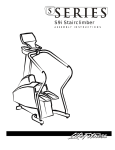
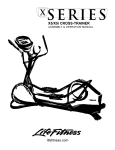
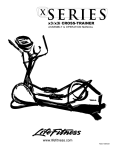
This Operation Manual describes the functions of the following products:
Life Fitness Cross-Trainers
9500 — Lower Body System
9500HR — Total Body System
See “Specifications” page in this manual for product specific features.
4
INTRODUCTION
NTRODUCTION
Dear Valued Customer,
Congratulations. . . and thank you for purchasing the Life
Fitness Cross-Trainer, the most versatile and effective piece
of cardiovascular equipment ever developed. It is the
culmination of over 20 years of research, innovation and
engineering designed to deliver an efficient product with the
reliability for which Life Fitness is known.
The Life Fitness Cross-Trainer delivers a total body workout
better than any fitness equipment available! It works more
muscles in less time, for efficient fat burning. Plus, it is
ergonomically designed for comfort, with virtually zero impact to
ankles, knees, hips and lower back.
Like other Life Fitness products, our Cross-Trainer helps make
exercise motivating and efficient. The user-friendly console
displays a host of visual feedback, with easy-to-follow prompts
and instructions.
Augie Nieto
President, Life Fitness
The Cross-Trainer’s smooth, fluid movement makes it perfect for all types of users and
fitness levels. Plus, the exclusive Heart Rate Zone Training program helps take all the
guesswork out of exercise. The patented, state-of-the-art Lifepulse® digital heart rate
sensors and telemetry heart rate monitoring make the Cardio and Fat Burn programs the
most effective workouts offered on any aerobic trainer.
We understand that a reliable product is just as important as one that is effective. That is
why we do not just test our products, we punish them. We put them through their paces at
top resistance levels, 24 hours a day, seven days a week, often for twice the warranty
period. It’s the reason we were the first domestic fitness manufacturer with ISO 9001
Certification, the international symbol for quality workmanship.
If you have questions regarding the operation of your Life Fitness Cross-Trainer, please
call Life Fitness Customer Support Services at the number listed in Section 5.
Sincerely,
Augie Nieto
President, Life Fitness
5
1
GETTING STARTED
1.1 Important Safety Instructions
To reduce the risk of electrical shock, always unplug the Life Fitness
Cross-Trainer before cleaning or attempting any maintenance activity.
To reduce the risk of burns, fire, electric shock or injury, it is imperative to
connect each Cross-Trainer unit to a properly grounded electrical outlet.
Before using this product, it is essential that you read this ENTIRE operation manual and ALL installation
instructions. The Cross-Trainer is intended for use solely in the manner described in this manual.
To disconnect the Life Fitness Cross-Trainer, turn off the power switch, then remove the plug from the outlet.
Close supervision is necessary when used by or near children, invalids or disabled persons.
Connect this unit to a properly grounded outlet only. (See Grounding Instructions)
Always follow the console instructions for proper operations.
Never operate a Life Fitness Cross-Trainer if it has a damaged power cord or electrical plug, or if it
has been dropped, damaged, or even partially immersed in water. Contact Life Fitness Customer
Support Services for assistance.
Keep the power cord away from heated surfaces. Do not pull the Life Fitness Cross-Trainer by the
power cord or use the cord as a handle.
Never insert objects into any opening in your Life Fitness Cross-Trainer. If an object should drop
inside, turn off the power and carefully retrieve it; if you cannot reach the item, contact Life Fitness
Customer Support Services.
Never place liquids of any type directly on the unit, except in an accessory tray or holder. Containers
with lids are recommended.
Do not use the Life Fitness Cross-Trainer outdoors, near swimming pools or in areas of high humidity.
Do not use the Life Fitness Cross-Trainer in areas where aerosol spray products are being used or
where oxygen is being administered. Such substances increase the danger of combustion and explosion.
Keep all loose clothing, shoelaces, and towels away from the Cross-Trainer pedals and moving arms.
Keep the area around your Life Fitness Cross-Trainer clear of any obstructions, including walls
and furniture.
Always be careful and exercise caution when mounting or dismounting your Life Fitness Cross-Trainer.
Use the handlebars whenever additional stability is required.
Wear shoes with rubber or high-traction soles. Do not use shoes with heels, leather soles, cleats, or
spikes. Do not use the trainer in your bare feet.
Do not tip the Life Fitness Cross-Trainer on its side during operation.
SAVE THESE INSTRUCTIONS FOR FUTURE REFERENCE
Life Fitness STRONGLY recommends that if you are undertaking an exercise program
please see your physician for a complete medical exam, particularly if you have a family
history of high blood pressure or heart disease, are over the age of 45, or if you smoke,
have high cholesterol, are obese, or have not exercised regularly in the past year.
If, at any time while exercising, you feel faint, dizzy, pain, or shortness of
breath, stop immediately.
6
1.2 Setup
Electrical Requirements
The Life Fitness Cross-Trainer is
intended for use on a normal 120volt electrical circuit in the U.S. and
Canada. Consult the chart for
electrical requirements outside the
U.S. and Canada.
The Cross-Trainer may be daisychained with up to ten units from
one, 15 AMP, dedicated line.
LOCATION
VOLTAGE
Hz
AMPs
United Kingdom
Fed’l Rep of Germany, The Netherlands,
Italy, Chile, Belgium , Korea, Argentina
France
Latin America
Spain
Japan
Australia
U.S., Canada
220
50
0.5
220
220
110/220
220
100/200
240/250
120
50
50
60
50
50/60
50
60
0.5
0.5
1 / 0.5
0.5
1 / 0.5
0.5
1
Grounding Instructions
The Life Fitness Cross-Trainer must be properly grounded. Proper grounding provides a path
of least resistance for the electric current, which reduces the risk of shock to anyone touching
or using the equipment should it malfunction. Each unit is equipped with an electrical cord,
which includes an equipment grounding conductor and a grounding plug. The plug must be
inserted into an outlet that has been properly installed and grounded in accordance with all
local codes and ordinances.
A risk of electrical shock may result from improper connection of the
equipment-grounding conductor. Check with a qualified electrician if you
are in doubt as to proper grounding technique. DO NOT modify the plug
provided with the product. If it will not fit an electrical outlet, have a
proper outlet installed by a qualified electrician.
7
NOTE: DO NOT place the Cross-Trainer closer than eight (8) inches (20 centimeters)
from any other electrical device and any other electronic trainers and 30
inches (76 centimeters) from television sets.
How to Stabilize the Life Fitness Cross-Trainer
Your Life Fitness Cross-Trainer may need to be stabilized depending on the surface on
which it is placed.
After you place the Cross-Trainer where it will be used, check the stability by attempting to
rock it back and forth. If it rocks, it is not level. To stabilize it, adjust either stabilizing foot
located under the rear of the unit by turning the stabilizing foot clockwise or counterclockwise as necessary until the rocking motion is eliminated.
Only one stabilizing foot needs to be turned.
8
1.3 Optional Settings for the Life Fitness Cross-Trainer
l
Maximum Program Duration
The Maximum Program Duration option allows the maximum program time to be changed
from the default maximum time limit of 60 minutes to a value between 10 and 99 minutes.
Altering the maximum program time will affect the time limit of all programs. To change the
Life Fitness Cross-Trainer maximum program time, proceed as follows:
1. Press and hold the 5 key on the numeric keypad.
2. Press the CLEAR / PAUSE key twice.
3. All LEDs and 14-segment displays will be illuminated. This is called diagnostic
state 1. There are 12 distinct diagnostic states and the maximum program time
settings reside in Diagnostic State 5. Each time you press the ENTER key you will
advance one diagnostic state. Continue to advance to Diagnostic State 5.
4. When you reach Diagnostic State 5, the current DURATION setting will be
displayed. The default maximum program time is 60 minutes.
5. Use the
key to decrease the DURATION or the
key to increase
the DURATION.
6. To exit the diagnostic states, press the CLEAR / PAUSE key repeatedly until the
“Press Start to Begin” message appears on the display message center.
l
English / Metric Conversion
The factory default setting for the display console measurements is set based upon the
language used for the display console overlay. If you believe the setting is incorrect or if you
wish to change the ENGLISH / METRIC setting you will need to complete the following.
When you reach Diagnostic State 7 (see above), the Data Entry window will display
ENGLISH UNITS to designate English units.
To change the default to metric measurement, press the 5 key and the system will toggle
from English to metric units and display METRIC UNITS.
You may also use the
ENGLISH UNITS.
key to enable METRIC UNITS and the
9
key to enable
l
METS option enable/disable
The factory default is set with METS unit display disabled. When you reach Diagnostic State 10
(follow the instruction for Maximum Program Duration Time to enter the diagnostic states), the
Message Center will display "METS OFF". To change the default to ON, press the 5 key and the
system will toggle between OFF and ON.
You may also use the
the METS OPTION.
key to disable the METS OPTION and the
key to enable
The ENTER key LED will indicate when the value is set at the default — METS OFF.
Note: When the METS unit display is enabled (METS ON) the far right window of the
message center will show the current resistance level in METS in addition to Watts and
Calories/Hour.
Pressing the CLEAR / PAUSE key repeatedly will exit you out of the diagnostic states.
Pressing the ENTER key will advance you to Diagnostic State 11.
l
Pause Timeout Duration
The Pause Timeout Duration is the amount of time the Cross-Trainer will remain paused after
the CLEAR / PAUSE key has been pressed. The factory default is set for the Pause Timeout
Duration is one minute. You can set this duration to a minimum of one minute or up to a
maximum of 99 minutes.
To do this enter the Diagnostics State 11 (follow the instruction for Maximum Program Time to
enter the diagnostic states) and press the ENTER key until the Message Center displays "PAUSE
TIMEOUT 1". To change the default setting of "1", press the
key or
key to decrease
or increase the pause duration.
The ENTER key LED will indicate when the value is set at the default — PAUSE TIME 1.
Pressing the CLEAR / PAUSE key repeatedly will exit you out of the diagnostic states.
Pressing the ENTER key will advance you to Diagnostic State 12.
10
l
TELEMETRY option enable/disable
This diagnostic state allows you to enable the Polar® compatible heart-rate telemetry
function allowing the Cross-Trainer to receive the heart rate signal from a Polar® compatible
heart rate chest strap.
The factory default setting for this option is enabled. To change this setting enter Diagnostic
State 6 (follow the instruction for Maximum Program Time to enter the diagnostic states).
The Message Center will display "TELEMETRY ON". To change the default to "OFF", press
the 5 key and the system will toggle between OFF and ON.
You may also use the
the setting to ON.
key to change the setting to OFF and the
key to change
The ENTER key LED will indicate when the value is set at the default — TELEMETRY ON.
Pressing the CLEAR / PAUSE key repeatedly will exit you out of the diagnostic states.
Pressing the ENTER key will advance you to Diagnostic State 7.
For more information on the other Diagnostic States please refer to the Life Fitness
Cross-Trainer Service Manual available from Life Fitness Customer Support Services.
(See How to Obtain Product Service for information on how reach Customer Support Services.)
11
2
THE DISPLAY CONSOLE
2.1 Display Console Overview
The Life Fitness Cross-Trainer display console is easy to use, and it allows you to
monitor your progress as you work out. The on-board computer lets you tailor your
workouts to your individual fitness capabilities and goals, while providing a unique means
of measuring your fitness improvement from one workout to the next.
A
B
C
D
12
2.2 Display Console Descriptions
A
Message Center
MESSAGE CENTER: Provides all the instructions for programming the Life Fitness CrossTrainer. In addition, it displays elapsed time, speed (RPM), resistance level or heart rate,
total calories burned, calories burned per hour, distance traveled, Watts and METS
(optional). Total calories burned, calories burned per hour, distance traveled, Watts and
METS (optional) are alternately displayed every 5 seconds. The alternating display can be
locked on any one value by depressing the Display Lock key.
B
Data Entry Zone
The Data Entry Zone allows you to enter information required to set up a workout or alter
the current exercise program. This group of buttons or keys consist of the following.
START / ENTER: This key is used to enter the data displayed in the
message center, to begin an exercise program, to restart a program after
pausing or to release the brake after pressing the Stop Button. This key will
also toggle between the Cardio and Fat burn programs.
THE ARROW KEYS: Use these keys to select all of your workout program
parameters, including length of workout, weight, age, target heart rate, and
resistance level. You can also increase or decrease the resistance level (or
change your target heart rate if your are in the Fat Burn or Cardio programs)
at any time by pressing either key.
NUMBER KEYS: Use these keys to enter the weight, age, workout time,
resistance level and Heart Rate data. You may also enter a different
resistance level than the current level, and a different target heart rate for the
Fat Burn and Cardio programs.
CLEAR / PAUSE: Press this key once to clear incorrect data before pressing
the ENTER key. Press it once during a program to pause the program.
Pressing it twice in succession during a program ends the workout and shows
you a summary of the workout (total time elapsed, total calories, and distance
traveled). Then, pressing it a third time clears the current program and
prompts you to enter a new program.
13
DISPLAY LOCK: This button allows you to freeze the message center display
on one set of feedback information — total calories, calories / hour, distance,
Watts, or METS (optional). To unlock the display, simply push the Display Lock
key again.
QUICK START: Lets you get started right away, with minimal console input.
AEROBICS MODE: This button allows you to transform the Hill, Random,
or Manual programs into a Cross-Training workout, prompting you to try
pushing, pulling, total body, lower body, speed changes and
forward/reverse motion.
REVERSE MODE: This button allows you to transform the Hill, Random, or
Manual programs into a Cross-Training workout, prompting you to work out
forward and backward to exercise different muscle groups.
C
Program Profile Window
Program Profile Window: Displays a matrix of lights showing the present position and
upcoming terrain. The higher the column of lights, the greater the resistance. The leftmost column of lights represents your current position. The remaining columns show
the upcoming terrain. As the workout progresses, the lights move across the screen
from right to left.
In the Fat Burn and Cardio programs, a heart shape
will be displayed in the window
when you are required to grasp the Lifepulse sensors (if so equipped). If you are wearing the
optional heart rate chest strap, the Cross-Trainer will continously monitor your heart rate.
D
Stop Button
STOP BUTTON: Pressing this button will immediately apply a brake to assist in stopping the
motion of the Cross-Trainer. The Brake will remain on until the START / ENTER button is
pressed. The Stop button may be used to assist in reversing the direction and/or to
stabilize the pedals during mounting and dismounting the Cross-Trainer.
14
3
HEART RATE ZONE TRAINING EXERCISE
TM
TM
3.1 Why Heart Rate Zone Training?
Research shows that exercising within a specific heart rate is the optimal way to monitor
your exercise intensity and achieve maximum results. That is the idea behind the Life
Fitness Heart Rate Zone Training approach to exercise.
Zone Training takes the guesswork out of working out by identifying specific ranges, or
zones, in which you should maintain your heart rate to achieve maximum exercise results
according to your goals. In short, Zone Training all but eliminates under-training and overtraining by allowing you to target your heart rate to individual fitness objectives.
For instance, if the primary goal is to burn fat, you should exercise at a level between 60% and
75% of your theoretical maximum heart rate†. If you wish to improve your cardiovascular
condition, you should work out at 75% to 85% of your theoretical maximum heart rate.
The Life Fitness Cross-Trainer offers two, exclusive programs designed to take full
advantage of the benefits of Heart Rate Zone Training: Fat Burn and Cardio. You can vary
the focus of the exercise activities by switching between the Fat Burn and Cardio programs
at any time during a workout or entering a new target heart rate with the keypad.
Both the Fat Burn and Cardio programs measure your heart rate. As you exercise, grasp
the Lifepulse sensors (if so equipped) when prompted with the
or simply wear an optional
telemetry heart rate chest strap and your heart rate will be transmitted to the on-board
computer continuously. The resistance level will automatically adjust to maintain the target
heart rate based on your actual heart rate.
†
Defined by the American College of Sports Medicine’s “Guidelines for Exercise Testing and Prescription” as 220 minus your age.
15
3.2 Heart Rate Monitoring
The Lifepulse® Digital Heart Rate Sensors
The patented Lifepulse digital heart rate sensors are the
built-in heart rate monitoring system on the Life Fitness
9500HR Cross-Trainer.
To use the Lifepulse sensors, simply grasp the stainless steel
sensors on the handlebars when the display console prompts
you with the
, or anytime you wish to check your heart
rate. There are four sensors, two on each arm.
You must make contact with all four to obtain your heart rate.
The console will display your heart rate in 10 to 40 seconds.
The Optional Heart Rate Chest Strap
The Optional Heart Rate Chest Strap allows the on-board telemetry heart rate feature of
the Cross-Trainer to continuously monitor your heart rate and in many programs adjusts
aspects of the workout such as resistance levels.
Wet the transmitter electrodes (the two grooved surfaces on the underside of the strap) and
secure the strap as high under the chest muscles as possible. The strap should be snug,
but comfortable enough to allow for normal breathing.
The transmitter strap will deliver an
optimum heart rate reading when the
electrodes are directly in contact
with bare skin. It will, however,
function properly through wet,
lightweight clothing.
The key to proper operation is for the
electrodes to remain wet to conduct
the electrical impulses of the heart
back to the receiver.
If it becomes necessary to remoisten
the chest strap transmitter, grasp the
center of the strap, pull it away from the
chest to expose the two electrodes,
then moisten them in this position.
16
4
THE
HE PROGRAMS
ROGRAMS
4.1 Program Overviews
Selecting a workout program on the Life Fitness Cross-Trainer is easy. There are Seven
computerized aerobic workouts, including the new Cross-Train Aerobics and Cross-Train
Reverse programs, preprogrammed on the Life Fitness Cross-Trainer.
QUICK START, the fastest way to begin exercising, allows you to start a Manual
program with the push of a button.
FAT BURN is a workout offering a low intensity way to burn fat. The Fat Burn program
will automatically change the resistance level to maintain your heart rate at 65% of
theoretical maximum.
CARDIO is a higher intensity workout emphasizing cardiovascular benefits and maximum
fat burning for more fit users. The Cardio program will automatically change the effort level
to maintain your heart rate at 80% of your theoretical maximum.
MANUAL is a constant effort workout in which the user can change resistance level
or speed at any time.
RANDOM is an interval training workout of varying resistances levels which occur
randomly with each exercise session.
HILL is an interval training workout consisting of a combination of hills and valleys
proven to provide effective, time-efficient cardiovascular results.
CROSS-TRAIN AEROBICS is a versatile workout which acts likes a personal trainer
prompting you to try pushing, pulling, total body, lower body, speed changes and
forward/reverse motion for maximum cross-training benefits.
CROSS-TRAIN REVERSE is a workout utilizing both forward and backward motion
thereby cross-training different muscle groups.
17
The Programs
Step by Step
18
4.2 Program Descriptions
QUICK START
Press the Quick Start Button
l
Enter your weight or press Quick Start again to enter the default weight of 150 lbs (68 Kg).
l
Enter a number between 1 and 20 on the keypad or press the arrow keys to choose
the starting level of resistance for the workout
The Quick Start feature allows you to quickly get into a workout with a minimum of
keystrokes. It starts the Manual program with the maximum allowable workout duration.
l
To Begin a Life Fitness Cross-Trainer Workout
Use the following steps to begin any of the Cross-Trainer programs.
l
l
l
l
l
Press the START / ENTER key
Enter your weight and press ENTER
Select a workout program by pressing the
keys until the program you want
appears in the message center and then press ENTER (or wait 10 seconds and your
selection will be automatically entered)
Enter additional program specific information (see individual program descriptions)
Begin your workout !
REMEMBER: YOU CAN CHANGE RESISTANCE LEVELS AT ANY TIME DURING
YOUR WORKOUT BY SIMPLY USING THE ARROWS KEYS OR KEYING
IN A NEW LEVEL ON THE KEYPAD!*
*Except in the Fat Burn and Cardio programs, in which you may change your target heart rate and the
system will monitor your heart rate and adjust the resistance level for you.
19
Fat Burn and Cardio Programs
Begin a Cross-Trainer workout (see beginning of this section).
l
The message center will prompt you to enter a workout duration of 1 to 60 minutes (or the
maximum time pre-programmed on the unit). Key in the duration you want the workout to
last and press ENTER.
l
Enter your age using the numeric keypad to receive your computed target heart rate.
Press ENTER to accept the calculated target or input your own target heart rate using the
number keypad and press ENTER. Begin your workout !
The Fat Burn and Cardio heart rate management programs work by adjusting the resistance
of the Life Fitness Cross-Trainer in response to your heart rate. These two programs use the
technology of the Lifepulse digital sensors (or the optional Heart Rate Chest Strap) to monitor
your heart rate and automatically adjust the work load to maintain your target heart rate. The
end result is a perfect workout every time, eliminating under- and over-training.
l
In the Fat Burn and Cardio programs, a heart shape
will be displayed in the window when
you are required to grasp the Lifepulse sensors (if so equipped). If you are wearing the
optional Heart Rate Chest Strap, the on-board computer will continously monitor your heart
rate. If you do not grasp the sensors in the allotted time, the message "Grasp the Sensors
now" will appear in the Message Center. If a heart rate is not detected after 3 minutes, the
display console will beep 3 times and the unit will automatically switch to a Manual program.
FAT BURN
On the Life Fitness Cross-Trainer, the Fat Burn program will maintain your heart rate at 65%
of your theoretical maximum heart rate† , or another target heart rate that you enter.
Resistance will automatically adjust to maintain the target heart rate. Exercising at 65% of
your theoretical maximum heart rate maximizes the aerobic benefits of exercise by accessing
the body's fat stores for fuel and by allowing you to exercise longer.
CARDIO
The Cardio program is virtually identical to the Fat Burn program. The only difference is that your
target heart rate is calculated at 80% of your theoretical maximum heart rate to accentuate
cardiovascular improvement by placing a heavier work load on the heart muscle. If you wish
to vary the focus of your exercise activities you may switch back and forth between the Fat
Burn and Cardio programs at any time during a workout simply by pressing the ENTER key,
creating the ultimate interval training program!
Remember, you may change your target heart rate at any time by simply keying in a new
target heart rate or pressing the
keys or toggling Fat Burn and Cardio target heart
rates using the ENTER key.
†
Defined by the American College of Sports Medicine's Guidelines for Exercise Testing and Prescription" as 220 minus your age.
20
Manual and Random Programs
l
l
l
Begin a Cross-Trainer workout (see beginning of this section).
After selecting a workout program, you will be asked to enter a desired workout time in
minutes. Use the numeric keypad to input a number from 1 to 60 minutes (or the
maximum time pre-programmed on the unit) and press ENTER.
Once you have selected either the Random or Manual program, the workout will begin.
All you need to do is choose an resistance level between 1 (easiest) and 20 (hardest).
Begin your workout !
MANUAL
You can design a personal interval training program using the Manual program by varying
the level of resistance during the course of a workout. To do so, select a high level of
resistance until you reach the upper end of your target heart rate zone, then continue at a
lower effort level until you heart rate drops to the bottom of your target zone. Increase the
level of effort again until you are back to the upper portion of your target heart rate zone. By
repeating this process, you will actually be creating your own hills and valleys.
RANDOM
The computer randomly selects hill and valley terrain which varies with each and
every workout, resulting in more than one million combinations and a more varied,
exciting workout!
21
Hill Program
HILL
l
l
l
Begin a Cross-Trainer workout (see beginning of this section).
After selecting a Hill program, you will be asked to enter the desired workout time in
minutes. Use the numeric keypad to input a number from 1 to 60 minutes (or the
maximum time preprogrammed on the unit) and press ENTER.
Once you have selected the duration of the Hill program, the program will begin. Just
choose an resistance level between 1 (easiest) and 20 (hardest). Begin your workout !
The Hill program offers the ideal configuration for interval training: periods of intense aerobic
activity (hills) separated by regular intervals of lower-intensity exercise (valleys). Interval
training programs have been scientifically demonstrated to yield greater cardiorespiratory
improvements than steady-pace training.
Not only does the Hill program offer the challenge of alternating periods of high and low
intensity, but the levels of intensity become progressively more difficult during the course of
the program. Because you have the option of working out in a Hill program for 1 to 60
minutes, and because the Hill program is composed of four distinct phases, the program must
be structured differently to accommodate the entire array of program durations. Longer
workouts add more hills.
Each Hill program session comprises the following phases:
(1) Warm-up, (2) Plateau, (3) Interval Training, and (4) Cool-down.
22
Warm-up: Gradually brings your heart rate into the lower portion of your target heart rate
zone, increasing respiration and blood flow to working muscles.
Plateau: Brings your heart rate into your target zone. Check your heart rate at the end of
the plateau period to ensure that you have entered your target heart rate zone.
Interval Training: A series of hills and valleys. During this portion of the workout, you will
be confronted with sets of four successively steeper hills, each separated from the next by a
valley, or recovery period. Check your heart rate at the end of the interval training period to
ensure that you have stayed within your target zone.
Cool-down: The cool-down allows the body to begin removing accumulated by-products of exercise,
such as lactic acid, which build up in muscles during a workout and contribute to muscle soreness.
The Hill diagram chart in this section shows the resistance level and recovery periods
encountered during a Hill program workout. Resistance and recovery periods are simulated on
the display console by columns of lights in the Program Profile window. The columns move from
right to left during the workout. The higher the column, the greater the resistance; consequently,
you must increase your effort.
Heart Rate Check Points
For Fat Burning:
4
First Heart Rate Check Point — Your heart rate should be between 60% and 70%
of the theoretical maximum heart rate for your age category (see the Terrain (Hills
and Valleys) chart on page 19 for checkpoint location).
4
Second Heart Rate Check Point — Your heart rate should be between 70% and
75% of the theoretical maximum heart rate for your age category.
For Cardio:
4
First Heart Rate Check Point — Your heart rate should be between 75% and 80%
of the theoretical maximum for your age category.
4
Second Heart Rate Check Point — Your heart rate should be between 80% and
85% of the theoretical maximum for your age category.
Be sure to check your heart rate near the end of the plateau and interval training periods
using the Lifepulse Sensors (if so equipped), if not wearing an optional Zone Trainer chest
strap (see the Terrain (Hills and Valleys) chart on the previous page). You should always
take your heart rate at the time indicated to make sure you are staying within your target
heart rate zone.
Note: When wearing an optional Heart Rate Chest Strap the Life Fitness Cross-Trainer
does the work for you by constantly updating the onboard computer with your current
heart rate status.
23
Cross-Train Aerobics and Cross-Train Reverse Programs
l
l
l
Begin a Cross-Trainer workout (see beginning of this section).
After selecting a Cross-Train Aerobic or Cross-Train Reverse workout, you will be
asked to enter a desired workout time in minutes. Use the numeric keypad to input a
number from 1 to 60 minutes (or the maximum time pre-programmed on the unit) and
press ENTER.
You will be prompted to enter a resistance level between 1 (easiest) and 20 (hardest).
Begin your workout !
CROSS-TRAIN AEROBICS
This program makes the most of the Life Fitness Cross-Trainer's total body workout. As
you exercise, the computer console prompts you to vary the workout.
For an upper body workout that works all the muscles in the arms, you will be directed to
push and pull the handlebar arms (if so equipped) at various times. The console will also
vary the workout between total body and lower-body-only workouts, during which you'll rest
your arms on the side rails.
To maximize your lower-body workout, forward and reverse motions and speeds are alternated,
working all the muscles in the legs in a variety of conditions in one exercise session.
CROSS-TRAIN REVERSE
To vary the Cross-Trainer exercise and to maximize the lower-body workout, the CrossTrain Reverse program prompts you to use a forward motion followed by a backward
motion interval for a cross-training workout of different muscle groups. This program makes
the most of the Life Fitness Cross-Trainer's forward and reverse feature. As you exercise,
the computer console prompts you to vary the workout.
Both of these programs are constant resistance programs. However, the same programs
are also available as variable resistance programs by selecting the Hill or Random program
first. Then, after you start the workout, press the Aerobics Mode or Reverse Mode button on
the console and benefit from an even more varied workout!
24
5
SERVICE AND TECHNICAL DATA
5.1 Preventive MaintenanceTips
The Life Fitness Cross-Trainer is backed by the engineering excellence of Life Fitness and
is one of the most rugged and trouble-free pieces of exercise equipment on the market
today. Commercial Life Fitness products are among the most popular equipment, regularly
standing up to marathon use — 18 hours a day, 7 days a week — in health clubs, colleges
and military facilities the world over. This same technology, engineering expertise, and
reliability has gone into the Life Fitness Cross-Trainer.
Here are some preventive maintenance tips that will keep your Life Fitness Cross-Trainer
operating at peak performance:
l
l
l
l
l
l
l
l
Locate the Life Fitness Cross-Trainer in a cool, dry place.
Clean the top surface of the pedals regularly.
Keep the display console free of fingerprints and salt build-up caused by sweat.
Use a 100% cotton cloth, lightly moistened with water and mild liquid detergent to clean
the Cross-Trainer. Other fabrics, including paper towels, may scratch the surface.
Long fingernails may damage or scratch the surface of the console; use the pad of your
finger to press the selection buttons on the console.
Clean the housing and arms thoroughly on a regular basis.
Check the belt tensions.
Clean the debris from the two roller rails to allow smooth movement of the rollers.
NOTE: When cleaning the exterior of the unit, a non-abrasive cleanser and soft
cotton cloth are strongly recommended. At no time should cleanser be
applied directly to any part of the equipment. Place non-abrasive cleaning
solution on a soft cloth and then wipe down the unit.
Do not move the unit or place your hands into the unit while it is plugged
into an electrical outlet.
25
5.2 How Solve Basic Operating Problems
Malfunction
No Power
Probable Cause
Corrective Action
Connection at electrical outlet
Be sure that plug is properly seated in
electrical outlet
Check that the outlet has power
On/Off switch
Check that on/off switch is ‘on’
Circuit breaker
Check to see if circuit breaker has
tripped and reset if necessary
Display console connector
Reseat display console connector not
seated properly†
Erratic display;
Keys don’t respond Electrical outlet /
line cord connection
Be sure that plug is properly seated in
electrical outlet
Display console connector
Reseat display console connector if
not seated properly†
† The display console connector is located inside the console. The console must carefully be removed to
access this connector. (See the Installation Instructions for this product.)
26
5.3 How to Obtain Product Service
Step 1
Verify the symptom and review the operating instructions and How To Solve Basic
Operating Problems on the previous page. The problem may be unfamiliarity with the
product and its features and programs.
Step 2
Locate and document the serial number of the unit, which is located on the serial number
plate above the power entry area of the product.
Step 3
Contact the nearest Life Fitness
Customer Support Services group:
Toll-free within the U.S. and Canada
Telephone: 800.351.3737
Telephone: 847.451.0036
FAX: 847.288.3702
For Product Service Internationally:
Life Fitness Europo GmbH
Telephone: 49.89.317751.66
FAX: 49.89.317751.38
Life Fitness Austria Vertriebs GmbH
Telephone: 43.1.61 57198
FAX: 43.1.61 57198.20
Life Fitness (UK) Ltd
Telephone: 44.1.353.665507
FAX: 44.1.353.666018
Life Fitness Asia Pacific Ltd
Telephone: 852.2575.6262
FAX: 852.2575.6001
Life Fitness Benelux
Telephone: 32.3.644.4488
FAX: 32.3.644.2480
Life Fitness Latin America
Telephone: 847.451.0036
FAX: 847.288.3702
Life Fitness Italia S.R.L.
Telephone: 39.472.835470
FAX:39.472.833150
Please have the serial number of the product and the problem or symptom ready for the
Customer Support Services specialist who will be assisting you. This information is necessary
for us to help solve any problems you may be having.
27
5.4 Life Fitness 9500HR – Total Body System
Specifications
Designed use
Commercial
Maximum user weight
350 pounds/159 kilograms
Power requirements
120 volt, 2 AMP circuit
Programs
Fat Burn, Cardio, Hill, Random, Manual, CrossTrain Aerobics and Cross-Train Reverse
Console displays
Elapsed time, speed (RPM), effort level, heart rate,
calories burned per hour, total calories burned,
distance, Watts, METS (Optional)
Heart rate monitoring system
Patented Lifepulse® digital heart rate sensors and
Polar® Telemetry Heart Rate Monitoring System
(optional heart rate chest strap required)
Color
Medium gray with red and black accents
Connectivity
Fitness Network adaptable
PHYSICAL DIMENSIONS
Length
Width
Height
Weight
76 inches / 193 cm
28.5 inches / 72 cm
70 inches / 178 cm
340 pounds / 155 kg
SHIPPING DIMENSIONS
Length
Width
Height
Weight
81 inches / 206 cm
29.5 inches / 75 cm
50 inches / 127
420 pounds / 191 kg
28
5.5 Life Fitness 9500 — Lower Body System
Specifications
Designed use
Commercial
Maximum user weight
350 pounds/159 kilograms
Power requirements
120 volt, 2 AMP circuit
Programs
Quick Start, Fat Burn, Cardio, Manual, Random,
Hill, Cross-Train Aerobics and Cross-Train
Reverse
Console displays
Elapsed time, speed (RPM), effort level, heart rate,
calories burned per hour, total calories burned,
distance, Watts, METS (Optional)
Heart rate monitoring system
Polar® Telemetry Heart Rate Monitoring System
(optional heart rate chest strap required)
Color
Medium gray with red and black accents
Connectivity
Fitness Network adaptable
PHYSICAL DIMENSIONS
Length
Width
Height
Weight
76 inches / 193 cm
29 inches / 74 cm
68 inches / 173 cm
335 pounds / 152 kg
SHIPPING DIMENSIONS
Length
Width
Height
Weight
81 inches / 206 cm
29.5 inches / 75 cm
50 inches / 127 cm
420 pounds / 177 kg
29
30
31
32