1
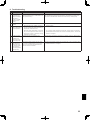
8. Troubleshooting
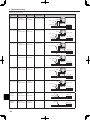
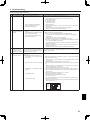
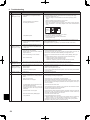
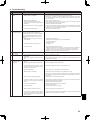
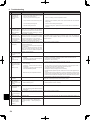
<Troubleshooting by inferior phenomena>
No.
Fault symptom
1
Main controller display
is blank.
Possible cause
1. There is no power supply to main
controller.
2. Power is supplied to main controller,
however, the display on the main
controller does not appear.
Explanation - Solution
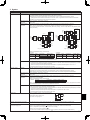
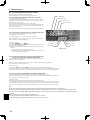
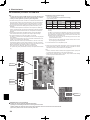
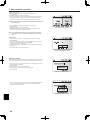
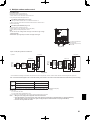
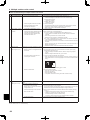
1. Check LED2 on FTC4 (Master). (See <Figure 4.5.1>.)
(i) When LED2 is lit.
Check for damage or contact failure of the main controller wiring.
(ii) When LED2 is blinking.
Refer to No. 5 below.
(iii) When LED2 is not lit.
Refer to No. 4 below.
2. Check the following:
• Disconnection between the main controller cable and the FTC4 (Master)
control board
• Failure of the main controller if “Please Wait” is not displayed.
• Refer to No. 2 below if “Please Wait” is displayed.
1. Normal operation.
2
“Please Wait” remains
displayed on the main
controller.
1. "Please Wait" is displayed for up to 6
minutes.
2. Communication failure between the main 2, 3. Main controller start up checks/procedure.
controller and FTC4 (Master).
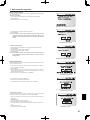
(i) If “0%” or “50-99%” is displayed below "Please Wait" there is a
communication error between the main controller and the FTC4 (Master)
3. Communication failure between FTC4
control board.
(Master) and outdoor unit.
• Check wiring connections on the main controller.
• Replace the main controller or the FTC4 (Master) control board.
(ii) If “1-49%” is displayed there is a communication error between the outdoor
unit's and FTC4 (Master) control boards.
•C
heck the wiring connections on the outdoor unit control board and the FTC4
(Master) control board.
(Ensure S1 and S2 are not cross-wired and S3 is securely wired with no
damage. (See section 4.1.)
• Replace the outdoor unit's and/or the FTC4 (Master) control boards.
The main controller operations do not work
Normal operation.
for a whilst after the settings are changed in
The indoor unit is applying updated settings made in the service menu. Normal
the service menu. This is because the system operation will start shortly.
takes time to apply the changes.
3
The main screen
appears with a press
of the “ON” button, but
disappears in a second.
4
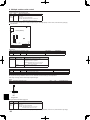
LED2 on FTC4 (Master) When LED1 on FTC4 (Master) is also off. (See
is off.
<Figure 4.5.1>.)
(See <Figure 4.5.1>.)
<FTC4 (Master) powered via outdoor unit.>
1. The outdoor unit is not supplied at the 1. Check the voltage across the terminals L and N or L3 and N on the outdoor
rated voltage.
power board. (See section 4.1.)
• When the voltage is not 220 to 240V AC, check wiring of the outdoor unit and
of the breaker.
• When the voltage is at 220 to 240V AC, go to “2.” below.
2. Defective outdoor controller circuit board. 2. Check the voltage across the outdoor unit terminals S1 and S2. (See section
4.1.)
• When the voltage is not 220 to 240V AC, check the fuse on the outdoor
control board and check for faulty wiring.
• When the voltage is 220 to 240V AC, go to “3.” below.
3. FTC4 (Master) is not supplied with 220 to 3. Check the voltage across the indoor unit terminals S1 and S2. (See section 4.1.)
240V AC.
• When the voltage is not 220 to 240V AC, check FTC4 (Master)-outdoor unit
wiring for faults.
• When the voltage is 220 to 240V AC, go to “4.” below.
4. FTC4 (Master) failure.
4. Check the FTC4 (Master) control board.
• Check the fuse on FTC4 (Master) control board.
• Check for faulty wiring.
• If no problem found with the wiring, the FTC4 (Master) control board is faulty.
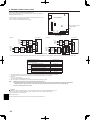
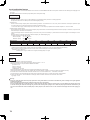
5. Faulty connector wiring.
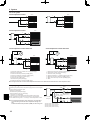
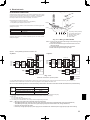
5. Check the connector wiring.
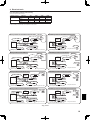
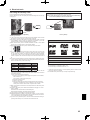
• When the connectors are wired incorrectly, re-wire the connectors referring to
below. (See section 4.1.)
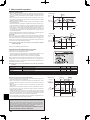
S2
CN01
S1
YELLOW
YELLOW
FTC4 (Master)
powered via
outdoor unit
BLACK
BLACK
L
N
Black
CN01
Hydrobox
control board
S3
51


























![[U4.84.02] Opérateur POST_DYNA_MODA_T](http://vs1.manualzilla.com/store/data/006361259_1-403116f6d656fa03c6cd8239831a974f-150x150.png)