1
DIGITAL DISPLAY
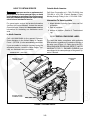
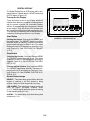
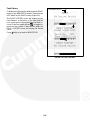
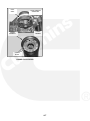
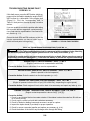
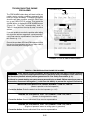
The Digital Display has an LCD screen with 4 navigation buttons, 3 status lamps, a START button and
a STOP button (Figure 2-2).
Turning On the Display
Touch any button to turn on the Display, which will
initialize and attempt to establish communications
with the genset controller. All connected Displays
will turn on automatically when the genset is started
at any station. They will all turn off 5 minutes after
the genset has received a normal command to stop.
They will stay on indefinitely until a fault shutdown is
cleared by touching any button on any Display.
Start Button
FIGURE 2-2. DIGITAL DISPLAY
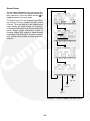
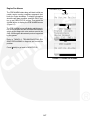
Starting the Genset: Push and Hold START until
the genset starts. The GENSET status lamp blinks
while the engine is cranking. It comes on when the
genset starts and stays on while it runs. The status
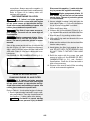
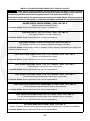
displayed on the LCD changes from Starting to Running (Figure 2-3). See STARTING THE GENSET
(p. 3-3).
Stop Button
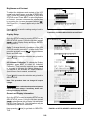
Stopping the Genset: Push and Release STOP.
The GENSET status lamp will go out. The status
displayed on the LCD will change from Running to
Stopped (Figure 2-3). See STOPPING THE GENSET (p. 3-4).
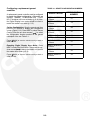
Priming the Fuel System: Push and Hold STOP.
The GENSET status lamp will blink. The status displayed on the LCD will change to Priming in 2 seconds (Figure 2-3). See PRIMING THE FUEL SYSTEM (p. 3-3).
Genset Status Lamps
GENSET − This status lamp (green) blinks while the
engine is cranking or the fuel system is being
primed. It stays on while the genset is running.
PRE-ALARM − This status lamp (amber) comes on
when an engine Pre-Alarm condition exists
(p. 2-7). It blinks rapidly while the genset is running
in fault bypass mode (p. 2-10).
ALARM − This status lamp (red) blinks during fault
shutdown (p. 2-5).
2-3