1
+
+
+
bizhub C652 / bizhubC552 / bushub C452 / ineo 652 / ineo 552 / ineo 452 / VarioLink 6522c / VarioLink 5522c / VarioLink 4522c
Control Software A0P00Y0-0100-GM0-12
Security Target
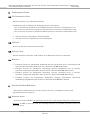
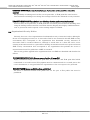
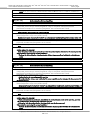
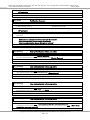
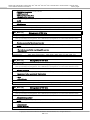
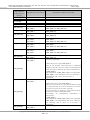
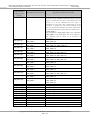
z Method setup of a user authentication function
¾ Machine authentication, external server authentication, or user authentication stop is
selected.
¾ Combination with Account Authentication is set up. (Method synchronized with User
Authentication, Method not synchronized with User Authentication)
z Setup of access when the user attribute is public
¾ It is selected whether to permit or prohibit MFP utilization of the user who is not identified
by user ID.
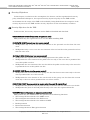
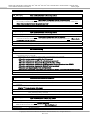
z Setup of a password policy function
¾ It is selected whether to enable or disable the function to check the several conditions of
the password, such as the number of valid digits of various passwords.
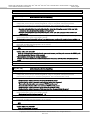
z Setup of the authentication method of Secure Print and the prohibit function of
authenticating operations.
¾ When secure print files are authenticated, the authentication prohibition function operates
in a mode, and does not operate in the other mode.
¾ The operation mode of the function detecting unsuccessful authentication in each
authentication function is also synchronous with the above mode.
¾ The above-mentioned operational modes are selected.
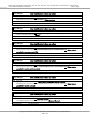
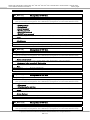
z Setup of the network setting modification function by SNMPv1 and v2.
¾ It is selected whether to enable or disable the function to change MIB by SNMPv1 and v2.
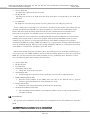
z Operational Setup of Authentication Function when writing using SNMPv3
¾ The security levels of authentication or skipping authentication is selected.
¾ For the security levels, either "only authentication password" or "authentication password
+ privacy password" is available.
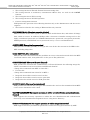
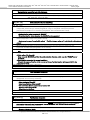
z Setup of the encryption function
¾ Whether to activate or stop the function is selected.
¾ An encryption passphrase is registered or changed when the function is activated.
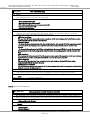
z Setup of the user box collective management function
¾ It is selected whether to enable or disable this function.
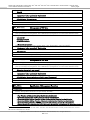
z Setup of the print capture function
¾ A function to verify the print data received by MFP when the print function is faulty.
¾ It is selected whether to enable or disable this function.
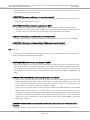
z Setup of the network setting management reset function
¾ This function resets a series of items to factory default values
¾ It is selected whether to enable or disable this function.
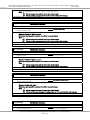
z
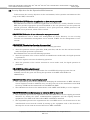
Setup of the trusted channel (SSL/TLS encryption communications) function
¾ SSL/TLS server certificates are generated or imported.
¾ The encryption method used for communications is set up.
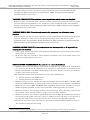
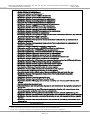
z Setup of the transmission address data
¾ A transmission address or method used for box file transmission etc. is selected.
¾ S/MIME certificates are imported.
z Setup of the WebDAV server
¾ Setup of the communications function of the WebDAV server, which can obtain user
settings.
z Setup of the FTP server function
Copyright(c) 2009 KONICA MINOLTA BUSINESS TECHNOLOGIES, INC., All Rights Reserved.
14 / 111