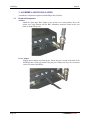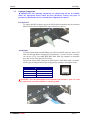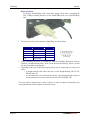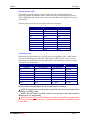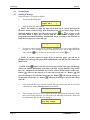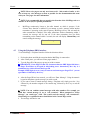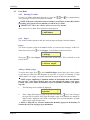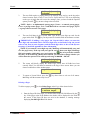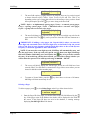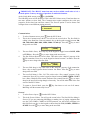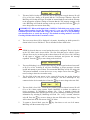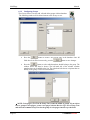
1
MAXPage Contains Instructions For: -Installation -Operation -Programming -Windows Software For 1.08 Unit Firmware (Manual Revision 3.80) ACN 064 705 924 Australian Office PO Box 1037 OPDC WA 6916 AUSTRALIA Phone +61 8 9244 5550 Fax +61 8 9244 5559 Email [email protected] Web www.commtechwireless.com United States Office 6900 Philips Highway, Suite #26-27 JACKSONVILLE, FLORIDA 32216 UNITED STATES Phone +1 904 281 0073 Fax +1 904 281 0074 Email [email protected] Web www.commtechwireless.com MAXPage Manual NOTICE This manual is copyrighted. All rights reserved. Under the copyright laws, this manual may not be copied, in whole or in part without written prior consent of Commtech Wireless. All information provided in this document is carefully prepared and offered in good faith as a guide in the installation, use and servicing of our products. Installers must ensure that the final installation operates satisfactorily within the relevant regulatory requirements. Commtech Wireless accepts no responsibility for incorrect installation. Commtech Wireless reserves the right to change products, specifications, and installation data at any time, without notice. Commtech Wireless makes certain limited warranties with respect to defective diskettes, documentation and electronic circuitry. Please see the associated information contained on this page. SOFTWARE LICENSE STATEMENT The MAXPage firmware and Windows® software is protected by international copyright laws. Under the copyright laws, this manual may not be copied, in whole or in part without written prior consent of Commtech Wireless. LIMITED WARRANTY With respect to the physical documentation and physical electronic circuitry enclosed herein, Commtech Wireless warrants the same to be free of defects in materials and workmanship for a period of one year from the date of purchase. In the event of notification within the warranty period of defects in material or workmanship, Commtech Wireless will replace the defective diskettes, documentation and electronic circuitry. The remedy for breach of this warranty shall be limited to replacement and shall not encompass any other damages, including but not limited to loss of profit, and special, incidental, consequential, or other similar claims. Commtech Wireless specifically disclaims all other warranties, expressed or implied, including but not limited to implied warranties of merchantability and fitness for a particular purpose with respect to defects in the documentation and electronic circuitry, and the program license granted herein, in particular, and without limiting operation of the program license with respect to any particular application, use, or purpose. Page 2 © CommtechWireless Manual MAXPage COMPLIANCE NOTICES SAA (C-TICK AUSTRALIA) To ensure compliance with ACA Technical Standards, this equipment is labeled with a Telecommunications Compliance Label. For safety reasons, this equipment should only be connected to compliant telecommunications equipment in accordance with the manufacturer’s instructions. FCC PART 15 Where applicable, this equipment has been tested and found to comply with FCC Rules and Regulations, Part 15 with the limits of a Class B digital device, designed to provide reasonable protection against harmful interference. This equipment generates, uses and can radiate frequency energy and if not installed and used in accordance with the instructions, may cause interference harmful to radio communications. On the base of the equipment is a label containing an FCC Registration Number, if applicable. FCC PART 68 & IC (INDUSTRY CANADA) This equipment complies with Part 68 of the FCC rules. Located on the equipment is a label that contains, among other information, the FCC registration number and ringer equivalence number (REN.) If requested, this information must be provided to the telephone company. The REN is used to determine the quantity of devices which may be connected to the telephone line. Excessive REN’s on the telephone line may result in the devices not ringing in response to an incoming call. In most, but not all areas, the sum of the REN’s should not exceed five (5.0). To be certain of the number of devices that may be connected to the line, as determined by the total REN’s contact the telephone company to determine the maximum REN for the calling area. This equipment cannot be used on the telephone company-provided coin service. Connection to Party Line Service is subject to State Tariffs. If this equipment causes harm to the telephone network, the telephone company will notify you in advance that temporary discontinuance of service may be required. If advance notice isn’t practical, the telephone company will notify the customer as soon as possible. Also, you will be advised of your right the file a complaint with the FCC if you believe it is necessary. The telephone company may make changes in its facilities, equipment, operations, or procedures that could affect the operation of the equipment. If this happens, the telephone company will provide advance notice in order for you to make the necessary modifications in order to maintain uninterrupted service. If trouble is experienced with this equipment, please contact: Company Name: Commtech Wireless Address: 6900 Philips Hwy, Jacksonville Florida 32217, USA TEL: +1 904 281 0073 FAX: +1 904 281 0074 If the trouble is causing harm to the telephone network, the telephone company may request you to remove the equipment from the network until the problem is resolved. This equipment uses the following USOC jacks: RJ11C It is recommended that the customer install an AC surge arrester in the AC outlet to which this device is connected. This is to avoid damaging the equipment caused by local lightening strikes and other electrical surges. © CommtechWireless Page 3 MAXPage Manual Table of Contents 1. 2. 3. 4. 5. 6. INTRODUCTION ...................................................................................................................................6 1.1 About MAXPage........................................................................................................................... 6 1.2 Features ......................................................................................................................................... 7 1.3 Further Help and Support ........................................................................................................... 8 1.4 About This Manual....................................................................................................................... 8 COMPONENTS.......................................................................................................................................9 2.1 MAXPage Unit............................................................................................................................ 10 2.1.1 Top Panel........................................................................................................................... 10 2.1.2 Rear Panel ......................................................................................................................... 11 2.2 Power Adapter ............................................................................................................................ 13 2.3 Quarter Wave Whip Antenna ................................................................................................... 13 ASSEMBLY AND INSTALLATION ..................................................................................................14 3.1 Required Components................................................................................................................ 14 3.2 Optional Components................................................................................................................. 15 3.3 Interference to Telephones, PBXs’ and other electronic equipment...................................... 18 3.4 Powering Up................................................................................................................................ 20 GENERAL OPERATION.....................................................................................................................21 4.1 Normal Mode .............................................................................................................................. 22 4.2 Sending a Message ...................................................................................................................... 22 4.3 Using the Telephone (PBX) interface........................................................................................ 23 4.4 User Mode ................................................................................................................................... 24 4.4.1 Entering User Mode .......................................................................................................... 24 4.4.2 Pagers ................................................................................................................................ 24 4.4.3 Time .................................................................................................................................. 30 4.4.4 Reminders.......................................................................................................................... 31 4.5 Config Mode................................................................................................................................ 33 4.5.1 Entering Config Mode ....................................................................................................... 33 4.5.2 Pagers ................................................................................................................................ 33 4.5.3 Ports................................................................................................................................... 39 4.5.4 Using the Telephone (PBX) interface ............................................................................... 41 4.5.5 Alarm................................................................................................................................. 45 4.5.6 System ............................................................................................................................... 47 4.6 License Mode............................................................................................................................... 52 4.6.1 Entering License Mode...................................................................................................... 52 4.7 Tools Mode .................................................................................................................................. 53 4.7.1 Entering Tools Mode ......................................................................................................... 53 WINDOWS® MAXPAGE SOFTWARE.............................................................................................56 5.1 Components................................................................................................................................. 56 5.2 Installation of Software .............................................................................................................. 56 5.3 Connecting the Serial Lead........................................................................................................ 56 USING THE WINDOWS® SOFTWARE ...........................................................................................57 6.1 Connecting to the MAXPage unit.............................................................................................. 57 6.2 Logging into the Software .......................................................................................................... 58 6.2.1 Creating a new database in the software ........................................................................... 59 6.2.2 Opening an existing database in the software.................................................................... 59 6.2.3 Uploading database from the MAXPage unit to software................................................. 59 6.2.4 Downloading database from software to MAXPage unit.................................................. 59 6.2.5 Saving current database in software to PC ........................................................................ 60 6.2.6 Updating Telephone (PBX) voice prompts on MAXPage unit ......................................... 60 6.2.7 Logging out of software .................................................................................................... 60 Page 4 © CommtechWireless Manual MAXPage Table of Contents 7. 6.2.8 Disconnecting the MAXPage 3 connection....................................................................... 60 6.3 Configuration of Database ......................................................................................................... 61 6.3.1 Configuring Pagers............................................................................................................ 61 6.3.2 Configuring Groups........................................................................................................... 62 6.3.3 Configuring Alarms........................................................................................................... 64 6.3.4 Configuring Reminders ..................................................................................................... 65 6.3.5 Configuring Common Messages ....................................................................................... 66 6.3.6 Configuring Function Keys ............................................................................................... 67 6.4 Configuring Software Settings................................................................................................... 68 6.4.1 General .............................................................................................................................. 68 6.4.2 PBX ................................................................................................................................... 69 6.4.3 Interface Communications................................................................................................. 70 6.4.4 Transmitter ........................................................................................................................ 72 6.4.5 Patron Pager ...................................................................................................................... 73 6.4.6 License .............................................................................................................................. 75 6.5 Diagnostics................................................................................................................................... 76 6.5.1 Viewing Pagers ................................................................................................................. 76 6.5.2 Viewing Groups ................................................................................................................ 76 6.5.3 Viewing System Status...................................................................................................... 77 6.6 Sending Messages ....................................................................................................................... 77 6.6.1 Recipient window.............................................................................................................. 77 6.6.2 Message window ............................................................................................................... 77 6.6.3 Date button ........................................................................................................................ 78 6.6.4 Time button ....................................................................................................................... 78 6.6.5 Common Messages............................................................................................................ 78 6.6.6 Send button........................................................................................................................ 78 6.6.7 Clear button ....................................................................................................................... 78 6.7 Updating the MAXPage Firmware ........................................................................................... 79 APPENDIX.............................................................................................................................................80 7.1 ASCII Character Set .................................................................................................................. 80 7.2 Voice Pager Tone Charts ........................................................................................................... 81 7.3 Glossary ....................................................................................................................................... 82 7.4 Standard Features ...................................................................................................................... 83 © CommtechWireless Page 5 MAXPage Manual 1. 1.1 INTRODUCTION About MAXPage MAXPage is an advanced, competitively priced, alpha-numeric paging system that uses the POCSAG protocol. It features a high impact ABS plastic molded enclosure to ensure longterm durability. Its modern looking design also looks great on any desk. MAXPage is a complete, ready to use package, which is easy to install and operate. One of MAXPage’s primary advantages is that it incorporates a powerful 4 Watt transmitter, meaning it can provide coverage for small to medium sized sites. Page 6 © CommtechWireless Manual 1.2 MAXPage Features Keypad and LCD Interface The keyboard and LCD provide an interface that allows you to type and send messages, maintain a pager database, program MAXPage and perform system tests such as a site survey. The LCD is large, making it easy to read. Both the keypad and LCD are LED backlit to make it easy to see and use in dark areas. A PS2 keyboard can be connected into the rear of the unit so that alphanumeric characters can be typed in. Easy Messaging Messages are sent to on-site pagers by entering the Local ID number of the pager, typing in the message and pressing the key to send the message. key. For tone only pagers, simply type in the Pager ID , and press the A number of function keys are available which enable the user to send canned messages to commonly used recipients with just the push of a button. On-Site Paging MAXPage uses an internal 4 watt transmitter to send instant messages free of charge1. Which makes it the ideal system for any company desiring to contact mobile staff without amassing a huge, ongoing communications bill. There are no monthly access fees or per-call charges with MAXPage. The transmitter within MAXPage will provide coverage for a small – medium premises such as a hotel or hospital. Businesses that benefit from MAXPage include hotels, motels, schools, churches, retail outlets, health care facilities, manufacturing plants and mine sites. User Programmable MAXPage can store in its EEPROM up to 1000 user programmable pager entries using a local ID of 0 - 9999. Each entry holds the Local ID number of the pager, the format of the paging message (Coaster Pager /Alpha/Numeric/Tone only) and the cap code of the pager. Alarm Monitoring MAXPage has an optional 4 alarm inputs on board. These alarm inputs can be triggered by opening or closing a circuit. (such as by opening or closing a door) Each alarm input may be configured to send a specific message to a selected pager or group. Alarm messages are broadcast the instant an alarm becomes active or after a programmable delay time. An alarm may also escalate to another recipient if alarm conditions are not cleared within an acceptable amount of time. 1 Note: Some countries require annual radio licenses © CommtechWireless Page 7 MAXPage Manual TAP/COMP/SCOPE Interface MAXPage has a built in RS232 serial port that is used for programming of the unit or as an optional TAP/COMP/SCOPE interface that can process paging messages from other systems. Paging messages received by MAXPage are automatically forwarded to the appropriate onsite pager. TAP, the most commonly used protocol for communicating paging messages, is sometimes known as PET or IXO. COMP is an umbrella term that encompasses the COMP1 and COMP2 protocols. Telephony Interface An optional Telephone interface is built into MAXPage allows you to send messages from any phone on your Telephone network, or any phone on a PSTN that can access your system. You dial the extension on your PBX or phone number allotted to the MAXPage, then follow the voice prompts to send numeric and even alphanumeric text messages to any device registered on the MAXPage database. Calls made from PBX phones are free, so it is convenient and economical to use the Telephone interface. 1.3 Further Help and Support Contact your Place of Purchase A CommtechWireless Authorized Distributor or Dealer sets up most systems. Contact your place of purchase with inquiries beyond the scope of this manual. This Product is Not Field Serviceable Should a fault develop with the hardware or software, contact your place of purchase for the most appropriate form of action. Do not attempt to open or repair any of the products as this may void any warranty. 1.4 About This Manual This manual is designed to assist electrical and electronic contractors install MAXPage as well as to give users an understanding of how to use the unit. Every component of the system is described in a separate section of the manual with step-by-step instructions to facilitate hardware installation, software configuration, testing and troubleshooting. Technical terms are defined in a glossary located in the appendix at the end of this manual. Conventions used in the layout of this manual include: Cross-references between sections of the manual appear in italics. NOTE: A note preceded with this symbol indicates secondary information pertaining to the topic under discussion. Æ IMPORTANT: A Right-pointing arrow followed by text in this manner presents important information. ▲ WARNING: Warnings like this alert you to the fact that you might damage your equipment or lose data if you don't follow instructions carefully. Page 8 © CommtechWireless Manual MAXPage 2. COMPONENTS Your MAXPage package contains: • MAXPage Unit • Power Adapter (12-13.8VDC, 2 Amp regulated) • Quarter wave whip antenna (with right angle BNC adapter) • This MAXPage Installation and Service Manual The following optional components are available: • PS2 mini keyboard • © CommtechWireless MAXPage Windows® Software and programming cable Page 9 MAXPage Manual 2.1 MAXPage Unit 2.1.1 Top Panel Keypad The top panel of MAXPage features a 19 key keypad including several useful function keys. The keypad is LED backlit so that it can be easily seen in dark areas. LCD The LCD provides an interface to the software on board MAXPage. It displays 2 lines by 16 alphanumeric characters. It is also LED backlit for easy night viewing. LED Status Lights The LED lights on the front panel indicate the status of the MAXPage unit as follows: Light z z z Label Power Transmit PBX Color Red Green Green Indicates The MAXPage is receiving power and is on. The MAXPage is transmitting a message. The MAXPage Telephone interface is currently active. NOTE: LED lights used for optional components and external connections will not be enabled on all systems. Page 10 © CommtechWireless Manual 2.1.2 MAXPage Rear Panel All connectors for MAXPage are on the rear panel of the unit. BNC Transmitter Connector The whip antenna included with the MAXPage package connects to the internal transmitter via this 50Ω BNC connector. Power Switch Power can be turned on and off to the unit using this switch. 12-13.8V DC Power Connector The power adapter included with the MAXPage package supplies mains power to the unit via this 12-13.8VDC connector. MAXPage requires a regulated 12-13.8VDC power supply, capable of providing 2 Amps. © CommtechWireless Page 11 MAXPage Manual PS2 Keyboard Connector MAXPage contains (optional) support for a PS2 keyboard. This enables alphanumeric messages to be typed into the unit. Alarms Input Wires connecting (optional) alarm points to MAXPage, interface through this socket. It is an RJ45 connector. 9-Pin RS232 Connector The 9-pin RS232 connector may be used to connect MAXPage to (optional) communications systems outputting TAP, COMP or SCOPE messages. It is also used to connect to an IBM PC, in conjunction with the Windows® MAXPage programming software, for settings adjustment and programming of the unit. It is a DB9 female connector. PBX Interface The (optional) Telephone (PBX) interface is used to connect the device to your PBX system or phone system. Numeric and alphanumeric messages can be sent by following the voice prompts and using the telephone keypad on the telephone. Page 12 © CommtechWireless Manual 2.2 MAXPage Power Adapter The power adapter included with the MAXPage package converts mains power to the 1213.8VDC 2 Amps regulated, as required by the MAXPage unit. 2.3 Quarter Wave Whip Antenna A standard quarter wave whip antenna is normally sufficient for transmitting the RF signal for the MAXPage unit. © CommtechWireless Page 13 MAXPage Manual 3. ASSEMBLY AND INSTALLATION Assemble the components supplied with MAXPage unit as follows: 3.1 Required Components Antenna Attach the right angle BNC adapter to the quarter wave whip antenna. Screw the quarter wave whip antenna onto the BNC transmitter connector located on the rear panel of the MAXPage unit. Power Adapter Plug the power adapter into mains power. Ensure the power switch on the back of the MAXPage unit is in the off position. Plug the power adapter into the power connector on the rear panel of MAXPage. Page 14 © CommtechWireless Manual 3.2 MAXPage Optional Components Æ IMPORTANT: The following components are optional and will not be available unless the appropriate license option has been purchased. Contact your place of purchase for information on how to enable these components if required. PS2 Keyboard To connect the PS2 keyboard, plug in the PS2 keyboard connector into the connector labeled PS2 Keyboard. Alphanumeric input can then be achieved. Alarm Inputs To connect alarm inputs into MAXPage you will need an RJ45 connector, some CAT5 cable and the appropriate crimping tool. Alternatively, if you do not have a crimper, you can use or buy a pre-made RJ45-RJ45 cable from any computer or electronics store and cut one of the ends off if necessary. The pin-outs for the RJ45 connector are shown below. Each alarm input is a contactclosure type, meaning the alarm input is triggered by opening or closing the circuit. RJ45 Pin Numbers 1+2 3+4 5+6 7+8 Alarm Input Number 1 2 3 4 Front View ▲ WARNING: The four alarm inputs are not isolated from each other - pins 2, 4, 6 and 8 are connected to each other and share a common ground. © CommtechWireless Page 15 MAXPage Manual RS232 Serial Port To interface the MAXPage with a third party paging system that is outputting the TAP, COMP or SCOPE protocols, use the female DB9 on the rear of the MAXPage unit. 1. The pin-outs for this serial connector on MAXPage are shown below: Abbreviation TXD RXD GND RTS CTS Signal Transmit data Receive data Ground Request to send Clear to send DB9 Female 2 3 5 7 8 Front View 2. When connecting the device to an IBM PC with the MAXPage Windows® software installed, a straight through cable is used. See the Windows® MAXPage Software section for more information regarding this. 3. Depending on the type of third party paging system you are connecting to you may need either : • A straight through cable where each pin is wired straight through with TX-TX, RX-RX and so on. • A null modem crossover cable that has all pins wired straight through except for the transmit and receive lines which are crossed (TX-RX and RX-TX). The section below explains how to make each type of cable if required. Alternatively they can be purchased at a local computer or electronics store. Page 16 © CommtechWireless Manual MAXPage Straight-Through Cable When making a straight through cable, you will need some shielded cable with the appropriate number of conductors within, a DB9 male plug (for the MAXPage end) and either a DB9/DB25 male/female for the other end, depending on the equipment it is being connected too. The table below shows the pin-outs required for correct operation. Paging Equipment End 9 pin male/female 25 pin male/female pin 1 pin 8 pin 2 pin 3 pin 3 pin 2 pin 4 pin 20 pin 5 pin 7 pin 6 pin 6 pin 7 pin 4 pin 8 pin 5 pin 9 pin 22 MAXPage End 9 pin male pin 1 pin 2 pin 3 pin 4 pin 5 pin 6 pin 7 pin 8 pin 9 Null Modem Cable When making a null modem cable, you will need some appropriate cable, a DB25 female plug (for the MAXPage end) and either a DB9 female or DB25 female for the other end, depending on the equipment it is being connected too. The table below shows the pin-outs required for correct operation. Paging Equipment End 9 pin male 25 pin male/female pin 7 pin 7 pin 2 pin 3 pin 4 pin 5 pin 6 pin 20 pin 3 pin 2 pin 5 pin 4 pin 20 pin 6 MAXPage End 9 pin male/female pin 5 pin 2 pin 8 pin 4 pin 3 pin 7 pin 1 and 6 Description GND-GND TX-RX RTS-CTS DSR-DTR RX-TX CTS-RTS DTR-DSR NOTE: Many serial connections require TX, RX and GND only. However some devices, will use all of pins listed. If you are unsure then use all pins. NOTE: It is important to note the gender required at each end of a serial cable before acquiring or making a cable. NOTE: The pin number is usually written next to the pin on the serial connectors themselves in very small writing. ▲ WARNING: Do NOT connect MAXPage to printer (or parallel) port output unless you use a parallel to serial converter. A printer port looks similar to a DB25 serial port but is female. © CommtechWireless Page 17 MAXPage Manual PBX Interface If you wish to use the Telephone interface (a.k.a. PBX interface), run a cable from a spare PBX extension or phone line to the connector shown in the diagram below. Make note of the extension or phone number MAXPage is connected to. The customers will need to be told which extension or phone number to dial in order to reach the unit. 3.3 Interference to Telephones, PBXs’ and other electronic equipment The transmitter in MAXPage has a significant power output and when transmitting it may cause interference to other electronic equipment. For Audio equipment such as Wired Telephones, Cordless Telephones, Private Branch Exchange (PBX) systems, Audio / Visual entertainment systems and Radio Communications equipment, the interference may cause the following: • An increase in the level of background noise whilst the MAXPage is transmitting • Loss of Audio whilst the MAXPage is transmitting In general, all electronic equipment may exhibit the following behaviour if subjected to interference. • Temporary aberrations in operation, e.g. screen flicker. • Malfunctions requiring the user to switch off and on the equipment to recover. • Malfunctions requiring the equipment to be serviced. The following rules apply to the installation of MAXPage in order to address interference 1. Keep other equipment and their power supplies at least 1 meter away from the MAXPage’s antenna. Page 18 © CommtechWireless Manual MAXPage 2. Ensure cabling is placed in a neat order and is not in a mess around the back of the MAXPage 3. Where possible only use equipment that has been designed to reject Radio Frequency Interference. (eg: CE approval) © CommtechWireless Page 19 MAXPage 3.4 Manual Powering Up 1. The unit can then be powered up by turning the power switch to the on position, on the rear of the case. The LCD backlight and keypad LEDS will illuminate and the LCD will display the first welcome screen similar to below: MAXPage 1.08 CommtechWireless 2. After a 2 second pause the LCD will display the second welcome screen similar to below: Service number 61 8 9244 5550 3. After another 2 second pause the following screen will be displayed. This is known as the Main Screen. MAXPage is now operating in Normal Mode. MAXPage 11:30AM Pager ID:[ ] NOTE: This screen may differ slightly to the above example, as the dealer name and service number are customizable. Page 20 © CommtechWireless Manual MAXPage 4. GENERAL OPERATION The keypad and LCD on MAXPage are used to send messages and configure the pager database. Navigation Navigation through the various menus and fields is done using either the built in keypad or an (optional) PS2 keyboard plugged into the external PS2 port. Key Description These keys are used to move the cursor to the previous/next field. In fields that allow text input, you can hold down these buttons to insert a square bracket character. This key is used to delete the characters in a field one at a time. It is also used to go back to the previous field or menu screen in the menu structure. This key is used to create a space in a field. This key can be used to enter data into a field and move along to the next one, or toggle between available options in certain fields. The function keys are used to send canned messages to predetermined and then pressing a function key, alternate recipients. By holding functions are accessible. They can also be used as SEND keys in certain instances. This feature is described in more detail below in the Sending a Message section. The numeric keypad is used to enter data into fields and type messages. They are sometimes used to toggle between available options in certain fields. By holding down these buttons, canned text strings can be inserted into text fields. Operation Notes In certain fields, some keys are unavailable for use. For example: A Pager ID can only consist of numeric characters so alphanumeric key entry is disabled. Various Modes The general operation of MAXPage can be divided into five areas: • Normal Mode – this is where messages can be manually sent to recipients. • User Mode – this is where pagers, reminders and the time are configured. • Config Mode – this is where the pagers, transmitter, telephone interface, alarms and rs232 port is configured. • License Mode – this is where license keys can be entered to enable optional functions. • Tools Mode – this is where site survey and bulk install functions are configured. Each will be described individually in more detail below. © CommtechWireless Page 21 MAXPage Manual 4.1 Normal Mode 4.2 Sending a Message Send a message to your pager as follows: 1. Turn on the MAXPage unit. MAXPage 11:30AM Pager ID:[ ] 2. Enter the Pager ID. (0000-9999) NOTE: The number of digits the Pager ID is made up of, can be altered in the Windows software and in Config Mode described below. If you enter a Pager ID less than that number of digits, you will need to press the or key to move to the next field. When a Pager ID is entered with the same number of digits as the programmed maximum, MAXPage automatically moves you along to the next field or sends the message if it is a tone-only type. Message: [ 3. ] If you have entered a Pager ID for a numeric, alphanumeric or voice pager, MAXPage prompts you for a message to send. Use the keypad to type this in and confirm the entry with the key. To clear the screen at any time, use the key. NOTE: If you have entered a Pager ID for a tone-only pager, you will not be prompted for a message. The page will be automatically sent and you will return to the Main Screen. NOTE: If the button is used to send a message to a POCSAG pager, the message will be sent with the default beep code setup on the unit. (See the Database Setup section later on). Alternatively the function keys can be used as SEND buttons at this stage. Button will force the message to be sent with a beep code “A”. Button will force the message to be sent with a beep code “B”. Button will force the message to will force the message to be sent with a beep be sent with a beep code “C”. Button code “D”. 4. Once the details have been entered correctly, the page will be sent, and the LCD will confirm this by display Message Sent as shown below: Message Sent. 5. If the message was sent to a voice pager, the screen will display the following. While this screen is being displayed, you can speak to the MAXPage unit and any audio will be transmitted to the relevant voice pager(s). Voice mic active Any key stops. Page 22 © CommtechWireless Manual MAXPage NOTE: Most voice pagers can only store between 30 – 240 seconds of audio, so it is best to keep any voice messages as short as possible. See the documentation that came with your voice pager for more information. NOTE: It is recommended that you speak in the direction of the MAXPage unit at a distance of 30 cm (1ft) for optimal performance. 6. MAXPage continuously listens to the radio channel on which it operates, if the Channel Busy function is enabled. If you attempt to send a message whilst another transmitter is operating on the same frequency, MAXPage will try and wait until the other transmission is finished. If the other transmitter finishes transmitting within 3 seconds, the message will be sent off. If the other transmitter does not finish transmitting on the channel within 3 seconds, the unit will display Channel Busy and cancel sending the message. Channel Busy. 4.3 Using the Telephone (PBX) interface To use MAXPage’s Telephone interface follow the directions below. 1. Pick up the phone and dial the extension that the MAXPage is connected to. 2. After a short pause, you will hear “Enter pager number” 3. Type the Pager ID of the pager or group you wish to contact. Æ IMPORTANT: If the Pager ID has less characters than the PBX Digits field above, the Pager ID will have to be typed in with leading zeros. Alternatively, the # key is a termination key which will enter the Pager ID. Example if PBX digits is set to 4 and you want to send a message to Pager ID ‘1’ you can type 0004 or 1 followed by the # key. 4. After the Pager ID has been entered, you will hear “Enter Message”. Using the numeric keypad on the phone type the message you wish to send. 5. If you want to insert a canned message during a Telephone call, simply press the * key followed by the number assigned to the canned msg, followed by the # key to end the message. NOTE: You can combine canned messages with other numbers. For example you could have canned message #1 set to “call extension”. When prompted to “Enter Message” you would type *134#. This would send the message “call extension34”. Canned msg’s are explained in more detail below in the Canned Msgs section. 6. The message will then be sent. © CommtechWireless Page 23 MAXPage 4.4 Manual User Mode 4.4.1 Entering User Mode To enter User Mode, whilst at the Main Screen, press the , and keys simultaneously or by pressing F10 on the PS2 keyboard if installed. NOTE: If the password feature has been enabled, you will have to enter this in before proceeding. If no password is set (default) you will be in User Mode. Æ IMPORTANT: This is the “Admin” password (not set by default) Once you are in User Mode there will be three menu options: 1.Pagers 2.Time 3.Reminders 4.4.2 Pagers This section contains options to add, edit or delete pagers and groups from the database. Pagers You need to register a pager in the database before you can send any messages. At the User to select Pagers. You will then see the screen below Mode menu screen, press 1.Pagers 2.Groups Then press to select Pagers. You will see the screen below. This is referred to as the Pagers Menu. 1.Add/Edit Pager 2.Delete Pager Adding or Editing a Pager to select Add/Edit Pager when in the Pagers Menu. Locate To add or edit a pager, press a pager that you wish to use and determine its cap code. A cap code is essentially a 7-digit ‘phone number’ for a pager, except that more than one pager can have the same number. NOTE: Pagers supplied by Commtech include an information sheet that identifies the cap code. Some pagers display their cap code through the menu on the pager. Contact your service centre for assistance if you are unable to determine your pagers cap code. 1. The following screen will then be displayed: ID[ ] [ Capcode[ ] ] 2. Enter a Pager ID using the keypad in the ID field. Press the key to move along to the next field if required. If the Pager ID already exists in the database, the details for that ID will be displayed in the fields. If the Pager ID is not in the database, all fields will be empty ready for data entry. NOTE: A Pager ID is a reference number that identifies pager(s) in the database. It contains the cap code and pager type information. Page 24 © CommtechWireless Manual MAXPage ID[1 ] [ Capcode[ ] ] 3. The next field requires a paging format to be entered. Press any key on the keypad to choose between Alpha, Numer, Coast, TwoTn, GrpTn and Tone. This is set depending on the type of pager that will receive the message. Once you have found the required option, press the key to move along to the next field. NOTE: Alpha = an alphanumeric pocsag pager, Numer = a numeric pocsag pager, Coast = a pocsag coaster pager, Voice = individual call to a two-tone voice pager, GrpTn = a group call to a two-tone voice pager. ID[1 ] [Alpha] Capcode[ ] 4. The next field along is the Capcode field. Type in the seven digit cap code for the pager in this field. The key can be pressed to clear this field one character at a time. Æ IMPORTANT: If adding a voice pager, the Capcode field is where you enter the three digit code associated with it. The first digit refers to the Reed Group, the second refers to the first (A) tone frequency and the third digit refers to the second (B) tone frequency. Consult the appendix for more information. NOTE: If you entered a seven-digit cap code, MAXPage will automatically enter and save the pager entry. If the cap code you typed in was less than seven digits, MAXPage key to be pressed to confirm fills in the number with leading zeros and requires the the entry. If an invalid cap code has been entered, you will need to change it before you will be allowed to proceed. The valid cap code range is 0000008 – 2097151. ID[1 ] [Alpha] Capcode[1234567] 5. The screen will briefly display the words Pager Saved once all fields have been correctly filled. You will then be returned to the Pager Menu screen where you can choose to add/edit or delete another pager. Pager saved 6. To return to Normal Mode, press the MAXPage will then restart ready for use. key three times to exit out of all menus. Deleting a Pager To delete a pager, press to select Delete Pager at the Pager Menu shown below. 1.Add/Edit Pager 2.Delete Pager 1. Enter the Pager ID of the pager you wish to delete in the ID field followed by the key. If the pager exists in the database the details will be displayed in the fields on the screen. If the Pager ID does not exist in the database, a warning message displaying Invalid Pager ID will be shown. © CommtechWireless Page 25 MAXPage Manual ID[1 ] [Alpha] Capcode[1234567] 2. If this is not the entry you wish to delete, you can press the key to enter another Pager ID in the ID field. If this is the entry you wish to delete, press the key. A new screen will be shown prompting to confirm deletion of this Pager ID as shown below: ID[1 ] DELETE (Send confirms) 3. If you wish to delete this Pager ID, press the key again and the screen will display Pager Deleted. If you do not wish to delete that Pager ID from the database, press any key on the keypad, and you will be returned to the Pager Menu without deleting it. 4. To return to Normal Mode, press the MAXPage will then restart ready for use. Page 26 key three times to exit out of all menus. © CommtechWireless Manual MAXPage Groups You need to register a group in the database before you can send messages to it. At the User Mode menu screen, press to select Pagers followed by Groups. From here you can choose between the following menu options. This is referred to as the Group Menu. NOTE: MAXPage is capable of storing a maximum of 20 groups, each with up to 10 members. 1.Add/Edit Group 2.Delete Group Adding or Editing a Group To add or edit a group, press to select Add/Edit Group from the Group Menu. 1. The following screen will be displayed: ID[ ] Rotary[ ] 2. Enter the Group ID for the group using the keypad. This will be the ID of the group. key to move along to the next field. If the Group ID is being used by a 3. Press the pager, MAXPage will display ID Used by Pager. If the Group ID is a group that already exists in the database, the details for that ID will be displayed in the fields. If the Group ID is not in the database, all fields will be empty ready for data entry. NOTE: A Group ID is a reference number that identifies a group in the database. ID[1 ] Rotary [ ] 4. The next field is Rotary. Using the keypad, choose between Y or N (Yes or No). Select Y to enable the rotary function. The rotary function is a special mode whereby when a message is sent to the group, one user at a time receives a message. For example if there are three recipients in a group and a message is sent to the it, only the first pager in the group will get the first message. The next message that is sent to the group will go to the second pager and the third message sent will go to the third pager in the group. If a fourth message is sent to the group, the cycle repeats. If N is selected, all recipients within the group will receive the message at the same time. Once you have entered the required option, press the key to move to the next screen. 5. The first field on the next screen is Add. Type the Pager ID of a pager (or Group ID) key to enter the Pager you wish to add to this group. You may need to press the ID if it is short. When the Pager ID has been entered the screen will show ID added. If the Pager ID is in the group already, the screen will show ID already included. More pagers or groups can be added by typing their ID in the Add field followed by the key if required. NOTE: Voice pagers (Two Tone & Group Tone) cannot be added to groups. If you wish to have a group of voice pagers, create a new pager with the Receiver Type set to Group Tone and enter the common Group Tone for the group of voice pagers into the cap code field. © CommtechWireless Page 27 MAXPage Manual Add[ Del[ ]Tot[ ] ] NOTE: The Tot field refers to the total number of ID’s within the current group. 6. Press the key to move along to the Del field. By pressing the key you can scroll through the Pager ID’s of pagers in the group. If you wish to save the group, press the key and the screen will show Group saved. If you wish to remove a Pager ID from the group, scroll through until the Pager ID is found then press the key. The screen below will be shown. To confirm deletion you will need to press the key again. The screen will show Member removed. Press any numeric key to cancel deletion. Otherwise use the key to go back to the Add field and add another pager or press the key to save the group to the database. ID[1 ] remove from group? 7. The screen will briefly display the words Group saved once all fields have been correctly filled. You will then be returned to the Group Menu screen where you can choose to add or edit another group. Group saved 8. To return to Normal Mode, press the MAXPage will then restart ready for use. key three times to exit out of all menus. Deleting a Group To delete a group, press to select Delete Group from the Group Menu. 1.Add/Edit Group 2.Delete Group 1. Enter the Group ID of the group you wish to delete in the ID field followed by the key. If the group exists in the database the details will be displayed on the screen. You can scroll through the stored ID’s within the group before deletion, use the keys. and 2. If the Group ID does not exist in the database, this warning message will be displayed. <ID not found> 3. If the ID is used by a pager and not a group, the following message will be displayed. ID used by pager 4. If this is the entry you wish to delete, press the key. A new screen will be shown prompting to confirm deletion of this ID as shown below: Page 28 © CommtechWireless Manual MAXPage ID[1 ] DELETE (Send confirms) 5. If you wish to delete this Group ID, press the key again and the screen will display Group Deleted before returning you to the Group Menu. If you do not wish to delete that Group ID from the database, press a numeric key on the keypad, and you will be returned to the Group Menu without deleting it. 6. To return to Normal Mode, press the MAXPage will then restart ready for use. © CommtechWireless key three times to exit out of all menus. Page 29 MAXPage Manual 4.4.3 Time This menu options is used to set the current time. The time is used for certain functions in MAXPage, including the reminders functionality, described in the next section. 1. At the User Mode menu screen, press Menu, you will see the current set time. to select Time. Once you are in the Time 2. To exit this menu without saving changes, press the key. If you wish to alter the set time, using the keypad, type the first two digits (hours) of the time in 24 hour format. 3. Use the key to move along to the minutes field. Now type in the next two digits (minutes) using the keypad. 4. When all fields have been correctly filled press User Mode menu screen. to save settings and go to the 5. To return to Normal Mode, press the key once to exit out of all menus. MAXPage will then restart ready for use. Æ IMPORTANT: The time must be entered in 24 hour format. Page 30 © CommtechWireless Manual MAXPage 4.4.4 Reminders This menu option is used to set reminders. Reminders are used to send predetermined messages to a pager or group at a set time of the day. This is useful for reminding staff of daily tasks etc. Adding a Reminder 1. At the User Mode menu screen, press to select Reminders. Then press to select Add Reminder. Once you are in the Reminders Menu, you will see the following screen. Reminder[ Msg[ ] ] 2. To exit this menu without saving changes, press the key. If you wish to enter a reminder, type a number in the reminder field between 1 and 10. This is the Reminder ID. key to move along to the next field. 3. Press the 4. The next field is the Msg field. Type the message you want the recipient to receive. key to move along to the next screen. Press the 5. The first field on the next screen is Recipient. Type the ID of the pager or group you wish to receive the reminder here. If the pager does not exist, an error message will be shown displaying <ID Not Found>. Recipient [ Set Time [ : ] ] 6. Press the key to move along to the Set Time field. Using the keypad, type the time key to jump from you wish the reminder to occur at, in 24-hour format. Use the key to save changes and return the “hours” field, to the “minutes” field. Press the to the Reminders Menu screen. 7. To return to Normal Mode, press the MAXPage will then restart ready for use. key twice to exit out of all menus. Deleting a Reminder to select Reminders. Then press to 1. At the User Mode menu screen, press select Del Reminder. Once you are in the Reminders Menu, you will see the following screen. Reminder[ Msg[ ] ] 2. To exit this menu without saving changes, press the key. Otherwise type in the number in the reminder field between 1 and 10 of the Reminder ID you wish to delete. The details for that particular reminder will be displayed, if a valid entry exists. 3. If you wish to delete this Reminder ID, press the key. A new screen will be shown prompting to confirm deletion of this ID as shown below. © CommtechWireless Page 31 MAXPage Manual ID[ 1] DELETE (Send confirms) 4. Press the key and the screen will display Reminder Deleted. 5. If you do not wish to delete that reminder from the database, press a numeric key on the keypad, and you will be returned to the previous menu without deleting it. 6. To return to Normal Mode, press the MAXPage will then restart ready for use. Page 32 key twice to exit out of all menus. © CommtechWireless Manual 4.5 MAXPage Config Mode 4.5.1 Entering Config Mode To enter Config Mode whilst at the Main Screen, press the , and keys simultaneously or by pressing F9 on the PS2 keyboard if installed. NOTE: If the password feature has been enabled, you will have to enter this in before proceeding. Æ IMPORTANT: This is the “Maint” password (set to 123456 by default) Once you are in Config Mode there will be four menu options: 1.Pagers 2.Ports 3.Alarm 4.System Æ IMPORTANT: The “Alarm” menu item may not be available on all units as it is a licensed option. Contact your place of purchase to enable the alarm inputs if needed. 4.5.2 Pagers This section contains options to add, edit or delete pagers and groups from the database. Pagers You need to register a pager in the database before you can send any messages. At the Config to select Pagers. You will then see the screen below Mode menu screen, press 1.Pagers 2.Groups Then press to select Pagers. You will see the screen below. This is referred to as the Pagers Menu. 1.Add/Edit Pager 2.Delete Pager Adding or Editing a Pager to select Add/Edit Pager when in the Pagers Menu. Locate To add or edit a pager, press a pager that you wish to use and determine its cap code. A cap code is essentially a 7-digit ‘phone number’ for a pager, except that more than one pager can have the same number. NOTE: Pagers supplied by Commtech include an information sheet that identifies the cap code. Some pagers display their cap code through the menu on the pager. Contact your service centre for assistance if you are unable to determine your pagers cap code. 1. The following screen will then be displayed: ID[ ] [ Capcode[ ] ] 2. Enter a Pager ID using the keypad in the ID field. Press the key to move along to the next field if required. If the Pager ID already exists in the database, the details for that ID will be displayed in the fields. If the Pager ID is not in the database, all fields will be empty ready for data entry. NOTE: A Pager ID is a reference number that identifies pager(s) in the database. It contains the cap code and pager type information. © CommtechWireless Page 33 MAXPage Manual ID[1 ] [ Capcode[ ] ] 3. The next field requires a paging format to be entered. Press any key on the keypad to choose between Alpha, Numer, Coast, TwoTn, GrpTn and Tone. This is set depending on the type of pager that will receive the message. Once you have found the required option, press the key to move along to the next field. NOTE: Alpha = an alphanumeric pocsag pager, Numer = a numeric pocsag pager, Coast = a pocsag coaster pager, TwoTn = individual call to a two-tone voice pager, GrpTn = a group call to a two-tone voice pager. ID[1 ] [Alpha] Capcode[ ] 4. The next field along is the Capcode field. Type in the seven digit cap code for the pager in this field. The key can be pressed to clear this field one character at a time. Æ IMPORTANT: If adding a voice pager, the Capcode field is where you enter the three digit code associated with it. The first digit refers to the Reed Group, the second refers to the first (A) tone frequency and the third digit refers to the second (B) tone frequency. Consult the appendix for more information. NOTE: If you entered a seven-digit cap code, MAXPage will automatically enter and save the pager entry. If the cap code you typed in was less than seven digits, MAXPage key to be pressed to confirm fills in the number with leading zeros and requires the the entry. If an invalid cap code has been entered, you will need to change it before you will be allowed to proceed. The valid cap code range is 0000008 – 2097151. ID[1 ] [Alpha] Capcode[1234567] 5. The screen will briefly display the words Pager Saved once all fields have been correctly filled. You will then be returned to the Pager Menu screen where you can choose to add/edit or delete another pager. Pager saved 6. To return to Normal Mode, press the key three times to exit out of all menus. MAXPage will then restart ready for use. Deleting a Pager To delete a pager, press to select Delete Pager at the Pager Menu shown below. 1.Add/Edit Pager 2.Delete Pager 1. Enter the Pager ID of the pager you wish to delete in the ID field followed by the key. If the pager exists in the database the details will be displayed in the fields on the screen. If the Pager ID does not exist in the database, a warning message displaying Invalid Pager ID will be shown. Page 34 © CommtechWireless Manual MAXPage ID[1 ] [Alpha] Capcode[1234567] 2. If this is not the entry you wish to delete, you can press the key to enter another Pager ID in the ID field. If this is the entry you wish to delete, press the key. A new screen will be shown prompting to confirm deletion of this Pager ID as shown below: ID[1 ] DELETE (Send confirms) 3. If you wish to delete this Pager ID, press the key again and the screen will display Pager Deleted. If you do not wish to delete that Pager ID from the database, press any numeric key on the keypad, and you will be returned to the Pager Menu without deleting it. 4. To return to Normal Mode, press the MAXPage will then restart ready for use. © CommtechWireless key three times to exit out of all menus. Page 35 MAXPage Manual Groups You need to register a group in the database before you can send messages to it. At the Config Mode menu screen, press to select Pagers followed by Groups. From here you can choose between the following menu options. This is referred to as the Group Menu. NOTE: MAXPage is capable of storing a maximum of 20 groups, each with up to 10 members. 1.Add/Edit Group 2.Delete Group Adding or Editing a Group To add or edit a group, press to select Add/Edit Group from the Group Menu. 1. The following screen will be displayed: ID[ ] Rotary[ ] 2. Enter the Group ID for the group using the keypad. key to move along to the next field. If the Group ID is being used by a Press the pager, MAXPage will display ID Used by Pager. If the Group ID is a group that already exists in the database, the details for that ID will be displayed in the fields. If the Group ID is not in the database, all fields will be empty ready for data entry. NOTE: A Group ID is a reference number that identifies a group in the database. 3. ID[1 ] Rotary [ ] 4. 5. The next field is Rotary. Using the keypad, choose between Y or N (Yes or No). Select Y to enable the rotary function. The rotary function is a special mode whereby when a message is sent to the group, one user at a time receives a message. For example if there are three recipients in a group and a message is sent to the it, only the first pager in the group will get the first message. The next message that is sent to the group will go to the second pager and the third message sent will go to the third pager in the group. If a fourth message is sent to the group, the cycle repeats. If N is selected, all recipients within the group will receive the message at the same time. Once you have entered the required option, press the key to move to the next screen. The first field on the next screen is Add. Type the Pager ID of a pager (or Group key to enter the ID) you wish to add to this group. You may need to press the Pager ID if it is short. When the Pager ID has been entered the screen will show ID added. If the Pager ID is in the group already, the screen will show ID already included. More pagers or groups can be added by typing their ID in the Add field followed by the key if required. NOTE: Voice pagers (Two Tone & Group Tone) cannot be added to groups. If you wish to have a group of voice pagers, create a new pager with the Receiver Type set to Group Tone and enter the common Group Tone for the group of voice pagers into the cap code field. Page 36 © CommtechWireless Manual MAXPage Add[ Del[ ]Tot[ ] ] NOTE: The Tot field refers to the total number of ID’s within the current group. 6. Press the key to move along to the Del field. By pressing the key you can scroll through the Pager ID’s of pagers in the group. If you wish to save the group, press the key and the screen will show Group saved. If you wish to remove a Pager ID from the group, scroll through until the Pager ID is found then press the key. The screen below will be shown. To confirm deletion you will need to press the key again. The screen will show Member removed. Press any numeric key to cancel deletion. Otherwise use the key to go back to the Add field and add another pager or press the key to save the group to the database. ID[1 ] remove from group? 7. The screen will briefly display the words Group saved once all fields have been correctly filled. You will then be returned to the Group Menu screen where you can choose to add or edit another group. Group saved 8. To return to Normal Mode, press the key three times to exit out of all menus. MAXPage will then restart ready for use. Deleting a Group To delete a group, press to select Delete Group from the Group Menu. 1.Add/Edit Group 2.Delete Group 1. Enter the Group ID of the group you wish to delete in the ID field followed by the key. If the group exists in the database the details will be displayed on the screen. You can scroll through the stored ID’s within the group before deletion, use the keys. and 2. If the Group ID does not exist in the database, this warning message will be displayed. <ID not found> 3. If the ID is used by a pager and not a group, the following message will be displayed. ID used by pager 4. If this is the entry you wish to delete, press the key. A new screen will be shown prompting to confirm deletion of this ID as shown below: © CommtechWireless Page 37 MAXPage Manual ID[1 ] DELETE (Send confirms) 5. If you wish to delete this Group ID, press the key again and the screen will display Group Deleted before returning you to the Group Menu. If you do not wish to delete that Group ID from the database, press a numeric key on the keypad, and you will be returned to the Group Menu without deleting it. 6. To return to Normal Mode, press the MAXPage will then restart ready for use. Page 38 key three times to exit out of all menus. © CommtechWireless Manual MAXPage 4.5.3 Ports The Ports Menu screen is used to configure the transmitter, telephone interface and RS232 interface. At the Config Mode menu screen, press to select Ports. The Ports Menu screen will be shown. Æ IMPORTANT: The “PBX” and “RS232” menu items may not be available on all units as it is a licensed option. Contact your place of purchase to enable these functions. 1.Transmitter 2.PBX 3.RS232 Transmitter This menu is used to configure transmitter specific settings such as baud rate and ignore busy. 1. 2. to select Transmitter. At the Config Mode menu screen, press This is the Transmitter Menu. You will then see the screen below. The first field for editing is the Baud Rate. Press any key on the keypad to toggle between 512, 1200 or 2400 bps. This must match the pagers used at the site. Press the key to move along to the next field. Baud rate [ 512] Ignore Busy [N] 3. 4. 5. The next field is Ignore Busy. Press any key on the keypad to toggle between Y or N (Yes or No) in this field. Press the key to move along to the next screen when ready. NOTE: If N is selected, MAXPage will wait until the channel is clear before attempting to send the message. If Y is selected, MAXPage will always attempt to send the message straight away. The first field on the next screen is Pocsag Tone. This field sets the default beep code sent to the receiving device. Press any key on the keypad to toggle between tone A, B, C or D. Press the key to move along to the next field. The second field is Encoding. This field is only used when serial input from a COMP2 or TAP third party paging system is being utilized and the Lookup ID? field in the Main Screen > (Enter Config Mode) > Ports > RS232 > Protocol menu is set to [N]. In this case a raw cap code is being supplied within the protocol data, so there is no way MAXPage can determine how to encode the message in Pocsag. This field sets the key to move along to the next screen. default encoding method. Press the Pocsag Tone [A] Encoding [Numer] 6. The next screen is a menu screen for two-tone paging. To enter this menu screen, press , otherwise press the key to move along to the next screen saving changes when ready, where you will be taken back to the first screen of the Transmitter Menu. Voice Paging Options 7. If you choose to enter the Voice Paging Options menu, you will see the screen below. Two-tone pagers are triggered by two tones sent sequentially. The fields on this screen determine the length of each of the two tones. The first tone is usually one second or © CommtechWireless Page 39 MAXPage Manual less. The second tone is usually three seconds or less. Consult the documentation that came with your voice pagers for the optimal duration settings. The default settings are usually sufficient in most circumstances. Use the key to move between the two fields and also move onto the next screen. A Duration[ 0.4] B Duration[ 2.4] 8. The next screen is Gap Duration. This refers to the gap between the two tones. The default value of 0 seconds is usually sufficient for most voice pagers however some may need a small gap. Consult the documentation that came with your voice pagers for the optimal duration setting. Use the key to move between the two fields and also move onto the next screen. Gap Duratn[10.0] 9. The next screen is used to configure the type of coding the two tone pagers use. Press any key on the keypad to toggle between TwoTn Standard and TwoTn Extended. Consult the documentation that came with your voice pagers for the correct coding type. Coding Type [TwoTn Standard] 10. Press the key to save changes when ready, where you will be taken back to the first screen of the Transmitter Menu. 11. To return to Normal Mode, press the MAXPage will then restart ready for use. key three times to exit out of all menus. PBX This menu is used to configure options specific to the Telephone (PBX) interface. Æ IMPORTANT: The “PBX” menu item may not be available on all units as it is a licensed option. Contact your place of purchase to enable this function. to select PBX. At the Config Mode screen, press 1. The following screen will be displayed. This is the PBX Menu screen. Answer after [2] Msg per call [0] 2. 3. Page 40 The first field for editing is Answer After. Press a key between 0 and 9 on the keypad. MAXPage will pick up the phone line after the number of rings specified in this field. Press the key to move along to the next field. The next field is Msg Per Call, refers to the number of messages that can be sent per call to the MAXPage unit. Press a key between 0 and 9 on the keypad to set this. Press the key to move along to the next screen. NOTE: Entering a 0 here means an unlimited number of messages can be sent per call. © CommtechWireless Manual MAXPage Delay prompt [0] Call Timeout [3] 4. 5. The first field on this next screen is Delay Prompt. Press a key between 0 and 9 on the keypad. This field refers to the time delay (in seconds) before the voice prompt is heard once the MAXPage Telephone interface is dialed. Press the key to move along to the next field. The next field is Call Timeout. This refers to the timeout of an active call if no input is made (in seconds). Press a key between 0 and 9 on the keypad to set this. Press the key to move along to the next screen. 2ToneTimeout[30] 6. The first field on this next screen is 2ToneTimeout. This is the length that a two-tone voice page is limited to over the Telephone interface (in seconds). Default 30 seconds. 7. key to move along to the next screen saving changes when ready. You Press the will be taken back to the first screen of the PBX Menu. 8. To return to Normal Mode, press the MAXPage will then restart ready for use. key three times to exit out of all menus. 4.5.4 Using the Telephone (PBX) interface To use MAXPage’s Telephone interface follow the directions below. 7. Pick up the phone and dial the extension that the MAXPage is connected to. 8. After a short pause, you will hear “Enter pager number” 9. Type the Pager ID of the pager or group you wish to contact. Æ IMPORTANT: If the Pager ID has less characters than the PBX Digits field above, the Pager ID will have to be typed in with leading zeros. Alternatively, the # key is a termination key which will enter the Pager ID. Example if PBX digits is set to 4 and you want to send a message to Pager ID ‘1’ you can type 0004 or 1 followed by the # key. 10. After the Pager ID has been entered, you will hear “Enter Message”. Using the numeric keypad on the phone type the message you wish to send. 11. If you want to insert a canned message during a Telephone call, simply press the * key followed by the number assigned to the canned msg, followed by the # key to end the message. NOTE: You can combine canned messages with other numbers. For example you could have canned message #1 set to “call extension”. When prompted to “Enter Message” you would type *134#. This would send the message “call extension34”. Canned msg’s are explained in more detail below in the Canned Msgs section. 12. The message will then be sent. RS232 This menu is used to configure options specific to the RS232 interface. The settings within the following menus must match that of the device connected to the MAXPage unit. © CommtechWireless Page 41 MAXPage Manual Æ IMPORTANT: The “RS232” menu item may not be available on all units as it is a licensed option. Contact your place of purchase to enable this function. At the Config Mode screen, press to select RS232. The following screen will be displayed. This is the RS232 Menu screen. From here there are two more options to select from. The Communications option configures the serial port properties such as baud rate and flow control. The Protocol option is used to choose and configure from several different paging protocols. 1.Communications 2.Protocol Communications 1. 2. To select Communications, press from the RS232 Menu. This is the Communications Menu. You will see the screen below. The first field for editing is the Baud Rate. Press any numeric key on the keypad to toggle between 300, key to move 600, 1200, 2400, 4800, 9600, 19200, 38400 or 57600 bps. Press the along to the next field. Baud rate[9600 ] Parity [NONE] 3. 4. The next field is Parity. Press any key on the keypad to toggle between NONE, ODD or EVEN here. Press the key to move along to the next screen. The first field on this next screen is Data. This refers to the “data bit” property of the RS232 connection. Press a key on the keypad to choose between 7 or 8 here. Press the key to move along to the next field. Data[8] Stop[1] Flow Ctrl [NONE] 5. 6. 7. The next field along is Stop. This refers to the “stop bit” property of the connection. Press a key on the keypad to choose between 1 or 2 here. Press the key to move along to the next field. The next field along is Flow Ctrl. This refers to the “flow control” property of the connection. Press any key on the keypad to choose between NONE, HARD or SOFT here. (None, Hardware flow control, Software flow control) Press the key to move along to the next field saving changes when ready. You will be taken back to the first screen of the RS232 Menu. To return to Normal Mode, press the MAXPage will then restart ready for use. key four times to exit out of all menus. Protocol 1. 2. Page 42 To select Protocol press from the RS232 Menu. This is the Protocol Menu. You will see the screen below. The first field for editing is Protocol. If you are connecting MAXPage to another piece of paging equipment that uses the TAP, COMP1, COMP2 or SCOPE protocols you will need to configure it in this field. Press any key on the keypad to choose between TAP, COMP1, COMP2 or SCOPE. Press the key to move along to the next field. © CommtechWireless Manual MAXPage Protocol [ Lookup ID? ] [N] 3. This next field is Lookup ID?. Press any key on the keypad to toggle between Y or N (Yes or No) here. Setting to Y means that the TAP message contains a Pager ID. MAXPage will lookup the Pager ID within its internal database and send the message to the appropriate recipient. Setting to N means that the TAP message contains a cap code. MAXPage will send the message to the cap code specified. Press the key to move along to the next screen when ready. Æ IMPORTANT: When serial input from a COMP2 or TAP third party paging system is being utilized and the Lookup ID? field is set to N, a raw cap code is being supplied within the protocol data rather than a Pager ID. Therefore there is no way MAXPage can determine how to encode the message. This default encoding method is set in the Encoding field described in the Transmitter section. 4. The next screen that will be displayed is dynamic, depending on which protocol is chosen in the Protocol field above. This is described in more detail below. TAP 1. If TAP is selected, there are several options that can be configured. This is referred to as the TAP Menu and is shown below. The first field that can be edited is Ignore Chksum. Press any key on the keypad to choose between Y or N (Yes or No). Selecting Y will ignore a message with an incorrect checksum and process the message regardless. Press the key to move along to the next field. Ignore Chksum[Y] Accpt invalid[N] 2. 3. The next field along is Accpt invalid. Press any key on the keypad to choose between Y or N (Yes or No). Selecting Y will force MAXPage to accept messages it deems invalid and attempt to process them. This means that MAXPage will be less strict with TAP protocol standards, as some devices use a very simple version. Press the key to move along to the next screen when ready. The first field of the next screen is Stay connectd. Press any key on the keypad to choose between Y or N (Yes or No). Selecting Y will force MAXPage to stay connected to the device attached to it. Press the key to move along to the next field. Stay connectd[Y] Send ‘ID=’ [Y] 4. The next field is Send ‘ID=’. Press any key on the keypad to choose between Y or N (Yes or No). Some paging systems require MAXPage to indicate its readiness to receive messages, by outputting a prompt ‘ID=’ every 2 seconds. Consult the documentation that came with the TAP device you are attaching to MAXPage for more information. By selecting Y, MAXPage will send ‘ID=’ every 2 seconds, otherwise key to move along to the next field and to save changes. You select N. Press the will be taken back to the first screen of the TAP Menu. 5. To return to Normal Mode, press the MAXPage will then restart ready for use. © CommtechWireless key four times to exit out of all menus. Page 43 MAXPage Manual COMP1 1. If COMP1 is selected, there is only one option that needs to be configured. This is the target Pager ID that will receive any COMP1 messages that MAXPage receives. This is entered into the Target ID field. Target ID [ ] 2. Enter a valid Pager ID in this field. You may need to press the key to enter this ID if the ID is short. Once a valid ID has been entered, the following screen will be briefly displayed, to confirm it has been saved. You will then be returned to the RS232 Menu. ID saved 3. To return to Normal Mode, press the MAXPage will then restart ready for use. key three times to exit out of all menus. COMP2 1. If COMP2 is selected, there are no options that need to be configured. Messages received by MAXPage will be automatically sent to the appropriate recipient. The following screen will be shown. You will then be returned to the RS232 Menu. Configuration not required 2. To return to Normal Mode, press the key three times to exit out of all menus. MAXPage will then restart ready for use. SCOPE 3. If SCOPE is selected, there are no options that need to be configured. Messages received by MAXPage will be automatically sent to the appropriate recipient. The following screen will be shown. You will then be returned to the RS232 Menu. Configuration not required 4. Page 44 To return to Normal Mode, press the key three times to exit out of all menus. MAXPage will then restart ready for use. © CommtechWireless Manual MAXPage 4.5.5 Alarm The MAXPage device has four contact closure alarm inputs on the Rear Panel of the unit. The pinouts and technical information are described in the Assembly and Installation section above. Æ IMPORTANT: The “Alarm” menu item may not be available on all units as it is a licensed option. Contact your place of purchase to enable the alarm inputs. The Alarms Menu screen is used to configure the contact closure alarm inputs. At the Config to select Alarms. The Alarms Menu screen will be shown. Mode menu screen, press 1.Add/Edit Alarm 2.Delete Alarm Add/Edit Alarm 1. from the Alarms Menu to select Add/Edit Alarm. The following screen will Press be displayed. ID[ ] Msg[ 2. 3. ] There are four alarm inputs built into MAXPage. Enter an Alarm ID between 1 and 4 using the keypad. If the Alarm ID already exists in the database, the details for that ID will be displayed in the fields. If the Alarm ID is not in the database, all fields will be empty ready for data entry. Press the key to move along to the next field. The next field along is the Msg field. Enter the message that should be sent when an alarm state change occurs, in this field. It can be a maximum of 21 characters. When you have finished typing the message, press the screen shown below. key to move along to the next Type [Open ] Delay [ ] sec 4. 5. The first field on the next screen is the Type field. Press any key on the keypad to choose between Disabled, Open, Closed or On change. These are described in detail below: Disabled: the alarm input is not activated - any state change is ignored. Open: the alarm input is normally open - message is sent when input closes. Close: the alarm input is normally closed - message is sent when input opens. On Change: a message will be sent when the alarm changes to or from any state. key to move along to the next field. Press the The next field along is Delay. This specifies the delay in seconds (between 0-999) before a message is sent. If the alarm state returns to the previous state before the delay period, no message will be sent. E.g.: You could wire an alarm input to a freezer door so people don’t forget to close it. Give it a delay of 60 seconds. If the freezer door is open more than 60 seconds a message will be sent. If it is closed within 60 seconds no message will be sent. Press the key to move along to the next screen. The first field on the next screen is 1st Pager. This field refers to the Pager ID of the first recipient that will receive the message. Enter a valid Pager ID here and press the key to move along to the next field. © CommtechWireless Page 45 MAXPage Manual 6. The next field along is Escalation. If you want the alarm to escalate to a second recipient after a certain amount of time if it is still active, enter an escalation time here between 1 – 999 seconds. Press the key to move along to the next field. 1st Pager [ Escalation [ 7. ] ] The next field is 2nd Pager. This refers to the Pager ID of the second recipient that will receive the message if the alarm is still active after the escalation time. This is useful for notifying managers if alarms are not cleared after some time. Press the key to move along to the next field. 2nd Pager Call Tone [ ] [C] 8. The last field along is Call Tone. Press any key on the keypad to choose between A, B, C or D. This is the beep code that will be sent with the message. Press the key saving changes. You will be taken back to the first screen of the Add/Edit Alarm Menu. 9. To return to Normal Mode, press the MAXPage will then restart ready for use. key four times to exit out of all menus. Delete Alarm from the Alarms Menu. 1. To select Delete Alarm press 2. Using the keypad, enter the Alarm ID you wish to delete followed by the key. Delete Alarm [ ] 3. You will then be prompted to confirm deletion. MAXPage will show the following screen. Pressing the key will delete the Alarm ID details. If you do not wish to delete that Alarm ID, press any numeric key. Delete Alarm 1? (Send confirms) 4. The LCD will briefly display the following message to confirm the details have been erased. Alarm 5. Once deleted, you will return to the Alarms Menu screen. To return to Normal Mode, press the use. Page 46 1 Deleted key twice to exit out of all menus. MAXPage will then restart ready for © CommtechWireless Manual MAXPage 4.5.6 System This menu is used to configure the anti-theft feature (out of range), passwords, the function keys and the beep on/off setting. The System Menu screen shown below. At the Config Mode menu screen, press System. to select 1.Misc 2.Keys 3.Canned Msgs Misc This menu allows you to setup Antitheft Mode (a.k.a. out-of-range mode), administer the from MAXPage passwords as well as set the pager ID length (PBX digit length). Press the Config Mode menu screen to view the Misc Menu screen shown below. 1.Antitheft Mode 2.Passwd 3.ID[?] Antitheft Mode Coaster pagers (such as the CommtechWireless Patron Pager) have the ability to listen and lock onto a special “heartbeat” known as an out-of-range message. To enable this feature to work correctly, the transmitter is required to send out a heartbeat page at regular intervals that the coaster pager can then lock onto. If the coaster pager misses a heartbeat page, it can warn the user, by emitting a vibration or beep, telling them that they are out of range of the transmitter. NOTE: MAXPage sends out heartbeat pages as tone-only messages. Antitheft Mode (a.k.a. out-of-range mode) is where this very useful function, can be setup. Before this function will operate correctly, you will need to enable out-of-range mode on the coaster pagers themselves and take note of the cap code used for this function. 1. from the Misc Menu. The following screen will To configure Antitheft Mode press be shown. Press any key on the keypad to choose between Y or N. (Yes or No). Antitheft on [Y] 2. Press the key to move along to the next field. If you selected N, you will be taken back to the Configuration Menu screen. If you selected Y, you will the screen below. The first field for editing is Capcode. Enter in the cap code the heartbeat page should be sent out on here. Press the key to move along to the next field. These details are supplied with the coaster system. The valid cap code range is 0000008 – 2097151. Capcode[ Interval [ 3. ] ] The next field along is Interval. Using the keypad, enter in a time between heartbeat messages here. NOTE: For the CommtechWireless Patron Pager coasters, an interval of 30 seconds is suitable. Press the key to save settings and return to the System Menu screen. The screen below will be briefly shown to confirm settings have been saved. © CommtechWireless Page 47 MAXPage Manual Hrtbeat saved 4. To return to Normal Mode, press the MAXPage will then restart ready for use. key four times to exit out of all menus. Passwd This section allows you to add, edit and remove passwords for MAXPage. Below shows where the passwords are used and their default settings. Maint: Used to enter Config Mode, Tools Mode and License Mode. (Default – 123456) Admin: Used to enter User Mode. (Default – not set) Æ IMPORTANT: Passwords must be a full six characters long when entered into MAXPage. The Maint and Admin passwords cannot be the same. 1. To select Passwd press displayed. from the Misc Menu. The following screen will be Maint [123456] Admin [ None] 2. 3. 4. The Maint password is the first field that can be edited. Type a new password using the keypad if required. If you do not wish to change this password or have finished entering the new one, press the key to move along to the next field. The Admin password is the next field. Type a new password using the keypad if required. The password can be set to NONE (you will not be prompted for a password) key. If you do not wish to change this password or have finished by pressing the entering the new one, press the key to save changes and return to the System Menu. The following screen will be briefly shown to confirm the new passwords have been entered. Passwords Saved. 5. To return to Normal Mode, press the MAXPage will then restart ready for use. key four times to exit out of all menus. ID[?] This setting is used to set the Pager ID length when MAXPage is in Normal Mode. This is useful to limit the number of digits the Pager ID can be. 1. To select ID[?] press from the Misc Menu. The following screen will be displayed. ID length [4] 2. Page 48 Using the numeric keypad, select a number between 1 and 4. Press the changes and return to the Misc Menu. key to save © CommtechWireless Manual MAXPage Keys This menu allows you to setup the function keys. Press view the Keys Menu screen. from the System menu screen to 1.Function Keys 2.Alt Funct Keys Here you can assign canned messages and Pager ID’s to the function keys and the alternate function keys. When a function or alternate function key is pressed, the pre-programmed message is silently sent to the specified pager or group. MAXPage has four function keys down the right hand side of the keypad. These can also be activated on the PS2 keyboard (if installed) by pressing F1, F2, F3 or F4. key and then pressing the relevant The alternate function key is activated by holding the function key. These alternate function keys can also be activated on the PS2 keyboard (if installed) by pressing F5, F6, F7 or F8. The programmed message is automatically sent to the programmed recipient when the function key is pressed. NOTE: The function keys can also be used to send different beep codes to the pagers. Refer to the Sending Messages section above for more information. F-Keys 1. To configure the Function Keys press will be displayed. from the Keys Menu. The following screen Function Key [ ] Msg[ ] 2. 3. 4. The first field for editing is Function Key. Using the keypad enter the Function Key number between 1 and 4. Press the key to move along to the next field. The next field is Msg. Enter the message that will be sent when pressing the Function key to move along to the next field. Key. Press the The next field is Pager ID. Enter the Pager ID of the recipient that will receive the message here. Press the key to move along to the next field. Pager ID: [ Call Tone ] [A] 5. The next field is Call Tone. This refers to the beep code that will be sent with the message. Press any key on the keypad to choose between A, B, C or D. 6. Press the 7. To return to Normal Mode, press the MAXPage will then restart ready for use. key to save changes and you will be returned to the Keys Menu. key three times to exit out of all menus. Beep This menu allows you to enable or disable the beeper that normally sounds whenever a key is pressed on the MAXPage keypad. © CommtechWireless Page 49 MAXPage Manual 1. To select Beep press from the Keys Menu. The following screen will be displayed. Key Beep [ON] 2. Press any numeric key on the keypad to choose between ON or OFF. Press the key to return back to the Keys Menu. 3. To return to Normal Mode, press the MAXPage will then restart ready for use. key three times to exit out of all menus. Alt F-Keys 1. To configure the Alternate Function Keys press screen will be displayed. from the Keys Menu. The following Function Key [ ] Msg[ ] 2. 3. 4. The first field for editing is Alternate Function Key. Using the keypad enter the Alternate Function Key number between 1 and 4. Press the key to move along to the next field. The next field is Msg. Enter the message that will be sent when pressing the Alternate Function Key. Press the key to move along to the next field. The next field is Pager ID. Enter the Pager ID of the recipient that will receive the message here. Press the key to move along to the next field. Pager ID: [ Call Tone ] [A] 5. The next field is Call Tone. This refers to the beep code that will be sent with the message. Press any key on the keypad to choose between A, B, C or D. 6. Press the 7. To return to Normal Mode, press the MAXPage will then restart ready for use. key to save changes and you will be returned to the Keys Menu. key three times to exit out of all menus. Canned Msgs This menu allows you to configure canned Telephony (PBX) messages. These messages are sent to the specified recipient, when the Telephone interface is being used. Over the Telephone interface, the customer will be prompted to “Enter Message”. They then need to type in a numeric number from 0 – 9 which will correspond to the message setup below. For this reason any customers using the Telephone interface will need to know: • The extension number to dial to reach MAXPage • A list of which pager numbers relate to which person. E.g.: John is pager 54 • A list of which PBX Message ID relates to which message. E.g.: “3” means “call reception” NOTE: For information on how to operate the (Telephone) PBX system, refer to “Ports -> PBX” within the Config Mode section above. Page 50 © CommtechWireless Manual MAXPage These canned messages are also able to be inserted into most fields in the MAXPage menu structure, that allow for alphanumeric input. These include the message field when sending a message or setting a reminder. To insert a PBX message text into a text field, simply hold down the associated numeric button briefly. The text will appear in the field if allowed. 1. Select Canned Msgs press displayed. from the System menu. The following screen will be PBX Message [ ] Msg[ ] 2. 3. The first field is for the PBX Message ID. This is the ID number that correlates to the canned/PBX message. Enter a number here between 0 and 9 and then press the key to move along to the next field. The next field is Msg. This is the message that will be sent to the recipient. Type the message here and press the screen. 4. key to save changes and return to the System Menu To return to Normal Mode, press the will then restart ready for use. © CommtechWireless key twice to exit out of all menus. MAXPage Page 51 MAXPage 4.6 Manual License Mode 4.6.1 Entering License Mode To enter License Mode whilst at the Main Screen, press the , and keys simultaneously or by pressing F11 on the PS2 keyboard if installed. NOTE: If the password feature has been enabled, you will have to enter this in before proceeding. Æ IMPORTANT: This is the “Maint” password (set to 123456 by default) Once you are in License Mode you will see a screen similar to below: Lic[14598184674] New[ ] NOTE: The license key is longer than the screen width. Use to view the rest of the key while the Lic field is selected. 1. The current license key will be displayed in the Lic field. This contains highly encrypted information pertaining to currently installed features in the MAXPage unit. 2. If you wish to add or remove features to the unit you will need to obtain a new license key. Contact your place of purchase for information on how to obtain a new license key. 3. A new license key will be required if you wish to add or remove any of the following features: • PS/2 keyboard • Alarm inputs • RS232 interface • Telephone (PBX) interface 4. When the new license key has been obtained it is entered into the New field. To jump from the Lic field to the New field, press the 5. 6. key. key. Enter the new license key, followed by the If the license key was rejected, the following screen will be displayed: License error! Page 52 7. If the key was accepted, the features will now be enabled or disabled. 8. To return to Normal Mode, press the will then restart ready for use. key once to exit out of all menus. MAXPage © CommtechWireless Manual 4.7 MAXPage Tools Mode This menu option is used to start a site survey or configure an automated Pager ID installation. 4.7.1 Entering Tools Mode To enter Tools Mode whilst at the Main Screen, press the , and keys simultaneously or by pressing F12 on the PS2 keyboard if installed. NOTE: If the password feature has been enabled, you will have to enter this in before proceeding. Æ IMPORTANT: This is the “Maint” password (set to 123456 by default) Once you are in Tools Mode menu screen there will be three menu options: 1.Survey 2.TxTst 3.Bulk Install Survey Terrain, thick steel and concrete, large magnetic and electric fields, and climatic conditions all affect transmitter coverage. It is important that you test the quality of paging messages across your site at an early stage of the installation process. Site Survey is used when you wish to walk around the intended coverage area and test that the pager is going to receive transmissions correctly. Once in this mode, messages will be sent out at the requested interval, whilst you walk around the coverage area checking that all messages are correctly received. 1. To enter site survey mode press at the Tools Mode menu screen. 2. You will then be shown the following screen. Capcode[ Interval[ ] ][N] 3. Enter the cap code of the pager you wish to test. Press the key to move along to the next field. The valid cap code range is 0000008 – 2097151. 4. The next field is Interval. Type the delay time period (from 5 – 999 seconds) between each transmission here. key to move along to the next field. This field is the format that site 5. Press the survey messages are sent in. Press any key on the keypad to choose between N, T or A. (Numeric, Tone Only or Alphanumeric) 6. When all fields are correct, press the key to start the site survey. The screen will show a count down timer to indicate when the next page will be sent. Press any key to stop the site survey, where you will return to the Tools Mode menu screen. Next page in 5 Any key stops. 7. To return to Normal Mode, press the MAXPage will then restart ready for use. © CommtechWireless key twice to exit out of all menus. Page 53 MAXPage Manual TxTst This option is used to test that the transmitter is working for diagnostic purposes. It is usually used in conjunction with an RF test set. This option forces data to a constant preamble state. ▲ WARNING: Test mode should not be used for long periods of time as it causes the transmitter to heat up. Damage to the transmitter may result if tested for long periods. at the Tools Mode menu screen. 1. To enter transmitter test mode press 2. You will then be shown the following screen. The transmitter test will begin. Transmitter test Any key to stop. 3. To stop the test, press any key. 4. To return to Normal Mode, press the MAXPage will then restart ready for use. key twice to exit out of all menus. Bulk Install The Bulk Install option is used to quickly and easily install Pager ID’s into the database. This is especially useful with coaster pagers where all the individual cap codes can be programmed to jump by a value of eight. (See the programming manual that came with the coasters for more information on this) 5. To enter Bulk Install mode press at the Tools Mode menu screen. 6. You will then be shown the following screen. Starting Capcode [0000000] 7. Enter the cap code of the pager you wish to test in the Capcode field. The valid cap code range is 0000008 – 2097151. key to move along to the Increment Value field. This is the number each 8. Press the cap code installed cap code will jump by. In most cases this will be 1 or 8. Increment Value [0] 9. Press the key to move along to the Number of pagers field. This is the number of pagers that will be installed in the pager database. Number of pagers [ ] 10. Press the key to move along to the next screen. The first field on this screen is PagerType. This refers to the type of pagers that will be bulk installed. Press any key on the numeric keypad to toggle between the various pager types. PagerType[Coast] Clear DB?[N] 11. Press the key to move along to the Clear DB field. If [Y] is selected in this field, the entire database will be cleared to make room for the bulk installed pagers. If [N] is selected, the bulk installed pagers will be installed where there are free pager ID’s. For example if there is currently Pager ID’s 1, 3 and 4 configured on the unit and then 3 pagers are bulk installed into the unit - The bulk installed pagers will be set to Pager ID’s 2, 5 and 6. Press the key to move along to the confirmation screen when ready. Page 54 © CommtechWireless Manual MAXPage ▲ WARNING: If you choose [Y] in this field and proceed with the bulk install, the entire database will be cleared from the MAXPage memory. This includes all pagers, groups, alarms and reminders. Be sure to backup the database using the Windows software if required. key to continue and save the 12. The screen below will then be shown. Press the pagers to the database. If you do not wish to save the Pager ID’s to the database, press the key. You will be then taken back to the Tools Mode menu screen. SEND to install, DEL to cancel. 13. To return to Normal Mode, press the MAXPage will then restart ready for use. © CommtechWireless key once to exit out of all menus. Page 55 MAXPage Manual 5. WINDOWS® MAXPAGE SOFTWARE The Windows® software is a user friendly program which shows all of the configurable settings within MAXPage. In order to connect the MAXPage unit to an IBM PC with the MAXPage Windows® software, the following components will be required: 5.1 Components • • • 5.2 MAXPage Windows® software disk. Straight through serial lead. (DB9M -> DB9F/DB25F) IBM PC running Windows 98 or higher with a spare serial port. Installation of Software The Windows software comes on a cd-rom disk. 1. Start the computer up into windows and insert the disk in to the drive. 2. The installation program should start automatically. 3. If the installation program does not start automatically, browse to the location of the cd-rom disk using the My Computer shortcut on the Desktop, and run a file called setup.exe. 4. Follow the on screen prompts to install the software. 5. The software is then run from the Start Menu. 5.3 Connecting the Serial Lead To connect MAXPage to an IBM PC with the Windows® MAXPage software installed, follow the directions below: 1. Make sure the power is off to both the IBM PC and the MAXPage unit before proceeding. 2. Connect the DB9/DB25 female end of the serial lead to one of the PC’s free serial ports. 3. Connect the DB9 male end of the serial lead to the connector on the rear panel of the MAXPage. 4. Power up both the PC and the MAXPage unit. NOTE: Serial ports are usually DB9 Male plugs on the back of the PC. The programming lead will plug straight into this type of connector. Most PC’s also label this connector with something similar to COM 1 or COM 2. Take note of this label, as this information will be required when using the MAXPage Software. NOTE: Some PC’s do not have 9 pin serial ports but rather 25 pin male connector serial ports. This different sized port can still be used but requires a DB9Male -> DB25Female adapter. ▲ WARNING: Computer parallel ports (printer ports) look very similar to 25 pin serial ports except they are female gender on the computer case. By default MAXPage will not plug into these types of connectors. MAXPage and/or the computer will be damaged if you use adapters to plug it into this port. Page 56 © CommtechWireless Manual MAXPage 6. USING THE WINDOWS® SOFTWARE The diagram below shows the Main screen of the Windows® MAXPage software. Each area will be discussed in detail below. 6.1 Connecting to the MAXPage unit The software must connect to the MAXPage unit for configuration. Before it can connect, the communication settings of the software must match that of the MAXPage unit. 1. To configure these settings select File -> Connection Settings. The default settings are shown below which are normally correct. NOTE: The correct com Port the unit is connected to on the PC must be selected. This is usually written next to the com port itself on the rear of the PC. © CommtechWireless Page 57 MAXPage Manual 2. To find out which settings are currently in use by the MAXPage unit, see the Ports Menu section of this manual. This information will tell you the unit’s current data settings except for the COM port. 3. Click OK once the correct settings are chosen. To attempt to connect to the unit using these settings, click File -> Connect to MAXPage. 4. If the settings were correct and the software has successfully connected to the unit, the software will display the following in the status bar. 5. If connection failed, the warning message below will be shown. Double check all settings are correct and try again. 6. Next time the software is started up, it will attempt to connect to the MAXPage unit using the last settings it stored. 6.2 Logging into the Software Once you are connected to MAXPage, you must login to the software to modify system configuration. The password that is required for configuration changes is the Maint Password. (Default = 123456). Choose File -> Login and enter the password when prompted. Once a valid password has been entered, all settings in the software will be enabled ready for use. For day to day usage when configuration changes are not required, or for users who are not authorized to have the ability to change system settings, the admin password is available (Default = no password). This allows access to message related settings – e.g. Reminders, Pager and Group configuration, common or PBX messages and function key configuration as well as the ability to send manual messages. NOTE: It is recommended that you write down all passwords and store them in a safe place. Page 58 © CommtechWireless Manual MAXPage 6.2.1 Creating a new database in the software All of MAXPage’s settings are stored in a database file. Sometimes it is useful to have multiple databases saved and available for different situations. 1. To create a new empty database file in the software, click File -> New. 2. You may be asked to save changes to any currently open database files. 3. You will then be asked for a name and location for this new database. 4. Once created, a blank database will be displayed in the software window. Settings can be configured in the software and then uploaded to the MAXPage unit if required or saved for use later on. ▲ WARNING: Be sure to back up any existing databases off the MAXPage unit before uploading new ones. This process is outlined below. 6.2.2 Opening an existing database in the software Database files can be saved to a PC for backup purposes or because a site may have a need for multiple databases. 1. To open a previously saved database file, click File -> Open. 2. You may be asked to save changes to any currently open database files. 3. You will then be asked for the name and location of the file. Browse to its location and select it. 4. Once opened, any information stored in the database file will be displayed in the software. NOTE: The opened database is not uploaded to the MAXPage unit automatically. ▲ WARNING: Be sure to back up any existing databases off the MAXPage unit before uploading new ones. This process is outlined below. 5. If required, the database can be viewed/edited and then uploaded to the MAXPage unit for use. This process is outlined below. 6.2.3 Uploading database from the MAXPage unit to software To display the database stored on the MAXPage unit in the software follow these directions. 1. Click File -> Upload from MAXPage. The database will start transferring. 2. After a few seconds the database information will be shown in the software window. The settings can be edited and viewed in the software screen and then saved or sent back to the MAXPage unit if required. 6.2.4 Downloading database from software to MAXPage unit To send the currently displayed database configuration shown in the software to the MAXPage unit, follow these directions. 1. Click File -> Download to MAXPage. The database will start transferring. 2. After a few seconds the database information will have been sent to the MAXPage unit. NOTE: No database configuration changes in the software are made to the MAXPage unit unless this option is selected. (Changes are not made in real time) © CommtechWireless Page 59 MAXPage Manual 6.2.5 Saving current database in software to PC Once a new database has been created, edited or uploaded from the MAXPage unit, it can be saved to the hard drive as a file for backup purposes. It will save the current configuration as shown in the software. The database includes all settings including pagers, groups, alarms, passwords, reminders, common messages and settings. To save the database, follow these directions. • Click File -> Save to save the database to the currently open database filename. You will not be prompted for a filename to save to, if a database file is already open. or • Click File -> Save As to save the database as a new file. You will be prompted for a filename to save the file to. 6.2.6 Updating Telephone (PBX) voice prompts on MAXPage unit These voice prompt files are played when a user connects to MAXPage via the Telephone (PBX) port such as “Enter pager number”. To send new .wav sound files to the unit follow the directions below. This is useful for uploading sound files in a different language. These files are normally supplied by your place of purchase. 1. Click File -> Update Voice Prompts. 2. You will be prompted to choose a language. The sound files should be in the same directory as the maxpage.exe file. (default c:\program files\commtech wireless\maxpage3) 3. Select OK when ready and the files will begin transferring. 6.2.7 Logging out of software To log out of the software simply select File -> Logout. Most of the software functions will then become disabled until a user logs in again. 6.2.8 Disconnecting the MAXPage 3 connection To close the serial connection between the PC and the MAXPage unit select File -> Disconnect from MAXPage. A connection is not required between the PC and MAXPage unit if you are editing and saving changes to a local database file on the PC. Page 60 © CommtechWireless Manual 6.3 MAXPage Configuration of Database 6.3.1 Configuring Pagers The Pagers button is used to add, edit and delete pagers within a database. The following window will be shown, known as the Pagers screen. • Press the button to create a new pager entry in the database. Once all fields have been filled out correctly, press the • Select a user in the left window and then press the pager. • button to return to When you have finished with the Pagers screen, the the Main screen. To test a pager by sending a test message to it, select the recipients name on the left • hand side and click the Field Name Cap code Local ID Receiver Type button to save changes. button to delete a button. Details This is a reference name that identifies the Local ID in the database. Assign a useful name to the pager entry such as “John” or “Kitchen”. The seven digit number is like a seven digit phone number for a pager, except a pager can have as many as six cap codes. The cap codes will usually be supplied or written on the pager at time of purchase. The valid cap code range is 0000008 – 2097151. If the pager is a voice pager, the cap code is the three digit code assigned to it. A Local ID is a reference number that identifies a pager or group in the database. This field is automatically selected by the software. Select the correct device type here (Alphanumeric, Numeric, Tone only, Coaster, Two Tone Pager, Group Tone Pager) © CommtechWireless Page 61 MAXPage Manual 6.3.2 Configuring Groups The Groups button is used to add, edit and delete groups within a database. The following window will be shown known as the Groups screen. • Press the button to create a new group entry in the database. Once all fields have been filled out correctly, press the • button to save changes. Press the button to select which members should belong to the group. The window below will then be shown. The left hand side of the window contains members that can be added to the list. The right hand side shows recipients that are already in the group. Click OK when finished. NOTE: Voice pagers (Two Tone & Group Tone) cannot be added to groups. If you wish to have a group of voice pagers, create a new pager with the Receiver Type set to Group Tone and enter the common Group Tone for the group of voice pagers into the cap code field. Page 62 © CommtechWireless Manual MAXPage • Select a group in the left window and then press the group. button to delete a • When you have finished with the Groups screen, the the Main screen. button to return to • The checkbox is used to enable/disable the rotary function. The rotary function is a special mode whereby when a message is sent to the group, one user at a time receives a message. For example if there are three recipients in a group and a message is sent to the it, only the first pager in the group will get the first message. The next message that is sent to the group will go to the second pager and the third message sent will go to the third pager in the group. If a fourth message is sent to the group, the cycle repeats. If the checkbox is not ticked, all recipients within the group will receive the message at the same time. To test a group by sending a test message to it, select the group name on the left hand • side and click the Field Name Local ID Members © CommtechWireless button. Details This is a reference name that identifies the Local ID in the database. Assign a useful name to the group such as “Staff”. A Local ID is a reference number that identifies a pager or group in the database. This window shows the members in the currently selected group. Page 63 MAXPage Manual 6.3.3 Configuring Alarms The Alarms button is used to configure the four alarm inputs that MAXPage has. This is the Alarms screen. Make changes within the Alarms window and then click the Main screen. Click changes. Field Type 1st Pager Delay Escalation 2nd Pager Tone Message Page 64 button to return to the to return to the Main screen without saving any recent Details In the drop-down box select between the following options. Normally Closed: the alarm input is normally closed - message is sent when input opens. Normally Open: the alarm input is normally open - message is sent when input closes. State Change: a message will be sent when the alarm changes to or from any state. Disabled: the alarm input is not activated - any state change is ignored. This field refers to the name of the first recipient that will receive the message upon alarm activation. This specifies the delay in seconds (between 0-999) before the message is sent. If the alarm state returns to the previous state before the delay period, no message will be sent. E.g.: You could wire an alarm input to a freezer door so people don’t forget to close it. Give it a delay of 60 seconds. If the freezer door is open more than 60 seconds a message will be sent. If it is closed within 60 seconds no message will be sent. If the alarm does not reset to its previous state in the amount of time stated in this field (0-9999 seconds) the message will be sent to the recipient in the 2nd Pager field. If the alarm does not reset to its previous state in the amount of time stated in the Escalation field the message will be sent to the recipient in this field. This field is the beep code that will be sent with the message. Select between A, B, C & D. This is the message that will be sent to the recipient upon activation of the alarm. © CommtechWireless Manual MAXPage 6.3.4 Configuring Reminders The Reminders button is used to configure the ten reminders that MAXPage is capable of storing. Reminders are used to send predetermined messages to a pager or group at a set time of the day. This is useful for reminding staff of daily tasks etc. Make changes within the Reminder Messages window and then click the return to the Main screen. Click recent changes. © CommtechWireless button to to return to the Main screen without saving any Page 65 MAXPage Manual 6.3.5 Configuring Common Messages The Common button is used to configure preset common messages. The window shown below will be displayed allowing 10 messages to be entered. This is the Common Messages screen. These messages are displayed in the Common drop-down menu described in the more detail later on in this manual. These messages also refer to the PBX Messages used in conjunction with the Telephone (PBX) interface. When the customer dials the MAXPage extension, they will be prompted to “Enter Message”. They then need to type in a numeric number from 0 – 9 which will correspond to the messages setup below. For this reason any customers using the Telephone (PBX) interface will need to know: • • • The extension number or phone number to dial in order to reach the MAXPage unit. A list of which pager numbers relate to which person. E.g.: John is pager 54 A list of which PBX Message ID relates to which message. E.g.: “3” means “call reception” NOTE: For information on how to operate the Telephone (PBX) system, refer to “Ports -> PBX” within the Config Mode section above. Page 66 © CommtechWireless Manual MAXPage 6.3.6 Configuring Function Keys The Function buttons are used to configure the four special function keys, that MAXPage has. Configuration of these buttons is done in the Function Keys screen shown below. Each button can be assigned a recipient, beep code and message. When a function button is pressed, the pre-programmed message is sent to the specified recipient without any prompting. The four function buttons can take on alternative functions by holding the key and then pressing the relevant function key. Therefore there is a total of eight functions available. © CommtechWireless Page 67 MAXPage 6.4 Manual Configuring Software Settings The Settings button is used to configure various other options for the MAXPage unit. 6.4.1 • • • Page 68 General The Maint and Admin passwords can be edited in this tab. The Local ID length can be configured on this tab. This refers to: 1. The maximum number of digits that a PBX extension number can be. 2. This number also corresponds to the number of digits the Pager ID field is when MAXPage is in Normal Mode. This is useful to limit the number of digits the Pager ID can be if required. If the Send on enter field is ticked, the ENTER key on the keyboard will perform the same action as pressing the SEND button on the Main Screen of the software. © CommtechWireless Manual MAXPage 6.4.2 • • • • • PBX The Answer Rings field refers to the number of rings that MAXPage will wait before answering a Telephone call made to it. The Prompt Delay field refers to the time delay (in seconds) before the voice prompt is heard, once a call is made to the MAXPage Telephone interface. The Inactivity Time field refers to the timeout of an active call if no input is made (in seconds). The Msgs. Before Disconnect field refers to the number of messages that can be sent per call to the MAXPage unit. The Voice paging timeout field refers to the length that a two-tone voice page is limited to over the Telephone interface (in seconds). NOTE: For information on how to operate the Telephone (PBX) system, refer to “Ports -> PBX” within the Config Mode section above. © CommtechWireless Page 69 MAXPage Manual 6.4.3 • • • Page 70 Interface Communications If you are connecting MAXPage to another piece of paging equipment that outputs the TAP, COMP1, COMP2 or SCOPE protocols you will need to set the Protocol field to the correct type. The Speed, Data Bits, Stop Bits, Parity and Flow Control fields must match that of the piece of equipment being connected to MAXPage. These fields control the serial communication. Consult the documentation that came with the paging system for more information. The fields below are dependant on the type of protocol that was chosen in the Protocol field. These are outlined on the next screen. © CommtechWireless Manual MAXPage TAP o o o o o Lookup Local ID – Placing a tick in this box means that TAP messages must contain a Pager ID. MAXPage will lookup the Pager ID within its internal database and send the message to the appropriate recipient. Un-ticking the box means that the TAP message must contain a cap code. MAXPage will send the message to the cap code specified. Ignore Checksum – Placing a tick in this box will ignore messages with an incorrect checksums and process them regardless. Never Disconnect – Placing a tick in this box will force MAXPage to stay connected to the device attached to it. Accept messages to invalid pagers – Placing a tick in this box will force MAXPage to accept messages it deems invalid and attempt to process them. This means that MAXPage will be less strict with TAP protocol standards, as some devices use a very simple version. Send ‘ID=’ every two seconds – Placing a tick in this box will force MAXPage to send ‘ID=’ every 2 seconds. Some paging systems require MAXPage to indicate its readiness to receive messages, by outputting a prompt ‘ID=’ every 2 seconds. Consult the documentation that came with the TAP device you are attaching to MAXPage, for more information if this is required or not. COMP 1 o COMP 1 Local ID – COMP 1 is a very simple protocol. COMP 1 messages contain the message without a recipient. For this reason the only field that needs to be setup for COMP 1 is a target Pager ID that will be sent the COMP1 messages that MAXPage receives. COMP 2 o Lookup Local ID – Placing a tick in this box means that COMP 2 messages must contain a Pager ID. MAXPage will lookup the Pager ID within its internal database and send the message to the appropriate recipient. Un-ticking the box means that the COMP 2 message must contain a cap code. MAXPage will send the message to the cap code specified. SCOPE o Lookup Local ID – Placing a tick in this box means that SCOPE messages must contain a Pager ID. MAXPage will lookup the Pager ID within its internal database and send the message to the appropriate recipient. Un-ticking the box means that the SCOPE message must contain a cap code. MAXPage will send the message to the cap code specified. © CommtechWireless Page 71 MAXPage Manual 6.4.4 • • • • • • • Page 72 Transmitter The POCSAG Data Rate field is where you select the baud rate of the POCSAG data, sent out from the transmitter. This must match the receiving device (pager). The Default Beep Tone field is the default beep code sent to the receiving device if no other beep code was specified. The Ignore Busy tick box is used to enable or disable channel busy detection. If the tick box is not ticked, MAXPage will wait until the channel is clear before attempting to send the message. If the tick box is ticked, MAXPage will always attempt to send the message straight away. The MAXPage must contain a transmitter capable of busy detection to take advantage of this feature. The Two Tone Duration A & B fields specify the length of each of the two tones, when two-tone voice pagers are used. The first tone is usually one second or less. The second tone is usually three seconds or less. Consult the documentation that came with your voice pagers for the optimal duration settings. The default settings are usually sufficient in most circumstances. The Two Gap Duration field refers to the gap between the two tones. The default value of 0 seconds is usually sufficient for most voice pagers however some may need a small gap. Consult the documentation that came with your voice pagers for the optimal duration setting. The setting in the System Encoding Method field is only used when serial input from a COMP2 or TAP third party paging system is being utilized and the Lookup Local ID tick-box on the Interface Communications tab is not ticked. In this case a raw cap code is being supplied within these protocol data, so there is no way MAXPage can determine how to encode the message. This field sets the default encoding method. The Voice Pager Type field is used to select the type of voice pagers being used at the site. See the documentation that came with the voice pagers for more information. © CommtechWireless Manual MAXPage 6.4.5 Patron Pager If the MAXPage unit is used in a Patron Pager system, this tab contains some settings which need to be filled out. • • • The Locate coasters Cap Code field is where you enter the common Locate cap code for the group of pagers. Only coasters which are not on the charging stack will respond to a Locate All page. If the Locate button is enabled on the Coaster control panel display, it can be clicked at any time to make any coasters not on the charger stack, emit a special alert so that they can be easily found, if lost. This locate cap code is used when sending out the message. These details would have been supplied with the coaster system. If you wish to enable anti-theft mode (a.k.a. “out of range mode”) tick the Anti-Theft mode enabled tick box. Coaster pagers (such as the CommtechWireless Patron Pager) have the ability to listen and lock onto a special “heartbeat” known as an outof-range message. To enable this feature to work correctly, the paging device is required to send out a heartbeat page at regular intervals that the coaster pager can then lock onto. If the coaster pager misses a heartbeat page, it can warn the user, by emitting a special alert sequence, telling the user that they are out of range of the transmitter. The cap code that the anti-theft message is sent out on, is entered in the Anti-Theft mode Cap Code field. These details would have been supplied with the coaster system. © CommtechWireless Page 73 MAXPage Manual • • The time interval that the anti-theft messages are sent out on is determined by the Anti-Theft mode time field. A value of 30 – 60 seconds is normally recommended. The Group Cap Code field is where the group cap code for the patron pager system is entered. These details would have been supplied with the coaster system. The next few tick boxes enable and disable parts of the Coaster Control Panel shown above. This is useful when certain functions are not used by a site. • • • The Alert Mode Control tick box hides/un-hides the Beep, Flash and Vibrate buttons. These buttons change the way the coaster behaves when sent a message. The Anti-Theft Indicator tick box hides/un-hides the Range button. This button enables or disables anti-theft mode. (out-of-range mode) The Locate All Pagers tick box hides/un-hides the Locate button. This momentary button sends out a message to all coasters on a special cap code. Only coasters which are not on the charging stack will respond to a Locate All page. Coasters not on the charger stack, emit a special alert so that they can be easily found, if lost. NOTE: If all tick boxes are not ticked, the Coaster Control Panel is not shown. Page 74 © CommtechWireless Manual MAXPage 6.4.6 • • • • • License Press the Load from MAXPage button to read the current license settings from the MAXPage unit. You will then see a screen similar to below. The four tick boxes will show the currently enabled license options. If you wish to enable any of the license options, tick the appropriate tick boxes and then press the Generate request key button. The units current license key will change to a Request Key in the text box shown below. This Request Key must be sent to your place of purchase for evaluation. You can copy and paste the key directly from this text box if needed. Your place of purchase will send you back an Authority Key which must be typed back into this text box or loaded from a file using the Load license from Disk button. Once entered, press the Save to MAXPage button. If the new license key was valid, the new key will be saved and any new settings will be enabled. © CommtechWireless Page 75 MAXPage 6.5 Manual Diagnostics The View menu within the software contains three useful diagnostic tools. These are described in detail below. 6.5.1 Viewing Pagers Click View -> Pagers. From here you will see a list of all pagers in the current database. You can Export the list to a file for reference or Print it if necessary. 6.5.2 Viewing Groups Click View -> Groups. From here you will see a list of all groups in the current database. You can Export the list to a file for reference or Print it if necessary. Page 76 © CommtechWireless Manual MAXPage 6.5.3 Viewing System Status Click View -> Status. The following screen will be shown, giving various diagnostic information from the MAXPage unit. 6.6 Sending Messages Messages can be sent from the MAXPage unit via the software in real time if required. 6.6.1 Recipient window The Recipient window contains a list of the pagers and groups registered in the current database. At least one recipient must be selected to send the message to. 6.6.2 Message window The text within this window will be sent to the selected recipient(s) in the Recipient window, when the Send button is pressed. © CommtechWireless Page 77 MAXPage Manual 6.6.3 Date button The Date button is used to insert the current date into the Message window as shown below 6.6.4 Time button The Time button is used to insert the current time into the Message window as shown below 6.6.5 Common Messages Once common messages have been setup as described in the Configuring Common Messages section above, the messages can be selected on this drop-down menu for automatic insertion into the Message window. 6.6.6 Send button The Send button is used to send the text contained within the Message window, to the recipient selected in the Recipient window. 6.6.7 Clear button The Clear button is used to clear the Message window of all text. Page 78 © CommtechWireless Manual 6.7 MAXPage Updating the MAXPage Firmware ▲ WARNING: Updating the firmware may erase the pagers database and other settings. It is important that you back up MAXPage prior to the update. See the Saving current database in software to PC section above. Firmware updates have a .hex file extension. Only install firmware files from an authorized distributor or dealer if required. Follow the directions below: 1. Select File -> Login to login to the MAXPage software using the Maint password, but do not Connect to MAXPage. 2. Select File -> Update MAXPage to send the new firmware to the MAXPage unit. The window shown below will be displayed. 3. Click Browse to go to the location of the new .hex firmware file. 4. You will then be asked to turn the MAXPage unit off. There is a switch at the back of the case to power the unit off. 5. Once the unit is turned off, click the Start button. You will then be asked to apply power to the unit again. Use the switch on the back of the case to turn the power on. The firmware will then automatically begin transferring. NOTE: The only Connection Setting that needs to match that of the MAXPage unit is the com Port field. The speed, bits and parity are ignored when updating the firmware. 6. The MAXPage unit will restart in Normal Mode when the transfer is complete, ready for use. 7. Restore the database from a backup if required. © CommtechWireless Page 79 MAXPage Manual 7. APPENDIX 7.1 Page 80 ASCII Character Set © CommtechWireless Manual MAXPage 7.2 Voice Pager Tone Charts Sometimes a dispatch centre will use a three digit code to designate your pager tone frequencies. If you are given a three-digit code such as 102 with a 122 Group call, the tone charts below can be used to determine the tone frequencies. The first digit indicates the TONE GROUP. There are six Motorola tone groups. Code 102 means that the codes are selected from Group 1. The A tone would be Tone number zero (330.5) and the B tone would be 368.5. Code 122 simply means a long second tone (368.5). Each tone has both a Frequency and a Reed Code. The first digit of the Reed Code is the Reed Group, and the second and third digits are the Reed Tones. Tone No. 1 2 3 4 5 6 7 8 9 0 Tone No. 1 2 3 4 5 6 7 8 9 0 Reed Group 1 Reed Frequency Code Hz. 111 349.0 112 368.5 113 389.0 114 410.8 115 433.7 116 457.9 117 483.5 118 510.5 119 539.0 110 330.5 Reed Group 2 Reed Frequency Code Hz. 121 600.9 122 634.5 123 669.9 124 707.3 125 746.8 126 788.5 127 832.5 128 879.0 129 928.1 120 569.1 Reed Group 3 Reed Frequency Code Hz. 138 288.5 108 296.5 139 304.7 109 313.0 160 953.7 130 979.9 161 1006.9 131 1034.7 162 1063.2 189 1092.4 Reed Group 4 Reed Frequency Code Hz. 141 339.6 142 358.6 143 378.6 144 399.8 145 422.1 146 445.7 147 470.5 148 496.8 149 524.6 140 321.7 Reed Group 5 Reed Frequency Code Hz. 151 584.8 152 617.4 153 651.9 154 688.3 155 726.8 156 767.4 157 810.2 158 855.5 159 903.2 150 553.9 Reed Group 6 Reed Frequency Code Hz. 191 1153.4 192 1185.2 193 1217.8 194 1251.4 195 1285.8 196 1321.3 197 1357.6 198 1395.0 199 1433.4 190 1122.5 NOTE: There are two other tone groups 11 and 12 that are rarely used. © CommtechWireless Page 81 MAXPage 7.3 Manual Glossary Term Antenna Baud Rate Cap code Contact Closure LCD LED PABX Parity Pager ID POCSAG Power Adapter Relay RS232 Page 82 Definition Device used for boosting the signal of a transmitter. The baud rate, the number of data bits and stop bits, and the parity are all properties of the data format to be used for the serial port. You must make sure that you use the same settings for these variables on both ends of a serial connection. The Baud rate is the speed at which data is transmitted along the serial connection. A Baud rate of 9600 is common though you may find older devices that use slower connections. Some modems have problems establishing a connection at the lowest baud rates. The seven digit code number used to identify a pager. The valid cap code range is 0000008 – 2097151. If the pager is a voice pager, the cap code is the three digit code assigned to it. An alarm input that is activated by opening or closing a dry circuit. Liquid Crystal Display Light Emitting Diode Private Automatic Branch Exchange Error checking method for serial communications. Serial data may have odd, even or no parity. A number used to uniquely identify pagers in the MAXPage database. RF Protocol used to communicate to pagers written by the Post Office Code Standardization Advisory Group. MAXPage requires a Regulated 12-13.8VDC, 2 Amp Power Adapter. An electronic switch Point to point serial communications © CommtechWireless Manual 7.4 MAXPage Standard Features Pager Database Recipient capacity ............................................... 1000 Pagers max (with pager ID’s 0-9999 available) Group capacity...........................................................................20 Groups each with up to 10 members Licensable options........................................ alarm inputs, pbx, ps2 keyboard, serial port, voice paging Maximum msg length ................................................................ 200 characters via keypad or keyboard .............................................................................................. 30,000 via serial port or windows software Time............................................................ Stored in 24hr format. Not remembered over power cycles Alarm Inputs Alarm inputs.............................................................................................. 1 - 4 inputs (via RJ45 socket) Contact Style ....................................................................................Dry contact type (common ground) Available states ........................ Disabled, Normally Open, Normally Closed or State Change activated Escalation ...................................................... to second recipient available after 0 - 9999 second delay Configuration ............................................Delay, Beep Code and Message configurable for each input PBX Pbx port ..................................................................................................... 2-wire connection (via RJ12) Answer after rings................................................................................................................... 1 – 9 rings Messages per call...........................................................................................................1 – 9 messages Delay prompt .....................................................................................................................0 – 5 seconds Call timeout......................................................................................................................1 – 99 seconds Pbx digits ................................................................................................................................1 – 4 digits 2 tone timeout..................................................................................................................1 – 99 seconds Serial Port Onboard communications port ..................................................................RS232C port via DB9 female Selectable baud rate.............................................. 300, 1200, 2400, 4800, 9600, 19200, 38400, 57600 Data bits .........................................................................................................................................7 or 8 Stop bits..........................................................................................................................................1 or 2 Parity ............................................................................................................................. none, odd, even Flow control ...........................................................................................................none, rts/cts, xon/xoff Paging System Interface ...........................via RS232 port (supports SCOPE, TAP & COMP protocols) Protocols........................................................................................................tap, comp1, comp2, scope Other....................................................................... also used for PC connection for Windows interface Transmitter Internal transmitter ..................................................................................................2-4 Watts adjustable Busy detect….................................................................................................channel busy detect option Frequency range..........................................................................VHF 138-170 MHz. UHF 450-470MHz Supported transmission protocol..............................................................POCSAG 512, 1200, 2400bps Encoding.............................................................................................alphanumeric, numeric, tone-only Power Requirements Voltage ................................................................................................................................ 12-13.8VDC Current......................................................................................................................... 2Amps regulated © CommtechWireless Page 83 MAXPage Manual Dimensions & Mass Mass (unit).......................................................................................................................... 1.0kg (2.2 lb) Mass (shipping package).................................................................................................... 1.5kg (3.3 lb) Dimensions (unit)..........................................................................................226(l) x 160(w) x 70(h) mm ................................................................................................................ 8.9(l) x 6.3(w) x 2.75(h) inches Keypad Keypad ................................................................................................................19 key silicone keypad Backlight ................................................................................................................... LED backlit (green) Ps2 keyboard.......................................................................... option to enter alpha-numeric characters Function keys .................................................4 available (hotkey to send preset message to recipient) Reminder messages...............................10 reminders total comprising of time, recipient and message Common msg’s.........10 available (for pasting preset words into messages with keypad or Telephone) Mean time before failure (MTBF)............................................................................ > 1,000,000 presses LCD Lcd............................................................................................ Large 16 character x 2 line LCD screen Backlight .................................................................................................................. LED backlit (yellow) Stn ................................................................................................................................................. yellow View type .......................................................................................................................................... 6:00 Temperature operating range...................................................................................................0 – 50 °C Temperature storage range.................................................................................................. -10 – 60 °C Windows software Platform ....................................................................................................... Windows 98, ME, 2000, XP Options ................................................................................................All available options configurable Communication............................................................................................................... Uses serial port Voice Paging Voice paging.................................................................................................. inbuilt electret microphone A tone, B tone, gap limits.............................................................. 0.0 – 10.0 seconds in 0.1 increments Page 84 © CommtechWireless