1
For More Product Information On This + 1600 Other Arcade and Amusment Products, Visit : www.BMIGaming.com
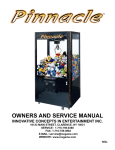
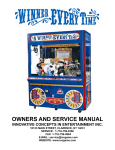
OWNERS AND SERVICE MANUAL
INNOVATIVE CONCEPTS IN ENTERTAINMENT INC.
10123 MAIN STREET, CLARENCE, NY 14031
SERVICE: 1-716-759-0360
FAX: 1-716-759-0884
E-MAIL: [email protected]
WEBSITE: www.icegame.com
1
For More Product Information On This + 1600 Other Arcade and Amusment Products, Visit : www.BMIGaming.com
TABLE OF CONTENTS
INTRODUCTION
PAGE 3 & 4
GAME FEATURES
INSTALLATION
PAGE 5
TESTING / MAINTENANCE
PAGE 6
Candy Prize Sensor Adjustment
PAGE 7
PROGRAMMING OPTIONS
PAGE 8 - 13
INTRODUCTION
USING THE PROGRAMMING OPTIONS
QUICK TROUBLESHOOTING
PAGE 14 & 15
CLAW ASSEMBLIES
PAGE 16 & 17
WAGON ASSEMBLIES
PAGE 18 & 22
CABINET ASSEMBLIES
PAGE 23 & 24
PARTS LIST
PAGE 25
WARRANTY
PAGE 26
Revision C
7/12/2012
2
For More Product Information On This + 1600 Other Arcade and Amusment Products, Visit : www.BMIGaming.com
INTRODUCTION
ELECTRONICS HOUSING - The unique housing for
the main electronics makes it extremely fast to
change the Main P.C. Board. Just pull on the spring
loaded retaining pin and pull the Electronics housing
from the game. To put new electronics in the game,
just push the housing in until you rear the retaining
pin snap into place. Removal or installation takes
just seconds!
OVERVIEW
Thank you for purchasing the WINNER EVERY TIME™
Crane game from I.C.E. This Crane incorporates a great
new feature where the customer truly is a "Winner Every
Time".
When the player inserts money the Crane mechanism on
the LEFT hand side of the game begins to move. The
player then attempts to win a Plush or similar type of
prize. If the player is successful winning the prize, the
game is over.
CABINET CONSTRUCTION - The materials and
construction methods used in the manufacture of
this cabinet make it the strongest and most durable
in the industry. Thick powder coated steel outer
cabinet construction and internal bracing make the
cabinet extremely stiff and able to withstand repeated moves from location to location.
If the player DOES NOT win a prize, the RIGHT hand
Crane begins to move and signals the player to win candy
on the right hand side of the game. THE GAME WILL
CONTINUE 5 MORE TIMES ON THE CANDY SIDE OR
UNTIL THE PLAYER HAS WON SOME CANDY.
GRAPHICS PACKAGE - The cabinet colors and
graphics have been carefully chosen to create an
eye catching, yet classy expensive looking design.
GREAT FEATURES
REVOLUTIONARY CLAW DESIGN - We have designed the claw assembly for incredibly linear operation. The grab strength at full claw tip extension is
very similar to that when fully retracted. We use a
triple solenoid system with great reliability and durability. This system will also allow the claw to function
in the unlikely event that one of the solenoids were
to fail. This is possible because all 3 solenoids are
connected together rather than working independently. This method also allows the claw to work
much more consistently. The solenoids also have a
unique design that improves linear functionality. The
built in heat sinks keep the temperature of the solenoids more consistent which in turn also results in a
more consistent grab. The claws are ideally shaped
for the best balance of grab and slip. The shape has
been fine tuned for auto-percentaging of the machine & requires no adjustment.
DOOR DESIGN - The front door of the game opens
easily and simply by turning the lock handle just 90
degrees. The control panels are mounted to the door
via "intelligent" wiring, keeping them out of the way
during service. The door is counterbalanced by nitrogen shock absorbers to raise the door fully out of the
way. This works much better that doors that open
outward in locations where space is an issue. Further we lift the door rather than use sliding doors because an unimpeded view of the playfield is much
more desirable, and sliding doors offer much less
security than the lift up design incorporated.
3
For More Product Information On This + 1600 Other Arcade and Amusment Products, Visit : www.BMIGaming.com
INTRODUCTION
REMOTE PROGRAMMING UNIT - This crane uses
a remote programming unit that enables the customer to comfortably program the unit without having
to bend into awkward positions or read cryptic displays. The small hand-held unit uses a remote connecting cable and utilizes plain text graphics that are
easy and straight forward to read and understand.
Navigating through the menus is simple and quick.
All of the programming options are updated in real
time so you can test your changes as you play the
machine. There is no need to go in and out of programming mode to see if your changes worked correctly. This is a great time saving feature that makes
it easy for the machine servicer to do a better and
more accurate set up job.
EASY SET-UP - When programming, the game has
been designed to work as efficiently and as broadly
as possible to minimize adjustments in the field. In
fact, under most circumstances the game will dispense small and large prizes with equal accuracy
using the same settings at the same time. For the
first time you can confidently load anything you want
mixed together at the same time onto the playfield.
LIGHTING - The playfield and top sign lighting is
achieved through the use of high output, long life
florescent lamps. The lamps used have very long life
(Typical in excess of 20,000 hours) and are very reliable, quick and easy to replace.
INDEPENDENT DOOR ACCESS - The crane allows
the Front playfield door, the electronics access /
storage door, and the coin doors to all be accessed
separately. This means you can have different people service different areas of the game without having access to any other area prohibited.
4
For More Product Information On This + 1600 Other Arcade and Amusment Products, Visit : www.BMIGaming.com
INSTALLATION
SAFETY PRECAUTIONS
ASSEMBLY INSTRUCTIONS
IMPORTANT: FAILURE TO FOLLOW THESE
DIRECTIONS CLOSELY COULD CAUSE SERIOUS
DAMAGE TO YOUR CRANE.
1. Carefully remove the crane from its
packaging.
WARNING: WHEN INSTALLING THIS CRANE, A
13 AMP GROUNDED SOCKET MUST BE USED.
FAILURE TO DO SO COULD RESULT IN SERIOUS INJURY TO YOURSELF OR OTHERS. FAILURE TO USE A GROUNDED SOCKET COULD
ALSO CAUSE IMPROPER CRANE OPERATION,
OR DAMAGE TO THE ELECTRONICS.
3. Cut all tie wraps holding the wagon assembly
and crane in place.
2. Using the supplied keys, unlock the front
door of the cabinet.
4. Plug the game in.
The machine is now ready for start up
START UP
USING AN IMPROPERLY GROUNDED GAME
COULD VOID YOUR WARRANTY.
Turn the power on to the machine and note the operation.
THIS GAME IS NOT SUITABLE FOR INSTALLATION IN AN AREA WHERE A WATER JET COULD
BE USED.
When powered up, the claws should drop into the
prize chute and retract.
This appliance is not intended for use by persons
(including children) with reduced physical, sensory
or mental capabilities, or lack of experience and
knowledge, unless they have been given supervision
or instruction concerning use of the appliance by a
person responsible for their safety. Children should
be supervised to ensure that they do not play with
the appliance
You should notice the claws snapping shut during
the initial power up.
You should be able to hear game sounds at this
time.
CRANE SET-UP
PROGRAMMING
BEFORE PLUGGING THE GAME IN, OR TURNING
IT ON, BE SURE THE GAME HAS BEEN SET TO
THE PROPER VOLTAGE. YOUR CRANE
SHOULD COME PRE-SET FROM THE FACTORY
AT THE CORRECT VOLTAGE, HOWEVER IT IS A
GOOD IDEA TO CHECK THE A.C. SUPPLY
VOLTAGE BEFORE PLUGGING THE GAME IN.
Please see the programming section of this manual
for detailed instructions on how to program your
crane.
5
For More Product Information On This + 1600 Other Arcade and Amusment Products, Visit : www.BMIGaming.com
TESTING / MAINTENANCE
TESTING
CLEANING
After the initial setup, it is time to test your game for
proper operation.
Regular cleaning of this game will keep it looking
new, and greatly enhance its appeal.
1. Locate the game in its permanent location.
Clean the windows of your game with a standard
window cleaner.
2. Be sure the game has been properly plugged
in.
Clean the cabinet sides with a good cleaner and a
soft rag. A mild soapy solution can be used. You
may use a furniture polish when finished to protect
the game and make it look more attractive,
3. Verify that the game is set up for the proper
voltage, and turn the power to the game on.
4. The game will run through a test mode at
every startup.
NOTE: DO NOT USE ALCOHOL, THINNERS OF
ANY KIND, OR PINBALL PLAY FIELD CLEANERS
ON ANY OF THE CABINET SURFACES
ESPECIALLY THE DECALS.
5. Insert coins into the machine at least ten
times into the coin mech to assure proper
operation.
6. Check the credit and prize counters for
proper operation.
7. Check game volume during busy time at
location to set it at the proper level.
6
For More Product Information On This + 1600 Other Arcade and Amusment Products, Visit : www.BMIGaming.com
Adjusting the Candy Prize Sensor
Due to the variances in candy sizes it might be necessary to adjust your prize sensor’s sensitivity in
order for the crane to see when candy passing through the prize sensor. You will need a voltage
meter set on DC in order to do this adjustment.
Refer to your meter’s instructions to set the meter to its DC measurement with a range of 0 volts to 5
volts. Open the main access door where the main board cages are located to gain access to the
prize sensor’s adjustment pot and wiring. On the right side you will find a small circuit board with a
four wire harness connected to it. Insert your black (ground) probe into the wire harness’s 3 pin position. Insert your red (positive) probe into the wire harness’s 4 pin position. Refer to the diagrams
below to either increase the voltage or decrease the voltage. You should only have voltage present
when the prize sensor sees a piece of candy go through or in other words is blocked. You can drop
random pieces of candy through the center of the prize chute to see if the prize sensor sees each
piece dropped through.
Green/white, pin 4
Prize Sense Line
Positive Probe
Increase voltage
CG2039XX
Prize Sensor Adjustment
Black, pin 3
Ground
Ground Probe
Green/white, pin 4
Prize Sense Line
Positive Probe
Decrease voltage
CG2039XX
Prize Sensor Adjustment
Black, pin 3
Ground
Ground Probe
7
For More Product Information On This + 1600 Other Arcade and Amusment Products, Visit : www.BMIGaming.com
Emporium Crane Programming Guide
This claw mechanism operates a little differently then our other claws. You will notice that the claw
is not as bent, or it has more of a straight look to it. The reason for this is that the game is holding
the prize, not cradling it. By using this method one has better control over the gaming experience.
In order to program the game cycle properly, one should understand the different aspects of the operation. After enough money has been inserted into the game, the player can move the claw until
time expires or the button has been press. The claw will descend until it hits the prizes, bottom of
prize deck, or the sensor in the prize chute. Once any of those conditions are met the claw will ascend until it returns to the top. The gantry system will then bring the claw back over the prize chute
and open the claw. Several of these functions can be tweaked by the owner for a better player experience.
The gantry speeds can be changed in programming to adjust ratio of game time to amount of moving or to handle a specific type of prize. A more delicate prize might have a slowed down movement
to prevent significant jarring, as an example. If more jarring is needed then speeding up the movement will create a harder stop and therefore might jar the prize loose, if that is intended. Additionally
the up and down time of the claw can be adjusted as well.
Once the player positions the claw and presses the button, or runs out of time the claw will descend.
Upon touchdown there are a few programming options that will allow one to customize the playing
experience based on the type of prizes to be won or the effect desired.
Normally the claw will stop descending when it makes the bottom sensor, but this is a place where
you can change things. Dig time programming option refers to the EXTRA time that the claw will
continue to descend into the prizes AFTER the down sensor has been made. So if you have a soft
prize and you want the claw to descend a bit into the prizes then you can program this for some additional time. Be careful with this setting. If you set it too long then the claw can tip over sideways
when something unforgiving has been landed on which making it very difficult to pick up a prize from
this position.
Once that time has expired (zero by default) then the system will use the time placed in the Pickup
Time programming option. This will close the claw and hold it at full strength until this time has expired. It is set to 8 and the count is in 1/8th of a second so the default is 1 second. The claw will ascend during this time. So the reduced claw strength will occur sometime during the ascent and if
properly set causes the prize to just slip out of the grasp of the claw without a noticeable release. It
uses the release strength of the claw to reduce to, so it is important that this be set to just NOT be
able to hold the prize for the best effect.
After that time expires the claw will continue to ascend until it reaches the top sensor. Once there it
will use the Hold Time programming option. This option will pause the claw at the top before it starts
to move to the home position. This allows for any rocking motion to be settled down before the
crane goes to the home position over the prize chute.
If the prize is of an odd shape or delicate then the use of stop and drop programming option will
change the end of the game. Normally the claw will release and let the prize fall into the chute, but if
stop and drop has been enabled then the claw will descend before it opens the claw thereby providing a softer, less height, landing for the prize.
8
For More Product Information On This + 1600 Other Arcade and Amusment Products, Visit : www.BMIGaming.com
PROGRAMMING
THE MULTI-PROGRAMMER HAS THE FOLLOWING PUSHBUTTONS:
7
1
6
2
5
4
3
1
Select + and Select - buttons are used to move up and down through the various menus and
settings.
2
This pushbutton will take you to the top of the Advanced Menu choices.
3
Not Used
4
This pushbutton will take you to the top of the Test options.
5
When the light is on, communication exists between the game and terminal.
6
This pushbutton will take you to the top of the Enter menu choices.
7
Adv and Dec will increment and decrement an option unless otherwise specified on the programmer screen.
9
For More Product Information On This + 1600 Other Arcade and Amusment Products, Visit : www.BMIGaming.com
PROGRAMMING
BUTTON MENUS
SET UP MENUS
Upon power up, the game will automatically display
the “ENTER” menu choices and they are as follows:
Price of Play
This setting determines the price of game play. The
range for this option is .10 to 2.50. The default setting is “.30”.
Cost of Prize
This setting determines the cost of the prize. The
range for this option is .10 to 20.00. The default setting is “3.00”.
Payout
This setting determines the percentage of payout.
The range for this option is 10% - 50%. The default
setting is “33%”.
Minimum Power
This setting determines the minimum power of the
Claw. The range for this option is 20% - 99%. The
default setting is “45%”.
10
For More Product Information On This + 1600 Other Arcade and Amusment Products, Visit : www.BMIGaming.com
PROGRAMMING
ADVANCED MENUS
Free Play
This setting determines the play mode of the game.
The selections are Free and Normal. The default
setting is “Normal”.
Pressing the Menu button will display the following
options:
Attract Time
Front/Rear Speed
This setting determines the duration of time between
attract modes in minutes. The range for this option is
1 - 45. The default setting is “3”.
This setting allows for the adjustment of the forward / backward speed of the crane. The range for
this setting is 10 - 20 with 10 being slow and 20 being fast. The default setting is “14”.
Attract Type
Left/Right Speed
This setting determines what type of attract mode (if
any) is used. The selections are: off, snd only and
mot only. The default setting is “snd/mot”.
This setting allows for the adjustment of the left /
right speed of the wagon. The range for this setting
is 10 - 20 with 10 being slow and 20 being fast. The
default setting is “14”.
Attract Volume
This setting determines the sound volume of the
game. The selections are high or low. The default
setting is “high”.
Claw Down Speed
This setting allows for the adjustment of the down
speed of the claw. The range for this setting is 10 20 with 10 being slow and 20 being fast. The default
setting is “15”.
Maximum Power
This setting determines the maximum power of the
Claw. The range for this option is 45% - 99%. The
default setting is “99%”.
Claw Up Speed
This setting allows for the adjustment of the up
speed of the claw. The range for this setting is 10 20 with 10 being slow and 20 being fast. The default
setting is “15”.
Game Time
This setting determines the duration of the game.
The range for this option is 15 - 60. The default setting is “20”.
Dig Time
This setting determines the amount of time for the
claw to dig in when down. The range for this setting
is 0 - 3 seconds in 1/8 second increments. The default setting is “0”.
Value Coin 1
This setting determines the money value for coin 1.
The range for this option is .10 - 6.00. The default
setting is “.25”.
Pickup Time
This setting is used to determine the amount of time
the claw will be at pickup power after dig. The range
for this setting is 0 - 3 seconds in 1/8 second increments. The default setting is “1”.
Value Coin 2
This setting determines the money value for coin 2.
The range for this option is .10 - 6.00. The default
setting is “.50”.
Hold Time
This setting is used to determine the amount of time
the claw will be held at the top. The range for this
11
For More Product Information On This + 1600 Other Arcade and Amusment Products, Visit : www.BMIGaming.com
PROGRAMMING
setting is 0 - 10 seconds in 1/8 seconds increments.
The default setting is “0”.
Stop and Drop
This setting is used for allowing the claw to descend
to a predetermined distance before releasing a
prize. This setting is extremely useful for fragile
prizes. Settings for this feature are Yes and No. The
default setting is “No”
Fail Limit
This setting is used to set the limit for out of range
payouts. If the payout percentage is over the set
limit, the game will no longer accept coins. The
range for this setting is 0 - 50%. The default setting
is “0” (off).
Reset Regulator
This COMMAND is used to restart the payout regulator. This is designed for a new prize or in the event
of large fluctuations in the vending price or purchase
price. Always restart the game after adjusting the
machine. Pressing the ADV button will reset regulator.
Reset Defaults
Pressing the ADV button will reset default options.
Coin Discount
The value of this setting will give you 1 free credit for
every XXX coins inserted into the game AT ONCE.
A setting of “0” turns this mode off. Default setting
is 0.
Coin Cost
This setting is used to set the cost of your coin. Default is .25.
12
For More Product Information On This + 1600 Other Arcade and Amusment Products, Visit : www.BMIGaming.com
PROGRAMMING
TEST MENUS
Test Game Min Power
Pressing the Test button will display the following
tests:
ADV = sets game to play on retain power.
Test Up/Dn
Test Grab Cycle
Displays sensor status ADV = up and DEC = Dn.
ADV = start a grab cycle.
Test Lr/Rt
Displays sensor status ADV = out and DEC = in.
Test Ft/Bk
Displays sensor status ADV = back and DEC = front.
Test Grabber
ADV = Close, DEC = open.
Test Grabber Retain
ADV = Close, DEC = open at retain power.
Change Sides
ADV = Left, DEC = Right. Sets which side of the
crane you are testing.
Test Buttons
ADV starts test - Displays button status.
Test Prize Sensor
ADV starts test - Displays Prize Sensor Status.
Test Game Full Power
ADV = sets game to play on pickup power.
13
For More Product Information On This + 1600 Other Arcade and Amusment Products, Visit : www.BMIGaming.com
QUICK TROUBLESHOOTING
PROBLEM
NO GAME POWER
PROBABLE CAUSE
ON-OFF SWITCH ON THE GAME IS TURNED OFF
BLOWN A.C. POWER FUSE
GAME NOT PLUGGED OR CORD DAMAGED
BAD TRANSFORMER
TRANSFORMER HARNESS NOT CONNECTED
BAD POWER MODULE
SOLUTION
TURN POWER ON
REPLACE WITH PROPER FUSE
CHECK POWER CORD
CHECK FOR PROPER VOLTAGES
CHECK HARNESS
REPLACE POWER MODULE
GAME WILL NOT TAKE MONEY BAD COIN SWITCH
OR GIVE CREDITS CORRECTLY COIN DISCOUNTING SET WRONG
COINS PER CREDIT SETTING INCORRECT
BAD COIN MECHANISM
LOOSE OR DAMAGED HARNESSING
BAD MAIN P.C. BOARD
CHECK W/METER AND REPLACE
CHECK PROGRAMMABLE SETTING
CHECK PROGRAMMABLE SETTING
ADJUST OR REPLACE
CHECK W/METER—REPAIR
REPAIR OR REPLACE MAIN BOARD
DISPLAYS DO NOT WORK
BLOWN FUSE
BAD DISPLAY P.C. BOARD
BAD MAIN P.C. BOARD
LOOSE OR DAMAGED DISPLAY HARNESSING
REPLACE WITH PROPER FUSE
REPAIR OR REPLACE P.C. BOARD
REPAIR OR REPLACE P.C. BOARD
CHECK W / METER AND REPAIR
CRANE OR WAGON DOES NOT
MOVE
BAD MOTOR
LOOSE OR DAMAGED HARNESSING
BAD SWITCH ON BUTTON OR JOYSTICK
BAD HARNESSING TO BUTTONS OR JOYSTICK
BLOWN FUSE TO MOTORS ON MAIN P.C.B.
REPLACE MOTOR
CHECK W / METER—REPAIR
REPLACE SWITCH
CHECK W / METER—REPAIR
REPLACE WITH PROPER FUSE
CRANE KEEPS TRYING TO
MOVE IN TO THE HOME
POSITION
BAD LIMIT SWITCH (S)
LIMIT SWITCH NOT ALIGNED WITH ACTUATOR
REPLACE SWITCH (S)
ALIGN SWITCH AND ACTUATOR
CLAW WILL NOT CLOSE
BLOWN FUSE TO CLAW ON MAIN P.C. BOARD
BAD COIL
LOOSE OR DAMAGED HARNESSING
CLAW HAS MECHANICALLY JAMMED
REPLACE WITH PROPER FUSE
REPLACE COIL
CHECK W / METER AND REPAIR
FIND JAM AND REPAIR
CLAW STAYS CLOSED
BAD DRIVE TRANSISTOR ON MAIN P.C.B.
CLAW HAS MECHANICALLY LOCKED
REPLACE TRANSISTOR
FIND JAM AND REPAIR
SKILL LEVELING IS NOT
FUNCTIONING
PROGRAMMING IS NOT CORRECTLY SET
BAD PRIZE SENSOR
LOOSE OR DAMAGED SENSOR HARNESS
SET OPTIONS “9”, “16” AND “17”
REPLACE PRIZE SENSOR
CHECK W / METER AND REPAIR
CLAW GOES DOWN AND THEN
UP BUT DOES NOT CLOSE
DOWN SWITCH BAD
LOOSE OR DAMAGED HARNESS TO DOWN
SWITCH
REPLACE DOWN SWITCH
CHECK W / METER AND REPLACE
CLAW COMES UP AND ABOUT
10 SEC. PASSES BEFORE
CRANE MOVES TO THE HOME
POSITION
UP SWITCH BAD
LOOSE OR DAMAGED HARNESS TO UP SWITCH
BROKEN “UP” SPRINGS
REPLACE UP SWITCH
CHECK W / METER AND REPLACE
REPLACE SPRINGS
CRANE OR WAGON WHEELS
SLIP
MISSING OR DAMAGED O-RING DRIVE BELTS
LOOSE SET SCREWS IN WHEELS
LOOSE SET SCREWS IN DRIVE COUPLER
RAILS NEED TO BE SCUFFED
REPLACE O-RING BELTS
TIGHTEN SET SCREWS
TIGHTEN SET SCREWS
SCUFF TOP OF RAILS WITH
SANDPAPER
14
For More Product Information On This + 1600 Other Arcade and Amusment Products, Visit : www.BMIGaming.com
QUICK TROUBLESHOOTING
- NOTE: If the Wagon does not move smoothly through a full travel from left to right, check to see that the
wheel spacing is correct. If the spacing is correct, then check the 2 cabinet rails for burrs that may cause the
wheels to bind.
- NOTE: If the Crane does not move smoothly through a full travel from front to back, check to see that the
wheel spacing is correct. If the spacing is correct, then check the 2 separator rails for burrs that may cause
the wheels to bind.
- NOTE: If the Micro track for the left / right movement is binding during its travel, check to see if the top mirror
bracket’s edge, also the shelf the micro track rides on, has been de-burred.
- NOTE: If the front door is having trouble closing fully, check to see that all harnessing is out of the way for
the door to close. Next, check to see that the door is aligned properly.
- NOTE: If the door will not lock properly or locks with difficulty, check to see that the lock rotates smoothly.
Next, check that the lock rods are not binding on the lock cam or the lock rod guides. Next, check that all friction points have been lubricated with molly grease. Finally, if need be, adjust the lock rod guides such that the
door closes and locks smoothly.
- NOTE: If at the beginning of the self test mode, the claw does not drop, one or more of the following may
apply. The prize sensor is not working or is blocked. The string or string lever is mechanically binding. The up
or down switch is sticking or misaligned from its actuator.
- NOTE: If claw stays closed, it is likely that the diode has blown and the transistor controlling the claw has
also blown. Shut off the game immediately and have a qualified technician install a new coil assembly and
transistor on main board.
- NOTE: If claw is jerky while being lowered, it is likely that the up spring is missing or has not been slightly
elongated properly. Another possibility is that the string has mechanically bound on the spool. To fix the string
binding, you will need to use the “Multi-Programmer”. Plug the programmer into the game Enter the Main
Menu, Diagnostics Menu & then the Tests Menu. Using the Tests Menu, lower the claw all the way until it
starts to wind up backwards. Reverse the motor direction to raise the claw mechanism and properly rewind
the string on the spool. Exit the programming mode and the string should be free of mechanical binding.
- NOTE: If the claw stays open, first check for bad fuses on the main board. Next check that there are no
wires dislodged from the connectors in the harness between the wagon and crane, the harness between the
wagon and the main board, the crane assembly and the wagon assembly. If the problem still exists, and no
fuses are blown or wires dislodged, it is likely that the transistor controlling voltage to the claw has blown on
the main board. Have the coil assembly and transistor on the main board replaced by a qualified technician.
- NOTE: If the crane / wagon, in the home position, tries to move left or back, check to see that the actuators
are both present. Next, check to see that the sensors are present. Next, check to see that the sensors and
actuators are aligned. Then check to see that the sensor wires are not dislodged from the connectors. Finally,
replace the sensor, it is likely to be bad.
15
For More Product Information On This + 1600 Other Arcade and Amusment Products, Visit : www.BMIGaming.com
16
For More Product Information On This + 1600 Other Arcade and Amusment Products, Visit : www.BMIGaming.com
17
For More Product Information On This + 1600 Other Arcade and Amusment Products, Visit : www.BMIGaming.com
18
For More Product Information On This + 1600 Other Arcade and Amusment Products, Visit : www.BMIGaming.com
19
For More Product Information On This + 1600 Other Arcade and Amusment Products, Visit : www.BMIGaming.com
20
For More Product Information On This + 1600 Other Arcade and Amusment Products, Visit : www.BMIGaming.com
21
For More Product Information On This + 1600 Other Arcade and Amusment Products, Visit : www.BMIGaming.com
22
For More Product Information On This + 1600 Other Arcade and Amusment Products, Visit : www.BMIGaming.com
23
For More Product Information On This + 1600 Other Arcade and Amusment Products, Visit : www.BMIGaming.com
24
For More Product Information On This + 1600 Other Arcade and Amusment Products, Visit : www.BMIGaming.com
PARTS LISTINGS
MECHANICAL PARTS
5011
SPRING
BC1013
LOCK CAM
BC3028
SIDE GLASS
CG1054
WAGON ROLLER SHAFT
CG1055
WAGON MOTOR END PLATE
CG1155X
WAGON ASSEMBLY
CG1056
WAGON END PLATE
CG1057
WAGON SEPARATOR RAIL
CG1058
WAGON DRIVESHAFT
CG1059
WAGON DRIVESHAFT COUPLER
CG1060
TRACK GUIDE MOUNT
CG1061
CRANE MOTOR HOUSING
CG1161X
CRANE ASSEMBLY
CG1062
CRANE MOTOR HOUSING CAP
CG1063
CRANE STRING LEVER
CG1064
COIL STOP BLOCK COVER
CG1066
CRANE UP SPRING
CG1068
BUSHING
CG1069
TRACK MOUNT RAIL
CG1069X
TRACK MOUNT RAIL ASSEMBLY
CG1071
BRACKET
CG1077
STRING ROLLER
CG1078J
CLAW (SILVER PAINT)
CG1078JX
CLAW ASSEMBLY
CG2012
SENSOR (FWD)
CG2013
SENSOR (L & R)
CG3008A
MICRO TRACK 62 LINK
CG3008B
MICROTRACK END LINK SET
CG3019
CAGE RETAINER CAP
CG3019X
THUMB SCREW ASSEMBLY
CG3030
WHEEL (LARGE)
CG3032
STRING SPOOL SIDE
CG3034
COIL STOP BLOCK
CG3035
COIL CAP
CG4003
O RING
CG4004
STRING
CG5014
LOCK - T-HANDLE
CG5015
LOCK - BARREL
JC1051
SHOCK (HYDRAULIC)
CG1052
CASTER (SWIVEL - LOCKING)
CX1072-P100 SOLENOID MOUNTING PLATE
CX1073-P100 PLATE BOX BOTTOM
CX1075
CRANE CONNECTING PIN
CX1076-P800 HEAT SINK PLATE
CX3026
MIRROR (REAR WALL)
CX3327
GLASS (FRONT)
CX3036
FINGER PIN
CX3037
CLAW SPIDER
CG2014
JOYSTICK
GRAPHICS & DECALS
CX7303
CX7304
CX7305
CX7308
CX7312
CX7326
CX7327
CX7356
Front door left
Front door right
Front cabinet Emporium logo
Side decal
Control Panel
Side marquees
Front Marquee
Prize Door
ELECTRICAL / ELECTRONIC
PARTS
8284
8312
8395
CG2002X
CG2008
CX2009
FP2007
HD20224
HD2364
SM2008
ROPE LED
BALLAST WH6-120L
BULB PL-L 40W
BULB #192 WEDGE
TRANSFORMER
MOTOR
SOLENOID
SPEAKER (4” ROUND)
COUNTER 5V
FAN 120V
TRANSFORMER
RECOMMENDED SPARES
CG4003
CG4004
8312
8395
CG2008
CX2009
25
O RING
STRING
BULB PL-L 40W
BULB #192 WEDGE
MOTOR
SOLENOID
For More Product Information On This + 1600 Other Arcade and Amusment Products, Visit : www.BMIGaming.com
WARRANTY POLICY
I.C.E. Inc warrants all components in new machines to be free of defects in materials and workmanship for the period
listed below:
■ 180 days on Main PCB’s, Computers & Motors
■ 1 year on all LCD monitor panels
■ 90 days on all other electronic and mechanical components
■ 30 days on all I.C.E. repairs and parts purchases
I.C.E. Inc shall not be obligated to furnish a warranty request under the following conditions:
■ Equipment or parts have failed through normal wear and tear
■ Equipment has been subjected to unwarranted stress, abuse or neglect
■ Equipment has been damaged as a result of arbitrary repair/modification
Products will only be covered under warranty by obtaining an I.C.E. authorized RMA #. To obtain an RMA # please
provide I.C.E. tech support with the game serial # or original I.C.E. invoice # and a detailed description of the failure or
fault symptoms.
I.C.E. Inc will assume no liability whatsoever for costs associated with labor or travel time to replace defective parts.
All defective warranty covered components will be replaced with new or factory refurbished components equal to OEM
specifications.
I.C.E. Inc will cover domestic UPS ground, or comparable shipping costs during the warranty period. International or
expedited shipments are available for an additional charge. To obtain credit defective parts must be returned to I.C.E.
Inc, at the customer’s expense, within 30 days. After 30 days a 15% re-stocking fee will apply to all returns.
ICE distributors are independent, privately owned and operated. In their judgment, they may sell parts and/or accessories other than those manufactured by I.C.E. Inc. We cannot be responsible for the quality, suitability or safety of any
non-I.C.E. part or modification (including labor) that is performed by such a distributor.
Innovative Concepts in Entertainment
10123 Main St.
Clarence, NY 14031
Phone #: (716) - 759 – 0360
Fax #: (716) – 759 – 0884
www.icegame.com
26