1
PROGRAMMING INFORMATION
This section on programming shows the different programming fields
that are available across the many different FLEX SERIES UNIVERSAL
CONTROLLER product lines. Not all these fields will be used in a
particular product.
This paging terminal can be programmed four different ways...
Locally, remotely over the air, remotely from any touch tone
phone, or through a computer.
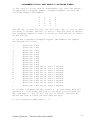
Local Programming: Simply plug any DTMF telephone set into the
rear panel RJ-11 jack labeled "PROG". This allows the telephone
keypad to act as a programming keyboard. The front panel display
will show either the keystrokes or the results of the keystrokes.
DTMF Over the Air Programming: The paging terminal can be
programmed over the air from any DTMF equipped radio. A DTMF
sequence is transponded in response to each command you enter and
is used to display the results of your programming on our CD-2 or
a special version of the Flex Series Controller.
Remote Dial Up Telephone Programming: Occasionally the paging
terminal will be located out of radio range and over the air
programming will not be possible. Simply dial up the paging
terminal to do the programming. You can perform all the
programming functions remotely that you can do locally. If the
programming sequence is accepted, a DTMF sequence is transponded
in response to each command you enter and is used to display the
results on a special version of the Flex Series Controller. If the
command entered is invalid, three beeps will be generated to tell
the user a mistake has been made.
Computer Programming: This self contained program operating in the
windows environment will allow the user to easily make changes to
the characteristics of the paging terminal. This program is not
expected to be released till something next year. This programming
can be accomplished by using a laptop or other computer and
plugging into the front panel plug or by attaching a modem into
the back panel plug. If a modem is used, the unit can be
programmed remotely.
To Enter and Exit Programming Mode: To enter the programming mode,
you must enter the programming mode access code. The access code
consist of six digits plus two leading pound "##" characters and a
trailing pound character. The factory default programming access
code is 123456. The programming access code is always six digits
in length. Therefore the code to get into the programming mode is
##123456#. This code will be valid until you have changed the
Programming Mode Access Code in the GLOBAL programming area.
Connect Systems Inc. - Flex Series Universal Controller
9