1
TRITON 1”-2” Programming Manual
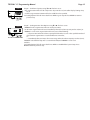
STEP 8D
Page 21
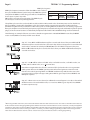
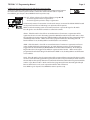
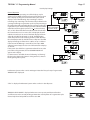
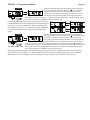
STEP 8D – MAV Drive History in the direction of extended piston
rod position. Display will not be shown if 1.0 is not selected in
Step 2CS and OFF is selected in Step 4CS. If the display does
appear up to a four digit number will appear after the “L” which
stands for latest and “A” which stands for average. Drive time is
measured in 1/100 of a second; i.e., a 17.10 second move is displayed as 1710. Press NEXT at any
time to go to Step 9D. Press REGEN to return to previous step.
Press and hold ▲ and ▼ buttons for 3 seconds while in Step 8D to
reset the MAV drive history in both the retracted and extended piston
rod position. To view the old MAV drive history data for retracted
and extended rod position press and hold SET CLOCK and ▲ while
in Step 8D. Press NEXT to advance display to the old MAV drive
history.
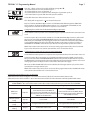
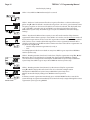
STEP 9D
RETURN TO NORMAL MODE
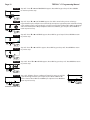
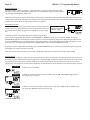
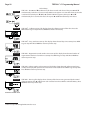
STEP 9D – MAV Drive History in the direction of retracted piston
rod position. Display will not be shown if 1.0 is not selected in Step
2CS and OFF is selected in Step 4CS. If the display does appear,
up to a four digit number will appear after the “L” which stands for
latest and “A” which stands for average. Drive time is measured in
1/100 of a second; i.e., a 17.15 second move is displayed as 1715. Press and hold ▲ and ▼ for 3
seconds while in Step 9D to reset the MAV drive history in both the extended and retracted piston
rod position. To view the old MAV drive history data see Step 8D. Press the NEXT button at any
time exit Diagnostics. Press REGEN to return to previous step.
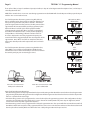
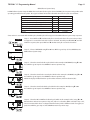
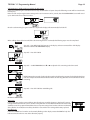
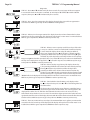
When desired, all programming and all information in Diagnostics may be reset to defaults when the valve is installed in a
new location. To reset to defaults, press NEXT and ▼ simultaneously to go to the Softening/Filtering screen. Press ▲ and
▼ simultaneously to reset diagnostic values and all programming to defaults. Screen will return to User Display.