1
EchoLife HG8240/HG8245/HG8247 GPON Terminal
Service Manual
3 Configuration
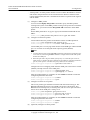
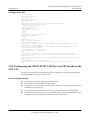
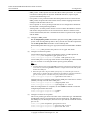
l DBA profile: A DBA profile describes the GPON traffic parameters. A T-CONT is bound
to a DBA profile for dynamic bandwidth allocation, improving the upstream bandwidth usage
rate.
l Line profile: A line profile describes the binding between the T-CONT and the DBA profile,
the QoS mode of the traffic stream, and the mapping between the GEM port and the ONTside service.
l Service profile: A service profile provides the service configuration channel for the ONT
that is managed through OMCI.
l Alarm profile: An alarm profile contains a series of alarm thresholds to measure and monitor
the performance of activated ONT lines. When a statistical value reaches the threshold, the
host is notified and an alarm is reported to the log host and the NMS.
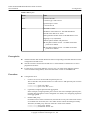
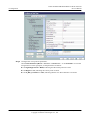
1.
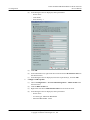
Configure a DBA profile.
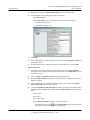
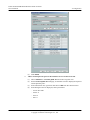
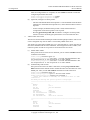
Run the display dba-profile command to query the existing DBA profiles in the system.
If the existing DBA profiles in the system do not meet the requirement, run the dba-profile
add command to create a DBA profile.
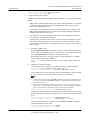
l HSI service: Set the DBA profile ID to 10, type to type4, and maximum bandwidth to
100 Mbit/s.
l VoIP service: Set the DBA profile ID to 20, type to Type3, assured bandwidth to 15
Mbit/s, and maximum bandwidth to 30 Mbit/s.
l Wi-Fi service: Set the DBA profile ID to 30, type to type4, and maximum bandwidth
to 200 Mbit/s.
l U2560 management channel: Set the DBA profile ID to 40, type to Type2, assured
bandwidth to 15 Mbit/s.
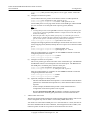
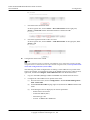
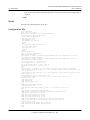
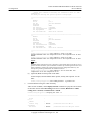
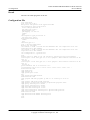
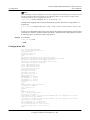
huawei(config)#dba-profile
huawei(config)#dba-profile
huawei(config)#dba-profile
huawei(config)#dba-profile
2.
add
add
add
add
profile-id
profile-id
profile-id
profile-id
10
20
30
40
type4
type3
type4
type2
max 102400
assure 30720 max 102400
max 204800
assure 30720
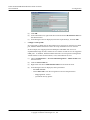
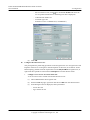
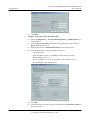
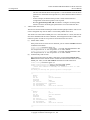
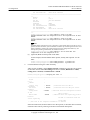
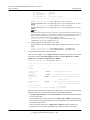
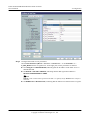
Configure an ONT line profile.
Create GPON ONT line profile 10.
l HSI service: Bind the T-CONT which ID is 1 to DBA profile 10.
l VoIP service: Bind the T-CONT which ID is 2 to DBA profile 20.
l Wi-Fi service: Bind the T-CONT which ID is 3 to DBA profile 30.
l U2560 management channel: Bind the T-CONT which ID is 4 to DBA profile 40.
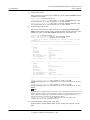
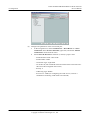
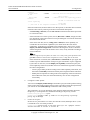
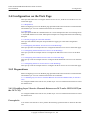
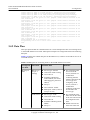
huawei(config)#ont-lineprofile gpon profile-id 10
huawei(config-gpon-lineprofile-10)#tcont 1 dba-profile-id
huawei(config-gpon-lineprofile-10)#tcont 2 dba-profile-id
huawei(config-gpon-lineprofile-10)#tcont 3 dba-profile-id
huawei(config-gpon-lineprofile-10)#tcont 4 dba-profile-id
10
20
30
40
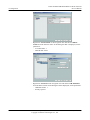
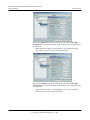
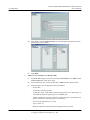
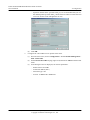
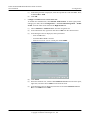
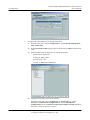
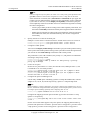
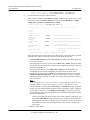
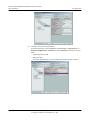
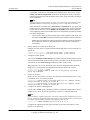
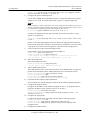
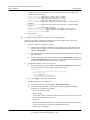
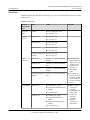
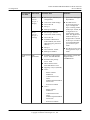
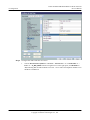
Add GEM ports which are used to carry service streams of the ETH type and bind the GEM
ports to T-CONTs. Set the QoS mode to priority-queue (default).
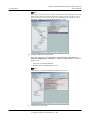
l HSI service: Add a GEM port which ID is 1 and bind the GEM port to T-CONT 1.
l VoIP service: Add a GEM port which ID is 2 and bind the GEM port to T-CONT 2.
l Wi-Fi service: Add a GEM port which ID is 3 and bind the GEM port to T-CONT 3.
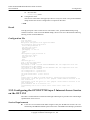
l U2560 management channel: Add a GEM port which ID is 4 and bind the GEM port
to T-CONT 4.
Issue 04 (2011-01-12)
Huawei Proprietary and Confidential
Copyright © Huawei Technologies Co., Ltd.
3-175