1
4 Service Configuration Examples
EchoLife HG8240/HG8245/HG8247 GPON Terminal
Service Manual
NOTE
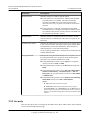
l If the WAN interface obtains IP addresses in static or DHCP mode, choose WANIPConnection to
set the parameters of the WAN interface.
l If the WAN interface obtains IP addresses in PPPoE mode, choose WANPPPConnection to set the
parameters of the WAN interface.
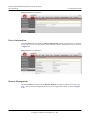
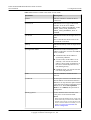
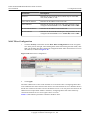
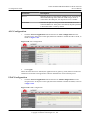
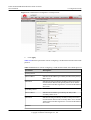
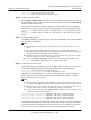
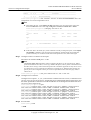
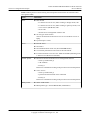
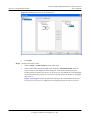
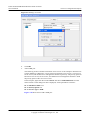
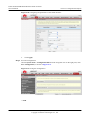
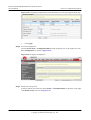
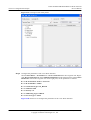
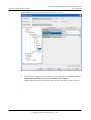
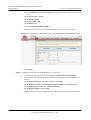
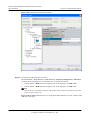
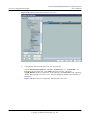
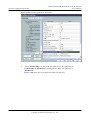
Figure 4-106 shows how to configure the parameters of the WAN interface..
Figure 4-106 Configuring the parameters of the WAN interface
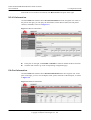
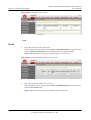
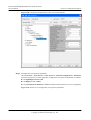
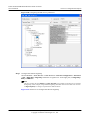
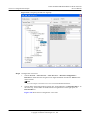
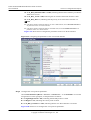
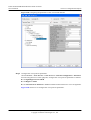
Step 5 Bind the SSID.
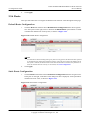
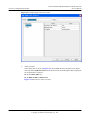
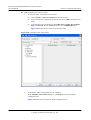
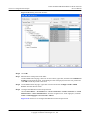
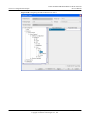
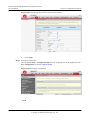
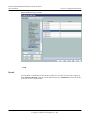
Choose InternetGatewayDevice > WANDevice > 1 > WANConnectionDevice > 1 >
WANIPConnection > 1 > X_HW_LANBIND from the navigation tree. In the right pane, set
SSID1Enable to 1, indicating that the WAN interface is bound to SSID 1.
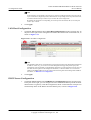
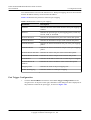
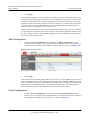
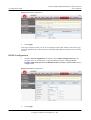
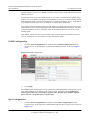
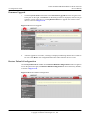
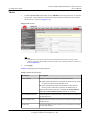
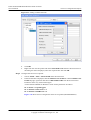
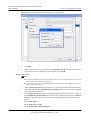
Figure 4-107 shows how to bind the SSID.
4-122
Huawei Proprietary and Confidential
Copyright © Huawei Technologies Co., Ltd.
Issue 02 (2011-01-26)