1
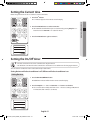
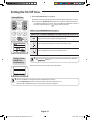
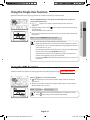
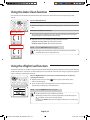
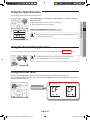
Setting the Current time Before using the functions of the air-conditioner, set the current time. 1. Press the 2ndF button 2ndF indicator appears on the remote controller display. AM or PM indicator will blink and you can set the time by pressing Temp hr. + or – button for hour and Fan min. button for minute. 3. Press the Time Set button again to activate it. 03 ADVANCED FUNCTION 2. Press the Time Set button to set the current time Setting the On/Off timer • Check the current time on the remote controller before using this function. • The default time is 12 AM on the remote controller. The current time is reset to default time after changing the batteries. You can set the air conditioner to turn on/off automatically at desired time. Setting On timer while the air conditioner is off / Off timer while the air conditioner is on Setting On timer 1. Press the On Timer/Off Timer button. On/Off timer indicator will blink on the remote controller display. 2. Press the Temp hr. + or – button and Fan min. button to set the time. You can set the time in hourly units from 1 hour ~ 12 hours according to AM, PM and in minute units from 1 minute ~ 59 minutes. English-21 Australia_A3050_IB&IM_EN_03979A-03.indd 21 2013-10-26 16:55:07