1
Scanner Basics
When Do You Use it and What Does it Do?
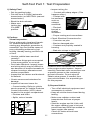
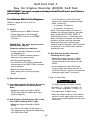
When to Use the Code Scanner
2
AUDIO
ON
• When the “Check Engine” light comes
on (if used on vehicle).
T
TES OU
UT
TP
• When you experience a driveability
problem with your vehicle.
SELF
Use the Code Scanner:
ST0
®
3
• For a routine system check – even on
vehicles with a “Check Engine” light.
1
TM
OFF
HOLD
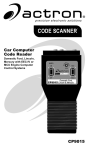
CP9015 – Ford, Lincoln & Mercury
Domestic 1981& Newer
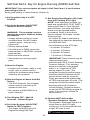
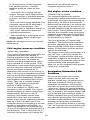
What the Code Scanner Does
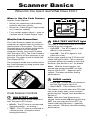
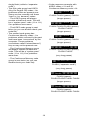
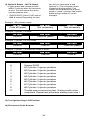
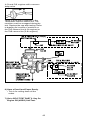
2 SELF-TEST OUTPUT light
The Code Scanner makes the vehicle
computer run special tests to check out
various parts of the system. The Code
Scanner plugs into vehicle wiring which
connects directly into two engine
computer circuits. One circuit is called
Self-Test Input (STI). The Code Scanner
uses this wire to tell the computer to run
the tests. The other circuit is called SelfTest Output (STO).
This light is connected to the STO circuit
coming from the computer.
• Light OFF – The STO signal is “high”
(about 5 volts present).
• Light ON – The STO signal is “low”
(near zero volts).
A pulse type signal on the STO wire will
cause this light to blink. This is how the
computer sends test results to the Code
Scanner. See Section 4 or 7 for details.
The computer sends test results back to
the Code Scanner by using a pulse type
signal on this wire.
ry
3
ln
co
d,
or
F
-F
OF
15
CP
90
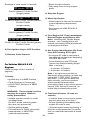
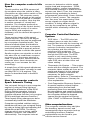
• Switch OFF – Tone is always OFF.
This feature is useful when the STO light
can not be easily seen, such as when
performing the “wiggle” test described in
Section 6.
Code Scanner Controls
1
AUDIO switch
• Switch ON – A tone sounds whenever
the Self-Test Output light is lit.
Lin
ON
AU
DI
O
&
Me
r
cu
TM
HO
LD
TE
ST
Note: With the Code Scanner connected and ignition key OFF, the light
may be ON or OFF – depends upon
vehicle. This does not affect testing
performance.
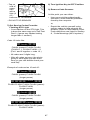
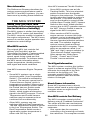
HOLD/TEST switch
Note: With the Code Scanner connected, Audio switch ON and ignition key
OFF, the tone may be ON or OFF (no
matter what the light does) – depends
upon vehicle. This does not affect testing
performance.
This switch connects to the computer’s
Self-Test Input (STI) circuit.
• HOLD – The STI wire is unconnected.
(Normal position – no testing.)
• TEST – The STI wire is connected to
vehicle ground. (Computer starts
testing procedure.)
7