1
2.2
SOAPClient configuration
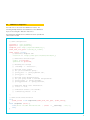
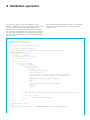
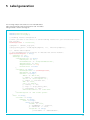
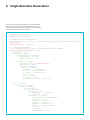
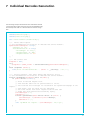
The web service is accessed via a SOAPClient instance. The
following example illustrates the initialization of the SOAPClient
object for accessing the “Barcode” web service.
The parameters that have been commented out are optional and
can be used if needed.
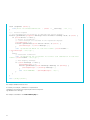
// SOAP Configuration
$username = ‘your username’;
$password = ‘your password’;
$endpoint_url= ‘http://anylocationURL/v2_2’;
$SOAP_wsdl_file_path= ‘barcode_v2_2.wsdl’;
$SOAP_config = array(
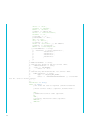
// Webservice Endpoint URL
‘location’ => ‘https://wsbc.post.ch/wsbc/barcode/v2_2,
// Webservice Barcode Login
‘login’ => $username,
‘password’ => $password,
// Encoding for Strings
// ‘encoding’ => ‘ISO-8859-1’,
//
//
//
//
Optional Proxy Config
(if you are behind a proxy):
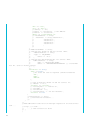
‘proxy_host’ => ‘proxy.mydomain.com’,
‘proxy_port’ => 8080,
//
//
//
//
Optional Proxy Authentication
(if your proxy needs a username and password):
‘proxy_login’ => ‘proxy-username’,
‘proxy_password’ => ‘proxy-password’,
// Addtional debug trace information:
// ‘trace’ => true,
// Connection timeout (in seconds):
// ‘connection_timeout’ => 90
);
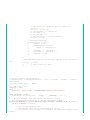
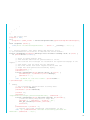
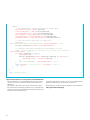
// SOAP Client Initialization
try {
$SOAP_Client = new SoapClient($SOAP_wsdl_file_path, $SOAP_config);
}
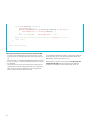
catch (SoapFault $fault) {
echo(‘Error in SOAP Initialization: ‘. $fault -> __toString() .’<br/>’);
exit;
}
5