1
Integer and floating point values are “C” string compatible ASCIIencoded. For example, an integer value of
<11011100101110101001100001110110> binary, would be sent
as <3703216246>.
When char, integer or hex-decimal data is sent with more than
one digit, leading zeros should always be left off. If the value of
the data is zero, then one zero must be sent. An exception is the
value zero in real format, it should be sent as 00000E0.
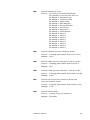
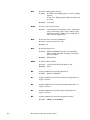
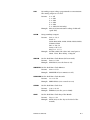
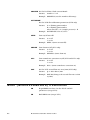
The firmware commands are divided into the following categories:
READ Commands
SET Commands
MISC (MISCELLANEOUS) Commands
HELP Commands
READ commands are used to read parameter from the
instrument (flow rates, pressures, temperatures, etc.). READ
commands can be identified by a leading "R".
SET commands set an internal parameter to the value(s) supplied
with the command. Supplied parameters are always delimited by
a “<,>”. SET commands can be identified by a leading "S". The
instrument will reply to all set commands with the string “OK”
<CR>.
MISC (MISCELLANEOUS) commands will be used for calibration
and SMPS mostly.
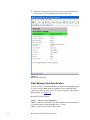
HELP commands. A list of firmware commands are accessible
using the HELP command sent to Serial 1 of the CPC. The
firmware commands are also listed in Appendix B. The commands
can be used to read CPC data, instrument statuses, set
instrument operating parameters, and send and receive data from
another instrument attached to the Serial 2 port.
The instrument will reply with a serial string of "ERROR", if a
command was not understood.
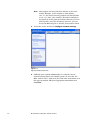
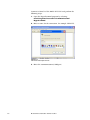
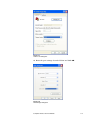
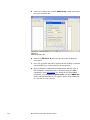
To use the HELP command and the firmware commands, a program
capable of sending and receiving ASCII text commands can be used.
A terminal program such as “HyperTerminal” (supplied with
Windows®) is appropriate.
Computer Interface and Commands
7-7