1
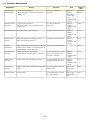
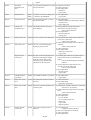
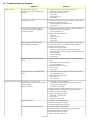
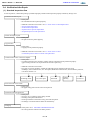
1-2. Customer Maintenance
Adjustment
Automatic print
head alignment
Timing
Purpose
Tool
Approx.
time
- At print head replacement
- When print quality is not satisfying (uneven
printing, etc.)
To ensure accurate dot
placement.
- Machine
7 min. (Use
buttons
MP-101.)
- Matte Photo
Paper (MP101)
- Computer (MP
driver)
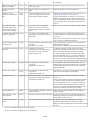
Manual print head - At print head replacement
alignment
- When print quality is not satisfying (uneven
printing, etc.)
To ensure accurate dot
placement.
- Machine
10 min.
buttons
- Computer (MP
driver)
Print head cleaning When print quality is not satisfying.
To improve nozzle conditions.
- Machine
1 min.
buttons
- Computer (MP
driver)
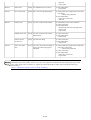
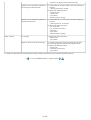
Print head deep
cleaning
When print quality is not satisfying, and not
improved by print head cleaning.
To improve nozzle conditions.
- Machine
2 min.
buttons
- Computer (MP
driver)
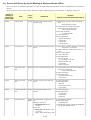
Ink tank
replacement
When an ink tank becomes empty. ("No ink error" To replace the empty ink tank.
displayed on the monitor or on the machine LCD,
or short flashing of an ink tank LED)
Paper feed roller
cleaning
- When paper does not feed properly.
- When the front side of the paper is smeared.
To clean the paper feed rollers
of the selected paper source
(rear tray or cassette).
- Machine
2 min.
buttons
- Computer (MP
driver)
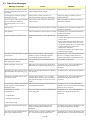
Bottom plate
cleaning
When the back side of the paper is smeared.
To clean the platen ribs. (Feed
the paper from the rear tray.)
- Machine
1 min.
buttons
- Computer (MP
driver)
Scanning area
cleaning
When the platen glass or document pressure sheet To clean the platen glass and
is dirty.
pressure sheet.
Soft, dry, and
clean lint-free
cloth.
1 min.
Exterior cleaning
When necessary
Soft, dry, and
clean lint-free
cloth.
1 min.
To clean the machine exterior,
or to wipe off dusts.
3 / 45
---
1 min.