1
16.3.14
16. Image quality problem
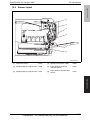
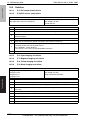
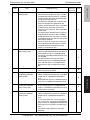
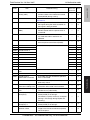
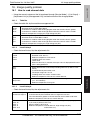
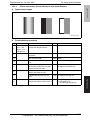
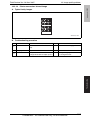
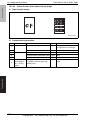
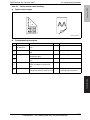
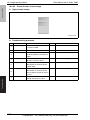
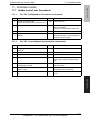
Printer 4-color: white lines in main scan direction, white bands in main
scan direction, colored lines in main scan direction, and colored bands in
main scan direction
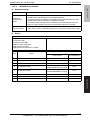
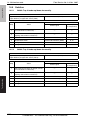
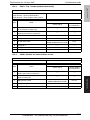
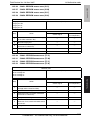
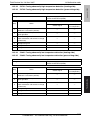
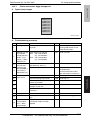
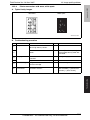
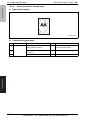
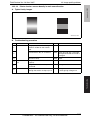
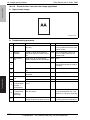
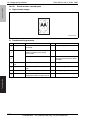
A. Typical faulty images
White lines in main
scan direction
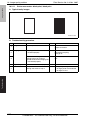
White bands in
main scan direction
Colored lines in main
scan direction
Colored bands in
main scan direction
magicolor 8650
Field Service Ver. 2.0 Nov. 2007
A02EF4C508DA
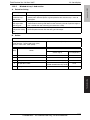
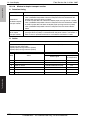
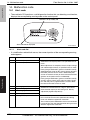
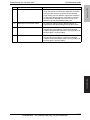
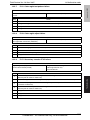
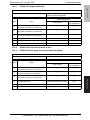
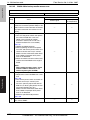
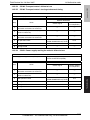
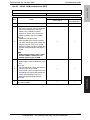
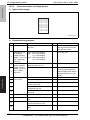
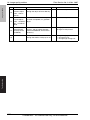
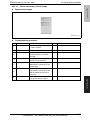
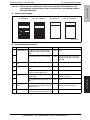
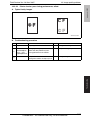
B. Troubleshooting procedure
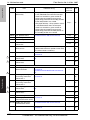
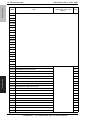
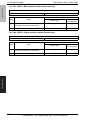
1
Section
Check item
Transfer belt unit Fingerprints, oil, or other foreign
matter is evident on the transfer
belt.
Result
Clean.
Transfer belt is dirty or scratched.
YES
Clean dirty belt with a soft cloth.
Change transfer belt unit if belt is
damaged.
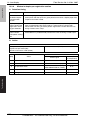
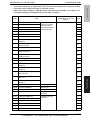
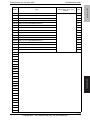
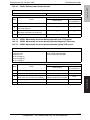
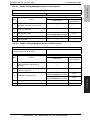
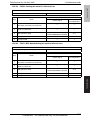
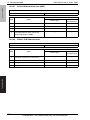
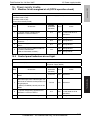
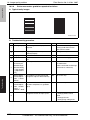
Transfer roller
unit
Transfer roller is dirty or scratched.
YES
Change transfer roller unit.
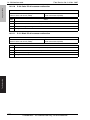
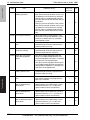
Paper path
There is foreign matter on paper
path.
YES
Remove foreign matter.
Image transfer paper separator
fingers are damaged or dirty.
YES
Clean or change.
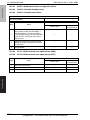
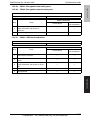
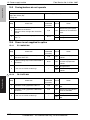
Fusing entrance guide plate is dirty
or damaged.
YES
Clean.
Change fusing unit.
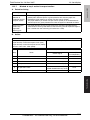
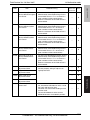
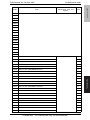
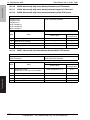
Fusing paper separator fingers are
dirty.
YES
Clean.
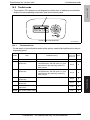
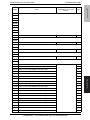
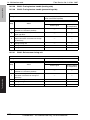
The resistance values between the
neutralizing brush and the ground
terminal is not ∞.
NO
Check the contact modify.
Change neutralizing brush.
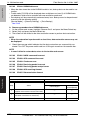
The problem has been eliminated
through the checks of steps up to 8.
NO
Change printer control board
2
3
4
5
6
Fusing unit
7
8
9
Action
YES
Neutralizing
brush
Confidential – for internal use only, do not distribute
Troubleshooting
Step
361