1
TROUBLESHOOTING
The following symptoms do not indicate malfunction.
Symptom
Cause
Power indicator blinks before the unit is
switched on.
■ The operation mode is different from other indoor unit.
■ This is a preliminary step in preparation for the operation when the ON timer has been set.
Power indicator blinks during operation
and the indoor fan is stopped.
■ The unit is in defrost mode, and the melted frost is drained from the outdoor unit.
Occasionally knocking sound is heard.
■ Switching over of refrigerant gas in the system during defrosting and at the end of
operations.
Cracking sound can be heard during
operations.
■ Panel expanding/contracting due to change in temperature.
Water flowing sound during operations.
■ Refrigerant flow inside the unit.
Airflow continues even after operation has
stopped.
■ Extraction of remaining heat from the indoor unit (maximum 30 seconds).
Indoor fan stops occasionally during
heating operation.
■ To avoid unintended cooling effect.
Indoor fan stops occasionally during
automatic fan speed setting.
■ This helps to remove the surrounding odour.
The room has a peculiar odour.
■ This may due to damp smell emitted by the wall, carpet, furniture or clothing.
Mist emerges from indoor unit.
■ Condensation effect due to cooling process.
Outdoor unit emits water/steam.
■ Condensation or evaporation occurs on pipes.
Timer indicator is always on.
■ The timer setting repeats daily once set.
Operation is delayed a few minutes after
restart.
■ The delay is a protection to the unit’s compressor.
Check the following before calling for servicing.
Symptom
Check
Heating/Cooling operation is not working
efficiently.
■
■
■
■
Noisy during operation.
■ Check if the unit has been installed at an incline.
■ Close the front panel properly.
Remote control does not work.
■ Insert the batteries correctly.
■ Replace weak batteries.
The unit does not work.
■ Check if the circuit breaker is tripped.
■ Check if timers have been set.
Patrol sensor or e-ion indicator on the
indoor unit is blinking (for GK-series
indoor unit).
Set the temperature correctly.
Close all doors and windows.
Clean or replace the filters.
Clean any obstruction at the air inlet and air outlet vents.
■ Press
or
twice. If the patrol sensor or e-ion indicator still blinking, please consult
your nearest dealer.
The unit stops and the timer indicator blinks.
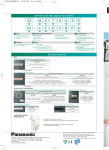
■ For GF-series indoor unit.
Jot down error code at indicator.
■ For DB, DD, DT, GK-series indoor unit.
If the error code does not appear at the
indicator.
TIMER
ON
1
CHECK
TIMER
ON
SET
2
OFF
3
CANCEL
Press to retrieve error
code, then jot down the
error code at indicator.
■ Turn the unit off and reveal the error code to your nearest dealer.
Note:
• The unit may be operable (with 4 beeps) on a limited basis, depending on the error.
16
Press for 5 seconds.
1
SET
2
OFF
CHECK
3
CANCEL
Press until you hear beep
sound, then jot down the
error code.
Press for 5 seconds to quit
checking.