1
FR HAUT-PARLEUR BLUETOOTH AVEC RADIO PLL
CONTENU DE LA BOÎTE
Lorsque vous déballez votre nouveau radio-réveil avec station d’accueil pour iPod/
iPhone, veillez à ce que tous les éléments cités ci-dessous soient présents:
- Tour d’enceinte
- Manuel d’utilisation
- Télécommande
- Cable auxiliaire x1 (3.5mm)
- Vis et Rondelle x2
INSTALLATION
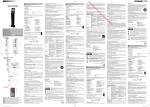
1. Capteur infrarouge
2. Tweeters
3. Haut-parleurs
4. Caisson de grave
5. Toile du haut-parleur
6. Base
7. Vis
Assemblez la base en bois sur le corps principal avec les vis fournies et les
rondelles comme sur l’illustration 1 ci-dessus. Le filet du haut parleur peut se
démonter et se remonter comme sur l’illustration 2 ci-dessus.
DESCRIPTION DE L’APPAREIL
Unite principale
1. Port USB
2. Logement pour carte SD
3. AUX Entrée Auxiliaire
4. Chargeur USB
5. Indicateurs des modes
6. Touche /
(lecture/pause/balayage)
7. Touche VOL+
(augmentation du volume)
8. Touche VOL(diminution du volume)
9. Touche MODE
10. Touche
/TUNE+
(recherche avant)
11. Touche
/ TUNE(recherche arrière)
12. Touche
(Mise Sous Tension/veille)
13. Antenne filaire FM
Télécommande
R1. Touche STANDBY
(Mise Sous Tension/Veille)
R2. Touche
/TUNE (recherche arrière)
R3. Touche VOL (Volume)+/(ajustement du volume)
R4. Touche MODE
R5. Touche
(SOURDINE)
FR
Manuel d’utilisation
GB
User Manual
PT
Manual do Utilizador
DE
Bedienungsanleitung
ES
Manual de instrucciones
IT
Manuale di istruzioni
NL
Gebruiksaanwijzingen
R6. Touche
/TUNE+
(recherche avant)
R7. Touche (lecture/pause)
R8. Touche STOP (ARRÊT)
R9. Touche FM SCAN
(recherche FM)
R10. Touche EQ(ÉGALISEUR)
R11. Touches numériques
La télécommande fonctionne avec une pile au lithium de type CR2025
(fournie). Pour alimenter la télécommande, retirez l’onglet d’isolation
situé à l’arrière de l’appareil.
M-1200 BT
REMPLACEMENT DE LA PILE DE LA TELECOMMANDE
1. Poussez le verrou vers la droite. Sortez le tiroir à pile.
2. Installez une pile « CR2025 » en dirigeant la borne positive de la pile
(+) vers le haut.
3. Replacez la couvercle du compartiment à pile.
INSTALLATION
1
3
2
5
“2”
6
ATTENTION :
Danger d’explosion si les piles ne sont pas remplacées correctement. Remplacezles uniquement par des piles identiques ou de type équivalent.
ALIMENTATION
Cette micro-chaîne fonctionne sur une alimentation secteur AC 230 V ~ 50 Hz.
Insérez la prise du cordon d’alimentation dans une prise murale standard.
Fig 2
Fig 1
AVERTISSEMENT: Cette unité dispose d’un cordon CA long sur lequel il est facile
de trébucher, ou qu’il est facile de tirer, provoquant des blessures. Assurez-vous
qu’il est arrangé de manière à ne pas draper un dessus de table, etc. lorsqu’il peut
être tiré par un enfant ou renversé accidentellement.
DESCRIPTION DE L’APPAREIL
Unite principale
FONCTIONS DE BASE
1
2
3
1. Appuyez sur la touche
pour mettre l’appareil en marche. Pour arrêter
l’appareil, utilisez cette même touche.
2. Appuyez sur la touche MODE a plusieurs reprises pour choisir la source de
lecture désirée. L’indicateur de MODE s’allumera en vert en conséquence.
4
Remarque:
- Si aucun appareil USB ou carte n’a été inséré, le mode USB ou CARTE ne
peut pas être sélectionné par la touche MODE.
5
12
11
6
7
10 8
3. Appuyez sur la touches VOL. +/- pour régler le vol ume sur le niveau d’écoute
désiré.
4. Utilisez la fonction EQ pour régler la qualité du son.
5. Appuyez sur la touche
pour couper temporairement le son. Appuyez à
nouveau sur cette touche pour rétablir le son.
6. Si l’unité ne sera utilisée pendant une longue période, débranchez-la
complètement.
ÉCOUTE DE LA RADIO
9
13
ANT
Appuyez sur la touche
pour mettre l’appareil en marche.
1. Appuyez sur la touche MODE plusieurs fois jusqu’à ce que l’indicateur FM
passe au vert.
2. Appuyez de manière répétée sur les touches
/
pour rechercher la station
de votre choix. Ou bien, appuyez sur la touche FM SCAN sur la télécommande.
L’unité commencera à chercher automatiquement toutes les stations FM
disponibles déjà stockée en mémoire.
3. Après avoir termine le FM SCAN, appuyez sur les touches numériques
puis attendez environ 3 secondes, vous pouvez sélectionner les stations en
présélection 1-20, par ex : Appuyer sur “1” signifie la station présélectionnée 1,
appuyer sur « 2 » + « 0 » signifie la station 20. Ou appuyez sur
pour circuler
entre les stations pré-selectionnées et les écouter.
Pour améliorer la réception radio:
FM: Pour une réception FM optimale, étendez l’antenne filaire.
LECTURE D’UNE CLE USB OU D’UNE CARTE SD/SDHC/MMC
Télécommande
1
2
MODE
PREV
NEXT
PLAY/PAUSE
VOL -
VOL+
0
FM
SCAN
EQ
1
2
3
4
5
6
7
8
9
3
4
5
6
7
8
9
10
11
FR Veuillez lire attentivement ce manuel avant toute utilisation.
GB Please read the instruction carefully before operating the unit.
PT Leia este manual com atenção antes de qualquer utilização.
DE Bitte lesen Sie dieses Handbuch vor der Benutzung sorgfältig durch.
ES Lea atentamente este manual antes de usar el aparato.
IT Leggete attentamente questo manuale prima di utilizzare l’apparecchio.
NL Gelieve voor gebruik deze handleiding aandachtig te lezen.
SP-3370 IB MUSE 001 REV0.indd 1
Remarque: Si aucune source n’est jouée en mode AUX, l’unité passera en mode
veille automatiquement après 5 minutes.
Chargeur USB
1. Connectez votre câble USB (non fourni) et branchez la prise USB standard
dans le port de chargement USB sur le dessus de l’unité.
2. Appuyez sur la touche
pour mettre l’appareil en marche.
3. Une fois terminé, déconnectez le câble USB de l’unité.
Remarque:
•La tension maximum du port de chargement USB est de
5V, 2.1A.CC Vous
pouvez charger tous les appareils à rechargeable par USB avec une intensité de
chargement inférieure, comme les iPod, iPhone, iPad, lecteur MP3, etc.
•La fonction de chargement n’est pas disponible en mode veille.
•Certains appareils peuvent être incompatibles.
COUPLAGE ET CONNEXION
1. Désactivez la fonctionnalité Bluetooth des autres appareils qui étaient couplés
avec votre unité.
2. Appuyez sur la touche
pour mettre l’appareil en marche.
3. Appuyez sur la touche MODE pour sélectionner le mode Bluetooth, L’indicateur
de bluetooth s’allumera en vert en conséquence. Votre unité sera en mode
couplage avec deux sons d’alerte bip.
4. Activez la fonctionnalité Bluetooth sur votre appareil Bluetooth. Typiquement,
les commandes Bluetooth se trouvent dans le menu d’outils ou de paramètres de
l’appareil (voir votre manuel de l’utilisateur). Allumez la connectivite Bluetooth et
rendez votre appareil « détectable ».
5. Rafraichissez la liste couplage sur votre appareil Bluetooth.
6. Choisissez “ajouter un nouvel appareil Bluetooth » ou « configurer un appareil
Bluetooth » sur votre appareil. Il commencera à effectuer une recherche. Une fois
que “M-1200BT” apparait sur votre appareil, sélectionnez-le. Si votre appareil vous
demande un mot de passe, saisissez 0000. Si la tentative de couplage échoue
ou prend trop de temps, recommencez la procédure de couplage (voir les étapes
2-6).
7. Une fois que votre appareil et le “M-1200 BT” se sont connectés réciproquement,
une tonalite se fait entendre.
Jouer des fichiers audio depuis des appareils Bluetooth.
Assurez-vous que la connexion Bluetooth entre l’unité et l’appareil est activée.
1. Appuyez sur la touché pour mettre la lecture en pause. Appuyez une nouvelle
fois sur la touché pour la reprendre.
2. Appuyez sur la touche
ou
pour passer à la plage suivante ou précédente.
Remarques: Les touches et
lecteurs de votre source Bluetooth.
Vous pouvez connecter un périphérique USB (non fourni) au port USB ou une
carte mémoire SD/MMC (non fournie) au logement pour carte de l’appareil pour
lire des fichiers MP3.
1. Appuyez sur la touche
pour mettre l’appareil en marche. Appuyez sur la
touche MODE plusieurs fois jusqu’à ce que l’indicateur USB ou SD passe au vert.
Après quelques secondes, la lecture du disque démarre automatiquement.
Remarques: • Les sources USB ou carte SD seront sélectionnées automatiquement
lorsque vous les insérez.
• En mode USB ou SD, l’appareil se mettra en veille si l’unité est en pause est que
vous ne touchez aucune commande pendant 5 minutes.
2. Appuyez sur la touché pour mettre la lecture en pause. Appuyez une nouvelle
fois sur la touché pour la reprendre.
3. Appuyez sur la touche
ou
pour passer à la plage suivante ou précédente.
Maintenez la touche
ou
enfoncée pour rechercher rapidement un passage
à l’intérieur d’une plage.
4. Utilisez les touches numériques pour atteindre la piste de votre choix. Ex:
Appuyer sur “1” signifie la station présélectionnée 1, appuyer sur « 2 » + « 0 »+
« 9 » signifie la station 209.
Remarques :
• L’unité est compatible avec les appareils de mémoire suivants (source): Clé USB,
carte SD, SDHC, MMC.
• Formats pris en charge: MP3 (32kbps-320kbps)
• Le nombre total de fichiers MP3 sur le dispositif de stockage ne peut pas dépasser
999.
• Si l’insertion de la carte mémoire est difficile, c’est que vous ne l’avez peut-être
pas insérée dans le bon sens. Retournez la carte et introduisez-la à nouveau.
• Pour lire des fichiers sur une clé USB ou une carte SD/SDHC/MMC, vous devez
brancher la clé USB ou la carte SD/SDHC/MMC lorsque l’unité est en mode veille.
Allumez l’unité et utilisez la touche SOURCE pour sélectionner le mode USB ou
carte SD/SDHC/MMC.
• Il existe de nombreux modèles de périphériques USB. Nous ne pouvons garantir
que l’appareil supporte tous ces modèles. Si votre périphérique USB n’est pas
supporté, veuillez en essayer un autre.
• Il arrive que certaines cartes SD/SDHC/MMC soient incompatibles.
risquent de ne pas fonctionner avec certains
GUIDE DE DÉPANNAGE
Cause
Symptôme
Impossible
de mettre
en marche
l’appareil.
“3”
Remarques concernant les piles
•N’essayez jamais de recharger les piles, ne les chauffez pas et ne les démontez
pas.
•Les piles ne doivent pas être exposées à une chaleur excessive (soleil, le feu,
etc.).
•Ne jetez pas les piles au feu !
•Veuillez tenir compte des aspects environnementaux lors de l’élimination des piles.
•En cas de non-utilisation prolongée de la télécommande, retirez les piles afin d’éviter
tout dommage provoqué par une corrosion due à un écoulement de celles-ci.
•Merci de respecter l’environnement. Avant de jeter vos piles usagées, consultez
votre distributeur qui peut se charger de les reprendre pour un recyclage spécifique.
4
7
“1”
UTILISATION DE L’ENTRÉE AUXILIAIRE (AUX. IN)
1. Branchez votre source auxiliaire (par exemple un lecteur iPod, iPad, MP3) à la
prise AUX (3.5mm).
2. Appuyez sur la touche
pour mettre l’appareil en marche. Appuyez sur la
touche MODE plusieurs fois jusqu’à ce que l’indicateur AUX passe au vert.
3. Démarrez la lecture sur votre source auxiliaire.
4. Ajustez le volume sonore au niveau désiré.
5. Pour arrêter la lecture, déconnectez votre source auxiliaire de la prise AUX.
Pas de son.
Distortion
sonore
La réception
Bluetooth ne
fonctionne pas
Remède
7. After your device and the “M-1200BT” have connected each other, a tone voice
can be heard.
GB Bluetooth Speaker with PLL Radio
UNPACK YOUR UNIT
When you unpack your new unit, make sure that you have removed all the
accessories and information papers:
-Speaker tower
-User manual
-Remote Control
-1 piece of Stereo audio connection cable with 3.5 stereo plug
-2 pieces of Assembly screws / washers
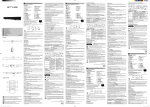
Installation
1. Remote Sensor
2. Tweeters
3. Loud Speakers
4. Woofer
5. Speaker Net
6. Base
7. Screws
Assembled the wooden base to the main body by the supplied screws and washers as
the Fig.1 above. The speaker net can take out and reassemble as Fig.2 above.
MAIN UNIT
1. USB port
2. SD card slot
3. AUX input jack
4. USB CHARGE
5. MODE indicators
6. /
Play/Pause/FM Scan Button
7. VOL+ Button
8. VOL- Button
9. MODE button
10.
/ TUNE+ Button
11.
/ TUNE- Button
12.
Standby Button
13. Antenna
REMOTE CONTROL
R7. (Play/Pause) Button
R8. STOP Button
R9. FM SCAN Button
R10. EQ Button
R11. Numeric Buttons
R1.
STANDBY Button
R2.
(TUNE -) Button
R3. VOL (Volume)+/- Buttons
R4. MODE Button
R5.
(MUTE) Button
R6.
(TUNE+) Button
The remote control operates on 1pc “CR2025” lithium battery
(included). To power up the remote control, remove the
insulation tab from the back of unit.
Replacing battery for the remote control
1. Push and slide out the battery trap.
2. Replace the battery by a new CR2025 button cell with the polarity “+” face up.
3. Replace the cover.
“1”
“2”
“3”
Notes on batteries
• Never recharge the batteries, apply heat to them or take them apart.
• Battery shall not be exposed to excessive heat such as sunshine, fire or the like.
• Do not throw the batteries in fire!
• Attention should be drawn to the environmental aspects of battery disposal.
• If the remote control is not going to be used for a long time, remove the battery to
avoid damage caused by battery leakage corrosion.
• Please respect the environment. Before throwing any batteries away, consult your
distributor who may be able to take them back for specific recycling.
CAUTION:
Danger of explosion if battery is incorrectly replaced. Replace only with the same
or equivalent type.
Branchez la correctement sur
le secteur.
POWER SOURCE
L’unité est en mode veille.
Appuyez sur la touche
pour
mettre l’appareil en marche.
WARNING: This unit has a long AC cord that can easily be tripped on or pulled on,
causing injury. Please make sure it is arranged so it will not drape over a tabletop,
etc. where it can be pulled on by children or tripped over accidentally.
Insert the AC plug into a conveniently located AC outlet having AC 230V~50Hz.
Le niveau de volume est
réglé sur le minimum.
Réglez le volume sur le
niveau de votre choix.
L’appareil connecté n’est
pas en mode lecture.
Lisez de la musique sur
l’appareil connecté.
Le son émis de l’appareil
connecté est faible. (Mode
AUX IN et BLUETOOTH)
1. Press
button to turn on or turn off the unit.
2. Press the MODE button repeatedly to select the playback source as desired.
The MODE indicators will light green accordingly.
Réglez le volume de votre
appareil connecté.
Note:
- If no USB device or CARD was inserted, USB or CARD mode cannot be selected
by MODE button.
Le niveau du volume est
trop fort
Réduisez le niveau de
volume en appuyant sur la
touche VOL-
Le niveau de volume de
l’appareil connecté est
trop fort (Mode AUX IN et
BLUETOOTH)
Réduisez le niveau de
volume sur l’appareil
connecté.
L’appareil n’est pas en
mode Bluetooth.
Essayez de connecter
à nouveau
SPÉCIFICATIONS
Alimentation
Puissance de sortie RMS:
Gamme de fréquence
Impédance des haut-parleurs:
AC 230V~50Hz
40W
FM 87.5 -108.0 MHz
Haut-parleurs 4 Ohm, 10W x 2
Tweeters 8 Ohm, 5W x2
Caisson de grave 8 Ohm, 30 W
Bluetooth Distance de fonctionnement: Jusqu’à 10 mètres mesurés par champ
libre. (Les murs et structures peuvent
influer sur la portée de l’appareil)
Contrôle à distance
Jusqu’à 5 mètres, +/- 30 degrés.
GENERAL OPERATION
3. Press the VOL(Volume)+/- Buttons to adjust volume level.
4. Press the EQ button to set EQ (equalizers) mode as desired.
5 Press the
Button on the remote control to turn off the sound. Press it again
to turn it back.
6. If the unit is not used for a long period of time, pull out the plug to turn off the
unit completely.
PLAY RADIO
Press the
button to turn on the unit.
1. Press MODE button repeatedly until the FM Indicator turns on.
2. Select the radio station using buttons “
”and “
”.Or, Press the FM SCAN
Button on the remote control. The unit will start to search all available FM stations
then stored into the memory automatically.
3. After finished FM SCAN, press numeric buttons then wait for approx 3 seconds,
you can select 1-20 preset stations. eg: pressing “1”, means preset station 1.
pressing “2” + “0” means preset station 20. Or press
to cycle through and listen
to the preset stations.
To enhance radio reception ability:
FM: Fully unwind the antenna wire. Extend the antenna wire and place it in the
position that sounds best.
USB OR SD/SDHC/MMC PLAYBACK
You can connect a USB flash drive (not included) to the USB port or a SD/SDHC/
MMC card (not included) to the memory expansion card slot on the unit to play
MP3 files.
1. Press
button to turn on the unit. Press the MODE Button repeatedly until the
USB indicator or SD indicator turns on. Wait for a few seconds, the unit will play the
music files automatically.
Note: • USB or SD card sources will be automatically selected when inserted in.
• In USB or SD mode, it will go to standby after “PAUSE” the unit and without key
press after 5 MIN.
2. Press
to suspend momentarily the playing track. Press
again to resume
playing.
3. Press
button to skip forward to next track and
to skip backward to previous
track. Press and hold
or
to search quickly within a track.
4. Using numeric buttons to your desired track. eg: pressing “1”, means track 1.
pressing “2”+“0”+”9 means track 209.
Note:
• The unit is compatible with the following Memory Device (Source): USB flash
drive, SD, SDHC, MMC.
• Supporting format: MP3 (32kbps-320kbps)
• The total number of MP3 files on the Memory Device should not exceed 999.
• If you can not easily insert the memory card, you may have inserted it incorrectly.
Try to turn over the card and then insert again.
• For playing files on USB flash drive or SD/SDHC/MMC card, you should plug
in the USB flash drive or SD/SDHC/MMC card when the unit is in standby mode.
Turn ON the unit and use SOURCE button to select USB or SD/SDHC/MMC card
mode.
• There are many USB devices in the market. We cannot guarantee to support all
different models. Please try another USB device if your device is not supported.
• Some SD/SDHC/MMC card may be incompatible.
LISTENING TO AUXILIARY SOURCE
1. Connect your auxiliary source (e.g. iPod / iPad / MP3 player) to the AUX jack
(3.5mm ).
2. Press the
button to turn on the unit. Press the MODE Button repeatedly until
the AUX indicator turns on.
3. Start playback from your auxiliary source.
4. Adjust the volume to desired level.
5. To stop playback, disconnect your auxiliary source from the AUX jack.
Note: If no source is played in AUX mode, the unit will go to standby mode
automatically after 5 minutes.
AVERTISSEMENTS
ATTENTION: Pour éviter tout risque de choc électrique,
ne démontez pas l’appareil. Aucune pièce interne n’est
réparable par l’utilisateur. Confiez tout entretien à un
technicien qualifié.
Le symbole de l’éclair terminé par une fl èche à l’intérieur d’un triangle
avertit l’utilisateur de la présence d’une « tension dangereuse » dans
l’appareil.
Le point d’exclamation situé à l’intérieur d’un triangle avertit l’utilisateur
de la présence d’instructions importantes dans la documentation
accompagnant l’appareil.
AVERTISSEMENT - Afin de réduire le risque d’incendie ou de choc électrique,
n’exposez pas cet appareil à la pluie ou à l’humidité.
Si à l’avenir vous désirez vous débarrasser de cet appareil, veuillez noter
que les appareils électriques ne doivent pas être jetés avec les ordures
ménagères. Renseignez-vous pour connaître le centre de recyclage le
plus proche. Consultez les autorités locales ou votre revendeur pour
plus de détails (Directive sur les déchets des équipements électriques
et électroniques).
Note: and
source.
buttons may not work with some of the players in your Bluetooth
TROUBLESHOOTING GUIDE
Symptom
No power
Location and description of controls
La prise CA n’est pas
branchée sur le secteur.
Avertissement
- N’obstruez aucune voie de ventilation. Installez conformément aux instructions
du fabricant.
- N’installez pas à proximité de sources de chaleur telles que radiateurs, registre
de chaleur, poêle ou autres appareils (y compris les amplificateurs) qui produisent
de la chaleur.
- Ne sous-estimez pas l’objectif de sécurité des prise polarisées ou de type terre.
Une prise polarisée dispose de deux lames dont l’une est plus épaisse que l’autre,
une prise avec mise à la terre dispose de deux lames et d’une fiche de mise a la
terre, la lame large ou la fiche sont équipées pour votre sécurité. Si la prise fournie
ne s’adapte pas à votre installation, consultez un électricien pour le remplacement
de votre installation obsolète.
- Protégez le cordon d’alimentation contre les piétinements ou les pincements,
particulièrement au niveau des branchements, prises de courant, et du point d’où
il sort de l’appareil.
- N’utilisez que les extensions/accessoires spécifiés par le fabricant.
- N’utilisez qu’avec un chariot, support, trépied, crochet ou
table spécifié par le fabricant, ou vendu avec l’appareil.
Lorsque vous utilisez un chariot, soyez attentif lorsque
vous déplacez la combinaison chariot/appareil pour éviter les
blessures dues au renversement.
- Débranchez cet appareil lors des orages ou lorsqu’il est inutilisé pendant une
longue période.
- Un système d’antenne extérieur ne doit pas être situé dans le voisinage d’une
ligne de tension aériennes ou d’autres lignes électriques ou circuits électriques
ou il pourrait tomber sur ces lignes ou circuits. Lorsque vous installez un système
d’antenne extérieur, de grandes précautions doivent être prises pour éviter le
contact avec ces lignes ou circuits car leur contact peut être fatal.
- Ne surchargez pas les prises secteur et les cordons de rallonge car ceci pourrait
entrainer un risque d’incendie ou de choc électrique.
- Lorsque des pièces de remplacement sont nécessaires, assurez-vous que le
technicien de réparation utilise des pièces de remplacement spécifiées par le
fabricant ou celle qui ont les même caractéristiques que les pièces d’origine. Des
substitutions non autorisées peuvent aboutir à des incendies ou des électrochocs
ou d’autres risques.
Play MUSIC from Bluetooth devices.
Make sure the Bluetooth connection between the unit and the device is active.
1. Press
to suspend momentarily the playing track. Press
again to resume
playing.
2. Press
button to skip forward to next track and
to skip backward to previous
track.
USB CHARGER-A Power USB Port
1. Connect your device to USB cable (not included) and plug the standard USB
plug into the USB charging port on the top of the unit.
2. Power on the unit as previous procedures.
3. When finished, disconnect the USB cable from the unit.
NOTES:
•The maximum output from the USB charging port is DC
5V,2.1A. You can
charge any rechargeable USB devices charging current less than it, such as iPod,
iPhone, iPad, MP3 Player…etc.
•Charging function is not available in Standby mode.
•Some devices may be incompatible.
BLUETOOTH PAIRING & LINKING OPERATION
1. Turn off the Bluetooth functionality of other devices that were paired with your
unit.
2. Press the
button to turn on the unit.
3. Press MODE button to select Bluetooth mode, The Bluetooth indicator will turn
on. Your unit will be in pairing mode with two beep tone voice.
4. Turn on Bluetooth functionality on your Bluetooth device. Typically, Bluetooth
controls are found on the device’s tools or settings menu (see your user manual).
Turn on Bluetooth connectivity and make your device “discoverable”.
5. Clean out the paring list on your Bluetooth device.
6. Choose “add a new Bluetooth device” or “setup Bluetooth device” on your
device. It will start to search. Once “M-1200BT” shows on your device, select it. If
your device prompts you for a pass code, please enter 0000. If the pairing attempt
fails or times out, please start pairing procedure again (see steps 2-6).
No sound
Cause
AC plug not plugged into
wall outlet.
button to turn
The unit is in Standby mode. Press the
on the unit.
Adjust volume to a desired
Volume in minimum.
level.
The connected device is
not in playback mode.
Play the music in the
connected device.
Sound output of the
connected device weak.
(AUX IN & BLUETOOTH
mode)
Adjust volume of connected
device.
Volume level too high
Sound
distortion
Solution
Plug it to the wall outlet properly.
Reduce the volume level by
press the VOL- button.
Volume level of the
connected device too high. Reduce the volume level of the
connected device.
(AUX IN & BLUETOOTH
mode)
Bluetooth
reception failure
Not in the Bluetooth
mode.
Try to do connection again.
Warning
-Do not block any ventilation openings. Install in accordance with the manufacturer’s
instructions.
-Do not install near any heat sources such as radiators, heat registers, stoves, or
other apparatus (including amplifiers) that produce heat.
-Do not defeat the safety purpose of the polarized or grounding type plug. A
polarized plug has two blades with one wider than the other, a grounding type
plug has two blades and a third grounding prong, the wide blade or the prong are
provided for your safety. If the provided plug does not fit into your outlet, consult an
electrician for replacement of the obsolete outlet.
-Protect the power cord from being walked on or pinched
particularly at plugs, convenience receptacles, and the point where
they exit from the apparatus.
-Only use attachments / accessories specified by the manufacturer.
-Use only with the cart, stand, tripod, bracket, or table specified
by the manufacturer, or sold with the apparatus. When a cart is
used, use caution when moving the cart / apparatus
combination to avoid injury from tip-over.
-Unplug this apparatus during lightning storms or when unused for long periods
of time.
-An outside antenna system should not be located in the vicinity of overhead power
lines or other electric light or power circuits, or where it can fall into such power
lines or circuits. When installing an outside antenna system, extreme care should
be taken to keep from touching such power lines or circuits as contact with them
might be fatal.
-Do not overload wall outlets and extension cords as this can result in a risk or fire
or electric shock.
-When replacement parts are required, be sure the service technician uses
replacement parts specified by the manufacturer or those that have the same
characteristics as the original part. Unauthorized substitutions may resu in fire or
electric shock or other hazards.
SPECIFICATIONS
Power source:
RMS Output Power:
Radio Coverage:
Impedance of Speakers:
AC 230V~50Hz
40W
FM 87.5 -108.0 MHz
Loud speakers 4 Ohm, 10W x 2
Tweeters 8 Ohm, 5W x2
Woofer 8 Ohm, 30W
Bluetooth working distance: Up to 10 meters measured in open
space. (Wall and structures may affect
range of device)
Remote working distance: Up to 5 meters, +/- 30 degree.
SAFETY INSTRUCTION
ATTENTION: To reduce the risk of electric shock,
do not remove the cover or back. There are no user
serviceable parts inside the unit. Refer all servicing
to qualified personnel.
Observações sobre as pilhas
•Nunca recarregue as pilhas, nem as aqueça ou desmonte.
•As pilhas não deverão ser expostas a calor excessivo como sol, fogo ou
semelhante.
•Não deite as pilhas no fogo!
•Deverá tomar atenção aos aspectos ambientais de reciclagem das pilhas.
•Se o controlo remoto não for utilizado durante um longo período de tempo, remova a
pilha de modo a evitar danos causados pela corrosão da fuga de líquido das pilhas.
•Respeite o ambiente. Antes de deitar as pilhas fora, contacte o seu distribuidor que
poderá ser capaz de reciclá-las correctamente no local correcto.
CUIDADO: Perigo de explosão se a pilha for substituída de forma incorrecta.
Substitua apenas pelo mesmo tipo ou por um equivalente.
Alimentação:
Esta micro-aparelhagem funciona com alimentaηγo de rede AC 230 V ~ 50 Hz. Ligue
o cabo de alimentaηγo de rede a uma tomada de rede.
ATENÇÃO: Este aparelho vem com um fio AC longo no qual pessoas poderão
tropeçar ou ele poderá ser puxado, causando acidentes. Certifique-se de que o fio
esteja instalado de uma maneira na qual ele não ficará pendurado sobre uma mesa,
etc, de onde ele poderá ser puxado por uma criança ou pessoas poderão tropeçar.
UTILIZAÇÃO DE BASE
1. Prima o botão
para ligar o aparelho. Prima o botão para desligar o aparelho.
2. Pressione o botão MODE várias vezes para selecionar reprodução como a origem
de som desejada.
O indicador da origem acenderá verde de acordo com a escolha.
Nota: -Caso um dispositivo USB ou CARTÃO não esteja inserido, o modo USB ou
CARTÃO não poderá ser selecionado através do botão MODE.
3. Utilize os botões VOL +/- para ajustar o volume até ao nível de escuta desejado.
4. Prima o botão EQ de forma repetida para seleccionar os diferentes modos.
5. Prima o botão
para cortar temporariamente o som. Prima de novo este botão
para restabelecer o som.
6. Caso o aparelho não seja utilizado por um longo período de tempo, retire-o da
tomada para desligar o aparelho totalmente.
OUVIR RÁDIO
Prima o botão
para ligar o aparelho.
1. Pressione o botão MODE várias vezes até que o indicador de FM se torne verde.
2. Pressione várias vezes os botões
/
para procurar a estação pretendida. Ou,
Pressione o botão FM SCAN no controle remote. O aparelho começará a buscar todas
as estações FM disponíveis e então armazenadas na memória automaticamente.
3. Depois que o FM SCAN tiver sido concluído, pressione os botões numéricos e
espero por aproximadamente 3 segundos para selecionar uma estação gravada
na memória. Por exemplo: pressionando “1”, significa a estação da memória 1.
pressionando “2” + “0” significa a estação da memória 20. Ou pressione
para
alternar entre as opções e escutar as estações guardadas na memória.
LEITURA DE UMA CHAVE USB OU DE UM CARTÃO SD/SDHC/MMC
Você pode conectar um pendrive USB (não acompanha) no conector para expansão
de memória do aparelho para reproduzir arquivos MP3.
1. Prima o botão
para ligar o aparelho. Pressione o botão MODE várias vezes até
que o indicador de USB ou SD se torne verde. Ao fim de alguns segundos, o aparelho
irá tocar os arquivos de música automaticamente.
Nota: • Dispositivos USB ou cartões SD serão automaticamente selecionados
quando inseridos.
• No modo USB ou SD, o aparelho entrará no modo de espera (standby) quando
estiver em “PAUSA” e nenhuma tecla for pressionada por 5 MINUTOS.
2. Durante a reprodução, pressione o botão para colocar a reprodução em pausa.
Pressione mais uma vez o botão para retomar a reprodução.
3. pressione a tecla
para saltar para a próxima faixa e pressione a tecla
para
retornar a faixa anterior. Mantenha pressionado as teclas
ou
para procurar
dentro da mesma faixa.
4. Utilize os botões numéricos da faixa desejada. Por exemplo: pressione “1”, o que
significará a faixa 1. pressione “2”+“0”+”9 para a faixa 209.
Nota:
• Este aparelho é compatível com os seguintes Dispositivo de Memória (Origem):
Discos Flash USB, Cartões SD, SDHC, MMC.
• Formatos suportados: MP3 (32kbps-320kbps)
• Número total de arquivos de MP3 em um Dispositivo de Memória não poderá
exceder 999.
• Se a introdução do cartão de memória é difícil, é porque não inseriu o cartão no
sentido correcto. Rode o cartão e introduza-o novamente.
• Para reproduzir arquivos em um Disco Flash USB ou Cartão SD/SDHC/MMC, você
deverá conectar o Disco USB ou Cartão SD/SDHC/MMC enquanto a unidade estiver
me modo de espera (standby). Ligue o aparelho e então utilize o botão SOURCE
para selecionar o modo USB ou cartão SD/SDHC/MMC.
• Existem numerosos modelos de periféricos USB. Não é possível garantir que o
aparelho suporte todos estes modelos. Se o seu periférico USB não é suportado,
deve tentar um outro.
* Acontece que alguns cartões SD/SDHC/MMC são incompatíveis.
UTILIZAΗΓO DA ENTRADA AUXILIAR
The exclamation point within the triangle is a warning sign alerting the
user of important instructions accompanying the product.
WARNING: TO PREVENT FIRE OR SHOCK HAZARD, DO NOT EXPOSE
THIS APPLIANCE TO RAIN OR MOISTURE.
Nota: Caso nada seja reproduzido no modo AUX, o aparelho entrará em modo de
espera automaticamente depois de 5 minutos.
If at any time in the future you should need to dispose of this product
please note that Waste electrical products should not be disposed of
with household waste. Please recycle where facilities exist. Check
with your Local Authority or retailer for recycling advice.(Waste
Electrical and Electronic Equipment Directive)
Carregador USB
1. Conecte o seu dispositivo em um cabo USB (não incluso) e conecte o conector
USB padrão na porta de recarga na parte de cima do aparelho.
2. Prima o botão
para ligar o aparelho.
3. Quando terminado, desconecte o cabo USB do aparelho.
PT CAIXAS DE SOM BLUETOOTH COM RÁDIO PLL
RETIRANDO SEU APARELHO DA EMBALAGEM
Quando for desempacotar seu novo rádio automotivo, certifique-se de ter colocado
para fora todos os acessórios e manuais:
-Torre das caixas de som
- Manual do Usuário
- Telecomando
- Line-in cable x1
- Arruela e Parafuso x2
INSTALAÇÃO
1. Sensor do controle remoto
2. Tweeters
3. Alto-falantes
4. Woofer
5. Tela das caixas de som
6. Base
7. Parafuso
Coloque a base de Madeira na parte principal do aparelho, utilizando os parafusos e
arruelas que vieram na caixa, conforme mostrado acima na Fig. 1. A tela das caixas de
som podem ser retiradas e montadas de volta como mostrado acima na Fig. 2.
DESCRIÇÃO DO APARELHO
UNIDADE PRINCIPAL
1. Entrada USB
2. Entrada de cartões SD
3. Tomada AUX
(entrada auxiliar RCA)
4. Carregador USB
5. Indicador de MODO
6. Botão /
(reproduηγo/pausa/ Busca de
Rádio FM)
7. Botão VOL.+
(aumento do volume)
TELECOMANDO
R1. Botão
(LIGAR/STANDBY)
R2. Botão
/ TUNE- (sintonização
para trás em modo rádio / salto
para a faixa anterior)
R3. Botão VOL+/- : Regulação do
volume.
R4. Botão MODE
R5. Botão
: Permite cortar ou
restabelecer o som.
8. Botão VOL.- (diminuiηγo do volume)
9. Botão MODE
10. Botão
/TUNE+
(sintonização para a frente em modo
rádio / salto para a faixa seguinte)
11. Botão
/ TUNE(sintonização para trás em modo
rádio / salto para a faixa anterior)
12. Botão STANDBY/
(LIGAR/STANDBY)
13. Antena de fio FM
R6. Botão
/TUNE+ (sintonização
para a frente em modo rádio / salto
para a faixa seguinte)
R7. Botão (reproduηγo/pausa)
R8. Botão STOP (Parar)
R9. Botão FM SCAN
R10. Botão EQ (equalizador)
R11. Botões numéricos
O telecomando funciona com uma pilha de lítio “CR2025” (incluída).
Para accionar a alimentção do telecomando, retire a patilha de
isolamento da parte de trás do aparelho.
Substituição da pilha do telecomando
1. Empurre o botão para a direita. Puxe o carregador da pilha para fora.
2. Insira uma pilha de tamanho “CR2025” com o lado positivo (+) virado para cima.
3. Volte a colocar a tampa.
“1”
“2”
“3”
-Não obstrua as aberturas para ventilação. Instale o aparelho de acordo com as
instrução do fabricante.
-Não instale o aparelho próximo a fontes de calor como aquecedores, registros de
calor, fornos, ou quaisquer outros itens que emitam calor (incluindo amplificadores).
-Não contorne a segurança de um conector com aterramento. Uma tomada com
aterramento tem 2 pinos chatos, sendo um mais largo que o outro, e um terceiro pino
arredondado de aterramento. O pino chato mais largo ou o arredondado são os que
proporcionam o aterramento para a sua segurança. Caso o conector não sirva na sua
tomada, entre em contato com um eletricista para trocar a tomada obsoleta.
-Proteja o fio de energia para que não seja pisado ou amassado, especialmente
próximo a tomadas, apoios ou pelo próprio aparelho.
-Utilize apenas encaixes/acessórios especificados pelos fabricantes.
-Utilize apenas com carrinhos, apoios, tripés, ou mesas
especificadas pelo seu fabricante ou vendidas com o aparelho.
Quando um, carrinho for utilizado, tome cuidado durante a
movimentação do carrinho/aparelho para evitar quedas ou
ferimentos por tropeços.
-Desconecte o aparelho durante tempestades de raios ou quando não for utilizá-lo
por um longo período de tempo.
-Uma sistema de antenna externa não deverá ficar próximo de fios de energia altos
ou quaisquer outros circuitos de luz ou elétricos, ou onde ele possa cair em tais fios
ou circuitos. Quando fizer uma instalação de sistema de antenna externa, muito
cuidado deve ser tomado para evitar que eles encostem tais vias de energia pois
isso poderá resultar em acidentes fatais.
-Não sobrecarregue tomadas ou extensões pois isso poderá criar o risco de
incêndios ou choques elétricos.
-Quando houver a necessidade de substituição de peças, certifique-se de que
um técnico especializado pelo fabricante e que as peças tenham as mesmas
características da peça original. Substituições não autorizadas poderão resultar
em riscos de incêndios, choques elétricos ou outros tipos de acidente.
CARACTERÍSTICAS TÉCNICAS
Alimentação:
Potência de saída RMS:
Alcance da sintonia:
Impedância das caixas de som:
Bluetooth Alcance de funcionamento:
Alcance do Controle Remoto:
Nata:
•A tensão máxima da porta de recarga USB é DC
5V, 2,1A. Você poderá recarregar
quaisquer dispositivos USB que tenham a corrente de carga menor que essa, como
iPods, iPhones, iPads, MP3 players, etc.
•A função de recarga não estará disponível no modo de Espera (Standby).
•Alguns dispositivos poderão ser incompatíveis.
BLUETOOTH PAREANDO E VINCULANDO
1. Desligue a função de Bluetooth de quaisquer outros dispositivos com os quais seu
aparelho já esteja pareado.
2. Prima o botão
para ligar o aparelho.
3. Pressione o botão MODE para selecionar o modo Bluetooth, O indicador da origem
acenderá verde de acordo com a escolha. Um aviso sonoro duplo poderá ser ouvido,
enquanto o aparelho estiver em modo de pareamento.
4. Ligue o seu dispositivo Bluetooth. Normalmente, os controles do Bluetooth podem
ser encontrados no menu de configurações ou ferramentas do dispositivo (consulte o
manual de instruções). Ative a conexão de Bluetooth para que seja possível “achar”
o seu disposivo.
5. Limpe a lista de pareamentos do seu dispositivo Bluetooth.
6. Escolha “adicionar um dispositivo Bluetooth novo” ou “configurar um dispositivo
Bluetooth” no seu aparelho. Ele começará a busca. Uma vez que “M-1200BT” tenha
sido exibido no seu aparelho, selecione-o. Caso o seu aparelho peça por uma senha,
digite 0000. Caso o pareamento falhe ou o tempo se esgote, tente realizar novamente
o procedimento para pareamento (veja passos 2-6).
7. Depois que o seu dispositivo e o “M-1200BT” tenham se conectado um ao outro, o
aviso sonoro único poderá ser ouvido.
Reproduzindo arquivos de áudio de dispositivos Bluetooth.
Certifique-se de que a conexão Bluetooth entre o aparelho e o dispositivo está ativa.
1. Durante a reprodução, pressione o botão para colocar a reprodução em pausa.
Pressione mais uma vez o botão para retomar a reprodução.
2. pressione a tecla
para saltar para a próxima faixa e pressione a tecla
para
retornar a faixa anterior.
Nota: Os botões e
conexão bluetooth.
poderão não funcionar com alguns aparelhos através de
RESOLUÇÃO DE PROBLEMAS
SINTOMA
Não liga.
Sem som.
Distorção do
som
Falha na
recepção do
Bluetooth
CAUSA
SOLUÇÃO
Cabo de energia não está
conectado na tomada.
Conecte o cabo de energia
na tomada corretamente.
O aparelho está no modo de
Espera (Standby).
Prima o botão
aparelho.
para ligar o
Volume no mínimo.
Ajuste o volume.
O dispositivo conectado não
está no modo de reprodução
Reproduza a música no
dispositivo conectado.
A saída de som do dispositivo Ajuste o volume do dispositivo
conectado está baixa. (Modos conectado.
AUX IN & BLUETOOTH)
Reduza o volume através do
Nível de volume está
botão VOL-.
muito alto
Nível de volume do
dispositivo conectado está
muito alto. (Modos AUX IN &
BLUETOOTH)
Não está no modo
Bluetooth.
Reduza o volume do
dispositivo conectado.
Tente conectá-lo
novamente.
AC 230V~50Hz
40W
FM 87.5 -108.0 MHz
Alto-falantes 4 Ohm, 10W x 2
Tweeters 8 Ohm, 5W x2
Woofer 8 Ohm, 30W
Até 10 metros em espaços abertos.
(Paredes e outros objetos poderão
afetar o alcance do aparelho)
Até 5 metros, +/- 30 graus.
ADVERTÊNCIAS
ATENÇÃO: Para evitar o risco de choque eléctrico, não
desmonte o aparelho. Este não contém qualquer peça
passível de ser reparada pelo utilizador. Confie todas as
operações de manutenção a um técnico qualificado.
Para melhorar a recepηγo de rαdio:
FM: Estique a sua antena FM.
1. Conecte sua fonte externa (por ex., um aparelho de iPod , iPad, mp3) na ENTRADA
AUX (3.5MM).
2. Prima o botão
para ligar o aparelho. Pressione o botão MODE várias vezes até
que o indicador de AUX se torne verde.
3. Inicie a reprodução da fonte externa.
4. Ajuste o volume para o volume desejado.
5. Para interromper a reprodução, disconecte a origem auxiliary da conexão AUX.
The lightning flash with arrowhead symbol within the triangle is a
warning sign alerting the user of “dangerous voltage” inside the unit.
ADVERTÊNCIAS
O símbolo de um relâmpago com uma seta na extremidade no interior de
um triângulo equilátero destina-se a alertar o utilizador para a presença
de uma “tensão perigosa ” no aparelho.
O ponto de exclamação no interior de um triângulo equilátero destinase a alertar o utilizador para a existência de instruções importantes na
documentação que acompanha o aparelho.
AVISO – Para reduzir o risco de incêndios ou choques elétricos, não exponha
o aparelhoà chuva ou umidade.
Caso, em algum momento no futuro, tenha de se descartar deste
aparelho, tenha em conta que os produtos eléctricos não devem ser
descartados com o lixo doméstico. Informe-se para conhecer o centro
de reciclagem mais próximo. Consulte as autoridades locais ou o seu
revendedor local para a obtenção de pormenores adicionais (Directiva
sobre os Resíduos dos EquipamentosEléctricos e Electrónicos).
DE Bluetooth Lautsprecher mit PLL-Radio
ENTFERNEN DER VERPACKUNG
Wenn Sie Ihr neues Autoradio auspacken, stellen Sie sicher, dass Sie das komplette
Zubehör mitsamt der dazugehörigen Anleitungen vorhanden ist:
-Lautsprecher-Turm
- Benutzerhandbuch
- Fernbedienung x 1
-AUX-Kabel x1 (3.5mm)
- Sscheibe und Schraube x2
Installation
1. Fernsensor
2. Hochtonlautsprecher
3. Lautsprecherboxen
4. Tieftonlautsprecher
5. Lautsprechergitter
6. Basis
7. Schraube
Befestigen Sie die Basis aus Holz unter Verwendung der mitgelieferten Schrauben
und Unterlegscheiben am Hauptgerät, siehe Abb. 1 oben. Das Lautsprechergitter kann
abgenommen und wieder installiert werden, siehe Abb. 2.
GERÄTEBESCHREIBUNG
HAUPTGERÄT
1. USB-Port
2. Speicherkartensteckplatz (SD)
3. Zusatzeingang AUX
4. USB-Ladegeräte
5. MODUS-Anzeigelampen
6. Taste /
(Wiedergabe/Pause/
FM Sendersuche)
7. Taste VOL+ (lauter)
8. Taste VOL- (leiser)
9. Taste MODE
10. Taste
/TUNE+
(NÄCHSTER TITEL / HOCH)
11. Taste
/ TUNE(VORANGEHENDER TITEL /
RUNTER)
12. Taste STANDBY/
Einschalten /
Bereitschaft
13. FM-Drahtantenne
Fernbedienung
R1. Taste
(Einschalten / Bereitschaft)
R2. Taste
/TUNE(schnell rückwärts)
R3. Taste VOL+/(Einstellen der Lautstärke)
R4. Taste MODE (Wiedergabemodus)
R5. Taste
Um den Ton ein- oder
auszuschalten.
R6. Taste
/TUNE+
(schnell vorwärts)
R7. Taste (Wiedergabe und Pause)
R8. Taste STOP (stopp)
R9. Taste FM SCAN
R10. Taste EQ
(Einstellen des gewünschten
Equalizers auf ROCK, POP & Klassik.)
R11. Zifferntasten
Die Fernbedienung wird über die mitgelieferte Lithium-Batterie
(1 Batterie, Typ CR2025) betrieben. Um die Fernbedienung
einzuschalten, entfernen Sie den Isolierungsstreifen auf der
Rückseite des Gerätes.
Auswechseln der Batterie der Fernbedienung
1. Drücken Sie den Knopf nach rechts. Ziehen Sie das Batteriefach heraus.
2. Legen Sie eine Batterie vom Typ “CR2025” derart ein, dass ihre positive
Seite (+) nach oben zeigt.
3. Setzen Sie den Batteriefachdeckel wieder ein.
“1”
“2”
“3”
HINWEISE:
•Niemals die Batterien neu aufladen, sie erhitzen oder auseinandernehmen.
•Die Batterie darf nicht übermäßiger Hitze ausgesetzt werden, wie z.B.
Sonnenschein, Feuer oder ähnlich.
•Batterien nicht ins Feuer werfen!
•Seien Sie umweltbewusst bei der Batterieentsorgung.
•Nehmen Sie bei längerer Nichtbenutzung die Batterien aus der Fernbedienung,
um jegliche Beschädigung durch Korrosion auf Grund ausgelaufener Batterien zu
vermeiden.
•Bitte denken Sie an die Umwelt. Bevor Sie Batterien wegwerfen, kontaktieren
Sie Ihren Händler, der sie vielleicht für ein spezifisches Recycling zurücknehmen
kann.
ACHTUNG: Wenn die Batterien nicht richtig eingelegt sind, besteht
Explosionsgefahr. Verwenden Sie nur gleiche oder gleichwertige Batterietypen.
STROMVERSORGUNG
Diese Mikro-Stereoanlage funktioniert mit Netzwechselstrom AC 230 V ~ 50 Hz.
WARNUNG: Dieses Gerät verfügt über ein langes Netzkabel. Verletzungen können
verursacht werden, wenn Personen auf das Kabel treten oder daran ziehen.
Verlegen Sie das Kabel so, dass es nicht über Tischkanten oder dort herunterhängt,
wo Kinder daran ziehen oder Personen versehentlich darüber stolpern können.
GRUNDLEGENDE VERWENDUNG
1. Drücken Sie die Taste , um das Gerät einzuschalten. Dieselbe Taste dient
auch zum Ausschalten des Geräts.
2. Stellen Sie durch wiederholtes Drücken der Taste MODE den Wiedergabemodus
entsprechend ein. Die Anzeigelampe für die Eingabequelle leuchtet grün.
Hinweis:
- Es ist nicht möglich mit der Taste MODE die Modi USB oder KARTE einzustellen,
falls kein USB-Gerät angeschlossen bzw. keine KARTE installiert ist.
2013-3-25 10:08:41
3. Verwenden Sie die Tasten VOL+/- zum Einstellen der gewünschten Lautstärke.
4. Betätigen Sie die EQ-Taste, um einen voreingestellten Musik-Equalizer zu wählen
5. Drücken Sie die Taste
um kurzzeitig den Ton auszuschalten. Drücken Sie erneut
diese Taste, um den Ton wiedereinzuschalten.
6. Falls Sie das Gerät über einen längeren Zeitraum nicht verwenden werden, ziehen
Sie den Stecker aus der Steckdose, um das Gerät vollständig auszuschalten.
RADIO HÖREN
Drücken Sie die Taste , um das Gerät einzuschalten.
1. Drücken Sie wiederholt die Taste MODE (Modus), bis die FM Anzeigelampe
grün leuchtet.
2. Drücken Sie die Tasten
/
wiederholt, um den gewünschten sender zu
suchen. Oder drücken Sie die Taste FM SCAN auf der Fernbedienung. Das Gerät
sucht und speichert automatisch alle verfügbaren FM-Sender. Verwenden Sie nach
dem Speichern der Sender die Tasten / am Gerät oder auf der Fernbedienung,
um den nächsten oder vorhergehenden Sender einzuschalten.
3. Drücken Sie nach der Funktion FM SCAN eine der Zifferntasten und warten Sie
ungefähr 3 Sekunden. Sie können 1-20 gespeicherte Sender auswählen. Beispiel:
Die Taste „1“ steht für den Sender auf Speicherplatz 1. Drücken Sie „2“ + „0“, um
den Sender auf Speicherplatz 20 auszuwählen. Oder drücken Sie die Taste , um
einen der gespeicherten Radiosender einzuschalten.
Um den FM-Empfang zu optimieren:
Rollen Sie die externe FM-Drahtantenne komplett ab und positionieren Sie sie.
WIEDERGABE VON EINEM USB-STICK ODER EINER SD/SDHC/
MMC-KARTE
Sie können einen USB-Stick (nicht mitgeliefert) an den USB anschließen oder eine
SD/SDHC/MMC-Speicherkarte (nicht mitgeliefert) in den Kartensteckplatz des
Gerätes einführen, um MP3-Dateien wiederzugeben.
1. Drücken Sie die Taste , um das Gerät einzuschalten. Drücken Sie wiederholt
die Taste MODE (Modus), bis die FM Anzeigelampe grün leuchtet. Nach
einigen Sekunden, Der Player liest die Disc automatisch ein und beginnt mit der
Wiedergabe.
Hinweis: •Der USB- oder SD-Wiedergabemodus wird nach dem Anschluss eines
entsprechenden Geräts automatisch eingestellt.
• Im USB- oder SD-Modus schaltet das Gerät in Standby um, wenn die Wiedergabe
„ANGEHALTEN“ wird und innerhalb von 5 Minuten keine Eingabe erfolgt.
2. Um die Wiedergabe der Musik zu unterbrechen (Pause), drücken Siedie Taste .
Um die Musik wieder normal abzuspielen, drücken Sie noch einmal dieTaste .
3. Betätigen Sie die Taste , um zum nächsten Titel zu springen bzw. die Taste ,
um zum vorigen Titel zu springen. Halten Sie die Taste
oder , um während der
Wiedergabe die Schnellsuche zu aktivieren.
4. Wählen Sie mit den Zifferntasten den gewünschten Titel aus. Beispiel: Drücken
Sie „1“ für Titel 1. Drücken Sie „2“ + „0“ + „9“, um Titel 209 auszuwählen.
Hinweise:
• Dieses Gerät unterstützt folgende Speichergeräte (Quellen): USB-Flashgeräte,
SD, SDHC, MMC.
• Unterstütztes Format: MP3 (32kbps-320kbps)
• Die Höchstzahl der MP3-Dateien auf einem Speichergerät darf 999 nicht
überschreiten.
• Falls sich eine Speicherkarte nicht leicht einschieben lässt, dann halten Sie die
Karte möglicherweise falsch herum. Versuchen Sie es erneut, indem Sie die Karte
anders herum drehen.
• Installieren Sie USB-Flashgeräte oder SD/SDHC/MMC-Karten nur im
Bereitschaftsmodus des Geräts. Schalten Sie das Gerät EIN und wählen Sie mit
der Taste SOURCE den Modus USB oder SD/SDHC/MMC.
• Es sind viele USB-Geräte auf dem Markt erhältlich. Wir garantieren nicht, dass alle
Arten von USB-Geräten unterstützt werden. Falls Ihr USB-Gerät nicht unterstützt
wird, versuchen Sie es bitte mit einem anderen Modell.
• Einige SD/SDHC/MMC-Karten sind möglicherweise nicht kompatibel.
VERWENDUNG DES EINGANGS FÜR ZUSATZGERATE
1. Schließen Sie Ihr Audiogerät (z. B. ein iPod / iPad / MP3-Player) am AUXAnschluss an (3.5mm).
2. Drücken Sie die Taste , um das Gerät einzuschalten. Drücken Sie wiederholt
die Taste MODE (Modus), bis die AUX Anzeigelampe grün leuchtet.
3. Starten Sie die Wiedergabe auf dem angeschlossenen Audiogerät.
4. Stellen Sie die Lautstärke auf den gewόnschten Lautstärkepegel.
5. Trennen Sie das externe Gerät von der AUX-Buchse, um die Wiedergabe zu
beenden.
Hinweis: Falls in den Modi AUX kein Gerät abgespielt wird, schaltet das Gerät nach
5 Minuten automatisch in den Bereitschaftsmodus um.
USB-Ladegeräte
1. Schließen Sie ein USB-Kabel (nicht enthalten) an Ihr Gerät an, und schließen Sie
dann den standardmäßigen USB-Stecker an den USB-Ausgang an der Oberseite
des Geräts an.
2. Drücken Sie die Taste , um das Gerät einzuschalten.
3. Trennen Sie das USB-Kabel nach dem Aufladen vom Gerät.
Hinweis:
• Die maximale Ausgabeleistung des USB-Ausgangs beträgt DC
5V, 2,1A. Sie
können alle wiederaufladbaren USB-Geräte aufladen, die über eine geringere
Ladespannung verfügen, wie z.B. iPod, iPhone, iPad, MP3-Spieler…usw.
•Die Ladefunktion ist im Standby-Modus nicht verfügbar.
•Einige Geräte sind möglicherweise nicht kompatibel.
VERBINDUNGSAUFBAU UND VERKNÜPFUNG (PAIRING)
1. Deaktivieren Sie die Bluetooth-Funktion anderer Geräte, die mit Ihrem Gerät
verknüpft waren.
2. Drücken Sie die Taste , um das Gerät einzuschalten.
3. Stellen Sie mit der Taste MODE den Modus Bluetooth ein. Die Anzeigelampe für
die Eingabequelle leuchtet grün.Wenn das Gerät in den Pairing-Modus geht, wird
dies mit zwei Signaltonen angezeigt.
4. Aktivieren Sie an Ihrem Bluetooth-Gerät die Bluetooth-Funktion. Normalerweise
finden Sie solche Funktionen in den Einstellungsmenüs der Geräte (schlagen Sie
im Handbuch Ihres Geräts nach). Aktivieren Sie die Bluetooth-Verbindung, damit Ihr
Gerät „erkannt“ werden kann.
5. Beheben Sie die Bluetooth-Verknüpfungen zwischen Ihrem Gerät und anderen
Geräten.
6. Wählen Sie an Ihrem Gerät „Neues Bluetooth-Gerät hinzufügen“ oder „BluetoothGerät einstellen“. Die Suche beginnt. Sobald “M-1200BT” in der Anzeige erscheint,
bestätigen Sie diese Auswahl. Wenn Ihr Gerät Sie zur Eingabe eines Passworts
auffordert, geben Sie bitte 0000 ein. Wenn der Pairing-Vorgang fehlschlägt oder die
Eingabezeit überschritten wird, starten Sie den Pairing-Vorgang bitte erneut (siehe
Schritte 2 bis 6).
7. Nachdem Ihr Gerät und das “M-1200BT” erfolgreich miteinander verbunden
wurden, hören Sie ein Signalton.
Wiedergabe von Audiodateien von Bluetooth-Geräten
Vergewissern Sie sich, dass die Bluetooth-Verbindung zwischen den beiden
Geräten aktiv ist.
1. Um die Wiedergabe der Musik zu unterbrechen (Pause), drücken Siedie Taste .
Um die Musik wieder normal abzuspielen, drücken Sie noch einmal dieTaste .
2. Betätigen Sie die Taste , um zum nächsten Titel zu springen bzw. die Taste ,
um zum vorigen Titel zu springen. Halten Sie die Taste
oder , um während der
Wiedergabe die Schnellsuche zu aktivieren.
Hinweis: Die Tasten
Bluetooth Geräten.
und
funktionieren möglicherweise nicht mit allen
TROUBLESHOOTING GUIDE
ERSCHEINUNGSBILD
Gerät kann nicht
eingeschaltet werden.
URSACHE
Das Netzkabel ist nicht
an einer Steckdose
angeschlossen.
Der Standby-Modus ist
aktiviert.
Die Lautstärke ist auf
das Minimum gestellt.
Kein Ton
Tonverzerrungen
Kein BluetoothEmpfang
BEHEBUNG
Schließen Sie es
ordnungsgemäß an
eine Steckdose an.
Drücken Sie die Taste
,
um das Gerät einzuschalten.
Stellen Sie die Lautstärke auf
das gewünschte Niveau.
Der Wiedergabemodus
Starten Sie die Wiedergabe
ist am angeschlossenen
am angeschlossenen Gerät.
Gerät nicht aktiviert.
Die Tonausgabe des
Stellen Sie am
angeschlossenen Gerät die
angeschlossenen Geräts
ist schlecht. (Modi AUX IN Lautstärke entsprechend ein.
& BLUETOOTH)
Reduzieren Sie die Lautstärke
Lautstärke zu hoch
mit der Taste VOL-.
Lautstärke des
Reduzieren Sie am
angeschlossenen Geräts
angeschlossenen Gerät die
zu hoch. (Modi AUX IN &
Lautstärke.
BLUETOOTH)
Bluetooth-Modus nicht
aktiviert.
Versuchen Sie es erneut.
WARNUNGEN
-Blockieren Sie keine der Belüftungsöffnungen. Installieren Sie das Gerät gemäß
den Anleitungen des Herstellers.
-Installieren Sie das Gerät nicht in der Nähe von Heizkörpern, Wärmespeichern,
Herden oder anderen wärmeerzeugenden Geräten (einschließlich Verstärkern).
-Überbrücken Sie nicht die Sicherheitsfunktion eines gepolten Steckers oder
Schukosteckers. Ein gepolter Stecker besitzt zwei Stifte, wobei einer breiter als
der andere ist; ein Schukostecker besitzt zwei Stifte und darüberhinaus einen
Schutzleiter. Der breitere Stift oder der Schutzleiter dienen der Sicherheit. Falls
der mitgelieferte Stecker nicht in Ihre Steckdose passt, wenden Sie sich an einen
Elektriker, um die Steckdose auswechseln zu lassen.
-Verlegen Sie Netzkabel so, dass sie insbesondere am Stecker, an
Mehrfachsteckdosen und am Geräteausgang nicht durch Treten oder Quetschen
beschädigt werden können.
-Verwenden Sie nur vom Hersteller empfohlenes Zubehör.
-Verwenden Sie nur Untersätze, Sockel, Tripods, Halterungen oder
Tische, die vom Hersteller empfohlen wurden oder im Lieferumfang
enthalten sind. Wenn Sie einen fahrbaren Untersatz verwenden,
ist Vorsicht beim Umstellen der Kombination Untersatz /
Gerät geboten, um Verletzungen durch Umkippen zu vermeiden.
SP-3370 IB MUSE 001 REV0.indd 2
-Trennen Sie das Gerät während Gewittern oder längeren Zeiten des
Nichtgebrauchs vom Netz.
-Außenantennensysteme dürfen nicht in der Nähe von Überlandleitungen, anderen
Starkstromleitungen oder dort installiert werden, wo sie in solche Leitungen fallen
könnten. Gehen Sie bei der Installation von Außenantennen äußerst vorsichtig vor,
um weder Überlandleitungen noch Starkstromleitungen zu berühren. Der Kontakt
ist lebensgefährlich.
-Steckdosen und Verlängerungskabel dürfen nicht überladen werden; es besteht
Brand- und Stromschlaggefahr.
-Wenn Teile ersetzt werden müssen, darf der Servicetechniker nur solche Ersatzteile
verwenden, die vom Hersteller empfohlen wurden oder die gleichen Eigenschaften
wie das Original aufweisen. Unzulässige Teile können Feuer, Stromschläge oder
andere Gefahren verursachen.
TECHNISCHE DATEN
Wechselstrom :
Ausgangsleistung RMS:
Frequenzbereich:
Lautsprecherimpedanz:
AC 230V~50Hz
40W
FM 87.5 -108.0 MHz
Lautsprecher 4 Ohm, 10W x 2
Hochtonlautsprecher 8 Ohm, 5W x2
Tieftonlautsprecher 8 Ohm, 30W
Bluetooth Reichweite:
Bis zu 10 Meter ohne Hindernisse. (Wände und
Gegenstände beeinflussen die Reichweite des
Geräts)
Reichweite Fernbedienung: Bis zu 5 Meter, +/- 30 Grad im offenen Gelände.
SICHERHEITSANWEISUNGEN
ACHTUNG! Um Elektroschockgefahr zu vermeiden,
dürfen Sie das Gerät nicht auseinander nehmen. Es
enthält keine Teile, die der Be¬nutzer selbst reparieren
kann. Vertrauen Sie alle Reparaturen einem qualifizierten
Techniker an.
Das Blitzsymbol mit einem Pfeil in einen Dreieck weist den Benutzer auf
das Anliegen einer „gefährlichen Spannung“ im Inneren des Geräts hin.
Das Ausrufezeichen in einem Dreieck weist den Benutzer auf die wichtigen
Anweisungen in der mit dem Gerät gelieferten Dokumentation hin.
WARNUNG: UM BRANDGEFAHR UND ELEKTROSCHOCK ZU VERMEIDEN, DARF
DIESES GERAT WEDER REGEN NOCH FEUCHTIGKEIT AUSGESETZT WERDEN.
Sollten Sie diese Gerät in der Zukunft nicht mehr verwenden, dürfen Sie es
nicht in den Hausmüll werfen. Informieren Sie sich über die nächst gelegene
Recycling-Sammelstelle. Die lokalen Behörden oder Ihr Händler können
Sie ausführlicher informieren (Europäische Richtlinie zu elektrischem und
elektronischem Abfall).
REPRODUCCIÓN DE UN DISPOSITIVO USB O DE UNA TARJETA
SD/SDHC/MMC
Puede conectar un dispositivo USB (no incluido) al puerto USB o insertar una
tarjeta SD/SDHC/MMC (no incluida) en la ranura del aparato destinada a tal efecto
para reproducir archivos MP3.
1. Pulse el botón para encender el aparato. Pulse el botón MODE repetidamente
hasta que el indicador de USB o SD se ilumine en verde. Durante algunos
segundos, el reproductor reproducirá el disco automáticamente.
Nota: • Las fuentes USB o tarjeta SD serán seleccionadas automáticamente
cuando se introduzcan.
• En el modo USB o SD, pasará al modo en espera después de dejar la unidad en
“PAUSA” y sin haber pulsado ningún botón durante 5 MIN.
2. Durante la reproducción, pulse el botón para interrumpirla momentáneamente.
Vuelva a pulsar el botón para reanudar la reproducción.
3. Pulse el botón
para saltar adelante a la siguiente pista y
para saltar atrás a
la pista anterior. Pulse y sostenga
o
para buscar rápidamente en una pista.
4. Use los botones numéricos para seleccionar la pista que desee. Por ej: si pulsa
“1”, será la pista 1. Si pulsa “2”+“0”+”9 será la pista 209.
Nota:
• La unidad es compatible con los siguientes dispositivos de memoria (fuente):
unidad de memoria flash USB, SD, SDHC, MMC.
• Formato aceptado: MP3 (32kbps-320kbps)
• Se recomienda que el número total de archivos MP3 en el dispositivo de memoria
no supere los 999.
• Si le resulta complicado introducir la tarjeta de memoria, puede ser que no la está
introduciendo en el sentido correcto. Gírela e introdúzcala de nuevo.
• Para la reproducción de archivos en una unidad de memoria flash USB o una
tarjeta SD/SDHC/MMC, deberá conectar la unidad USB o introducir la tarjeta SD/
SDHC/MMC cuando la unidad se encuentre en el modo en espera. Encienda la
unidad y use el botón SOURCE para seleccionar el modo USB o tarjeta SD/SDHC/
MMC.
• Existen diferentes modelos de dispositivos USB. No podemos garantizar la
compatibilidad del aparato con todos los tipos de dispositivos USB. Por ello, si su
dispositivo USB no es compatible, inténtelo con otro.
• Asimismo, puede que algunas tarjetas SD o SDHC o MMC no sean compatibles.
OÍR UNA FUENTE AUXILIAR
1. Conecte su fuente auxiliar (p. ej. reproductor iPod / iPad/ MP3) a la entrada
AUX (3.5mm).
2. Pulse
para encender la unidad. Pulse el botón MODE repetidamente hasta
que el indicador de AUX se ilumine en verde
3. Empiece la reproducción de su fuente auxiliar.
4. Ajuste el volumen al nivel deseado.
5. Para detener la reproducción, desconecte su fuente auxiliar de la toma AUX.
Nota: Si no se reproduce ninguna fuente en el modo AUX, la unidad pasará al
modo en espera automáticamente tras 5 minutos.
CARGADOR USB
ES Altavoz Bluetooth con radio PLL
CONTENIDO DE LA CAJA
Al desembalar la radio, compruebe que el aparato dispone de todos los elementos
que se citan a continuación:
-Torre altavoz
-Manual de instrucciones
-Mando a distancia
- Cable AUX x1 (3.5mm)
-Arandela y Tornillo x2
Installation
1. Sensor del mando a distancia
2. Tweeters
3. Altavoces
4. Woofer
5. Rejilla del altavoz
6. Base
7. Tornillo
Una la base de madera al cuerpo principal con los tornillos y las arandelas que se
le suministran como en la Fig 1. de arriba. La rejilla del altavoz podrá quitarse y
recolocarse como en la Fig.2 de arriba.
DESCRIPCIÓN DEL APARATO
UNIDAD PRINCIPAL
1. Puerto USB
2. Ranura para tarjetas SD
3. AUX auxiliar
4. Cargador USB
5. Indicadores de MODO
6. Botón /
(reproducción/
pausa/ búsqueda FM)
7. Botόn VOL+
(aumento del volumen)
8. Botón VOL(reducciόn del Volumen)
9. Botón MODE
10. Botón
/TUNE+ (sintonización
hacia delante en modo de radio /
salto a la pista siguiente)
11. Botón
/ TUNE- (sintonización
hacia atrás en modo de radio /
salto a la pista anterior)
12. Botón STANDBY /
(ENCENDIDO/ APAGADO)
13. Antena alámbrica FM
Mando a distancia
R1. Botón
(ENCENDIDO/ APAGADO )
R2. Botón
/ TUNE(sintonización hacia atrás en modo
de radio / salto a la pista anterior)
R3. Botones VOL+/(ajuste del volumen)
R4. Botón MODE
R5. Botón
(activación / desactivación de la
función de supresión del sonido.)
R6. Botón
/TUNE+
(sintonización hacia delante en modo
de radio / salto a la pista siguiente)
R7. Botón (reproducción/pausa)
R8. Botόn (Parada)
R9. Botón FM SCAN
R10. Botón EQ (ecualizador)
R11. Botones numéricos para introducir
cifras
1. Conecte su dispositivo a un cable USB (no incluido) y la clavija USB estándar al
puerto de carga USB de la parte superior de la unidad.
2. Pulse
para encender la unidad.
3. Cuando haya terminado de usarlo, desconecte el cable USB de la unidad.
Nota :
•La salida máxima del puerto de carga USB es DC
5V, 2.1A. Podrá cargar
cualquier dispositivo USB recargable con una corriente inferior a la indicada, como
un iPod, iPhone, iPad, reproductor MP3, etc.
•La función de carga no estará disponible en el modo en espera.
•Algunos dispositivos podrían ser incompatibles.
COUPLAGE ET CONNEXION
1. Apague la función del Bluetooth de otros dispositivos que estuvieran asociados
a su aparato.
2. Pulse
para encender la unidad.
3. Pulse el botón MODE para seleccionar el modo Bluetooth, El indicador de fuente
se iluminará en verde. Su unidad entrará en el modo de emparejamiento con dos
pitidos.
4. Encienda la función Bluetooth de su dispositivo Bluetooth. Normalmente,
los controles para Bluetooth se encuentran en el menú Herramientas o Ajustes
(consulte su manual del usuario). Encienda la conectividad del Bluetooth y haga
que su dispositivo sea“detectable”.
5. Elimine la lista de emparejamiento de su dispositivo Bluetooth.
6. Elija “agregar un nuevo dispositivo Bluetooth” o “configurar dispositivo Bluetooth”
en su dispositivo. La búsqueda comenzará entonces. Una vez “M-1200BT” se
muestre en su aparato, selecciónelo. Si su dispositivo le pide una contraseña,
introduzca 0000. Si el intento de emparejamiento no tuviera éxito o expirara su
tiempo, por favor, reinicie el procedimiento de emparejamiento (vea los pasos 2-6).
7. Una vez su aparato esté conectado con el “M-1200BT”, podrá oírse un aviso.
Reproducir archivos de audio desde dispositivos Bluetooth
Asegúrese de que la conexión Bluetooth entre el aparato y el dispositivo está
activada.
1. Durante la reproducción, pulse el botón para interrumpirla momentáneamente.
Vuelva a pulsar el botón para reanudar la reproducción.
2. Pulse el botón
para saltar adelante a la siguiente pista y
para saltar atrás a
la pista anterior. Pulse y sostenga
or
para buscar rápidamente en una pista.
Nota: Los botones y
de su fuente Bluetooth.
SÍNTOMA
CAUSA
El mando a distancia funciona con una pila de litio “CR2025”
(incluida). Para introducir la pila en el mando a distancia, quitar el
precinto aislante de la parta posterior de la unidad.
“1”
“2”
ALIMENTACIÓN
Esta minicadena funciona con una alimentaciόn de red (CA) de 230V~50Hz.
Conecte el cable de alimentación a una toma de corriente.
ADVERTENCIA: Esta unidad contiene un cable de alimentación largo con el que es
fácil tropezarse, causando lesiones. Por favor, asegúrese de que ha sido colocado
de modo que no queda colgando de una mesa, etc. donde los niños puedan tirar
de él o tropezar accidentalmente.
FUNCIONAMIENTO BÁSICO
1. Pulse el botón
para encender el aparato. Para apagarlo, utilice el mismo botón.
2. Pulse el botón MODE repetidamente para seleccionar la fuente de reproducción que
desee. El indicador de fuente se iluminará en verde.
Nota: Si no se hubiera introducido ningún dispositivo USB o TARJETA, los modos USB
o TARJETA no podrán seleccionarse con el botón MODE.
3. Utilice el botón VOL +/- para ajustar el nivel del volumen que desee.
4. Pulse el botón EQ de forma repetida para seleccionar los diferentes modos.
5. Pulse el botón
para suprimir el sonido de forma temporal. Vuelva a pulsar este
botón para restablecer el sonido.
6. Si no se usara la unidad por un periodo prolongado, apáguela y desenchúfela.
FUNCIONAMIENTO DE LA RADIO
Pulse el botón
para encender el aparato.
1. Pulse el botón MODE repetidamente hasta que el indicador de FM se ilumine
en verde.
2. Seleccione la emisora de radio usando los botones “
”y“
”. O pulse el botón
FM SCAN del mando a distancia. La unidad empezará a buscar todas las emisoras
FM disponibles, almacenándolas después en la memoria automáticamente.
3. Cuando haya finalizado la búsqueda de FM, pulse los botones numéricos,
después espere unos 3 segundos. Podrá seleccionar las emisoras preseleccionadas
1-20. Por ej: si pulsa “1”, será la presintonía 1. Si pulsa “2” + “0” será la presintonía
20. O pulse
para pasar por y escuchar las emisoras presintonizadas.
Para obtener una recepción de mejor calidad:
FM: Despliegue completamente la antena alámbrica. Extiéndala y oriéntela para
obtener la mejor recepción posible.
Enchúfelo correctamente a
la pared.
La unidad se encuentra
en modo en espera.
Pulse
para encender la
unidad.
Volumen al mínimo.
Ajuste el volumen al nivel
deseado.
Reproduzca la música en el
dispositivo conectado.
El audio del dispositivo
conectado es débil.
(modo AUX IN y
BLUETOOTH)
Distorsión de audio
Fallo en la recepción
de Bluetooth
SOLUCIÓN
El enchufe no ha sido
insertado en la toma de
pared.
El dispositivo conectado
no se encuentra en el
modo reproducción.
“3”
Notas sobre baterías:
•No recargue las baterías, ni les aplique calor, ni las desmonte.
•No exponga las baterías al calor, como el sol, fuego o similares.
•¡No tire las baterías en el fuego!
•Respete la normativa ambiental durante la fase de eliminación de las baterías.
•Si no va a utilizar el mando a distancia durante un período de tiempo prolongado,
retire las pilas para evitar que se produzcan daños causados por la corrosión
debida a una pérdida de líquido.
•Por favor, respete el medio ambiente. Antes de deshacerse de las baterías,
consulte a su distribuidor para que se encargue de su reciclaje.
ATENCIÓN:
Riesgo de explosión si las pilas no se introducen correctamente. Cambie las pilas
únicamente por otras del mismo tipo o uno equivalente.
El símbolo del rayo con una flecha dentro de un triángulo equilátero
advierte al usuario de la presencia de voltaje peligroso no aislado en el
interior del producto.
El punto de exclamación dentro de un triángulo equilátero es un símbolo
que alerta al usuario sobre la existencia de importantes instrucciones
que se incluyen con el producto.
ADVERTENCIA: Para reducir el riesgo de incendio o de descarga eléctrica, no
exponga este aparato a la lluvia o la humedad.
Si en el futuro desea deshacerse de este producto, recuerde que los
productos eléctricos no se deben tirar junto a la basura doméstica.
Deposítelo en centros de reciclaje adecuados. Consulte a las
autoridades locales o a su proveedor a este respecto. (Directiva sobre
Residuos de Aparatos Eléctricos y Electrónicos).
IT
ALTOPARLANTE BLUETOOTH CON RADIO PLL
Quando aprite la confezione della radiosveglia, accertatevi che i seguenti elementi
sianoinclusi:
- Diffusore acustico
- Manuale di istruzioni
- Telecomando
- Cavo AUX IN (3,5 mm)
- Rondella e Vite x2
INSTALLAZIONE
1. Sensore telecomando
2. Tweeter
3. Altoparlante
4. Woofer
5. Rete altoparlante
6. Piedistallo
7. Vite
Assemblate il piedistallo al corpo principale utilizzando le viti fornite, come illustrato
in fig.1. La rete dell’altoparlante può essere rimossa e riposizionata come illustrato
in fig.2.
DESCRIZIONE DEL PRODOTTO
UNITÀ PRINCIPALE
1. Porta USB
2. Compartimento tessera SD
3. Presa AUX
(ingresso ausiliario 3.5mm)
4. Caricabatteria USB
5. Indicatori di MODALITÀ
6. Tasto /
(riproduzione/pausa/ ricerca FM)
7. Tasto VOL+
(aumento del volume)
8. Tasto VOL(diminuzione del volume)
9. Tasto MODE
10. Tasto
/ TUNE+
(sintonia in avanti in modalità radio
/ salto al brano successivo)
11. Tasto TUNE-/
(sintonia all’indietro in modalità
radio / salto al brano precedente)
12. Tasto STANDBY/
(Accende/Standby)
13. Antenna a filo FM
Telecomando
R1. Tasto
(Accende/Standby)
R2. Tasto TUNE-/
(sintonia all’indietro in modalità
radio / salto al brano precedente)
R3. Tasto VOL +/(regolazione del volume)
R4. Tasto MODE
R5. Tasto
(muto)
Note:
• L’apparecchio è compatibile con i seguenti dispositivi di archiviazione (Source):
unità USB Flash e schede SD, SDHC e MMC.
• Formato supportato: MP3 (32 kb/s-320 kb/s)
• I dispositivi di archiviazione non devono contenere più di 999 file MP3.
• Se l’inserimento della scheda di memoria risulta difficile, è possibile che stiate
agendo sul verso sbagliato. Girate la scheda e reinseritela.
• Per riprodurre i file su unità USB Flash o scheda SD/SDHC/MMC card, inserite
l’unità o la scheda quando l’apparecchio è in modalità di standby. Accendete
l’apparecchio e utilizzate il tasto SOURCE per selezionare la modalità USB o
scheda.
• Esistono vari modelli di periferiche USB. Non possiamo garantire che l’apparecchio
supporti tutti questi modelli. Se una periferica USB non è supportata, provate con
un’altra.
• È possibile che alcune schede SD/SDHC/MMC non siano compatibili.
NL BLUETOOTH LUIDSPREKER MET PLL RADIO
Opmerking: Als er geen bron wordt afgespeeld in AUX modus, dan zal het apparaat
na ongeveer 5 minuten automatisch in de standbymodus gaan.
UTILIZZO DELL’INgRESSO AUSILIARIO
UW APPARAAT UIT DE VERPAKKING HALEN
USB-OPLADER
1. Sluit de USB-kabel (niet meegeleverd) aan op uw apparaat en steek de standaard
USB-stekker in de USB-oplaadpoort op de bovenkant van het apparaat.
2. Druk om het toestel aan te zetten op de toets
.
3. Wanneer voltooid, koppel de USB-kabel los van het apparaat
1. Collegare la fonte ausiliaria (ad es. un lettore iPod, iPad, mp3) alla presa AUX
(3.5mm).
2. Premete il tasto
per accendere l’apparecchio. Premere più volte il tasto
MODE finché l’indicatore FM diventi verde.
3. Avviare la riproduzione dalla fonte ausiliaria.
4. Regolare il volume sul livello desiderato.
5. Per arrestare la riproduzione, scollegate la fonte ausiliaria dal jack AUX.
Note: se in modalità AUX non sono presenti fonti, l’apparecchio passa alla modalità
di standby in automatico dopo 5 minuti.
CARICABATTERIA USB
CONTENUTO DELLA CONFEZIONE
R6. Tasto
/TUNE+
(sintonia in avanti in modalità
radio / salto al brano successivo)
R7. Tasto (riproduzione/pausa)
R8. tasto (stop)
R9. Tasto FM SCAN (analisi FM)
R10. Tasto EQ (equalizzatore)
R11. Tasti numerati
Il telecomando funziona con una batteria al litio di tipo “CR2025”
(fornita). Per attivare il telecomando, togliere la linguetta isolante
posta sul retro.
SOSTITUZIONE DELLA BATTERIA DEL TELECOMANDO
1. Spingete il pulsante verso destra. Estraete il supporto della pila
2. Inserite una pila “CR2025” con la polarità positiva (+) rivolta verso l’alto.
3. Ricollocate il supporto.
“1”
GUÍA DE RESOLUCIÓN DE PROBLEMAS
Sin sonido.
ATENCIÓN: Para reducir el riesgo de descarga eléctrica,
no desmonte el aparato. En su interior no existe ninguna
pieza que pueda ser reparada por el usuario. Cualquier
servicio de mantenimiento y reparación debe confiarse a
personal técnico cualificado.
1. Collegare il proprio dispositivo con un cavo USB (non incluso) e inserire la spina
USB standard nella porta USB posta sul lato superiore dell’apparecchio.
2. Premete il tasto
per accendere l’apparecchio.
3. Una volta terminato, scollegare il cavo USB dall’apparecchio.
Nota:
•L’uscita massima della porta USB per la ricarica è DC
5V, 2,1 A. È possibile
ricaricare un qualsiasi dispositivo USB compatibile con tale carica elettrica, come
iPod, iPhone, iPad, MP3 player…ecc.
•La funzione di ricarica non è disponibile con l’apparecchio in standby.
•Alcuni dispositivi potrebbe non essere compatibili.
BLUETOOTH ACCOPPIAMENTO E COLLEGAMENTO
1. Disattivare la funzionalità Bluetooth degli altri dispositivi accoppiati
all’apparecchio.
2. Premete il tasto
per accendere l’apparecchio.
3. Premete il tasto MODE per selezionare la modalità Bluetooth, l’indicatore della
fonte si illuminerà di verde conformemente. Durante il processo di associazione
l’apparecchio emette un segnale acustico.
4. Attivare la funzionalità Bluetooth sul proprio dispositivo. Solitamente, i
comandi Bluetooth si trovano nel menu Strumenti o Impostazioni (consultare il
manuale dell’utente). Attivare la connettività Bluetooth per rendere il dispositivo
“rintracciabile”.
5. Cancellate dall’elenco di associazione tutti i dispositivi Bluetooth.
6. Selezionate “Aggiungi un nuovo dispositivo Bluetooth” o “Configura dispositivo
Bluetooth” sul vostro dispositivo per avviare la ricerca. Una volta visualizzato “M1200BT” sul dispositivo, selezionarlo. Se il dispositivo richiede una password,
immettete 0000. Se l’associazione non riesce o scade il tempo, ripetete tutti i
passaggi dal 2 al 6.
7. Una volta riuscita l’associazione del dispositivo con “M-1200BT” viene emesso
un segnale acustico.
Riproduzione file audio da dispositivo Bluetooth
Assicurarsi che la connessione Bluetooth tra l’apparecchio e il dispositivo sia
attiva.
1. Durante la riproduzione premete il tasto per mettere la riproduzione in pausa.
Premete di nuovo il tasto per riprendere la riproduzione.
2. Premere il tasto
per passare al brano successivo, e il tasto
per quello
precedente.
Nota: I tasti
Bluetooth.
e
SINTOMO
Alimentazione
assente.
Audio
assente.
Volumen demasiado
alto.
Volumen del dispositivo
conectado demasiado
alto. (modo AUX IN y
BLUETOOTH)
No se encuentra en el
modo Bluetooth.
Ajuste el volumen del
dispositivo conectado.
Reduzca el volumen
pulsando VOL-.
Reduzca el volumen del
dispositivo conectado.
Intente de nuevo la
conexión.
Warning
-No bloquee las aberturas de ventilación. Instale según las instrucciones del
fabricante.
-No instale cerca de fuentes de calor, como radiadores, estufas, fuegos de cocina
u otros aparatos (incluyendo amplificadores) que produzcan calor.
- No eluda el propósito de seguridad del enchufe polarizado o del tipo de toma
de tierra. Un enchufe polarizado tiene dos hojas, siendo una más ancha que la
otra. Un enchufe del tipo de toma de tierra tiene dos hojas y una clavija de toma
de tierra. La hoja ancha o la clavija se le proporcionan por su seguridad. Si el
enchufe no se ajustara a su toma de corriente, consulte a un electricista para que
se encargue de la sustitución de la toma obsoleta.
- Evite pisar o pellizcar el cable de alimentación, especialmente en la zona del
enchufe, toma de corriente y el punto en el que sale del aparato.
- Utilice únicamente accesorios especificados por el fabricante.
-Úselo solo con el carrito, soporte, trípode, apoyo o mesa
especificado por el fabricante o vendido con el aparato.
Cuando use un carrito, extreme la precaución al desplazar
la combinación carrito/aparato para evitar los daños
producidos por un posible vuelco.
- Desenchufe este aparato durante las tormentas o cuando no lo use por un
periodo prolongado.
-No deberá instalarse un sistema de antena externa en las proximidades de
cableado elevado u otras luces eléctricas o circuitos de corriente, o allá donde
resulte fácil que caiga sobre dicho cableado eléctrico o circuitos. Cuando instale un
sistema de antena externa, extreme las precauciones para evitar tocar el cableado
y los circuitos mencionados, ya que el contacto con ellos podría resultar fatal.
- No sobrecargue las tomas de pared ni cables extensores. De hacerlo, esto
supondría un riesgo de incendio o descarga eléctrica.
-Cuando sea precisa la sustitución de alguna de las partes, asegúrese de que el
agente de servicio utiliza repuestos especificados por el fabricante o aquellos con
unas características iguales a las partes originales. La sustitución no autorizada de
las partes podría provocar un incendio, descarga eléctrica u otros peligros.
ESPECIFICACIONES
Requisitos de alimentación:
Potencia RMS:
Cobertura de radio:
Impedancia de los altavoces:
AC 230V~50Hz
40W
FM 87.5 -108.0 MHz
Altavoces de 4 ohmios, 10W x 2
Tweeters 8 ohmios, 5W x2
Woofer 8 ohmios, 30W
Alcance operativo del Bluetooth:
Hasta 10 metros en espacios abiertos
(las paredes u otras estructuras podrían
afectar al alcance).
Alcance operativo del mando a distancia: Hasta 5 metros, +/- 30 grados.
“2”
“3”
Note sulle batterie
• Non ricaricare mai le batterie, non esporle al calore e non smontarle.
• Le batterie non devono essere esposte a fonti di calore eccessivo, quali la luce
del sole, il fuoco o simili.
• Non gettare le batterie nel fuoco!
• Prestare attenzione agli aspetti legati alla tutela dell’ambiente quando si smaltisce
la batteria.
• In caso di un prolungato periodo di non utilizzo del telecomando, togliete le pile al
fine di evitare danni dovuti alla fuoriuscita di liquido dalle pile.
• Rispettare l’ambiente. Prima di gettare le batterie esaurite, consultate il vostro
rivenditore che provvederà a riconsegnarle per il riciclaggio specifico.
Attenzione: rischio di esplosione se le pile non sono inserite correttamente.
Utilizzate solamente pile identiche o di tipo equivalente.
ALIMENTAZIONE
Il presente micro impianto funziona tramite alimentazione di rete CC 230 V~50 Hz.
ATTENZIONE: l’apparecchio ha un cavo di alimentazione lungo, su cui può essere
facile inciampare ferendosi. Assicurarsi di sistemarlo in modo che non penda da un
tavolo o non si trovi in posizioni che potrebbere causare l’inciampamento o lo strappo
del cavo.
FUNZIONAMENTO DI BASE
1. Premete il tasto
per accendere l’apparecchio. Utilizzate questo tasto anche
per spegnere l’apparecchio.
2. Premete più volte il tasto MODE per selezionare l’origine di riproduzione
desiderata.
L’indicatore della fonte si illuminerà di verde conformemente.
N.B.:
- Non è possibile selezionare le modalità USB o CARD se non sono inseriti nessun
dispositivo USB o scheda di memoria.
3. Utilizzate i tasti VOL +/- per impostare il volume al livello d’ascolto desiderato.
4. premete ripetutamente il tasto EQ per selezionare le diverse modalità.
5. Premete il tasto
per interrompere temporaneamente l’audio. Premete di nuovo
questo tasto per ripristinare l’audio.
6. Se l’apparecchio non è utilizzato per un lungo periodo scollegare la spina.
ASCOLTARE LA RADIO
Premete il tasto
per accendere l’apparecchio.
1. Premere più volte il tasto MODE finché l’indicatore FM diventi verde.
2. Premete ripetutamente i tasti
/
per sintonizzarsi sulla stazione desiderata.
O, premete il tasto FM SCAN sul telecomando. L’apparecchio avvia la ricerca di
tutte le stazioni FM disponibili e le memorizza in automatico.
3. Al termine, premete i tasti numerici, quindi attendete 3 secondi. Potete
preselezionare fino a 20 stazioni. Premendo “1” preselezionate la stazione 1,
premendo “2” + “0” preselezionate la stazione 20. O premere
per scorrere e
ascoltare le stazioni in preselezione.
Per una ricezione ottimale delle stazioni della banda FM:
Allungate del tutto l’antenna esterna filare FM e posizionatela.
RIPRODUZIONE DI UNA PERIFERICA USB O DI UNA SCHEDA
SD/SDHC/MMC
È possibile collegare une periferica USB (non fornita in dotazione) alla porta USB
oppure una scheda di memoria SD/SDHC/MMC (non fornita in dotazione) allo slot
per schede dell’apparecchio, per riprodurre MP3.
1. Premete il tasto per accendere l’apparecchio. Premere più volte il tasto MODE
finché l’indicatore USB o SD diventi verde. Dopo qualche istante, La riproduzione
del disco inizierà automaticamente.
Note: • L’unità USB o la scheda SD vengono selezionate in automatico
all’inserimento.
• In modalità USB o SD, l’apparecchio passa alla modalità di standby quando,
dopo aver premuto il tasto “PAUSA”, non viene compiuta nessuna azione entro
5 MINUTI.
2. Durante la riproduzione premete il tasto per mettere la riproduzione in pausa.
Premete di nuovo il tasto per riprendere la riproduzione.
3. Premere il tasto
per passare al brano successivo, e il tasto
per quello
precedente. Tenere premuto
o
per la ricerca a velocità aumentata all’interno
di un brano.
4. Utilizzate i tasti numerici per selezionare la traccia desiderata. Ad esempio,
premendo “1” andate alla traccia 1, premendo “2”+“0”+”9 andate alla 209.
Audio distorto
Ricezione
Bluetooth assente
CAUSA
SOLUZIONE
La spina non è collegata Collegare la spina alla
alla presa a muro.
presa.
L’apparecchio è in
standby.
Premete il tasto
per
accendere l’apparecchio.
Volume al minimo.
Regolare il volume sul livello
desiderato.
Il dispositivo connesso
non è in modalità di
riproduzione.
Avviare la riproduzione sul
dispositivo.
Als u uw nieuwe autoradio uit de verpakking haalt, zorg er dan voor dat u alle
accessoires en informatiepapieren heeft verwijderd:
-Luidsprekertoren
-Handleiding
-Afstandsbediening
-AUX IN-kabel x1
-Sluitring en Schroef x2
INSTALLATIE
1. Afstandsbedieningssensor
2. Tweeters
3. Luidsprekers
4. Woofer
5. Luidsprekerrooster
6. Voetstuk
7. Schroef
Monteer het houten voetstuk aan het hoofdapparaat met behulp van de meegeleverde
schroeven en ringen zoals in Figuur 1 hierboven. Het luidsprekerrooster kan worden
uitgenomen en daarna opnieuw worden gemonteerd zoals in Figuur 2 hierboven.
BESCHRIJVING VAN HET TOESTEL
HOOFDAPPARAAT
1. USB Poort
2. Slot voor SD -kaart
3. AUX - ingang
4. USB-oplader
5. MODE-indicators
6. Toets /
(weergave/FM scan)
7. Toets VOL.+
(volume harder zetten)
8. Toets VOL(volume zacher zetten)
9. Toets MODE
10. Toets
(syntonisatie vooruit in radio-modus/
verder naar de volgende track)
11. Toets
(syntonisatie achterwaarts in radiomodus / terug naar de vorige track)
12. Toets STANDBY/
(Inschakelen/Waakstand)
13. FM-draadantenne
AFSTANDSBEDIENING
R6. Toets
(syntonisatie vooruit in radio-modus/
verder naar de volgende track)
R7. Toets (weergave)
R8. Toets (Stoppen)
R9. Toets FM SCAN
R10. EQ-toets (equalizer)
R11. Numerieke toetsen
R1. Toets STANDBY/
(Inschakelen/Waakstand)
R2. Toets
(syntonisatie achterwaarts in radiomodus / terug naar de vorige track)
R3. Toetsen om het volume in te
stellen +/R4. Toets MODE
R5. Toets
(gedempt)
De afstandsbediening werkt op 1x „CR2025“-lithiumbatterij(meege
leverd). Om de afstandsbediening gebruiksklaar temaken, moet u
de isolatietape die zich op de achterkantvan de bediening bevindt,
verwijderen.
De batterij van de afstandsbediening vervangen
1. Duw de toets naar rechts. Trek de batterijlader uit.
2. Plaats een “CR2025” batterij met de positieve kant (+) naar boven.
3. Plaats het lid terug.
“2”
GEBRUIK VAN DE HULPINGANG
Opmerking:
•Het maximale vermogen van de USB-oplaadpoort is DC
5V, 2.1A. U kunt alle
oplaadbare USB-apparaten die minder laadstroom vereisen opladen, zoals iPod,
iPhone, iPad, MP3-speler…etc.
•De oplaadfunctie is niet beschikbaar in de standbymodus.
•Het is mogelijk dat sommige apparaten niet compatibel zijn.
BLUETOOTH PAIREN & VERBINDING MAKEN
1. Schakel de Bluetooth-functionaliteit van andere apparaten die eerder zijn gepaird
met uw apparaat uit.
2. Druk om het toestel aan te zetten op de toets
.
3. Druk op de toets MODE om de Bluetooth-modus te selecteren, de bronindicator
zal dienovereenkomstig groen oplichten. Uw apparaat zal in pair-modus twee
pieptonen laten klinken.
4. Schakel de Bluetooth-functionaliteit van het Bluetooth-apparaat dat u wilt
gebruiken in. Normaal gesproken kunt u Bluetoothinstellingen vinden in het tools
menu of instellingenmenu van het apparaat (zie handleiding van het apparaat).
Schakel Bluetooth in en zorg ervoor dat uw apparaat “discoverable” is (ontdekt
kan worden).
5. Wis de pair-lijst op uw Bluetooth-apparaat.
6. Kies “add a new Bluetooth device” of “setup Bluetooth device” op uw apparaat.
Het apparaat begint met zoeken. Selecteer “M-1200BT” op uw apparaat zodra het
wordt getoond. Als uw apparaat u vraag voor een wachtwoord, voer dan 0000 in.
Als de poging tot pairen mislukt of als er een time-out plaatsvindt, start de pairingprocedure dan opnieuw (zie stappen 2-6).
7. Nadat uw apparaat en de “M-1200BT” met elkaar zijn verbonden, zal er een
pieptoon klinken.
Audiobestanden afspelen vanaf Bluetooth-apparaten.
Zorg ervoor dat de Bluetooth-verbinding tussen de luidspreker en het hulpapparaat
actief is.
1. Druk tijdens het afspelen op de toets
om het afspelen te pauzeren. Druk
opnieuw op de toets als u wilt verder gaan met afspelen.
2. Druk op de toets
om naar de volgende track te gaan en druk op
om naar
de vorige track te gaan.
Opmerking: Het is mogelijk dat
de Bluetooth-modus.
Opmerkingen i.v.m. de batterijen
• De batterijen nooit heropladen, blootstellen aan hitte of uit elkaar halen.
• De batterijen mogen niet blootgesteld worden aan extreme hitte zoals zonneschijn,
vuur en dergelijke.
• Batterijen nooit in het vuur gooien!
•Houd rekening met de milieuvoorschriften voor het vernietigen van batterijen.
•Als de afstandsbediening voor lange tijd niet wordt gebruikt, verwijdert u de batterij
om schade te vookomen door batterijlekken.
•Denk aan het milieu. Consulteer uw dealer alvorens de batterijen weg te gooien.
Deze kan de batterijen eventueel terugnemen voor specifieke recyclage.
OPGELET: Ontploffingsgevaar als de batterijen niet juist geplaatst zijn. Gebruik
enkel identieke of gelijkwaardige batterijen.
VOEDING
Il volume è troppo alto.
Ridurre il volume usando
il tasto VOL-.
Ridurre il volume sul
dispositivo collegato.
WAARSCHUWING: Dit apparaat heeft een lang netsnoer waarover eenvoudig
gestruikeld kan worden of aan getrokken kan worden, wat kan leiden tot
verwondingen. Zorg ervoor dat het zo wordt neergelegd dat het niet over een over
een tafelblad, etc. loopt waar er per ongeluk door kinderen aan getrokken kan
worden of waar erover gestruikeld kan worden.
Ripetere il processo di
associazione.
BASISFUNCTIES
Il volume sul dispositivo
collegato è troppo alto
(in modalità AUX IN e
BLUETOOTH).
Il dispositivo non è in
modalità Bluetooth.
SPECIFICHE TECNICHE
Alimentazione:
Potenza in uscita RMS:
Gamma di frequenza:
Impedenza degli altoparlanti:
AC 230V~50Hz
40W
FM 87.5 -108.0 MHz
2 altoparlanti 4 Ohm, 10W
2 tweeters 8 Ohm, 5W
2 woofer 8 Ohm, 30W
Fino a 10 metri in un luogo aperto. (Muri e strutture
possono influire sulla portata del dispositivo.)
Fino a 5 metri, +/- 30 gradi.
AVVERTENZE DI SICUREZZA
ATTENZIONE: Per ridurre il rischio di scossa
elettrica, non smontate l’apparecchio. All’interno non
ci sono parti su cui l’utente può effettuare operazioni
di manutenzione. Per ogni riparazione rivolgetevi
esclusivamente a tecnici qualificati.
Il simbolo del fulmine con una freccia all’estremità all’interno di un
triangolo avverte l’utente della presenza di una “tensione pericolosa”
nell’apparecchio.
Il punto esclamativo all’interno di un triangolo avverte l’utente
della presenza di istruzioni importanti nel manuale fornito insieme
all’apparecchio.
AVVERTENZA: PER EVITARE IL RISCHIO DI INCENDIO O SCOSSA
ELETTRICA, NON ESPONETE L’APPARECCHIO ALLA PIOGGIA O
ALL’UMIDITÀ.
Deze microketen gebruikt een netstroom van AC 230 V ~ 50 Hz. Sluit het netsnoer
aan op een stopcontact.
1. Druk om het toestel aan te zetten op de toets
, Om de uit te schakelen: druk
op toets
.
2. Druk herhaaldelijk op de toets MODE om de gewenste afspeelbron te selecteren.
De bronindicator zal dienovereenkomstig groen oplichten.
Opmerking:
- Als er geen USB-apparaat of KAART is geplaatst, dan kunnen de modi USB en
CARD niet worden geselecteerd met behulp van de toets MODE.
3. Gebruik de VOL +/- -toetsen op het gewenste luisterniveau in te stellen.
4. Meermaals op de EQ-knop om verschillende modussen te selecteren:
5 Druk op de toets
om het geluid tijdelijk uit te schakelen. Druk opnieuw op deze
toets om het geluid weer aan te zetten.
6. Als het apparaat gedurende een lange periode niet wordt gebruikt, haal de
stekker dan uit het stopcontact om het apparaat volledig uit te schakelen.
RADIO BELUISTEREN
Druk om het toestel aan te zetten op de toets
.
1. Druk herhaaldelijk op MODE tot de FM-indicator groen wordt.
2. Druk herhaaldelijk op de
/
–toetsen op het gewenste radiostation te zoeken.
Of, druk op de toets FM SCAN op de afstandsbediening. Het apparaat start met
het zoeken naar beschikbare FM-stations en slaat deze daarna automatisch in het
geheugen op.
3. Druk na het afronden van de FM SCAN op de numerieke toetsen en wacht
ongeveer 3 seconden, u kunt voorkeurszender 1-20 selecteren. Bijv: druk op “1”
voor voorkeurszender 1. Druk op “2” + “0” voor voorkeurszender 20. Of druk op
om door de voorkeurszenders te bladeren en de voorkeurszenders te beluisteren.
Voor een betere ontvangst
FM : Schuif de draadantenne helemaal uit. Trek de antenne vervolgens uit en
plaats ze zo dat u de beste ontvangst krijgt.
WEERGAVE VAN EEN USB-APPARAAT OF EEN SD/MMCGEHEUGENKAART
U kunt een USB-apparaat (niet meegeleverd) in de USB-poort steken of een SD/
SDHC/MMC-kaart (niet meegeleverd) in de geheugenkaartsleuf op het apparaat
steken om MP3 -bestanden af te spelen.
1. Druk om het toestel aan te zetten op de toets
. Druk herhaaldelijk op MODE
tot de USB of SD-indicator groen wordt. Na enkele seconden, De speler zal de disc
automatisch afspelen.
Opmerking: •De bron wordt automatisch ingesteld op USB of SD-kaart wanneer er
een USB-apparaat of SD-kaart wordt geplaatst.
• Het apparaat schakelt in de USB- of SD-modus standby als het afspelen is
gepauzeerd en er gedurende 5 minuten geen toetsen worden ingedrukt.
2. Druk tijdens het afspelen op de toets
om het afspelen te pauzeren. Druk
opnieuw op de toets als u wilt verder gaan met afspelen.
3. Druk op de toets
om naar de volgende track te gaan en druk op
om
naar de vorige track te gaan. Houd de toets
of
ingedrukt om vooruit/terug
te spoelen.
4. Gebruik de numerieke toetsen om de gewenste track te selecteren. Bijv: druk op
“1”, om track 1 te selecteren. Druk op “2”+“0”+”9 om track 209 te selecteren.
Opmerking:
• Het apparaat is compatibel met de volgende soorten geheugenapparaten (Bron):
USB-stick, SD, SDHC, MMC.
• Ondersteunde formaten: MP3 (32kbps-320kbps)
• Het totaal aantal MP3-bestanden op het geheugenapparaat mag niet hoger zijn
dan 999.
• Wanneer het plaatsen van de geheugenkaart moeilijk gaat, heeft u deze misschien niet in de goede richting geplaatst. Draai de kaart om en probeer opnieuw.
• Voor het afspelen van bestanden op USB-stick of SD/SDHC/MMC-kaart moet u
de USB-stick of SD/SDHC/MMC-kaart in het apparaat steken als het apparaat in
de standbymodus staat. Zet het apparaat aan en gebruik de toets SOURCE om de
modus USB of SD/SDHC/MMC-KAART te selecteren.
en
niet werken met bepaalde spelers in
PROBLEMEN OPLOSSEN
SYMPTOOM
OORZAAK
Geen stroom.
Stekker niet in
stopcontact.
Steek de stekker juist in
het stopcontact.
Het apparaat is in
standbymodus.
Druk om het toestel aan te
zetten op de toets
.
Volume is ingesteld op
minimum.
Stel het volume naar
wens in.
Het aangesloten
apparaat is niet in
afspeelmodus.
Speel muziek af op het
aangesloten apparaat.
“3”
L’audio in uscita dal
Regolare il volume sul
dispositivo connesso è
dispositivo.
debole (in modalità AUX
IN e BLUETOOTH).
- Non ostruire i fori di ventilazione. Collocare l’apparecchio secondo le istruzioni
del produttore.
- Collocare l’apparecchio al riparo da fonti di calre, come radiatori, diffusori di aria
calda, fornelli o altri apparecchi (inclusi amplificatori) che producono calore.
- Non rendere vano lo scopo protettivo della spina con polarizzata o con messa a
terra. Una spina polarizzata ha due spinotti piatti, di cui uno più largo, mentre una
spina con messa a terra ha due spinotti più un terzo di messa a terra. Quest’ultimo
e lo spinotto più largo hanno una funzione protettiva. Se la spina fornita non è
adatta alla propria presa, consultare un elettricista per la sostituzione della presa
obsoleta.
- Non calpestare o strappare il cavo di alimentazione, soprattutto in
corrispondenza della presa e dell’uscita dall’apparecchio.
- Utilizzare solo attacchi e accessori specificati dal produttore.
-Utilizzare solo con supporti specificati dal produttore o venduti
con l’apparecchio. Durante l’utilizzo con carrello fare attenzione
a non rovesciare il carrello e danneggiare l’apparecchio.
- Scollegare l’apparecchio dalla presa durante i temporali o quando non è utilizzato
per un lungo periodo di tempo.
- Non collocare un sistema di antenne esterne in corrispondenza di cavi di
tensione sospesi o altri circuiti elettrici. Durante l’installazione del sistema, prestare
attenzione a non entrare in contatto con tali cavi o circuiti, ciò potrebbe essere
fatale.
- Non sovraccaricare le prese a muro e le prolunghe, ciò potrebbe causare incendi
o shock elettrici.
- In caso di sostituzione di parti, assicurarsi che i pezzi utilizzati dal tecnico siano
quelli specificati dal produttore o abbiano le stesse caratteristiche degli originali.
Sostituzioni fatte con pezzi non conformi possono causare incendi, shock elettrici
o altri pericoli.
Distanza di lavoro:
• Er bestaan verschillende modellen van USB-randapparaten. Wij kunnen niet
garanderen dat het toestel alle USB-randapparatuur ondersteund. Als dat niet het
geval is, probeer dan een ander.
• Bepaalde SD/MMC-geheugenkaarten kunnen niet compatibel zijn.
1. Sluit uw hulpbron (bijv. iPod, iPad, mp3-speler) aan op de AUX aansluiting
(3.5mm).
2. Druk om het toestel aan te zetten op de toets
. Druk herhaaldelijk op MODE tot
de AUX-indicator groen wordt.
3. Start het afspelen van uw hulpbron.
4. Stel het volume naar wens in.
5. Haal de stekker van uw hulpbron uit de AUX-poort om het afspelen te stoppen.
“1”
AVVERTENZE
Raggio d’azione:
Quando vorrete disfarvi dell’apparecchio, ricordate che le
apparecchiature elettriche non vanno smaltite insieme ai rifiuti
domestici. Informatevi per conoscere il centro di raccolta più
vicino. Rivolgetevi alle autorità locali o al vostro rivenditore per
ottenere ulteriori informazioni (direttiva sui rifiuti di apparecchiature
elettriche ed elettroniche).
potrebbero non funzionare con alcuni lettori in modalità
GUIDA ALLA SOLUZIONE DEI PROBLEMI
podrían no funcionar con algunos de los reproductores
No enciende.
CAMBIO DE LA PILA DEL MANDO A DISTANCIA
1. Presione el botón hacia la derecha. Extraiga la pila del mando a distancia.
2. Inserte una pila del tipo “CR2025” con la cara positiva (+) hacia arriba.
3. Vuelva a colocar la tapa.
MEDIDAS DE SEGURIDAD
Geen geluid.
Volume bij afspelen van
aangesloten apparaat
is zacht. (AUX IN- &
BLUETOOTH- modus)
OPLOSSING
Stel het volume in op het
aangesloten apparaat.
Volumeniveau is te
hoog
Verlaag het volumeniveau
door op de toets VOL- te
drukken.
Vervorming geluid
Volumeniveau van het
aangesloten apparaat
is te hoog. (AUX IN- &
BLUETOOTH-modus)
Verlaag het volumeniveau
op het aangesloten
apparaat.
Bluetooth-ontvangst
mislukt
Niet in de Bluetoothmodus.
Probeer nogmaals
verbinding te maken.
VOORZORGS
-Blokkeer de ventilatieopeningen niet. Installeer in overeenkomst met de instructies
van de fabrikant.
-Niet installeren in de buurt van warmtebronnen zoals radiatoren, kachels of andere
apparaten (waaronder versterkers) die warmte produceren.
- Omzeil de veiligheidsdoeleinden van de gepolariseerde stekker niet. Een
gepolariseerde stekker heeft twee pinnen, één is breder dan de ander. Een geaarde
stekker heeft twee pinnen en een derde aardepin. De brede pin of derde pin is voor
uw veiligheid. Als de geleverde stekker niet in uw stopcontact past moet u een
elektricien raadplegen voor vervanging van het verouderde stopcontact.
- Bescherm het netsnoer tegen stappen of pletten bij de stekker, het stopcontact en
het punt waar ze het apparaat verlaten.
- Gebruik alleen accessoires/hulpstukken die door de fabrikant zijn
gespecificeerd.
- Alleen gebruiken met het wagentje, standaard, driepoot,
haak of tafel die gespecificeerd is door de fabrikant of
verkocht met het apparaat. Beweeg, als er een wagentje
wordt gebruikt, het wagentje voorzichtig om verwonding
door omvallen te voorkomen.
- Haal de stekker van het apparaat uit het stopcontact tijdens onweer of als het
apparaat voor lange tijd niet wordt gebruikt.
- Een buitenantenne mag niet nabij bovengrondse elektriciteitslijnen of andere lichtof elektriciteitscircuits liggen, of op plaatsen waar het op dergelijke lijnen of circuits
zou kunnen vallen. Let bij het installeren van de buitenantenne erg op dat u deze
elektriciteitslijnen en circuits niet aanraakt, omdat contact daarmee fataal kan zijn.
- Overbelast de stopcontacten, verlengkabels of contactdozen niet, omdat dit kan
resulteren in een kans op brand of elektrische schokken.
- Wanneer er reserveonderdelen nodig zijn, zorg er dan voor dat uw
onderhoudsmonteur onderdelen gebruikt die worden aanbevolen door de
fabrikant of die dezelfde eigenschappen hebben als het originele onderdeel. Niet
overeenkomstige onderdelen kunnen leiden tot brandgevaar, elektrische schokken
of andere gevaren.
SPECIFICATIES
Voeding:
RMS-vermogen:
FM Afstembereik
Impedantie van luidsprekers:
AC 230V~50Hz
40W
FM 87.5 -108.0 MHz
Luidsprekers 4 Ohm, 10W x 2
Tweeters 8 Ohm, 5W x2
Woofer 8 Ohm, 30W
Werkafstand Bluetooth:
Tot 10 meter gemeten in open ruimte. (Muren
en voorwerpen kunnen deze afstand van het
apparaat beïnvloeden)
Werkafstand afstandsbediening: Tot 5 meter, +/- 30 graden.
WAARSCHUWINGEN
OPGELET: Om het risico om een elektrische schok
te beperken, demonteer het toestel niet. Er mag geen
enkel onderdeel gerepareerd worden door de gebruiker.
Vertrouw ieder onderhoud toe aan een gekwalificeerd
technicus.
Het symbool van een bliksem met aan het uiteinde een pijl in een driehoek
waarschuwt de gebruiker voor de aanwezigheid van een “gevaarlijke
spanning” inhet toestel.
Het uitroepteken in een driehoek waarschuwt de gebruiker voor de
aanwezigheid van belangrijke instructies in de documentatie die bij uw
toestel zit.
Om het brandgevaar of het risico op een elektrische schok te beperken, stel
het toestel niet bloot aan regen of vochtigheid.
Indien u dit toestel in de toekomst wenst weg te gooien, gelieve
op te merken dat elektrische apparaten niet bij het huishoudelijk
afval gegooid mogen worden. Informeer u voor het dichtstbijzijnde
recyclagecentrum. Raadpleeg de lokale overheid of uw verkoper voor
meer details (Richtlijnen over elektrisch en elektronisch afval).
2013-3-25 10:08:46