1
Loading Media | 5
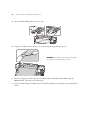
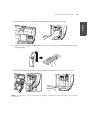
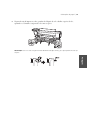
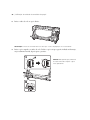
2.
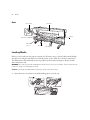
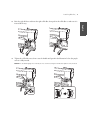
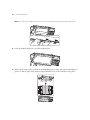
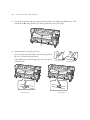
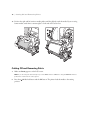
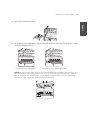
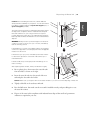
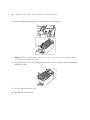
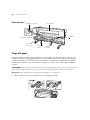
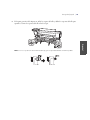
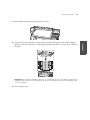
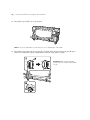
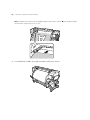
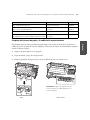
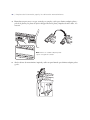
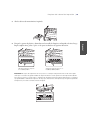
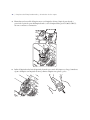
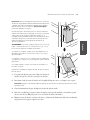
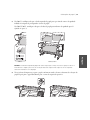
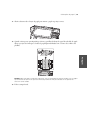
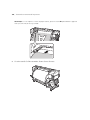
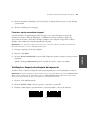
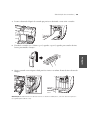
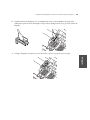
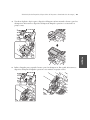
Note: If you don’t see the right holder handle shaft, rotate the holder forward until it stops.
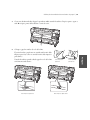
3.
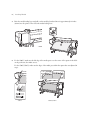
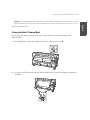
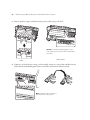
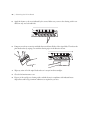
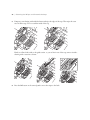
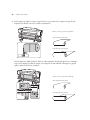
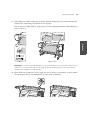
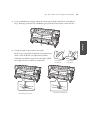
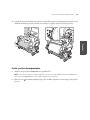
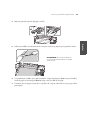
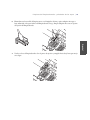
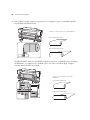
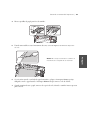
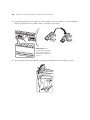
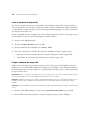
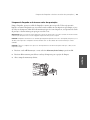
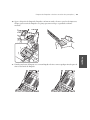
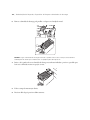
For the S30675, place the media on the roll supports and make sure the left edge is aligned as shown.
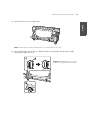
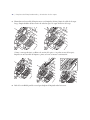
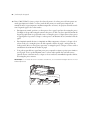
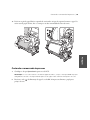
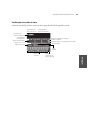
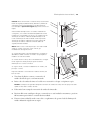
Orient the roll based on the printable side
Printable side out
Printable side in
English
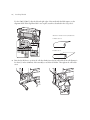
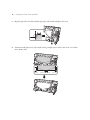
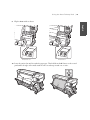
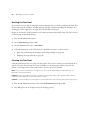
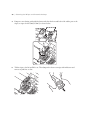
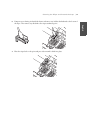
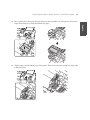
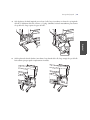
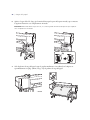
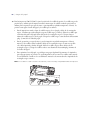
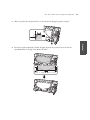
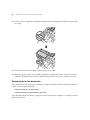
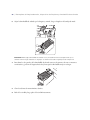
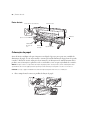
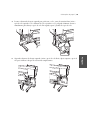
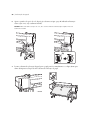
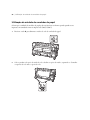
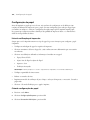
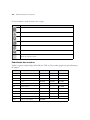
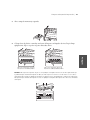
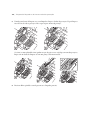
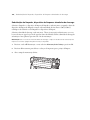
At the back of the printer, loosen the roll locking screws and slide the roll holders apart. Center the roll
supports between the holders.