1
Contents
For your safety...........................6
1. Introduction ...........................7
Bluetooth wireless technology............ 7
Global Positioning System (GPS)........ 7
DVD ............................................................. 8
2. Get started ...........................10
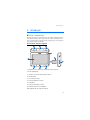
Front, right, and top view ...............10
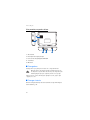
Back, left, and base view.................11
Chargers...................................................11
Charge the battery................................11
First use ...................................................12
Switch on or off and standby
mode.........................................................13
Switch on or off.................................13
Standby mode.....................................13
Bluetooth connection at
startup ..................................................14
Set up Bluetooth connection.............14
Connect manually or change
the connected device .......................15
Connect automatically.....................15
Delete pairings ...................................15
Disconnect a device ..........................15
Turn Bluetooth connectivity
on or off ...............................................15
Install the device in a car ...................16
General safety instructions.............16
Attach mobile holder to
mounting device ................................17
Attach mounting device to
windscreen ..........................................17
Place navigation device into
holder....................................................18
Set navigation device to desired
position.................................................18
Memory card ..........................................18
Insert the card ....................................19
Copy files to the card .......................19
4
3. Basic operation.................... 21
Touch screen ..........................................21
Open applications from map
screen .......................................................21
Adjust the volume.................................22
Adjust device settings..........................22
Audio volume and key tones ..........22
Language..............................................22
Backlight ..............................................22
Time and date.....................................23
System ..................................................23
Reset.........................................................24
4. Navigator ............................. 25
Map...........................................................25
Tracking mode ....................................26
Browsing mode ..................................27
Navigate to a destination...................28
Navigation screen .............................29
Functions available in navigation
screen....................................................30
Navigate to an address ....................30
Navigate to a point of interest......31
Favourites ............................................31
Recent locations ................................32
Plan a route ............................................33
Traffic information (TMC)...................34
Navigation settings ..............................34
General settings.................................35
Map settings .......................................35
Route settings ....................................35
Volume..................................................36
5. Call handling ....................... 37
Make a call .............................................37
Tap a number using dial pad..........37
Call a saved contact .........................37
Call register.........................................38
Voice dialling ......................................38
Speed dialling (Favourites) .............38