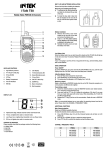
1
BASIC OPERATION
Power ON-OFF
1. To power on the unit, press and hold the ON-OFF key (12), the LCD display (11) will show
the channel number (J) and the CTCSS code number (I).
2. To power off the unit, press and hold again the ON-OFF key (12).
Using the radio
The unit has 8 main channels and 38 CTCSS codes. You can communicate with any other
PMR that is using the same main channel & CTCSS code.
Speaking to other radios
1. Press and hold the PTT key (4), the TX Icon (B) will be lighted on the LCD display (11).
2. Hold the unit in a vertical position with the Microphone at 5-8 cm from the mouth and then
speak.
3. When you have finished speaking, release the PTT key (4).
4. Now you are ready to receive incoming transmission. Adjust the volume to the desired level
if necessary.
Time-Out-Timer (TOT)
A timer disables transmitting after 3 minutes maximum transmission period.
Transmitting can only be reactivated by releasing and pressing the PTT key (4) again.
Using the supplied Earset-microphone
1. Plug the supplied Earset-Microphone into the earphone Jack (6).
2. Press the PTT key on the earphone to speak and release it to listen.
3. Adjust volume control if necessary.
WARNING !
Use only original accessories. Connecting and using accessories other than the original
ones, may cause serious damage to the radio and will void the warranty. Always set the
volume to minimum before connecting an external earset, in order to avoid damaging
the earset or the user’s ear.
Channel Selection
Press the CHANNEL UP (8) or CHANNEL DOWN (9) keys to select the desired channel (1-8).
Adjusting speaker volume (8 Levels)
1. Press the VOLUME UP (14) to increase the volume level.
2. Press the VOLUME DOWN (15) to decrease the volume level.
The LE (J) indication and the selected volume level (01-08) (I) will appear on the LCD display (11).
-8-
English
Basic Operation