1
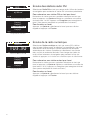
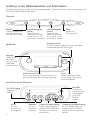
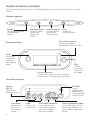
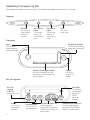
Guide to controls and connectors
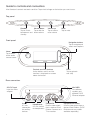
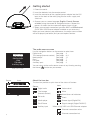
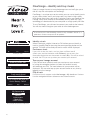
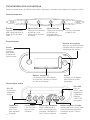
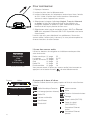
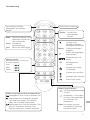
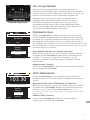
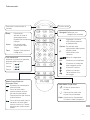
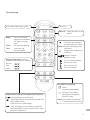
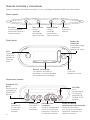
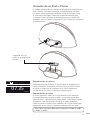
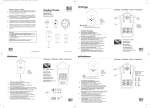
All of Contour’s controls are touch sensitive. Tap or hold a finger on the button you want to use.
Top panel
Volume down
Standby
Tap or hold to
Tap to switch
between on and lower volume
standby
Volume up
Tap or hold to
raise volume
Mute
Tap to mute
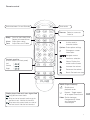
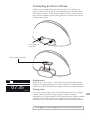
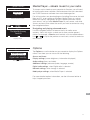
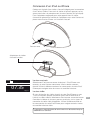
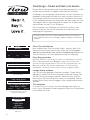
Front panel
Navigation buttons
Tap to navigate and
select menu options
Home
Tap to return
to the audio
source screen
Context-sensitive buttons
Active buttons are lit and the
function is displayed on-screen
above the button
Back
Tap to go back
one step
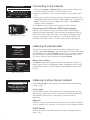
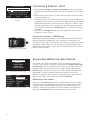
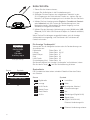
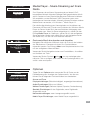
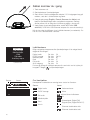
Rear connectors
20V DC input
Input for mains
adapter
Mini USB
For software
updates and
optional PURE
Ethernet adapter
20
Aux In
3.5 mm
connection
for auxiliary
devices
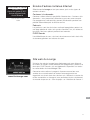
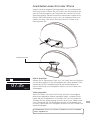
4
Composite
Headphones
3.5 mm socket Phono video output
for headphones from a docked iPod/
iPhone. Connect to a
TV or monitor
Component/S-Video
3.5mm video output from a
docked iPod/iPhone. (PURE
Choice accessory cables
available separately.)