1
1.4 Night Vision
The camera has six high-intensity LEDs for picking up clear images in unlit
locations. To turn on the night vision function, slide the switch on the bottom
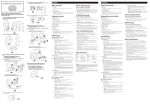
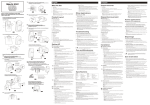
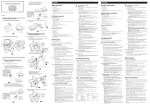
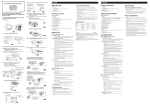
of the camera to the NIGHT position. See Fig. 7.
Note 1: The image changes automatically into B/W under the night vision
mode.
Note 2: Turn off the night vision function when not required to save power.
2
Monitor Setup
2.1 Power Supply
The monitor uses either 3 AA-Size batteries (alkaline battery recommended) or the
household AC current.
Loading the Battery
1. Open the battery compartment cover on the rear of the monitor. See Fig. 8.
2. Insert the battery and make sure the polarity is correct. See Fig 8.
3. Close the battery compartment cover, and make sure it is locked securely.
Note 1: Do not mix old batteries with new ones.
Note 2: Remove the batteries from the camera if you do not plan to use it for
a longer period of time.
4. Slide the POWER switch to the ON position. The LED on the monitor
will light up. See Fig. 8.
5. Adjust the volume to a comfortable level.
Charging the Batteries
The monitor's battery compartment can be used as a battery charging system (NiMH
rechargeable batteries only).
1. Open the battery compartment cover on the rear of the monitor.
2. Insert the NiMH rechargeable batteries, making sure to match the positive (+) and
negative (-) ends to the diagram inside the battery compartment.
3. Close the battery compartment cover. Make sure the battery compartment cover is
locked securely.
4. Plug one end of the provided power adapter into a wall outlet and the other end
into the monitor socket marked DC IN.
5. The red battery charging indicator LED lights up to confirm the charging is in
progress.
6. Once charging has taken place, the red LED goes out.
3