1
aizo ag
www.aizo.com
ENGLISH
digitalSTROM RT-SDM200
Cable switch M (red) safety panic button
Installation notes for electricians
( )
DVE
in preparation
EN 61058
A0818D021V002
A0818D021V002
52.5
N
Never connect inductive loads (e.g. wound iron core transformers).
The cable dimmer could be destroyed!
L
N
L
N
max.
0.5 Nm
max. 3 mm
Danger to life!
Touching the live electric domestic installation (230 V AC) may lead
to death or severe burns.
Prior to installing this device, disconnect all supply lines and check
whether the device is voltage-free. Prevent others from reconnecting
the device.
Always unplug the cable switch and lamp from the 230 V mains
before replacing the light bulbs. Otherwise there is a risk of
electric shock.
Important notes:
Only qualified experts are authorised to install and commission the
module. Country-specific regulations must be adhered to.
The device may only be operated in dry, closed rooms and must not
be used directly or indirectly for health or life-saving purposes or for
purposes where a device failure could lead to danger for people,
animals or material property.
30
0.75...1.5 mm²
Function and intended use
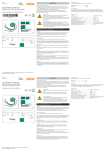
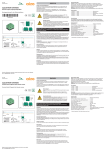
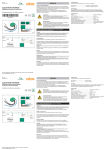
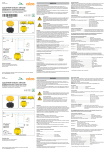
The cable switch is intended as a panic button so that one control element can be set
up directly for panic signals. Connected signal lamps can be controlled via digitalSTROM commands sent via the 230 V cable.
For further user information on digitalSTROM, please refer to the digitalSTROM user
manual: www.digitalstrom.org/support.
LED
PE
Installation:
The device is installed as a retrofit switch which can be plugged into any socket that is
connected to a digitalSTROM meter.
Ensure that the PE conductor is not interrupted during installation.
If you are planning to connect the optional lamp, observe the permissible ambient
temperature and the device-specific installation requirements by the manufacturer! Do
not cover the cable switch during operation (risk of heat build-up and overheating).
After the electrical connection has been established and the power switched on, the
cable switch is automatically registered at the digitalSTROM meter in the electric circuit
distributor. The device is then immediately ready for operation and can be controlled
via digitalSTROM commands.
Operating modes:
The load output has two operating modes at the output: switched on if panic active or
off. It is set to switching operation when the device is delivered. The operating mode
can be changed using the installation software of the digitalSTROM server. Further
information can be found in the digitalSTROM installation manual or at
www.digitalstrom.org/support.
Mains interruption:
The cable switch saves the output status if it has been unchanged for at least 3 seconds. After a mains interruption, the saved output status will be restored.
Overload:
The cable switch detects overloads and switches off the output. It is reset the next time
a scene is selected (command via digitalSTROM or local operation), provided the
overload no longer exists.
Overtemperature:
The output is switched off if a thermal overload exists for a longer time. It is automatically switched back on after the cool-down phase.
In addition, a separate thermal fuse is active to monitor the ambient temperature. The
fuse disconnects the cable switch from the mains at temperatures > 130 °C. If this happens, the cable switch must be replaced.
Short circuit:
If a short circuit occurs, the cable switch disconnects the connected load and then reconnects it. In case of a persisting short circuit, the cable switch switches off the output
completely. It is reset the next time a scene is selected (command via digitalSTROM or
local operation).
Doc. no. A0818D021V002 / 2011-04-05
Local operation:
The local switch enables manual operation of the cable switch. If the output is switched
on via this local switch, the switching status has priority. Changes via digitalSTROM
commands will be ignored.
Keep pressed.............................................Trigger panic alarm
Short touch..................................................Reset panic alarm
Status indicator (LED):
The LED provides feedback on the status of the load output. (On = LED 100 % on, off =
LED strongly dimmed.)
Error statuses:
1 x flashing – 1
2 x flashing – 1
3 x flashing – 1
4 x flashing – 1
5 x flashing – 1
x
x
x
x
x
pause:..........................Overtemperature
pause:..........................Short circuit
pause:..........................Overtemperature + short circuit
pause:..........................Overload
pause:..........................Overload and overtemperature
Guarantee:
aizo ag guarantees fault-free operation of this device according to the specification for
24 months after delivery by aizo ag. Opening the device, other interference with the
device, or incorrect installation/configuration will invalidate the guarantee.
Technical data:
Name.............................................................................. Cable switch M (red)
safety panic button
Type designation.......................................................... RT-SDM 200
Manufacturer................................................................. aizo ag
Switching principle....................................................... Electronic (semiconductor)
230 V light bulbs, halogen lamps............................. ≤ 150 W
Low-voltage halogen lamps with electr. transf....... ≤ 105 VA
230 V energy-saving lamps........................................ ≤ 105 W
230 V LED lights............................................................. ≤ 105 VA
Rated input voltage/frequency.................................. 230 V AC/50 Hz
Power consumption...................................................... 0.4 W
Protection (dry rooms)................................................. IP20 EN 60529
Permissible amb. temp. (operation)......................... 0 °C ... +35 °C
Data transfer via 230 V AC mains.............................digitalSTROM protocol V1.0