1
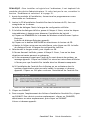
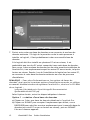
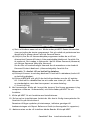
7. Decide whether to establish a new database or connect to an existing one. If
you are the first person or only person to install this software, you will likely
create a new database.
If you plan to install the software on multiple, networked PCs, you are likely
to want all the PCs to connect to a single database. One way to do this, is to
create a new database during the first installation of CareLink Pro (in a
location that the other PCs can access, such as a network drive). Then, when
you install the software on other networked PCs, connect to this existing
database during the installation process.
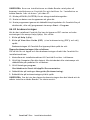
NOTE: To aid in choices about database installment, and other advanced
installation decisions, refer to the CareLink Pro System Administration
Guide, located on the CD-ROM for this software:
\program files\Medtronic\CareLink\AppDir\Documentation\
SystemAdminGuide7335.pdf
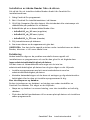
Follow the steps for the appropriate option.
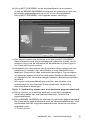
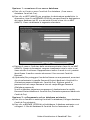
Option 1: Create a new database
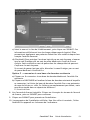
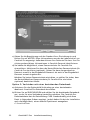
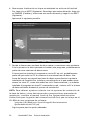
a) Click Create a new Medtronic CareLink Pro database.
b) Click NEXT to accept the default location. Or, click BROWSE to specify the
location of the new database (on your PC or on a network drive), and click
NEXT. The following screen is displayed:
4
CareLink™ Pro
Installation Guide