1
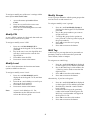
To assign or modify any of the user’s settings within
menu option 42.1=User Codes:
1.
2.
3.
Modify Groups
A user’s groups determine which system groups that
user has access to and control over.
Access the menu option 42.1=User
Codes.
Press A > to scroll to the correct user
number and then press ent.
Press A > to scroll through the user code
menu options.
To assign or modify a user’s groups:
1.
2.
Modify PIN
A user’s PIN is a unique 4-6 digit code that each user
has to identify them to the system.
3.
To assign or modify a user’s PIN:
4.
1.
2.
3.
4.
5.
Press A > until 01=Modify PIN is
displayed on the keypad’s LCD, and then
press ent.
Key in the user’s new 4-6 digit PIN, the *
(star key) can be used to erase the last
digit keyed in.
Press ent to store the PIN.
Press esc to return to the banner.
MAX Tag
A MAX tag is a prox tag that can be presented to a
proximity reader to set and unset the system and
cancel alarms, faults or tampers.
To assign a user a MAX tag:
Modify Level
1.
A user’s level determines the functions and menu
options available to that user.
2.
To assign or modify a user’s level:
1.
2.
3.
4.
Note:
Press A > until 06=Modify Groups is
displayed on the keypad’s LCD, and then
press ent.
Key in the group numbers you want to
assign to the user.
To assign the group choice option to a
user, press the * (star key) after keying in
the group numbers.
Press ent to store the user’s group
allocations.
Press esc to return to the banner.
3.
4.
Press A > until 02=Modify Level is
displayed on the keypad’s LCD, and then
press ent.
Press the A > and < B keys to scroll up or
down to the level required.
Press ent to store the level.
Press esc to return to the banner.
Press A > until 07=Card No is displayed
on the keypad’s LCD, and then press ent.
Key in the MAX tag’s serial number, the
* (star key) can be used to erase the last
digit keyed in.
Press ent to store the serial number.
Press esc to return to the banner.
Alternatively, if you have a keyprox:
1.
2.
3.
A user’s level defaults to 2.3. For
information on the different user levels
refer to the full user guide.
4.
5.
3
Press A > until 07=Card No is displayed
on the keypad’s LCD, and then press ent.
Hold the keys 1 and A > until a double
beep is heard.
Present the MAX tag to the proximity
reader at the bottom of the keyprox, the
MAX tag’s serial number will appear in
the keyprox’s LCD.
Press ent to store the serial number.
Press esc to return to the banner.