1
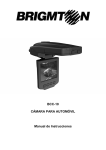
BCC-11
CÁMARA PARA AUTOMÓVIL 720P HD
Manual de Instrucciones
FUNCIONES Y CONTROLES
1. Entrada SD/MMC
2. Micrófono
3. Led verde: ON. Led rojo: cargando.
4. Entrada 5V
5. Entrada mini USB
6. Salida AV
7. Reset
8. Botón MODE
9. Abajo
10. Arriba
11. Botón de grabación/captura
12. Menú
13. ON/OFF
14. Cámara
15. Altavoz
16. Conexión para soporte
17. Pantalla LCD 2,5”
FUNCIONAMIENTO
ALIMENTACIÓN DE LA UNIDAD
A) BATERÍA INTERNA: Active la unidad tras colocarla en su automóvil,
presionando el interruptor de encendido. Para cargar la batería use el cable
USB conectado al alimentador de mechero.
B) ALIMENTADOR: Conecte el cargador de coche. La cámara se conectará
automáticamente cuando el coche se arranque y se pagará cuando se detenga.
GRABACIÓN
La cámara entrará en el modo de grabación por defecto cuando se encienda. El
archivo grabado se guarda en la tarjeta SD/MMC. Para detener la grabación
pulse el botón REC/SNAP.
FUNCIONES DE GRABACIÓN
Encienda la cámara y pulse el botón MENÚ para entrar en el menú de
configuración. Pulse UP/DOWN para seleccionar las opciones de configuración
y entre en el submenú pulsando REC/SNAP. Busque la opción con los botones
UP/DOWN y confirme con REC/SNAP
1. Tamaño: Seleccione HD 1280x720 o VGA 640x480
2. Hora en pantalla: Seleccione On / Off
3. Detección de movimiento: Seleccione On / Off
4. Grabación de audio: Seleccione On / Off
5. Tiempo de grabación: Seleccione 2 minutos/5 minutos/15 minutos.
6. Modo Led: Seleccione Cancelar / Auto
Presione MODE para entrar en "Configuración" y podrá:
1. Formato: Seleccione OK/Cancel. Seleccione "OK" y la tarjeta se formateará.
2. Idioma: Seleccione el idioma deseado.
3. Configuración predeterminada: Seleccione OK/Cancel
4. Frecuencia: Seleccione 50Hz/60Hz
5. Fecha: Ajustar fecha/Cancelar
CONFIGURACIÓN DE GRABACIÓN
Presione MODE para entrar en el modo DSC. Tome fotos pulsando
REC/SNAP. Presione MENU para entrar en las opciones, pulse UP/SDOWN
para seleccionar las opciones de configuración y entrar en el sub-selecciones
con el botón REC/SNAP y use REC/SNAOP apara confirmar y salir del menú.
1. Tamaño: Seleccione 5M2560x1920 / 3M2048x1536 / 2M1600 x 1200 /
1M1280 x 1024
2. Hora en pantalla: Seleccione On/Off
3. Modo Led: Seleccione Manual/Auto
MODO DE REPRODUCCIÓN
Presione el botón MODE dos veces, presione los botones UP/DOWN para
elegir un archivo y el botón REC/SNAP para reproducirlo. Opciones:
1. Eliminar: Este archivo/Todo/Cancelar
2. Mostrar miniaturas: OK / Cancel
3. Ajuste de volumen: 1/2/3/4/5/6
CONEXIÓN USB
Conecte la cámara a su PC a través del cable USB. Busque en el índice DCIM
archivos con nombre PICT**** y formato AVI. Podrá descargar los archivos a su
ordenador.
REPRODUCCIÓN EN TV
Conecte la cámara a la TV por cable AV. Encienda la cámara y entre en el
modo de reproducción y siga los mismos pasos para la reproducción en
pantalla.
NOTAS:
1) Por favor, introduzca la tarjeta SD / MMC antes de grabar.
2) Si se llenase la tarjeta, comenzará grabando desde el principio, borrando los
primeros archivos
3) Las características de alimentación son: DC5V utilice el cargador de coche
proporcionado.
CONTENIDO
CONEXIÓN AL PC
CARGA DE BATERÍA
TARJETA SD
INFORMACIÓN EN PANTALLA
1. Modo vídeo o foto
2. Tamaño de la imagen
3. Indica cuando el led está encendido
4. Indicador de REC
5. Grabando: muestra el tiempo real de la grabación. Parado: muestra la
duración del vídeo guardado
6. Indica que la tarjeta ha sido insertada
7. Indicador de nivel de batería
8. Fecha y hora
PRECAUCIONES
No coloque la unidad cerca de imanes ya que puede causar un mal
funcionamiento.
No golpee el producto, puede causar daños o mal funcionamiento de producto.
Antes de retirar la tarjeta SD, compruebe que la unidad está apagada. Si retira
la SD durante la grabación, puede provocar un mal funcionamiento o pérdida
de datos.
No introduzca cuerpos extraños en la ranura de tarjeta SD.
No toque la tarjeta SD con las manos mojadas o sucias ya que puede causar
un mal funcionamiento
Nota: las especificaciones pueden cambiar sin previo aviso.
I.R.P., S.L.
SANTA CLARA DE CUBA NAVE 5
SEVILLA
ESPAÑA
DECLARACIÓN DE CONFORMIDAD
I.R.P., S.L. declara bajo su responsabilidad que el aparato indicado cumple los
requisitos de las siguientes directivas:
DIRECTIVAS EMC
EN 55022:2006+A2:2010
EN 61000-3-2:2006+A2:2009
EN 61000-3-3:2008
EN 55024:1998+A2:2003
Descripción del aparato:
Modelo BRIGMTON BCC-11
Cámara de vídeo
Importador: I.R.P., S.L.
Dirección: Avda. Santa Clara de Cuba 5, 41007, Sevilla.
BCC-11
CAR CAMERA
Instruction Manual
PRODUCT DIAGRAM
1. SD/MMC Card Slot
2. Microphone
3. LED indicator (Green is working/ Red is Charging)
4. 5V DC Slot
5. Mini USB port
6. AV out
7. Reset
8. Mode Button
9. Down
10. UP
11. REC / Snap
12. Menu
13. ON/OFF Power Switch
14. Lens
15. Speaker
16. Mount hole
17. 2.5 inch LCD
TWO WAY TO START THE CAR RECORDER:
A) Use built-in Li-ion battery
DVR can be activated after it has been placed on the vehicle by pressing the
Power Switch
and turn off by pressing it again.
Charging: connect to USB cable or car charger. The indicator display red and
light off when it is fully charged.
B) Connect to Car Charger
DVR will be recording automatically when the car starts, turn off and save the
last file when the car stops.
RECORDING
DVR will enter into default recording mode when turn it on, the working indicator
blinkers and indicates that it is recording. The recorded file is saved in the
SD/MMC Card. Stop recording by pressing
button or auto-ending when
car stops, the indicator LED will stop blinker.
VIDEO MODE SETTINGS:
Turn on the DVR and press
button to enter into settings. Press
to select the setting options and enter into the sub-selections by
the options by
/
, confirm by pressing
/
, select
, meanwhile settings
finished and exit menu.
1. Image Size: Select [HD 1280x720 or VGA 640x480]
2. Time stamp: Select [On / Off ]
3. Motion detect: Select [On / Off]
4. Audio record: Select [On / Off ]
5. Record time: Select [2 Minutes / 5 Minutes/ 15 Minutes] to decide how long
will be saved per section AVI file.
6. Led Mode: Select [Cancel / Auto]
Press
to enter into “Setup”, 5 settings as follows by pressing
/
,
1. Format: Select [OK / Cancel]. Select “OK” can format the SD card.
2. Language: Select the language
3. Default Setting: Select [OK / Cancel]
4. Frequency: Select [50HZ /60HZ]
5. Date: [Set Date/ Cancel]
DSC MODE SETTINGS:
Turn on the DVR and press once
button to enter into DSC mode. Take
photos by pressing
button to enter into menu options. Press
/
pressing
. Press
to select the setting options and enter into the sub-selections by
, select the options by
/
, confirm by pressing
,
meanwhile settings finished and exit menu.
1. Image Size: Select [5M 2560 x 1920/ 3M 2048 x 1536/ 2M1600 x 1200/ 1M
1280 x 1024]
2. Time stamp: Select [On/ Off ]
3. Led Mode: Select [Manual/ Auto]
PLAYBACK MODE SETTINGS:
Turn on the DVR and press
button twice, press
recorded file from SD/MMC card and press
enter into “Playback mode”.
1. Delete: [This image/ All/ Cancel]
2. Show thumbnails: [OK/ Cancel]
3. Volume adjust: [1/ 2/ 3/ 4/ 5/ 6]
/
to select
to playback. Press
to
USB CONNECTION:
Connect DVR with computer by USB cable; from [My computer] will find out
removable disk, the file is stored at the DCIM index, and file name as PICT****
in AVI format. At the moment, the AVI file of the DVR can be downloaded to the
Computer.
PLAYBACK ON TV
Connect to TV by AV cable, then turn on the DVR and enter into the Playback
mode automatically, and the operating steps are same as playback on the
screen.
Notes:
1) Please insert the SD/ MMC card before recording.
2) This Car DVR supports cycling records automatically if you choose 2/5/15
minutes as storage time sections. When the SD/MMC card is over memory
while recording, it will record from the beginning again and erase the previous
recorded video files automatically. It will have 3 seconds pause time. During the
3 seconds time it will not record.
3) As the Car DVR is DC5V input, please use the attached car charger. The car
charger adaptor had already transferred 12V/24V to 5V.
CAUTION
Do not place near magnet.
-It may cause malfunction and trouble
Do not shock to the product.
-It may cause damage or malfunction for product.
Before pull SD card out, please check the power off status.
-If you pull SD car out during power on status, it may cause malfunction or data
loss.
Do not pull a foreign substance into SD card slot.
-It may cause malfunction or SD card inserting problem.
Please use only authenticity SD card.
-Manufacturer does not have a responsibility for not in usage of adulterated
card.
Do not touch SD card with wet or oily hand.
-It may cause malfunction due to card damage.
Push the SD card fully.
-It may cause a malfunction.
Attach the product to the recommended place.
-If it is installed on other place, the image may be swerved.
Features can change without notice
I.R.P., S.L.
SANTA CLARA DE CUBA NAVE 5
SEVILLA
ESPAÑA
DECLARATION OF CONFORMITY
I.R.P., SL declare under our responsibility that the equipment meets the
requirements indicated in the following directives:
EMC DIRECTIVES
EN 55022:2006+A2:2010
EN 61000-3-2:2006+A2:2009
EN 61000-3-3:2008
EN 55024:1998+A2:2003
Description of apparatus:
BRIGMTON Model BCC-11
Car Camera
Importer: I.R.P., SL
Address: Avenida Santa Clara de Cuba 5, 41007, Sevilla.