1
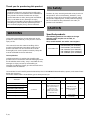
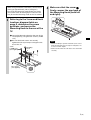
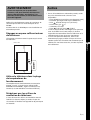
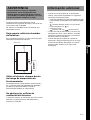
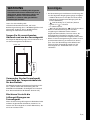
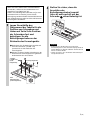
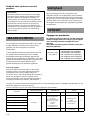
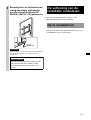
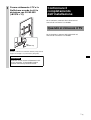
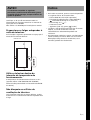
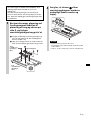
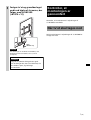
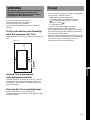
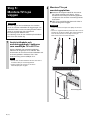
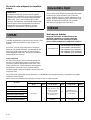
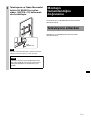
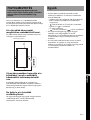
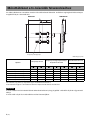
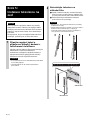
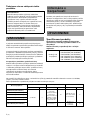
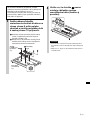
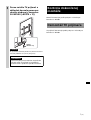
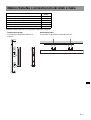
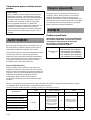
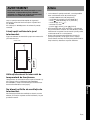
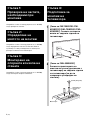
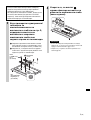
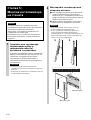
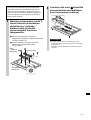
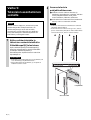
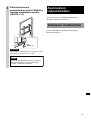
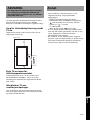
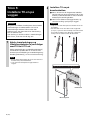
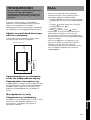
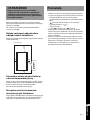
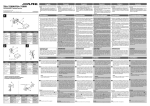
WARNING Others If the following precautions are not observed, serious injury or death through fire, electric shock, the product toppling over, or the product dropping can result. Be sure to read thoroughly the all safety information described in the instruction manual of SU-WL500. Do NOT use SU-WL450 for installation in portrait orientation. Provide adequate clearances around the TV. The following illustration shows how much space is required around the TV. 100 100 100 Use the TV within the operating temperature range. The operating temperature is 0°C to 35°C (When using FW-55X8570C/KD-55X8501C, set the Brightness setting to Standard or Custom 44/50 or below). Do not block the ventilation holes of the TV. If you block the ventilation holes with tapes or other objects, heat builds up inside the TV and may cause a fire. 3 (GB) GB English 300 Unit: mm • When installing in portrait orientation, only the following input/output jacks are available: – HDMI IN 1/2/3/4 jacks (4K supported) – MHL jack (shared with the HDMI IN 2 jack) – DIGITAL AUDIO OUT (OPTICAL) jack – AUDIO OUT / jack – LAN connector – (USB 1/2) ports, (USB 3) port • If you cover the illumination LED and its surroundings with tapes or other objects, the status of the TV cannot be recognized and the remote control may not work. • When carrying the TV, hold it in landscape orientation, and take care not to drop it when installing. Do not apply excessive force to the TV; otherwise, it may be deformed.