1
09
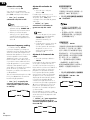
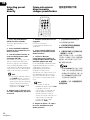
5 Press the corresponding
button on the other remote
control that is sending (teaching) the signal to this receiver’s
remote control (for example 3,
7, etc.).
If the operation has been learned
successfully, the LED on this
receiver’s remote will go out and
then light steadily.
If for some reason the operation
hasn’t been learned the LED will
blink for three seconds and then
light steadily. If this happens, keep
pressing the (teaching) button as
you vary the distance between the
two remotes, until you see the the
LED light steadily.
To program additional operations
for the current component repeat
steps 4 and 5.
5 Pulse el botón
correspondiente del otro mando
a distancia que está enviando
(enseñando) la señal al mando a
distancia del receptor (por
ejemplo 3, 7, etc.).
Si la operación se ha aprendido
con éxito, el LED del mando a
distancia del receptor se apagará y
posteriormente volverá a
iluminarse con una luz continua.
5
Si la operación no se ha aprendido
por alguna razón el LED
parpadeará durante tres segundos
y a continuación se iluminará
continuamente. En caso de que
esto suceda, pulse repetidamente
el botón (de aprendizaje), variando
las distancias entre los mandos
hasta que vea el LED iluminarse
continuamente.
點亮。
To program operations for another
component exit and repeat steps 1
through 5.
Para programar operaciones
adicionales para el componente
que esté manejando en esos
momentos, repita los pasos 4 y 5.
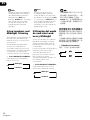
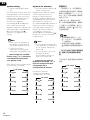
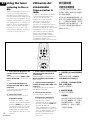
6 Press and hold the REMOTE
SETUP button for three seconds
to store the operation(s).
Para programar operaciones para
otro componente salga y repita los
pasos 1 al 5.
• Some commands from other
remote controls cannot be
learned, but in most cases the
remotes just need to be moved
closer together or farther
apart.
• Certain buttons represent
operations that cannot be
learned from other remote
controls. These include:
RECEIVER , REMOTE SETUP
and the MULTI
CONTROL, RECEIVER CONTROL and MASTER VOLUME
buttons.
• TV CONTROL buttons (TV , TV
VOL +/-, and TV INPUT) can
only be learned after selecting
TV or TVC.
6 Mantenga pulsado el botón
REMOTE SETUP durante tres
segundos para guardar la(s)
operacion(es).
Nota
• Algunos comandos de otros
mandos a distancia no
pueden aprenderse, pero en la
mayoría de los casos los
mandos sólo necesitan
acercarse o alejarse un poco.
• Ciertos botones representan
operaciones que no pueden
aprenderse desde otros
mandos a distancia. Estos
incluyen: RECEIVER ,
REMOTE SETUP y MULTI
CONTROL, y los botones
RECEIVER CONTROL y
MASTER VOLUME.
• Los botonesTV CONTROL (TV,
TV
VOL +/–, y TV INPUT) sólo
pueden aprenderse después
de seleccionar TV y TVC.
84
En/Sp/ChH
按另一遙控器上相應的按鈕,
將信號傳送至本接收機的遙控器
(例如3,7等)。
如果操作成功,本接收機遙控器上
的LED會熄滅然後持續點亮。
如果操作不成功,LED將閃爍三秒
鐘,然後持續點亮。此時,請持續
按(傳授端)按鈕並一邊調整兩個
遙控器之間的距離,直到LED持續
要編製當前設備的附加操作,請重
複第4步和第5步。
要編製其他設備的操作,則退出並
重複第1-5步。
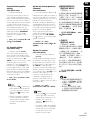
6 按住REMOTE SETUP按鈕三秒
鐘,以保存操作。
• 可能無法學習其他遙控器的某
些指令,但大多數情況下,祇
需調整兩個遙控器之間的距離
即可解決問題。
• 某些按鈕的操作無法從其他遙
控器上學到,其中包括︰
RECEIVER ,REMOTE
SETUP,MULTI CONTROL,
RECEIVER CONTROL和
MASTER VOLUME按鈕。
• TV CONTROL按鈕(TV,TV
VOL +/-和TV INPUT)祇能在
選擇TV或TVC之後才可以進行
學習。