1
HEM-650_E_SP_q6.qxp
6/25/07
7:19 PM
Page 2
TABLE OF CONTENTS
Before Using the Monitor
Introduction . . . . . . . . . . . . . . . . . . . . . . . . . . . . . . . . . . . . . . . . . . . . . . . . .3
Safety Information . . . . . . . . . . . . . . . . . . . . . . . . . . . . . . . . . . . . . . . . . . . .4
Operating the Device . . . . . . . . . . . . . . . . . . . . . . . . . . . . . . . . . . . .4
Care and Maintenance . . . . . . . . . . . . . . . . . . . . . . . . . . . . . . . . . . .5
Before Taking a Measurement . . . . . . . . . . . . . . . . . . . . . . . . . . . . . . . . . .6
Operating Instructions
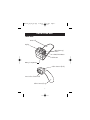
Know Your Unit . . . . . . . . . . . . . . . . . . . . . . . . . . . . . . . . . . . . . . . . . . . . .7
Unit Display . . . . . . . . . . . . . . . . . . . . . . . . . . . . . . . . . . . . . . . . . . . . . . . . .9
Display Symbols . . . . . . . . . . . . . . . . . . . . . . . . . . . . . . . . . . . . . . . . . . . .10
Irregular Heartbeat Symbol ( ) . . . . . . . . . . . . . . . . . . . . . . . . .10
Heartbeat Symbol ( ) . . . . . . . . . . . . . . . . . . . . . . . . . . . . . . . . .12
Average Value Symbol ( ) . . . . . . . . . . . . . . . . . . . . . . . . . . . . .12
Battery Installation . . . . . . . . . . . . . . . . . . . . . . . . . . . . . . . . . . . . . . . . . . .13
Setting the Advanced Positioning Sensor . . . . . . . . . . . . . . . . . . . . . . . . .15
Setting the Position Sensor Alarm . . . . . . . . . . . . . . . . . . . . . . . . . . . . . . .16
Setting the Measurement Wrist . . . . . . . . . . . . . . . . . . . . . . . . . . . . . . . . .17
Setting the Date and Time . . . . . . . . . . . . . . . . . . . . . . . . . . . . . . . . . . . . .18
Applying the Wrist Cuff . . . . . . . . . . . . . . . . . . . . . . . . . . . . . . . . . . . . . .21
Taking a Measurement . . . . . . . . . . . . . . . . . . . . . . . . . . . . . . . . . . . . . . .24
Taking a Measurement on the Left Wrist . . . . . . . . . . . . . . . . . . .24
Taking a Measurement on the Right Wrist . . . . . . . . . . . . . . . . . .26
Using the Memory Function . . . . . . . . . . . . . . . . . . . . . . . . . . . . . . . . . . .27
Averaging Function . . . . . . . . . . . . . . . . . . . . . . . . . . . . . . . . . . . .27
To Display the Measurement Values . . . . . . . . . . . . . . . . . . . . . . .28
To Delete All Values Stored in the Memory . . . . . . . . . . . . . . . . .29
Care and Maintenance
Care and Maintenance . . . . . . . . . . . . . . . . . . . . . . . . . . . . . . . . . . . . . . . .30
Error Indicators and Troubleshooting Tips . . . . . . . . . . . . . . . . . . . . . . . .31
FCC Statement . . . . . . . . . . . . . . . . . . . . . . . . . . . . . . . . . . . . . . . . . . . . . .33
Warranty . . . . . . . . . . . . . . . . . . . . . . . . . . . . . . . . . . . . . . . . . . . . . . . . . .34
Specifications . . . . . . . . . . . . . . . . . . . . . . . . . . . . . . . . . . . . . . . . . . . . . . .35
2