1
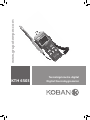
KTH 6503
Digital thermohygrometer
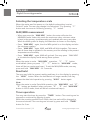
Selecting the temperature scale
When the meter was first power on, the default scale setting is set at
Celsius℃ scale. The user may change it to Fahrenheit ℉ by pressing “℉”
button and vice versa to Celsius by pressing “℃” button.
MAX/MIN measurement
•When one press the “MAX MIN” button the meter will enter the
MAXIMIN mode. Under this mode the maximum value, minimum value
is kept in the memory simultaneously and updated with every new data.
When the MAX symbol is display, the Maximum is shown on the display.
•Press “MAX MIN” again, then the MIN symbol is on the display and also
the minimum reading.
•Press “MAX MIN” again, MAX, and MIN will blink together. This means
that all these data is updated in the memory and the reading is the present
temperature and humidity.
•Press “MAX MIN” again, MAX will go back. One may press “MAX MIN”
to circulate the display mode among these options.
Note:
When the meter is under “MAX MIN” operation, “℃”, “℉” button
are disabled. (when you press “℃”, “℉” button in “MAX MIN” mode,
there will be two continuous beep.) To exit the MAX/MIN mode, one may
press and hold “MAX MIN” for 2 seconds.
Read hold
The user may hold the present reading and keep it on the display by pressing
the “HOLD” button. When the held data is no longer needed, one may
release the data-hold operation by pressing “HOLD” button again.
Note:
When the meter is under Data Hold operation, the “MAX MIN” and “℃”,
“℉” button are disabled. (when you press “℃”, “℉” and “MAX MIN”
button in HOLD mode, there will be two continuous beeps.)
Timer operation
One may start the timer by press the “TIMER” button. The counting can be
stopped or continued by pressing it again.
When the counting exceed 59min 59sec, the time scale will be changed to
hours and minutes. The counting can be reset by press and hold “TIMER”
button for 2 sec.
Instructions manual | 16
www.grupotemper.com