1
 Using Your Remote, cont.
Using SHIFT for Menu and Navigation
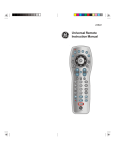
The SHIFT button allows access to more than one
function for certain buttons.
Use the SHIFT/SETUP button prior to accessing
the MENU, OK, EXIT and Navigation functions
e.g.:
For MENU, press and release
SHIFT/SETUP then MENU/INFO.
For OK, press and release
SHIFT/SETUP then OK/MUTE.
For EXIT, press and release SHIFT/
SETUP then EXIT/SLEEP.
For Up, Down, Left or Right
Navigation, press and release SHIFT/
SETUP followed by the respective
Channel or Volume button.