1
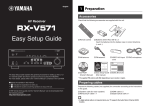
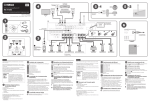
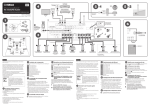
RX-A3030_2030_esg_C.fm Page 1 Monday, February 25, 2013 6:45 PM 1 Preparation AV Receiver Accessories Check that the following accessories are supplied with the product. Remote control Batteries (x4) *RX-A3030: AAA, LR03, UM-4 RX-A2030: AAA, R03, UM-4 AM antenna Insert the batteries the right way round. FM antenna YPAO microphone Easy Setup Guide English *One of the above is supplied depending on the region of purchase. Microphone base Power cable (RX-A3030 only) This document explains how to set up a 9.1-channel system and play back surround sound from a BD/DVD on the unit. To reduce the impact on natural resources, the Owner’s Manual for this product is supplied on CD-ROM. For more information about this product, refer to the Owner’s Manual on the supplied CD-ROM. PDF versions of this guide and “Owner’s Manual” can be downloaded from the following website. http://download.yamaha.com/ *Using for angle measurement during YPAO. CD-ROM Safety Brochure Easy Setup Guide (Owner’s Manual) *The supplied power cable varies depending on the region of purchase. • The illustrations of the main unit and remote control used in this guide are of the RX-A3030 (U.S.A. model), unless otherwise specified. Cables required for connections The following cables (not supplied) are required to build the system described in this document. • Speaker cables (x9) • HDMI cable (x2) • Audio pin cable (x1) • Digital optical cable or stereo pin cable (x1*) * Not required if your TV supports ARC (Audio Return Channel) En 1