1
KPF-01
Power harmonic clamp meter
and voltage/current value of the load being tested will be displayed on
the bottom line of LCD; press down MODE button, Var value of passive
power will be displayed on LCD; press MODE button to display apparent
power and power factor (cos Φ); negative power factor signifies that the
load being tested is a load with capacitor characteristics.
5.The maximum measurement range of active power kW is 120 kW; if this
range is exceeded, “OL” symbol will be displayed beyond this range. If
voltage being tested is greater than 600 V, or current being tested greater
than 200 A, “OL” symbol will be displayed on LCD.
6.The min. input voltage is 10 V and the min. input current is 10mA; if
active power value is smaller than this limit, “0.00 kW” will be displayed
instead of active power value.
7.Press Max/Min value to view Max/Min Value
8.Passive power is a value not directly measured; equation for kVAr
is kVAr2=kVA2-kW2; its value is calculated by software based on the
measured voltage, current and active power, and displayed on LCD.
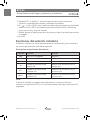
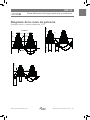
Load
Power supply side
Black
Red
m
cosΦ/phase angle
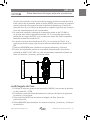
1.Switch the function-switch knob to KW/W position, and the test wire is
inserted to V1/COM input terminals.
2.The meter will automatically measure and display power factor, voltage
value and current value.
3.Press MODE button to display phase angle, power factor (cos Φ);
4.Press MAX/MIN Button to view Max value,Min value,measuring time.
www.grupotemper.com
Instructions manual | 27