1
ENGLISH
bq Kepler 2
WI-FI CONNECTION
To connect to the Internet or use and application
that requires an Internet connection, you must
first connect the device to a Wifi network. To do
this, follow these steps:
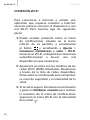
1.You can access it by pressing the
Notifications Menu, which is located in
the bar at the bottom of the screen, or by
pressing
and accessing the Settings >
Wireless & Networks > Wi-Fi. Turn on WiFi. The device will begin to search for an
available network.
2.Tap Wi-Fi settings. A list of the names of
the Wi-Fi networks (SSID) detected. Scroll
down the list of the available networks.
Tap on the network detected to check the
security level and the intensity of the signal.
3.If the connection is secure, enter the
password and tap on Connect to start the
connection. In the notifications bar, an icon
with the signal intensity is shown
.
62