1
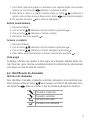
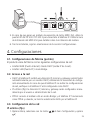
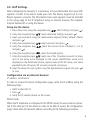
1.Press ;
2.Using the navigation keys,
select More... and press ;
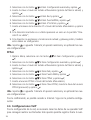
3.Using the navigation keys,
select Network and press ;
4.Check the IP number under item LAN IP using the navigation keys
.
VoIP account configuration
After verifying the IP number, input it in the internet browser. On the screen that
opens, input user name and password (the factory default for both is: admin) and
the device configuration page will appear. Follow the procedures below:
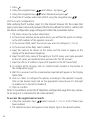
1.The Status shows the system information;
2.In the Account window, under option Basic, you will find the option to configure the VoIP numbers of the operator accounts;
3.In the Account field, select the account you want to configure (1, 2 or 3);
4.In the Account Active field, select Enabled;
5.Input the name to be shown on the screen and the name to appear on the
display of the destination telephone;
6.Input the VoIP data, name of the registry in the SIP server, user name provided
by the SIP server, and authentication password for the SIP account;
7.Input the URL or IP address of your VoIP operator in the SIP Server field;
8.To confirm all the changes, click on Confirm button located at the bottom of
the configuration page;
9.Wait for a moment and the name/number inputted will appear in the Display
Name field;
10. Click on Codec to configure the options, according to the operator’s request.
Click on the desired codec and on the appropriate arrow (move it to the right
to enable it or to the left to disable it).
11. Click on Confirm.
Note: it is possible to access the IP telephone configuration page from any computer as long as it is connected to the same network.
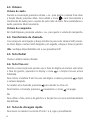
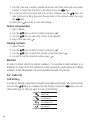
To access the registered accounts
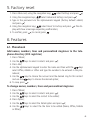
1.Using the navigation keys,
select account 1, 2 or 3, if all of them have
been enabled;
2.The selected account will appear on the display. Type in the desired number.
44