1
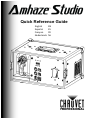
Amhaze™ Studio QRG
Contact ·
·
What Is ·
Included ·
EN
From outside the U.S., UK, Ireland, or Mexico, contact the distributor of
record to request support or return a product.
From inside the U.S., UK, Ireland, Mexico, or Benelux, use the information in
Contact Us at the end of this QRG.
·
·
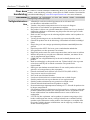
Amhaze™ Studio
Neutrik® powerCON®
power cord
Warranty Card
Quick Reference Guide
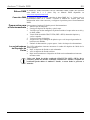
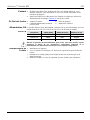
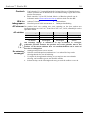
AC Power This product has a fixed voltage power supply and it can work with an input
voltage of either 120 VAC, 60 Hz or 230 VAC, 50 Hz, depending on the specific
model.
AC Plug
Connection
Wire (U.S.)
Wire (Europe)
Screw Color
AC Live
Black
Brown
Yellow/Brass
AC Neutral
White
Blue
Silver
AC Ground
Green/Yellow
Green/Yellow
Green
To eliminate unnecessary wear and improve its lifespan, during periods of
non-use completely disconnect the product from power via breaker or by
unplugging it.
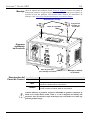
Replacing The Fuse 1. Disconnect this product from power.
2.
3.
4.
Using a Phillips #2 head screwdriver, unscrew the fuse holder cap from the
housing.
Remove blown fuse and replace with a good fuse of the same type and rating.
Screw the fuse holder cap back in place and reconnect power.
DMX Linking The Amhaze™ Studio will work with a DMX controller using a 3- or 5-pin DMX
serial
connection.
A
DMX
Primer
is
available
from
www.chauvetprofessional.com.
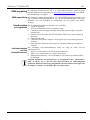
DMX Connection The Amhaze™ Studio uses a 3- or 5-pin DMX data connection for its 2-channel
DMX personality. See the User Manual for information about connecting and
configuring the product for DMX operation.
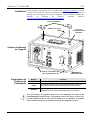
Preparing for To prepare the Amhaze™ Studio for operation:
Operation 1. Open the flight case.
2.
3.
4.
5.
6.
7.
Pull out the fluid tank and remove the cap.
Verify that the two plastic hoses attached to the cap are in place and in good
condition.
Pour CHAUVET® (PHF or HFG) haze fluid inside the tank, and re-cap.
Reinsert the tank.
Make sure that the plastic hose that goes from the cap to the hazer is not bent.
Plug in power and wait approx. 2 min. for warm-up to complete.
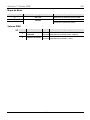
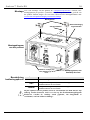
Fluid Tank Indicator Three internal indicator LEDs show the status of the fluid tank, as follows.
Lights · Red - the fluid tank is currently heating up
·
·
Blue - the fluid tank is ready
Flashing Red/Blue - the fluid tank is actively re-heating while producing
output.
Only use CHAUVET® approved (PHF or HFG) haze fluid. Otherwise, you
might not have satisfactory results. In addition, unapproved fluid can damage
the Amhaze™ Studio or cause harm to humans or animals.
3