1
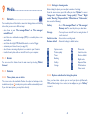
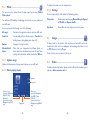
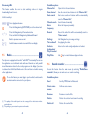
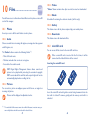
Introduction.................................
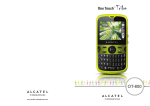
TCT Mobile Limited would like to thank you for purchasing this mobile
phone.
Home Screen
• Convenient at-a-glance view of Shortcut applications
• Menu shortcuts for quick access
Power Media Applications
• Music & Radio
• Video & Streaming
Contents
Precauciones de uso............................................................ 7
Informaciones generales................................................... 14
Garantía.............................................................................. 15
1 Getting Started............................................................ 17
1.1Set-Up...................................................................................................17
1.2 Power on your phone.......................................................................19
1.3 Power off your phone.......................................................................19
2Your Mobile................................................................... 20
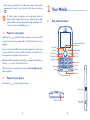
2.1 Keys and connectors.........................................................................20
2.2 Status bar icons(1)................................................................................23
2.3 Home screen.......................................................................................26
3 Menu arrange................................................................ 27
4 Making a Call................................................................ 28
• Webcam
Bluetooth®
With Bluetooth® 2.1 supporting A2DP profiles, you can enjoy hands-free
conversations.
4.1
4.2
4.3
4.4
4.5
Placing a call.........................................................................................28
Calling your voicemail.......................................................................28
Receiving a call....................................................................................29
During a call.........................................................................................29
Conference calls.................................................................................30
5Messaging...................................................................... 31
5.1Access...................................................................................................31
5.2SMS/MMS..............................................................................................31
6Email.............................................................................. 35
6.1 Email account set-up.........................................................................35
6.2 Write email..........................................................................................35
6.3Inbox......................................................................................................35
6.4Outbox..................................................................................................36
6.5Sent........................................................................................................36
6.6Drafts....................................................................................................36
6.7 Available options.................................................................................36
7Contacts........................................................................ 37
7.1Contacts...............................................................................................37
3
4
7.2 Adding a contact.................................................................................37
7.3 Available options.................................................................................38
8Call Log......................................................................... 40
8.1Access...................................................................................................40
8.2 Available options.................................................................................40
9Media............................................................................. 41
9.1Camera.................................................................................................41
9.2Music.....................................................................................................43
9.3Image.....................................................................................................44
9.4Video.....................................................................................................44
9.5Radio......................................................................................................45
9.6 Sound recorder...................................................................................46
10Files................................................................................ 47
10.1Phone....................................................................................................47
10.2 microSD card......................................................................................48
10.3 Managing audios, pictures, videos and others..............................49
10.4 Formats and compatibility................................................................50
10.5 Memory status....................................................................................50
11Internet......................................................................... 51
11.1WAP......................................................................................................51
11.2WEB......................................................................................................51
11.3News.....................................................................................................51
11.4Weather................................................................................................52
11.5Facebook..............................................................................................53
11.6Twitter...................................................................................................53
13.6Wi-Fi......................................................................................................58
13.7 World clock.........................................................................................58
13.8Stopwatch.............................................................................................58
13.9 Unit converter....................................................................................59
13.10Currency converter...........................................................................59
13.11Call filter...............................................................................................59
13.12Tethering...............................................................................................59
14Apps............................................................................... 60
15Profiles........................................................................... 60
15.1General.................................................................................................60
15.2Meeting.................................................................................................61
15.3Outdoor...............................................................................................61
15.4Indoor...................................................................................................61
15.5Silence...................................................................................................61
16Settings.......................................................................... 62
16.1 Phone settings.....................................................................................62
16.2 Call settings..........................................................................................64
16.3 Airplane mode.....................................................................................67
16.4 Security settings..................................................................................67
16.5 Networks settings..............................................................................68
16.6Connectivity.........................................................................................68
17Making The Most of Your Mobile................................ 69
17.1Webcam ..............................................................................................69
18 Accessories..................................................................... 70
Problemas y soluciones..................................................... 71
12Entertainment.............................................................. 54
12.1Ebook....................................................................................................54
12.2Games...................................................................................................54
13Tools............................................................................... 55
13.1Alarm.....................................................................................................55
13.2Calculator.............................................................................................55
13.3Calendar...............................................................................................56
13.4Notes.....................................................................................................56
13.5Bluetooth®...........................................................................................57
5
PROTEJA SU AUDICIÓN
Para evitar posibles daños auditivos, no escuche a un
volumen alto durante largos períodos de tiempo. Tenga
precaución al sostener el dispositivo cerca del oído
mientras el altavoz esté en uso.
6
Precauciones de uso....................
Antes de utilizar su teléfono, lea detenidamente este capítulo. El fabricante no se hará
responsable de las consecuencias que resulten de un uso inadecuado del teléfono y/o
no conforme a las instrucciones contenidas en este manual.
• SEGURIDAD EN VEHÍCULO:
Dados los estudios recientes en los cuales se ha demostrado que el uso del teléfono móvil
al conducir constituye un factor real de riesgo, incluso cuando se utiliza con el accesorio
Manos libres (kit de vehículo, manos libres portátil…), se prohíbe al conductor utilizar su
teléfono hasta que detenga su vehículo.
Cuando está encendido, su teléfono emite radiaciones que pueden interferir con los
equipos electrónicos de su vehículo, como por ejemplo los sistemas antibloqueo de las
ruedas (ABS), las bolsas de aire de seguridad, etc. Por lo tanto, debe:
-Evitar colocar su teléfono encima del tablero de instrumentos, o en la zona de
despliegue del las bolsas de aire,
- Consultar con el fabricante del vehículo o con su concesionario para comprobar
la correcta protección de los instrumentos de a bordo contra las radiofrecuencias
del teléfono móvil.
• CONDICIONES DE USO:
Se le recomienda apagar su teléfono de vez en cuando para optimizar su
funcionamiento.
Apague su teléfono antes de subir a un avión.
No encienda el teléfono en un hospital, excepto en las zonas reservadas para este
efecto. El uso de este teléfono, como el de otros equipos, puede interferir con el
funcionamiento de dispositivos eléctricos, electrónicos o que utilicen radiofrecuencias.
No encienda el teléfono cerca de gas o de líquidos inflamables. Respete las normas de
uso cerca de depósitos de combustible, estaciones de servicio, fábricas de productos
químicos y en todos los lugares donde existan riesgos de explosión.
Cuando esté encendido, no coloque nunca el teléfono a menos de 15 cm de un aparato
médico (marcapasos, prótesis auditiva, bomba de insulina, etc.). En particular, al realizar
una llamada, lleve el teléfono a la oreja del lado opuesto al que lleva el marcapasos o la
prótesis auditiva, según el caso.
Para evitar deficiencia auditiva, descuelgue antes de acercar su teléfono al oído.
Al utilizar la función manos libres, aleje el teléfono de su oreja ya que el volumen
amplificado podría provocar daños auditivos.
No deje que los niños utilicen el teléfono sin supervisión.
Su teléfono es un dispositivo de una sola pieza, por lo que la tapa trasera y la batería
no son extraíbles. No intente desmontar el teléfono. Si desmonta el teléfono podría
perder la garantía. Además, desmontar el teléfono podría dañar la batería, y ocasionar
7
la pérdida de sustancias que podrían provocar una reacción alérgica.
Sea siempre muy cuidadoso(a) con su teléfono y guárdelo en un lugar limpio y sin polvo.
No exponga su teléfono a condiciones desfavorables (humedad o condensaciones,
lluvia, infiltración de líquidos, polvo, brisa marina, etc.). Las temperaturas recomendadas
por el fabricante van de -10°C a +55°C.
Si excede de 55°C, la pantalla puede volverse ilegible, pero esta alteración es temporal
y no reviste especial gravedad.
Los números de llamadas de emergencia no son accesibles en todas las redes de
teléfono. Usted no debe nunca confiar solamente en su teléfono para llamadas de
emergencia.
No intente abrir, desmontar o reparar usted mismo(a) el teléfono.
No deje que se le caiga el teléfono, ni lo arroje al vacío, ni intente doblarlo.
No pinte su teléfono.
Utilice sólo baterías, cargadores y accesorios Alcatel compatibles con el modelo
de su teléfono. En el caso contrario, TCT Mobile Limited y sus filiales declinan toda
responsabilidad en caso de daños.
No debe deshacerse de su teléfono utilizando contenedores de basura municipales.
Compruebe las normativas locales en relación con el deshecho de productos electrónicos.
Recuerde realizar copias de seguridad o mantener un registro por escrito de toda la
información importante almacenada en su teléfono.
Algunas personas son propensas a padecer ataques epilépticos o pérdidas de conocimiento
causadas por las luces brillantes como las de los videojuegos. Estos ataques epilépticos
o pérdidas de conocimiento pueden producirse incluso aunque la persona no los haya
padecido antes. Si ha experimentado alguno de estos ataques o pérdidas de conocimiento,
o si su familia presenta un historial con antecedentes de este tipo, consulte a su médico
antes de utilizar videojuegos, o antes de activar las luces brillantes en su teléfono. Los
padres deberán supervisar el uso que realicen sus hijos de estos videojuegos u otras
características que incorporen el uso de luces brillantes. Todas las personas deberán dejar
de utilizar el teléfono y consultar a su médico en caso de que se produzcan algunos de
los siguientes síntomas: convulsiones, contracciones oculares o musculares, pérdida de
conciencia, movimientos involuntarios, o desorientación. Para limitar las posibilidades de que
se produzcan estos síntomas, tome las siguientes precauciones:
-No juegue con el teléfono ni utilice la característica de luces brillantes si se
encuentra cansado(a) o necesita dormir,
- Descanse un mínimo de 15 minutos por cada hora,
- Juegue siempre en una habitación en la que las luces se encuentren encendidas,
- Juegue siempre a la máxima distancia posible de la pantalla.
Al utilizar los juegos de su teléfono, puede experimentar alguna incomodidad ocasional
en las manos, brazos, hombros, cuello, u otras partes del cuerpo. Siga las instrucciones
para evitar problemas como tendinitis, síndrome del túnel carpiano, u otros desórdenes
musculares u óseos.
8
- Descanse un mínimo de 15 minutos por cada hora cuando juegue.
- Si sus manos, muñecas o brazos se cansan o se sienten doloridos durante el juego, deje de
jugar y descanse durante varias horas antes de continuar jugando,
- Si sus manos, muñecas o brazos continúan doloridos durante o después de jugar,
deje de jugar y acuda a su médico.
Una escucha prolongada de música a todo volumen en el reproductor de
puede dañar el oído. Ajuste apropiadamente el volumen del teléfono
música
para una escucha sin riesgo. Utilice siempre auriculares Alcatel.
• RESPETO DE LA VIDA PRIVADA:
Le recordamos que debe respetar las reglas y leyes en vigor en su país sobre la
toma de fotos y la grabación de sonidos con el teléfono móvil. Según a estas reglas
y leyes, puede estar estrictamente prohibido tomar fotos y/o grabar las voces de
otras personas o cualquiera de sus atributos personales, y reproducir o distribuir
estas fotos o grabaciones ya que se puede considerar una invasión de la vida privada.
Al usuario cabe la responsabilidad exclusiva de asegurarse que tiene la autorización
previa, si es necesaria, de grabar conversaciones privadas o confidenciales o tomar
fotos de otra persona; el fabricante, el distribuidor, o el vendedor de su teléfono móvil
(incluso el operador) no se harán responsables de las consecuencias que resulten de
un uso inadecuado del teléfono.
• BATERÍA Y ACCESORIOS:
Antes de retirar la batería de su teléfono móvil, asegúrese de que el teléfono móvil
está apagado. Tenga en cuenta las siguientes precauciones:
- No intente abrir la batería (riesgo de emanaciones tóxicas y quemaduras).
- No te perfore, desmonte o provoque un cortocircuito en la batería,
- No queme el teléfono ni lo deseche con los residuos domésticos ni lo guarde en un
lugar con una temperatura superior a los 60 °C.
El teléfono y la batería son deben depositarse de
conformidad con las
normativas medioambientales aplicables a escala local.
Utilice únicamente la batería con el propósito para el que fue diseñado. No
utilice nunca baterías dañadas o no recomendadas por TCT Mobile Limited
y / o sus filiales. Si su teléfono, batería o accesorios tienen este símbolo,
deberá llevarlos a uno de estos puntos de recolección cuando finalice su
vida útil:
- Centros de eliminación de residuos municipales, con contenedores especiales para
este tipo de elementos.
- Contenedores en los puntos de venta.
Los productos serán reciclados para evitar que se eliminen sustancias dañinas para el
medio ambiente, y sus componentes serán reutilizados.
9
En los países de la Unión Europea:
el acceso a los puntos de recolección es gratuito y todos los productos que lleven este
símbolo deberán ser depositados en ellos.
En los países que no son miembros de la Unión Europea:
si el país o región cuenta con instalaciones de reciclaje y recolección, estos productos
no deberán tirarse en basureros normales. Se deberán llevar a los puntos de
recolección para su reciclaje.
¡ATENCIÓN! RIESGO DE EXPLOSIÓN AL SUSTITUIR LA BATERÍA POR OTRA
DE MODELO INCORRECTO. PARA DESECHAR LAS BATERÍAS USADAS, SIGA LA
INSTRUCCIONES INDICADAS.
• CARGADORES
Los cargadores con alimentación de red funcionan dentro de una gama de
temperaturas 0°C a 40°C.
Los cargadores de su teléfono móvil cumplen con la norma de seguridad para los
equipos de tratamiento de la información y de oficina y están diseñados sólo para este
uso. Debido a las diferentes características eléctricas aplicables, el cargador que ha
comprado en un país puede resultar incompatible en otro país.
Características eléctricas de la alimentación (según el país):
Cargador de viaje:
Entrada: 100~240 V, 50/60 Hz, 0.15 A
Salida: 5V, 550 mA
Batería: Litio 850 mAh
Teléfono: 850 mAh
• ONDAS ELECTROMAGNÉTICAS:
ESTE TELÉFONO MÓVIL CUMPLE CON LAS EXIGENCIAS ESTATALES EN MATERIA
DE EXPOSICIÓN A LAS ONDAS RADIOELÉCTRICAS.
Su teléfono móvil es un emisor/receptor radio. Ha sido diseñado y fabricado a fin de
respetar los límites de exposición a las radiofrecuencias (RF). Estos límites forman parte
de un conjunto de exigencias y establecen los niveles de radiofrecuencias autorizados
para el público.
Han sido establecidos por grupos de peritos independientes, basándose en evaluaciones
científicas regulares y detalladas. Dichos límites incluyen un margen de seguridad importante
destinado a garantizar la seguridad de todos, sea cual sea la edad o el estado de salud.
10
La norma de exposición de los teléfonos móviles define una unidad de medida llamada
“SAR” (Specific Absorption Rate en inglés = Nivel específico de absorción). El límite SAR
recomendado por las autoridades públicas tales como la FCC (“Federal Communications
Commission”: Comisión Federal de Comunicaciones) del gobierno estadounidense o
“Industry Canada”, es de 1,6 W/kg en promedio sobre 1 gramo de tejido humano. Las
pruebas han sido efectuadas en teléfonos que emiten a su nivel de potencia máximo en
todas las bandas de frecuencias y en posiciones de funcionamiento estándares.
Si bien el SAR es evaluado en el nivel de potencia más alto, el nivel real de SAR del
teléfono móvil durante su uso es, por lo general, bastante inferior a los valores máximos
obtenidos en las pruebas. Así pues, el teléfono móvil ha sido diseñado para utilizar
únicamente la potencia estrictamente necesaria para asegurar su conexión a la red. En
principio, cuánto más cerca se encuentre usted de una antena de estación de base, más
bajos serán los niveles de potencia del teléfono móvil. La validación de la conformidad con
las reglamentaciones y norma, es una condición previa a la introducción en el mercado de
todo modelo de teléfono móvil, siendo 0.81W/Kg para un uso cerca a la oreja y 1.11W/
Kg junto al cuerpo.
Si bien los niveles SAR varían de un teléfono y modo de uso a otro, todos cumplen con
las exigencias internacionales y con la recomendación europea en vigor en materia de
exposición a las radiofrecuencias.
Este teléfono cumple con las exigencias de exposición FCC RF para ser llevado en
el cuerpo siempre que se utilice con un accesorio no metálico y a 1,0 cm al menos
del cuerpo. El uso de otro tipo de accesorio puede hacer incumplir las exigencias de
exposición FCC RF.
La Organización Mundial de la Salud (OMS) considera que «el estado actual de los
conocimientos científicos no justifica la toma de precauciones particulares para el uso
de teléfonos móviles. En caso de inquietud, una persona puede optar por limitar su
exposición, o la de sus hijos, a las radiofrecuencias disminuyendo la duración de las
comunicaciones o utilizando la opción “manos libres” (o un kit manos libres portátil)
que permite alejar el teléfono de la cabeza y el cuerpo (Memo n°193). Para obtener
informaciones complementarias de la OMS sobre los campos electromagnéticos y la salud
pública, vaya al sitio web siguiente: http://www.who.int/peh-emf.
Nota: Este equipo ha sido probado y se confirma que cumple con los límites para un
dispositivo digital Clase B, de conformidad con la parte 15 de las Reglas FCC.
Estos límites están diseñados para ofrecer una protección razonable en contra de la
interferencia dañina cuando el equipo se opera en un entorno comercial. Este equipo
genera, usa y puede emitir energía de radiofrecuencia, por lo que en el caso de no
instalarse ni usarse de acuerdo con el manual de instrucciones, instrucciones podría causar
una interferencia dañina en las radiocomunicaciones.
De lo contrario, puede provocar interferencias perjudiciales a las radiocomunicaciones.
No obstante, no se garantiza que en una instalación doméstica no se produzca ninguna
interferencia en la recepción de radio o televisor, lo que puede averiguarse encendiendo y
apagando el equipo, es recomendable que el usuario corrija dichas interferencias mediante
uno o varios de los siguientes procedimientos:
- Cambie la orientación o la ubicación de la antena receptora.
- Aumente la separación entre el equipo y el receptor.
- Conecte el equipo a una toma de corriente de un circuito distinto al que está conectado
el receptor.
- Consulte con el distribuidor o técnico de radio o televisor cualificado para obtener
asistencia.
Los cambios o modificaciones que no hayan sido expresamente aprobados por la parte
responsable del cumplimiento de las normas podría cancelar el derecho del usuario a
usar el equipo.
Para dispositivos de recepción asociados con un servicio de radio bajo licencia (Radio FM
por ejemplo), la declaración a continuación se aplica:
Este dispositivo cumple con la parte 15 de las Reglas FCC, a la condición que no cause
interferencias dañinas.
Para otros dispositivos, la declaración a continuación se aplica:
Este dispositivo cumple con la parte 15 de las Reglas FCC. La operación se encuentra
sujeta a las siguientes dos condiciones:
(1) este dispositivo podría no causar interferencias dañinas y
(2) este dispositivo debe aceptar cualquier interferencia recibida, incluyendo la interferencia
que podría causar una operación no deseada.
Su teléfono está equipado con una antena integrada. Para beneficiarse de una calidad de
funcionamiento óptima durante sus comunicaciones, no toque ni deteriore la antena.
Puesto que los dispositivos móviles ofrecen distintas funciones, pueden utilizarse en
distintas posiciones además de junto al oído. Cuando se utilice con los auriculares o el
cable de datos USB, el dispositivo debe seguir las directrices correspondientes. Si va a usar
otro accesorio, asegúrese de que no incluye ningún tipo de metal y que el teléfono se sitúe
como mínimo a 1,0 cm del cuerpo.
11
12
• LICENCIAS
Obigo®
es una marca registrada de Obigo AB.
el Logo microSD es una marca comercial.
La
marca y el logotipo de la palabra Bluetooth son propiedad de
Bluetooth SIG, Inc. y el uso de dichas marcas por parte de TCT
Mobile Limited y sus filiales está permitido bajo licencia. Otras marcas
comerciales y nombres comerciales pertenecen a sus respectivos
propietarios.
ONETOUCH 3075A Bluetooth QD ID
B018931
Facebook
y el logotipo f son marcas registradas de Facebook, Inc,. y
son usadas bajo licencia.
Twitter
y el logotipo T son marcas comerciales de Twitter, Inc., y son
usadas bajo licencia.
El logotipo de Wi-Fi es una marca de certificación de Wi-Fi Alliance.
• Sistema Comercial de Alertas Móviles (CMAS)
El teléfono móvil CMAS, le permite recibir alertas automáticas en momentos críticos
(por ejemplo, terremotos, huracanes, etc.)
Compatibilidad con Audífonos.
Su móvil está clasificado dentro del grupo: <<Para audífonos>>, para ayudar a los
usuarios en la búsqueda de un dispositivo móvil que pueda ser compatible con su
dispositivo auditivo.
Este dispositivo es compatible con HAC M3. Referencia ANSI C63.19-2007
Para más información, consulte el folleto << Compatibilidad de los Aparatos Auditivos
con los Teléfonos Móviles >> o visite nuestro sitio web http//www.alcatelonetouch.
com
FCC ID: RAD417
Informaciones generales.............
•Dirección Internet: www.alcatelonetouch.com
•Número del Servicio de Atención al Cliente: véase el folleto “TCT
Mobile Services” o nuestro sitio web.
En nuestro sitio de Internet, podrá consultar nuestra sección de preguntas frecuentes
(FAQ). También puede ponerse en contacto con nosotros por correo electrónico
para consultarnos cualquier duda que tenga.
Puede descargar la versión electrónica de este manual de usuario en inglés y en otros
idiomas según disponibilidad en nuestro sitio web:
www.alcatelonetouch.com.
Este teléfono es un dispositivo que opera por GSM/GPRS/EDGE en cuatribanda
(850/900/1800/1900 MHz) o UMTS en la tri-banda (850/1900/2100 MHz).
Protección contra robos(1)
Su teléfono móvil se identifica por un número IMEI (número de serie) que se
encuentra sobre la etiqueta del paquete así como en la memoria de su teléfono.
Le recomendamos que anote el número la primera vez que utilice el teléfono
introduciendo * # 0 6 # y que lo guarde en un lugar seguro. Es posible que la policía
o el operador se lo soliciten si le roban el teléfono. Con este número, si le roban el
teléfono, se podrá bloquear el funcionamiento del mismo e impedir su uso por otra
persona, incluso con una nueva tarjeta micro SIM.
Excepción de responsabilidad
Usted puede encontrar diferencias entre la descripción en esta guía y el funcionamiento
real del teléfono en uso, dependiendo de la versión de software de su teléfono o de
los servicios específicos de cada operador.
TCT Mobile no se responsabiliza legalmente de dichas diferencias, si existiéran, ni
tampoco de las posibles consecuencias, cuya responsabilidad debería recaer en el
operador.
(1)
Verifique la disponibilidad de este servicio con su operador.
13
14
Garantía........................................
El teléfono queda protegido por la garantía frente a cualquier defecto o funcionamiento
incorrecto que pueda manifestarse en condiciones normales de uso durante el
periodo de garantía de doce (12) meses (1)a contar desde la fecha de la compra, que
se muestra en la factura original.
Las baterías (2) y los accesorios vendidos con el teléfono también quedan protegidos
por la garantía frente a cualquier defecto que pueda manifestarse durante los seis
(6) primeros meses(2) a contar desde la fecha que se muestra en la factura original.
En el caso de que el teléfono presente algún defecto que impida su uso normal,
deberá informar de ello inmediatamente a su proveedor, a quien presentará el
teléfono junto con la factura original.
Si el defecto queda confirmado, el teléfono o en su caso alguna pieza de este se reemplazará
o se reparará, según resulte conveniente. Los teléfonos y accesorios reparados quedan
protegidos por la garantía frente al mismo defecto durante un (1) mes. La reparación o
sustitución podrá realizarse utilizando componentes reacondicionados que ofrezcan una
funcionalidad equivalente.
Esta garantía abarca el costo de las piezas y de la mano de obra, pero no incluye
ningún otro costo.
Esta garantía no abarca los defectos que se presenten en el teléfono y/o en los
accesorios debidos (entre otros) a:
1) Caso omiso de las instrucciones de uso o instalación o de las normas técnicas y de
seguridad aplicables en la zona geográfica donde se utilice el teléfono.
2) Conexión a un equipo no proporcionado o no recomendado por TCT Mobile
Limited.
3) Modificación o reparación realizada por particulares no autorizados por TCT
Mobile Limited o sus filiales o el proveedor del cliente.
4) Modificaciones, ajustes o alteraciones de Software o
hardware realizados por individuos no autorizados por TCT
Mobile Limited,
5) Inclemencias meteorológicas, tormentas eléctricas, incendios, humedad, filtraciones
de líquidos o alimentos, productos químicos, descarga de archivos, golpes, alta
tensión, corrosión, oxidación, etcétera.
El teléfono no se reparará si se han retirado o alterado etiquetas o números de
serie (IMEI).
No existe ninguna otra garantía expresa, ni escrita ni verbal ni implícita además de
esta garantía limitada impresa o la garantía obligatoria determinada por la jurisdicción
o el país del cliente.
En ningún caso TCT Mobile Limited o sus filiales serán responsables de daños
indirectos, imprevistos o consecuentes de ninguna naturaleza, entre ellos, la pérdida
o perjuicios en operaciones o actividades comerciales o financieras, los perjuicios o
la pérdida de datos, o el perjuicio a la imagen en la medida en que la ley permita el
descargo de responsabilidad respecto a dichos daños.
Algunos países o estados no permiten la exclusión o limitación de daños indirectos,
imprevistos o consecuentes, ni la limitación de la duración de las garantías implícitas,
por lo que es posible que las limitaciones o exclusiones precedentes no se apliquen
en su caso.
(1)
El periodo de garantía puede variar en función del país.
La duración de una batería de teléfono móvil recargable en cuanto a tiempo
de conversación, tiempo de inactividad y vida útil total dependerá de las
condiciones de uso y la configuración de la red. Puesto que las baterías se
consideran suministros fungibles, las especificaciones indican que obtendrá un
rendimiento óptimo para su teléfono durante los seis primeros meses a partir
de la compra y aproximadamente para 200 recargas más.
(2)
15
16
1 Getting Started......................
1.1
Installing or removing the battery
Set-Up
Removing or installing the back cover
Insert and click the battery into place, then close the telephone cover.
Unclip the cover, then remove the battery.
Charging the battery
Inserting or removing the SIM card (1)
You must insert your SIM card to make phone calls. Please power off your
phone and remove battery before inserting or removing the SIM card.
Place the SIM card with the chip facing downwards and slide it into its
housing. Make sure that it is correctly inserted. To remove the card, press
and slide it out.
Connect the battery charger to your phone and outlet respectively.
• LED light will be on when it is charging, and be off when battery is fully
charged.
• Charging may take about 20 minutes to start if the battery is low.
• Be careful not to force the plug into the socket.
• Make sure the battery is correctly inserted before connecting the charger.
• The outlet must be near the phone and easily accessible (avoid electric
extension cables).
(1) Check with your service provider to make sure that your SIM card is 3V or
1.8V compatible.The old 5 Volt cards can no longer be used. Please contact your
service provider.
17
18
• When using your telephone for the first time, charge the battery fully
(approximately 3 hours). You are advised to fully charge the battery
(
).
To reduce power consumption and energy waste, when the
battery is fully charged, disconnect your charger from the plug;
switch off Bluetooth and background-running applications when
not in use; reduce the backlight time, etc.
1.2
2 Your Mobile............................
2.1
Keys and Connectors
Power on your phone
Hold down the
key until the telephone powers on, type in your PIN
code if necessary and then confirm with the
key. The Home Screen is
displayed.
If you do not know your PIN code or if you have forgotten it, contact your
service provider. Do not leave your PIN code with your telephone. Store
this information in a safe place when not in use.
If Broadcast SMS are displayed, use the
key to browse through them or
press the
to return to the Home Screen.
While the phone is searching for a network, "Searching/Emergency"
will be displayed.
1.3
Navigation key/OK key/
Volume key
Left softkey
Send
Facebook
Voicemail
Vibration
Right softkey
key
key
key
key
End key
Wi-Fi key
Delete key
Enter key
Shift key
SYM key
Fn key
Space key
Power off your phone
Hold down the
key from the Home Screen.
Camera key
Headset connector
19
micro-USB
connector
20
•Navigation key Press
to go left/right/up/down
Press to access function
•OK key
Press to confirm an option
•Volume key
Press to adjust volume up/down
•Answer/Send a call
•Enter Call log
•Enter symbol table
•Hold down Fn key, then press SYM key to enter emotion
table
•Confirm an option
•Enter the next line
•Press and hold: Turn on/off vibration alert
•Press: End a call
Return to the Home Screen
•Press and hold: Power on/off
•Press: Take a picture
•Press and hold: Access Camera
•Press and hold: Access your voicemail
•Press once: Input a capitalized character
•Press twice: Lock the keyboard in capital letter input mode
•Press once: Input a top-half character
•Press twice: Lock the keyboard in top-half key input mode
Fn+ B: Access Bluetooth
Fn+ M: Access Music
Fn + P: Access Profiles
Fn + R: Access Email
•Short key press: E nter a space (on edit mode)
Unlock the keypad (on Home screen)
•Press and hold: A
ccess language list (on edit mode)
Lock the keypad (on Home screen)
•Hold down Fn key, then press Space key to select input
method
21
22
2.2
Call in progress
Status Bar Icons(1)
Battery charge level
Stopwatch is active
Vibrate alert: your phone vibrates, but does not ring or
beep with the exception of the alarm (see page 52)
Radio is on
Bluetooth status (Activated)
Email unread
Bluetooth status (Connected to an audio device)
WAP messages
Headset connected
Roaming
Call forwarding activated: your calls are forwarded
(see page 62)
microSD card scanning completed
Alarm or appointments programmed
Level of network reception
GPRS connecting
GPRS attached.
Voicemail message arrived
EDGE connecting
Missed calls
EDGE attached
The icons and illustrations in this guide are provided for informational
purposes only.
(1)
23
24
2.3
3G network connecting
Home Screen
2.3.1 Shortcut bar
3G network attached
Wi-Fi connected
Shortcuts are Home Screen icons for your frequently used items, like Calls
or Messages.
Wi-Fi disconnected
You can customize shortcut bar by selecting "Personalise" on Home
Screen.
Music active
To display a shortcut, press the
key. To scroll through the shortcuts to
select one, press the Navigation key right and left.
MMS receipt in progress
To add/remove a shortcut, select "Edit shortcuts" and use
shortcuts you need, and then confirm by pressing "Save".
Silence mode: your phone does not ring, beep or vibrate
with the exception of the alarm (see page 52)
To reorder shortcuts, select "Reorder shortcuts" and choose one item
by pressing
key, scroll up or down to the required position, place it by
pressing
key.
Message unread
You can select a folder to choose one image as favorite wallpaper by
selecting "Change wallpaper".
(Red) Message list is full: your phone cannot accept any new
messages.You must access the message list and delete at least one
message on your SIM card.
You aren't allowed to add more than five shortcuts. Two shortcuts
cannot be removed: Calls, Messages.
Airplane mode
25
key to mark
26
3 Menu arrange.........................
It is designed to vary according to your preference.
Change the order
Access the main menu, focus on the main menu item you want to move,
select "Options\Move", and tick "√" will be shown on the item you
selected, then release it to your favorite destination.
Show/Hide
Access the main menu, select "Options\Add and remove menu", and
select the left check box of the selected menu once to show/hide, and then
select "Done" to save the operation.
4 Making a Call..........................
4.1
Placing a call
Dial the desired number then press the
key to place the call. The
number you entered can be saved to Contacts by selecting "Save". If you
make a mistake, you may press key to delete the incorrect digits one by
one, or you may press and hold key to delete all.
To hang up the call, press the
key.
Making an emergency call
If your phone has network coverage, dial emergency number and press the
key to make an emergency call. This works even without a SIM card and
without typing the PIN code.
4.2
Calling your voicemail
Your voicemail is provided by your network to avoid missing calls. It works
like an answering machine that you can consult at any time. To access your
voicemail, hold down the key.
If the key does not access your voicemail, dial the voicemail number that
you were given by your service provider.
To use your voicemail service from abroad, contact your service
provider before leaving.
27
28
4.3
Receiving a call
•Messaging (Enter Message)
When you receive an incoming call, press the
up using the
key.
If the
If the
key to talk and then hang
icon is displayed, the vibrator is activated and there is no ringtone.
icon is displayed, the phone neither rings nor vibrates.
The caller’s number is displayed if it is transmitted by the network
(contact your service provider to check service availability).
4.4
During a call
•Calendar (Enter Calendar)
•Services (Enter Service)
•Sound recorder (record your current call)
You can switch the audio speech from handset to Bluetooth device when
connected.
You can use Handsfree function by pressing Right softkey during a call.
You may also adjust sound level by using Navigation key directly during a
call.
Move the handset away from your ear while using the "Handsfree"
option because the amplified volume might cause hearing damage.
During a call, following options are available:
•Mute (Turn the Mute function on/off during a call)
•New call (Hold the current call and dial another number)
•Hold (Hold the current call)
•End (End the current call)
•DTMF (Enable/Disable sending DTMF during the call)
•Contacts (Enter Contacts)
Handling two calls
• Answering a second call (ensure that "Call waiting" is activated, see
page 63).
• To call a second party during a call, you can select "Options\New call".
4.5
Conference calls
Your phone allows you to talk to several people at the same time (up to
five). If you are on a double call, press "Options" and select "Conference".
If a third call comes in, answer it by pressing the
key and speak with
your new caller.
This caller becomes a member of the conference if you press "Options"
and select "Conference call". Pressing
disconnects the current call.
29
30
5
Messaging........................
You can create, edit and receive SMS/MMS, Email with this mobile phone.
MMS enables you to send video clips, pictures, photos, animations and
sounds to other compatible mobiles and e-mail addresses.
The MMS function can only be used if the service is provided
by your service provider, and if your contract includes the MMS
option and if all the parameters for MMS have been entered
(see page 31).
5.1
Access
You may access this menu using the following options:
•Access from the main menu by selecting "Messaging".
•Select
from shortcut bar, and then enter the sub-menu you require.
When you access "Messaging", you can switch between SMS/MMS and
Email by navigation key.
5.2.2 Write message
You can select "Messaging\New message" from the main menu or
access from shortcut
to write text/multimedia message. One or more
recipients can be added from contact list and you can remove a recipient
by pressing the Delete key. Press the
key and select "More" to multichoice recipients from Contacts.
An SMS will be converted to MMS automatically when pictures, videos,
audio, slides or attachments are inserted; Subject, CC/BCC/email address
is added; or the message contains more than 8 pages of text.
An SMS message of more than a certain number of characters
(the number of characters depends on your language) will be
charged as several SMS. An MMS message containing photos and/
or sounds may also be billed as more than one message. Specific
letters (accent) will increase the size of the SMS, this may cause
multiple SMS to be sent to your recipient.
5.2.3 Available options
5.2.3.1 WAP alert
5.2
SMS/MMS
WAP messages
5.2.1 Conversational On (Off) mode
Alerts list from WAP
In conversational on mode, you can view chat history in chronological
order. In conversational off mode, you may have access to the following
folders: Inbox, Outbox, Sent, Drafts, Voicemail, Broadcast SMS,
Empty folder, Archive, Templates, Emergency alerts and Settings.
Conversational view mode is set as default.You may switch to conventional
mode by selecting "Settings\Switch view mode". The following
instructions are based on conversational mode.
Setting messages
Store provisioning messages.
5.2.3.2 Switch view mode
You can switch message view mode between conversational on and off
modes.
5.2.3.3 Voicemail
View and edit the voicemail number.
31
32
5.2.3.4 Broadcast SMS
Multimedia messages
Store the received Broadcast SMS.
Data account
• Select your data account for multimedia messages.
5.2.3.5 Settings
Common settings
Text messages
Profile settings
•P
rofiles can be retrieved directly from SIM card.
Alternatively, you can create your own profile.
Edit
• S et slide timing, edit mode, picture size, signature,
etc.
Common
settings
•D
elivery report: request for acknowledgement
of delivery report On/Off; Reply path: show
reply path; Save sent messages: save all your sent
messages.
Send
• Set the values for validity period, Read report, etc.
Retrieve
• S et the values for Home network, Roaming network,
etc.
Alphabet
management
• E nables the definition of SMS data coding for
management SMS sending.
Memory status
• Show memory used on the phone and SIM card.
Preferred storage • Select default message storage, SIM or phone.
Preferred storage • Select default MMS storage, phone or memory card.
Memory status
• Show memory used on the phone or microSD card.
Service messages
Enable push
• E nable/Disable to accept all or trusted push
messages.
Enable service
loading
• Enable/Disable service loading.
Enable white list • Enable/Disable white list.
Enable black list • Enable/Disable black list.
33
White list
• Edit the white list.
Black list
• Edit the black list.
34
6
6.4
Email
Folder of all unsent Emails.
Your phone has an email client with the settings pre-defined for a few
popular email services like – Gmail, Yahoo, AOL, etc. Besides this, you can
set up other POP3 or IMAP4 email accounts that you may be using.
6.1
Outbox
Email account set-up
6.5
Sent
Folder of all sent Emails.
6.6
Drafts
Pre-defined email service
Folder of all draft Emails.
If you own an email account of predefined services, you can install it to
your phone by selecting the service (GoogleMail, yahoo, etc.), entering
the Email address and password, and then confirming with "OK".
6.7
New email service
To set up a new email account other than the predefined email services,
select "Other accounts".
Refresh this account To connect the email server in order to receive/
send mails.
You are required to enter your Email address, select protocol(1) (POP3
or IMAP4) and data account, then enter your incoming server address,
outgoing server address, username, password and account name, finally
confirm with "Done".
6.2
Write email
Select "New email" to enter write email interface.You can add a recipient
by entering their Email address from the enter bar or by just adding it
from Contacts.
6.3
Available options
View
Select to enter the menu.
Refresh all accounts To connect all email accounts’ server in order
to receive/send mails.
New email
To create a new email.
Settings
To edit the detailed configuration information of
the selected account.
Delete account
To delete the current selected account.
New account
To create a new email account.
Signature
To attach your signature when sending emails.
Inbox
Folder of all received Emails.
(1)
Consult your email service provider for more information about protocol.
35
36
7 Contacts...........................
You can move from one field to another using the navigation key.
7.1
7.3
Contacts
You can access this function by selecting "Contacts" from the main menu.
If you use your phone abroad, store the numbers in your Contacts
in international format "+" followed by the country code.
Available options
From the contact list, you can access the following options:
Add new
contact
dd a contact (name, numbers, address, e-mail, etc.) in
A
the Contacts.
Send message
S end an SMS/MMS to a contact you selected from
Contacts.
View
Display details of selected contact
Call
Make a call to the selected contact.
Edit
odify the contents of a file: name, number, ringtone,
M
picture, etc.
Making the call
Delete
Delete the selected contact.
Press the
key once the name is selected. If several numbers are
associated with that name and none has been set as a default, first choose
the required number from the list (Mobile, Home, Work, etc.), and then
press the
key to make the call.
Edit before call Edit the phone number before placing a call.
Contacts stored in phone
Contacts stored in SIM card
Searching for a contact
You can search for a contact by inputting the initial of their name.
Subsequent letters may be added to refine the search.
Viewing a contact
Select a name from your contacts to read the contact information.
7.2
Adding a contact
You can add a new contact to phone or SIM card by selecting "Add new
contact".
Following fields are accessible when you create a new contact in the
Contacts: Name, Group, Picture, To SIM, To phone, Mobile, Home, Work,
Email, Birthday, URL, Address, Ringtone.
37
Copy
Copy the selected contact to phone, SIM card or File
manager.
Send vCard
Exchange data via SMS, MMS, Email, Bluetooth.
Groups
You can view, send messages to the group you select
or you can create, delete groups as you want.
Send email
Send an email to contacts you selected from Contacts.
Move
Move to phone or SIM card.
38
Management
8 Call Log..............................
• My vCard
Type in or modify user's own
name, number, email and work.
• Preferred
storage
Select default message storage,
SIM or phone.
• Memory status
View used and available space
in SIM card, Phone and Group
contacts.
• Emergency call
Make an Emergency call.
• Copy several
Copy selected contacts to phone
or SIM card.
• Delete several
Delete selected contacts from
SIM or phone.
Answered calls/Rejected calls
• Move several
Move selected contacts to phone
or SIM card.
• Display format
39
Select the display format of
contacts.
8.1
Access
You can access the function using the following options:
•Select
from main menu
•Press
key from Home Screen
•Select
from shortcut bar, and then enter the sub-menu you require.
Missed calls
Outgoing calls (Redial)
8.2
Available options
When you press "Options", you can have access to Send message, Call,
Missed calls, Edit before call, Delete, etc.
40
9 Media.......................................
9.1
Camera.........................................................
Your mobile phone is fitted with a camera for taking photos and shooting
videos that you can use in different ways:
• store them in your "File manager\Phone" or "File manager\
microSD card".
• send them in a multimedia message (MMS) to a mobile phone or an
email address.
• send them directly by MMS, Email, Bluetooth, or sent to Plugger.
• customize your Home Screen (see page 59).
• select them as incoming call picture to a contact in your Contacts.
• transfer them by data cable or microSD card to your computer.
9.1.1 Access
You can access this feature from the main menu by selecting "Media\
Camera".
9.1.2.2 Settings in framing mode
Before taking the photo, you can adjust a number of settings:
From the camera screen, press Left softkey to select "Options" to access:
"Image size", "Capture mode", "Image quality", "Timer", "Night
mode", "Banding", "Exposure Value", "White balance", "Color mode",
also access the following:
Gallery
•Go to "File manager\Phone" or "File manager\
Memory card" to view the photos you have taken.
Storage
•You may choose microSD card as saving location if
card is inserted.
Switch to video •Access video recording mode.
Restore default •Return all settings to default values.
Capture mode
Picture quality
Timer
Banding
Gallery
Storage
9.1.2 Camera
9.1.2.1 Take a photo, save or delete
Picture size
Switch to video
Restore default
Night mode
Exposure Value
White balance
Color mode
9.1.2.3 Options available after taking the photo
The screen acts as the viewfinder. Position the object or landscape in the
viewfinder and press to take picture, picture will be automatically saved.
If you don’t want picture, you may delete directly.
Once you have taken a photo, you can send your photo by Bluetooth,
MMS and Email, assign it to a contact, set as wallpaper, or go to "Gallery"
to view it.
41
42
9.2
Music............................................................
You can access this feature from the main menu by selecting "Media\
Music player".
You will have full flexibility of managing music both on your mobile and
microSD card.
Access your music files through one of the following:
To adjust the volume, use the navigation key.
9.2.3 Settings
Access by pressing the Left softkey for following options:
Play mode
Enable you to switch among Normal, Repeat, Repeat
all, Shuffle and Repeat shuffle.
Equalizer
Show different music styles preset in the phone.
All songs
Contains all songs both on phone and microSD card.
Favorites You can simply add your favorite songs to "Favorites" by
holding down during playing music (max 100).
9.3
Folders
Category of songs in folder.
Album/Artist/
Genre
Music files are categorized by Album, Artist or
Genre based on information stored in the tags. Those
missing such information will be classified as "Other".
A library links to the pictures both in phone and microSD card to be
shown in list, slide, sent, set as wallpaper, and incoming call picture or sent
by MMS, Email, and sent to Plugger.
9.2.1 Update songs
Update the information of songs saved in phone or microSD card.
9.2.2 Music playing mode
Image............................................................
Press a picture once to view it in full screen.
9.4
Video.............................................................
Contains all video clips both in phone and microSD card and enables you to
play, send, delete, rename, sort, etc.
Equalizer
Play mode
-P
revious song
(press the Navigation
key(LEFT) key)
- Backward
(press and hold the
Navigation key(LEFT)
key)
Play/pause
43
-N
ext song
(press the Navigation
key(RIGHT) key)
- Forward
(press and hold the
Navigation key(RIGHT)
key)
44
Streaming URL
This feature enables the user to start watching video as it begins
downloading from Internet.
Useful icons/keys:
/
/
Set as play/pause/resume
Press the Navigation key(UP/DOWN) to set the volume level
/
Press the Navigation key: Previous/next video
Press and hold the Navigation key: Backward/forward
Back to previous menu or exit
/
9.5
Switch between normal screen and full screen display.
Radio.............................................................
Your phone is equipped with a radio(1) with RDS(2) functionality.You can use
the application as a traditional radio with saved channels or with parallel
visual information related to the radio program on the display if you tune
to stations that offer Visual Radio service.You can listen to it while running
other applications.
To use this feature you must plug in your headset, headset works
as antenna when connected to your phone.
(1) The quality of the radio depends on the coverage of the radio station in that
particular area.
(2) Depending on your network operator and market.
45
Available options:
Channel list
Open the list of saved stations.
Save channel
Save the current tuned station to the "Channel list".
Auto search
Start auto search and stations will be automatically
saved to "Channel list".
Manual search Search channels manually.
Enter Enter the frequency manually.
frequency
Record
Record the radio: files will be automatically saved to
"Voice memo".
Settings
Use Navigation key to manage settings.
Turn radio off Stop playing the radio.
Activate Listen to the radio using loudspeaker or headset.
loudspeaker/
Play in headset
Play/Mute
Use
key to switch between play and mute.
9.6
Sound recorder...........................................
Access this feature from the main menu by selecting "Media\Voice
recorder", allows you to make voice or sound recordings.
Available options:
Send
Send by MMS, Email or Bluetooth.
Create voice
memo
Add new voice memo.
Rename
Rename a recorded file.
Delete
Delete the selected voice/sound recording.
Delete all
Delete all recorded files.
46
10
Files...............................
10.1.3 Videos
"Videos" album contains video clips recorded, received or downloaded.
10.1.4 Ebook
You will have access to all audio and visual files stored in phone or microSD
card in File manager.
A bookshelf containing the electronic books (.txt files only).
10.1 Phone
This feature stores all the photos captured by your mobile phone.
An entry access to all files and folders stored in phone.
10.1.5 Gallery
10.1.6 Downloads
10.1.1 Audio
This feature stores all downloaded files.
Choose an audio for an incoming call ringtone, a message alert beep, power
on/off ringtone, etc.
10.2 microSD card
The "Audios" album contains the following folders
:
(1)
• Music: full track music.
• Melodies: melodies that can be set as ringtone.
You can access all files stored in the microSD card here.
When a microSD card is inserted for the first time, it will be
scanned and the default folders will be created.
Inserting the microSD card:
• Recorded: all recorded sounds.
DRM: Digital Rights Management feature allows sounds and
pictures to be played while protecting the associated copyright.
DRM counter-based files and files with expired rights will not be
automatically played when scrolling the list.
10.1.2 Pictures
You can select a picture as wallpaper, power on/off screen, or assign it as
incoming call picture.
Pictures will be displayed in alphabetical order.
Insert the microSD card with golden contact facing downwards into the
slot until it is locked. To remove, gently push the memory card until it is
unlocked.
(1)
The embedded folder names cannot be modified. However, in certain cases, you
can modify, delete and add items included in these folders.
47
48
Available options:
Create folder
Create folders
Empty folder
Remove folder contents
Rename
Edit folder’s name
Open
Open the folder
Delete
Delete the folder
Sort
Sort folders
Details
Displays folder details
Activate
DRM file option.
Copy
Copy a file to the phone memory or the microSD card.
Delete all
Delete all the files except the embedded ones.
Details
View details of the file.
10.4 Formats and compatibility
• Sounds: mp3, m4a, aac, midi, wav, amr
• Pictures: jpg, gif, wbmp, bmp , png
10.3 Managing audios, pictures, videos and others
According to the item chosen, you can access some of the functions below:
Send
(1)
Send the audio/pictures/video/Java.
• Videos: 3gp, 3g2, avi, mp4, H.263, MPEG4 (may vary on specific product)
10.5 Memory status
Delete
elete the audio/pictures/video selected (not applicable
D
for embedded items).
Indicates how much space is used and how much is currently free on your
phone and microSD card (if any).
Set as
• Pictureàwallpaper, assign it to a contact.
10.5.1 Phone
• Soundàringtone, message beep, assign it to a contact.
View available memory space.
Select
Mark/Unmark a tick on a file for further operation. Press
Left softkey to mark all.
Your phone’s memory is shared among several functions: contacts, calendar,
messages, pictures, melodies, games and video clips.
Download
Download new items.
Rename
Rename the audio/picture/video.
Sort
Sort the files by name, type, time and size.
Move
Move a file from the phone memory to the microSD card
10.5.2 microSD card
View the memory available on your microSD card.
You are advised to save large files (like songs) on your microSD card.
and vice-versa.
Properties
(1)
Display part of the ID3 Tag content of an MP3 file.
Files marked with
cannot be sent.
49
50
11
Update
Refreshes channel content.
Create channel
Create a new channel with name and URL.
Delete
Deletes channel.
11.1 WAP..............................................................
Edit
Edit the name or URL of a channel.
Access WAP options: Homepage, Bookmarks, Go to URL, Last web
address, Recent pages, Offline pages, Service inbox, Open file and
Settings.
Update all
Refresh all channels.
Settings
Select a regular interval to retrieve updates
automatically, set to show pictures or not, as well
as a WAP account to connect to.
Enable/Disable all
auto-update
Activates or disables auto-update to all channels.
Send
Share a channel with your friend by sending it by
SMS, MMS or Email.
Internet .............................
(1)
11.2 WEB.............................................................
Not only does Opera Mini give you the full Web experience where you
stay in touch with your friends, obtain information, do your online banking
etc., but it is also designed to save time by using compressed web pages.
11.3 News............................................................
This application provides you with news updates from website channels
you subscribe to.
Once subscribed to a channel, it gives you the ability to track and manage
all your favorite RSS content on your mobile phone at anytime, anywhere!
Available options:
11.4 Weather........................................................
Your phone is equipped with a weather function for consulting up to 3-day
forecasts of favorite cities.
You can access this feature from the main menu by selecting "Weather".
Select "AccuWeather.com" to access online website, which may
charge extra fee.
(1)
Depending on your network operator. May cause additional network charges
for data flow to provide this service. Extra fees might also be charged in
roaming states.
51
52
Available options:
More information Search more weather information online.
Forecast
Display 3-day weather forecast.
Update
Refresh weather information.
My cities
List all my cities, you can add new city, set default city,
delete the selected city, etc. via "My cities\Options".
Settings
Set unit, update mode and network.
11.5 Facebook......................................................
Facebook is a social utility that connects people with friends and others
who work, study and live around them. It provides a number of features
with which users may interact: Wall, a space on every user's profile page
that allows friends to post messages for the user to see;
Pokes, which allow users to send a virtual "poke" to each other; Gifts, a
feature allowing users to send virtual gifts which appear on the recipient’s
profile;Market places, which lets users post free classified goods, etc.
To open an account online, please go to: http://www.facebook.com/.
11.6 Twitter..........................................................
Twitter is a social networking and microblogging service that has gained
notability and popularity worldwide. This feature enables phone users
to exchange news updates and ideas with a community in the form of
messages or posts. Posts are displayed on the author's profile page and
delivered to the author's subscribers or followers.
To open an account online, please go to: http://twitter.com/.
12 Entertainment....................
12.1 Ebook............................................................
A bookshelf contains the electronic books (.txt file only).While reading the
ebook, you may add bookmarks, or find text by searching words/phrases
(Options\Find, Options\Jump to).
Available options:
Refresh bookshelf
Delete cookies from browsing history.
Book information
Displays ebook detailed information (title, size
and format).
Delete
Delete the current ebook.
Delete all
Delete all ebooks.
Sort
Sort the books by name, type, time or size.
Global settings
Set the font, scroll mode, display format, etc.
Apply global
settings
Select to apply global settings.
Help
List all hotkeys.
To avoid character corruption, please ensure that the encoding
format is correct (Global settings or Settings\Encoding
format).
12.2 Games...........................................................
Your ALCATEL ONETOUCH phone may include
(1)Depending on your country or your operator.
53
54
(1)
some games.
13 Tools.....................................
13.3 Calendar.......................................................
Once you enter this menu from the main menu, there is a monthly-view
calendar for you to keep track of important meetings, appointments, etc.
Days with events entered will be marked in color.
13.1 Alarm............................................................
Available options:
Your mobile phone has a built-in alarm clock with a snooze feature. You
can set up to seven separate alarms and choose whether or not the alarm
should repeat.
View
Today's appointments.
View all
All the created appointments.
Jump to date
Input the required date and it will be immediately
highlighted.
Go to today
Focus on today's date.
Create
Create an appointment.
Settings
Set the first day of the week and the first week
of the year.
Repeat
ou may select Once (default)/Every day/Days or
Y
Customize to your desire.
Snooze
The alarm will repeat at regular intervals.
Mode
ou may select the mode of Ringtone: Ring only,
Y
Vibration, Silence, Vibration and melody.
Alarm beep
You may choose one melody or FM radio as the alarm
ringtone.
13.2 Calculator.....................................................
Access this feature by selecting "Tools\Calculator" from the main menu.
Enter a number, select the type of operation to be performed using the
navigation keys, and enter the second number, then select "=" to display
the result.
Once an operation is complete, you can select the
and carry out a new operation.
To return to the main menu, select "Back".
To return to the Home Screen, press the
55
key.
key to clear numbers
13.4 Notes............................................................
You can create a note in text format by accessing "Tools\Notes" from
the main menu.
Available options:
New note
Add new text note.
Delete
Delete note.
View
View the note.
Send
Send note by SMS/MMS/Email/Bluetooth.
Edit
Edit the note
Select
Select notes to do further options.
56
13.5 Bluetooth®....................................................
Access this feature by pressing "Menu" through Left softkey from the
Home Screen to enter the main menu, then selecting "Tools\Bluetooth".
To use your phone with a Bluetooth device, you need to proceed in two
steps:
•Pair and register the device to your phone.
•Select this option for hands-free communication. Only one Bluetooth
audio device (your Bluetooth headset or your Bluetooth car kit) can be
connected during the communication.
Pair and register your Bluetooth device
Activate the Bluetooth feature by selecting the "Bluetooth\Activation\
On" option. Then enter the "Device list" menu to search for connectable
Bluetooth devices. From the list, select the device you want to pair directly.
If the bluetooth device has no keyboard, enter its default password to
register it with your phone. If the Bluetooth device has keyboard/keypad,
enter the same set of password on both handset and the device to get it
registered.
Press the "Options" to show service, rename, authorization, delete and
delete all from the connected list.
Don’t forget to turn on your Bluetooth device and activate the
pairing mode while pairing it with your phone.
Visibility
Select whether you want to hide or show to all.
My phone's name
You may change your phone name,which is visible to the others.
57
Available functions
Data transmit
Exchange files with another Bluetooth device.
Handle a call
Initiate or receive a phone call with a Bluetooth
headset.
Listen to music
Listen to music with Bluetooth headset.
Dialup networking
profile
Network connection can be activated via
Bluetooth.
Always activate Bluetooth in your phone first before connecting
to a Bluetooth device. Be aware that Bluetooth activation will
slightly affect battery life of your phone.
Bluetooth technology allows free wireless connections between all
Bluetooth-compliant devices within short range. Please make sure that the
Bluetooth headset or the Bluetooth car kit and your mobile phone are in
this range and set as visible.
13.6 Wi-Fi............................................................
To access this function, press "Menu" to enter the main menu, and select
.
13.7 World clock..................................................
The World clock shows current local time and the time zone in different
cities. You may view up to 3 cities.
13.8 Stopwatch.....................................................
The stopwatch is a simple application for measuring time with the
possibility to register several results and suspend/resume measurement.
58
13.9 Unit converter.............................................
You can use the Weight and Length conversion by selecting the unit you
wish to convert, then input unit value and press "OK" to confirm.
13.10Currency converter.....................................
You can use currency conversion by selecting exchange rate. Finally
confirm with "OK".
13.11Call filter......................................................
14 Apps..............................
Apps store is an online software store, where you can download and install
applications and games to your phone.
15 Profiles..........................
You can create Blacklist and Whitelist for incoming call.
With this menu, you may personalize ringtones for different events and
environments.
13.12Tethering.....................................................
15.1 General
Tethering is a method for connecting a computer or other devices to the
internet via an internet-capable mobile phone.
To modify the sound settings, press "Options\Customize" and you will
see the functions below using the navigation key:
Access this feature by pressing "Menu" through Left softkey from the
Home Screen to enter the main menu, then selecting "Tethering".
Profile mode
ou may set your phone ringtone to Ring only,
Y
Vibration only, Discreet (ring with beep), Vibration (all
sounds are replaced by vibrations except for alarms),
Vibration and ring, Vibration then ring, Beep and
vibration, Silence (no sounds except for alarms, the
icon
will be displayed).
Ringtone
Select a melody from the list by scolling up/down.
Ring type
Select the type for ringtone.
Ringtone
Adjust the volume by the Navigation key.
volume
59
Keypad
Select silence or the type of keybeep.
Message beep
Select a melody for a new incoming message.
Flip tone
Select to turn on/off flip tone.
60
15.2 Meeting
When this is selected the phone will not ring or beep unless an alarm has
been set. A new event will cause it to vibrate.
16 Settings..........................
15.3 Outdoor
From the main menu, select the menu icon
and select the function of
your choice in order to customize your telephone.
It is a profile designed for outdoor users who require louder ringtones.
16.1 Phone settings
15.4 Indoor
16.1.1 Date and time
Ringtone/beep volume will be slightly lower than General mode volume.
Allows you to have settings of home city, date and time, including 12/24h
format.
15.5 Silence
You can also set the daylight saving adjustment and activate auto update
if needed.
This profile will turn off all ringtones, even notification sounds.
16.1.2 Display
Wallpaper
The wallpaper is displayed when you switch on your telephone.
By selecting "Wallpaper" you can customize it by replacing the default
picture or animation displayed on your telephone.
Theme
This function enables you to customize the graphic style and the colors
of your telephone.
Brightness
You may adjust black level with respect to LCD display by using the
navigation key.
Backlight
llows you to reduce screen brightness for enhanced battery performance and
A
to save power during periods of expected inactivity.
61
62
16.1.3 Languages
16.1.10 Shortcut bar
Display language for messages. The "Automatic" option selects the
language according to the home network (if available).
From Shortcut bar, you can quickly access the features that you use the
most. When activated, pressing left/right to access application shortcuts
one by one, and pressing up/down to access a list of available actions of the
selected applications. You can choose to display, hide or edit the shortcut
bar (see page 23).
16.1.4 HAC
Activate/Deactivate HAC as needed.
16.1.5 Reset web
Reset web will remove all saved data.
16.2 Call settings
You can access a number of items with this option:
16.1.6 Headset mode
Switch audio play (incoming call, message beep, alarm beep...) between
Headset only and Phone and headset.
16.1.7 Keypad
My numbers
Type in or modify your telephone number and confirm. Your telephone
number is usually written on your SIM card.
Numeric keys
By customizing your keys, you can access any function directly from the
Home Screen.
16.1.8 Input method
(1)
In addition to the specific characters table for Cyrillic, Chinese, other data
input modes are also available in your telephone. This feature allows you
to write short messages and add names with special characters to your
contacts.
16.1.9 Default browser
With this option, you can select either Browser or WEB as the default
browser.
(1) Depending on the language.
63
64
Billing
Call barring
You can access different items with this option:
Last call cost/
• You can view the last, max or total cost of charged
Total cost/Max
calls, modify it or reset it and enter the cost of a
cost/Reset cost/
call in the currency of your choice.
Price per unit
Call timer
• You can view the total duration of last call, outgoing
calls, received calls or reset duration.
GPRS counter
• Management of data usage volume (in kilobytes).
Call time
• Sets reminder time.
reminder
You can activate or deactivate the call barring for outgoing and incoming
calls. The various options are:
Outgoing calls
•All calls
•International Outgoing international calls
except home except those to your country
of subscription are barred.
Activate/deactivate the notification of a second incoming call by a beep.
•All calls
except SIM
card
Call forwarding
• Unconditional: systematic forwarding of all your calls. The
displayed.
Incoming calls
icon is
• Conditional: if your line is busy, if you don’t answer or if you are outside
the network range.
65
All outgoing calls are barred.
•International Outgoing international calls
calls
are barred.
Call waiting
Activate, cancel or verify status of call forwarding to voicemail or to a
specified number. The following configurations are possible:
The following configurations are possible:
All outgoing calls except those
stored in SIM card are barred.
The following configurations are possible:
•All calls
All incoming calls are barred.
•Roaming
Incoming calls are barred
when you are abroad.
•All calls
except SIM
card
All incoming calls except
those stored in SIM card are
barred.
Cancel all
Deactivate all call barring.
Change Password
Change the original activating call barring
password.
66
Caller ID
16.5 Networks settings
Activate/deactivate CLIR.
Network selection
Auto redial
You can activate or deactivate the automatic callback of your party for calls
that do not get through the first time.
16.3 Airplane mode
Activate/Deactivate Airplane mode as needed.
Select network
•The choice of network connection is left up to
the user.
Search mode
•Network connection can be switched between
"Manual" and "Auto".
Service selection
Select communication system service.
16.4 Security settings
GPRS connection
(1)
PIN locked
The SIM card protection code is requested
each time the phone is powered on if this code
is activated.
When needed
•GPRS mode active depending on connection
requirements.
Change PIN
Change PIN code.
Always
•GPRS mode continuously active.
Change PIN2
A protection code for certain SIM card features
(Billing/Cost/FDN, etc.) will be requested if
PIN2 is activated and you attempt to access
features. Select to update code with a new one
(between 4 and 8 digits).
Phone locked
Protection code is requested each time the
phone is powered on if this code is activated.
Change password
Activate phone password.
Fixed dialed number
Allows the phone to be "locked" so that it can
only dial certain numbers, or numbers with
certain prefixes. To activate this function, PIN2
code is mandatory.
GPRS international roaming
GPRS data services can be used while roaming overseas.
16.6 Connectivity
A set of profile settings for messaging (MMS, Email...) and Web connection.
(1) Depending on network availability.
67
68
aking The Most of Your
17 MMobile..................................
17.1 Webcam
(1)
18 Accessories
.......................
(1)
The latest generation of ALCATEL ONETOUCH GSM mobile phones
offers a built-in handsfree feature that allows you to use the telephone
from a distance, placed on a table for example. For those who prefer to
keep their conversations confidential, a stereo headset is provided.
You can use your phone as a webcam for instant messaging on your PC.
•Connect your phone to PC via USB cable.
•Go to "My computer" folder on your PC and find USB video device
(Under Scanners & Cameras).
Standard Charger
Battery
Stereo headset
Only use your mobile phone with ALCATEL ONETOUCH
batteries, chargers and accessories.
(1) The using of webcam may vary according to the operating system of your PC.
69
(1) Images for reference only.
70
Problemas y soluciones...............
Antes de ponerse en contacto con el centro de servicio, consulte las
recomendaciones siguientes:
•Para optimizar la batería le recomendamos que la cargue completamente
( ).
•No almacene grandes cantidades de datos en su teléfono ya que esto
puede afectar a su funcionamiento.
•Utilice la opción Restaurar datos de fábrica y la herramienta de
actualización para formatear el teléfono o actualizar el software (para
restablecer los datos de fábrica, mantenga presionadas al mismo tiempo
las teclas de encendido y Subir el volumen). TODOS los datos del
teléfono del usuario: los contactos, las fotos, los mensajes, los archivos
y las aplicaciones descargadas, se perderán definitivamente. Es muy
recomendable que realice una copia de seguridad de los datos del
teléfono y el perfil a través del ALCATEL ONETOUCH Center antes de
formatear o actualizar.
y verificar los puntos siguientes:
El teléfono está bloqueado o no se puede encender
•Verifique el nivel de carga de la batería y deje que esta se cargue durante
al menos 20 minutos.
•Si aun así no funciona, reinicie el teléfono con las teclas de encendido y
Subir el volumen.
El teléfono está inactivo desde hace unos minutos
•Reinicie el teléfono. Para ello, mantenga pulsada la tecla de encendido.
El teléfono se apaga solo
•Compruebe que la pantalla se queda bloqueada cuando no utiliza el
teléfono y verifique si la tecla de encendido no responde a causa de la
pantalla de desbloqueo.
•Verifique la carga de la batería.
71
El teléfono no se carga correctamente
•Asegúrese de que la batería no esté completamente descargada; si
permanece descargada durante mucho tiempo, podría tardar hasta 20
minutos en mostrar el indicador de carga de batería en la pantalla.
•Compruebe que la carga se efectúa en condiciones normales (0 °C +
40 °C).
•Compruebe la compatibilidad de entrada de voltaje en el extranjero.
Mi teléfono no se conecta a ninguna red o aparece “Sin
servicio”
•Intente ver si su teléfono móvil capta alguna red en otra ubicación.
•Verifique la cobertura de la red con su operador.
•Verifique la validez de su tarjeta micro SIM con su operador.
•Intente seleccionar manualmente la(s) red(es) disponible(s).
•Inténtelo nuevamente más tarde por si la red estuviese sobrecargada.
El teléfono no puede conectarse a Internet
•Compruebe que el número IMEI (pulse *#06#) sea el mismo que el que
aparece en la caja o en la garantía.
•Compruebe que el servicio de acceso a Internet de la tarjeta micro SIM
esté disponible.
•Verifique los ajustes de conexión a Internet del teléfono.
•Asegúrese de que se encuentra en un lugar con cobertura de red.
•Intente conectarse más tarde o desde otra ubicación.
Tarjeta micro SIM no válida
•Compruebe que la tarjeta micro SIM está insertada correctamente
(consulte “Introducir y extraer la tarjeta micro SIM”).
•Compruebe que el chip de su tarjeta micro SIM no está dañado o rayado.
•Asegúrese de que el servicio de la tarjeta micro SIM está disponible.
No es posible realizar llamadas
•Compruebe que ha marcado un número válido y que ha tocado Llamar.
•Para las llamadas internacionales, verifique los códigos de país/zona.
•Compruebe que su teléfono está conectado a una red y que la red no
esté sobrecargada o no disponible.
72
•Verifique su abono con un operador (crédito, validez de la tarjeta micro
SIM, etc.).
•Compruebe que no ha prohibido las llamadas salientes.
•Compruebe que el teléfono no se encuentra en modo vuelo.
No es posible recibir llamadas
•Compruebe que su teléfono móvil está encendido y conectado a una red
(y que la red no esté sobrecargada o no disponible).
•Verifique su abono con un operador (crédito, validez de la tarjeta micro
SIM, etc.).
•Compruebe que no ha desviado las llamadas entrantes.
•Compruebe que no ha prohibido ciertas llamadas.
•Compruebe que el teléfono no se encuentra en modo vuelo.
El nombre o número del interlocutor no aparece cuando recibo
una llamada
•Compruebe que está suscrito a este servicio con su operador.
•El interlocutor no transmite su nombre o número.
No encuentro mis contactos
•Compruebe que la tarjeta micro SIM no está dañada.
•Compruebe que la tarjeta micro SIM está insertada correctamente.
•Importe al teléfono todos los contactos almacenados en la tarjeta micro
SIM.
La calidad del sonido de las llamadas es mala
•En el transcurso de una llamada, puede ajustar el volumen con las teclas
Subir o Bajar el volumen.
•Compruebe la intensidad de red
.
•Compruebe que el receptor, el conector o el altavoz del teléfono están
limpios.
No puedo utilizar las funciones descritas en el manual
•Verifique la disponibilidad de este servicio según su abono con su
operador.
•Compruebe que esta función no requiere un accesorio ALCATEL
ONETOUCH.
73
Cuando selecciono uno de los números de mis contactos, no
puedo marcarlo
•Compruebe que ha guardado correctamente el número de su registro.
•Compruebe que ha seleccionado el prefijo del país cuando llama al
extranjero.
No puedo añadir contactos a la agenda
•Compruebe que su tarjeta micro SIM no está llena, suprima fichas o
guarde fichas en las agendas del teléfono (profesional o personal).
Mis interlocutores no pueden dejar mensajes en mi buzón de
voz
•Verifique la disponibilidad de este servicio con su operador.
No puedo acceder a mi buzón de voz
•Compruebe que el número del buzón de voz de su operador esté
correctamente introducido en "Número de buzón de voz".
•Vuelva a intentarlo más adelante si la red está ocupada.
No puedo enviar o recibir MMS
•Verifique la memoria disponible en su teléfono; quizás está saturada.
•Verifique la disponibilidad de este servicio con su operador y compruebe
los parámetros MMS.
•Verifique con su operador el número del centro de SMS o de perfiles
MMS.
•Vuelva a intentarlo más adelante; el centro del servidor podría estar
saturado.
PIN de la tarjeta micro SIM bloqueado
•Contacte con su operador para obtener el código PUK de desbloqueo.
No puedo conectar el teléfono a la computadora
•Instale ALCATEL ONETOUCH Center.
•Compruebe que el controlador USB esté correctamente instalado.
•Abra el panel de notificaciones y compruebe si está activado el agente
ALCATEL ONETOUCH Center.
•Compruebe que ha marcado la casilla de depuración USB. Para acceder
a esta función, toque en Ajustes\Acerca del teléfono y toque el
número de compilación 7 veces. Ahora puede tocar Configuración\
Opciones del desarrollador\Depuración USB.
74
•Compruebe que su computadora cumple con las especificaciones
requeridas para instalar el ALCATEL ONETOUCH Center.
•Asegúrese de utilizar el cable adecuado que se le proporciona.
No puedo descargar archivos nuevos
•Asegúrese de que hay memoria suficiente en el teléfono para la descarga.
•Seleccione la tarjeta microSD como la ubicación para guardar los
archivos descargados.
•Compruebe el estado de su suscripción con su operador.
Otros dispositivos no detectan mi teléfono mediante Bluetooth
•Compruebe que la función Bluetooth está activada y que su móvil es
visible por otros usuarios.
•Asegúrese de que los dos teléfonos están dentro del alcance de
detección de Bluetooth.
Cómo conseguir que dure más la batería
•Compruebe que ha dejado cargar completamente el teléfono (2,5 horas
mínimo).
•Después de una carga parcial, el nivel de carga indicado puede no ser
exacto. Espere unos 20 minutos después de la desconexión del cargador
para obtener una indicación exacta.
•Ajuste el brillo de la pantalla según lo necesite.
•Amplíe al máximo posible el intervalo de comprobación automática de
correo electrónico.
•Actualice las noticias y la información del tiempo manualmente o
aumente el intervalo de comprobación automática.
•Salga de las aplicaciones que se ejecutan en segundo plano si no las va a
utilizar durante un período de tiempo prolongado.
•Desactive Bluetooth, Wi-Fi o GPS cuando no los esté utilizando.
75
All rights reserved © Copyright 2013
TCT Mobile Limited.
TCT Mobile Limited reserves
the right to alter material or technical
specification without prior notice.
Inglés - CJA33B0ALAGA
El teléfono podría calentarse al realizar llamadas de larga
duración, utilizar los juegos, navegar por Internet o ejecutar
otras aplicaciones complejas.
•Este calentamiento es una consecuencia normal del hecho de que
la CPU está gestionando grandes volúmenes de datos. Al finalizar
las acciones mencionadas anteriormente, el teléfono recuperará su
temperatura normal.
ALCATEL is a trademark of Alcatel-Lucent
and used under license by
TCT Mobile Limited.
76