1
ENGLISH
USING THE REMOTE CONTROL cont.
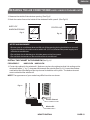
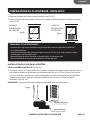
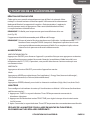
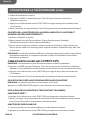
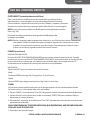
SLEEP
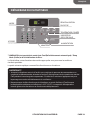
1. Press the TIMER button to choose Sleep mode. The indicator light will turn on.
2. The temperature will increase by 2˚F 1 hour after the mode is chosen. The temperature then
increases another 2˚F after 1 hour. The unit will hold this temperature for 6 hours then stops.
3. To turn off Sleep mode, press the TIMER button until the indicator light is off.
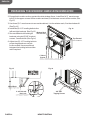
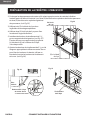
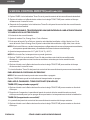
TEMP/TIME
• Press the TEMP/TIME up arrow button to raise the temperature. Each time you press the TEMP/
TIME up arrow button, the temperature will go up 1°F until it reaches 86°F (30°C).
• Press the TEMP/TIME down arrow button to lower the temperature. Each time you press or
hold the TEMP/TIME down arrow button, the temperature will go down 1°F until it reaches 61°F
(16°C).
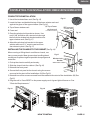
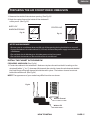
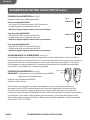
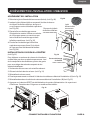
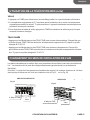
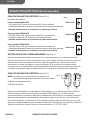
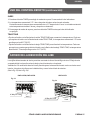
CHANGING THE AIR DIRECTION
The air directional louvers let you control the direction of the airflow. The airflow can be directed
up-down or left to right.
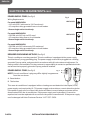
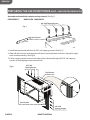
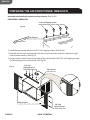
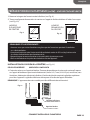
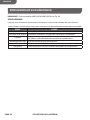
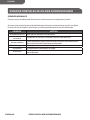
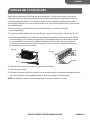
Vent: The Fresh Air vent allows the air conditioner to recirculate inside air, draw fresh air into the
room, and exhaust stale air to the outside. (See Fig.33 ,Fig.34)
HWE15XCN,HWE18VCN
Fig. 33
4-Way Air Flow
HWE24VCN
Fig. 34
Vent
4-Way Air Flow
USING YOUR AIR CONDITIONER
Vent
PAGE 27