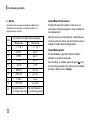
1
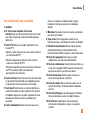
Recent Calls
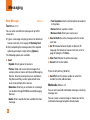
You can check the record of missed, received, and
dialed calls only if the network supports the Calling
Line Identification (CLI) within the service area.
Received Calls
Menu 3.3
• View the number, if available, and call it or save it in
the Address Book
The number and name (if available) are displayed
together with the date and time of the call. You can
also view call times.
• Enter a new name for the number and save both in
the Address Book
Missed Calls
• Delete the call from the list
Menu 3.1
• Send a message by this number
• View the number, if available, and call it or save it in
the Address Book
Delete Recent Calls
• Enter a new name for the number and save both in
the Address Book
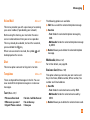
Allows you to delete Missed, Received and Dialed call
lists. You can delete all call lists at one time.
Menu 3.4
• Send a message by this number
• Delete the call from the list
Call Duration
Dialed Calls
This allows you to view the duration of the incoming
and outgoing calls. You can also reset the call times.
The following timers are available:
Menu 3.2
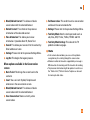
• View the number, if available, and call it or save it in
the Address Book
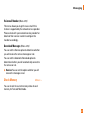
Last Call (Menu 3.5.1)
• Enter new name for the number and save both in the
Address Book
Length of the last call.
• Send a message by this number
Dialed Calls (Menu 3.5.2)
• Delete the call from the list
Length of the outgoing calls.
42
Menu 3.5