1
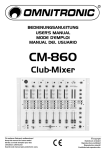
INTRODUCTION Congratulations on your purchase of the Phonic MX DJ Mixer series – MX 300 or MX 306. In order to get the best performance of the MX DJ Mixer series, please read all safety and owner’s manual carefully before operating the mixer, and keep it in a safe place for further reference. FEATURES Channel 1-3 on the front panel switchable between phono, mic or line. Mic 1 microphone-input via unbalanced XLRsocket on the front panel Mic 2, and 3 microphone-input via 1/4” mono-jack on the back panel Input sensitivity control (gain) for each channel 3-fold, separate tone-control (bass, middle, treble) for each channel with extremely wide range Limited Killfuntion (attenuated to –30dB) and limited F/X-function (enforced to +15dB) possible. You can cut the signal almost completely off by turning the control to the left. High-quality smooth channel faders Super long durable crossfader replaceable from above Crossfader for mixing channels 1, 2,and 3 (crossfader assign button) 2 beat-indicator at the crossfader for perfect mixing 3 LED-level-displays (master-out L/R and Cue Level) Headphones-connection on the front panel Headphone-output adjustable via Cue Levelcontrol Additional Cue Split/Cue Mix-button Cue Split function: the Cue-signal is on the one side of the headphones and the output-signal on the other side Cue Mix function: the adjustable mix of cuesignal and output signal is on both sides of the headphones Mixing of the headphones-signal possible via cue mixing-fader Output signal adjustable via master-control and balance-control Master-Out, Booth-out, and Rec-Out via 2 RCAsockets each Rec-Out independent from master-level for records with static level Separately controllable monitor-output (DJ-booth) for connecting active speaker or an additional amplifier High-grade discotheque-mixer with a convincing sound Beat meter (MX306 only) GETTING STARTED 1. Before turn on the power, set the Master output control on each channel all the way off 2. Always turn the power off before connecting or disconnecting cables 3. Check the AC Voltage before connecting the AC plug MX 300 / 306