1
Cassette Digitizer SilverCrest SKD 1000 A3
The recording window is then displayed.
3.
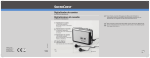
Insert the cassette that you wish to digitize and then press the PLAY button (10) to start
playing the tape. Adjust the volume using the Volume Control knob (2) on the device as
described in the "Input Level" option (see Step 4 below).
Use the FF button (8) or the REW button (9) to spool to the start of the tape or to
find the track that you wish to digitize.
Make sure that the correct recording console is configured in the AudioLava
software. On a computer running Windows 8, select "Options", then "Device
Settings", and in "Recording Console" select the "[MME] Mikrofonarray (2-USB
PnP Audio)" option. Under Windows 7 this entry reads "[MME] Mikrofonarray
(USB PnP Audio De ".
72
English