1
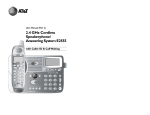
peakerphone Key
A
B
D
E
C
G
F
H
I
J
K
L
M
N
Pg. 4
A: Earpiece
B: OK key
Press to select the function displayed on the handset screen directly above it.
C: Back/Clear key
Press to delete one digit/character
in editing mode.
Press to select the function displayed on the handset screen directly above it.
Press and hold to change the handset idle display between Handset
Name and Date/Time.
D: Navigation keys
Press UP to access the Call log and
press DOWN to access the Phonebook, when in idle mode.
Press UP/DOWN to increase or decrease earpiece volume during a call.
Scroll up/down a menu list or go to
the previous or next record.
E: Talk key / Speakerphone Key
Press to answer an incoming external or internal call.
Press to dial the displayed number.
F: Hang-up/Exit key
Press and hold to switch the handset power on/off.
Press to end a call.
Press to return to idle mode in
other menus.
G: Menu key
Press to access the main menu.
H: Recall (Flash) key
You may need the Recall function
during a call if your phone is connected to a PBX.